


You're running incident response on a Friday night. A suspicious API call triggered an alert in Datadog. You need CloudTrail logs from your production accounts to trace the activity. You check Datadog — and the logs aren't there.
Not because logging was disabled. Not because CloudTrail wasn't configured. But because that particular account's CloudTrail was writing to an S3 bucket that nobody ever configured Datadog to ingest from.
The logs existed. They were sitting right there in S3. But your observability platform had no idea they were there — and neither did your team.
This is the cloud log fragmentation problem, and it's far more common than most organizations realize.
Every cloud service has its own logging story
AWS alone offers dozens of services that emit logs, and each one does it differently.
CloudTrail writes management and data event logs to S3 buckets or CloudWatch Log Groups — and each trail can be configured independently per account and per region. A single organization with 200 AWS accounts might have 200 separate CloudTrail configurations, each pointing to a different S3 bucket.
Elastic Load Balancers send access logs to S3 buckets. But the bucket must be specified per load balancer. Two identical ALBs in the same account can write to entirely different buckets — one to prod-elb-logs-us-east-1, another to legacy-lb-logging-bucket. There's no central registry.
VPC Flow Logs can go to CloudWatch Logs, S3, or Kinesis Data Firehose. The choice is made per VPC, per subnet, or even per network interface. An organization running 50 VPCs across 10 regions might have flow logs scattered across all three destination types.
Lambda functions write to CloudWatch Log Groups automatically, but the log group naming depends on the function name. With hundreds of functions, the log groups multiply fast — and forwarding all of them to an external platform requires explicit configuration per group or a wildcard subscription.
RDS can publish logs to CloudWatch, but only if you enable it per instance — and the specific log types (error log, slow query log, audit log, general log) are each toggled separately.
S3 server access logs go to a target S3 bucket, configured per source bucket. CloudFront access logs go to yet another S3 bucket. WAF logs go to Kinesis, S3, or CloudWatch. Route53 query logs go to CloudWatch. EKS control plane logs go to CloudWatch but must be enabled per cluster and per log type.
And that's just AWS. Azure and GCP each have their own fragmented logging architectures with diagnostic settings, log sinks, and export configurations that vary per service.
The math gets ugly fast
Consider a moderately complex enterprise environment:
- 4 AWS accounts
- 3 regions per account
- 11 service types that emit logs (CloudTrail, ELB, VPC Flow, S3 Access, Lambda, EKS, RDS, CloudFront, WAF, Route53, AWS Config)
That's potentially 132 individual log source configurations to track — just for AWS. Each one can be enabled or disabled independently. Each one can point to a different destination. Each destination needs to be connected to your log management platform.
Now scale that to an enterprise with 200+ accounts across multiple cloud providers. You're looking at thousands of individual log source configurations, each of which represents a potential gap in your observability.
Why this breaks observability platforms
Datadog, Splunk, and every other log management platform share the same fundamental constraint: they can only ingest logs they know about. They need to be told where the logs are — by pointing at specific S3 buckets, subscribing to specific CloudWatch Log Groups, or receiving logs via specific Kinesis streams.
When a DevOps team spins up a new EKS cluster on Tuesday, enables control plane logging on Wednesday, and the logs start flowing to a new CloudWatch Log Group — nothing automatically tells Datadog to start collecting from that log group. The cluster is live, the logs are being generated, but your observability platform is blind to them.
This creates a dangerous asymmetry: the infrastructure is growing faster than your log collection configuration can keep up.
The problem compounds over time. Every new service, every new account, every new region introduces the possibility of a gap. And unlike a service being down (which triggers an alert), a missing log source is silent. You don't get an alert for logs you never knew existed.
Manual audits can't scale
The instinctive response is to audit log configurations manually. Assign someone to check every account, every region, every service, and verify that logging is enabled and forwarded to the right place.
In practice, this is unsustainable for several reasons.
First, the audit is outdated by the time it's complete. In a dynamic cloud environment where teams are provisioning resources daily, a log audit that takes a week to complete will have gaps by the time it's done.
Second, auditing requires deep knowledge of each service's logging configuration. Checking whether CloudTrail is configured correctly is a different process than checking ELB access logs, which is different from checking VPC Flow Logs. Each requires navigating different AWS consoles, APIs, or CLI commands.
Third, there's no single AWS API that returns "here are all your log sources and where they're going." You have to query each service individually, across each account and region, and correlate the results yourself.
Fourth, even if you complete the audit, you have no way to continuously monitor for drift. A log configuration that was correct last month might be wrong today because someone modified a bucket policy or deleted a CloudWatch subscription.
The compliance dimension
For regulated industries — finance, healthcare, government, defense — log coverage isn't optional. Compliance frameworks including SOC 2, PCI DSS, HIPAA, and FedRAMP all require organizations to demonstrate that critical infrastructure is logged and that those logs are available for investigation.
An auditor asking "can you prove that all production load balancers are logging to your SIEM?" expects a definitive answer — not "we think so" or "we checked last quarter." Log coverage gaps are audit findings, and in regulated environments, audit findings have consequences.
The fragmentation problem makes this particularly painful because the evidence an auditor wants — a comprehensive view of every log source and its destination — is exactly the thing that's hardest to produce in a fragmented environment.
The CMDB solution
The reason log fragmentation persists isn't that it's technically unsolvable. It's that solving it requires a piece of infrastructure most organizations don't have: a continuously updated inventory of every cloud service, with knowledge of that service's logging configuration.
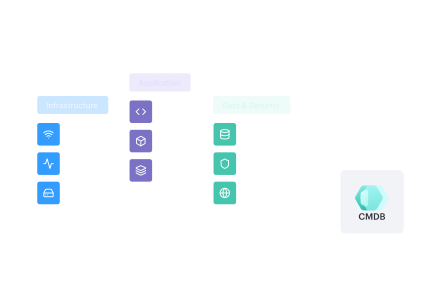
This is what a Configuration Management Database (CMDB) provides when it's built for cloud-native environments. A CMDB that auto-discovers every configuration item across your cloud accounts — every load balancer, every VPC, every Lambda function, every RDS instance — already knows what exists. And if that CMDB also captures logging configuration attributes (is logging enabled? where are the logs being sent?), it has the complete picture.
Cloudaware's CMDB discovers over 3,000 cloud service types across AWS, Azure, GCP, Oracle, and Alibaba Cloud. For each discovered service, the CMDB captures not just the resource itself but its configuration — including whether logging is enabled and where logs are being routed.
This is the data foundation that makes log coverage analysis possible at enterprise scale.
From CMDB to gap analysis
Having a CMDB that knows about every log source is half the equation. The other half is knowing what your log management platform is actually ingesting.
This is the insight behind Cloudaware LogSight, now available on the Datadog Marketplace. LogSight connects the CMDB's complete infrastructure inventory to Datadog's API, performing a continuous reconciliation between "what exists" and "what Datadog sees."
The result is an actionable gap report that shows, per service, per account, per region:
- Whether logging is enabled on the resource
- Where logs are being sent (which S3 bucket, which CloudWatch log group)
- Whether Datadog is actively ingesting logs from that destination
When the report shows that your production account has 142 Lambda functions writing to CloudWatch Log Groups that Datadog isn't subscribed to, or that 7 out of 11 service types have 0% coverage — that's the kind of visibility that turns "we think we're logging everything" into "we know exactly what we're missing."
Closing the loop
The cloud log fragmentation problem isn't going away. Cloud environments are getting more complex, not less. Teams are provisioning faster, across more accounts and more regions, with more services.
The only sustainable answer is automated, continuous log coverage monitoring — powered by infrastructure that already knows about every resource in your environment.
If you're a Datadog customer, Cloudaware LogSight is available on the Datadog Marketplace with a 30-day free trial. See your log coverage gaps in minutes, not weeks.
Cloudaware is a real-time CMDB platform for multi-cloud management. Learn more at cloudaware.com.