


Updated: September 19, 2026
Expert reviewed: This guide was reviewed by Alla L. Cloudaware CMDB and ITAM specialist for software discovery, license tracking, hybrid-cloud coverage, compliance workflows, and enterprise SAM use cases.
Review scope: software discovery, license tracking, hybrid-cloud coverage, compliance workflows, and enterprise SAM
Choosing IT asset discovery tools shouldn’t feel like a second job. Yet here you are. Ten tabs open. Every vendor “discovers everything.” Every sales deck looks the same. And you still don’t know which tool will actually catch that mystery VM before it becomes a security incident.
Because in real life, cloud asset discovery is messy. Multi-cloud, hybrids, shadow IT, old stuff nobody admits they deployed. Miss one corner of your footprint and you’ve got blind spots in security, compliance, and costs.
So my team and I did the painful part for you. We pulled 20 tools into real environments, broke things on purpose, watched what each one found (and missed), and dug into pricing and support. In this guide, you’ll see the 10 that passed the test – with clear pros, cons, and when you should actually pick them – so you don’t have to test them all yourself.
What is IT asset discovery?
IT asset discovery is the process of continuously finding technology assets, identifying them, and updating their records as things change.
Discovery answers what exists and what changed. IT asset inventory management adds ownership and lifecycle control, while Cloudaware ITAM software connects that inventory to operational workflows.
Strong asset discovery tools do more than scan a network and spit out a list. They pull data from cloud APIs, inspect devices, collect software details, and reconcile duplicate records so one asset does not appear as three different entries across ITSM, IT asset management, billing, and security.
That matters even more in the cloud, where environments change fast. New accounts show up, test workloads stick around, tags drift, and ownership gets blurry. In hybrid environments, server discovery tools only cover part of the picture. You also need cloud, software, and ownership data tied back to the same record.
An application discovery tool adds more context by showing which services, databases, and infrastructure belong together.
A strong discovery platform should answer three questions fast:
- what exists
- who owns it
- what changed
How asset discovery tools work
Most asset discovery tools start by pulling data from the systems where it already lives.
That usually means a mix of API integrations, network scans, and sometimes agents. APIs collect cloud and system inventory. Network scans find live devices and services. Agents help when teams need deeper endpoint or software visibility. Together, those methods cover cloud, on-prem, hardware, software, and services.
Then the platform cleans up what it finds. It normalizes data, reconciles duplicates, and turns raw findings into one usable inventory record instead of leaving the same asset scattered across multiple tools.
Better platforms also enrich that record with context like owner, tags, cost, compliance status, vulnerabilities, and change history.
After that, discovery keeps running. Good tools do not just scan once. They keep the inventory current as environments change, then feed that data into a CMDB, workflows, audits, and incident response.
That is the real goal of CMDB discovery: not just finding assets, but keeping operations, security, and IT working from the same current source of truth.
Types of asset discovery tools
Not all asset discovery tools solve the same problem. That’s where teams get burned.
One tool is great at finding what’s running on the network right now. Another is built to pull clean inventory from cloud APIs. A third is focused on software usage, license visibility, or endpoint data. They all live under the same “discovery” label, but they serve very different jobs.
- Cloud asset discovery tools. These tools are built for fast-moving environments where resources appear, change, and disappear constantly. They connect to cloud platforms through APIs and pull data on things like virtual machines, databases, storage, Kubernetes resources, and SaaS applications. This is the category you need when your biggest risk is stale inventory, shadow infrastructure, or missing ownership data across AWS, Azure, and GCP.
- Server and network discovery tools. This is the classic infrastructure lane. Server discovery tools focus on what is live inside your network: physical servers, network devices, switches, routers, and other infrastructure that still has to be tracked even if half your stack now lives in the cloud. These tools usually rely on network scans, SNMP, and direct discovery methods to detect devices, monitor health, and surface gaps that never make it into a spreadsheet.
- Software discovery tools. A software discovery tool answers a different question: not just what hardware exists, but what is installed, running, licensed, and potentially risky. That matters when you’re trying to uncover unsanctioned software, clean up waste, prepare for audits, or respond faster to vulnerabilities. In stronger platforms, software discovery feeds a centralized software catalog instead of living in its own little silo.
- Device and endpoint discovery tools. These tools are about the messy reality of user technology: laptops, desktops, mobile devices, and anything managed through MDM or endpoint systems. They help teams track device inventory, compliance posture, and lifecycle data so security, ITAM, and operations aren’t all working from different records. This category becomes especially important when remote work, BYOD, or distributed offices make endpoint visibility harder to maintain.
- CMDB discovery tools. This is where discovery stops being just inventory and starts becoming operationally useful. CMDB discovery tools don’t just find assets. They connect them to a broader record: relationships, ownership, change history, software, and infrastructure context. That makes them more useful for incident response, change management, governance, and reporting. If your team needs one source of truth across cloud and on-prem, this is usually the category that matters most.
So which type do you actually need?
If you only need to scan a network and find active machines, a network-first tool may be enough. If you’re managing hybrid or multi-cloud infrastructure, that won’t get you very far. You’ll need cloud API discovery, software visibility, and CMDB-level context in the same flow.
That’s why enterprise teams often outgrow point tools and move toward platforms that combine multiple discovery methods in one place.
Asset discovery vs IT asset discovery: what changes in hybrid environments
Asset discovery is the broad job: find every asset that exists. Hardware. Software. Cloud resources. SaaS apps. Identities. Network devices. Containers. Databases. The whole footprint.
IT asset discovery gets more operational. It has to tell IT, security, finance, and service teams what the asset is, where it runs, who owns it, what changed, and whether it creates risk.
That difference matters in hybrid environments.
A network scanner may find the server. A cloud connector may find the EC2 instance. An ITSM platform may show the CI. Finance may see the bill. Security may see the vulnerability.
Now someone has to prove those are not five different assets.
| Discovery layer | What it answers |
|---|---|
| Asset discovery | What exists across the environment? |
| IT asset discovery | What exists, who owns it, what it supports, and what changed? |
| Hybrid asset discovery | How do cloud, SaaS, servers, software, and CMDB records connect into one trusted view? |
For hybrid teams, clean reconciliation matters as much as detection. The best IT discovery tools do not just create more records. They connect AWS, Azure, GCP, Kubernetes, SaaS, servers, software, and ITSM data into one usable inventory.
Cloud asset discovery: what to look for across AWS, Azure, GCP, Kubernetes, and SaaS
Cloud asset discovery gets messy fast because cloud does not wait for monthly scans.
A developer spins up a test instance. A Kubernetes workload appears for two hours. A storage bucket gets created without tags. A SaaS app gets approved by one team, then adopted by five more. By the time a spreadsheet catches up, the environment has already changed.
A serious cloud asset discovery tool should pull directly from AWS, Azure, Google Cloud, Kubernetes, and SaaS APIs. Scheduled scans help, but API-based discovery gives teams a better shot at catching short-lived, ownerless, and misconfigured assets before they turn into audit findings or security exposure.
Check for these capabilities before buying:
- Continuous cloud API discovery, not occasional exports
- Tag and ownership enrichment for cost, accountability, and routing
- Kubernetes visibility across clusters, workloads, nodes, and services
- SaaS discovery for apps, users, licenses, and shadow adoption
- CMDB reconciliation so one cloud resource does not become three records
- Risk context from compliance, vulnerabilities, exposure, and change history
Cloudaware fits this cloud-first use case when teams need asset discovery across AWS, Azure, GCP, VMware, SaaS, Kubernetes, and on-prem assets in one operational view.
Server discovery tools: when network scanning still matters
Server discovery tools still matter. A lot.
Cloud gets the attention, but most enterprises still have physical servers, VMs, network appliances, firewalls, routers, switches, legacy systems, and forgotten machines sitting outside neat cloud APIs.
That is where network scanning earns its place.
A good server discovery setup should find:
| Asset type | Discovery method to check |
|---|---|
| Physical servers | Agentless scans, agents, IP range discovery |
| Virtual machines | Hypervisor integrations, OS detection, software inventory |
| Network devices | SNMP, SSH, WMI, network protocols |
| Remote endpoints | Lightweight agents, endpoint integrations |
| Installed software | Version, package, license, and vulnerability context |
The trap is buying a server discovery tool and expecting it to solve hybrid visibility by itself.
Network scans can tell you what is alive. They may not tell you what business service it supports, who owns it, what cloud workload replaced it, or whether the same asset already exists in the CMDB.
For legacy-heavy environments, server discovery is essential. For hybrid enterprises, it needs to sit next to cloud API discovery, software discovery, and CMDB-level reconciliation.
ITSM discovery: when asset data needs to feed tickets, changes, and CMDB records
ITSM discovery matters when asset data has to do actual work.
Not sit in a report. Not decorate a dashboard. Work.
If an asset is tied to an incident, change request, service map, approval flow, or audit trail, the ITSM system needs clean CI data. Bad discovery data creates duplicate CIs, ownerless tickets, broken change impact analysis, and slow incident response.
ITSM discovery should support:
- CI creation and updates from trusted discovery sources
- Duplicate reconciliation across cloud, server, software, and service records
- Ownership mapping for routing incidents and approvals
- Change context so teams can see what shifted before a failure
- Service relationships between apps, databases, servers, cloud assets, and users
This is why ITSM-native discovery tools can be useful. Service teams need asset data inside their workflows.
The limitation appears when discovery stops at the service desk. Security still needs exposure context. FinOps still needs cost and tag data. Compliance still needs evidence. Cloud teams still need API-level visibility across accounts, subscriptions, projects, and clusters.
The stronger setup feeds ITSM with clean, enriched asset records instead of pushing raw inventory into tickets and hoping humans clean it later.
Automation discovery tool vs automated asset discovery tool
These two terms sound almost the same. They are not the same buying decision.
An automated asset discovery tool finds assets without manual effort. It detects new servers, cloud resources, SaaS apps, software installs, network devices, and configuration changes.
An automation discovery tool goes further. It uses discovery signals to trigger action.
| Tool type | What it does | Example |
|---|---|---|
| Automated asset discovery tool | Finds and updates assets automatically | New AWS instance appears in inventory |
| Automation discovery tool | Uses discovered changes to start workflows | Ownerless production instance triggers an alert, ticket, policy check, or approval |
That difference matters for mature IT and security teams.
Detection is only step one. The real value starts when a new asset gets classified, enriched, tied to an owner, checked against policy, and routed to the right team.
For example:
- A new production VM appears without an owner
- The tool enriches it with cloud account, tags, software, vulnerabilities, and cost data
- A policy flags missing ownership
- A ticket goes to the platform team
- The exception expires if nobody fixes it
That is where discovery becomes operational.
Cloudaware is built around this model: discovery feeds CMDB records, ownership, compliance checks, vulnerability context, software inventory, cost signals, and operational workflows. So the asset does not just appear. It becomes usable for IT, security, compliance, FinOps, and service operations.
Methodology: How we tested the asset discovery tools
We reviewed official product pages and current vendor documentation available on September 15, 2026. Each product was checked against seven questions: Does it discover cloud resources through provider APIs? Does it use endpoint agents? Can it scan networks? Does it support SNMP? What software inventory does it collect? How does it normalize duplicate or conflicting records? Where does the resulting data land in a CMDB or ITSM workflow?
Public user reviews informed the usability and implementation notes. They did not determine feature ratings. A vendor received “Verify” when its public documentation did not support a confident answer.
This was a documentation-led comparison, not a shared product lab. We did not run ten tools against one controlled environment, so the article does not claim measured discovery speed, coverage, or accuracy. Buyers should test those outcomes with their own accounts, subnets, endpoints, and CMDB rules.
IT asset discovery tools at a glance
- Best for hybrid and multi-cloud discovery tied to a CMDB: Cloudaware. It combines cloud integrations with Breeze Agent, network and SNMP discovery, software facts, normalization rules, and ServiceNow CMDB enrichment.
- Best for data-center discovery and dependency mapping: Device42. Its coverage spans cloud APIs, common network protocols, software inventory, infrastructure relationships, and a native CMDB. Device42 is now a Freshworks company.
- Best for network-first discovery: Lansweeper. Sensors, credentialed scans, optional agents, and cloud APIs cover a broad estate. Its reconciliation model is unusually well documented.
- Best for software asset management and technology normalization: Flexera. Flexera is strongest when the discovery problem leads to software evidence, licensing, Technopedia normalization, and CMDB enrichment.
- Best for ITSM-native discovery: ServiceNow Discovery. It fits teams prepared to run MID Servers, credentials, patterns, cloud discovery, and CMDB governance inside the ServiceNow platform.
- Best for SaaS application and identity discovery: Zluri. It belongs on the list when shadow SaaS and access are the problem. It is not a substitute for network scanning or SNMP.
Security teams evaluating managed, unmanaged, OT, IoT, or medical devices should also inspect Armis Centrix from ServiceNow. Its job is cyber asset intelligence and exposure context, not traditional software license management.
Compare IT asset discovery tools by discovery method
A checkmark only helps when the column has a definition. “Agentless” can mean a cloud API, a credentialed SSH session, an SNMP query, a passive network sensor, or an imported record from another platform. Those methods reach different assets and return different depth.
The tables below use five labels: Core, Supported, Connector, Not core, and Verify. “Supported” still requires a deployment decision. “Connector” means the record depends on an adjacent product, imported source, or integration.
Collection and coverage
| Product | Cloud API discovery | Endpoint agents | Network scanning | SNMP |
|---|---|---|---|---|
| Cloudaware | Core for supported cloud integrations | Supported through Breeze Agent | Supported through a Breeze host with subnet access | Supported in Network Discovery |
| Flexera One ITAM | Connector and inventory-source dependent | Core through FlexNet Inventory Agent | Supported through remote inventory and beacons | Verify in the intended Flexera package |
| Device42 | Core for major cloud platforms | Supported as an optional depth method | Core through agentless discovery | Core through discovery protocols |
| ManageEngine ServiceDesk Plus | Connector or product dependent | Core for endpoint scans | Core | Core for supported network devices |
| SolarWinds Service Desk | Connector for selected repositories and cloud sources | Core through Discovery Agent | Core through Discovery Scanner | Verify in the current Service Desk scanner scope |
| Ivanti Neurons for Discovery | Connector dependent | Supported in the Ivanti platform | Core through active and passive discovery | Core |
| Armis Centrix from ServiceNow | Connector-led cloud and security ingestion | Not required for core visibility | Core for passive visibility, with active querying available | Verify for the intended deployment |
| Zluri | Core for SaaS application APIs, not IaaS inventory | Supported through desktop and browser collection | Not core | Not core |
| ServiceNow Discovery | Core for supported cloud discovery | Supported through Agent Client Collector | Core through MID Server and patterns | Core |
| Lansweeper | Core for AWS, Azure, and Google Cloud | Supported and useful for remote endpoints | Core through sensors and active scans | Core through credentialed discovery |
Software data, normalization, and CMDB output
| Product | Software inventory | Normalization and reconciliation | CMDB sync or destination | Best fit |
|---|---|---|---|---|
| Cloudaware | Installed software through Breeze plus connected-source data | Core rules for provider fields, IDs, units, enums, and source precedence | Native Cloudaware CMDB; ServiceNow enrichment is supported | Hybrid and multi-cloud estates that need one operational CI model |
| Flexera One ITAM | Core software evidence and inventory | Core through Technopedia and IT Visibility | ServiceNow and other CMDB enrichment through connectors | SAM, licensing, and technology-intelligence programs |
| Device42 | Core hardware and software inventory | Core CI correlation inside Device42 | Native CMDB with ServiceNow and Jira Service Management integrations | Data-center, hybrid infrastructure, and dependency mapping |
| ManageEngine ServiceDesk Plus | Core installed-software inventory and license tracking | Supported; verify CI matching rules in the POC | Native ServiceDesk Plus CMDB | Teams already using ManageEngine ITSM and endpoint tooling |
| SolarWinds Service Desk | Core through agent and scanner data | Supported aggregation and duplicate handling | Native Service Desk CMDB | Service desk teams that want discovery inside ticket and asset workflows |
| Ivanti Neurons for Discovery | Supported through remote inventory and adjacent Ivanti capabilities | Core normalized inventory in the Neurons platform | Feeds Ivanti asset, service, and security management | Ivanti-centered endpoint and ITSM environments |
| Armis Centrix from ServiceNow | Software and application context, not a full SAM system | Core aggregation, deduplication, and normalization | CMDB enrichment, including ServiceNow integration | Security-led cyber asset visibility across managed and unmanaged devices |
| Zluri | Core for SaaS application inventory; endpoint depth depends on collectors | Core for identity and application records | ITSM integrations, not a native infrastructure CMDB | SaaS management, shadow IT, and identity governance |
| ServiceNow Discovery | Installed software and application data within discovery scope | Core through CMDB identification and reconciliation | Native ServiceNow CMDB | Enterprises that want discovery, CMDB, and ITSM on one platform |
| Lansweeper | Core installed-software inventory | Core record reconciliation across sensors, agents, and cloud APIs | Integrations and APIs; not a full native ITSM suite | Broad network, endpoint, OT, and cloud inventory |
Public documentation changes. Treat the table as a shortlist, then verify object support, protocol depth, collection cadence, licensed modules, and sync direction with the vendor.
How to choose the best IT asset discovery software
A polished demo can make every collector look complete. Give the vendor one asset that refuses to cooperate and the differences appear fast.
The useful test starts with a small, known estate. Seed cloud resources across several accounts. Add a remote laptop, an SNMP device, a server with installed software, and one existing CMDB record. Change a tag or hostname during the test. Now watch what the product finds, what it misses, and which record wins when sources disagree.
That approach reflects the reason discovery exists. CIS Control 1 covers enterprise assets across physical, virtual, remote, and cloud environments. Control 2 extends the job to operating systems and applications. A network-only tool may help with Control 1 and still leave a large hole in Control 2.
Prove the collection path
Cloud APIs should return provider IDs, account or subscription context, region, tags, state, and a collection timestamp. Ask which services and object types are supported. “AWS discovery” is not a useful answer if the tool only imports EC2 instances and ignores managed databases, Kubernetes, IAM, or networking.
Agents earn their keep on remote endpoints and deep software inventory. Inspect the supported operating systems, update process, resource overhead, failure reporting, and last-seen behavior. An agent that silently stops reporting creates a clean-looking blind spot.
Network scanning finds reachable devices that cannot run an agent. SNMP deserves its own line because a ping response and an SNMP inventory are not the same result. Verify supported SNMP versions, credential handling, subnet placement, scanning windows, and the fields returned for switches, routers, printers, and appliances.
Inspect software depth
“Software discovery” can describe three different jobs: installed packages on endpoints, server applications and services, or SaaS subscriptions inferred from identity, finance, browser, and admin data. Decide which one matters before comparing products.
For installed software, check title, publisher, version, install date, device relationship, evidence source, and last seen. SaaS discovery needs users, assigned seats, activity, contract owner, renewal date, and billing evidence. A single “software: yes” column hides that gap.
Test normalization and CMDB flow
Discovery creates observations. The CMDB needs trusted records.
Ask the vendor to show what happens when an agent, a cloud API, and a network scan report the same server. Which identifiers match the observations? How are provider IDs, serial numbers, hostnames, MAC addresses, and IP addresses weighted? Which source owns a disputed field? What happens when the preferred source goes stale?
Then follow the record into the CMDB. A logo on an integrations page does not prove a production sync. Confirm direction, frequency, field mapping, rejection handling, deletion behavior, relationship support, and whether the connector writes into native CI classes.
Use the following starting metrics for a representative POC. Adjust freshness targets to the volatility and risk of your estate.
| Metric | Calculation | Practical starting target |
|---|---|---|
| Discovery coverage | Expected seeded assets discovered / expected seeded assets | At least 95%, with every exclusion explained |
| Required-field completeness | Populated required fields / required fields across discovered assets | At least 95% |
| Duplicate rate after reconciliation | Duplicate CI records / expected unique assets | Below 1% |
| Freshness lag | Time from source change to updated inventory or CMDB record | Set by asset type, then measure p50 and p95 |
| CMDB ingestion success | Accepted CI writes / attempted CI writes | At least 99% |
| Orphan rate | Discovered assets without an owner, service, or approved exception | Track a baseline and require a downward workflow |
Those thresholds are evaluation targets, not universal product benchmarks. The value comes from measuring the same sample across every finalist.
Here is a list of the IT asset discovery software that meets these criteria:
Cloudaware
Best for: hybrid and multi-cloud environments that need cloud, server, network, and software observations normalized into one CMDB.
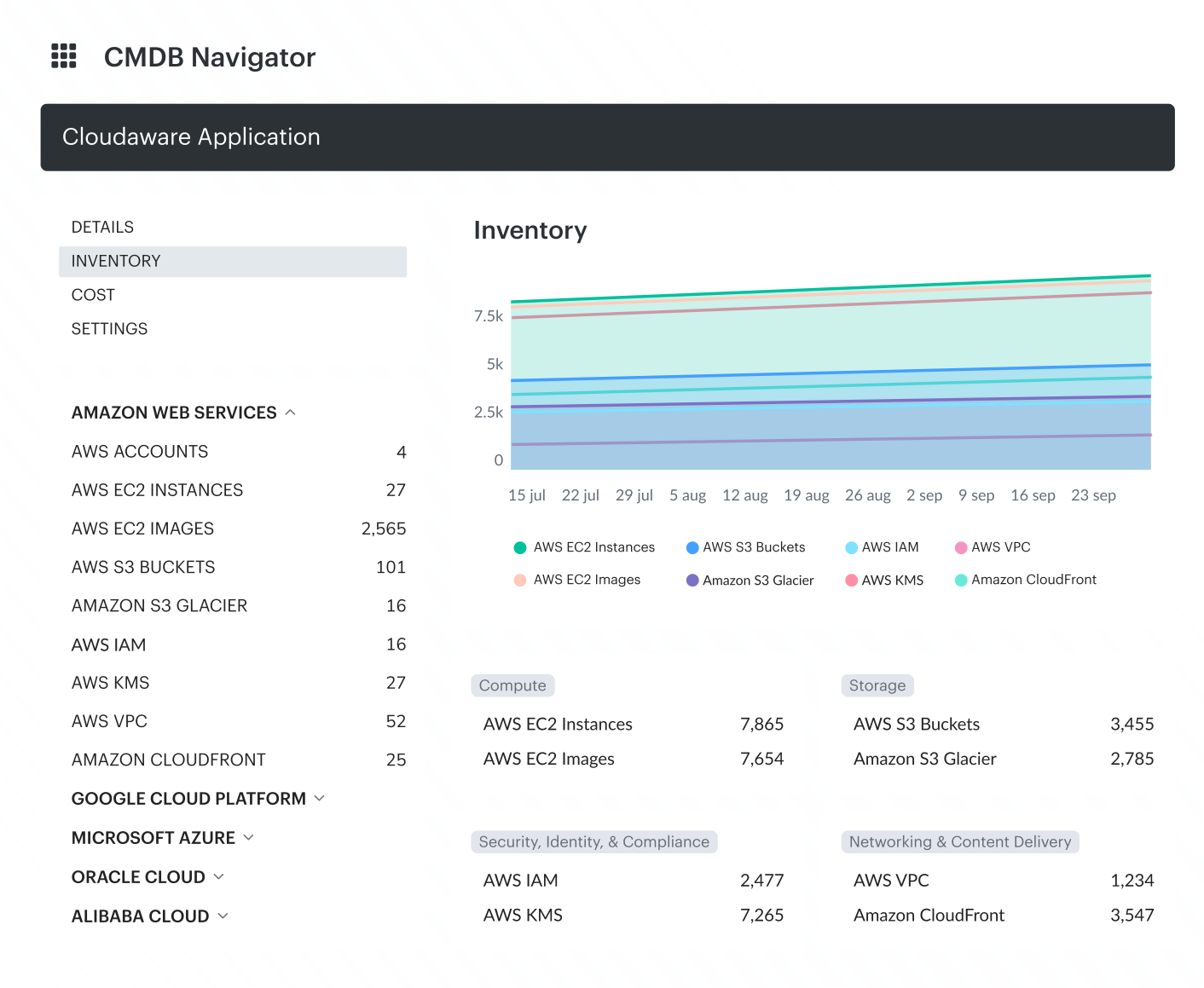
Cloudaware is a strong fit for enterprises that need discovery across cloud and on-prem environments in one system. Its biggest advantage is not just that it finds assets, but that it uses APIs to auto-discover them across AWS, Azure, GCP, VMware, and SaaS, consolidates duplicate records, and extends discovery into on-prem infrastructure through network and SNMP methods. On the CMDB side, it adds more operational depth with CI enrichment, centralized software inventory, and auto-discovered SBOM.
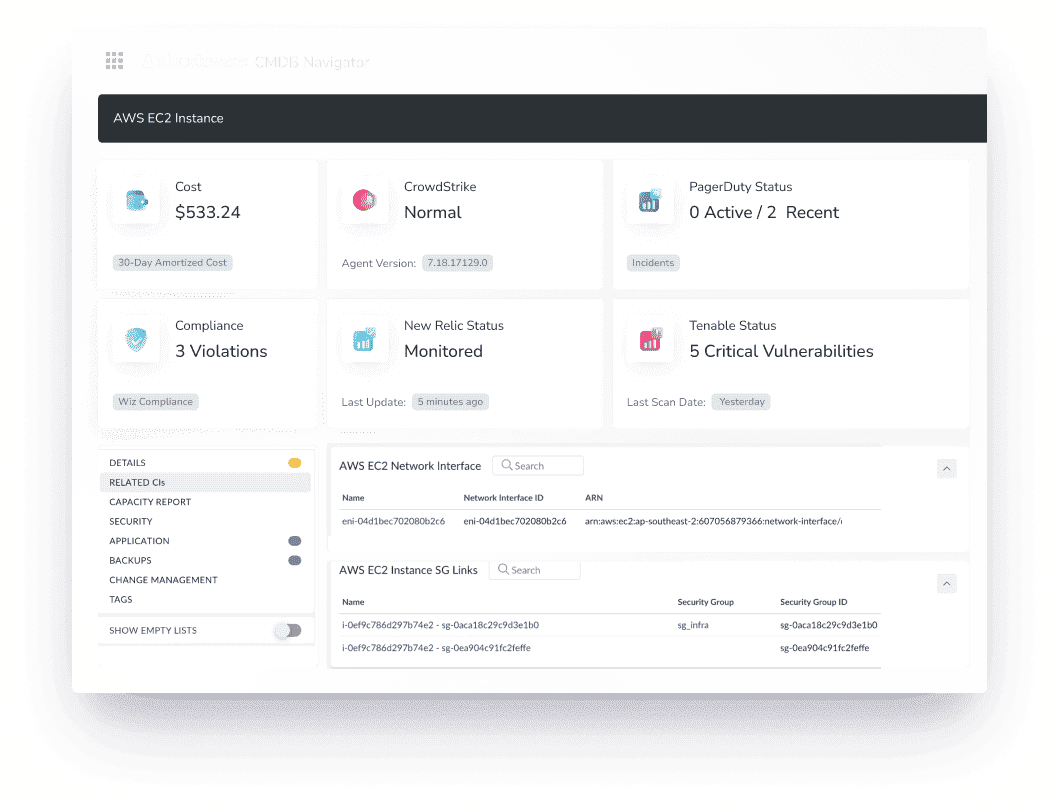
CIOs, DevOps teams, and cloud security architects choose Cloudaware automation discovery tool to eliminate shadow IT, track ephemeral resources, and maintain an always-accurate asset inventory. Because in complex infrastructures, what you can’t see will cost you.
Asset discovery features
- Real-time discovery. Cloudaware continuously updates your CMDB with fresh data from Kubernetes clusters, EC2 instances, S3 buckets, VMs, and databases, ensuring no asset goes unnoticed.
- Agentless asset discovery. By pulling data directly from cloud APIs, Cloudaware eliminates the need for installing agents on devices, reducing overhead and potential security risks.
- Deep CI enrichment. Each asset is enriched with metadata such as owner, cost center, compliance status, vulnerabilities, and usage history, transforming raw inventory into actionable intelligence.
- Tagging and categorization. Automatically organizes assets with custom taxonomies, streamlining management and resource tracking.
- Workflow automation. Enables automated alerts, auto-remediation, and configuration drift correction upon detecting unauthorized changes.
- Change tracking history. Maintains a detailed audit log of every modification across cloud accounts, facilitating compliance and rapid root cause analysis.
- 200+ integrations. Seamlessly connects with a wide array of security, monitoring, and management tools, enhancing operational efficiency.
Pricing of Cloudaware IT asset discovery tools
Cloudaware offers subscription packages starting at 50 servers and 1 user, with pricing beginning at $200 per month. For instance, managing 100 servers would cost approximately $400 monthly.
The platform also provides a 30-day free trial, allowing organizations to explore its features before committing.
Based on user feedback from Capterra and G2, here are the pros and cons of using Cloudaware as an IT asset discovery tool 👇
Cloudaware Pros from G2
- Unified Multi‑Cloud Visibility: “It provides a unified view of all cloud resources, which allows for better visibility and control over the entire cloud environment.” This central dashboard simplifies tracking assets across AWS, Azure, GCP, and on-prem systems.
- Agentless Asset Discovery: “No need to install agents on devices—Cloudaware pulls data directly from cloud APIs, reducing operational overhead and minimizing security risks.” Users appreciate that assets are auto-discovered continuously without intrusive agents.
- Robust Feature Set: “This software is easy to use and provides many features… We like the reporting capabilities… [and] the ability to easily identify problems in the cloud environment with recommendations to remediate.”
Cloudaware Cons from G2
- Complex UI & Learning Curve: “Cloudaware can be slow at times, and the user interface can be overwhelming and difficult to navigate… some users may find the initial learning curve to be steep.” New users often require time and training to master its extensive features.
- Integration Challenges: “Integrating Cloudaware with existing systems or workflows [was] challenging for me, especially when I have complex IT environments” (Source: g2.com). While powerful, Cloudaware may need extra effort to fit into established processes.
- High Cost for Small Teams: “Pricing can be high for small businesses or startups” (Source: g2.com). Several users noted that Cloudaware’s advanced capabilities come at a premium price, which can be prohibitive for smaller organizations.
Flexera
Best for: enterprises where discovery feeds software asset management, licensing, technology lifecycle data, and CMDB enrichment.
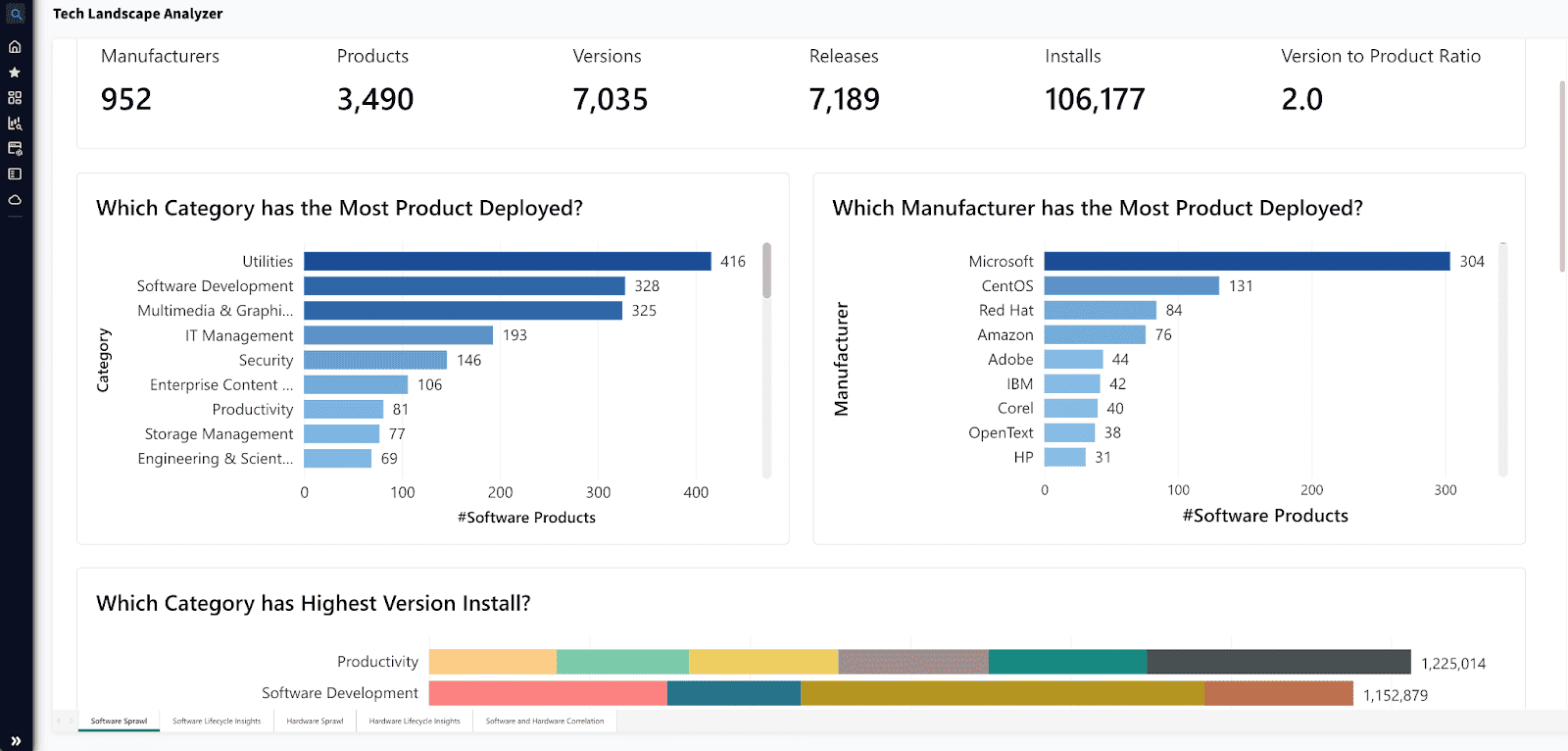
Flexera isn’t just about finding what’s running in your cloud — it’s about knowing why it’s there, who owns it, and what it’s costing you. In sprawling environments with AWS, Azure, GCP, Kubernetes, and on-prem servers, resources appear and disappear in seconds. CIOs, DevOps teams, and cloud security architects rely on Flexera’s cloud asset discovery capabilities to keep their IT landscape clean, optimized, and compliant — without drowning in spreadsheets or surprise costs.
How Flexera handles IT asset discovery
- Real-time discovery. Tracks every VM, database, container, SaaS license, and cloud instance as it spins up or shuts down.
- Agentless asset discovery. Pulls data from cloud APIs and existing monitoring tools, reducing system impact while increasing coverage.
- Context-rich insights. Enriches each configuration item (CI) with details like cost allocation, security posture, ownership, and compliance risk, ensuring every asset is fully accounted for.
- Intelligent categorization. Automatically assigns tags and policies, helping organizations organize and track their assets effectively.
- Dependency mapping. Reveals hidden relationships between applications, services, and infrastructure, improving troubleshooting and planning.
- Automated governance. Flags misconfigurations, unauthorized changes, and cost anomalies, triggering alerts or corrective actions for better management.
- Extensive integrations. Connects with ITSM, security, and financial management software, ensuring seamless data flow between devices and platforms.
In a world where invisible assets mean hidden risks and wasted budgets, Flexera ensures you see it all, track it all, and control it all — without lifting a finger.
Pricing
Flexera’s IT asset discovery software pricing is tailored to the number of assets, cloud environments, and additional features required. According to Vendr's internal transaction data, the cost of Flexera software discovery tool varies significantly:
- Minimum pricing depends on a company’s specific needs.
- Maximum pricing can go as high as $640,000 annually for large enterprises.
- Average pricing for most organizations is around $30,410 per year.
For a company operating multiple cloud environments with over 10,000 servers, costs will likely be on the higher end of the spectrum, potentially exceeding $100,000 annually, depending on the required security integrations and automation features.
Based on user feedback from G2 and Capterra, here are the pros and cons of Flexera's IT asset discovery tool:
Pros
- Effective Asset Discovery & Inventory: “Extremely accurate inventory data… [and] excellent public cloud recognition” (Source: capterra.com). Users praise Flexera’s ability to reliably discover IT assets across on-prem and cloud, providing a trustworthy inventory for decision-making.
- Seamless Third‑Party Integrations: “Integrates with an extensive range of third-party software (inventory sources, CMDB technologies, publisher license tools, etc.)” (Source: capterra.com). Flexera’s versatility in connecting to other systems is a major plus in diverse IT environments.
- Excellent Support & Recognition Library: “Excellent support from Flexera, including adding new applications to the recognition library upon request” (Source: capterra.com). Users value Flexera’s responsive support team and the up-to-date Application Recognition Library that quickly accommodates new software.
Cons
- Steep Learning Curve: “The tool is powerful but has a steep learning curve… the UI could be more intuitive. Data updates can also take a while with large datasets.” (Source: g2.com) Initial setup and training can be time-intensive due to Flexera’s breadth of features.
- Dated User Interface: “Some of the deeper configuration menus can feel a bit dated and less intuitive” (Source: g2.com). Reviewers note the interface isn’t as modern or streamlined, which can impact navigation and user experience.
- Support Response Delays: “_Shorten response/resolution times for high-priority production incidents…_” (Source: g2.com) . A few users report that Flexera’s support can be slow to respond on urgent tickets, which is problematic for time-sensitive issues (Source: capterra.com).
Device42
Best for: data-center and hybrid teams that need infrastructure discovery, software inventory, a native CMDB, and dependency mapping.
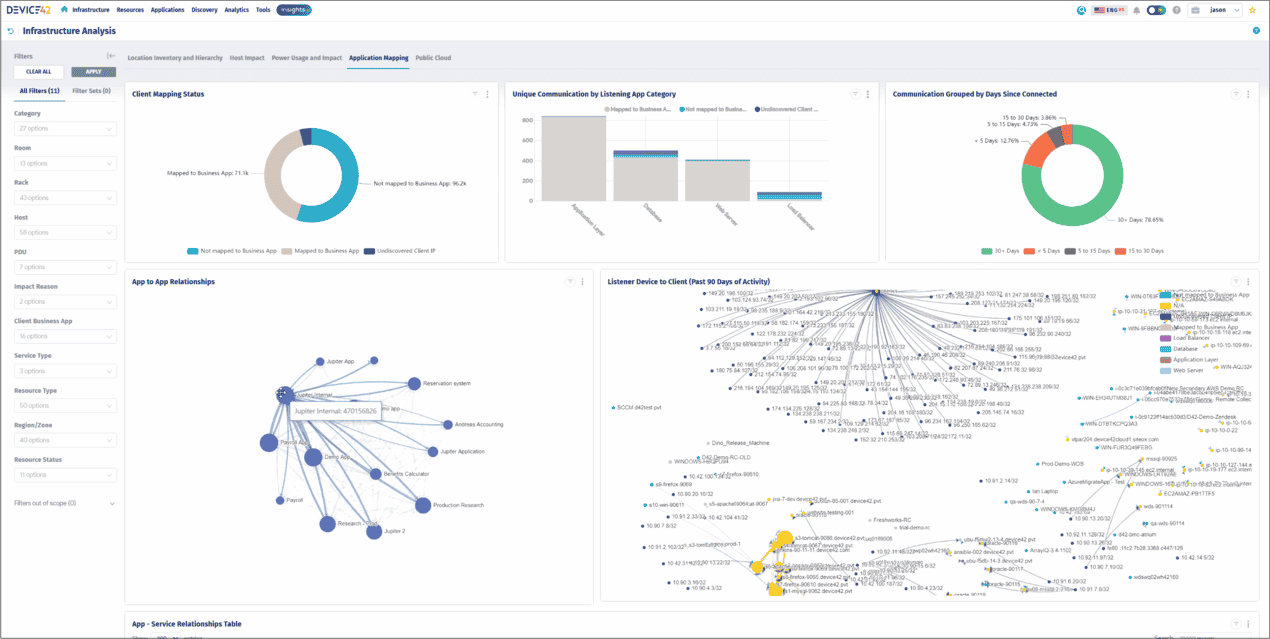
Imagine trying to navigate a vast, ever-evolving city without a reliable map — that's what managing a dynamic IT environment can feel like. Device42 steps in as your comprehensive guide, offering real-time insights into your entire infrastructure.
It's designed to help organizations seamlessly discover and manage assets across on-premises, cloud, and hybrid environments. As one of the top IT discovery tools, Device42 ensures that IT teams maintain full visibility while reducing operational complexity.
Features
- Comprehensive Auto-Discovery. Utilizes both agentless and agent-based methods to continuously identify and document physical, virtual, and cloud assets, ensuring your inventory is always current.
- Application Dependency Mapping. Visualizes relationships and interdependencies between applications and hardware components, aiding in impact analysis and troubleshooting.
- Cloud Discovery. Integrates with major cloud platforms like AWS and Azure, providing detailed insights into cloud instances, services, and their configurations.
- CMDB. Maintains a centralized repository of configuration items (CIs), enriched with metadata such as ownership, status, and relationships, facilitating effective change management.
- IP Address Management (IPAM). Tracks and manages IP address allocations, preventing conflicts and ensuring efficient network utilization.
- Security & Compliance Features. Helps enforce IT governance by tracking asset discovery processes and ensuring all devices are compliant with company policies.
Pricing
Device42 offers a tiered annual subscription model based on the number of devices managed. For instance, managing up to 1,000 devices is priced at $4,999 per year.
For organizations overseeing multiple cloud environments with over 10,000 servers, costs would likely exceed $100,000 annually, depending on specific requirements and selected features.
Based on user feedback from G2 and Capterra, here are the pros and cons of Device42's IT asset discovery tool:
Pros
- Easy to Use & Maintain: “Device42 is a tool [that is] easy to use, [and] easy to manage and maintain. Easy to run updates, deploy settings, etc.” (Source: g2.com). Users find the interface intuitive, allowing them to get up and running with minimal hassle.
- Outstanding Customer Support: “Every time we have [a] support request, we have someone engage to close the case” (Source: g2.com). The Device42 team is praised for responsiveness and proactive assistance, often resolving issues quickly.
- Comprehensive Discovery Capabilities: “They are great at using the latest trends in asset management, [providing] the most complete hybrid IT discovery” (Source: g2.com). Device42 effectively discovers a vast number of devices (physical, virtual, and cloud) and maps dependencies, giving IT full visibility across environments.
Cons
- Manual Effort for Some Assets: “On occasion, it necessitates the utilization of manual procedures, which can prove to be arduous and time-consuming.” (Source: softwareadvice.com) Certain devices might not be auto-detected, requiring manual entry and extra steps that slow down workflows.
- Performance Slowdowns on Large Data: “Some users reported occasional performance slowdowns, especially when dealing with huge data or requests.” (Source: g2.com) In very large deployments, Device42 can become sluggish when handling extensive inventories or complex queries.
- Initial Configuration Complexity: “The task arrangement for submitting new tickets might be a little complicated at times… Most users won't see or realize how much backend setup is required; thus, someone has to do it or teach them.” (Source: capterra.com) Implementing Device42 in a complex environment may require careful planning and training during setup.
Read also: Find the Best Hybrid Multi-Cloud CMDB: Cloudaware vs. Device42
ServiceDesk Plus by ManageEngine
Best for: teams that want endpoint, software, and network discovery inside an existing ManageEngine service-desk workflow.
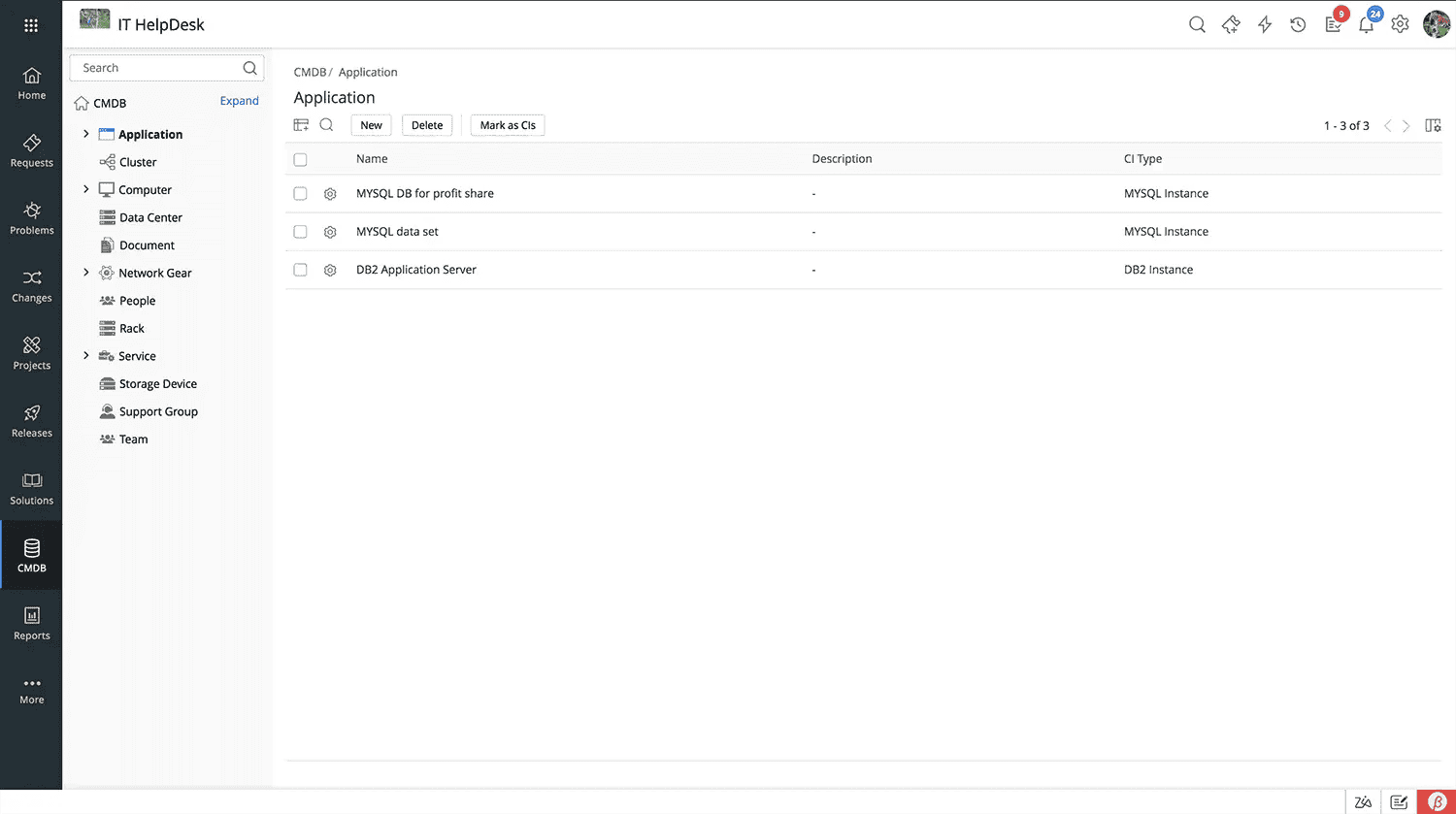
Some IT environments feel like a well-structured library — everything cataloged, easy to find, nothing slipping through the cracks. Others? More like a warehouse with mislabeled boxes and mystery shipments arriving daily.
ServiceDesk Plus automation discovery tools are built to turn chaos into clarity, giving IT teams complete visibility and control over every server, workstation, cloud resource, and software license in their ecosystem. Whether running AWS, Azure, Kubernetes, or on-prem systems, organizations use it to track assets, automate discovery, and enforce compliance — without the guesswork.
As one of the most reliable infrastructure discovery tools, it ensures every device and resource is accounted for.
Key features for IT asset discovery
- Unified Agent-Based Discovery. Deploys a lightweight agent to uncover Windows, Linux, and macOS systems, ensuring a complete and up-to-date asset inventory.
- Automated Scanning. Schedules regular scans to detect new devices and configuration changes, keeping data fresh.
- Remote Control Integration. Allows remote access to Windows and macOS workstations, streamlining support and troubleshooting.
- Software Asset Management. Maintains a centralized database of installed software, helping teams enforce compliance and manage licenses.
- Purchase & Contract Management. Tracks procurement details, contract renewals, and software usage, preventing costly surprises.
- Security & Compliance Monitoring. Helps IT teams ensure all assets meet security policies and industry regulations.
Pricing
ServiceDesk Plus offers tiered pricing based on edition and deployment method (cloud or on-premises):
👉 Professional Edition. Starts at $495/year for 2 technicians and 250 nodes (includes help desk and asset discovery).
👉 Enterprise Edition. Starts at $1,195/year for 2 technicians and 250 nodes (adds change and project management).
For organizations managing 10,000+ servers across multiple cloud environments, costs scale significantly. Enterprise deployments can exceed $50,000 annually, depending on features, integrations, and infrastructure complexity.
Based on user feedback from g2 and capterra, here are the pros and cons of ServiceDesk Plus:
Pros
- User-Friendly Interface: “Easy to use ITSM tool for requester and technician, [with a] user-friendly UI which allows the administrator to modify as per requirements.” (Source: g2.com) Navigating daily operations is straightforward, and the interface is intuitive for both end-users and IT staff.
- All-in-One ITSM discovery Solution: “One application with multiple modules like ticketing, asset, project, remote desktop, etc. It helps to reduce the burden of the IT helpdesk team” (Source: g2.com). Users love that ServiceDesk Plus combines incident, problem, change, and asset management in a single platform, eliminating the need for multiple tools.
- Seamless Integrations & Ecosystem: “It can be easily integrated with ManageEngine's other solutions like OpManager... improving workflow efficiency” (Source: g2.com). ServiceDesk Plus works well with third-party apps and other ManageEngine products, and customers also highlight the prompt support provided by the vendor’s team (Source: g2.com).
Cons
- Complex Initial Setup: “Advance configuration is hard” (Source: g2.com) and requires detailed planning. Some users find that deploying and fine-tuning the system (roles, workflows, etc.) can be complicated without careful preparation or expertise.
- Occasional Bugs: There are “reports of occasional software bugs,” though the support team is noted to provide timely fixes. Minor glitches do occur, but ManageEngine’s responsive support often mitigates their impact.
- Learning Curve for Advanced Features: “A learning curve for new users, especially with the extensive modules available.” While basic use is easy, mastering all the advanced ITSM discovery and asset modules may require training. A few also commented that the UI “looks old-fashioned” in places and could be modernized (Source: g2.com).
SolarWinds
Best for: service-desk teams that need an endpoint agent and a network scanner feeding asset and CMDB workflows.
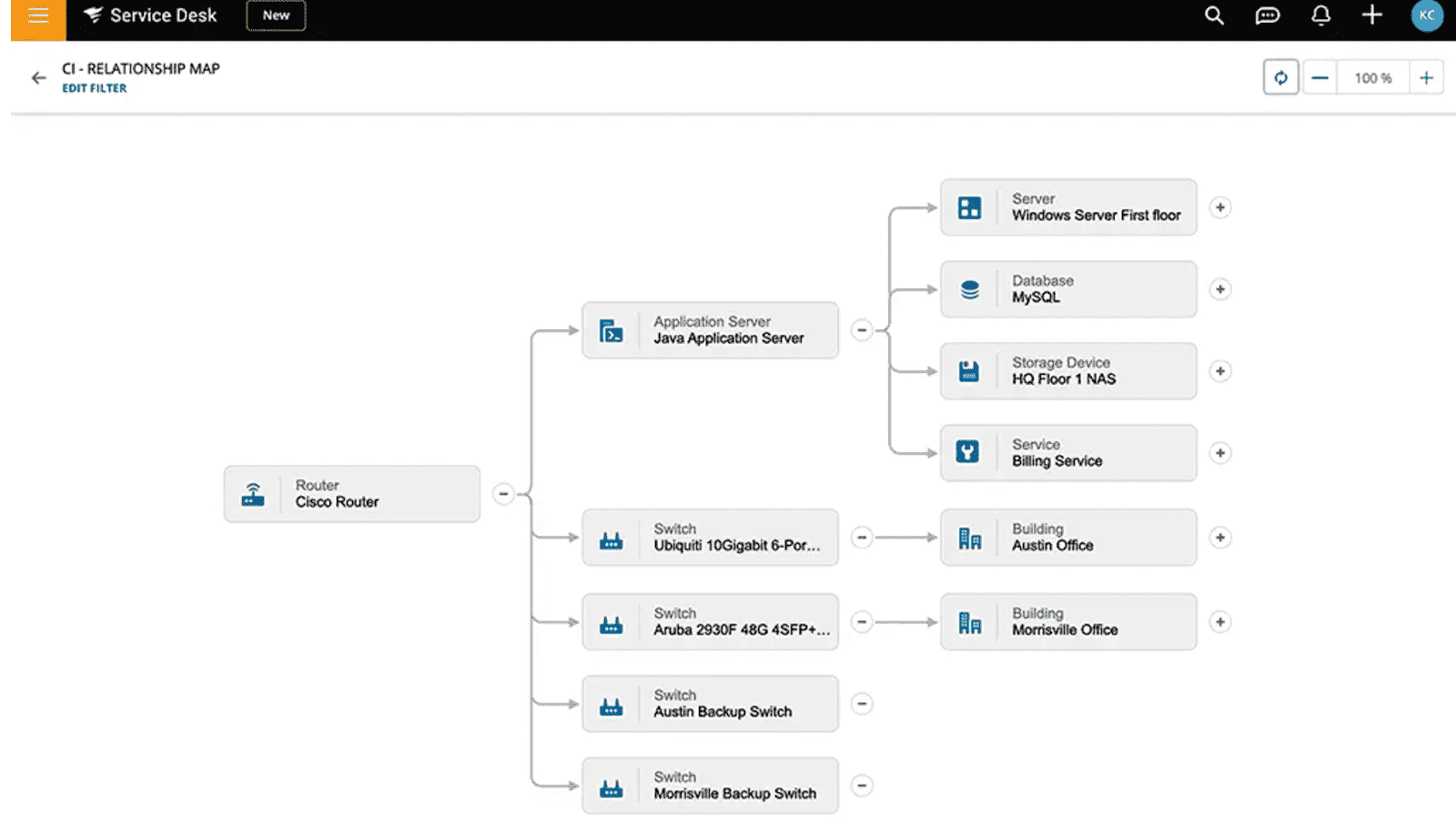
IT infrastructure is a bustling metropolis, with data and devices moving in every direction. Without a reliable map, managing this complex environment becomes a daunting task. SolarWinds Service Desk offers that map, providing comprehensive IT asset discovery to illuminate every corner of your network.
These automation discovery tools are designed to help organizations seamlessly identify and manage assets across on-premises, cloud, and hybrid environments, ensuring nothing is overlooked. As an automation discovery tool, it streamlines tracking, compliance, and lifecycle management for IT teams.
Key features for IT asset discovery
- Automated Asset Discovery. Utilizes both agent-based and agentless methods to continuously discover and document hardware and software assets, ensuring your inventory is always current.
- Application Dependency Mapping. Visualizes relationships and interdependencies between applications, workloads, and hardware components, aiding in impact analysis and troubleshooting.
- Cloud Integration. Seamlessly integrates with major cloud platforms like AWS and Azure, providing detailed insights into cloud instances, services, and configurations.
- Configuration Management Database. Maintains a centralized repository of configuration items, enriched with metadata such as ownership, status, and relationships, facilitating effective change management.
- IP Address Management. Tracks and manages IP address allocations, preventing conflicts and ensuring efficient network utilization.
- Security & Compliance Monitoring. Helps enforce security policies and ensures all discovered assets adhere to governance standards.
Pricing
SolarWinds Service Desk offers tiered pricing based on the number of technicians, with asset discovery pricing available upon request:
👉 Essentials – $39 per technician/month, supporting unlimited users.
👉 Advanced – $79 per technician/month, supporting unlimited users.
👉 Premier – $99 per technician/month, supporting unlimited users.
For organizations managing 10,000+ servers across multiple cloud environments, costs typically exceed $100,000 annually, depending on features, integrations, and automation tools required.
Based on user feedback from g2.com and capterra.com, here are the pros and cons of SolarWinds Service Desk:
Pros
- Straightforward & Customizable UI: “The interface is easy to use and customizable to a degree” (Source: g2.com). IT teams report that daily navigation is simple, and basic dashboards can be tailored to their needs, aiding user adoption.
- Built-In Asset Tracking: “The interface has built-in features such as an asset system to track any network device or computer and assign them to users. It also pulls all the info of the asset… as well as peripherals attached” (Source: g2.com). SolarWinds Service Desk provides a strong asset inventory capability out-of-the-box, giving detailed hardware/software information.
- Rich Feature Set & Automation: “We rely heavily on the automation tools, task lists, change management features... SolarWinds is continually adding new features and refining the product” (Source: g2.com). Users appreciate the frequent enhancements and the platform’s ability to streamline workflows through automation.
Cons
- Slow Support on Critical Issues: “The worst part is the support… a ticket has been open for over a month with little progress. The support has been less than helpful” (Source: g2.com). A few customers experienced significant delays in getting resolutions for urgent problems, affecting their confidence in support responsiveness.
- Asset Search Limitations: “One of the main things that is frustrating… is the search function for Asset management. For some reason you must put in the entire computer name when looking up machines” (Source: g2.com). The asset module’s search and filtering capabilities are reported as cumbersome, requiring exact queries and making it harder to quickly find items.
- Initial Setup & Customization Effort: “The initial setup and integration with multiple tools can be time-consuming” (Source: g2.com). Implementing SolarWinds Service Desk (and linking it with other systems) may require considerable time. Some also noted that certain features (e.g. email logs, mobile app, or Slack integration) lack polish and could be more robust (Source: g2.com).
Read also: Dependency mapping between CIs: 5-steps strategy to map infrastructure
Ivanti
Best for: Ivanti-centered environments that need active and passive network discovery, SNMP, remote inventory, and normalized data for adjacent management modules.
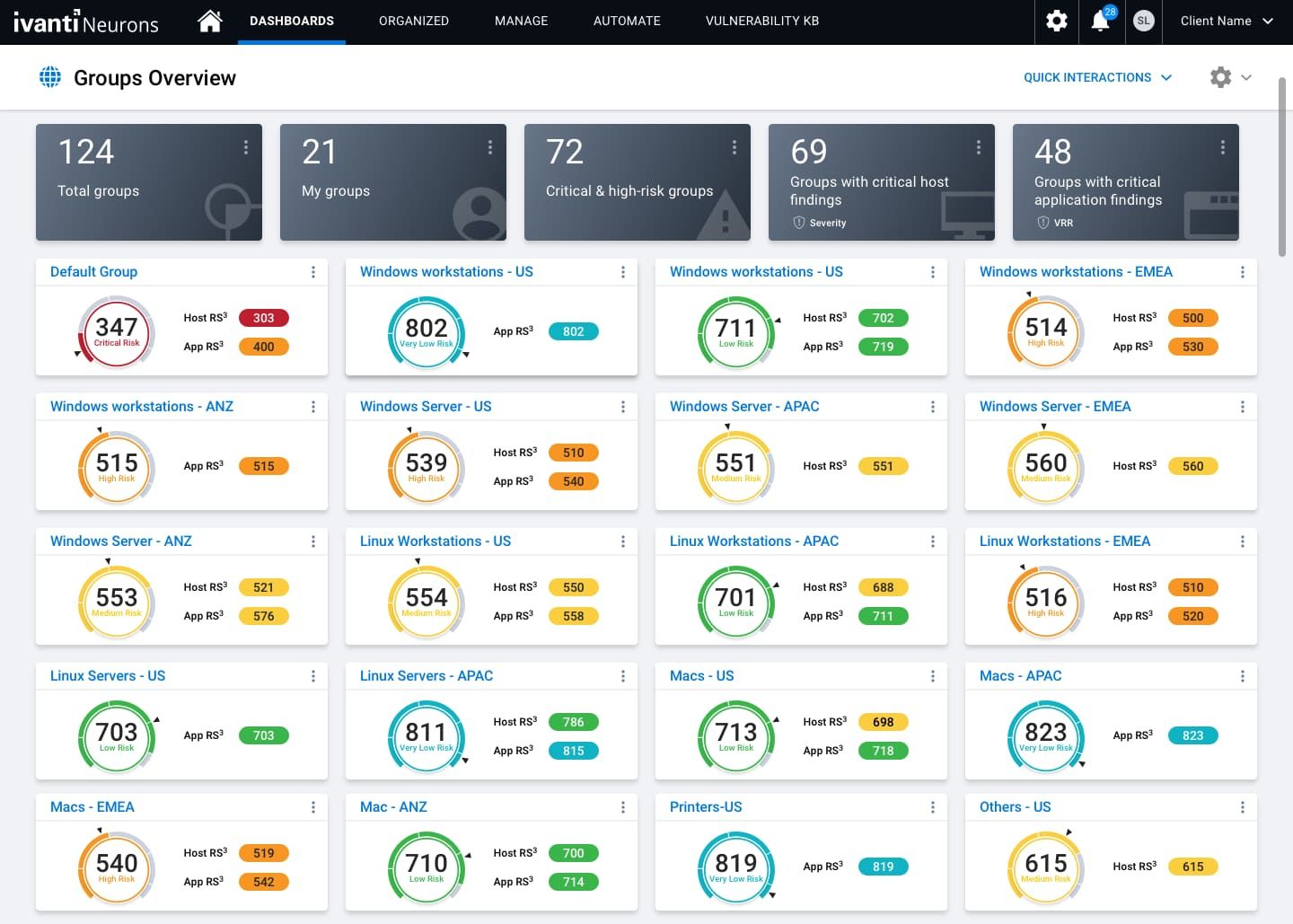
IT ecosystems aren’t just growing — they’re shifting and multiplying. EC2 instances scale up overnight, Kubernetes pods spin up and disappear, databases clone themselves, and legacy on-prem servers still hum in the background. Without full visibility, IT teams end up chasing orphaned VMs, untagged S3 buckets, and shadow IT creeping into production.
Ivanti Neurons for Discovery eliminates the guesswork, offering real-time, automated asset discovery across AWS, Azure, GCP, Kubernetes clusters, on-prem servers, and hybrid environments. As one of the top IT asset management discovery tools, it gives organizations a complete, living inventory of their infrastructure — ready for optimization, compliance, and cost control.
Key features for asset discovery
- Automated Asset Discovery. Uses active and passive scanning to continuously track hardware, software, and cloud assets.
- Application Dependency Mapping. Exposes hidden relationships between microservices, databases, and workloads, improving troubleshooting and risk analysis.
- Cloud Integration. Pulls real-time data from AWS, Azure, GCP, and hybrid cloud deployments, ensuring no shadow IT.
- CMDB enriches CIs with ownership, compliance, usage, and lifecycle details.
- IP Address Management. Tracks IP allocations, preventing network conflicts and inefficiencies.
- Security & Compliance Monitoring. Ensures all devices and assets comply with security and governance policies.
Pricing
Ivanti’s pricing depends on asset volume and deployment scale. A single-server license renewal costs around $27. For organizations managing 10,000+ servers across multiple cloud platforms, pricing can exceed $100,000 annually, depending on automation needs and integrations.
Based on user feedback from G2 and Capterra, here are the pros and cons of Ivanti Neurons for Discovery.
Pros
- Comprehensive Discovery & Inventory: “Ivanti Neurons for Discovery… helps catch all new devices that join the network instantly, even those behind firewalls. It gives detailed information about each device… and demonstrates accurate asset inventory” (Source: g2.com). Users love the platform’s mix of passive and active scanning techniques that ensure no asset goes unseen, which is crucial for compliance and security.
- Real-Time Asset Tracking: “Ease of IT asset follow-up through real-time identification of assets whether managed or unmanaged” (Source: g2.com). Ivanti provides live visibility of asset status and location, allowing teams to track hardware and software throughout its life cycle and even pinpoint rogue or unauthorized devices.
- Scalable for Complex Environments: “It can handle large and complex networks without the user experiencing any challenge” (Source: g2.com). Reviewers note that Ivanti Discovery performs well in enterprise scenarios, scaling to thousands of devices and still maintaining performance. (Additionally, many comment on its security benefits, like proactively identifying vulnerabilities or unauthorized assets.)
Cons
- Not Beginner-Friendly (Technical Setup): “In order to set and customize this platform, users need technical expertise… making it not easy to use” (Source: g2.com). The initial configuration can be challenging – small organizations or non-experts often face a steep learning curve without skilled resources.
- Costly for Small Businesses: “Ivanti Neurons for Discovery tends to be an expensive platform for small businesses compared to open-source alternatives” (Source: g2.com). The pricing model is geared toward enterprise value, which some smaller companies find difficult to justify.
- Limited Integrations/Connectors: “It needs a few more connectors in order to gather more data for discovery” (Source: g2.com). A few users wish for more out-of-the-box integration options (e.g. cloud services or third-party systems) to broaden Ivanti’s data sources.
With Ivanti Neurons for Discovery, IT teams don’t just find assets — they gain complete control over their infrastructure, ensuring security, compliance, and operational efficiency.
Armis Centrix
Best for: security teams that need cyber asset intelligence across managed, unmanaged, IoT, OT, medical, cloud, and cellular-connected assets.
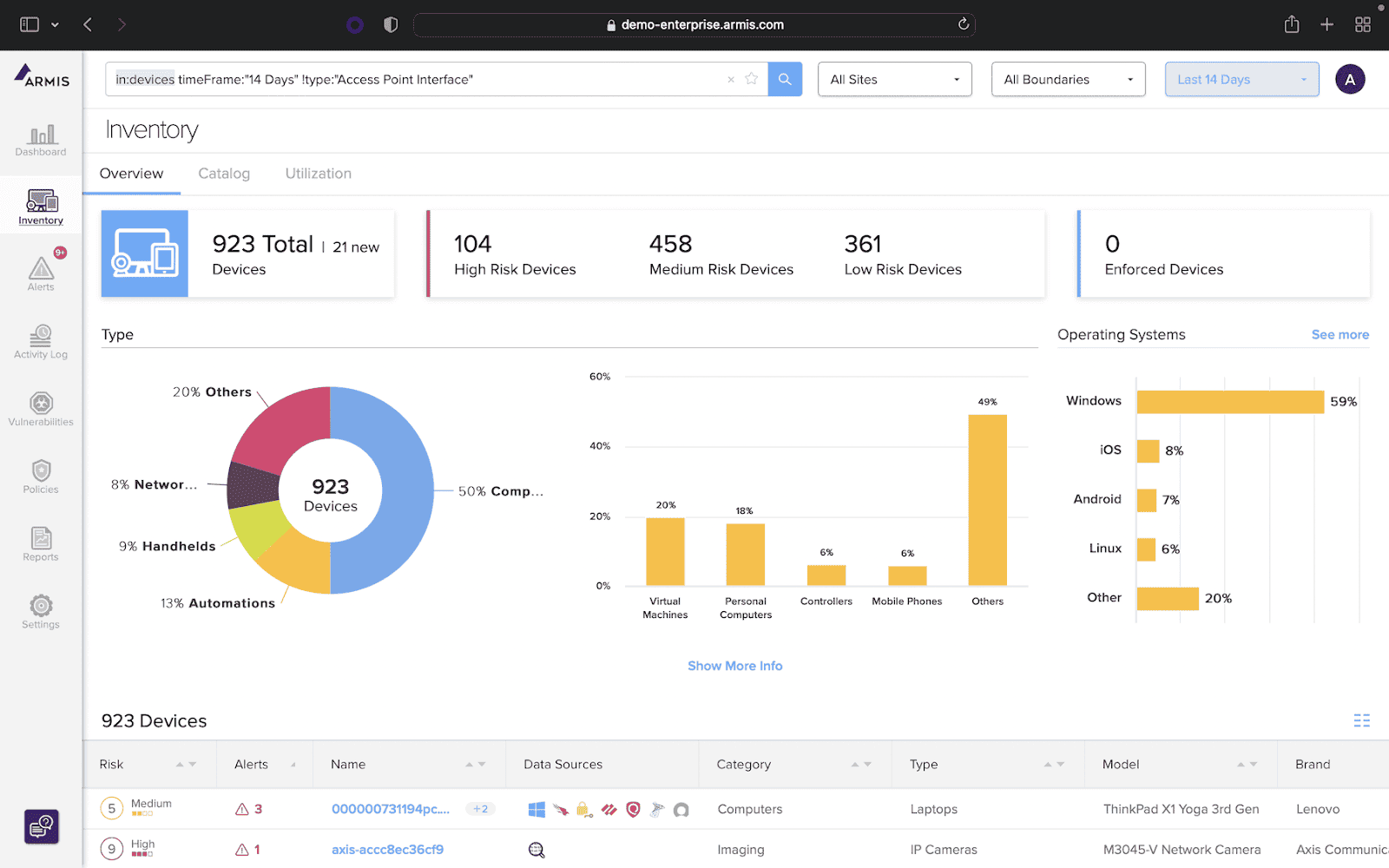
The modern IT landscape isn’t just about tracking servers and databases anymore. IoT devices, unmanaged endpoints, cloud workloads, OT systems, and rogue assets constantly appear across AWS, Azure, GCP, private data centers, and edge environments. Without a clear view, security risks multiply.
Armis Centrix steps in as a real-time asset intelligence platform, helping CIOs, DevOps teams, and security engineers discover, track, and secure every connected device — whether it’s a Kubernetes pod, a virtual machine, or an IoT sensor on a factory floor. As an advanced asset discovery tool, it ensures no hardware or software goes undetected.
Key features for IT asset discovery
- Continuous, agentless discovery. Monitors every IT, OT, IoT, and cloud asset without the need for software agents.
- Cloud & On-Prem Visibility. Tracks AWS, Azure, GCP, private cloud, Kubernetes clusters, and on-prem servers in real-time.
- Context-Rich CMDB Updates. Enriches configuration items (CIs) with ownership, security posture, risk assessment, and usage details.
- Application & Network Dependency Mapping. Identifies how workloads, devices, and applications interact, helping IT teams detect vulnerabilities.
- Automated Policy Enforcement. Flags unauthorized assets, security gaps, and compliance violations for immediate remediation.
- Integration with 500+ Security & IT Tools. Feeds live asset intelligence into SIEM, ITSM, vulnerability management, and cloud security platforms.
Pricing
Armis Centrix follows a custom pricing model, tailored to asset volume, cloud environments, and security needs. While no public pricing is available, enterprise asset discovery tools typically start at $50,000+ per year. For organizations managing over 10,000 cloud and on-prem servers, costs could exceed $150,000 annually, depending on integrations, automation, and security features.
Based on user feedback from G2, here are the pros and cons of Armis Centrix:
Pros
- User-Friendly Design: “The interface is amazing, the queries are easy to create and use, and their [Armis] University has enough great information to teach and train you” (Source: g2.com). Customers highlight Armis’s intuitive UI and robust training resources, which help new users get up to speed quickly.
- Deep Network Traffic Insights: “Armis gives us visibility into live network traffic with context about the source and destination and can automatically alert on any potential indicators of compromise” (Source: g2.com). This deep inspection capability means previously unseen devices or unauthorized activities on the network are detected and flagged in real time, greatly enhancing security awareness.
- Responsive Support & Training: “Their support is flawless” and “customer support has been very good… very responsive.” (Source: g2.com) Many reviewers commend Armis’s support team and the extensive training (Armis University), saying these resources ensure smooth deployment and effective ongoing management of discovered assets.
Cons
- Integration Setup Difficulties: “Some of the integrations are a little clunky… getting them configured can be rather difficult (though they work well once set up)” (Source: g2.com). Users report that connecting Armis with certain third-party systems (like patch management or ITSM tools) requires significant effort.
- Pricey Add-On Modules: “Some of their add-on modules are quite pricey” (Source: g2.com). While the core platform is powerful, additional functionality (e.g. specialized modules or features) can come at a high cost, which organizations must budget for.
- Initial Alert “Noise”: “Initially there is a lot of noise in terms of devices, alerts, etc. It requires integrations in order to obtain more reliable useful information.” (Source: g2.com) When first deployed, Armis may overwhelm users with numerous alerts and device data. Teams often need to fine-tune filters and integrate with other data sources to focus on truly actionable insights.
Read also: Top 8 CMDB Benefits: Why Companies Use Multi-cloud CMDB in 2025
Zluri
Best for: SaaS application discovery, shadow IT, identity context, and access governance.
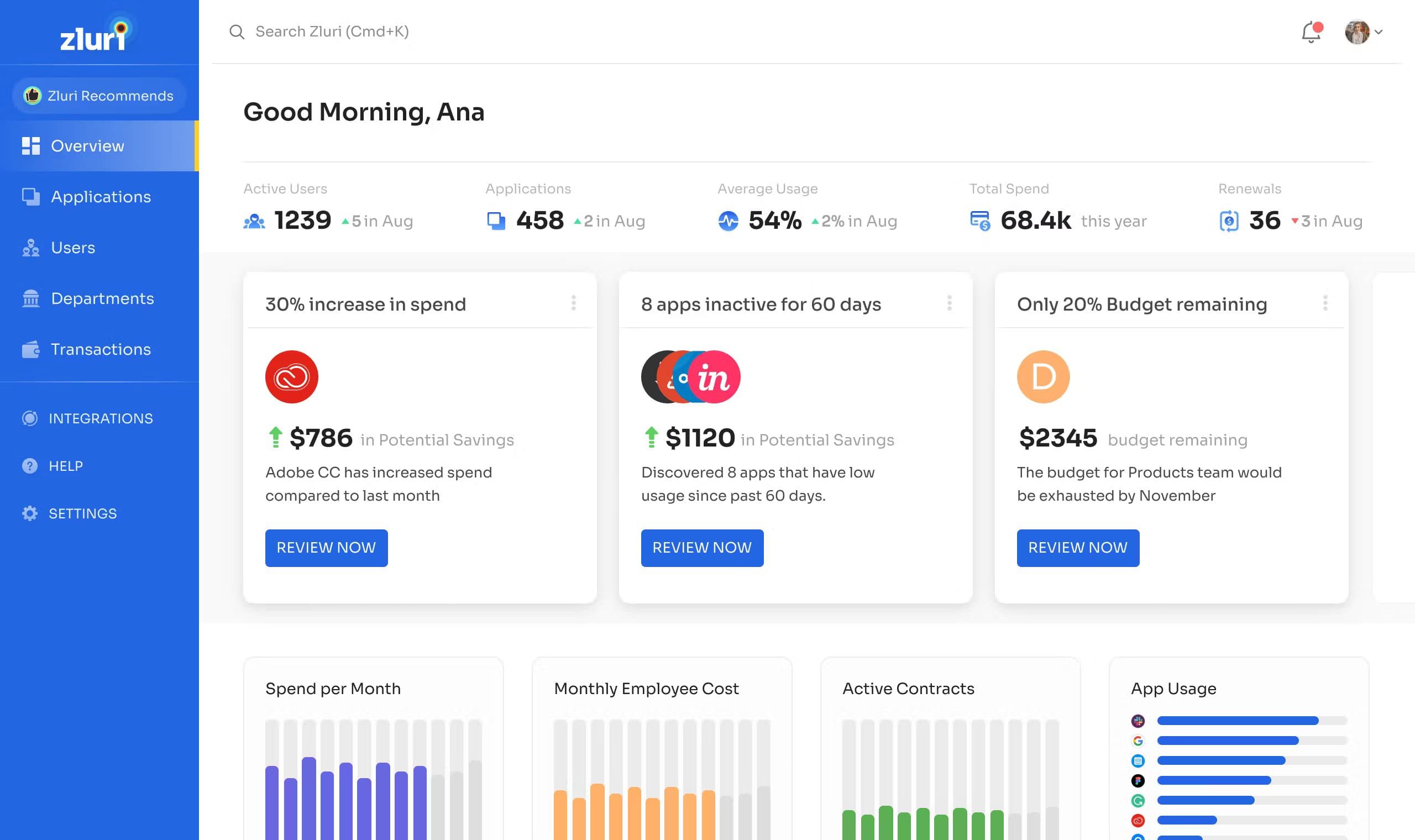
New apps sneak into workflows, licenses pile up, security blind spots grow, and before you know it, half your stack is underused or unaccounted for. Zluri turns the lights on, giving CIOs, DevOps teams, and IT managers a complete, real-time view of every SaaS tool across AWS, Azure, GCP, and hybrid environments.
As an automated asset inventory discovery tool, it uncovers hidden subscriptions, shadow IT, and underutilized software, ensuring organizations optimize costs, enhance security, and regain control over their assets.
Key features for IT asset discovery
- Comprehensive SaaS Discovery. Detects all software assets in use, revealing unauthorized devices, tools, and redundant applications.
- License Management. Tracks software licenses, usage, and renewals, preventing compliance risks and unnecessary spending.
- Spend Optimization. Analyzes usage data to pinpoint cost-saving opportunities across multi-cloud environments.
- Shadow IT Detection. Identifies and mitigates unapproved applications, reducing security vulnerabilities and governance risks.
- Automated Workflows. Streamlines onboarding, offboarding, and access management, cutting down manual workload.
Pricing
Zluri’s pricing is based on organization size and SaaS stack complexity:
Starter – $4/user/month (up to 25 users)
Growth – $8/user/month (up to 500 users)
Enterprise – Custom pricing
For a company managing over 10,000 cloud-based assets, costs can exceed $100,000 annually, depending on features, automation needs, integrations, and security policies.
Based on user feedback from G2 and Capterra, here are the pros and cons of Zluri:
Pros
- Intuitive SaaS Management UI: “It’s extremely user friendly and easy to use and get familiar with” (Source: g2.com). The interface is clean and easy to navigate, with customizable dashboards that allow IT teams to manage SaaS applications and generate reports with ease.
- Automatic SaaS Discovery & Insights: “Zluri[’s] ability to automatically discover and manage all SaaS applications… offers deep visibility into usage, costs, and compliance” (Source: g2.com). Users love that Zluri uncovers shadow IT (unauthorized apps) and provides rich analytics on how SaaS tools are being used, which highlights cost-saving opportunities and security gaps.
- Proactive Alerts & Support: “Proactive renewal alerts [help] manage subscriptions effectively” and the customer support team is often praised as “wonderful… making the implementation process smooth sailing.” (Source: g2.com) Zluri not only helps avoid surprise renewals with timely alerts but also backs it up with a responsive support staff during onboarding and beyond.
Cons
- Time-Consuming Setup for Integrations: “The initial setup and integration with multiple tools can be time-consuming” (Source: g2.com). Configuring Zluri to connect with all company systems (HR, SSO, financial tools, etc.) requires significant upfront effort, especially in large organizations.
- Limited Integration Options: “I wish I saw more integration options for software we use in our company” (Source: g2.com). Some users note that Zluri is still expanding its connectors – if your stack includes niche apps, you may need to wait or use workarounds for full integration.
- Delayed Analytics Updates: “Some analytics dashboards also take time to update, which can delay real-time insights for large organizations” (Source: g2.com). For very big SaaS portfolios, certain reports in Zluri aren’t instantaneous—the data may lag, making it harder to get up-to-the-minute information during fast-paced audits or decision-making.
Read also: 9 Configuration Management Best Practices for Multi-Cloud Setups
ServiceNow one of the best software discovery tools
Best for: enterprises that want infrastructure and cloud discovery to populate and maintain the ServiceNow CMDB.
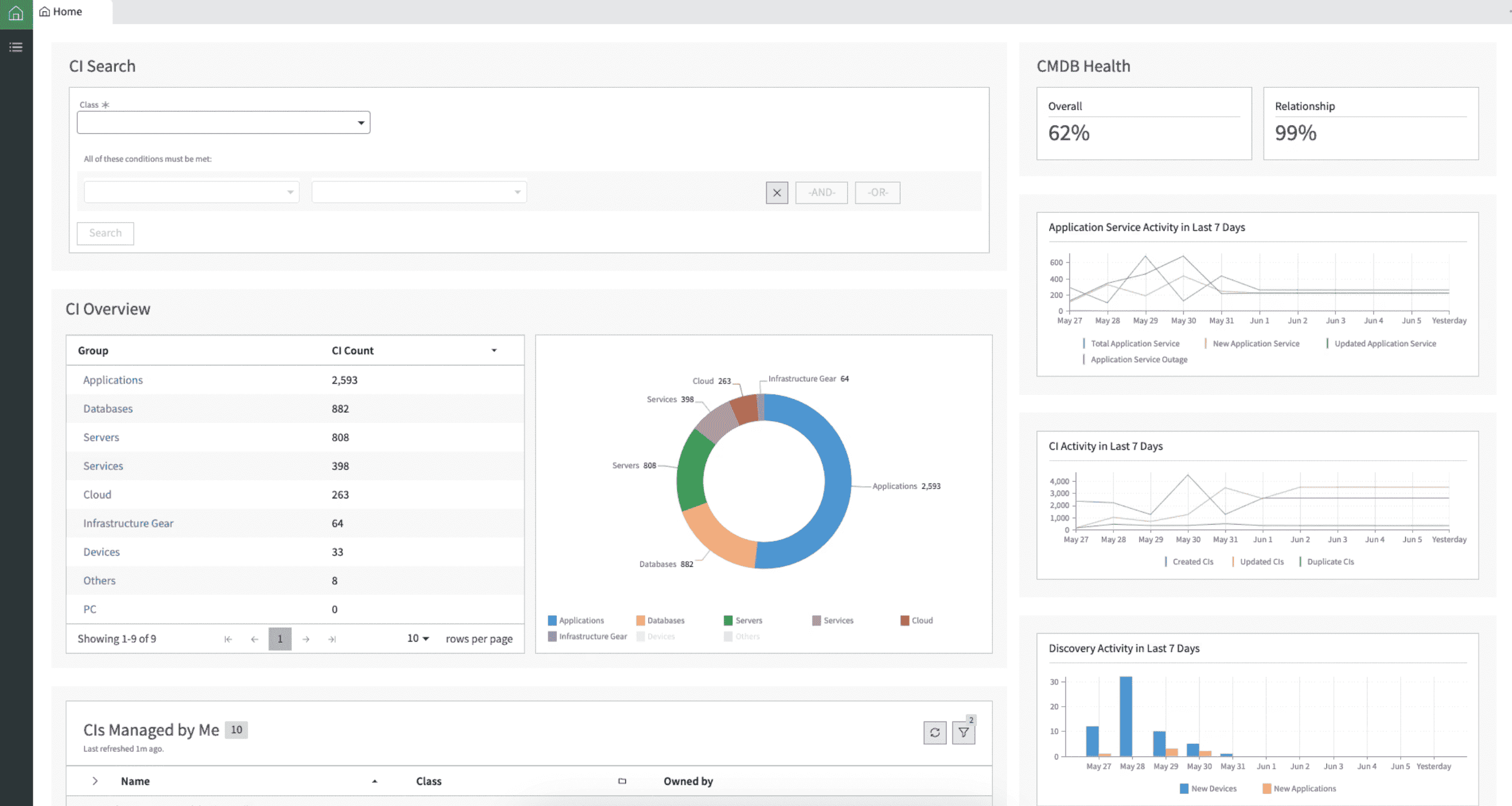
ServiceNow Discovery illuminates an intricate IT landscape, offering organizations real-time visibility into both on-premises and cloud environments. By automatically identifying and documenting every asset — from AWS EC2 instances and Azure VMs to on-premises databases, Kubernetes clusters, and network devices — ServiceNow ensures your CMDB remains accurate and up-to-date.
As one of the leading asset discovery tools, it enables IT teams to streamline management, enhance security, and eliminate shadow IT.
Key features for IT asset discovery
- Automated Infrastructure Discovery. Continuously scans your network to detect and catalog hardware, software, and virtual assets, reducing manual efforts and ensuring comprehensive coverage.
- Application Dependency Mapping. Visualizes relationships between applications, workloads, and infrastructure, aiding in impact analysis and smoother change management.
- Multi-Cloud Support. Seamlessly integrates with major cloud platforms like AWS, Azure, and Google Cloud Platform, providing unified visibility and security across diverse environments.
- Configuration Management Database Integration. Populates and maintains a centralized CMDB with detailed asset information, enhancing incident response, governance, and compliance tracking.
- Agentless Discovery. Uses software discovery tools to collect asset data without agents, simplifying deployment and minimizing system performance impact.
Pricing
ServiceNow Discovery operates on a subscription-based model, with pricing typically determined by the number of nodes (assets) managed. While pricing varies based on organizational needs and negotiated terms, some reports suggest costs start at $25,000 per year for around 261 nodes.
For enterprises managing 10,000+ cloud and on-prem assets, including AWS EC2 instances, Azure VMs, on-prem databases, and Kubernetes clusters, costs could exceed $100,000 annually, depending on integrations, automation features, and security needs.
Based on user feedback from G2 and Capterra, here are the pros and cons of ServiceNow Discovery:
Pros
- Centralized Monitoring & Faster Resolution: “Users appreciate ServiceNow as a centralized monitoring platform, enabling faster issue resolution with discovery tools and service mapping”. By automatically populating the CMDB, ServiceNow Discovery gives IT a “single source of truth” that speeds up troubleshooting and root-cause analysis.
- Intuitive Interface: “Intuitive interface, making it easy for IT teams, DevOps, and help desk technicians to navigate and manage asset discovery and software inventory”. The platform is generally user-friendly given its scope, and teams find it straightforward to drill down into assets or dependency maps once trained on the basics.
- Strong Integrations & Ecosystem: “Strong integrations with tools like Jira, enhancing collaboration and software asset management”. ServiceNow’s ability to integrate with external ITSM, DevOps, and monitoring tools (and its own ServiceNow modules) is a big advantage – it ensures that discovered asset data is leveraged across your IT processes.
Cons
- Complex Configuration Requirements: “Complex development and configuration, especially around IT Operations Management, requiring specialized expertise”. Users warn that advanced setup (like writing discovery patterns, customizing probes, or service mapping) can be very complex – often needing experienced ServiceNow developers or partners.
- Steep Learning Curve: “Steep learning curve, particularly for new users adapting to extensive features and automation tools”. ServiceNow Discovery is powerful but not trivial – administrators and users must invest time to fully understand its numerous modules and how they interrelate.
- Performance Issues at Scale: “Performance slowdowns, with reports of delayed data updates and lagging UI interactions”. In very large environments, some have observed that Discovery data can take time to sync, and the interface can become sluggish. This means real-time information isn’t always readily available, and extra tuning might be needed to optimize performance.
Read also: Cloudaware CMDB vs. ServiceNow
Lansweeper
Best for: network-first asset discovery across IT, OT, IoT, and hybrid environments.
Lansweeper is a strong fit when the first job is simple but painful: find everything connected to the network.
Lansweeper starts with sensors. Passive detection surfaces devices that communicate on monitored segments, while credentialed active scans add hardware, configuration, and installed-software depth. An endpoint agent covers Windows, macOS, and Linux systems that rarely return to the corporate network. Direct API connections inventory supported AWS, Azure, and Google Cloud resources.
The reconciliation model is the important detail. Lansweeper documents matching on identifiers such as MAC address, serial number, and hostname rather than IP address alone. Each merged record retains source and timing context. That approach reduces duplicate counts when a laptop appears through a sensor, an agent, and a cloud source.
| Area | Lansweeper fit |
|---|---|
| IT asset discovery | Strong network, endpoint, server, and device discovery |
| OT and IoT visibility | Useful for environments where non-traditional assets are hard to inventory |
| Hybrid coverage | Supports on-prem, remote, and cloud asset discovery |
| Unmanaged devices | Helps detect unknown, unsanctioned, or unmanaged assets |
| Downstream workflows | Sends asset intelligence into ITSM, CMDB, and security tools |
Where it feels different from Cloudaware is the operating center of gravity.
Lansweeper starts with broad network discovery and asset inventory. Cloudaware is more CMDB-native for teams that need cloud, VMware, Kubernetes, SaaS, software inventory, CI enrichment, compliance status, ownership, and related infrastructure context in one operational view.
So yes, Lansweeper deserves a place in this list. A lot of buyers don’t begin with advanced CMDB workflows. They begin with a colder, more urgent problem:
What is actually connected to our environment right now? For that network-first discovery use case, Lansweeper is one of the more practical tools to evaluate.
HxGN EAM asset discovery tool
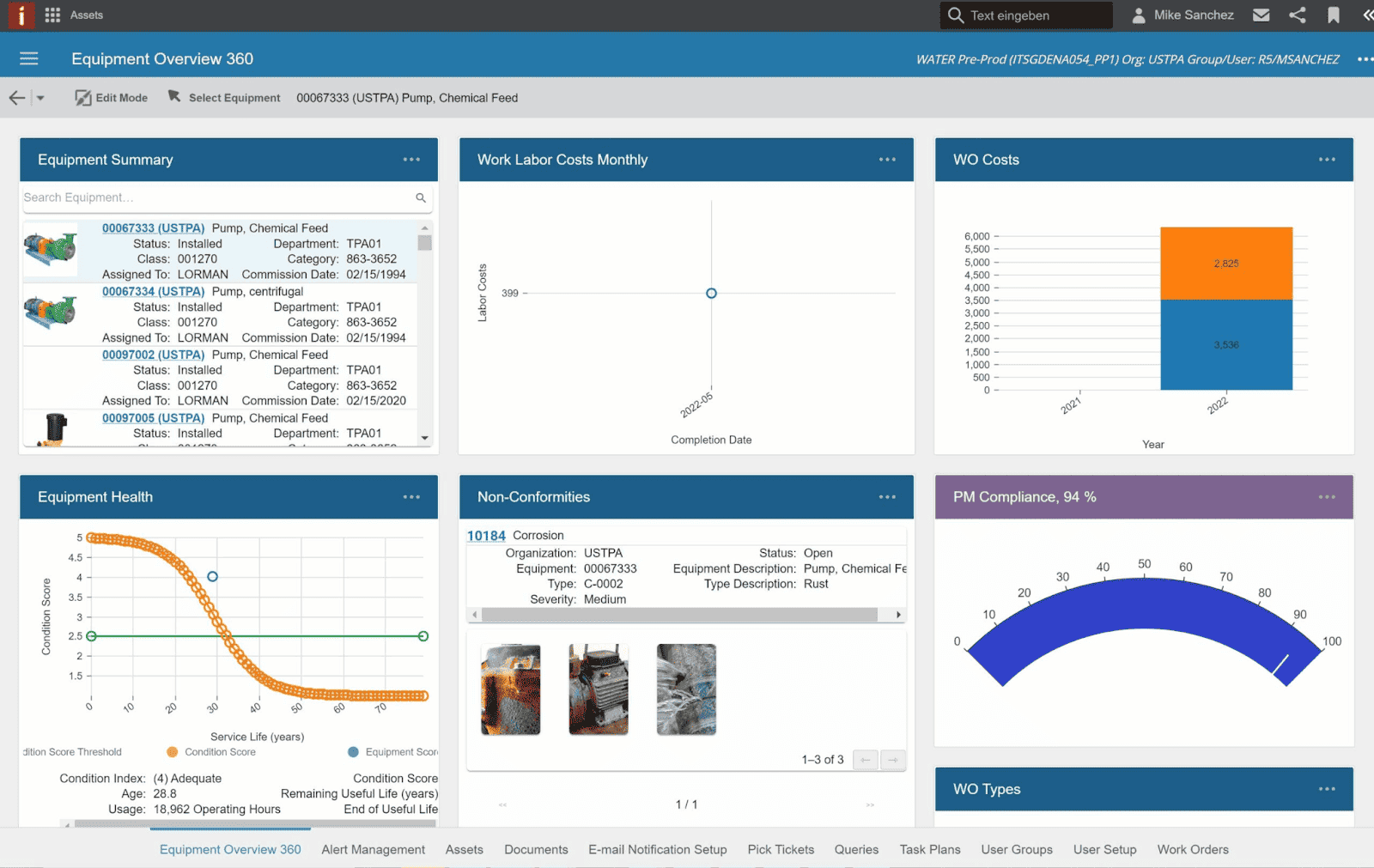
HxGN EAM steps in as a comprehensive asset management platform, offering IT professionals real-time visibility and control over both on-premises and cloud-based assets. By systematically identifying, documenting, and analyzing assets — from AWS EC2 instances and Azure VMs to on-premises databases and Kubernetes clusters — HxGN EAM ensures your asset repository remains accurate and actionable, facilitating informed decision-making and streamlined operations.
As an asset inventory discovery tool, it helps organizations eliminate inefficiencies, improve security, and optimize IT operations.
Key features for IT asset discovery
- Automated Asset Tracking. Continuously monitors and records hardware, software, and virtual assets, reducing manual intervention and ensuring a comprehensive asset inventory.
- Asset Lifecycle Management. Maintains detailed records of each asset’s journey, from acquisition to decommissioning, enabling predictive maintenance and timely upgrades.
- Preventive Maintenance Scheduling. Uses data-driven insights to anticipate equipment failures and schedule proactive maintenance, minimizing downtime.
- Regulatory Compliance Monitoring. Ensures assets adhere to industry standards and environmental regulations, mitigating compliance risks.
- Application discovery tool. Provides technicians with mobile applications to access asset information, update statuses, and perform inspections on the go.
- Security & Compliance Tracking. Detects potential vulnerabilities across devices and automates enforcement of IT policies.
- Integration with Discovery Tools. Connects with ITSM platforms, asset discovery tools, and security software, ensuring real-time visibility into assets across hybrid cloud environments.
Pricing
HxGN EAM offers a subscription-based pricing model, with costs varying based on organizational size, asset volume, and specific requirements. While exact figures depend on tailored solutions, reports indicate that pricing starts at approximately $7,000 per month.
For enterprises managing over 10,000 cloud and on-prem assets, including AWS EC2 instances, Azure VMs, databases, and Kubernetes clusters, annual costs could exceed $100,000, depending on custom configurations, integrations, and automation features.
Based on user feedback from platforms such as Capterra, G2, and TrustRadius, here are the pros and cons of HxGN EAM:
Pros
- Extensive Asset Management Features: “Users commend HxGN EAM for its extensive capabilities in managing assets, work orders, inventory, and preventive maintenance, leading to streamlined operations and reduced downtime.” The tool covers the full asset lifecycle, helping organizations schedule maintenance and avoid failures effectively.
- Highly Configurable Solution: “The platform is praised for its high degree of configurability, allowing organizations to tailor the system to their specific needs.” Teams can customize fields, workflows, and modules in HxGN EAM, ensuring the software aligns with their business processes (a flexibility often cited as a key benefit).
- User-Friendly & Great Support: “Many users find the system intuitive and easy to navigate, which enhances productivity and user adoption… The support team is noted for being knowledgeable and responsive”. Despite its depth, everyday navigation is relatively straightforward, and Hexagon’s support engineers are frequently lauded for promptly assisting with any issues or questions.
Cons
- Challenging Initial Setup: “Some users report that initial setup and understanding of the system can be challenging, requiring time and training to become proficient.” Without prior EAM experience, implementing HxGN EAM demands significant effort – planning the data model, workflows, and training maintenance staff is non-trivial.
- Complex Custom Reporting: “Creating customized reports can be intricate and may necessitate additional expertise or support.” While HxGN EAM has powerful analytics, making bespoke reports or queries often requires advanced knowledge (or vendor help), which can frustrate users who expect simpler drag-and-drop reporting.
- Mobile App Needs Improvement: “The mobile interface is noted to require improvements to match the functionality and ease of use of the desktop version.” Field technicians find the mobile app less friendly – it lacks some features and isn’t as smooth, which the company needs to enhance. *(Additionally, some users find the licensing costs on the higher side, as the enterprise-oriented pricing can make scaling up expensive.)
Comparison table of the IT asset discovery tools
Legend:
✅ strong ·
⚠️ partial / depends on setup ·
❌ limited / not a core strength
| Tool | Multi-cloud + on-prem | Breadth & depth | Real-time accuracy | Agentless discovery | Management flexibility | UI clarity | ITAM support |
|---|---|---|---|---|---|---|---|
| Cloudaware | ✅ | ✅ | ✅ | ✅ | ✅ | ✅ | ✅ |
| Flexera | ✅ | ✅ | ⚠️ | ✅ | ✅ | ⚠️ | ✅ |
| Device42 | ✅ | ⚠️ | ⚠️ | ✅ | ✅ | ✅ | ✅ |
| ServiceDesk | ⚠️ | ⚠️ | ⚠️ | ⚠️ | ✅ | ✅ | ✅ |
| SolarWinds | ⚠️ | ⚠️ | ⚠️ | ✅ | ✅ | ✅ | ⚠️ |
| Ivanti | ✅ | ⚠️ | ✅ | ✅ | ✅ | ⚠️ | ⚠️ |
| Armis Centrix | ✅ | ✅ | ✅ | ✅ | ✅ | ✅ | ✅ |
| Zluri | ⚠️ | ⚠️ | ⚠️ | ✅ | ✅ | ✅ | ✅ |
| ServiceNow | ✅ | ✅ | ✅ | ✅ | ✅ | ⚠️ | ✅ |
| HxGN EAM | ❌ | ❌ | ⚠️ | ❌ | ✅ | ✅ | ✅ |
Asset discovery by environment: cloud, server, ITSM, and automation use cases
The same word, “discovery,” hides several different collection jobs. Match the method to the asset before choosing the platform.
| Environment | Primary collection method | Proof to request | Downstream requirement |
|---|---|---|---|
| AWS, Azure, and Google Cloud | Provider APIs and supported event or polling mechanisms | Supported services, provider IDs, account context, tags, and collection cadence | Normalize provider fields and retain source identity |
| Physical and virtual servers | Agent, credentialed scan, hypervisor connector, or a combination | OS, hardware, service, software, last-seen, and failure status | Reconcile the server with its cloud, VM, or network observations |
| Routers, switches, printers, and appliances | Network scan plus SNMP where available | Version support, OIDs, interfaces, serial number, model, and credentials | Create a stable CI without treating the IP address as identity |
| Remote endpoints | Endpoint agent or endpoint-management connector | Offline behavior, update method, software evidence, and resource overhead | Preserve last-seen and ownership data |
| Installed software | Agent, remote inventory, or endpoint-management import | Title, publisher, version, install date, device, and evidence source | Normalize publisher and product names before license analysis |
| SaaS applications | SSO, direct app APIs, finance, browser, or admin integrations | Users, seats, activity, spend, contract owner, and renewal data | Keep SaaS records distinct from installed packages and cloud services |
| CMDB and ITSM | API or certified connector | Direction, frequency, class mapping, errors, deletes, and relationships | Apply identification, reconciliation, source precedence, and ownership |
A buyer usually discovers the weakness during handoff. A scanner found the server. Its agent reported the software. Meanwhile, the cloud API identified the instance, and ServiceNow already held a CI. Four correct observations can still create four wrong records.
Collection breadth matters. Record discipline decides whether teams trust the result.