


Updated August 25, 2026. Expert reviewed by Valentin Kel, Software Developer at CloudAware. He has 8 years designing change-management and compliance pipelines for regulated enterprise environments.
What changed in this refresh: We rechecked vendor features and pricing, replaced stale price points with current public rates or clearly labeled custom quotes, and added jump links for the three core buyer questions.
IT inventory management software tracks every hardware and software asset you own, where it lives, who uses it, and what state it is in. Good tools discover assets automatically across on-prem and cloud, map how they connect, and flag the ones that drift, expire, or go dark. The ten tools below are ranked from hands-on testing, and they split cleanly into commercial platforms and open-source options, so the right pick depends on whether your bottleneck is coverage, budget, or control.
You’ve got IAM roles tied to ghost accounts, an EC2 marked “test-do-not-delete” running full throttle in us-east-1, and a Kubernetes cluster quietly exposing ports like it’s handing out candy. Meanwhile, your team’s buried in spreadsheets, juggling AWS tags, Azure Resource Groups, GCP labels, and that one VMware host someone swore was decommissioned last quarter.
And then boom — audit time. Suddenly you're tracing config histories, matching CI records in your CMDB, and praying no one's storing prod credentials in S3 buckets labeled “temp.” Yeah… it’s chaos.
That’s what happens when you’re flying blind without an IT inventory management system.
The fix? You need a real control tower — an IT inventory management software that auto-discovers, correlates, and updates every asset across your infrastructure. Think EC2s, GKE nodes, Blob Storage, legacy switches, and BYOD endpoints — all tracked, classified, and linked back to owners via IAM, tags, or even LDAP.
With the right IT inventory tool, you’re not just cataloging — you’re running actual ops: triggering remediation workflows, mapping CIs to services, getting real-time config drift alerts, even auto-generating tickets when someone spins up an RDS instance without encryption.
No more mystery bills. No more security risks hiding in forgotten VMs. Just tight, clean infrastructure visibility — and your weekends back.
So… which IT asset inventory software actually delivers?
I pulled together the top 10 IT inventory tools for 2026 — deep dive included. Real testing, real pros/cons, real use cases. Whether you're looking for IT asset inventory management, software inventory tools, or just a smarter way to manage the sprawl — I’ve got you covered👇
If you need the operating process rather than a vendor shortlist, read our IT asset inventory guide. To evaluate Cloudaware directly, explore ITAM software.
What is IT inventory management software?
IT inventory management software is the thing that finally tells you, in plain language, what you’ve actually got. Not what’s in that Excel sheet from 2022. What’s really out there: laptops, servers, firewalls, cloud instances, SaaS subscriptions, shadow IT — all of it in one place, updated for today instead of “whenever someone remembers.”
IT inventory management software discovers, reconciles, and maintains asset records across cloud, on-prem, endpoint, network, and software sources. This comparison evaluates ten products on discovery coverage, normalization, ownership, lifecycle data, relationships, workflow integration, and implementation fit.
Over time, your IT inventory system becomes the source of truth the rest of IT leans on — ITAM, security, compliance, FinOps. When someone asks “what do we have, where is it, and can we trust this list?”, you can actually say “yes” without crossing your fingers.
What does IT inventory management software do?
IT inventory management software discovers assets, reconciles records from different sources, and keeps ownership, location, configuration, software, lifecycle, and cost data attached to each item. The output is not just a count. It is a working record that IT operations, security, compliance, procurement, and FinOps teams can inspect and act on.
In practice, the tool should help you:
- discover hardware, software, cloud resources, network devices, and SaaS records
- normalize duplicate or provider-specific records into a consistent inventory
- connect assets to users, teams, applications, services, contracts, and locations
- track configuration changes, lifecycle state, warranties, renewals, and end-of-life dates
- flag missing owners, stale records, unsupported software, and license waste
- route an issue to the responsible team and preserve its status or history
The useful buying test is simple: pick one production asset and follow it from discovery to owner, dependency, change history, and action. If the trail breaks, the product may maintain a list, but it is not yet supporting the operating workflow you need.
IT inventory software vs software inventory tools
A lot of teams buy the wrong thing here. They search for software inventory tools when what they actually need is a full view of everything running across the estate. Or they buy a broad IT inventory software platform and then get annoyed when the software-license side feels too shallow.
Here’s the clean way to think about it.
Choose IT inventory software when your real problem is visibility
If your world includes EC2, Azure VMs, GKE nodes, VMware hosts, laptops, SaaS accounts, and that one forgotten switch living under someone’s desk, you don’t have a software problem first. You have a visibility problem.
That’s where an IT inventory system earns its keep.
It shows what exists, who owns it, where it lives, how it changed, what it costs, and what it touches. Not in five tools. In one view your ops, security, and compliance teams can actually use.
Choose software inventory tools when your real problem is license waste
Now let’s say your biggest pain is different. You’re paying for licenses nobody uses. Finance wants answers before renewal season. Security wants to know which apps are installed where. Procurement wants to stop buying seats for tools that already exist.
That’s where software inventory tools shine.
They focus on installed software, version data, usage patterns, license allocation, renewal risk, and shelfware. They are built to answer questions like: Which endpoints have this package? Who still uses it? How much are we wasting?
In hybrid environments, you usually need both
This is the trap buyers fall into. A tool can be great at software discovery and still be weak at cloud context. Another can be excellent at cloud asset discovery and still need stronger software-license depth.
If you run hybrid or multi-cloud infrastructure, the better bet is a platform that connects both sides of the story:
- the asset itself
- the software running on it
- the owner
- the spend
- the change history
- the risk attached to it
Because once an inventory record can tell you that an untagged VM in prod is owned by nobody, running outdated software, and burning budget every day, you’ve gone way beyond a list. Now you’ve got something your team can act on.
That’s the standard the tools in this guide should meet.
How to choose the best IT inventory management software
The last thing you need is another clunky tool that eats the budget and spits out half-baked CSVs. You want IT inventory software that does its job so well you forget it’s even there. So how do you actually choose between all those IT inventory tools on the market?
Use this quick checklist any time you’re trialing an IT inventory tool or comparing demos:
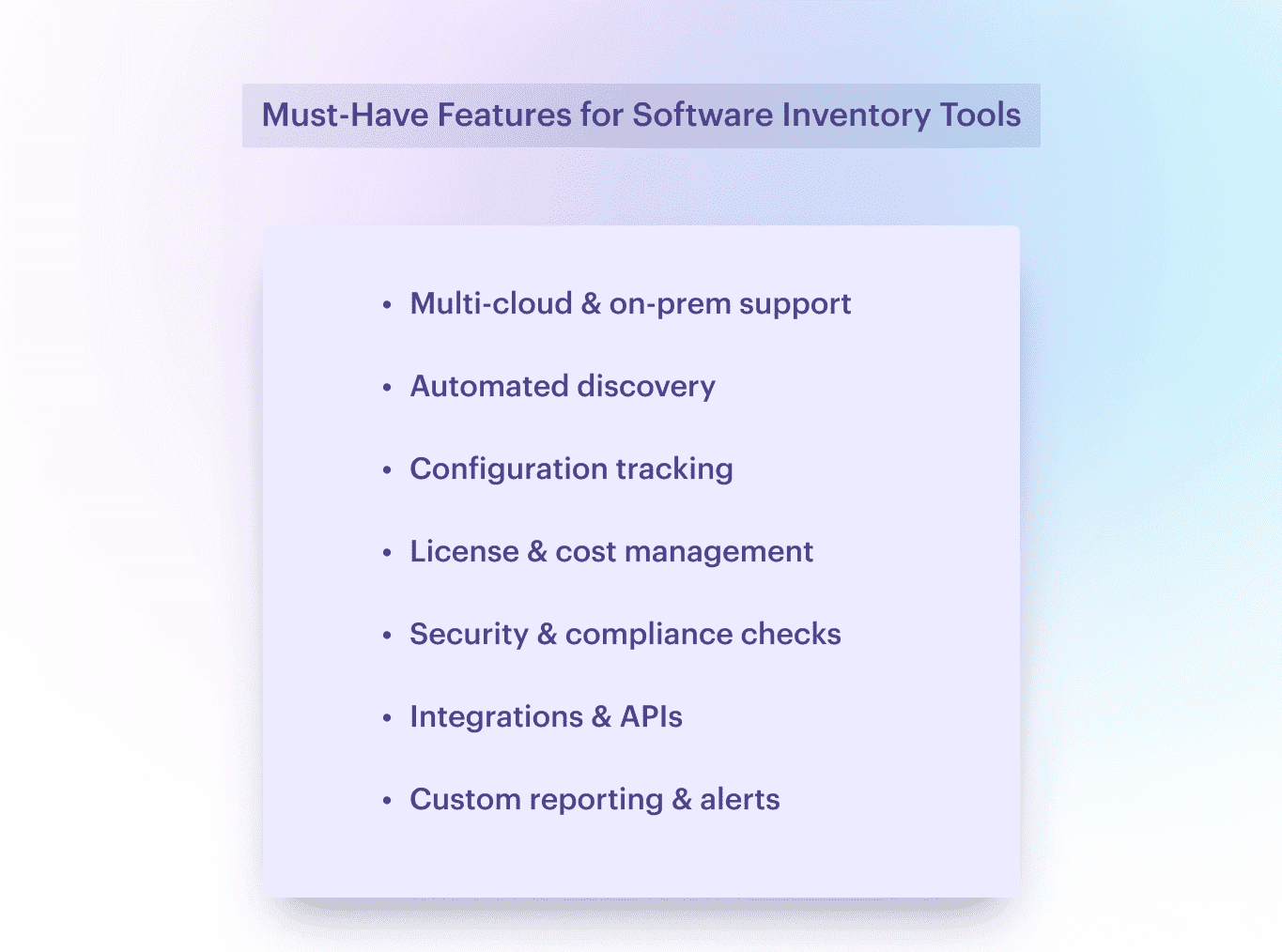
- Covers your full hybrid estate. AWS, Azure, GCP, on-prem, VMware, SaaS — it should see everything. If your IT inventory system can’t pick up that rogue Oracle DB running in the corner of your DMZ, it’s not built for real ops.
- Automated discovery, no excuses. Forget manual updates. Your IT inventory tool should scan accounts, detect new resources, and map them into your IT asset inventory management stack — from ephemeral EC2s to sneaky Azure functions someone forgot to tag.
- Configuration + ownership awareness. Who owns this Lambda? What config is running on that S3 bucket? Your inventory asset management software should surface full context: env, tags, policies, and drift — before your CI/CD pipeline throws a tantrum.
- License and spend tracking. You don’t want to explain to finance why you’re paying for 500 Slack seats when only 90 people use it. A solid software asset inventory tool (and the better software inventory tools in general) will track usage, reclaim shelfware, and plug SaaS budget leaks before they bleed out.
- Security & compliance built in. Your IT asset management inventory platform should flag exposed ports, unencrypted volumes, and expired certs automatically. Bonus if it maps those to compliance controls — like CIS, NIST, or SOC2 — and feeds into your SIEM or SOAR.
- Integrates with your stack. If it doesn’t talk to your CMDB, ITSM, SIEM, and ticketing tools, it’s going to create silos. Look for IT inventory tracking software with clean APIs and native hooks into Jira, ServiceNow, and Splunk — not just a Zapier plugin.
- Smart reporting, not inbox spam. Dashboards should answer questions, not raise more. You want real-time insights, asset change histories, and alerts that say why it matters — like “Unapproved RDS in prod running $3K/month” — not just “resource created.”
If that sounds like your world, you’re in the right place. I’ve tested and reviewed the top IT inventory management software for 2026 — from cloud-native platforms to heavyweight IT equipment inventory software that can handle legacy and edge devices too.
Use this guide to shortlist, compare, and find the one that won’t ghost you during an audit 👇
Read also: The best configuration management software: Top 10 tools review
Methodology: How we tested IT inventory software for this list
We didn’t build this list by copying vendor claims into a table.
To evaluate each IT inventory software tool, we looked at the things that actually matter once the environment gets messy: how well it discovers assets, how much inventory detail it captures, whether it covers software and license visibility, and how useful it is in real operations.
We compared each platform across six areas:
- discovery across cloud, on-prem, endpoints, network, and SaaS
- inventory depth, including ownership, lifecycle, and configuration data
- software inventory and license visibility
- context such as relationships, business ownership, and change history
- reporting, workflows, and integrations
- pricing clarity and implementation effort
We also looked at who each tool is really built for. Some work better for service-desk-led teams. Others are stronger in hybrid multi-cloud environments where automated discovery and real-time visibility matter more than manual tracking.
The goal of this list is simple: help you find the right IT inventory system for your environment, not just the tool with the loudest feature page.
Best IT inventory software at a glance
Use this shortlist to match each product to the inventory problem it handles best before you compare pricing and implementation scope.
- Pick Cloudaware if you need one inventory view across hybrid and multi-cloud infrastructure, plus software, ownership, and on-prem discovery.
- Pick Device42 if datacenter asset tracking is still the center of gravity.
- Pick Asset Panda if physical assets and operational tracking come first.
- Pick Deepser if you want inventory tightly tied to support workflows.
- Pick Freshservice if your buying process is being driven by ITSM
Let's dive deeper.
Cloudaware IT inventory software
Best for: hybrid multi-cloud enterprises that need real-time IT inventory, software visibility, and CMDB context in one place.
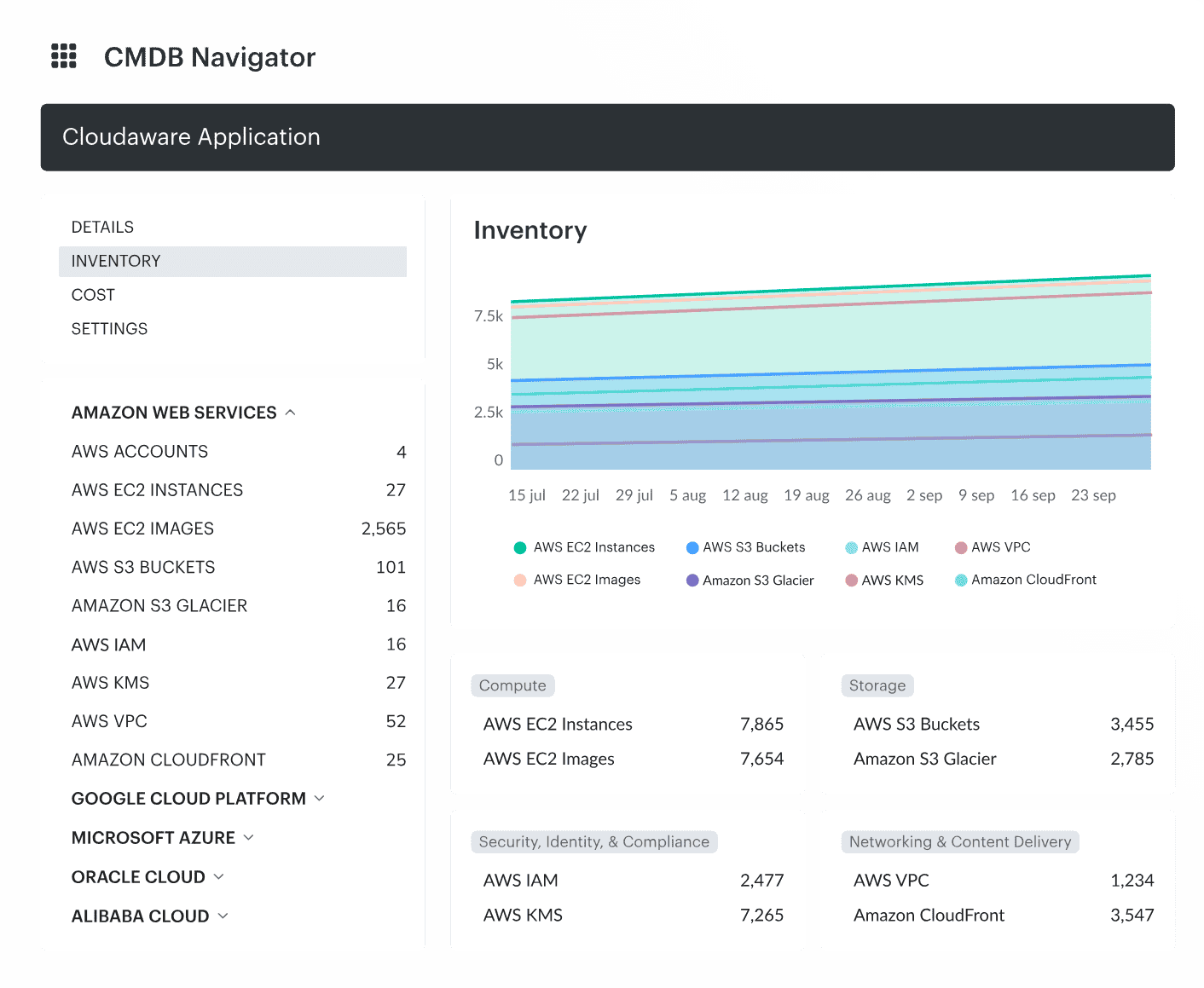
Cloudaware is an IT inventory management software and multi-cloud CMDB that keeps your IT asset inventory and configuration data in one place.
This configuration management database pulls data from over 50 sources — we’re talking AWS, Azure, GCP, on-prem, Oracle Cloud, Alibaba, VMware — and builds a real-time IT inventory system that’s not just accurate, but actionable. It connects the dots: CI owners, tags, policies, spend, drift, and dependencies — all in one living CMDB.
In our world of hybrid chaos — where devs spin up stuff before you’ve had coffee — Cloudaware becomes the one place where things finally make sense:
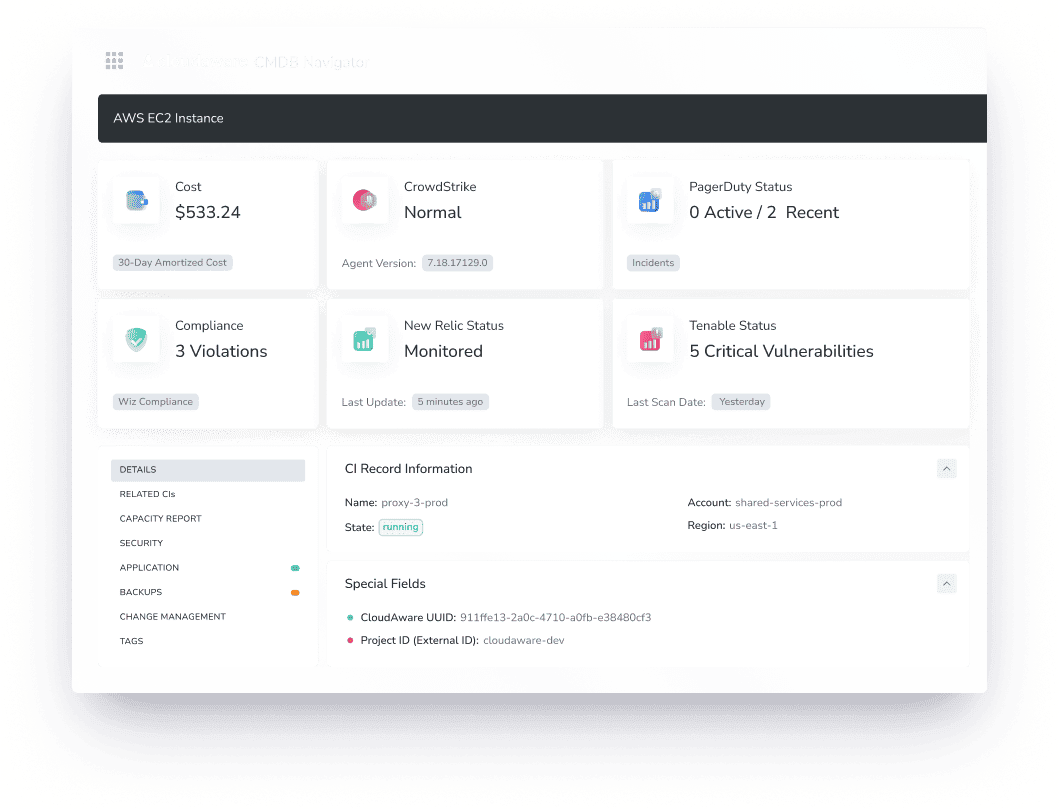
Take one EC2 instance. A basic asset management tool might say, “Hey, here’s your VM.” Cloudaware says:
- Cloud Provider: AWS
- Account: prod-platform-engineering
- Spend: $142.80/mo
- Tags: env=prod, team=marketing, app=CRM-core
- Mapped Application: CRM Production
- Security Posture: SSH open to the world, missing latest OpenSSL patch
- CI Relationship: Linked to EBS, ALB, and upstream SQS queue
- Lifecycle Status: Running for 175 days, no recent patch events
- Owner: Notified — Jira ticket auto-created and routed
For anyone running infra across multiple clouds and trying to keep the CMDB from turning into spaghetti — Cloudaware is the backbone. It’s your asset inventory management system, your software asset inventory scanner, and your incident prevention sidekick rolled into one.
Teams at Coca-Cola, Charles Schwab, and yep — NASA — use it daily to wrangle their IT environments.
The same inventory can answer questions asked in an AI assistant. Through the Cloudaware MCP server, Claude, ChatGPT and other MCP clients query the CMDB read-only, so a question like "which operating system versions past end of support run in production, and on how many instances per account?" takes one prompt instead of an export per cloud.
Here’s what’s under the hood:
The 2026 feature check confirms that Cloudaware builds its inventory from configured cloud, infrastructure, billing, identity, security, DevOps, and ITSM sources. The exact records available depend on the integrations and permissions you configure.
- Hybrid asset collection. Cloudaware integrations cover AWS, Azure, Google Cloud, Oracle Cloud Infrastructure, Alibaba Cloud, VMware, Nutanix, Kubernetes, network discovery, and connected enterprise tools.
- Normalized CMDB records and relationships. The Cloudaware CMDB relates provider-specific assets to applications, services, owners, costs, dependencies, and other configuration items instead of leaving them as separate exports.
- Searchable cohorts. Teams can filter records by fields such as provider, account, region, tag, lifecycle state, application, or configured ownership relationship and use the resulting cohort in dashboards and reports.
- Integration-supplied context. Billing, vulnerability, identity, monitoring, and ITSM data can enrich a configuration item when the relevant connector is configured. The connected system remains the source of that data.
- Change history. Configuration history gives operators a dated record of observed changes so they can investigate drift and support audit evidence.
- Workflow and reporting. Queries, policies, reports, notifications, and configured integrations can move an identified cohort into an operational workflow. A dashboard exposes the work; remediation still depends on the selected workflow and owner.
If your infra is noisy, your alerts are piling up, and your compliance guy keeps sending “friendly reminders,” Cloudaware is the IT inventory tracking software you bring in to shut down the chaos.
Not here to “manage” complexity. Here to kill it.
Pricing
Cloudaware uses server-based pricing. The entry package starts at $200/month for 50 servers and one user; a 100-server environment is approximately $400/month, with tiered pricing as the estate grows. Use the pricing calculator for the current estimate because modules, users, and infrastructure scope can change the quote.
A 30-day free trial is available. Use it to verify that the configured sources discover the asset types you care about, that relationships and ownership fields populate correctly, and that the resulting inventory can be filtered and routed the way your team expects.
Check Cloudaware’s value for your company now
### Pros and Cons
✅ UI that just makes sense. Finally, an IT inventory management system that doesn’t make you dig through 15 tabs just to find an EC2’s lifecycle status or who owns that dangling IAM role. Everything’s where it should be.
✅ 24/7 support and docs that actually help. Whether you're integrating into ServiceNow or debugging why your GCP project isn’t syncing, support’s there. The docs? Clean, searchable, and packed with real examples — not just vague API refs.
✅ One platform to run the show. Multi-cloud asset inventory, compliance drift detection, lifecycle tracking, spend mapping — all built into a single inventory asset management software layer. You get a full view, fast.
✅ Plays well with your stack. AWS, Azure, GCP, Oracle, Alibaba — plus Jira, PagerDuty, CMDB syncs — no duct tape required. If your CI data’s already living somewhere, Cloudaware pulls it in clean.
❌ Pricing needs a second look. It’s not overly complicated, but it’s not instant brain-dead simple either. You’ll want to hit the calculator if your infra fluctuates often.
❌ Feature-rich means learning curve. You won’t unlock the full power on day one. From automated tagging logic to custom CI filters and cost optimization alerts — there’s a lot to unpack. Worth it, but yeah, give it a minute.
If you're neck-deep in discovery jobs, trying to align CI ownership with actual budget owners, or mapping compliance posture to specific asset groups — Cloudaware is the IT inventory software that helps you see the sprawl, shrink the risk, and put governance back in reach.
ServiceNow inventory tracking software
Best for: enterprises that want IT inventory tightly connected to ITSM, lifecycle workflows, contracts, and compliance processes.
ServiceNow is an IT inventory tool focused on bringing structure to the chaos — tracking every configuration item, license, and contract across AWS, Azure, GCP, and on-prem, all from one unified platform.
It’s not just about putting assets into a list — it’s about creating a living, dynamic IT inventory system that mirrors your actual infrastructure. Think full lifecycle management: from asset procurement and deployment to ownership transfers, compliance checks, and clean retirement. Every stage tracked, logged, and tied to spend.
Enterprises like Microsoft and Morgan Stanley lean on ServiceNow to eliminate rogue instances, enforce policy, and cut waste without compromising ops. Their teams use it to kill off shadow IT, link real costs to real services, and prep for audits without the 48-hour fire drill.
For DevOps and cloud architects, this isn’t just IT inventory software — it’s the map that shows you where everything lives, how it’s behaving, and what’s draining your budget behind the scenes.
Key features:
- Connected asset repository. ServiceNow IT Asset Management brings hardware, software, contracts, costs, entitlements, and lifecycle records into workflows that can share context with the CMDB and service catalog.
- Lifecycle workflows. Teams can manage planning, procurement, deployment, servicing, transfers, reclamation, and retirement instead of treating inventory as a static register.
- Software and hardware asset management. Separate capabilities support hardware lifecycle control, software license positions, SaaS visibility, and cloud-cost governance. The exact coverage depends on the products licensed.
- CMDB and service context. Discovery and service-mapping products can relate infrastructure and applications to services so incident, change, and asset teams work from connected records.
- Contract, cost, and compliance controls. Entitlements, renewals, warranties, leases, and spend can be attached to the asset lifecycle and surfaced in dashboards or approval workflows.
- Automation and AI. Current packages add AI-assisted or agentic workflows for selected asset tasks, but buyers should confirm which features are included, which are add-ons, and what data preparation they require.
At the scale you’re working — across ephemeral resources, dev sandboxes, prod clusters, and untagged legacy gear — you don’t just need IT equipment inventory software. You need something that thinks like you do: cross-platform, policy-aware, and ready to cut through the noise.
That’s what ServiceNow brings to the table. A real-time IT inventory tool that doesn’t just document infrastructure — it drives how you control it.
Pricing
ServiceNow does not publish a list price for its ITAM packages. ServiceNow pricing is quote-based and varies with the ITAM products and add-ons selected, the licensed asset or user population, subscription units, support level, and implementation scope.
Ask the vendor to separate the recurring platform subscription from Discovery, Service Mapping, Hardware Asset Management, Software Asset Management, AI capabilities, implementation, integrations, and data normalization. That makes the quote comparable with products that bundle more of the inventory stack.
Pros and Cons
✅ “All routine tasks, such as license compliance, asset inventory, and contract renewals, can be automated to improve efficiency and minimize human error.” - G2
✅ “Very smooth implementation. Can be integrated with n numnber of 3rd party applications.” - G2
✅ “The customer support is timely, effective and has sufficient expertise which allows for a trouble free implementation.” - G2
❌ “Sometimes UI of this IT inventory system feels a little outdated.” - G2
❌ “It is a bit tricky to set exclusions, define bundles, find and normalise software which did not get picked up by the ServiceNow content library.” - G2
Read also: Find the Best Hybrid Multi-Cloud CMDB: Cloudaware CMDB vs. ServiceNow
Device42
Best for: infrastructure-heavy teams that need strong datacenter, hardware, software, and dependency visibility across hybrid environments.
Device42 positions itself as an IT asset inventory management platform for visualizing hardware, software, and cloud-resource records in one place. IT teams can use the discovered records to review changes, dependencies, lifecycle state, and ownership.
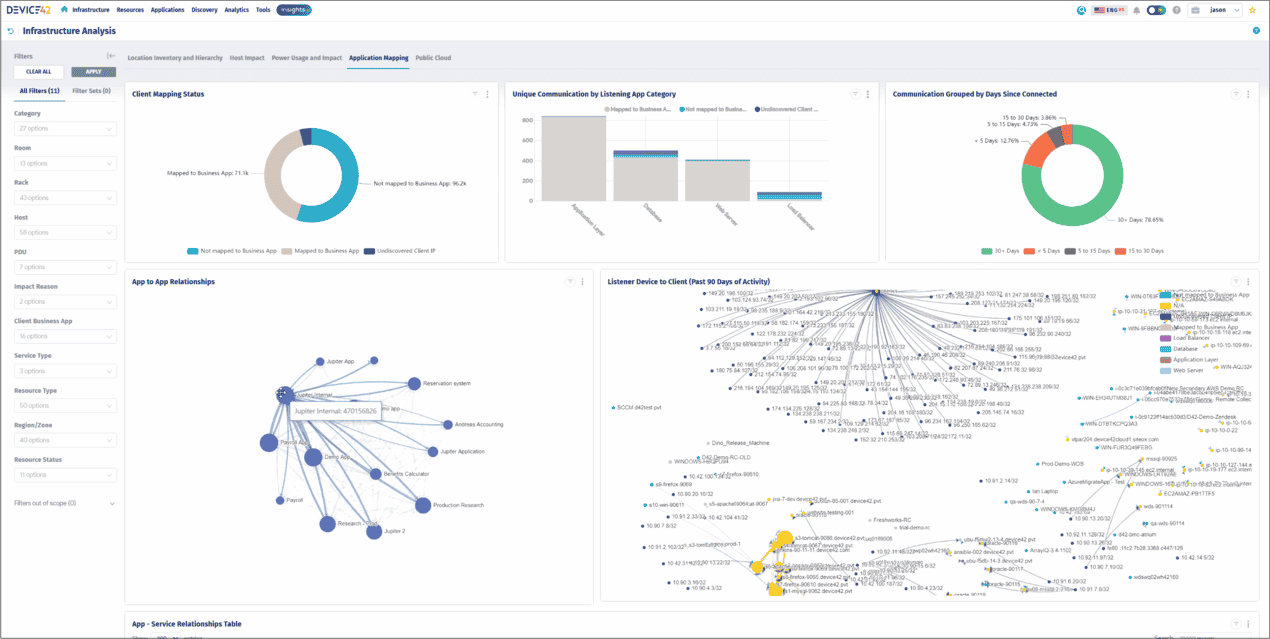
Big players trust it. Cox Communications. ProQuest. They use Device42 to eliminate asset blind spots. To optimize infrastructure. To maintain absolute visibility across AWS, Azure, GCP, and on-prem environments. IT architects and DevOps teams use it as the core of their IT asset inventory management — tracking every change, enforcing compliance, and preventing costly misconfigurations.
Features
- Automated discovery. Device42 discovery collects datacenter, network, cloud, virtual, container, hardware, and software records through supported discovery methods.
- CMDB and dependency mapping. Application, service, device, and infrastructure relationships help teams assess impact and trace dependencies.
- Lifecycle tracking. Procurement, assignment, moves, maintenance, retirement, contracts, and warranty dates can stay attached to the asset record.
- QR and barcode support. Teams can tag, scan, locate, and update physical equipment without returning to a spreadsheet.
- Software and license inventory. Discovered software can be associated with devices and used in license and lifecycle reviews.
- IP address and network context. IPAM and network records add location and connectivity context to datacenter inventory.
Pricing
Device42 pricing is annual and tied to the licensed device count, but the vendor now directs buyers to request a quote. For a planning benchmark, TrustRadius currently lists Core on-prem tiers at $1,449/year for 1–100 devices, $2,999 for 101–500, $4,999 for 501–1,000, and $9,999 for 1,001–2,500. Treat those third-party figures as comparison estimates, not a guaranteed current quote.
The official evaluation covers 100 devices for 14 days. Ask how Device42 converts devices, containers, and other managed objects into license units before comparing its quote with a simple per-asset plan.
Pros and Cons
✅ “They are great at using the latest trends in asset management, most complete hybrid IT discovery.” - G2
✅ “0/10 to Device42 team and customer service support team . Customer service support is always prompt in helping and they are simply genious who can turn around things very quickly .” - G2
✅ “Easyness of use. The product get better with every update.” - G2
❌ “It takes some time to get used to the interface and navigation in general.” - G2
❌ “The organization should provide a demo or free trial for businesses and individuals to try out if the platform meets their need.” - G2
IT inventory management should work for you. Not slow you down. Device42 delivers automated tracking, full visibility, and enterprise-grade control over IT assets. IT architects and DevOps teams rely on it to optimize costs, prevent compliance failures, and streamline multi-cloud asset management.
Read also: Find the Best Hybrid Multi-Cloud CMDB: Cloudaware vs. Device42
Asset Panda
Best for: teams that need flexible physical-asset tracking, mobile scanning, inspections, contracts, and day-to-day operational ownership.
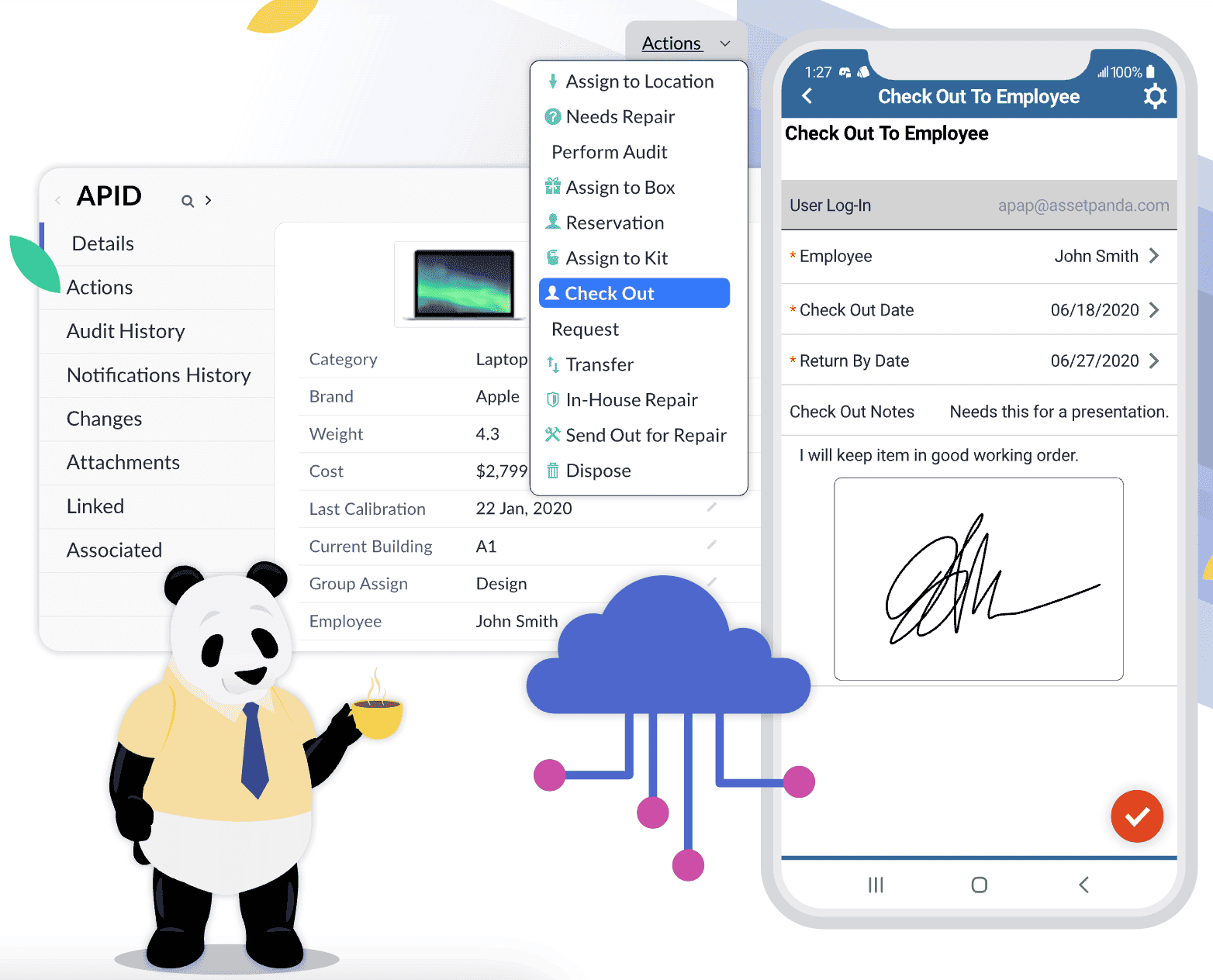
Asset Panda is cloud-hosted asset tracking software built around configurable records, mobile scanning, assignments, inspections, and lifecycle workflows.
Its center of gravity is physical and operational inventory: laptops, equipment, tools, facilities assets, accessories, contracts, and custody records. Teams can tailor fields and workflows to their process, but buyers that need native cloud-resource discovery or technical dependency mapping should verify those requirements separately during the trial.
Features
- Configurable asset records. Asset Panda asset management supports custom fields, groups, statuses, actions, attachments, and role-based access.
- Lifecycle history. Purchase, assignment, transfer, maintenance, inspection, and retirement events can remain attached to the record.
- Mobile barcode and QR scanning. iOS and Android apps let distributed teams scan, check out, transfer, and audit equipment in the field.
- Assignments and accountability. Assets can be linked to employees, teams, customers, locations, and signatures to document custody.
- Inspections and maintenance. Configurable actions and notifications support recurring checks, repairs, reservations, warranties, and contract dates.
- Reports and integrations. Dashboards, reports, API access, and supported integrations help teams move operational asset data into adjacent systems.
If your environment’s full of fast-moving parts and you’re trying to keep CI data clean, track spend, and prep for whatever audit’s coming next, Asset Panda is one of those IT inventory tools that helps keep your asset layer grounded — and your ops team breathing easy.
Pricing
Asset Panda now publishes user-based starting prices rather than the asset-based model described in older comparisons. Its current pricing guidance lists Starter at $3,000/year and Business+ at $7,500/year, with the final quote based on the number and type of users and the capabilities required. See the vendor’s asset-tracking cost guide for the current public figures.
A 7-day free trial is available through the quote and trial page. Use the trial to confirm which users need paid access, how imports and mobile scans behave, and whether required API or integration access is included in the proposed plan.
Pros ✅
- "The customizabilty of the product is great, and could be useful for many types of companies." - G2
- “I also appreciate that you can add new categories that fit the needs of the business.” - G2
- “Custom fields allows you to track your assets deployment, warranty information and depreciation.” - G2
Cons ❌
- “There is no way to get your asset data out via download or export, only by generating reports (pdf, csv), and you can only get reports via email (no download option).” - G2
- “The dashboard feature could use some tweaking as it is far from comprehensive and although the interface is reasonably aesthetic and functional it could use a bit of a facelift.” - G2
Asset Panda is more than an inventory management software — it’s a full-scale asset control system. It simplifies tracking, enhances visibility, and ensures IT teams never lose sight of their assets.
Read also: ITIL CMDB Insights: Simplify 7 Processes Across Hybrid Environments
Deepser
Best for: organizations that want IT inventory plus service desk structure, especially across mixed cloud and on-prem environments.
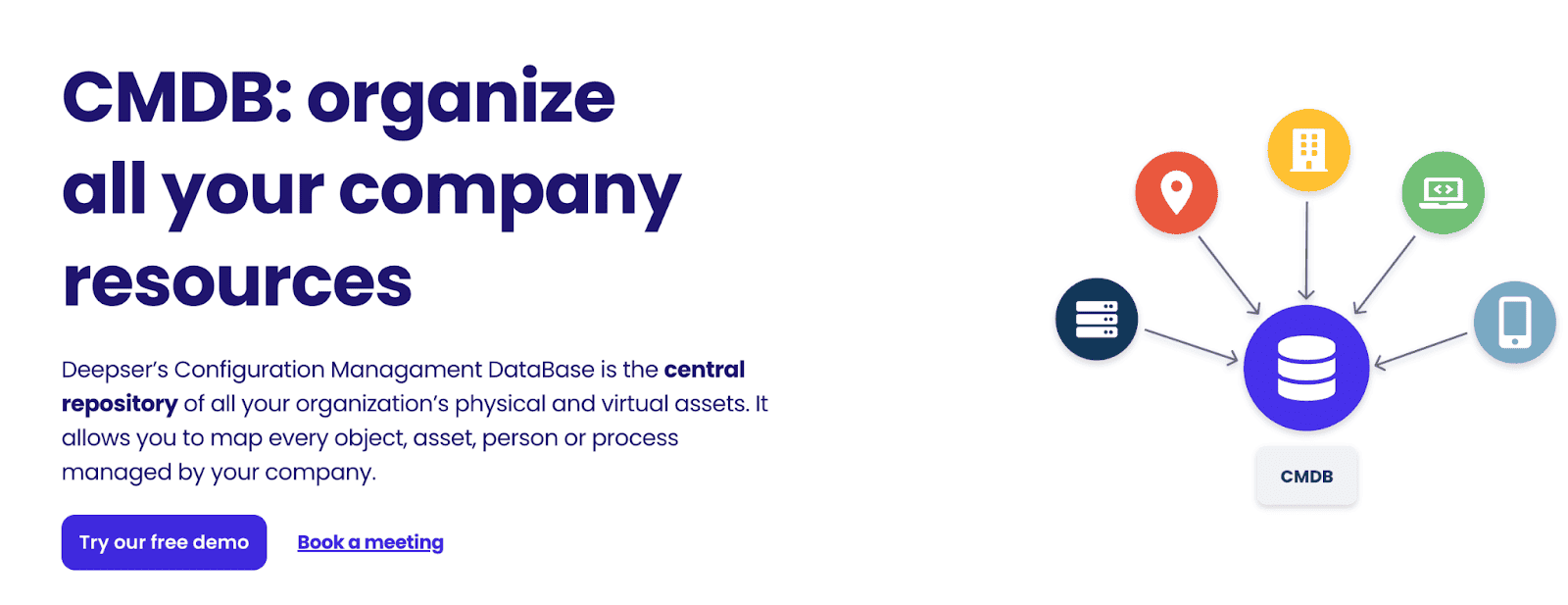
Deepser offers software inventory tools as part of its ITAM suite. It discovers, tracks, and catalogs everything — hardware, software, network components — across cloud and on-prem environments. No blind spots. No missing data. No outdated logs.
Università Ca’ Foscari and other organizations rely on Deepser to structure their IT ecosystems, reduce operational chaos, and create a unified source of truth. It integrates with AWS, Azure, and on-prem environments, ensuring that physical and virtual assets stay under control. IT teams gain visibility, prevent compliance risks, and track every piece of infrastructure in real time.
Deepser IT asset inventory software features
This IT inventory management software quietly does all the hard stuff while you focus on, well, keeping the whole infra from melting down.
- Automatic data discovery. Deepser IT asset management supports SNMP, WMI, SSH, and ping-sweep discovery for reachable infrastructure and devices.
- Lifecycle management. Procurement, assignment, warranty, maintenance, contract, and retirement information can follow the asset record.
- CMDB relationships. Deepser CMDB connects physical and virtual assets, services, users, locations, suppliers, and contracts.
- Ticket context. Agents can open an asset from a service request and review its history, installed software, associated user, and previous issues.
- Portal and workflow configuration. Dashboards, forms, SLAs, automations, and the user portal can be adapted to the service process.
- Asset and software records. Hardware, software, licenses, contracts, credentials, and related operational records can be managed in the same service platform.
So yeah, if your CI sprawl’s getting wild and you’re tired of the patchwork tooling dance, Deepser might just be the IT inventory tool that brings the calm. Everything logged. Everything searchable. Everything actually useful.
Deepser IT inventory management system pricing
If you're digging through tools to get your asset game locked down, Deepser keeps it refreshingly no-nonsense.
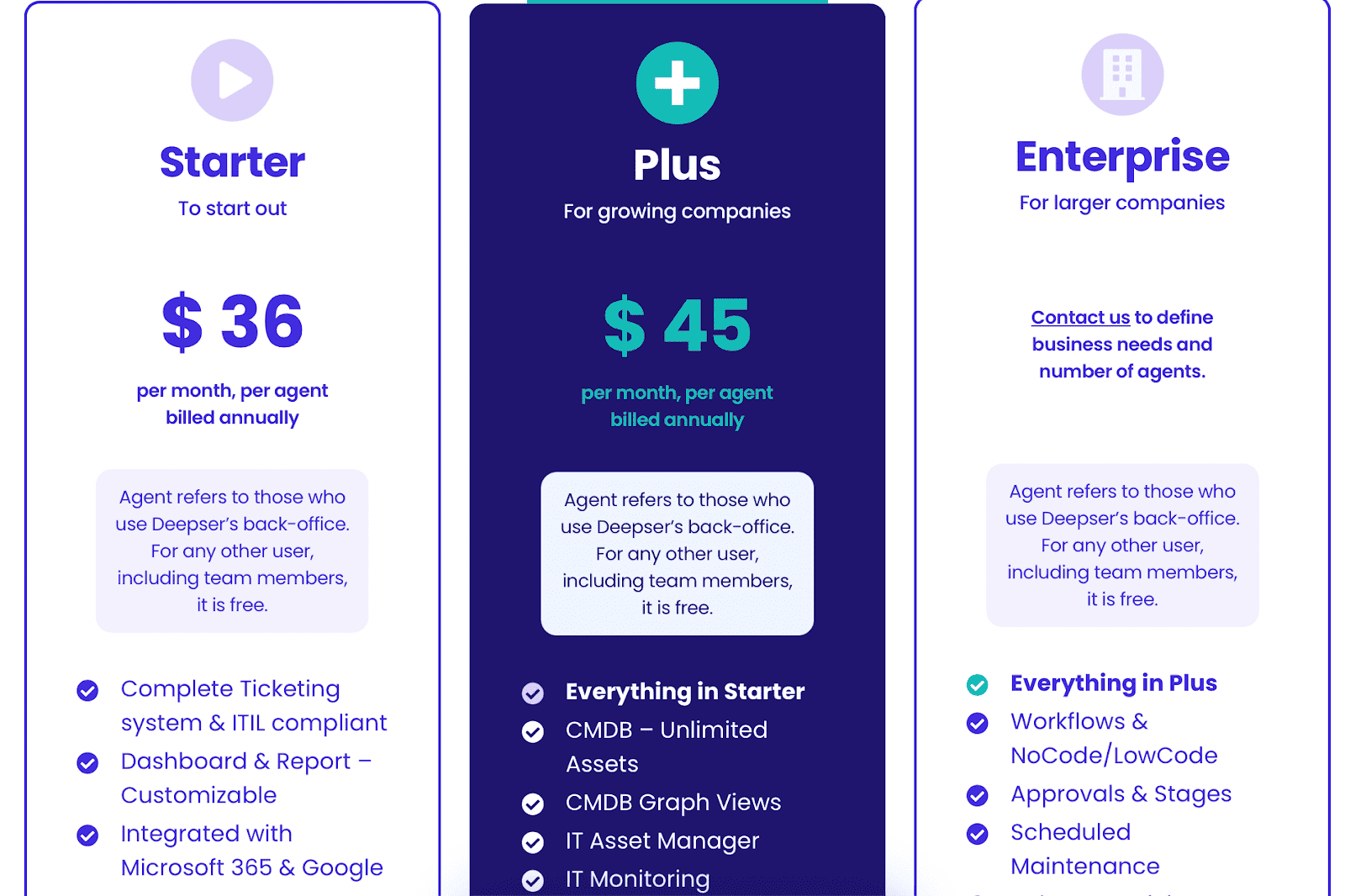
Deepser pricing lists Starter at $36/agent/month and Plus at $45/agent/month when billed annually, with a three-agent minimum. Plus is the relevant public tier for IT asset management, CMDB graph views, monitoring, contracts, and the knowledge base.
Enterprise is quote-based, and the vendor offers a free demo. Confirm currency, agent minimums, onboarding, integrations, and any managed-service costs in the written quote because the public page can localize pricing by region.
Pros ✅
- “It is easy to use and has a nice interface. I have all information I need in a single tool and do not need to use multiple software anymore.” - G2
- The intuitive design makes it easy to navigate and manage assets across multiple environments.
- Inventory management is streamlined with automated data discovery and asset tracking capabilities.
Cons ❌
- As of now, there are fewer user reviews available, which may make it challenging to assess the software’s performance across diverse scenarios.
- Some users mention that additional reporting features would further improve IT visibility.
Deepser transforms inventory management into an automated, structured, and intelligent system. From tracking IT devices to managing support requests, it gives IT teams full control over their infrastructure.
Read also: 7 Strategies for CMDB Application Mapping Success in Hybrid IT Infrastructure
Freshservice
Best for: IT teams that want easy-to-adopt cloud-based inventory management with strong ITSM and SaaS management capabilities.
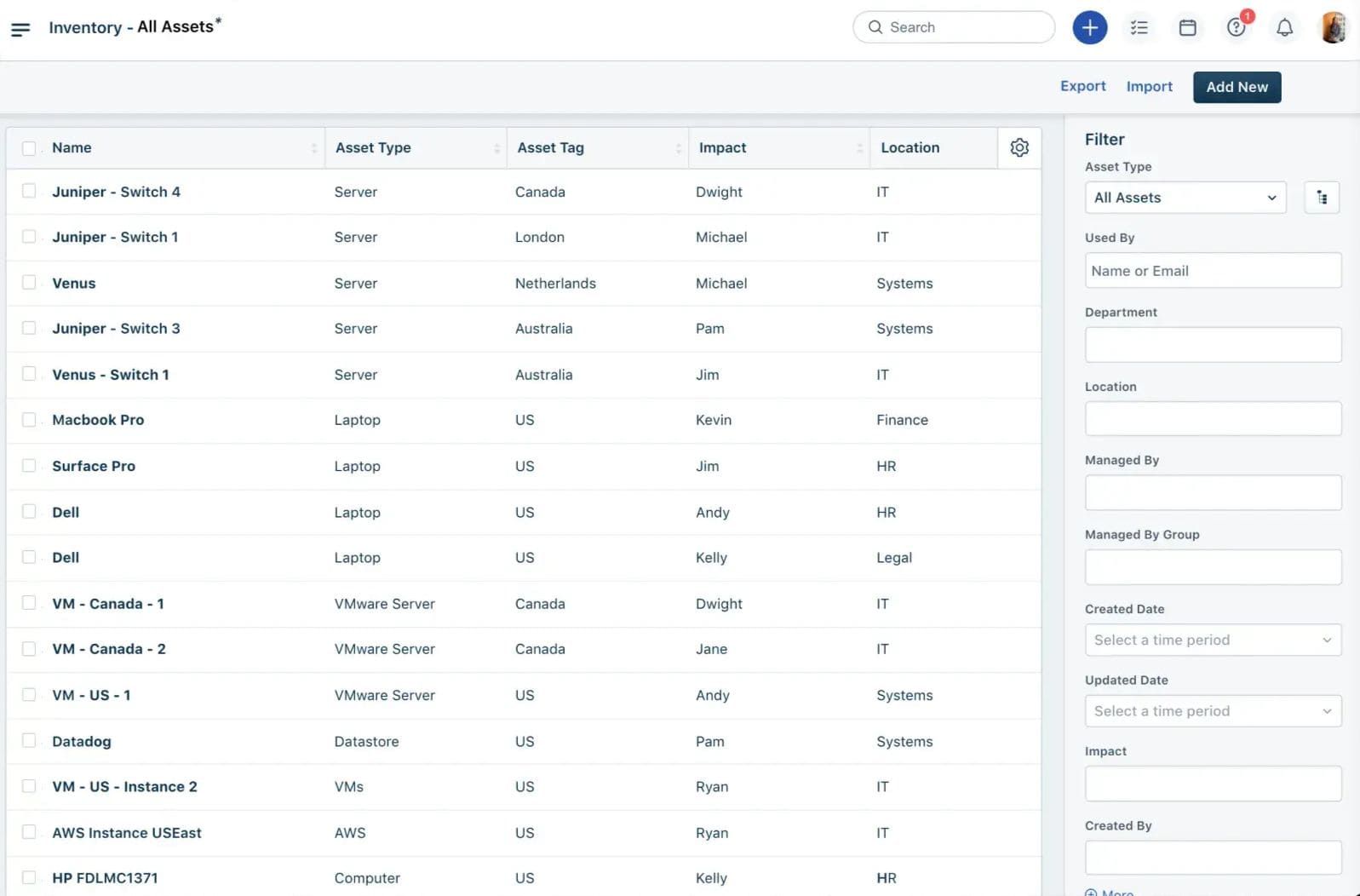
Freshservice is a cloud-native IT inventory management software that automates discovery, tracks every configuration item, and ensures nothing fades into digital obscurity. Devices, applications, contracts — everything is accounted for, mapped, and monitored.
Companies like Shift Technologies and Klaviyo use Freshservice to structure their IT environments, eliminate shadow assets, and gain full visibility into their infrastructure. It integrates seamlessly with AWS, Azure, and Google Cloud, acting as a unified command center for IT asset management and oversight.
Features
- Automated discovery. Freshservice ITAM discovers supported on-premises, endpoint, cloud, and virtual assets through its available discovery methods and integrations.
- Lifecycle management. Procurement, assignment, stock, contracts, depreciation, maintenance, and retirement can be managed from the asset record.
- CMDB and dependency context. Freshservice CMDB connects configuration items and services so agents can assess impact during incidents and changes.
- Software and SaaS management. Usage and entitlement records support license reclamation, renewal review, and software compliance workflows.
- Service-desk integration. Asset context appears alongside incidents, requests, changes, and problems instead of living in a separate inventory database.
- Workflow automation and reporting. Teams can trigger approvals, notifications, assignments, and reports from asset or service-management events.
Pricing
Freshservice ITSM lists Starter at $19, Growth at $49, and Pro at $99 per agent/month, billed annually; Enterprise is quote-based. IT asset management has a separate usage component: Freshservice ITAM pricing starts at $125/month per 500 Asset Units and requires a Growth, Pro, or Enterprise Freshservice subscription.
An unrestricted 14-day Enterprise ITAM trial is available. Ask which objects consume Asset Units, how discovery sources affect the count, and whether SaaS management, orchestration, support, and AI add-ons are included in the estimate.
Pros ✅
- “The UI/UX is amazing. Both agents and end users find it incredibly useful but also incredibly flexible and customizable. We were able to very quickly implement our necessary customizations and integrate it with our other systems like Entra and Intune.” — G2
- "I love the IT inventory tools automation features and they save us a lot of time." - G2
Cons ❌
- "Reporting seems a little clunky but gives us what we need right now. It's early days in diving into that aspect of things." - G2
- “There customer support is very script based and doesnt help in all cases.” - G2
Read also: Decoding configuration management vs change management in a multi-cloud environment
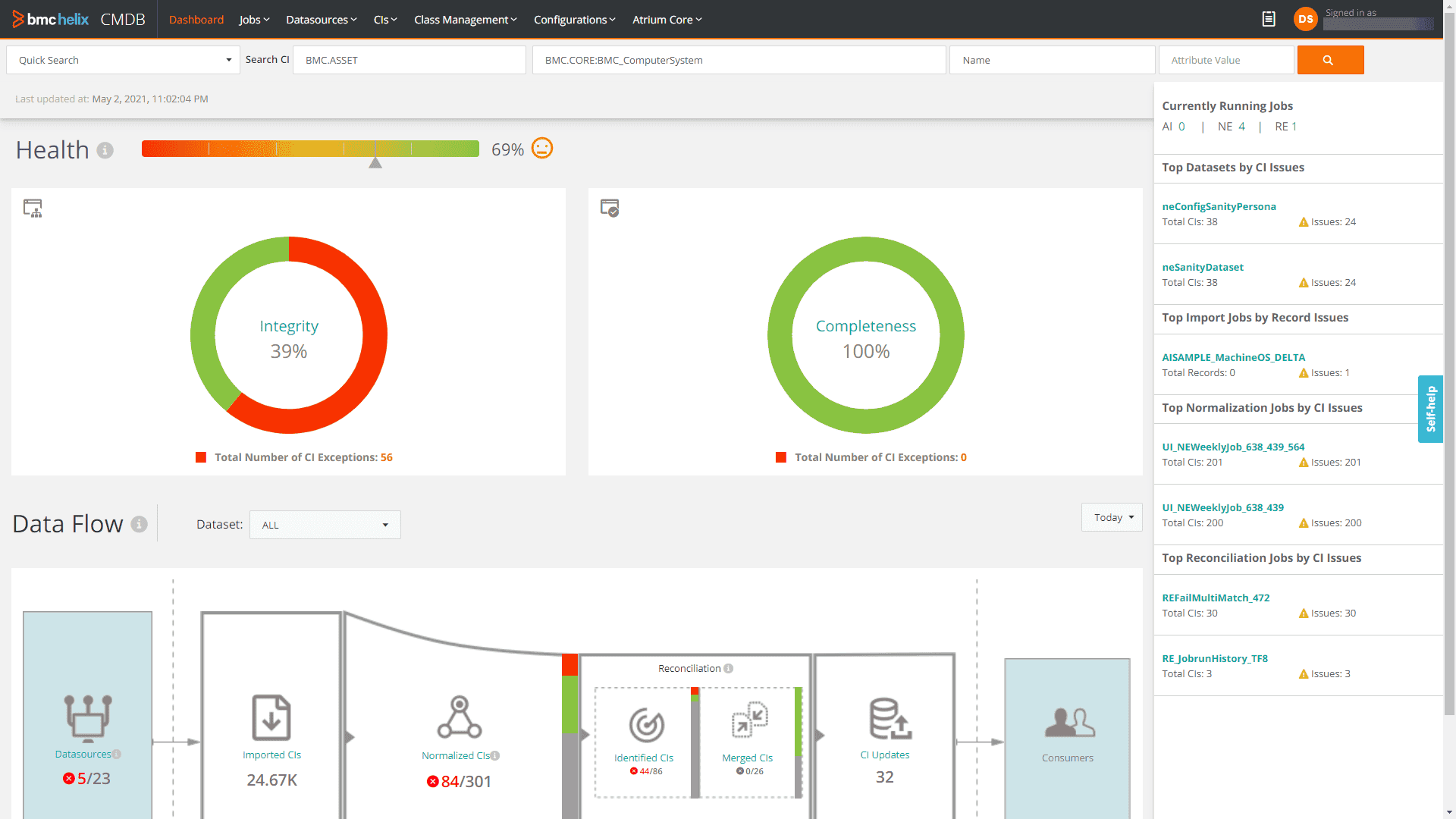
BMC Helix
Best for: large enterprises that need inventory management tied to configuration control, governance, and complex service operations.
BMC Helix keeps every asset in sight, every software license in check, every cloud instance accounted for. It transforms IT inventory management into a living, breathing ecosystem — monitored, organized, optimized. No missing devices, no overlooked configurations, no untracked software.
Capgemini, Elevance Health, and other global enterprises use BMC Helix to maintain ironclad control over their IT assets. From sprawling data centers to ephemeral cloud resources, every piece of infrastructure is logged, categorized, and tracked. It integrates directly with AWS, Azure, and Google Cloud, ensuring no shadow IT creeps into the system. The IT inventory system stays current, preventing compliance risks and unexpected costs.
Features
- Agentless discovery. BMC Helix Discovery continuously identifies supported on-premises, cloud, network, software, storage, and business-application assets without deploying an agent to every target.
- Dependency and service mapping. Discovered relationships create application and infrastructure models that teams can use for impact analysis.
- Lifecycle governance. BMC asset management supports procurement, receiving, assignment, maintenance, financial tracking, contracts, and retirement.
- CMDB reconciliation. Discovery records can populate and update the Helix CMDB, where normalization and reconciliation rules reduce conflicting configuration records.
- Software and contract context. Software inventory, entitlements, warranties, leases, suppliers, and contracts can be connected to managed assets.
- Service-management integration. Asset and configuration context supports incident, change, problem, and service-request workflows across the Helix platform.
BMC Helix pricing
BMC’s current public offer prices the Helix Discovery Starter Bundle from $50,000. Discovery Enterprise, Asset Management, CMDB, ITSM, additional integrations, and larger configurations are quote-based.
The published starting price is more useful for this inventory comparison than older per-user ITSM figures, which did not represent a complete discovery-and-asset stack. Ask BMC to separate subscription, discovered-asset capacity, implementation, data migration, and any managed services in the proposal.
Pros ✅
- "BMC Helix Discovery coming up with the SaaS model helps to decrease infrastructure footprint and using Outposts helps in discovery in a more efficient manner. In a way more and more customers are looking to expect from a solution - SaaS to save costs." - G2
- “Quick discovery, ci relationship auto discovered. Quick setup.” - G2
-
- “I also like that this inventory management software does not require the user to have advanced knowledge, and that the installation and use of the software is accessible to most people (with minimal computer knowledge, of course).” — G2
Cons ❌
- "BMC providing exceptional features is still costly which most clients are unable to afford." - G2
- “Monitoring tools could be more stable. Their offering isn't as good as it could be.” - G2
SolarWinds
Best for: teams that want IT inventory combined with infrastructure monitoring, change tracking, and network visibility.
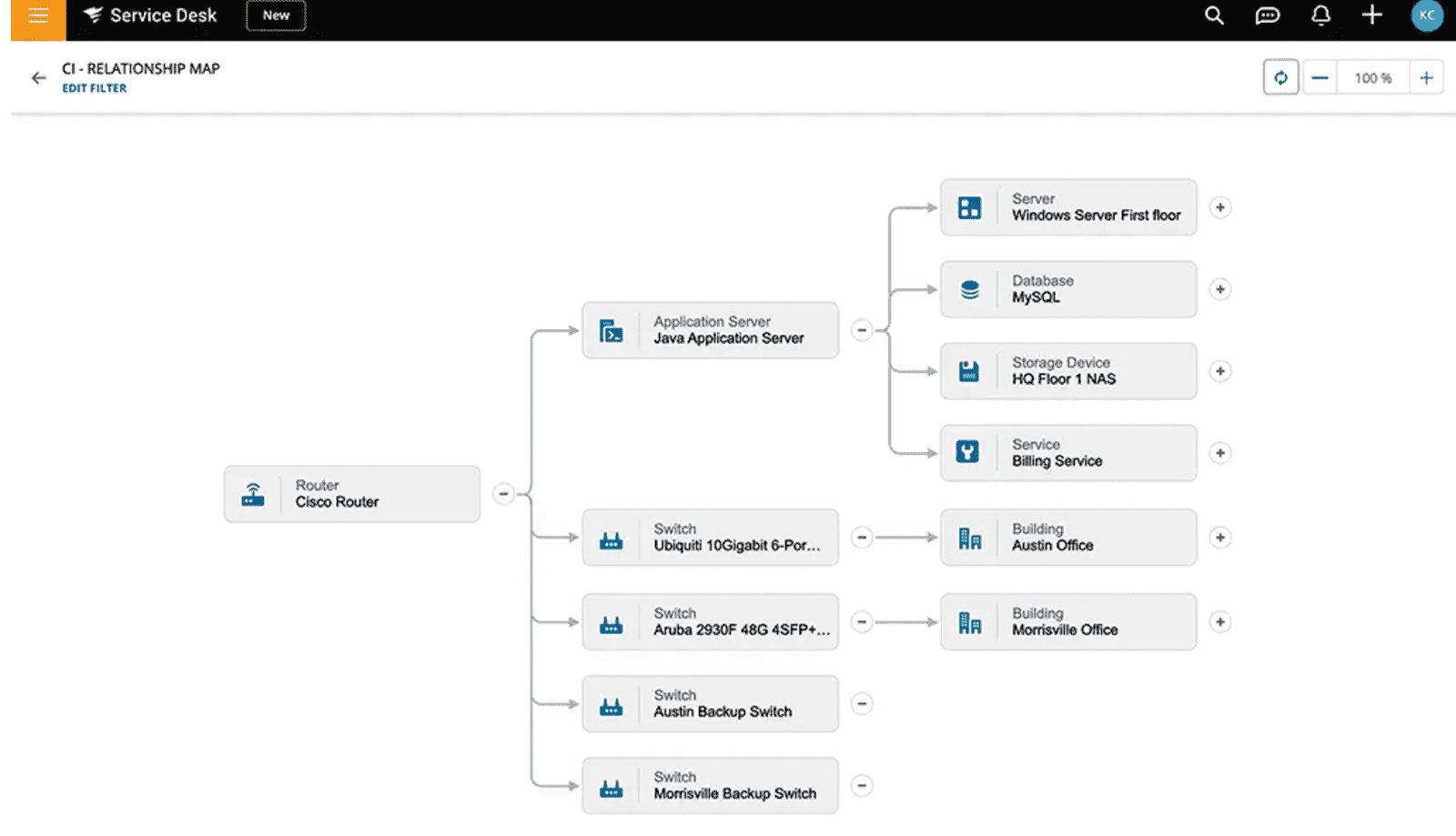
SolarWinds keeps every asset visible, every change documented, every risk controlled. No guesswork, no outdated spreadsheets, no scrambling to track missing resources. It’s the IT inventory tool that ensures total transparency across cloud, on-prem, and hybrid environments.
Lockheed Martin, Accenture, and other global enterprises use SolarWinds to structure and secure their IT environments. It integrates natively with AWS, Azure, and Google Cloud, ensuring that multi-cloud assets, physical devices, and software inventories stay in sync, always updated, always accounted for. From IT equipment inventory software to real-time monitoring, it delivers a full-scale asset management solution.
Inventory management features
- Asset and service records. SolarWinds Service Desk connects devices, software, users, contracts, incidents, and service requests in one service-management product.
- Network discovery. Advanced and Premier plans add network discovery to identify supported devices and bring them into the asset repository.
- Lifecycle and contract management. Assignment, status, purchase, lease, warranty, renewal, and disposal fields support day-to-day asset governance.
- CMDB. Essentials includes CMDB capabilities; Premier adds a visual CMDB and dependency mapping for configuration and impact context.
- Software license management. SolarWinds license management helps compare installed software with license records and identify compliance or reclamation work.
- Service-desk workflows. Assets can be related to tickets, changes, approvals, automations, reports, and API-driven integrations.
Pricing
SolarWinds Service Desk pricing lists Essentials at $39, Advanced at $99, and Premier at $124 per technician/month, billed annually. End users are unlimited.
Asset pricing is available on request, so the technician subscription is not necessarily the full inventory cost. SolarWinds offers a fully functional 30-day trial; use it to test discovery coverage, asset-count assumptions, CMDB visualization, and the features gated by plan.
Pros ✅
- “I really like the application health overview on the main SAM page, the APP Stack is a wonderful addition. The App insight for SQL and IIS is a game changer as well and we utilize it daily.” - G2
- “The feature i like most about this IT inventory tool is the pie charts and maps, they are very easy to read and you can glance at them to get a lot of info on my data.” - G2
Cons ❌
- “A lot of boilerplate UI around actual messages makes it hard to read logs when it works.” — G2
- “Absolutely idiotic screen sequences and job flows, cryptic messages, and to add insult to injury - automatic refresh of the pages that don't change.” — G2
Read also: Automated IT Asset Management - How to Automate Your Entire ITAM Process
Flexera
Best for: enterprises focused on software asset management, license governance, normalization, and hybrid estate control at scale.
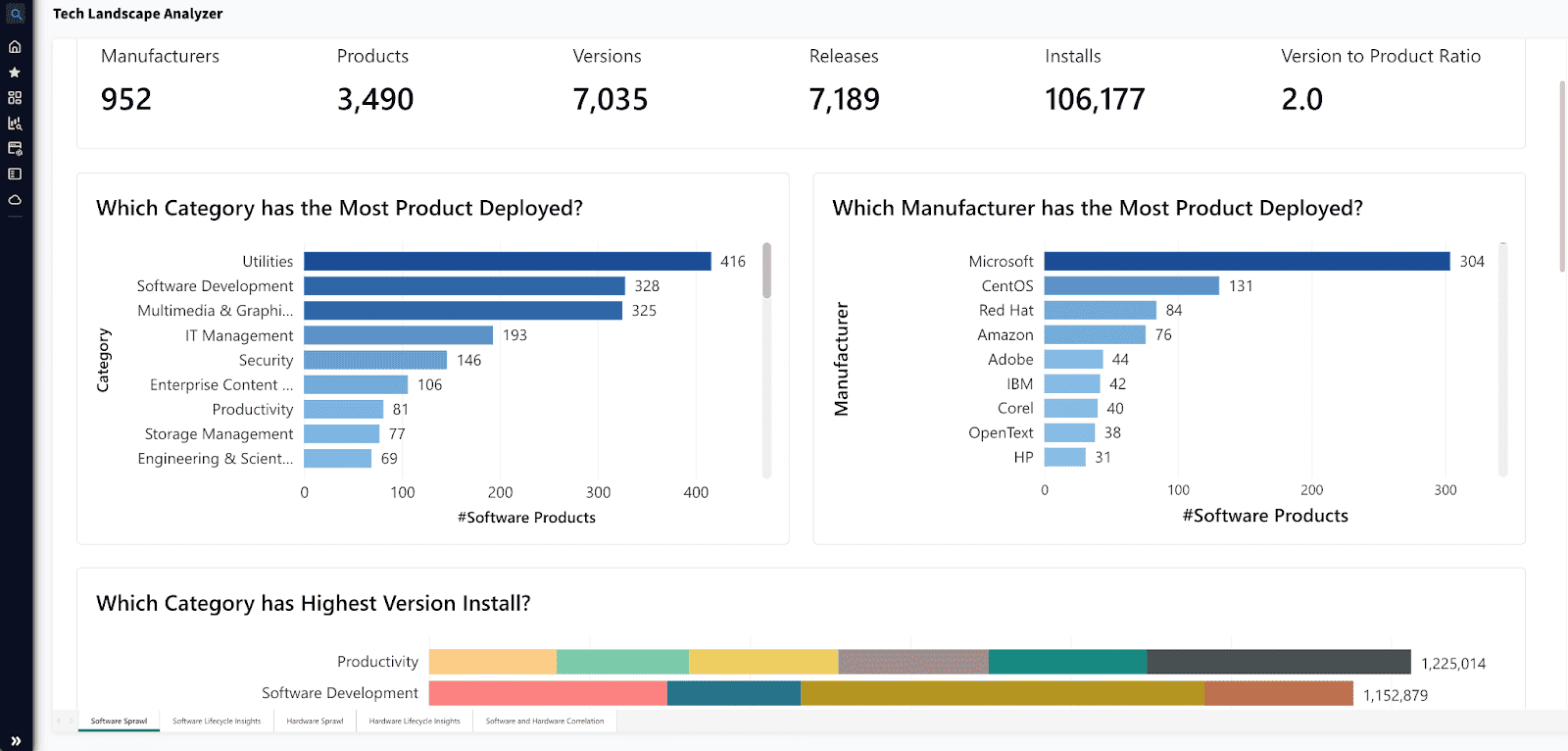
You know that moment when you open your CMDB and immediately see five duplicate entries for the same EC2, half-tagged VMware hosts, and a license record that hasn’t been touched since 2021? Yeah. Flexera was built for exactly that.
It’s not just another IT inventory management software — it’s the layer that brings structure back into your chaos. It plugs straight into your stack — ServiceNow, BMC, all the usual suspects — and makes sure every asset change, reassignment, or decomm gets logged without you chasing people or writing one-off scripts.
Here’s where it really shows up
- Discovery and normalization. Flexera collects inventory from supported enterprise sources, reconciles duplicates, and normalizes publisher, product, version, and edition data.
- Technopedia enrichment. Current Flexera One ITAM materials cite more than 5 million products and 2.1 million software use rights in its technology intelligence catalog.
- End-of-life and vulnerability context. Normalized technology records can be enriched with lifecycle and security intelligence so teams can prioritize unsupported or exposed products.
- License position and optimization. Entitlements, contracts, consumption, application usage, and product-use rights support audit preparation, reclamation, and renewal decisions.
- Contract and entitlement ingestion. AI-assisted capabilities can extract selected contract and entitlement data, with human review still required for ambiguous terms and use rights.
- Enterprise integrations. More than 200 third-party integrations connect ITAM data with procurement, service management, cloud, endpoint, and security systems.
Big orgs with massive cloud and hybrid stacks use it to wrangle their IT asset inventory management without burning cycles on cleanup. If your infra’s messy, your CI data’s out of sync, and your team’s juggling tools, tickets, and compliance reports — Flexera is that one IT inventory tool that helps you breathe again.
And yeah, it plays nicely with everything you already have.
Pricing
Flexera’s standard enterprise pricing is quote-based. A current public benchmark is the Flexera One IT Visibility listing on AWS Marketplace: $200,000 for 36 months for up to 1,000 servers and 5,000 clients, equivalent to about $66,667/year before implementation or other modules.
Treat that Marketplace configuration as a scope-specific reference, not a universal rate. IT Asset Management, Software Asset Management, cloud cost capabilities, additional data sources, implementation, and higher asset volumes can change the quote.
Here's the real talk from users on Flexera software inventory tools on G2 and Capterra:
Pros ✅
- Comprehensive Asset Visibility: "Flexera One provides a centralized view of all our assets, making it easier to manage and secure our environment." G2
- Effective Compliance Tracking: "The compliance tracking features have streamlined our audits, making the process less stressful." G2
- Cost Optimization: "Flexera One helps in identifying unused licenses, leading to significant cost savings." G2
- User-Friendly Interface: "Navigating through Flexera is intuitive, which has reduced the learning curve for our team." G2
Cons ❌
- Complexity in Setup: "Setting up the platform required more time and resources than anticipated." G2
- Limited Customization Options: "While powerful, the platform has limited options for UI customization to fit our specific needs." G2
Here’s the bottom line: even the best IT asset inventory tool falls apart without clean, normalized data and proper lifecycle tracking. Flexera keeps your CMDB sharp, your IT inventory management software synced, and your cloud spend from spiraling. It’s built for scale — just be ready to invest in getting it right from day one.
Read also: Master Cloud Configuration Management: Tools & Tips
Axonius
Best for: security-led teams that want broad asset visibility across devices, users, software, and cloud infrastructure.
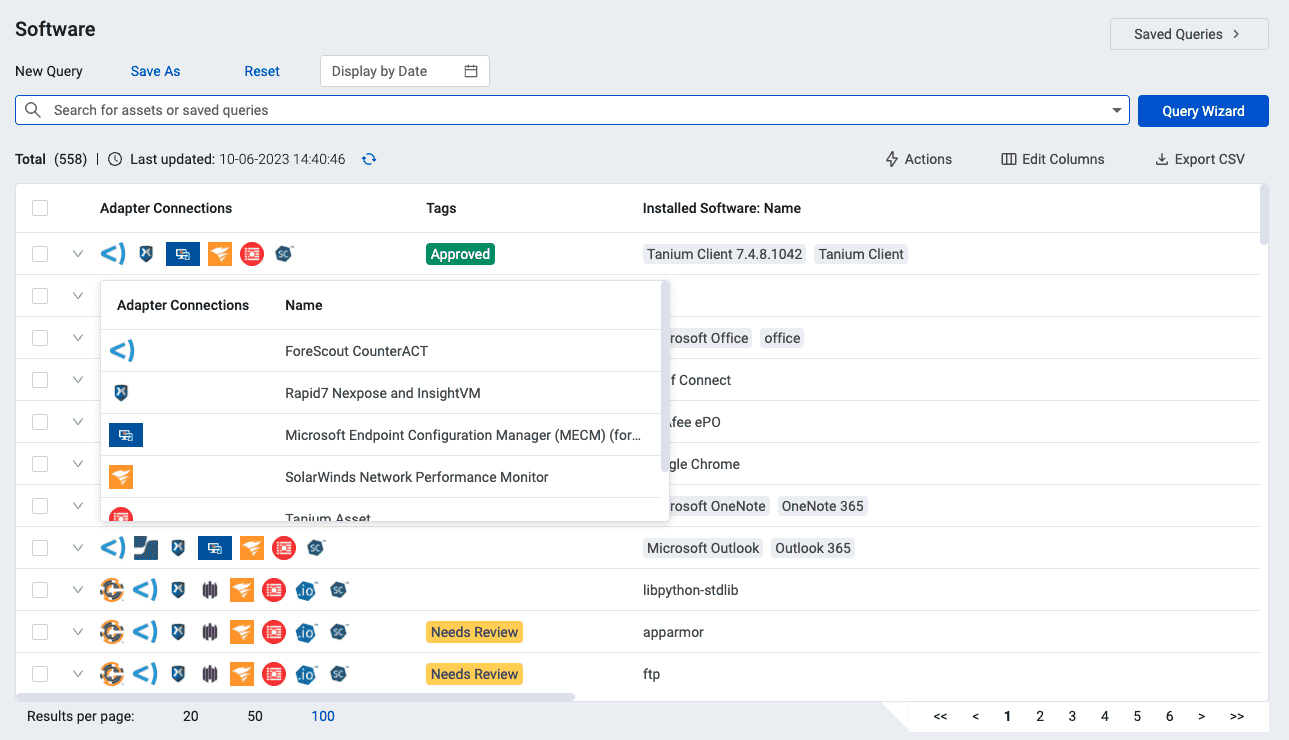
Axonius — the beacon that illuminates every device, user, and software instance. This IT asset inventory software offers unparalleled visibility, ensuring nothing slips through the cracks. From cloud workloads to on-prem infrastructure, it tracks, analyzes, and protects IT environments.
Companies like Lionbridge leverage Axonius to fortify security frameworks and gain a real-time grasp of their IT landscapes. It seamlessly integrates with AWS, Azure, and Google Cloud, ensuring every asset is mapped, monitored, and secured.
Axonius emerges as the linchpin for IT inventory management and security assurance. With deep integrations, automated tracking, and compliance enforcement, it’s a go-to solution for DevOps teams and IT architects focused on operational excellence.
Axonius IT equipment inventory software features
- Broad adapter coverage. Axonius Cyber Assets now cites more than 1,400 integrations across devices, identities, SaaS applications, software, cloud, IoT, and operational technology.
- Correlation and reconciliation. The platform joins conflicting records from connected systems, normalizes fields, and creates a queryable asset profile instead of trusting one source in isolation.
- Security-control coverage. Teams can find assets that lack an expected security agent, have conflicting status, or fall outside a defined policy cohort.
- Cloud and identity context. Cloud resources, users, accounts, applications, and infrastructure records can be queried together when the relevant adapters are connected.
- Automated response actions. Enforcements can notify owners, create tickets, update records, or trigger supported remediation workflows after a query identifies a condition.
- Reporting and integrations. Dashboards and scheduled queries make coverage gaps visible to security, IT, audit, and operations teams.
Pricing
Axonius pricing is quote-based and typically depends on asset count, package, and commercial scope. For a current public benchmark, the Axonius AWS Marketplace listing prices a 500-asset Complete package at $90,625 for 12 months, with unlimited queries, adapters, and enforcement actions in that listed configuration.
Private offers and other asset volumes can differ materially. Confirm how Axonius counts devices, users, cloud assets, SaaS applications, and other entity types, then request the same scope from every shortlisted vendor.
Pros ✅
-
Enhanced Asset Visibility and Correlation. "Axonius solves the problem in overall asset visibility. It also helps you to identify the unique number of assets in your environment. Compared to other it inventory management software, Axonius correlates, normalizes, validates, and deduplicates data. With this correlation, you can easily identify rogue devices, devices with no agents, and especially in auditing and compliance checks." — G2
-
Rapid Deployment with Extensive Integrations. "The software was simple to install and setup. We were collecting data in under an hour. There are a ton of adapters. " — Capterra
-
Comprehensive Data Aggregation Across Systems. "Aggregates data on existing assets and user accounts, which is part of what a SIEM does. This it inventory software Validates issues with endpoints from multiple sources. Tracks activity on certain servers/endpoints and runs reports that help us determine the Risk Impact by asset/person." — Capterra
Cons ❌
-
Complexity in Setup: "Setting up the platform required more time and resources than anticipated." -G2
-
Limited Customization Options: "While powerful, the platform has limited options for UI customization to fit our specific needs." - G2
Read also: Cloudaware CMDB vs. Axonius: Which Solution Fits Your Needs?
IT inventory management software comparison table
Here’s a quick side-by-side view of the top IT inventory management software we tested — including pricing, trials, and where each tool fits best. Public prices were rechecked on August 25, 2026; quote-based and Marketplace figures can change with scope.
Table legend
-
✅ = strong / core capability
-
⚠️ = available but more limited, indirect, or with caveats (e.g., only certain clouds explicitly mentioned, or capability is not as SAM-deep as others)
Tool Typical pricing* Automated asset discovery Software & license inventory Multi-cloud support On-prem support Cloudaware From $200/month for 50 servers; about $400/month for 100 servers; 30-day trial ✅ ✅ ✅ ✅ ServiceNow ITAM Custom quote; no public ITAM list price ✅ ✅ ✅ ✅ Device42 Annual device-based quote; third-party Core benchmark from $1,449/year; 14-day/100-device evaluation ✅ ✅ ✅ ✅ Asset Panda Starter $3,000/year; Business+ $7,500/year; 7-day trial ⚠️ ✅ ⚠️ ✅ Deepser $36–$45/agent/month, billed annually, 3-agent minimum; Enterprise quote ✅ ⚠️ ⚠️ ✅ Freshservice ITSM $19/$49/$99 per agent/month annually; ITAM from $125/month per 500 Asset Units; 14-day trial ✅ ✅ ✅ ✅ BMC Helix Discovery Starter Bundle from $50,000; Enterprise and other modules quote-based ✅ ✅ ✅ ✅ SolarWinds $39/$99/$124 per tech/month annually; asset pricing by quote; 30-day trial ✅ ✅ ⚠️ ✅ Flexera One Quote-based; AWS Marketplace IT Visibility example $200,000/36 months ✅ ✅ ✅ ✅ Axonius Quote-based; AWS Marketplace 500-asset Complete package $90,625/12 months ✅ ⚠️ ✅ ✅
Open-source and free IT inventory software
Plenty of teams do not want another per-seat contract. They want to see what they own, host it themselves, and move on. If that is you, four open-source options are worth real consideration, and a couple of them punch well above their weight.
Skim the tradeoffs first, then read the two that fit your setup:
| Tool | Strongest at | The catch |
|---|---|---|
| Snipe-IT | Hardware and license tracking with a clean UI and a big community | Discovery is limited, so you lean on imports or agents |
| GLPI | Full ITSM plus inventory, with ticketing built in | Setup and theming take patience |
| OCS Inventory | Automated agent-based discovery of hardware and software | The interface feels dated and needs tuning |
| i-doit | CMDB-style relationships between assets | The open community edition trails the paid one on features |
Snipe-IT earns its reputation. It ranks and gets recommended because the asset and license model is genuinely good, and self-hosting is straightforward. Its own documentation is honest that discovery is not its strength, so most teams feed it with imports or pair it with a scanner. If you want discovery baked in, OCS Inventory runs agents that pull hardware and software details automatically, and it often gets paired with GLPI for the ticketing side.
The decision rule: open source wins when you have the engineering time to host, patch, and back up the thing, and when your estate is stable enough that manual imports do not become a second job. It stops being free the moment someone has to babysit it for ten hours a week. Price that time before you commit.
Where a commercial platform changes the math is scale and connection. Cloudaware discovers assets across AWS, Azure, GCP, and on-prem and maps them as related records in a CMDB, so an inventory entry carries its dependencies, owner, and change history rather than sitting as a flat row.