


Last reviewed: September 2026
Expert reviewed by: Alla L. Senior Technical Account Manager
Reviewed for: hybrid IT operations, CMDB process accuracy, IT asset lifecycle management
If you only have 60 seconds, here's the version we wish more IT leaders heard before they spent six months building the wrong system of record.
ITAM tells you what you own and what it costs. A CMDB tells you how things are connected and what breaks if you touch them. The same Azure VM lives in both — once as an asset with a budget owner, a renewal date and a depreciation curve, and once as a Configuration Item linked to the payment service, two databases and a load balancer.
These two answers can't be merged without breaking one of them. Try, and you'll lose either the financial trail ("who's paying for this?") or the operational map ("what depends on this?"). We see it every quarter in customer audits — usually after an incident review where one team couldn't explain why a $40,000 license invoice arrived for a workload that was decommissioned in March.
Pick ITAM if your question sounds like:
- “Who owns this and what does it cost us per month?”
- “Is this licence still in use? When does it renew?”
- “Are we audit-ready if Microsoft, VMware or AWS knocks tomorrow?”
Pick a CMDB if your question sounds like:
- “What changed on this service between 3:14 and 3:21 a.m. last Wednesday?”
- “If we patch this database tonight, what else are we touching?”
- “Why did checkout slow down only in eu-west-2?”
Pick both if your environment looks like this: You've got cloud across at least two providers, costs that move with usage, a finance team that wants a single dollar number per service, and an SRE team that wants a single dependency map per service. That's roughly 8 out of 10 mid-market and enterprise teams we talk to. If that's you, the question isn't "CMDB or ITAM?" — it's “how do we make them talk to each other without doubling the data-entry tax?”
The rest of this page goes deep. Below: what each system actually stores, the one decision that breaks most CMDB rollouts, the ServiceNow-specific gotcha, and a 6-question quiz that points you to ITAM, CMDB, or both. There's also a free decision-matrix PDF at the bottom of the page if you'd rather just send a checklist to your team.
This article owns comparison questions such as CMDB vs ITAM, CMDB vs asset management, and asset vs CI. For the standalone concepts, read what a CMDB is or explore Cloudaware ITAM software.
CMDB vs asset management: the difference in one minute
The same resource answers different questions depending on the system. A virtual machine in Azure can be an asset with a budget owner and renewal logic in ITAM, and at the same time, a configuration item in the CMDB, linked to applications, network rules, and downstream services.
| IT asset management | CMDB |
|---|---|
| Choose it if your question is about cost, ownership, contracts, or lifecycle | Choose it if your question is about configuration, dependencies, recent changes, or service impact |
That is the practical difference between CMDB and asset management. One tracks value and ownership. The other tracks structure, relationships, and operational impact.
Strictly speaking, this comparison is a simplification. A CMDB is a database used in configuration management, while asset management is a broader discipline that governs how assets are tracked, valued, and maintained across their lifecycle.
However, teams still compare CMDB vs asset management because in practice they are evaluating different systems of record, different data models, and different operating workflows.
Check the insights we have collected on how to apply it in 2026 in the main guide on CMDB that includes all the questions starting from what is CMDB to its implementation within hybrid multi-cloud environment.
ITAM vs CMDB
| CMDB | IT asset management (ITAM) | |
|---|---|---|
| Primary question answered | How is this item configured, and what does it depend on? | Who owns this asset, what does it cost, and what is its lifecycle state? |
| Primary owner | IT operations, platform engineering, SRE, DevOps | ITAM, finance, procurement, asset governance |
| Main object tracked | Configuration items (CIs), services, infrastructure components, relationships | Hardware, software, licenses, cloud resources |
| Core data fields | Configuration attributes, versions, dependencies, relationships, change history | Cost, owner, contract, warranty, lifecycle status, location |
| Primary operational use | Incident analysis, change control, service mapping, impact assessment | Budget control, lifecycle management, compliance, contract tracking |
| Failure mode without it | Poor dependency visibility, slower incident resolution, weak change context | Spend leakage, missed renewals, audit exposure, incomplete asset records |
| Same resource in both systems | Cloud VM recorded as a CI with service and network dependencies | The same VM recorded as an asset with owner, cost center, and lifecycle data |
| Typical source systems | Cloud APIs, discovery tooling, CI/CD systems, monitoring platforms | Procurement systems, finance systems, inventory tools, license management |
| Hybrid multi-cloud example | AWS service mapped to an Azure database and internal application dependencies | The same resources tracked for ownership, cost, contract, and lifecycle status |
| Time model | Current state and change history | Lifecycle timeline and financial status |
What is the difference between CMDB and asset management?
The difference between CMDB and asset management comes down to the type of questions each system is designed to answer.
IT asset management focuses on ownership, cost, and lifecycle. It answers questions like: who owns this resource, how much does it cost, when does it need to be renewed or replaced, and what contractual or compliance obligations are attached to it.
A CMDB focuses on configuration and relationships. It answers a different set of questions: how is this resource configured, what services depend on it, what changed recently, and what else is affected if it fails.
This is why teams often frame the topic as CMDB vs asset management. In practice, they are not competing systems. They describe the same environment from different perspectives: financial and lifecycle versus technical and operational.
What is a CMDB
A Configuration Management Database (CMDB) is the system of record for configuration items (CIs), their attributes, and their relationships. Its role is to maintain a current model of the environment so teams can understand what exists, how it is configured, and what depends on it.
In multi-cloud environments, a CMDB is not an inventory spreadsheet with technical fields added later. It depends on continuous discovery, change capture, and relationship mapping across infrastructure, platforms, applications, and supporting services.
A CMDB typically stores:
- Configuration attributes such as operating system, version, and applied settings
- Relationships between applications, databases, networks, compute resources, and supporting services
- Change records tied to updates, patches, deployments, and other state changes
This data is used in operational workflows where dependency context matters, including incident analysis, change management, service mapping, and impact assessment.
In practice, the value of a CMDB appears when a service fails or a change creates downstream impact. A team can trace the affected CI, identify related components, and see which dependencies are likely involved.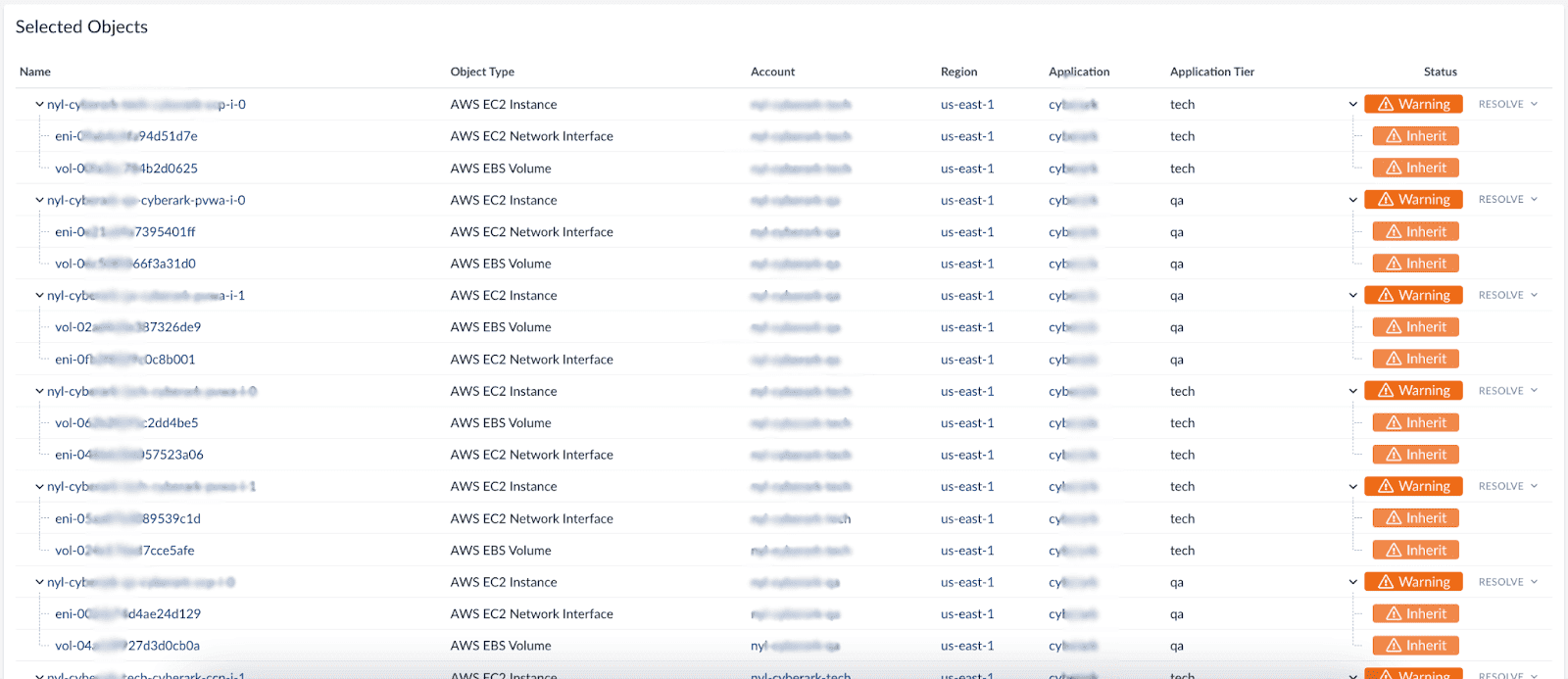 In a multi-cloud environment, that often means following a path across AWS, Azure, GCP, internal services, and network layers. Without that model, troubleshooting turns into manual correlation.
Read also: What Is CMDB? Meaning, Examples & Benefits
What is asset management?
IT asset management (ITAM) is the discipline used to control assets across their lifecycle, from acquisition through retirement. Its scope is ownership, financial accountability, contractual status, and lifecycle control rather than configuration state.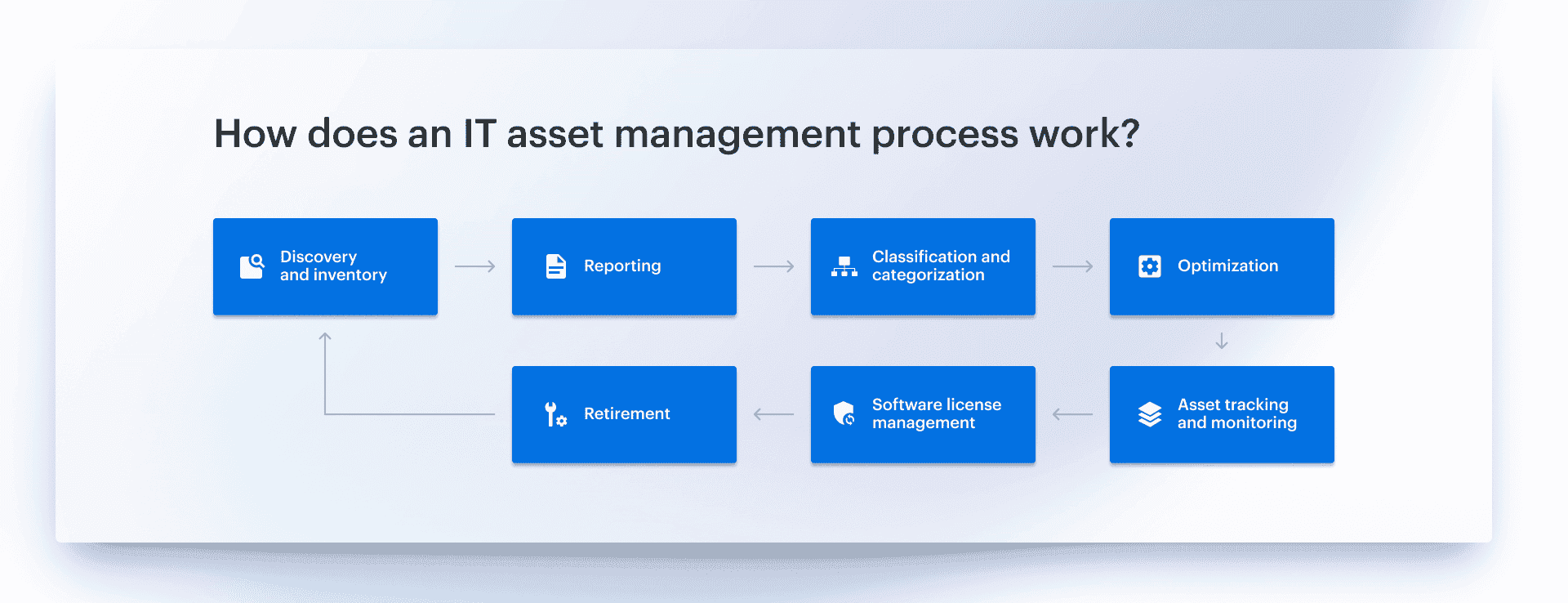 Where a CMDB models how systems are built and related, ITAM establishes who is responsible for an asset, what it costs, what obligations are attached to it, and when action is required.
ITAM typically tracks:
- Purchase cost and depreciation
- Ownership by team, application, or cost center
- Contracts warranties, support terms, and renewal dates
- Lifecycle status such as active, under maintenance, or scheduled for retirement
In most environments, ITAM is the layer that answers the questions the CMDB does not answer well. You may know that a resource exists, what it is connected to, and what changed on it, but that still does not tell you who owns it, which budget it belongs to, whether support is still active, or whether it should stay in service at all.
This is where ITAM becomes operationally relevant. Teams rely on it to decide whether to renew or retire a resource, validate license coverage, and explain spend. Without that layer, infrastructure may be visible in a CMDB, but it is not governed.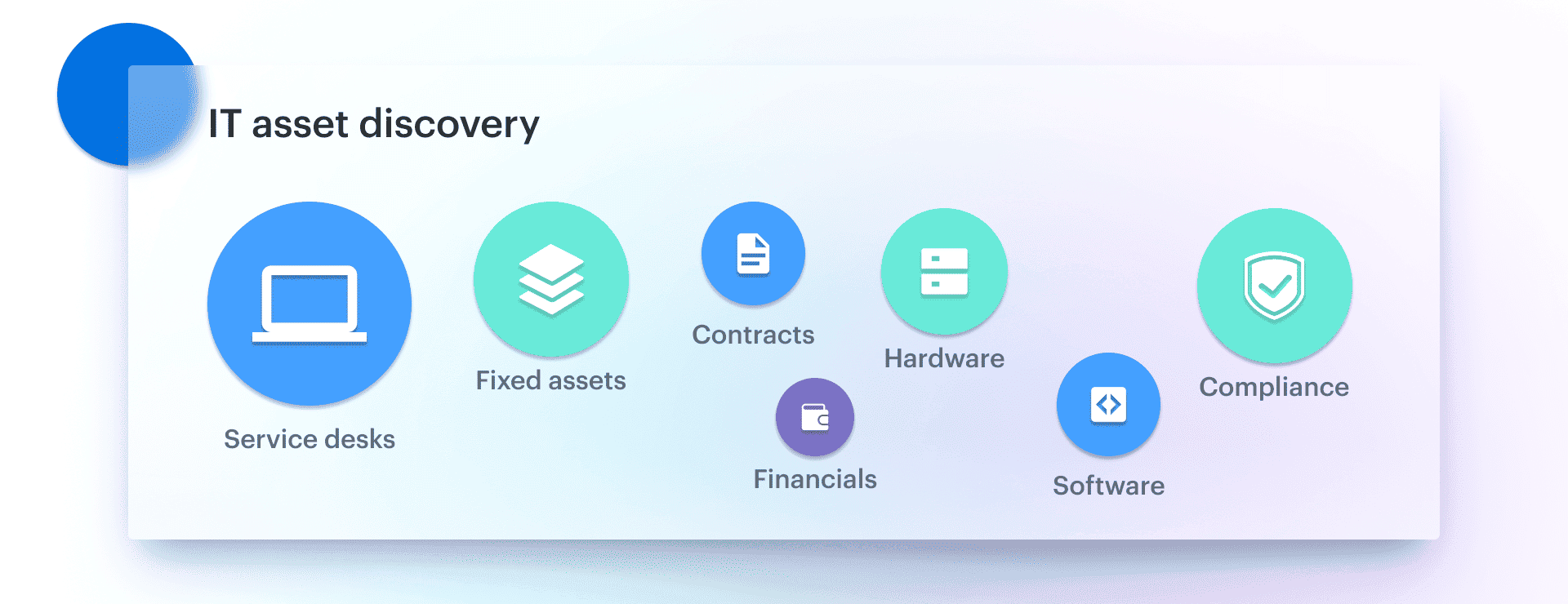 Where a CMDB explains how infrastructure behaves, ITAM explains who owns it, what it costs, and how it should be managed over time.
Read also: What is & How Does Asset Management Work Across Hybrid IT?
CMDB vs ITAM: key differences in practice
When teams compare ITAM vs CMDB or CMDB vs ITAM, they are usually deciding how to manage both operational visibility and financial control.
The key differences show up in how each system is used in day-to-day operations.
1. Focus
IT asset management focuses on lifecycle, ownership, and cost control. CMDB focuses on configuration, relationships, and service impact.
2. Questions answered
ITAM answers: who owns this, what does it cost, and when does it change from a lifecycle perspective? CMDB answers: how is this configured, what depends on it, and what breaks if it changes?
3. Data tracked
ITAM tracks financial and contractual data, such as cost, licenses, warranties, and lifecycle status. CMDB tracks technical data, including configuration, dependencies, and change history.
4. When teams use it
ITAM is used for budgeting, compliance, and lifecycle planning. CMDB is used for incident response, change management, and service mapping.
5. When do you need both? In real environments, especially hybrid and multi-cloud, teams rarely choose between CMDB and asset management. They need both views to operate effectively.
A cloud resource without ownership and cost context is difficult to govern. The same resource without configuration and dependency context is difficult to operate.
Asset vs CI: why the same server can be both
Picture an m5.4xlarge in eu-west-1. (Or an Azure D16s, or a GCP n2-standard-16 — pick your poison.) That one server has two completely different jobs to do, depending on which team is asking about it.
Finance needs to know: Whose budget? Reserved or on-demand? When does the Reserved Instance expire? What's the depreciation? Who do we charge back? Is the OS licence covered?
SRE needs to know: What service runs on it? Which database does it talk to? When was the last config change, and by whom? If it disappears for 90 seconds, what user-facing flow goes red?
Both answers are correct. Both are about the same instance ID. Neither system can hold both views without one of them rotting. That's why mature teams run them as two systems of record — and that's where ITAM and CMDB stop being interchangeable buzzwords and start being two specific tools.
Here's the part most teams miss → It's not a question of which system is the "source of truth." It's a question of which system is the source of truth for what. ITAM is the source of truth for ownership, lifecycle and cost. The CMDB is the source of truth for configuration, dependencies and change. The same VM lives in both, identified by the same instance ID, with each system editing the columns it actually cares about.
When teams try to fold one into the other, two things tend to happen: ITAM fields go stale because no one updates them inside an operational tool, or CMDB relationships go stale because no one re-maps them inside an asset register. Either way, the next incident — or the next audit — exposes the gap.
In the audits we run for new Cloudaware customers, the single most common finding is exactly this: two systems exist, but neither one is being trusted, because they disagree on the basics — and no one has decided which one wins on which field. The fix is rarely a new tool. It's a one-page "who owns which column" agreement between IT operations, finance and procurement.
What is an asset
An asset is any resource that has business value and must be tracked from an ownership, financial, and lifecycle perspective. In IT asset management, this includes hardware, software, licenses, and cloud resources.
The focus is not on how components interact, but on who owns them, what they cost, and how they move through their lifecycle. This covers procurement, assignment, maintenance, renewal, and decommissioning.
Read also: What Are IT Assets? Expert Insights on Their Management in 2026
What is a configuration item (CI)
A Configuration Item (CI) is any component that must be managed to deliver an IT service. This includes infrastructure, applications, network elements, and supporting resources that affect service availability and performance.
Unlike assets, CIs are defined by their role in the system and their relationships to other components. The focus is on how services are built, how dependencies are structured, and how changes propagate across the environment.
For example, a cloud application running across AWS and Azure may include compute instances, databases, and network components. Each of these elements is a CI because it participates in service delivery and depends on other components.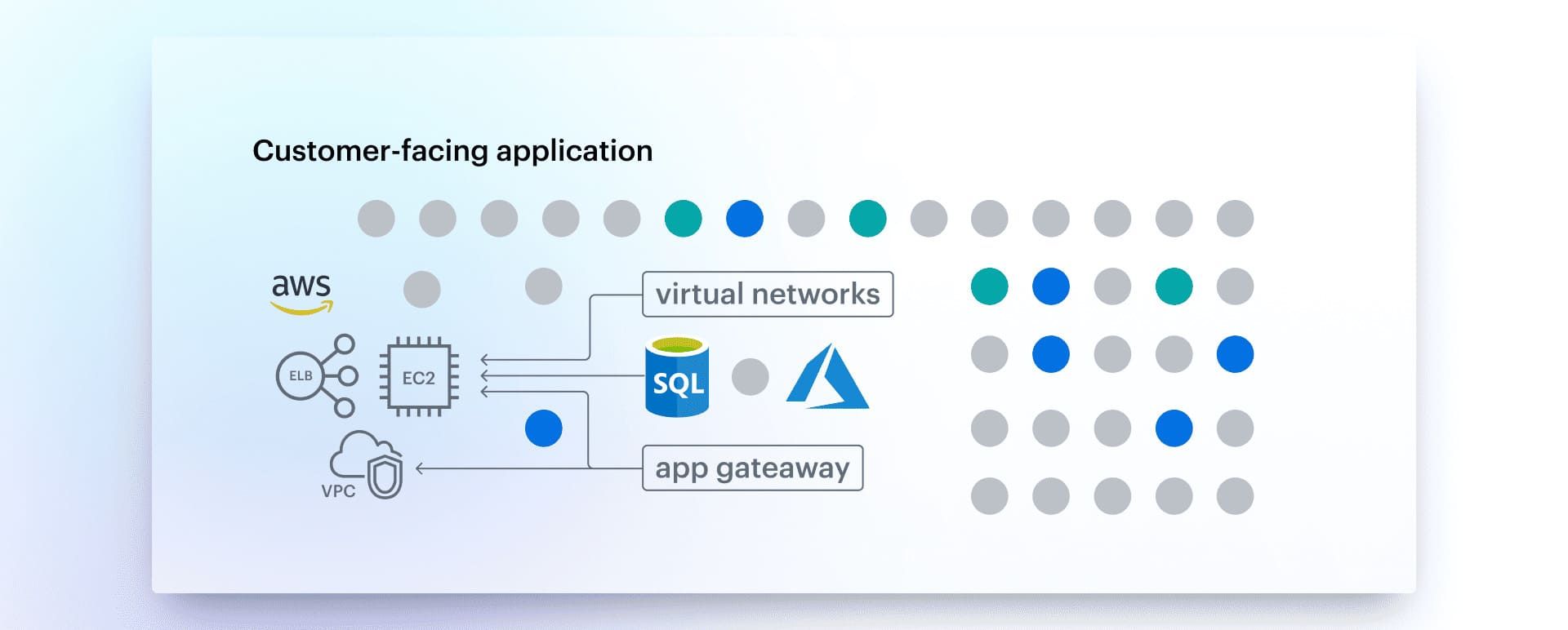 This relationship model allows teams to understand impact, trace incidents, and manage changes without operating in isolation.
Read also: CMDB CI Explained: Know Your Configuration Items or Risk It All
Where asset management and CMDB overlap
Although CMDB and asset management serve different purposes, they operate on the same set of underlying resources.
- Shared resource visibility. Both systems reference the same infrastructure. A cloud instance, database, or application can be an asset with financial data and at the same time a CI with configuration and relationship data.
- Lifecycle and change coordination. When a resource changes, both systems need to reflect it. A configuration update is captured in the CMDB, while ITAM may track how that change affects lifecycle, value, or compliance.
- Compliance and governance. ITAM ensures that assets are properly licensed and accounted for. CMDB ensures that those assets are configured correctly and meet security and operational requirements.
This is where CMDB IT asset management becomes a combined practice. Teams align lifecycle data with configuration context to avoid gaps between financial control and operational reality.
When you need CMDB, when you need ITAM, and when you need both
Most comparison pages on this topic end the same way: “it depends on your needs.”
Fine. But you didn't open this page to be told it depends. Here's what we tell teams during scoping calls, in the order we usually say it.
If you're running a single-platform shop with < 200 endpoints, start with ITAM. Honestly. A clean asset register, a renewal calendar, and one person responsible for it will outperform any CMDB you set up in the next six months. You probably don't have enough cross-service dependency complexity yet to justify the modelling overhead a CMDB introduces. (Yes, we're a CMDB company telling you that.)
If you're hybrid, multi-cloud, or shipping more than once a week, you need both — and you need them connected. The CMDB is what keeps your incident channel from turning into a 90-minute archeology dig ("wait, does that service even still run on this VM?"). ITAM is what stops your CFO calling on the 28th asking why cloud spend grew 18% with no new product launches. Run them as two systems of record with shared IDs — feed both from a single discovery layer if you can.
If you're already on ServiceNow, you almost certainly own both modules already. The trap is treating ServiceNow CMDB as your cloud inventory — it wasn't built for cloud-rate-of-change. Pair ServiceNow CMDB + ITAM with a cloud-native discovery source (Cloudaware, ServiceNow Discovery + Service Graph Connectors, or Device42), or your CIs will be stale within two release cycles. See section 9 for the ServiceNow-specific playbook.
If you're enterprise with separate finance, security and SRE orgs - both, with a clear column-ownership agreement and an automated reconciliation job that runs at least weekly. The bigger the org, the more important it is to write down which system owns ownership, which owns configuration, and how disagreements get resolved.
One contrarian rule - Don't buy a CMDB to fix an ITAM problem. The smell test: if your most painful question is "who's paying for this?"—a CMDB won't help you. If your most painful question is "what just changed?"—an asset register won't help you. Buy the system that answers the question that's actively losing you money or sleep.
How Cloudaware supports both CMDB and IT asset management
Managing CMDB and IT asset management separately often creates gaps between configuration data and lifecycle or cost visibility.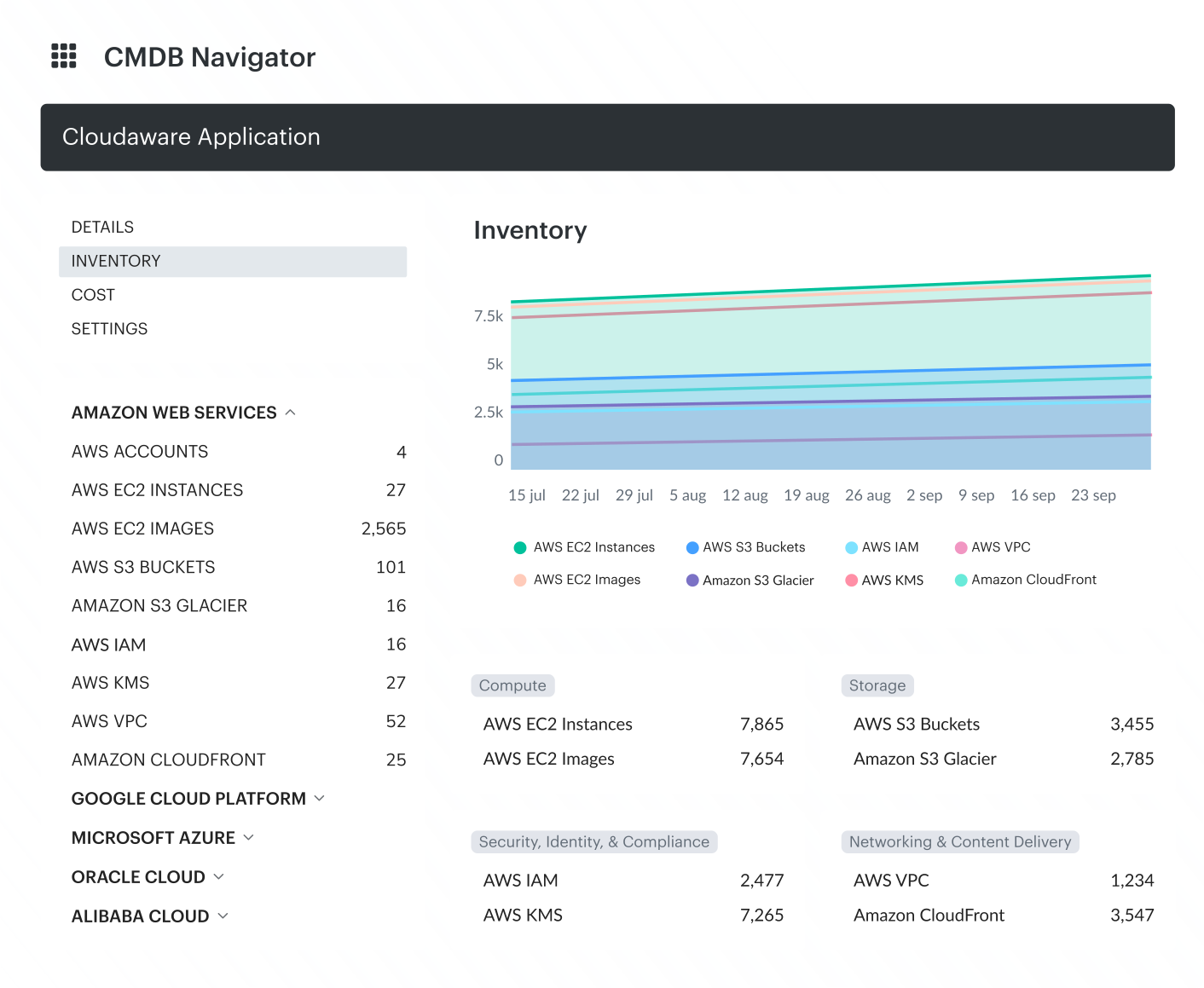 Cloudaware helps close those gaps by combining continuous discovery with a unified asset and configuration view across AWS, Azure, GCP, VMware, SaaS, and on-prem environments. Teams can work from one system of record instead of reconciling separate datasets.
Key capabilities:
- Continuous discovery. Automatically discovers infrastructure, services, and assets across cloud, datacenter, desktop, and SaaS environments.
- Unified inventory. Consolidates assets and configuration items into a single view across accounts, regions, and platforms.
- Configuration and relationship mapping. Tracks configuration items, their attributes, and their dependencies across hybrid environments.
- Ownership, cost, and lifecycle tracking. Connects each resource to ownership, financial context, and lifecycle status.
- License and contract visibility. Tracks licenses, contracts, warranties, and renewal dates for better control and compliance.
- Change tracking. Records configuration changes and history to support operations, investigations, and audits.
- Compliance and audit support. Provides the data needed for compliance reporting, audit evidence, and policy validation.
- Cost visibility. Links infrastructure resources with financial context for analysis, allocation, and optimization.
- Tagging and governance alignment. Supports consistent metadata and tagging models across managed environments.
- AI-assisted queries. The Cloudaware MCP server lets Claude, ChatGPT and other MCP clients query the unified inventory read-only, under each user's permissions.