


Updated: October 2026
Expert review: Anna Maeva, Technical Account Manager
How we reviewed these tools: Cloudaware is a vendor included in this comparison. We evaluated official product documentation, current public pricing where available, collection methods, asset coverage, lifecycle depth, CMDB relationships, integrations, and fit for cloud, SaaS, on-premises, and hybrid environments. Marketplace reviews were used only to identify user-experience questions to test, not to establish product capabilities.
IT asset management tools are not one category of identical products. This shortlist includes enterprise ITAM suites, physical-asset trackers, discovery and CMDB platforms, SaaS management tools, and hybrid-cloud governance products. Each can improve asset visibility, but they collect different data and support different decisions.
This comparison evaluates 15 products by category role, best fit, collection method, lifecycle coverage, relationship context, workflow integrations, pricing basis, and the boundary a buyer needs to test. It is written for ITAM owners, cloud architects, service-management leaders, and FinOps or security teams building a shortlist for cloud, SaaS, on-premises, or hybrid estates.
Start with the at-a-glance table, then validate the top two or three options with the pilot at the end of the guide. There is no universal best ITAM tool. The right choice is the one that can prove coverage and data quality for your asset classes and workflows.
This page compares broad IT asset management tools across discovery, lifecycle, ownership, procurement, cloud coverage, and integrations. For an inventory-specific shortlist, compare IT inventory management software. For the operating inventory process, read IT asset inventory management.
Key insights from comparing ITAM tools in 2026
- Classify the product before comparing features. Enterprise ITAM, physical-asset tracking, discovery and CMDB, SaaS management, EAM, and cloud governance overlap, but they do not solve the same buying job.
- Build a source-of-truth matrix by asset class. Record whether cloud resources, endpoints, network devices, installed software, SaaS applications, contracts, and owners come from APIs, agents, scans, integrations, imports, or manual records.
- Verify data quality, not the size of the connector catalog. Test duplicate rate, required-field completeness, relationship accuracy, and refresh delay on your own sample.
- Treat CMDB context as a separate requirement. An inventory answers what exists. Relationships, ownership, service impact, and change history determine whether teams can use the record during an incident, audit, or cost review.
- Compare the complete license and implementation boundary. Technician seats, managed assets, servers, devices, users, modules, connectors, discovery infrastructure, and professional services can all change the total cost.
- Do not choose from a feature table alone. Run a two-to-four-week pilot with written acceptance thresholds and reject any tool that cannot show where a field came from or how stale it is.
Best ITAM tools at a glance
Use this table to shortlist based on environment and use case. Detailed breakdowns follow below. Prices were checked in October 2026. Official rates, marketplace packages, third-party estimates, and historical figures are labeled separately. Monthly equivalents of annual or multi-year contracts are comparison figures, not monthly payment offers. Taxes and implementation are excluded unless stated.
| Tool | Category and best fit | Pricing note |
|---|---|---|
| Cloudaware | Cloud and hybrid ITAM with CMDB context. Multi-cloud teams that need assets, relationships, ownership, change, cost, and governance in one model | Core from $67/mo; Enterprise from $200/mo at the calculator’s 50-server starting point |
| ServiceNow ITAM | Enterprise ITAM suite. Organizations already operating ServiceNow ITSM and CMDB | Quote-based ITAM; third-party ITSM benchmark ~$90–$150/fulfiller/mo |
| Ivanti | Endpoint-led ITAM. Ivanti estates and endpoint-heavy organizations | Quote-based ITAM; third-party ITSM benchmark ~$68–$80/named agent/mo at 25–100 agents |
| Asset Panda | Physical and hardware asset tracking. SMB and mid-market teams that need mobile custody workflows | Published starting prices: Starter $3,000/yr; Business+ $7,500/yr |
| Flexera | Enterprise SAM and technology-spend management. Large software estates with complex license obligations | IT Visibility marketplace package $200K/36 months; ITAM quoted separately |
| IBM Maximo | Enterprise asset management. Industrial and asset-intensive operations | Reported Maintenance Essentials starting figure ~$37,800/yr; AppPoints licensing |
| ManageEngine AssetExplorer | ITAM and asset inventory. Budget-conscious teams, especially in the ManageEngine stack | On-prem subscription: $1,795/yr for 500 assets; $9,595/yr for 5,000 |
| BMC Helix | Enterprise ITSM, discovery, CMDB, and asset management. Organizations already standardized on BMC | Quote-based Asset Management; reseller-reported Discovery bundle from $50K |
| Deepser CMDB | ITSM and CMDB with asset records. Mid-market teams that want service desk and CMDB together | Plus €55/operator/mo, billed annually; volume discounts from 10 operators |
| Snow Commander | Hybrid-cloud governance and cost management. Teams managing VM provisioning, governance, and optimization | Quote-based, licensed per managed VM; confirm scope and contract term |
| Freshservice | ITSM-first ITAM. Growing IT teams that want service desk and asset workflows together | Pro $99/agent/mo billed annually; additional ITAM capacity costs extra |
| Device42 | Discovery, CMDB, and dependency mapping. Data-center, network, migration, and hybrid discovery programs | Custom quote; historical third-party Core benchmark $2,999/yr for 101–500 devices |
| SolarWinds | ITSM with asset inventory. Mid-market teams evaluating asset records inside a service desk | Service Desk $39/$99/$124 per technician/mo billed annually; assets priced separately |
| Zluri | SaaS management and identity governance. Organizations prioritizing SaaS discovery, spend, access, and renewals | Custom quote; secondary report of Vendr contracts ~$14K–$76K/yr |
| Atomicwork | ITSM with connected asset context. Modern service teams using Intune, Jamf, Lansweeper, or similar inventory sources | Professional from $25K/yr, up to 250 end users and 500 devices |
How we evaluated these ITAM tools
Cloudaware publishes this comparison and is a vendor included in it. The list is a documentation-based buyer analysis, not a claim that our team deployed every product in a production environment.
For each tool, we checked:
- Official product and documentation pages for category, collection methods, asset classes, lifecycle functions, CMDB or relationship context, integrations, and stated dependencies.
- Official public pricing where available. Quote-based products are labeled quote-based. A marketplace package or third-party estimate is not treated as the vendor’s product price.
- Fit for cloud, SaaS, endpoint, data-center, on-premises, and hybrid estates. A product stays in the list only when its category boundary is stated.
- User reviews only as prompts for pilot questions such as setup effort, usability, performance, and support. Review text is not used as proof of a capability.
- Product ownership, packaging, and pricing were checked on the source-check date. Recheck all pricing and product names immediately before publication.
Check these criteria when choosing asset management software
A useful evaluation criterion names the evidence the vendor must produce. Use the same sample and acceptance threshold for every shortlisted tool.
| Criterion | Evidence to request | Pilot test |
|---|---|---|
| Asset scope | Supported asset classes and excluded resource types | Load a fixed sample of cloud, endpoint, network, software, SaaS, and ownership records |
| Collection method | API, agent, scan, integration, import, and manual sources by asset class | Disconnect or change one source and observe what updates, fails, or goes stale |
| Data quality | Normalization, reconciliation, duplicate rules, provenance, and timestamps | Measure duplicate rate and required-field completeness |
| Lifecycle | States, custody, procurement, contracts, renewals, depreciation, and retirement | Move sample assets through assignment, return, retirement, and exception workflows |
| Relationships | CI relationships, service context, owners, accounts, networks, and change history | Verify ten known relationships and two change events |
| Software and SaaS | Installations, usage, entitlements, licenses, contracts, access, and renewals | Reconcile a small software and SaaS sample against known records |
| Workflow and write-back | Connector fields, supported actions, permissions, approvals, and failure handling | Open, update, and close one ticket; test a permitted write-back separately |
| Total cost and operation | License metric, minimums, modules, infrastructure, implementation, support, and admin effort | Calculate a three-year cost with the same population and staffing assumptions |
Let’s talk choosing IT asset management software. Not the kind of checkbox-hunting nonsense that gets tossed into vendor decks, but the real-world heartbeat stuff. The kind of features that make you feel like your environment isn’t running you.
- You want discovery that actually discovers. Not halfway. Not “oh I only scan AWS.” I mean deep scans across cloud platforms like AWS, Azure, GCP, vSphere, Kubernetes, and your on-prem edge stack. EC2s, LambdaFunctions, IAMRoles, IAMUsers, random RDS clusters — they should all pop into view without you chasing them down like rogue devices in the wild.
- Then comes normalization. You know that feeling when the same load balancer shows up in five different formats depending on who named it and what tagged it? Yeah, we don’t do that anymore. You want asset management tools that clean that mess up like they’re wiping whiteboards before a war room call.
Same format, same data logic, clean naming — everywhere. - Lifecycle tracking is non-negotiable. From the minute something’s spun up by Jenkins at 3:12AM to the second it’s decommissioned and archived, you want the full story. Birth certificate to obituary — plus every cost center, business unit, and human who ever touched that asset in between.
- Tagging? Automated and enforced, like a tagging bot with standards. Owner, cost center, environment, application — applied by rules, not vibes. Bonus points if the platform lets your team manually add niche tags like IncidentBlastRadius or SecurityRisk when things get spicy.
- Next: relationship mapping. When you click on a node in the graph, it better tell you what it talks to, who owns it, what policy it's violating, and if it’s related to that sketchy S3 bucket with public logs from 2021. You need context — and context lives in relationships. That’s what proper asset management gives you.
- You know I love compliance monitoring that doesn’t just check a box. It should scan, flag, and trigger workflows. Whether it’s CIS, HIPAA, SOC2, or your CISO’s custom bedtime reading — the rules should live in the tool and actually do something when violated.
- Drift detection is another must-have. You want to know when something changes — not when it breaks, but the moment it steps out of line. Who made the change, when, what policy it crossed, and how risky it is. Like your hardware breathing out loud so you can hear it.
- And please — don’t forget integrations with your tech stack. I’m talking native ties to Jira, ServiceNow, Slack, PagerDuty, Sentinel, CrowdStrike, Okta, and whatever else your team lives in.
- Your tooling should feed and be fed — opening tickets, syncing tags, piping alerts, or even kicking off Lambda remediation flows the second something weird happens.
- Oh — and the cherry? FinOps views. I want to click on a tag and know exactly how much it’s costing us. By team, by app, by business unit, by mistake. Oversized instances, idle VMs, zombie storage — highlighted in full daylight. So budgets don’t get ambushed at the end of the quarter.
If you’re trying to spot the best asset management software, that’s your checklist. Not fluff. Not salesy adjectives. Just real-deal architecture-first management features — the kind that don’t flinch when things get loud.
That’s what separates the good from the best IT asset management tools.
Cloudaware
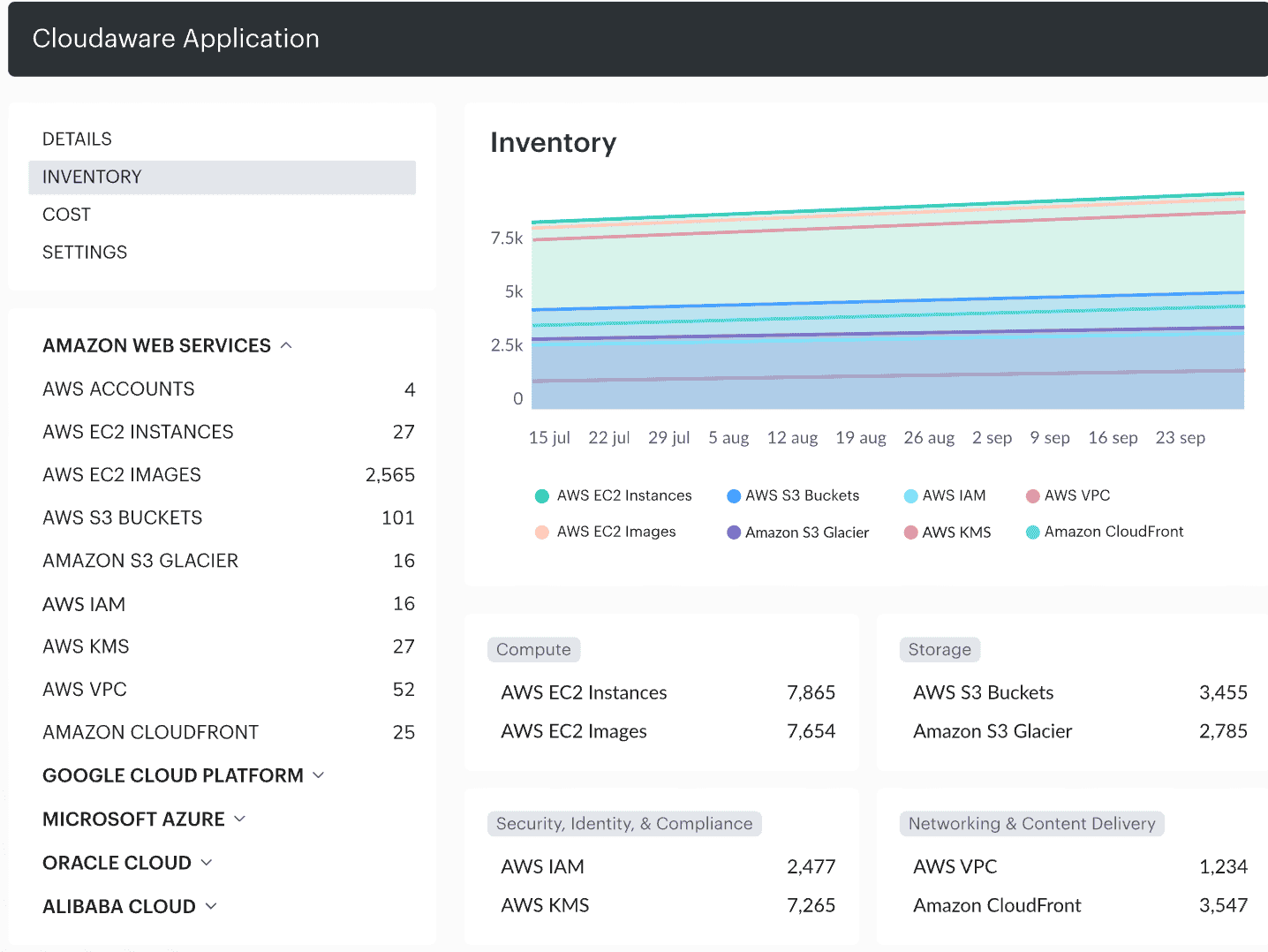
Cloudaware is an IT asset tool built for cloud, hybrid, and multi-cloud environments. It handles the full ITAM stack — discovery, normalization, lifecycle tracking, compliance, and FinOps visibility — using cloud APIs, configured integrations, and optional host-level collection where needed.
The core difference from general-purpose ITAM tools: Cloudaware uses API-based discovery for supported cloud resources. SaaS and on-premises coverage depends on configured integrations; installed-software and host-level details can require the Breeze Agent. Asset changes are collected on the applicable schedule, so confirm refresh intervals for the resources you need.
It is also the operational layer behind your CMDB. Asset records carry CI context, related items, change history, and CMDB relationships so governance, security review, and FinOps decisions are working from current data — not a stale spreadsheet export.
Those records are also open to AI assistants through the Cloudaware MCP server. An asset manager can ask Claude or ChatGPT for the total monthly cost of compute instances missing a cost center tag, by account, and get one read-only answer from the CMDB instead of joining a billing export with an inventory list.
Platform features
- Automated discovery & normalization across AWS, Azure, GCP, VMware, Alibaba, Oracle Cloud, and on-prem tools? Yep, all of it. It scoops up your EC2s, EKS clusters, ECS services, AKS clusters, GKE pods, vSphere VMs — even those dusty NAT gateways you forgot were still draining your budget. Total asset visibility — front to back.
- Asset lifecycle tracking is super clean. From the moment a dev spins up a test box at 2AM to the day you nuke a region’s worth of legacy junk — tracked. You can trace hardware, owners, cost centers, age — like any solid IT asset management tool should’ve done years ago.
- You get custom CI types out of the box — LambdaFunction, FirewallRule, SSMManagedInstance, you name it. And if you’re managing weird infra like BYO databases or third-party SaaS edge stuff? No problem. Define your own models. This platform doesn’t flinch.
- Tagging helps connect resources to Owner, Environment, and CostCenter. Policies can flag missing or inconsistent tags; writing tags back requires the configured workflow and permissions. That distinction matters when you’re choosing asset tag management software.
- Relationship mapping via CMDB means you’re not just looking at a lonely EC2. You see its RDSCluster, the IAMRole, what app it powers, who owns it, and the sketchy SG that’s exposing port 22 to the world (yikes). It’s visibility at the platform layer, not just infra.
- Change tracking is where it gets spicy. Want to know who added that public IP or when that bucket went public? You’ve got a time machine for configs. Real data. Real answers. No more “I think it was the intern.”
- FinOps-ready views let you break down cloud spend by tag, project, or even CI. Idle? Oversized? Zombie? Cloudaware’s already circling them in red. Perfect if you’re trying to trim fat without gutting services.
- Compliance monitoring is built in — with policy checks and evidence linked to the CI. Check the specific control coverage you need; a policy result does not establish HIPAA compliance or a SOC 2 audit outcome. So when audit week hits, you’re not in panic mode.
- Vulnerability management is slick too. It pulls findings from AWS Inspector, Microsoft Defender for Cloud, GCP SCC, Tenable, and Qualys — and ties every issue to the right CI. So when you say “fix this,” your engineers know what, where, and why.
- And for security posture + intrusion detection? Think GuardDuty, Security Hub, Microsoft Sentinel piping into one place where you can actually see what’s going on — in context. No more bouncing between dashboards to understand one alert.
Pricing
You pick what you need, and the cost scales with your setup.
The pricing calculator starts at 50 servers and currently displays Core from $67/month and Enterprise from $200/month. That is $804/year or $2,400/year, respectively, before any separately quoted requirements.
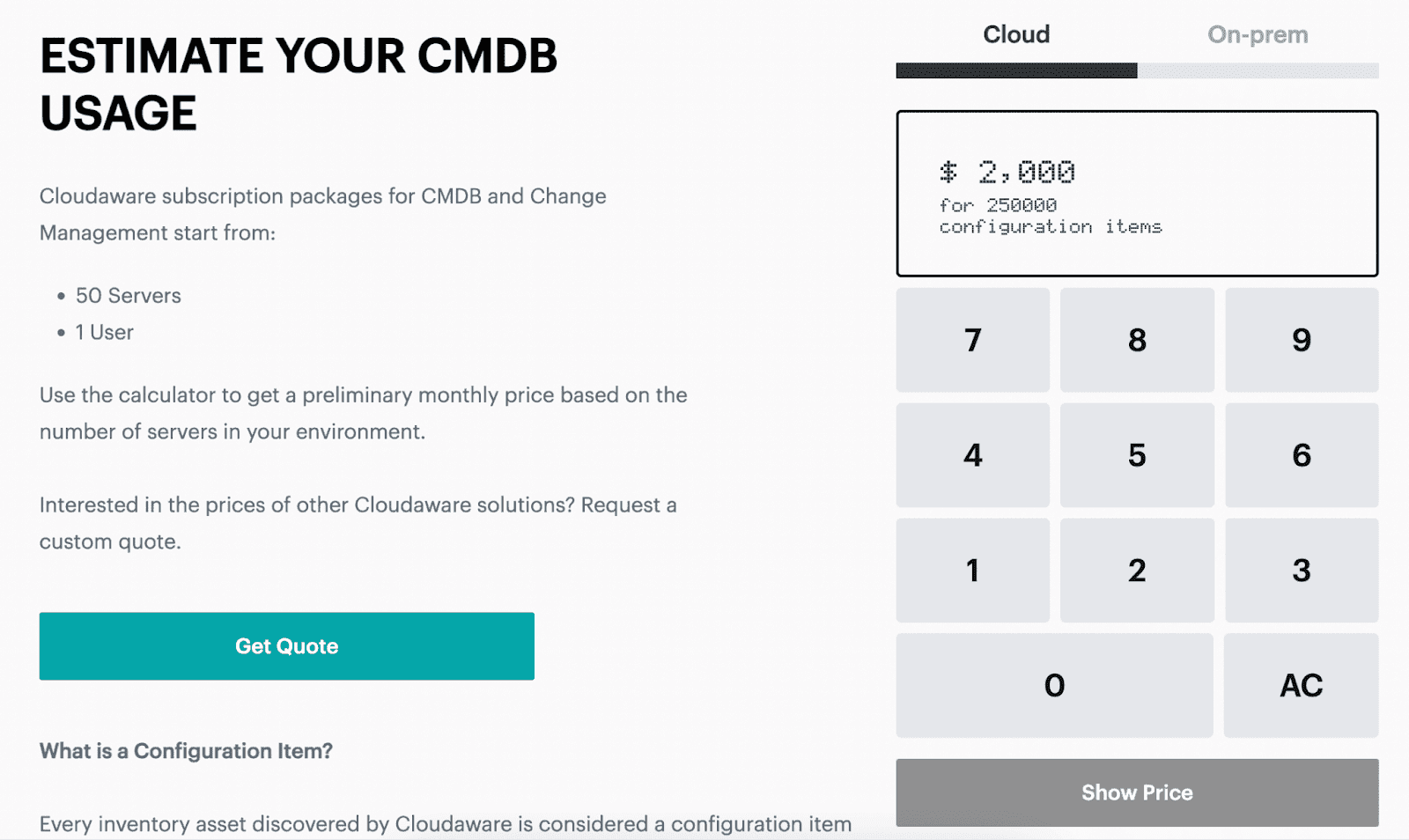
For 100 or 500 servers, enter your actual count in the calculator. Don’t multiply the 50-server price by two or ten: those calculations assume a flat per-server rate that the starting-price display does not establish.
Cloudaware offers a 30-day free trial, so you can test-drive the platform before committing.
Now, let’s break down the real-world vibes of Cloudaware — straight from the folks who’ve been in the trenches with it. These insights come from user reviews on G2 and Capterra.
✅ Pros
- Multi-Cloud Mastery. “One of the standout features of Cloudaware is its ability to handle multiple cloud providers.” Huge win for teams juggling integrations across clouds and on-prem.
- User-Friendly Interface. “User-Friendly Interface, its Scalability, and its reporting capability.”Makes day-to-day maintenance and audits so much easier than with most other ITAM tools.
- Real-Time Visibility. “Cloudaware help us on resolving our issue with the monitoring of our cloud resources in Azure.” This device-level insight is gold when you need to stay ahead of drift and misconfigurations.
⚠️ Cons
- Steep Learning Curve. “Learning Curve: While Cloudaware is designed to be user-friendly, some users may still find the initial learning curve to be steep.” Not uncommon for robust asset maintenance management software — but still something to plan for.
- Pricing Concerns. “Cost, sometimes the Ongoing Maintenance/Updates and Limited Customization.” You’re paying for depth and flexibility, especially when you're handling complex integrations.
- Performance Hiccups. “Cloudaware can be slow at times, and the user interface can be overwhelming and difficult to navigate.” Once it’s humming, it’s powerful — but like any enterprise platform, tuning takes time.
ServiceNow
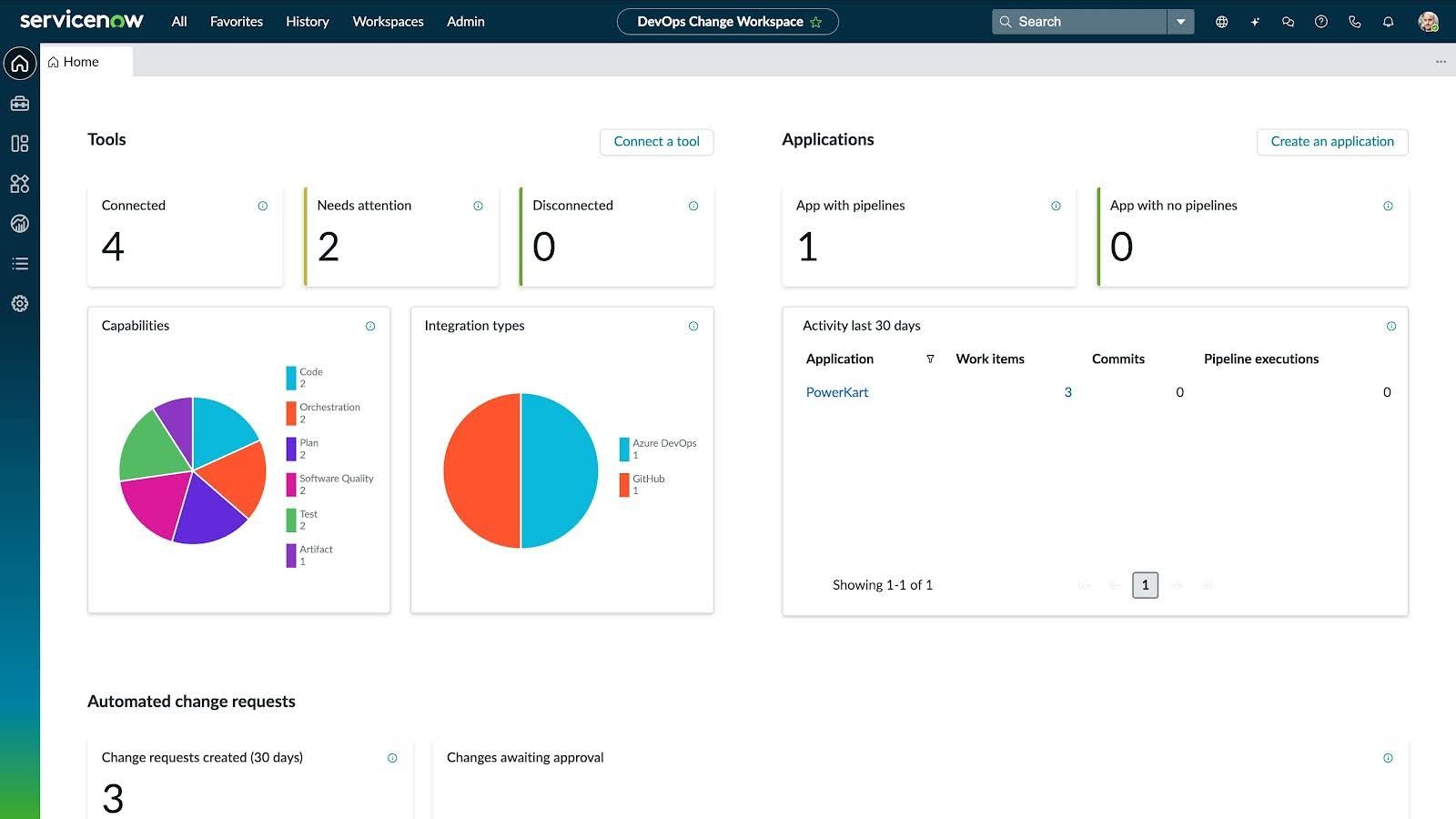
ServiceNow IT Asset Management (ITAM) brings hardware lifecycle and software licensing into the same platform as your service workflows. Cloud and on-premises inventory can feed that record through separately licensed discovery and configured integrations.
For an existing ServiceNow team, the appeal is practical: asset ownership, contracts, stock, and licenses can support the incident and change processes already in use.
Features making this IT asset tracking software worth diving into
- Hardware Asset Management. You know all that hardware that gets ordered, installed, moved, repurposed, and forgotten? Yeah — this tracks it from day one to its last day in service. Fewer surprises, tighter lifecycle control.
- Software Asset Management. It handles your licenses, checks compliance, and makes sure you’re not sitting on a pile of unused installs. No more overpaying for things no one uses or scrambling when an audit hits.
- Cloud Cost Management. You get full visibility into your cloud setup — where spend is going, what’s idle, what’s oversized. It’s not just about cost savings, it’s about using your cloud like it was meant to be used.
- Enterprise Asset Management. For CapEx and OpEx, it brings structure. You can automate asset intake, updates, and retirement, so the flow from procurement to disposal is smooth and controlled — making maintenance predictable and efficient.
- SaaS License Management. This one's a lifesaver — shows you exactly what SaaS apps you’re subscribed to, who’s using what, and where the waste is hiding.
- Integration Hub. Connects supported external systems through integrations and workflows. Check the available connectors and separate entitlement for your stack.
- Security Operations. It links your asset data directly into security workflows. So if something sketchy pops up, SecOps already knows what it is, where it lives, and who touched it last. No hunting in the dark.
- Field Service Management. Got devices out in the field? This keeps them on your radar — helps the team stay ahead of repairs, replacements, and routing. Less back-and-forth, more action.
ServiceNow’s IT asset management software connects scattered asset records with operational workflows. Cloud Cost Management, Enterprise Asset Management, Integration Hub, Security Operations, and Field Service Management are related offerings; confirm separate licensing rather than assuming every feature above comes with ITAM.
Pricing
ServiceNow ITAM is quote-based. Your cost depends on the hardware and software asset management products, discovery coverage, integrations, and license quantities in the contract.
There are still useful budgeting benchmarks. Motadata’s ServiceNow pricing guide reports $90–$150 per ITSM fulfiller/month. This is a third-party estimate from a competing vendor, not an official ServiceNow ITAM rate.
At that benchmark, 10 fulfillers cost $10,800–$18,000/year; 50 cost $54,000–$90,000/year. These are ITSM seat calculations only. They do not include a complete ITAM deployment, Discovery, implementation, or support upgrades.
If you manage 500 servers, ask for those products as separate line items. Include discovery capacity, entitlement management, and implementation in the first-year budget.
✅ What folks love about ServiceNow ITAM solution
- Tracks everything like a boss. “The ability to track software allocations based on our governance... has made this more than just a SAM tool but also a security tool.”
- Plays nice with the rest of the stack. “Best thing about this tool is the integrity between other ServiceNow modules... which helps you to manage it well.”
- Inventory life gets easier. “The ease of managing stock of our consumables has been the biggest saver of our day to day.”
⚠️ And where cloud users feel the pain:
- You’ll need a ramp-up runway. “To achieve the most benefit out of this product, there is a large learning curve for users to enter and manage data.”.
- Budget might flinch. “Expensive! We held off getting ITAM for a long time due to the cost.”
- Setup can be a journey. “Our biggest obstacle has simply been the setup. Our company has a lot of assets to track and getting our ITAM stood up has been a journey.”
If you’ve got the resources and you're ready for enterprise-grade tracking and governance, ServiceNow ITAM delivers. Just know going in: it’s a big tool with big power — and it asks for a bit of commitment in return.
Read also: Cloudaware CMDB vs. ServiceNow: Choose the Best Multi-Cloud CMDB
Ivanti
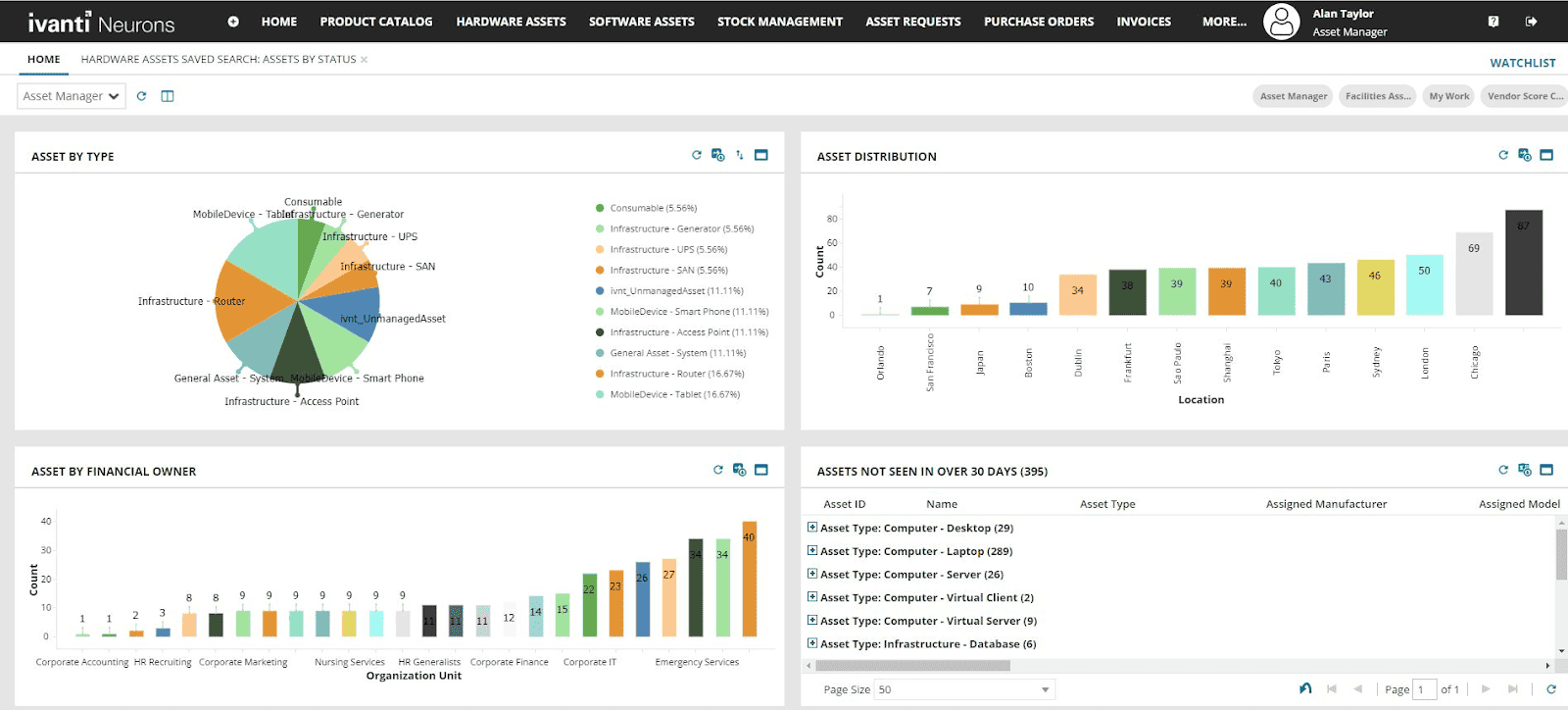
Ivanti focuses on hardware lifecycle, ownership, costs, contracts, and endpoint inventory. For cloud infrastructure, confirm the discovery product and integrations that will populate those asset records.
Teams like Conair and the City of Seattle are already using Ivanti ITAM to keep their asset management under control without losing sleep. So yeah, it scales.
Here are what features makes it shine:
- Lifecycle tracking is tight. You can follow every CI — from Procured to Deployed, through Maintenance, and finally into Disposed. Clean assets history, always.
- The asset repository is your single source of truth. It pulls in all the data: asset tags, locations, ownership, warranty status — everything’s centralized and queryable.
- The product catalog speeds up provisioning without blowing up your service desk. It shows what’s in stock, what’s in use, and what’s stuck in limbo.
- Want to track spend? Done. The cost and contract management piece lets you monitor IT budgets, track depreciation, and avoid contract renewal surprises.
- Need to update a fleet? Use barcode scanning to check in or bulk-update hardware on the fly. No manual chaos.
- Vendor and contract records help keep supplier details and renewal obligations tied to assets. Check any supplier-performance workflow you need in the proposed edition.
- The reporting dashboards help spot inventory and lifecycle gaps. Confirm deployment options, current security documentation, and refresh schedules for the products in your quote.
Ivanti ITAM is one of those top IT asset management software picks that turns chaos into clarity. Out of all the asset management tools out there, this one stands out for actually giving you control over your environment.
If you’ve been bouncing between half-baked IT asset management solutions, this is the one that sticks. Let’s finally get your asset house in order, once and for all.
Asset management software price
Ivanti quotes ITAM for your selected products and deployment. The useful distinction is between people using the service desk and assets managed by the asset platform.
VendorBenchmark’s Ivanti pricing guide reports $68–$80 per named ITSM agent/month for 25–100-agent deals. This is a third-party benchmark for ITSM, not an official starting rate for Neurons for ITAM.
For 25 agents, that works out to $20,400–$24,000/year for the benchmarked ITSM seats. Asset management, discovery, endpoint management, and implementation need their own scoped prices.
For a 500-server environment, ask Ivanti to quote the asset count and modules alongside your agent count. That gives you a useful suite budget instead of multiplying a seat price by your server count.
✅ What users love about Ivanti Neurons for ITAM
Here's the real talk on Ivanti Neurons for ITAM, straight from users who've been in the trenches. I've gathered insights from G2 and Capterra to give you the lowdown.
- Comprehensive Asset Lifecycle Management. It's like having a full-time asset concierge, ensuring nothing slips through the cracks.
- Automation That Saves Time. Think of it as your digital assistant, handling repetitive tasks so you can focus on the big picture.
- License Tracking Made Easy. No more digging through spreadsheets; it's all organized and accessible.
⚠️ Where users see room for improvement
- User Interface Needs Modernization. “User Interface needs an uplift to be more modern.” G2
- Customization Challenges. “It's not easy to customize my Dashboard.” Capterra
- Limited Third-Party Integrations. Check the supported connectors and any API or implementation requirements for your specific integrations. G2
So, if you're considering Ivanti Neurons for ITAM, it's a robust tool with strong asset management capabilities. Just be prepared for some UI quirks and potential integration hurdles.
Read also: Cost allocation software: tools, features, and pricing
Asset Panda
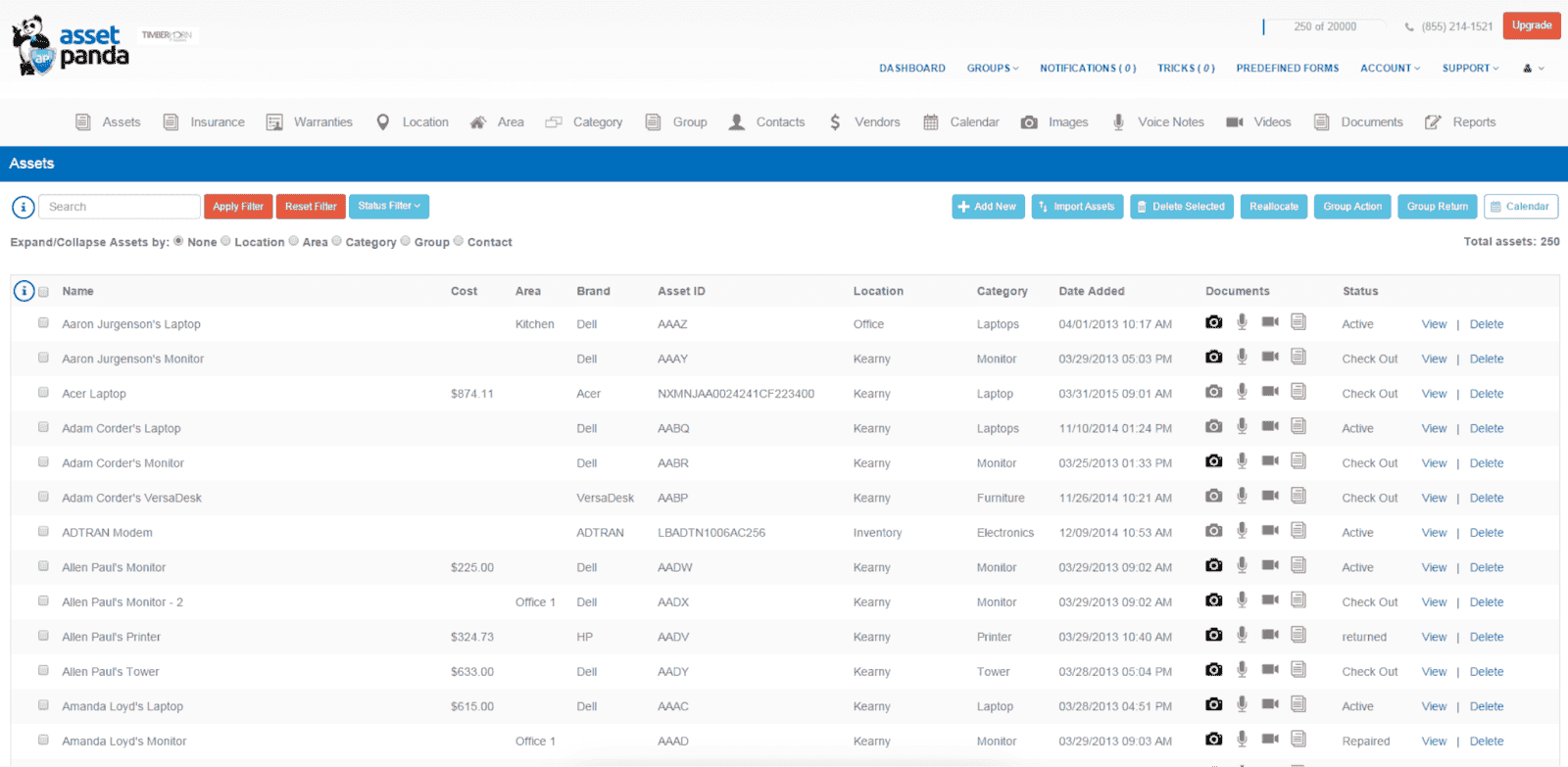
Asset Panda is a cloud-based asset management solution for tracking equipment, ownership, check-in/check-out, and lifecycle records. It is a strong fit for laptops, lab gear, and physical inventory. Recording a VM as an asset is different from automatically discovering AWS or Azure resources; confirm the required integrations.
Big names like Amazon, Toyota, and Penn State already rolled Asset Panda into their stack to clean up the mess of scattered assets and save serious budget. They're using this IT asset management tool to cut through the noise, stay organized, and make sure nothing falls through the cracks — whether it’s cloud infra, laptops, or lab gear.
Features
- Lifecycle Tracking. From the moment you order a device to the day it’s decommissioned, Asset Panda tracks every step — procurement, deployment, maintenance, replacement. You know exactly where each asset lives, who owns it, what shape it’s in, and what it’s costing you.
- Asset Repository. Centralized, queryable, and packed with all the data — from tag IDs to warranty status. This is where you see the full picture.
- Product Catalog. Lets you track purchased, assigned, and in-stock items — so your provisioning process stops feeling like guesswork.
- Cost & Contract Management. You get real IT spend visibility, contract tracking, and asset valuation without building 12 spreadsheets.
- Barcode Scanning. Fast check-ins and batch updates when your team’s juggling inventory in the field or during audits.
- Vendor Records. Keep supplier information alongside asset and contract records. Build any supplier scorecard around the fields and workflow your team actually uses.
- Cloud-Based Platform. covered by a SOC 2 Type II report, accessible anywhere, and built for multi-team collaboration with clean integrations across the stack.
- IT Reporting. Dashboards that actually surface what matters — from compliance gaps to lifecycle bottlenecks.
This isn’t just another asset control software — it’s a real-deal asset management and maintenance software built for ops teams that need clarity and control across their entire environment.
Here’s the thing: Asset Panda doesn’t just show you a list of stuff — it gives you a real, living picture of your environment. One platform. One source of truth. One place to build workflows that actually work. And the visibility to make calls with confidence.
If asset chaos is making your head spin, this is the asset management software solution that helps you breathe again. Let it handle the tracking, the reports, and the lifecycle admin — so you can scale smarter without losing your weekends.
Pricing
Asset Panda’s current published starting figures are $3,000/year for Starter and $7,500/year for Business+, under its user-based pricing model. Their monthly equivalents are $250 and $625.
An older TechRadar review published in May 2025 reports an approximately $1,500/year entry point for fewer than 500 assets, equivalent to $125/month. That is a historical comparison figure, not the current published Starter price.
For 500 servers and related equipment, confirm the number of tracked assets, user allowance, integrations, API access, reporting, and support in the quote. Compare the starting subscription with your complete deployment cost.
✅ What people actually love about this asset management platform
Here’s the real tea on Asset Panda, straight from folks who’ve lived in the tool. I dug through reviews from G2 and Capterra so you don’t have to.
- Super flexible, no coding stress. “Asset Panda is an excellent solution for a user-friendly asset management and tracking software that is flexible and easy to implement and use long-term.” — Nickolas H., Project Manager on Capterra
It’s one of those IT asset management solutions you can shape around your workflows without needing a full dev team or a month of onboarding. - Support that actually shows up. No ghosting, no vague help docs — just real humans helping you get unstuck fast. That’s rare in the IT asset management systems world.
- Makes team accountability easier. “Most users report the software simplifies staff management, enhancing communication and accountability.”
⚠️ What’s less than ideal:
- Can feel sluggish under load. “It can be slow when scrolling, especially when trying to get to an asset in the middle of the order.” — Kevin W., IT Director on G2
- Fixes don’t always move fast. “We had an issue that caused an error… it took several weeks to get it fixed.” — Jerry P., Network Admin on Capterra
Sometimes things break quietly and take a while to get resolved — definitely something to keep on your radar in any IT asset management system. - Search isn’t the strongest. “At times, using the product was a bit perplexing, particularly when searching for specific items.” — Raj Kumar K., Technical Researcher on Capterra
So yeah, if you want a flexible IT asset management solution with solid core features and great support, Asset Panda delivers. Just be ready for a few slow moments and some search quirks. Worth testing with your own stack.
Read also: IT Asset Management Process: 6 Workflow Steps You Can’t Ignore!
Flexera
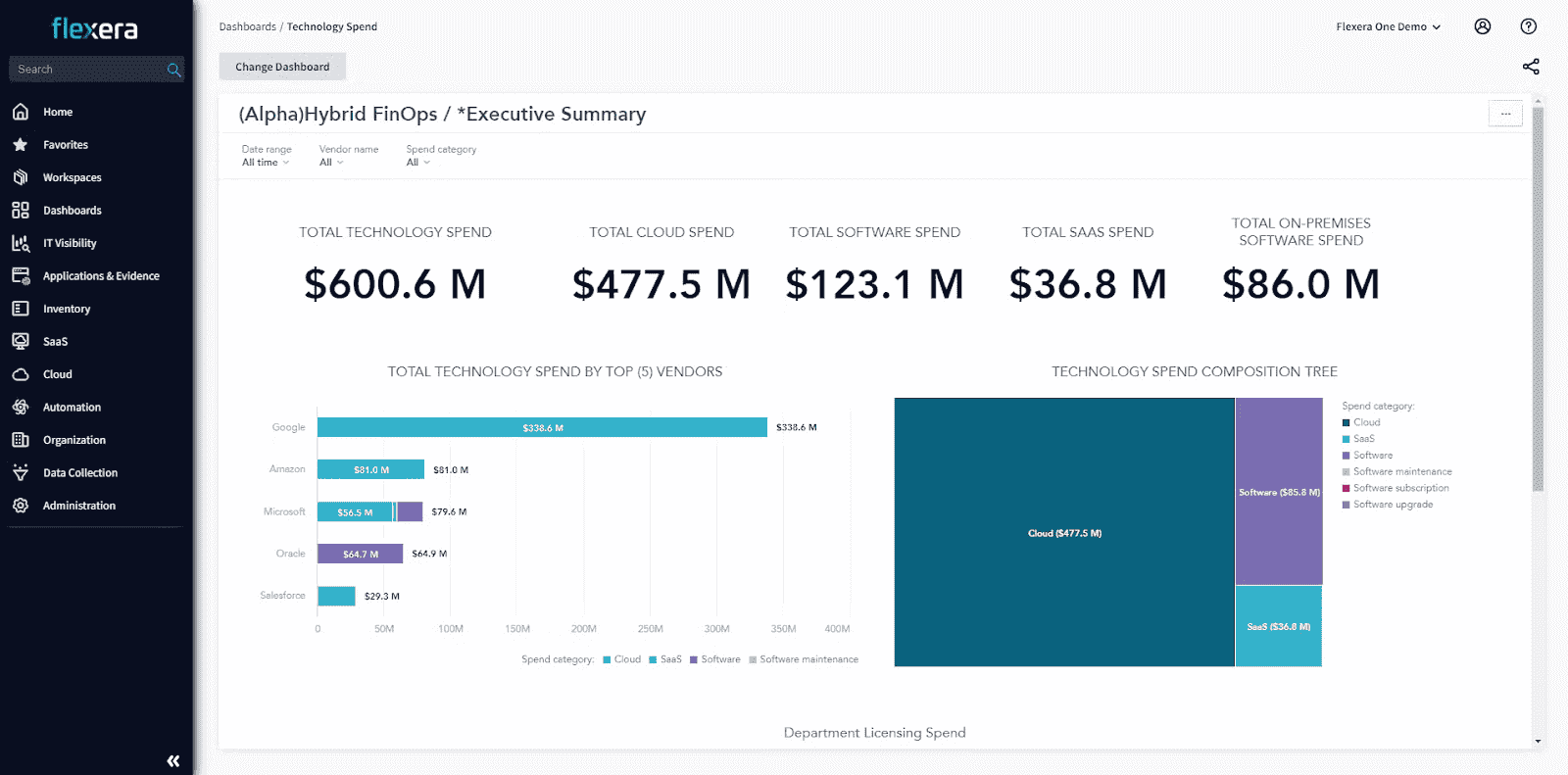
If you’ve ever wanted to wrangle your asset sprawl without five different dashboards and a headache? Flexera One is that kind of setup. Fully cloud-based, hooks into AWS, Azure, GCP, and vSphere without whining, and still handles your on-prem stack like a champ.
Teams like Hitachi Energy and the Dutch Police are deep in it — using Flexera to get ahead of their costs, keep their assets audit-ready, and avoid nasty surprises in QBRs. This is software for asset management that actually understands the complexity of your day-to-day.
Here’s what actually makes it tick:
- Asset lifecycle coverage. Connect discovered hardware and software with ownership, usage, and licensing records. Check how procurement and retirement workflows connect with the inventory sources in your deployment.
- Centralized asset intelligence. One clean repo with IDs, locations, warranty data, contract tie-ins, and “who owns what” in plain English. It’s the kind of thing most asset inventory tools promise and barely deliver — but Flexera nails it.
- Contract & cost insight with receipts. Track usage, flag zombie assets, monitor renewal cycles, and tie spend to actual hardware and infrastructure.
- Software license reconciliation. Compare recognized installations with entitlements and use rights, so your team can identify compliance exposure and licensing opportunities.
- Software reclamation workflows. Identify unused software and evaluate the available reclamation and request workflows. Confirm which capabilities are included in the ITAM and App Broker products you license.
- Cloud-based platform. Flexera One combines inventory with software asset intelligence. FinOps, IT Visibility, and SaaS Management are distinct products; check the scope rather than assuming every capability is in the ITAM subscription.
Flexera doesn’t just tell you what assets exist — it shows you how they’re behaving, what they’re costing, and who’s responsible. No smoke. No guesswork.
If your universe feels scattered and expensive, this platform pulls it together. Flexera One's built for teams like ours — juggling hardware, cloud, shadow IT, and still expected to predict next quarter’s spend. Let it carry some of that load.
Pricing
Flexera One has several products, so a public price needs a product name attached to it. IT Asset Management, IT Visibility, SaaS Management, and FinOps should not be treated as one license.
The AWS Marketplace IT Visibility listing publishes $200,000 for a 36-month contract, covering up to 1,000 servers and 5,000 clients. That equals roughly $66,667/year or $5,556/month when spread over the term. These are amortized comparison figures, not payment terms.
A 500-server estate falls within that package’s stated server allowance, but the package does not become half-price. This is an IT Visibility benchmark, not a complete Flexera One ITAM quote. Confirm the licensing, entitlement reconciliation, SaaS, and implementation products you actually need.
✅ What users are vibing with
- It handles big cloud setups without flinching. “Cloud Management Platform is really stable and can serve lots of deployments.” — Bhrigu M., Manager on G2
So yeah, if you're juggling multiple environments, this IT asset software holds up without falling over — especially when you’ve got deep integrations in play. - Inventory data you can actually trust. “Extremely accurate inventory data using the included Inventory Agent.” — Garth H., SAM Consultant on Capterra
The kind of data tracking that makes audits feel less like heart attacks and more like routine check-ins. It keeps your IT asset management systems clean and audit-ready. - Support team that actually listens. “Excellent support from Flexera including adding new applications to the recognition library upon request.” — Sekhar S., User on Capterra
You ask, they add it. No fuss. No endless waiting. The custom features and support really help this tool flex to your environment.
⚠️ Where folks are side-eyeing:
- Custom actions can feel... laggy. “The speed at which the CMP triggers a custom action is slower than if we were to use the underlying commands.” — Verified G2 user
If you’re into automating maintenance or provisioning tasks, this might feel like driving with the parking brake halfway on. - Steep onboarding curve. “The learning curve seems huge. The RightScale language is different and for onboarding Java developers, we need more examples.” — Verified G2 user
Translation: if you're rolling it out across teams, set aside time. The tool’s got power, but it’s not a plug-and-play deal. - Dashboards could use a glow-up. “A number of CMP features are quite outdated and stale, such as dashboards, monitoring.” — Alexander V., Architect on G2
Still does the job, but yeah — it’s giving legacy UI in spots. Would love to see updated visuals to match the depth of the backend features.
So, if Flexera’s on your shortlist? Worth checking — just bring your patience, especially for setup, integrations, and UI. But when it runs, it really runs. A solid pick for scaling up serious IT asset management systems.
IBM Maximo
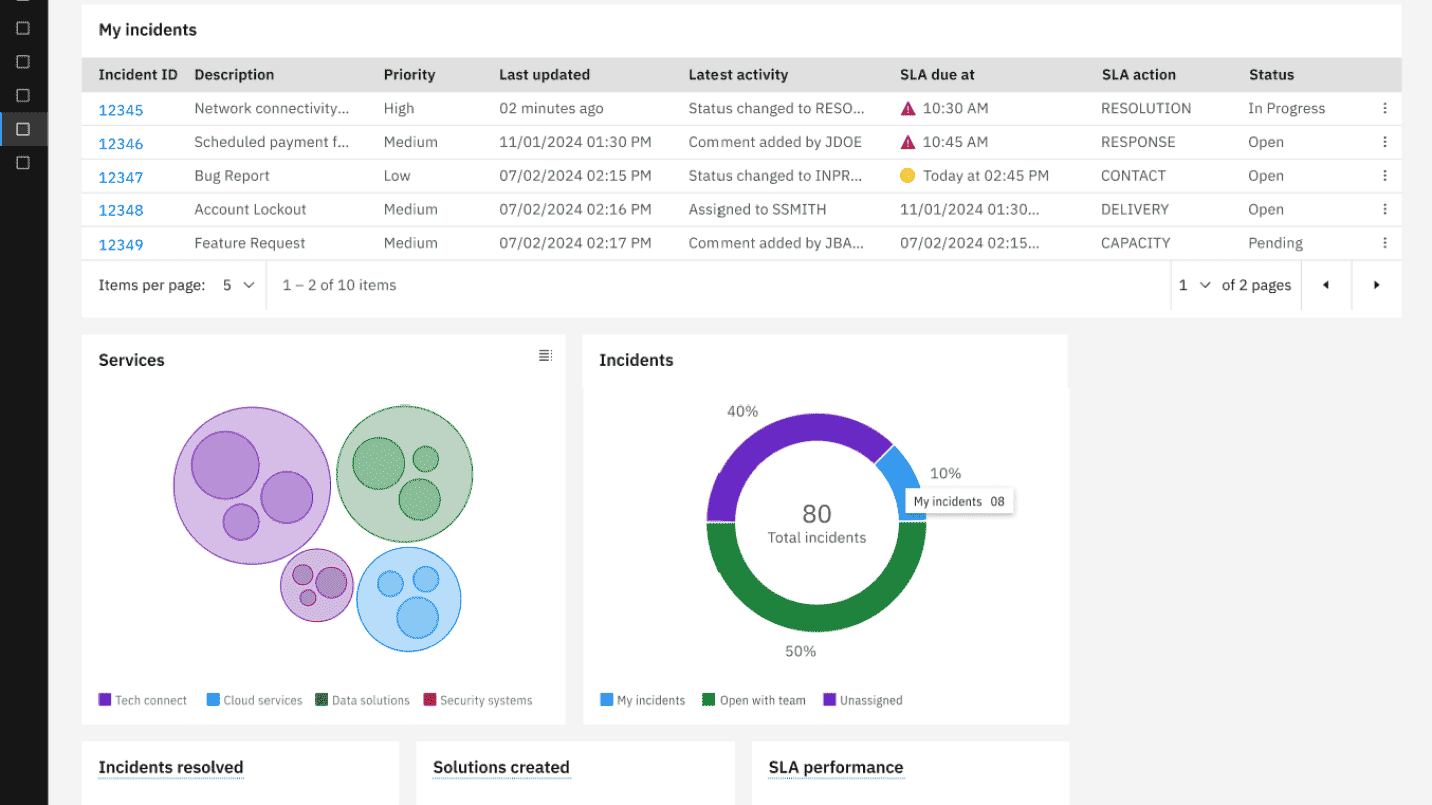
Picture a control tower — but instead of guiding planes, it’s orchestrating everything from transformers and valves to forklifts and HVAC units. The kind of orchestration where nothing moves, hums, or spins without showing up in your dashboard first.
Maximo’s built for serious asset landscapes. Utilities, transit, energy — industries that lean on heavy hardware and sprawling infrastructure use it to keep their world from falling out of rhythm. It lives in the cloud, speaks IoT fluently, and turns noisy telemetry into structured, useful data. Think GeneratorUnit01, ConveyorSystem_A12 — every CI, tagged, traced, and reporting in.
Features
Here’s how the Maximo suite supports maintenance and asset operations. Application availability depends on your version and entitlement; for IT inventory and software licensing, evaluate Maximo IT specifically:
- Maximo Manage keeps your core in check. Work orders, AssetStatus:Active, AssetLocation:Zone3-West — every gear and cable gets a timestamp and a plan for maintenance.
- Maximo Monitor listens in. It grabs signals from sensors and tells you when your HVAC is sweating more than it should.
- Maximo Health tracks how your assets are really doing. It crunches cycles and sensor reads to show what’s solid, what’s slipping, and what’s about to call it quits.
- Maximo Predict picks up the breadcrumbs. It watches the rhythm of your machines — vibes, pressure, temp shifts — and flags what’s drifting out of tune before it spirals into downtime.
- Maximo Visual Inspection scans your environments — photos, video, live feeds — and catches flaws a technician might walk right past.
- Maximo Assist sits in the toolbox with your techs, guiding them through workflows like a calm voice on comms during a hotfix.
Maximo plays nice with SAP, Oracle, and other enterprise stacks, giving IT asset management system teams a unified view. Every integration tightens the loop between insight and action.
Among software asset management companies, IBM Maximo holds its own as a platform that actually scales with your ops. It’s got the features that matter and the structure to make even the messiest ecosystems manageable.
When your assets are scattered across plants, cloud regions, and vendor contracts, Maximo turns the chaos into a pattern you can trust — and run with.
Pricing
IBM Maximo Application Suite uses AppPoints, with cost depending on applications, user roles, and deployment. See IBM’s pricing model before comparing it with a flat per-user ITAM subscription.
For budget context, eWorkOrders’ comparison reports a Maintenance Essentials starting figure of approximately $37,800/year, based on a $3,150 monthly figure in Capterra’s listing. This is a secondary benchmark for a maintenance offering, not a confirmed 500-server ITAM package.
For IT assets, specify Maximo IT in the quote. Ask for the AppPoints allocation, included applications, users, and asset scope. Onboarding, training, integrations, and infrastructure can add to the first-year cost.
✅ What folks actually like about Maximo
- Squeezing more value out of every asset. "The Maximo Application Suite helps my company in optimizing asset utilization, reduces downtime, and somehow it extends assets life." — Muhammad Ovais K., G2. Feels like Maximo helps you get your money’s worth out of every generator, server, or truck before it heads to retirement. For IT asset management platforms, that kind of lifecycle control is golden.
- Real-time visibility makes maintenance feel smarter. "Maintenance cost is greatly reduced for our organization, as we get real-time data on our systems performance and identifying potential issues..." — G2 reviewer, Small Business.
It gives your team a heads-up when something’s starting to slip. You catch issues early, skip the emergency tickets, and avoid the “why didn’t we know?” moments. That's a win for any IT asset tracker. - Can be shaped to fit your world. Maximo is more than just a packaged asset management solution. You can adapt it, build around it, replace legacy workflows — whatever fits your ops. If you're juggling unique tools or custom flows, this one's got room to move.
⚠️ Where things get a little thorny
- Getting started takes serious headspace. "Strong learning curve… setup and configuration of the system takes time and real technical expertise." — Farhana Y., G2
This isn’t a plug-in-and-go kind of tool. You’ll need time, patience, and at least one team member who’s fluent in Maximo-speak to get it tuned the way you want. - Setup complexity hits smaller teams harder. If your org doesn’t have dedicated IT ops or budget for consulting hours, getting Maximo live might feel more like a full-blown project than a simple rollout. Especially when you’re wiring in integrations with ERP, CMDB, and other systems.
- Budget-wise? It stings. "The cost, always the cost. I hate buying software, but if I have to… it better run as well as MAXIMO." This kind of enterprise-grade IT asset management platform doesn’t come cheap. But if you're using it across multiple teams and stacking it with your existing tools, you’ll want to make sure you're squeezing every bit of value from it.
Maximo brings the power, but it expects you to meet it halfway. If you've got the team, the time, and the setup ready, it's one of those asset management solutions that can truly anchor your infrastructure strategy.
AssetExplorer by ManageEngine
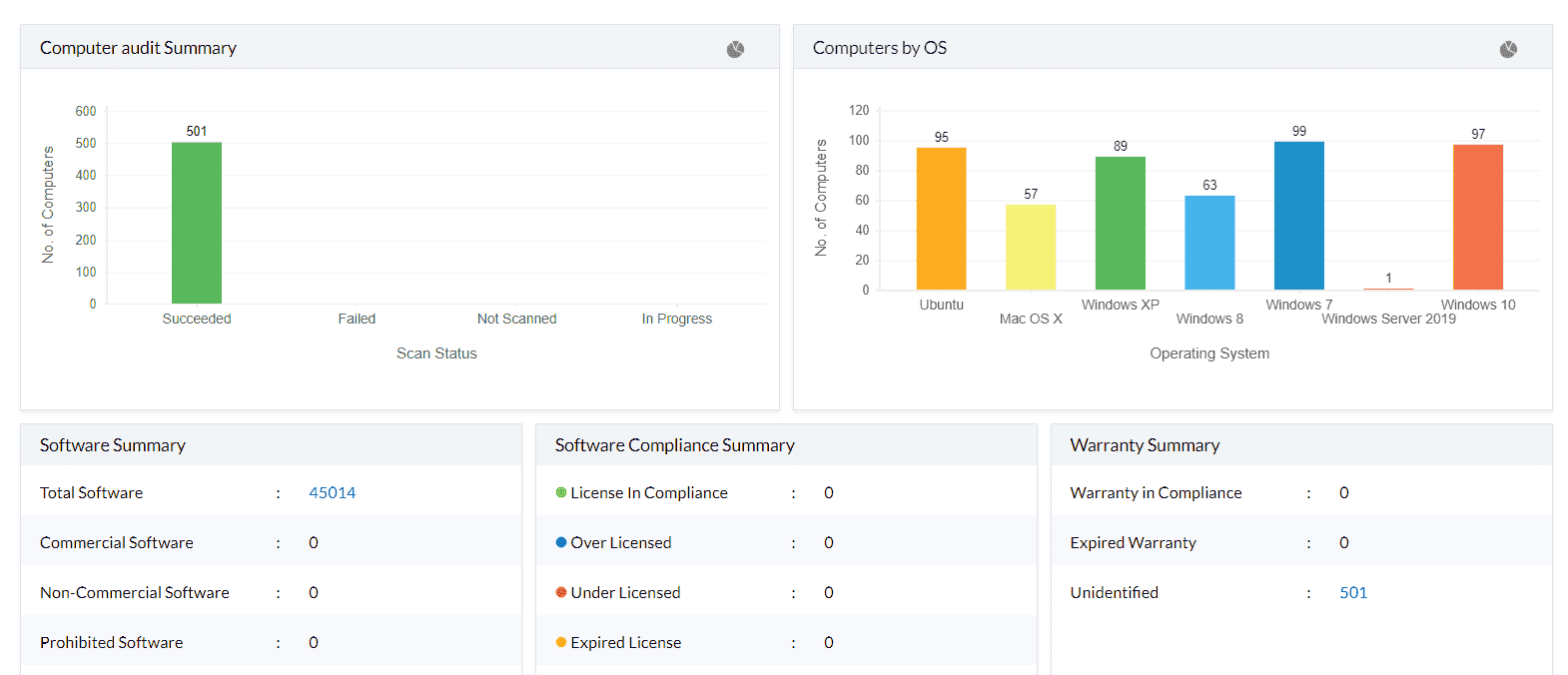
If your infra ever felt like a wild zoo of endpoints, licenses, and forgotten switches, this is your gatekeeper. Cloud, on-prem, or that mystery device plugged into a backroom wall — it sees all, tracks all, and makes you look like you’ve got eyes everywhere.
This platform is web-based, easy to roll out, and yep — it plays nice in hybrid setups. Hospitals, banks, universities? They’re already running it as part of their technology solutions for asset management, keeping tabs on what’s moving, what’s idle, and what’s quietly draining budget.
Features
Here’s what this asset management software brings to the table:
- Asset Discovery that actually delivers. Agent-based or agentless — your call. It tracks every laptop, hardware, and sneaky VM like a bloodhound.
- Hardware + Software Inventory that's always current. Serial numbers, warranties, locations, usage history — full stack of data, zero blind spots.
- License Management that saves your audit-day sanity. OEM, concurrent, enterprise? All supported.
- CMDB that maps relationships like it’s drawing your entire IT nervous system — apps, servers, users, alerts — fully connected.
- Workflow Automation that doesn’t need a code wizard. Allocation, reclamation, maintenance triggers? Drag, drop, done.
- Reports & Dashboards that hit hard — flagging risks, spend drift, or unused tools in real-time.
- Integrations connect inventory with other IT workflows. Check AssetExplorer’s supported integrations for your edition; don’t assume every ManageEngine or Zoho connector belongs to this product.
This is one of those asset management software solutions that actually makes your job lighter. Whether you need a simple asset management software to start with, or you're looking to build out something more robust, AssetExplorer adapts.
This asset management software solution gives you the power to run lean, clean, and fully aware. No chaos. Just sharp control over every asset in your stack.
Pricing
AssetExplorer’s on-premises subscription pricing is based on tracked IT assets: $1,795/year for 500 assets and $9,595/year for 5,000 assets. Those are monthly equivalents of approximately $149.58 and $799.58.
For a company running 500 servers, the 500-asset subscription fits only if those are your entire billable inventory. Adding 500 laptops means you need capacity for 1,000 assets, not 500.
The cloud edition has separate pricing; don’t apply the on-premises figures to a hosted subscription. Ask for remote-control licensing and any other add-ons as separate line items.
It’s one of those setups where the IT asset management budget is easy to model once you have counted the full inventory.
🌟 What users are loving in the wild
Here’s the real talk on AssetExplorer, straight from the trenches of folks who’ve lived with it day in, day out. I pulled the juicy stuff from published reviews; check the AssetExplorer product page for current capabilities, gave it a proper polish, and wrapped it in our favorite “tech gossip over coffee” tone
- Audits don’t hit like a freight train anymore. “Through using AssetExplorer, it made it far easier to prepare for audits by having key hardware and software details in order.” — Suwatchai C., Computer Operator
- You can follow every asset’s full story. “I liked the idea of this AssetExplorer software where one could track an asset from the time it was bought to the time when it was disposed off.” — Ziad M., Advertising Manager
- Feels like your service desk and asset brain finally started talking. “Integration with service management made coordination smoother.”
— Ashraf S., Digital Marketing Manager
😬 And where it throws a few curveballs
- Some assets sneak past the auto-discovery radar. “Some of the assets such as those based on external virtual machines may need manual intervention...” — Suwatchai C.
- Purchase orders and inventory dance out of step sometimes. “Issues I encountered are when synchronizing purchase order updates with currently available asset entries.” — Ziad M.
- Reporting could use a few more brushstrokes. “My only complaint... the reporting features were slightly limited in relation to customization.” — Bishnu P., Network Engineer
So yeah, AssetExplorer gets a lot right — especially if you’re wrangling a growing tangle of hardware, software, and service tickets. Just expect a few manual touch-ups along the way.
BMC Helix
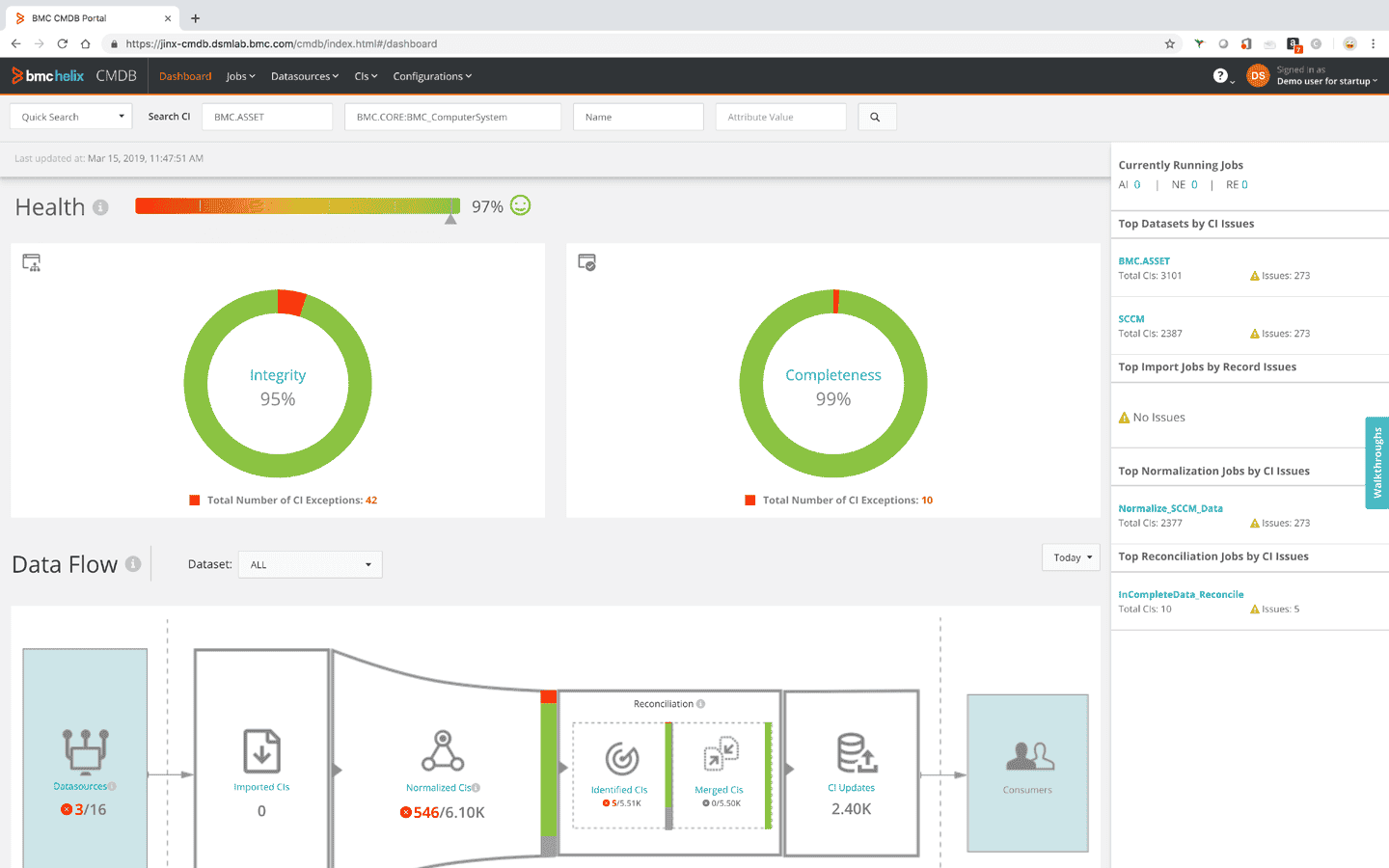
BMC Helix is like that ultra-organized teammate who always has the receipts, the timeline, and a backup plan stored in five regions. 😮💨
Let me walk you through this gem.
So imagine your cloud and on-prem asset sprawl — hundreds of EC2s humming, containers blinking in and out, network devices tagging in from legacy land, and a whole choir of laptops, printers, and licenses doing their own chaotic opera. Now imagine all of it tracked, tagged, categorized, governed, and instantly retrievable like clockwork. That’s BMC Helix — a full-blown asset monitoring software platform that blends Digital Workplace magic with heavyweight asset tracking and inventory management software capabilities.
It’s a SaaS-native ITAM tool built for massive complexity — think Fortune 500-scale. We’re talking about enterprises like Vodafone, Airbus, and Chevron using this asset management systems software to not only catalog their hardware and software, but also to predict risk, automate maintenance, and stay three steps ahead of compliance chaos.
And no, this ain’t a dusty inventory spreadsheet in disguise — it’s real-time CI management hooked into ServiceOps, AI-powered discovery, and multi-cloud visibility across AWS, Azure, GCP, and your on-prem relics.
BMC Helix asset management power moves:
- Automated Discovery & Dependency Mapping. Sniffs out assets across hybrid environments using Helix Discovery — down to Linux kernels, custom apps, and shadow Kubernetes clusters. This software integrates with your existing cloud and on-prem systems to catch every hidden device.
- Multi-layer CMDB Enrichment. Connect discovered configuration items with incident and change records. Risk scores and patch status depend on the integrated data sources; confirm the fields your team needs.
- CI Lifecycle Tracking. You know those mystery servers named something like Server-Prod-101 or VPN-Gateway-NYC? Helix doesn’t just track them — it babysits them from the moment someone requests one, all the way through deployment, usage, and finally retirement. No more wondering who spun this up and why it’s still eating compute. True asset tracking and inventory management software vibes.
- Contract & License Wrangling. Every asset gets matched to its contract like a digital paper trail. Helix reminds you what’s expiring, what’s being overused, and what’s gathering dust. Translation? No more 2 a.m. scrambles during a license audit.
- Change Impact Clarity. Before you touch that Apache-v2.4.54 patch, Helix shows you exactly what depends on it — apps, services, processes. So you’re not crossing your fingers and hoping prod doesn’t go down. It’s like having x-ray vision for your platform’s web of software dependencies.
- Asset cost context. Connect asset records with contracts, financial information, and software licensing data. For cloud optimization, confirm the separate capabilities and integrations in your proposed Helix deployment.
Pricing
BMC Helix Asset Management and Discovery need a scoped quote. Don’t use a service-desk seat rate as the cost of the complete asset management platform.
The $114.75 per named user/month figure appears in a 2023 reseller price list for BMC Helix Remedyforce Desk. For 10 seats, that historical rate equals $13,770/year. It is a different product and cannot establish today’s Helix Asset Management price.
Reseller TechBag reports a Discovery Starter Bundle from $50,000. Treat it as a Discovery benchmark; the page does not establish a 500-server allowance or a complete ITAM contract. Confirm the term, discovery capacity, Asset Management license, and implementation costs before adding up a total.
Does it really worth money? Here is what IT pros talk on G2 and Capterra:
✅ The good stuff about BMC Helix
- “Integration friendly and gives options to customize as per your need.” That kind of flexibility makes it a serious player in the world of software for IT asset management.
- Automation is its middle name — “Built-in automation tools have significantly streamlined our operations.” Perfect for asset management IT solutions that want to boost efficiency.
- Ticketing is as smooth as butter. Someone said, “Able to create, update, resolve tickets easily… good process workflow.” This asset manage software keeps workflows clean and simple.
⚠️ The Spicy Bits
- Flexibility comes with a catch — “Navigating through intricate customization options can be challenging.”
- Wallet warning: “Expensive compared to other ITSM tools.”
- Old-school vibes in the worst way — “UI is very old and needed to be changed… very slow when switching between tabs.”
Deepser CMDB
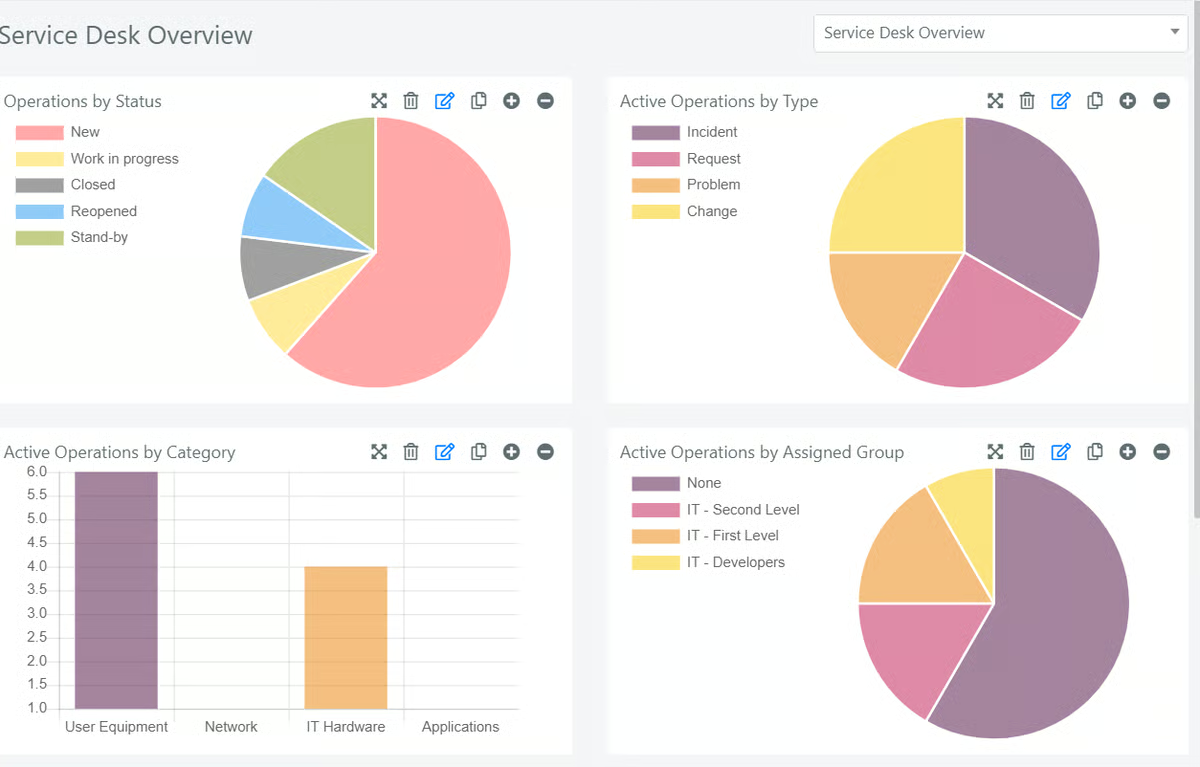
Deepser CMDB creates a map of assets, relationships, contracts, and service records. It supports configurable classes and imports so the model can match your environment. Check the discovery sources and integrations needed to populate it; don’t assume native AWS, Azure, and Google Cloud collection.
The practical fit is a team that wants configurable asset records connected to ticketing, contracts, and service workflows.
Deepser breaks down your assets into CIs — servers, storage, software licenses, contracts — each with a full backstory in the asset management database: lifecycle, costs, who depends on what. It ties in change requests, incident fixes, and even tracks maintenance schedules, so your asset story stays tight and on point.
This technology asset management software is greater than a cobweb-covered inventory list. Deepser's your asset DJ, mixing real-time understanding and seamless workflows to keep your cloud and on-prem beats bumping like a hit single.
Features
- Full-circle asset tracking. Whether it’s a fresh laptop out of the box or a dusty server on its way to retirement, Deepser logs the entire journey. Every step — from onboarding to decommissioning — is tracked, so nothing falls through the cracks.
- Compliance reports you won’t dread. Audits don’t have to be a fire drill. Deepser pulls clean, ready-to-share reports that show you’re on top of your game. No scrambling, no last-minute digging — you’re already covered.
- Inventory imports and integrations. Populate asset records from your chosen sources and confirm the discovery setup for your environment. A CMDB record alone does not establish automatic discovery coverage.
- Integrations that just work. No more Frankenstein setups. Deepser plugs right into your ticketing system, monitoring tools, and other IT platforms — making it all run like a single, well-oiled technology asset management software stack.
- Maintenance and service context. Connect assets with the tickets, contracts, and maintenance records your team uses. Equipment-health monitoring depends on the configured monitoring sources.
- Clear connections between your stuff. Think of it as a living map. Deepser links each asset to its contract, owner, and related systems inside a dynamic asset management database. No more chasing dependencies — it’s all connected and updated in real time.
- Configurable CMDB classes. Model the infrastructure and service records you need, with fields, relationships, and permissions. Validate the import or integration for each cloud data source before rollout.
Pricing
Deepser’s Plus plan displays €55 per operator/month, billed annually, with a minimum of three operators. Plus includes unlimited CMDB assets and graph views, IT Asset Manager, IT monitoring, and contract management.
For 10 operators, the undiscounted calculation is €550/month, or €6,600/year. End users are free, and Deepser advertises volume discounts from 10 operators, so request the applicable rate for your team.
For a 500-device inventory, the plan’s operator count is the price driver in this example. Check which modules and implementation services are included in your quote.
✅ What’s rockin’ about Deepser CMDB
- “Customizing is a breeze if you’re a coder — total game changer.” — Jonny R.
- “The interface is clean and even your non-techie cousin could use it.” — Anna R.
- “Deepser and Device 42 nailed it for ticketing plus asset management.” — Carlo M.
⚠️ What’s a pain
- “Not for the faint-hearted if you don’t code.” — Valentina G.
- “No native app yet, but hey, the web version works.” — Andreas V.
- “Graphics and UX? Could use some love.” — Jonny R.
Snow Commander
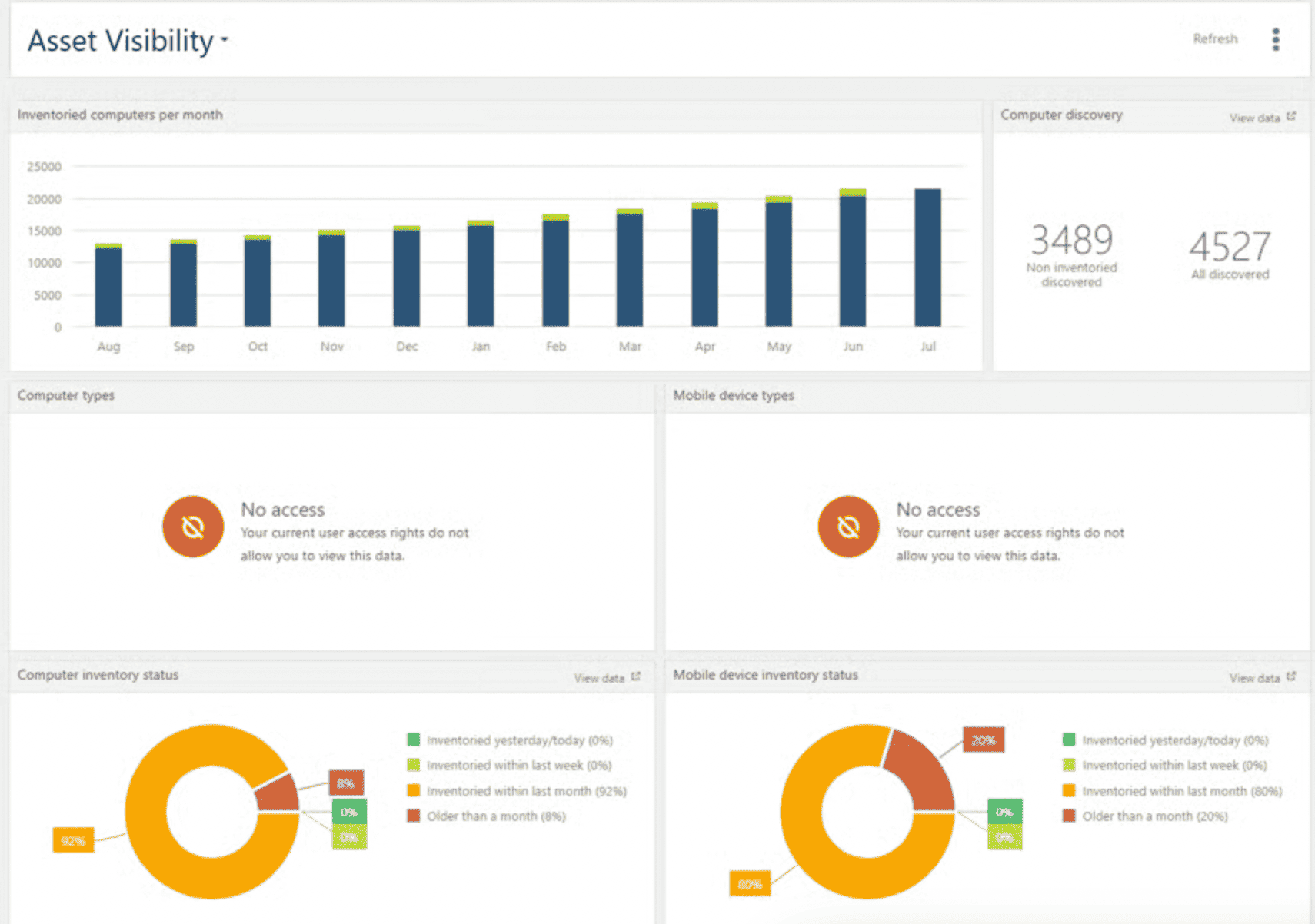
You know that feeling when your IT setup starts to feel more like a wild music festival than a structured system? Cloud environments clashing with on-prem gear, random devices showing up out of nowhere, and licenses going AWOL like someone lost the VIP list? Yeah — that kind of chaos.
That’s exactly where Snow Commander shines. This asset management software doesn’t just plug into your stack — it understands it. Think AWS, Azure, Google Cloud, plus whatever you’ve got humming in your on-prem racks. It pulls data from all over your environment and gives you a clear, up-to-date view of what’s running, where, and why — like having a backstage pass to your entire digital setup.
Snow Commander is a cloud management platform within Flexera’s portfolio. Its strength is self-service provisioning, approvals, workload ownership, costs, and retirement workflows. Evaluate broader hardware procurement and software entitlement reconciliation separately.
The features that Snow Commander brings:
- Discovery & inventory. Collect supported cloud and virtualization inventory. Validate the providers and resource types you need; this is not a promise to discover every endpoint or installed application.
- Resource context. Keep workload ownership, custom attributes, costs, and service information together. Check the integration needed to publish that information into your organization’s CMDB.
- Lifecycle management. Provision approved workloads, track owners and expiration dates, and decommission resources through configured workflows. This is cloud workload lifecycle management rather than a complete hardware procurement system.
- Cloud software license costs. Model software costs and BYOL scenarios. Commander’s licensing documentation distinguishes these calculations from entitlement data supplied through Snow License Manager.
- Seamless integrations. This tool doesn’t fight your stack — it vibes with it. Snow Commander plugs right into your favorite ITSM tools and cloud APIs, quietly automating the clicky, repetitive stuff you’d rather never do again. Provisioning, deprovisioning, approvals? Handled
- Compliance & reporting. When the audit gods appear (and you know they will), you’re already covered. Snow pulls clean, ready-to-share reports that actually make sense. So you stay compliant, look buttoned-up, and skip the last-minute scramble.
Pricing
Snow Commander is quote-based and licensed per managed VM under Flexera’s product-specific terms. A physical-server count alone does not give you the license quantity.
For 500 managed VMs, ask for the annual rate per VM, the minimum commitment, and the included capabilities. Your comparison calculation is 500 × the quoted annual VM rate, plus separately priced implementation and services. Confirm how the contract counts changing or short-lived workloads.
For a useful price comparison, keep the VM count and contract term consistent across quotes. Flexera offers a Commander evaluation so you can test the workflow before committing.
Alright, here’s the real-talk version — straight from folks who’ve actually used Snow Commander, courtesy of G2 and Capterra:
✅ What people are loving:
- “Discovery is very good. We found like 30 sneaky apps we didn’t even know we had.” That’s a lot of surprise licenses dodged. Snow’s software asset management came in like a spotlight and said, “Ahem, these apps are living rent-free.”
- “Easy setup. We were pulling data in under an hour.” No drama, no multi-week onboarding saga. Just plug in, sync up, and boom — you’re watching assets roll in like magic.
- “Awesome cloud features. Automation that actually works? Yes, please.” We’re talking smooth provisioning, license cleanup, and real-deal cloud management. It’s like having a personal assistant for your infrastructure (minus the coffee runs).
⚠️ But here’s the tea:
- “The API is split between old and new versions.” So yeah... you might be hopping between docs and doing a bit of version tango. Not the end of the world, but mildly annoying.
- “Needed help writing scripts for custom stuff.” If you’re diving into the deep end with customizations, better have a dev friend on speed dial — or be ready to channel your inner Stack Overflow wizard.
- “Support ghosted us after setup. No training either.” Oof. The tool’s solid, but if you like hand-holding or structured onboarding, maybe brace yourself for some DIY vibes.
Freshservice
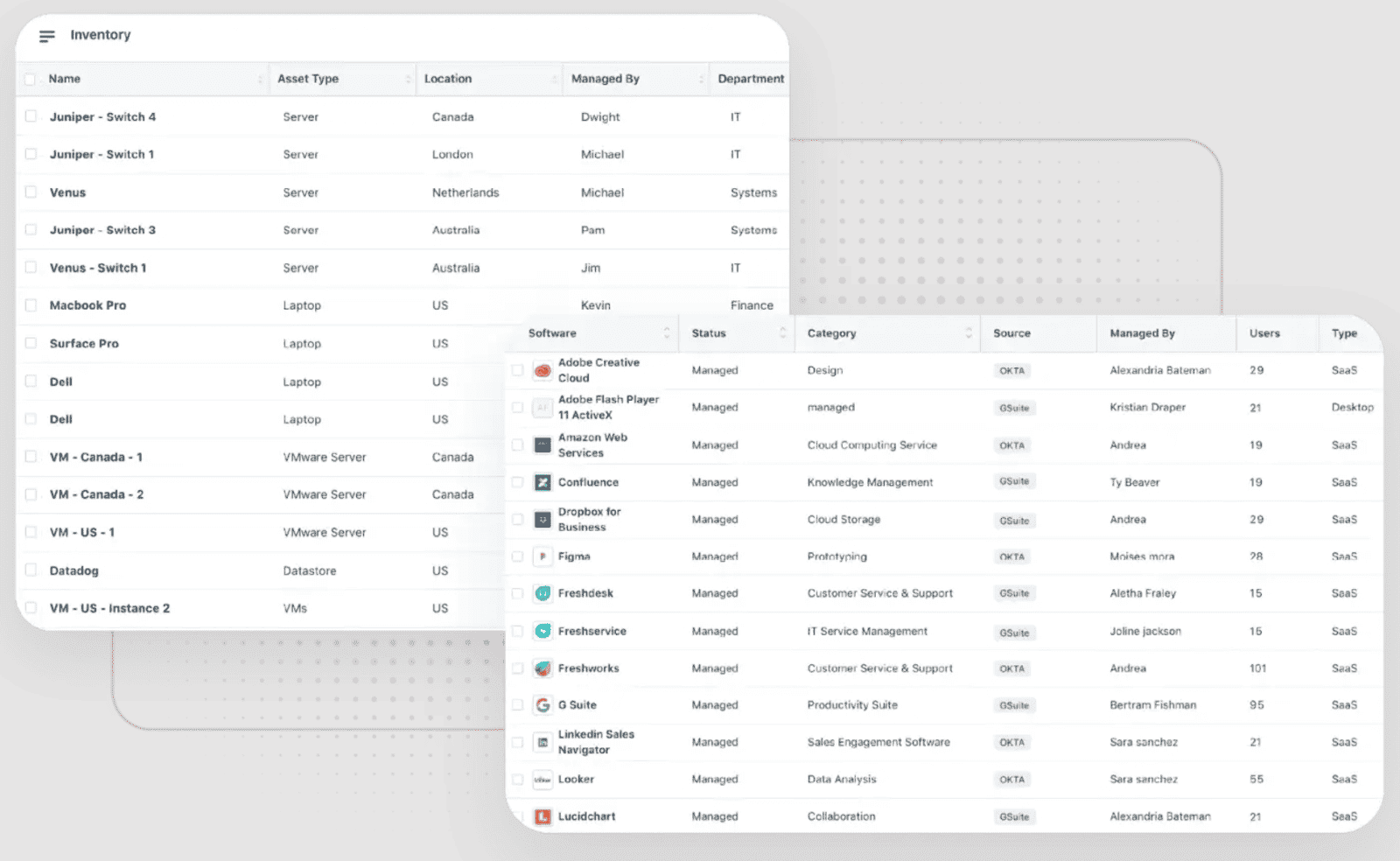
Freshservice is an asset management platform that keeps up — whether you’ve got cloud infrastructure growing by the hour, old on-prem gear holding on for dear life, or SaaS tools multiplying like rabbits in the background.
Instead of juggling spreadsheets and playing detective, Freshservice gives you one clear, up-to-date system that tracks every asset from the moment it enters your ecosystem to the day it retires. As a true asset data management software, it plugs into your existing tools, updates in real time, and lets you keep tabs on licenses, hardware, contracts — the whole lifecycle — without breaking a sweat.
Big names like TaylorMade and Chargebee already use this asset management software to stay ahead of the chaos. Because when your IT landscape is a moving target, Freshservice gives you the visibility and control to actually lead the charge.
Features
- Discovery that actually discovers. Agent, agentless, whatever the setup. It sniffs out every device, software, cloud VM — even that ancient printer nobody admits to owning.
- Plugged into all the big clouds. AWS, Azure, GCP, JAMF, SCCM, Intune. Real-time sync keeps everything current and visible with seamless integrations.
- CI webs that make sense. Every device, app, or server gets mapped to its people, services, and dependencies. Zero guesswork.
- End-to-end lifecycle tracking. Tracks every asset from purchase to retirement, including contracts, warranties, and license expiry traps — classic asset tracking, but smarter.
- License watchdog. Keeps tabs on what’s used, what’s not, and what’s ready to start costing you.
- Change-aware everything. Connects CIs to changes, incidents, releases, and problems. Tracks the ripple effect before it turns into a flood.
- Smart automation flows. Auto-assigns owners, updates fields, and launches workflows when asset statuses shift.
If your company is ready to ditch duct-taped spreadsheets, Freshservice connects asset records with service workflows. Its ITAM tiers matter: Growth covers hardware inventory, Pro adds software and contract capabilities, and Enterprise adds service mapping. The ITAM tier is separate from the ITSM agent plan.
Pricing
Freshservice offers a 14-day free trial. Its Pro ITSM plan is $99/agent/month, billed annually. For 10 agents, that is $990/month, or $11,880/year for the ITSM seats.
That is the seat subtotal, not a complete 500-server ITAM price. Freshservice bills ITAM capacity in Asset Units, with separate ITAM tiers and additional capacity charges.
Under the ITAM rules for new signups from March 31, 2026, a server or VM counts as four Asset Units. So 500 servers require 2,000 AUs; adding 500 employee devices brings the total to 2,500 AUs. Ask for the required AU capacity and ITAM tier alongside the $11,880 seat subtotal.
Does it really worth that money? Here is what people talk about this asset management tool on Capterra:
✅ What’s working like a charm?
- The interface is super smooth and easy to use — one user said it’s “clean and intuitive,” so you don’t waste time figuring out where stuff is.
- Ticket and asset management are total lifesavers. Folks love how it keeps everything flowing and tickets handled without the usual drama, making it a solid choice for asset maintenance management software.
- Asset tracking is on point. The “asset probe” and procurement tools make managing hardware way less of a headache.
⚠️ Where it trips up a bit:
- The reporting feels pretty basic — some folks want more ways to slice and dice their data to get the full picture.
- The mobile app is decent, but not quite packing all the desktop power. So if you’re always on the move, it can feel a little limited.
- Tweaking the settings can get tricky, and a few users pointed out some awkward translations, especially for German speakers.
This ITAM software nails asset management but comes with a few quirks. For the full scoop, check out the real talk on — totally worth a look before you jump in.
Device42
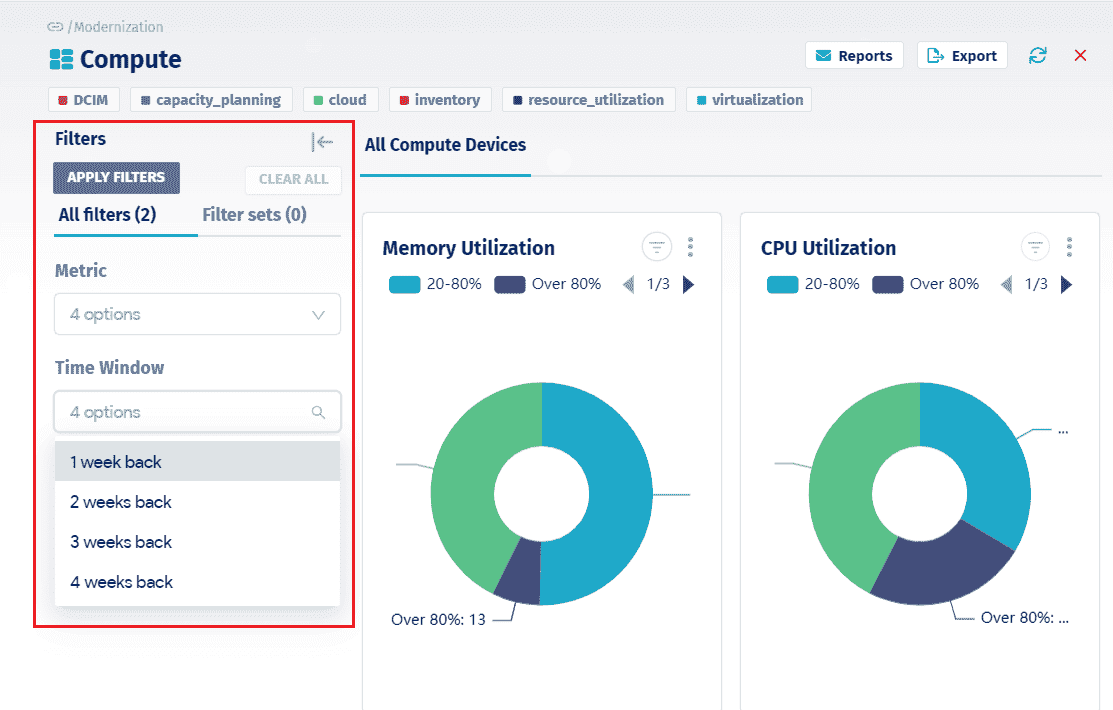
Device42 shows up like your trusty IT GPS, tracking down every device, piece of hardware, cloud service, and license in your wild setup. Say goodbye to the days of wondering where that stray asset vanished or which license is secretly draining your budget. Companies like Equinix and Atlassian rely on this asset management platform to keep their tech chaos totally under control.
It hooks up effortlessly with all the major clouds — AWS, Azure, Google Cloud — and keeps tabs on your IT assets in real time. CIOs and ITAM pros get a crystal-clear picture of every device and software license, whether it’s on-site or floating in the cloud.
Features
- It auto-discovers everything, piecing together your whole infrastructure like a detective on a mission.
- The IP address management keeps your networks neat — no collisions, no chaos.
- License tracking spots where you’re wasting money and helps you stop the leaks fast.
- Smooth change management workflows, playing by ITIL’s rules, so audits don’t feel like wrestling matches.
- It even keeps an eye on power usage so your data center doesn’t throw any surprise tantrums.
Every asset is packed with all the details you need — where it lives, who’s using it, when it needs maintenance — making asset and inventory management software a breeze. In addition, Device42’s platform plays well with your existing IT tools, syncing data smoothly through a powerful API.
This ITAM software gives you the control and insights to tame even the wildest IT environments. When you want an assets management software that just gets the job done without drama, Device42 is the tool asset management pros call.
Pricing
Device42’s current pricing requires a quote based on your licensed device count and selected capabilities.
There are useful historical benchmarks. Faddom’s July 2024 pricing guide, citing TrustRadius and GetApp, reports Core at $2,999/year for 101–500 devices and $4,999/year for 501–1,000 devices. Those equal approximately $250/month and $417/month. Faddom is a competitor, and these are older third-party figures, not current vendor offers.
For 500 servers, count network devices and other licensed inventory too. Check whether Application Dependency Mapping, utilization, software licensing, and power monitoring are included. The historical Core figures do not establish the cost of those additional capabilities. Device42 offers a 14-day trial.
✅ What’s awesome about Device42:
- Total command over your tech jungle. “Device42 hands you the reins to your whole IT world — from the racks in your data center to all those sneaky cloud assets.”
- Support that actually has your back. “Their support crew? Fast, friendly, and always rolling out new features that make your life way easier.”
- Integration heaven. “It hooks into everything — DCIM, IP tracking, password vaults, power monitoring — if it’s IT, Device42 plays nice with it.”
⚠️ Where it’s a bit rough:
- Takes a minute to get the hang of it. “Jumping in cold? It’s like learning a new language — you’ll need some time to really get comfy.”
- Can slow down when things get heavy. “When you’re juggling a mountain of assets, it sometimes drags its feet — definitely annoying when you’re in a rush.”
- Could Use More Business-Side Smarts. “We’d love if it managed more than just tech — like contracts and vendor info. That’d be a game changer.”
Dive into what users are saying over on Capterra & G2 before you take the plunge!
SolarWinds
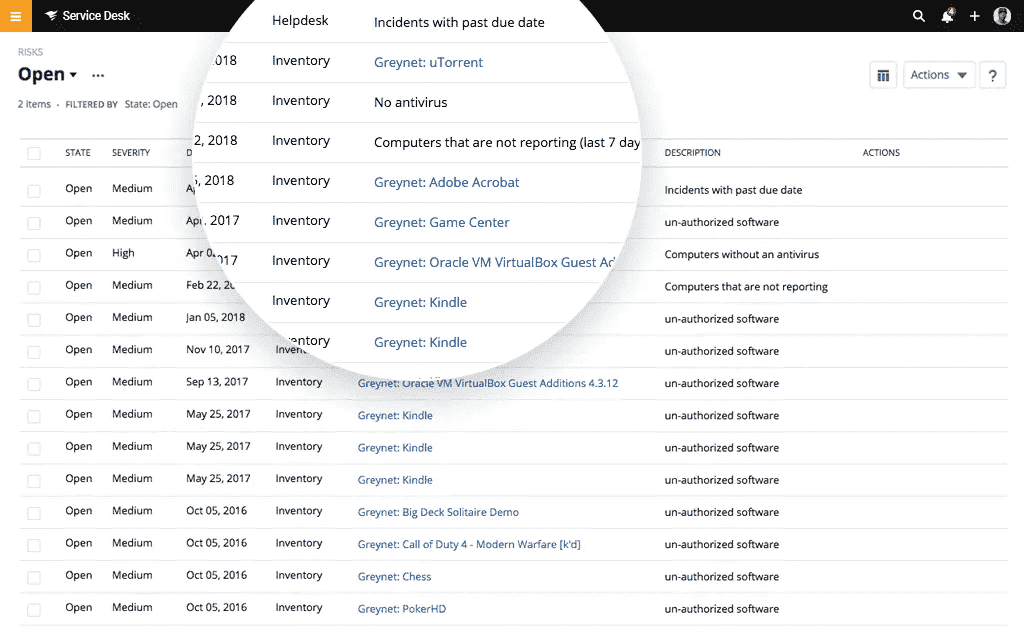
Think of SolarWinds as your sneaky IT sidekick, quietly roaming around your whole tech world — every device, app, cloud service, and license — without you having to lift a finger. No more late-night worries about that sneaky license slipping through the cracks or wondering where your outdated gear ended up.
Big names like Dell and NASA rely on this asset maintenance and management software, so you know it’s the real deal.
SolarWinds Service Desk is the product evaluated here. This asset information management software is always on the lookout for new devices, keeps your licenses in check so your budget doesn’t take a hit, and catalogs your hardware and software like it’s curating a museum.
Plug SolarWinds into your cloud setup and ITSM tools, and suddenly your dashboards stop being a confusing mess. Instead of drowning in spreadsheets, you get clear, real-time views of every asset and its status.
Features
- Automated asset discovery hunts down every device, server, software license, and cloud service across your environment — no need to manually track anything, which is a lifesaver when your setup is sprawling.
- License management gets rid of the dead weight, so you're not paying for stuff just sitting around.
- Full-featured inventory has all your kit and cloud goodies laid out in a tidy line, always up to date.
- Real-time dashboards give you quick, no-fluff facts about the health of your IT configuration — no detective work required.
- Seamless cloud & ITSM integrations fit your existing tools as if made to be there, no histrionics.
- Access control & security locks down your sensitive data tighter than Fort Knox.
- Workflow automation takes the boring, repetitive tasks off your plate so that you can unwind.
Plan choice matters: Service Desk lists network discovery, contract management, and license compliance in Advanced; visual CMDB and dependency mapping are Premier features. Check asset capacity separately from technician seats.
Pricing
This comparison covers SolarWinds Service Desk, rather than the vendor’s separate monitoring products. Its published plans start at $39 for Essentials, $99 for Advanced, and $124 for Premier, per technician/month, billed annually.
For 10 technicians, the seat subtotals are $4,680/year, $11,880/year, and $14,880/year, respectively. All plans support unlimited requestors; asset pricing is available separately on request.
If you manage 500 servers, add the quote for that asset inventory to the technician subtotal. Employee requestors do not increase the technician count.
You can test the platform with a 30-day trial, which provides Premier features.
✅ What’s rocking
- “SolarWinds lays out our entire IT world — hardware, software, licenses — all neat and tidy. Total game changer for keeping things in check among the best software asset management tools.”
- “The interface is clean and easy, even if you’re not a tech wizard, you’ll feel like one.”
- “It plays well with our cloud stuff and ITSM tools, so we’re not juggling a million apps anymore.”
⚠️ What’s kinda meh:
- “The price jumps fast once your asset list grows. Not exactly wallet-friendly for smaller squads.”
- “Sometimes, when the asset load’s heavy, the dashboard drags its feet — kinda annoying mid-workflow.”
- “Setup took longer than I hoped and needed a pro’s hand. Definitely not a plug-and-play vibe.”
Want the full scoop? Compare SolarWinds Service Desk reviews for the plan you are evaluating.
Zluri
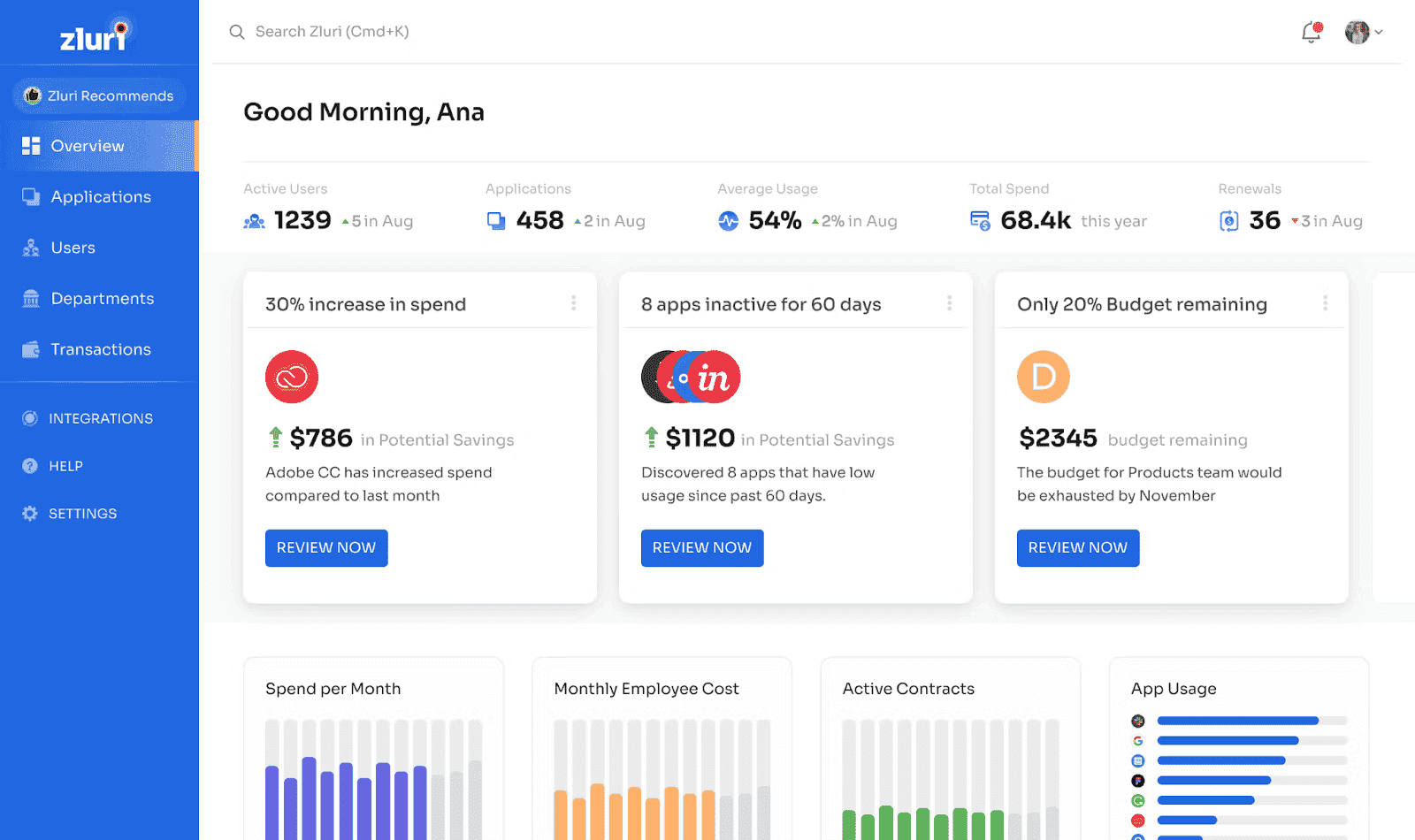
Zluri helps you find SaaS applications, subscriptions, users, and license usage across connected systems. Its focus is SaaS management and identity governance, so you can connect application spending with the people actually using those tools.
Zluri doesn’t just track your assets, it runs the whole show — from sniffing out hidden apps to flagging those slippery contract deadlines. It lines up your IT spend with what people actually use, so you're not throwing money at tools collecting digital dust.
And yep, it automates the boring admin grind — approvals, onboarding, offboarding — like clockwork.
Features that make Zluri a top IT asset management platform
- Zluri quietly hunts down every app floating around your cloud — even the ones your team swore they never signed up for. Coverage depends on the connected identity, finance, browser, and application data sources.
- Cost management. IT asset management software shows you exactly where money’s leaking — unused tools, oversized plans, you name it. Use the usage and contract data to decide what can actually be reclaimed.
- Contract chaos? Handled.
Renewals, compliance, expiration dates — Zluri keeps tabs on it all so you don’t wake up to a surprise renewal at 2AM. - Who's actually using that fancy tool?
It tells you what’s hot and what’s totally ignored. Because “we need this tool” hits different when half the team’s never even logged in. - Plug it right into your cloud stack.
Zluri plays nice with Okta, Azure AD, Google Workspace, and more. It’s like the ultimate sidekick for your existing setup. - Automation = less grunt work.
Provisioning? Offboarding? Repetitive clicks? Zluri handles the boring stuff so your team can actually build cool things. - Security that doesn’t stress you out.
Shadow IT? Policy gaps? Zluri flags the risks and helps lock things down — so your CISO can finally unclench.
For SaaS sprawl, Zluri gives you application, user, contract, and usage context. It is not data center asset management software for racks, switches, or physical server maintenance.
Pricing
Zluri uses custom pricing for its SaaS management and identity products. Budget for the employee population and selected modules, rather than treating 500 servers as the licensing basis.
For a directional comparison, Lumos’ Zluri profile reports Vendr contract data of approximately $14,045–$75,900/year, with a $36,820 median. That median is roughly $3,068/month. This is a secondary report from a competitor; the sample’s user counts and module mix are not established here.
For 2,000 users, ask Zluri to separate SaaS management, identity governance, connectors, onboarding, and support. Divide the quoted annual subscription by 2,000 to compare the effective per-user cost; the reported contract range does not establish that population’s price.
So if your setup feels more like a digital jungle than a structured system, Zluri might just be the cool-headed asset wrangler you’ve been waiting for. As a business asset management software, it brings structure, automation, and clarity without sucking the soul out of your day.
Here is what Zluri users talk on Capterra and G2:
✅ Here’s what people really dig about Zluri
- One person was honestly shocked at how quickly it mapped out their SaaS mess: “In just minutes, I knew exactly who’s using what and where we’re literally burning cash.”
- Another swears by the onboarding/offboarding magic: “Zluri just takes care of it — no more last-minute panics trying to add or cut users. It’s a total lifesaver.”
- And gotta shout out the support squad — “They’re quick, flexible, and actually care. Problems don’t linger.” When tech helps like that, it’s a win.
⚠️ Where Zluri could get even better:
- Integrations are solid but some folks want more: “They cover a lot, but I’m hoping for even more apps soon.” There’s always room to grow.
- A few mentioned occasional lag: “It slows down sometimes, but it’s not a dealbreaker.” A little patience goes a long way.
- Lastly, the learning curve is real: “Zluri’s got tons going on. Took me a bit to get the hang of it, but once you do, it’s smooth.”
Among the asset management software products, Zluri stands out as a solid choice for those wanting a clear picture of their assets without the usual headaches.
Read also: Discover must have asset management software features
Atomicwork
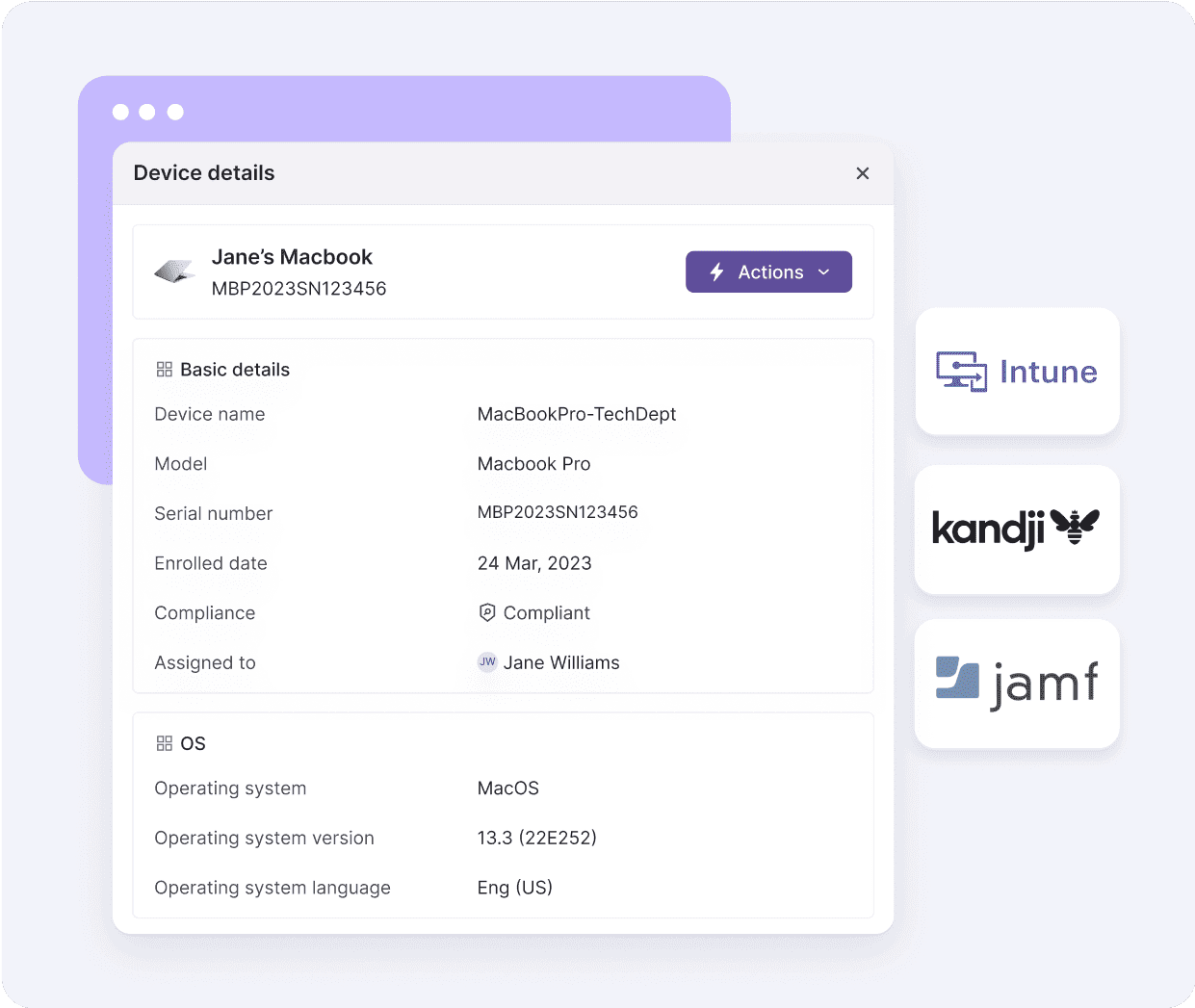
Atomicwork connects service management with asset inventory and AI-assisted workflows. Its asset management offering uses integrations such as Lansweeper and endpoint management systems; confirm the source and refresh interval for the inventory you need.
For an IT service team, the value is connecting the employee, device, and support workflow in the same operational context.
Features that make Atomicwork stand out as an asset management tracking software:
- Asset discovery integrations bring inventory into service workflows. Validate the Lansweeper, Intune, Jamf, or other source needed for each part of your estate.
- Inventory freshness depends on the connected source and synchronization schedule. Test a device change and check how long it takes to reach the service record.
- It tracks your licenses and your costs, showing you where you're spending on things that aren't necessarily being used to best advantage — great for cutting waste without cutting back on necessities.
- Asset and software records help your team follow ownership and lifecycle changes. Confirm the contract and license data available through your integrations.
- Supported integrations connect Atomicwork to your existing tech stack; confirm the actions and fields each connector supports.
- It handles all those tedious manual tasks for you, leaving your team free to work on the projects that really count.
- Use the connected asset and identity context to inform service decisions. Check which security findings come from other tools and what the configured workflow can do with them.
Pricing
Atomicwork’s current Professional plan starts at $25,000/year, billed annually. That is a monthly comparison figure of approximately $2,083. It includes up to 250 end users, 500 devices, and 50 software applications, plus 25,000 AI credits and two AI coworkers.
The $90/employee/year figure appears in an older Atomicwork article. Under that older model, 2,000 employees would calculate to $180K/year. That historical calculation is not a quote under the current plans.
If you have 2,000 end users, request an Enterprise quote. The current Professional allowance does not cover that population. Business covers up to 1,000 end users and 2,000 devices; both Business and Enterprise use custom pricing. Additional AI coworkers are listed at $499/month, so check AI usage and overage terms too.
Here is what its users talk on G2 & Capterra:
✅ The good stuff:
- “The automation workflows saved us so much time — issues get sorted way faster, and it feels super reliable.”
- “The AI features are like having a smart teammate handling asset tracking across teams without breaking a sweat.”
- “Support actually cares and gets back to you quickly. No endless waiting.”
⚠️ The tricky parts:
- “Customizing workflows can be a bit stiff sometimes, especially when things get complicated.”
- “Some integrations aren’t perfect yet — a few connectors need some fine-tuning.”
- “It takes a little time to get the hang of it, but once you do, it’s worth it.”
Atomicwork stands out as an asset inventory tool that really helps teams keep their tech sorted.
Which ITAM tools fit which use case
- Cloud and hybrid IT environments: Cloudaware, Snow Commander, and ServiceNow ITAM are the strongest fits here. Cloudaware is purpose-built for multi-cloud and hybrid discovery with API-based coverage across AWS, Azure, GCP, VMware, and SaaS, making it the leading choice when cloud asset context — cost, compliance, change — needs to live in a single operational record. ServiceNow works well for organizations already standardized on that platform. Snow Commander is a strong pick for teams focused on cloud governance and cost.
- SaaS management and license cleanup: Zluri and Flexera lead on SaaS-specific use cases. Zluri is purpose-built for SaaS spend optimization, duplicate license detection, and app rationalization. Flexera adds strength on the software licensing compliance side for organizations with complex on-prem and cloud software estates.
- On-prem and endpoint-heavy environments: Ivanti, ManageEngine AssetExplorer, and SolarWinds work well for teams with large on-prem footprints or endpoint-heavy environments. Device42 is the strongest choice where network discovery, data center mapping, and CMDB population are the primary goals.
- SMB and growing IT teams: Freshservice, Asset Panda, and Atomicwork fit smaller teams well. Freshservice combines ITSM and basic ITAM in one accessible interface. Asset Panda is strong for hardware-focused tracking at SMB scale. Atomicwork brings a modern AI-assisted service management approach for teams looking to consolidate.
- Large enterprise with complex infrastructure: IBM Maximo is the incumbent for heavy industry and physical asset lifecycle. BMC Helix is the choice for enterprises running BMC's broader ITSM stack. ServiceNow ITAM and Cloudaware both operate at enterprise scale — the distinction is whether the primary need is ITSM workflow integration (ServiceNow) or deep cloud and hybrid asset intelligence (Cloudaware).
How to choose the right ITAM tool for your environment
The vendor list covers 15 options. The harder question is which one fits your specific stack.
- Start with your discovery problem. If your environment spans AWS, Azure, GCP, and VMware, check API coverage, supported resource types, and collection intervals. Host-level software inventory may still require agents or integrations. That rules out a meaningful chunk of the list for enterprise cloud teams.
- Then look at lifecycle depth. Procurement-to-disposal tracking sounds table-stakes, but the gap between tools is real. Some log when an asset was created and that's it. Serious platforms track change history, ownership transitions, cost center movement, and retirement state — so you have a usable record for audit, FinOps, and governance use cases.
- Think about your downstream integrations. If your team lives in ServiceNow, Jira, or Slack, the ITAM tool needs to feed those systems, not sit beside them. Tickets, tag sync, alerts, and cost data should flow automatically.
- Finally, consider the CMDB question. If your organization runs or plans to run a CMDB, you want ITAM data that can populate and enrich it — CI context, related items, change history, and relationship visibility. That's a different requirement from a tool that just exports a CSV.