


An asset can look accounted for and still be operationally lost. The purchase record exists. The cloud resource is live. Its owner changed teams six months ago, and the retirement task never reached security, finance, or the CMDB.
Asset lifecycle management software is supposed to close that gap from request through disposal. The useful products do more than store a serial number. They discover assets, preserve ownership and relationship context, trigger stage-based work, and leave an audit trail someone can defend later.
This guide compares seven tools for distinct operating models: multi-cloud CMDB teams, service-desk programs, software-license operations, SaaS and IT asset management teams, and field asset managers. They are not seven interchangeable products. Start with the kind of asset and decision you need to govern, then compare features.
How we researched this comparison
We reviewed the current product, documentation, and pricing pages linked in each profile on September 22, 2026. The comparison looks at six buyer-facing fields: asset scope, system of record, discovery method, lifecycle workflow, relationship context, and pricing visibility.
This is a desk-research comparison, not a controlled hands-on benchmark. We do not score discovery accuracy, implementation time, or support quality without comparable test evidence. Public prices appear only when the vendor publishes them. Everything else is labeled quote required.
How to choose asset lifecycle management software
Start with the record your team cannot afford to get wrong. A field operations team needs custody, location, inspections, and maintenance. Software asset managers care about installations, entitlements, contracts, and renewals. A hybrid cloud team needs discovered configuration items, ownership, service relationships, cost, and change history. Buying against the wrong record creates a beautiful second inventory nobody trusts.
- Define the asset boundary. List cloud resources, on-prem hardware, user devices, software, SaaS, contracts, and facilities separately. Mark what must live in the platform and what can stay in a connected system.
- Ask how discovery works. API collection, agents, network scans, MDM imports, procurement feeds, and manual scans produce different coverage. Require the vendor to show update intervals and failure handling for your data sources.
- Walk one lifecycle transition. Use a real scenario such as employee exit, server retirement, license renewal, or cloud resource decommissioning. Watch the ownership change, approval, downstream ticket, and audit trail happen in sequence.
Inspect relationship context. An inventory tells you that an asset exists. A CMDB or service model should show which application, owner, environment, control, and cost center depend on it. - Test exception work. Missing tags, duplicate records, orphaned assets, and disputed owners are normal. The winning tool is the one that makes those exceptions visible and assignable.
- Price the operating unit. Compare cost per managed asset, configuration item, user, module, or cloud spend. Build the 12-month quote with implementation, connectors, support, and the modules needed for your actual workflow.
And below, you’ll find 10 examples of solutions that meet these criteria 👇
Seven asset lifecycle management tools at a glance
Use this table as a routing map, not a winner board. A product built for field equipment should not lose points for lacking cloud-service relationships, and a CMDB should not win a barcode workflow it was never designed to run.
| Tool | Best operational fit | Primary record | Pricing status |
|---|---|---|---|
| Cloudaware | Hybrid and multi-cloud IT estates | CMDB and discovered CIs with business context | Public starting calculator; modules affect quote |
| SolarWinds Service Desk | ITSM-led teams | IT assets linked to service workflows | Verify current plan and asset limits |
| Asset Panda | Field, equipment, and fixed-asset teams | Custody, location, inspections, and lifecycle | Personalized quote; seven-day trial stated |
| ManageEngine AssetExplorer | IT inventory and asset operations | IT assets, contracts, and lifecycle records | Public asset-count tiers |
| Flexera One ITAM | Enterprise software licensing and technology spend | Normalized software, entitlement, contract, and risk data | Quote required |
| Zluri | SaaS and identity lifecycle | Applications, users, access, and SaaS operations | Quote required |
| Ivanti Neurons for ITAM | ITAM tied to service and endpoint operations | IT assets, contracts, lifecycle, and workflow | Quote required |
Cloudaware: best for hybrid and multi-cloud asset context
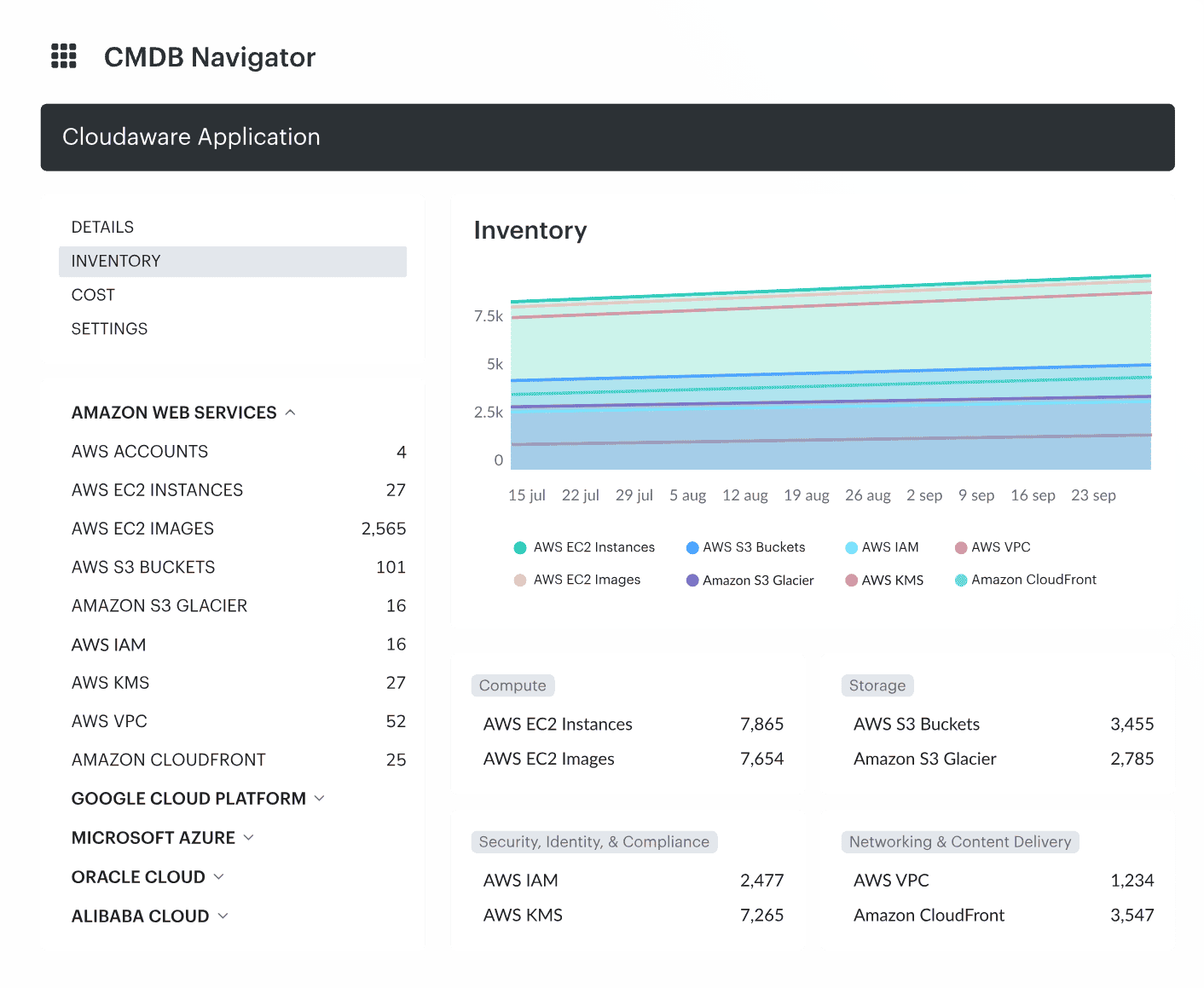
This it asset lifecycle management software sees everything, knows exactly who’s invited, and keeps the troublemakers out. This CMDB is a single source of truth about your assets are on AWS, Azure, Google Cloud, Oracle Cloud, VMware, Kubernetes, Alibaba, or on-prem.
In addition to an automated CIs discovery, it enriches them with data about related assets, Cis cost, CPU usage, patch status, compliance, vulnerabilities, etc. All this in real time and with smart tags. Thus, you instantly know which cloud, app, or department owns a CI.
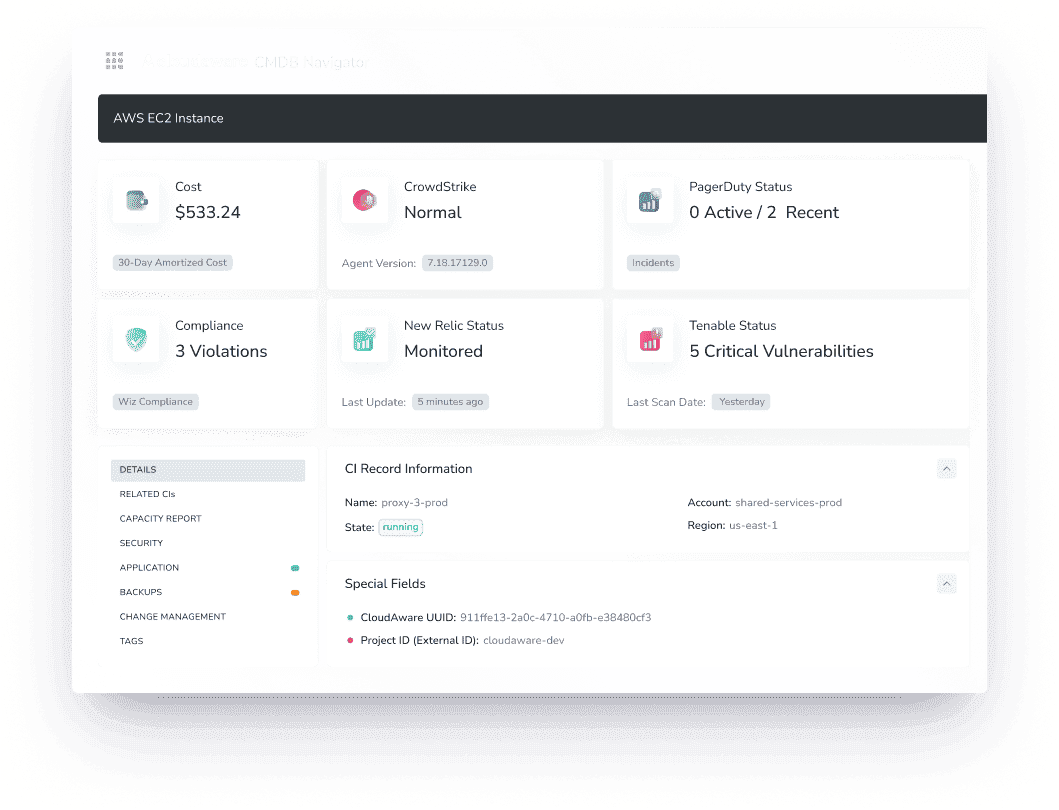
And when something changes, the system sends you automated alerts on Slack, emails or any system you use.
Major players like Coca Cola, Charles Shcwab and NASA swear it.
By pulling data directly from cloud APIs, Cloudaware eliminates the need for installing agents on devices. This means no overhead and potential security risks.
How? With a powerful set of solutions 👇
Features
- Instantly search and navigate hundreds of CIs at any asset lifecycle stage in real time. No more hunting for details.
- Automated tagging and virtual application grouping keep your asset data organized across procurement, deployment, maintenance, and retirement phases.
- Streamlined approval workflows ensure every asset-related change is properly vetted — no surprises.
- Visual analytics dashboards provide clear lifecycle insights, making it easy to spot trends and make informed decisions.
- Configuration tracking captures every tweak or update to your assets, ensuring consistency and compliance throughout their lifecycle.
- Seamless API integration connects asset lifecycle data effortlessly with 200+ services — smooth operations guaranteed.
- Dedicated modules like FinOps help you optimize spending, while Vulnerability Management and CSPM modules keep assets secure at every lifecycle step.
- Additional modules like SIEM, IT Compliance, and Intrusion Detection are ready to go whenever lifecycle management demands deeper security oversight.
Pricing
Cloudaware subscriptions kick off at $200 per month, covering 50 servers and one user. If you're looking at around 100 servers, it's roughly $400 a month.
Good news — you can test-drive the platform first with a 30-day free trial, so you'll know exactly what you're getting into before any commitment.
Check Cloudaware’s value for your company now
Curious how Cloudaware stacks up as an IT asset discovery tool? Here's what real users on [Capterra](https://www.capterra.com/p/159195/CloudAware/#reviews) and [G2](https://www.g2.com/products/cloudaware/reviews) have to say 👇
Pros
- Comprehensive Cloud Management: "Cloudaware is a great tool for managing multiple cloud environments. It provides a centralized view of all our assets."
- Efficient Compliance Tracking: "The compliance tracking features have streamlined our audits, making the process less stressful."
- Robust Security Features: "The security modules are top-notch, helping us identify and mitigate vulnerabilities swiftly."
- Responsive Customer Support: "Their support team is very responsive and knowledgeable, assisting us whenever needed."
Cons
- Learning Curve: "The software comes with Wazuh as the IDS, and the front-end is Kibana-based. It definitely takes some learning and getting used to using Kibana."
- Limited Customization: "While powerful, the platform has limited options for UI customization to fit our specific needs."
SolarWinds
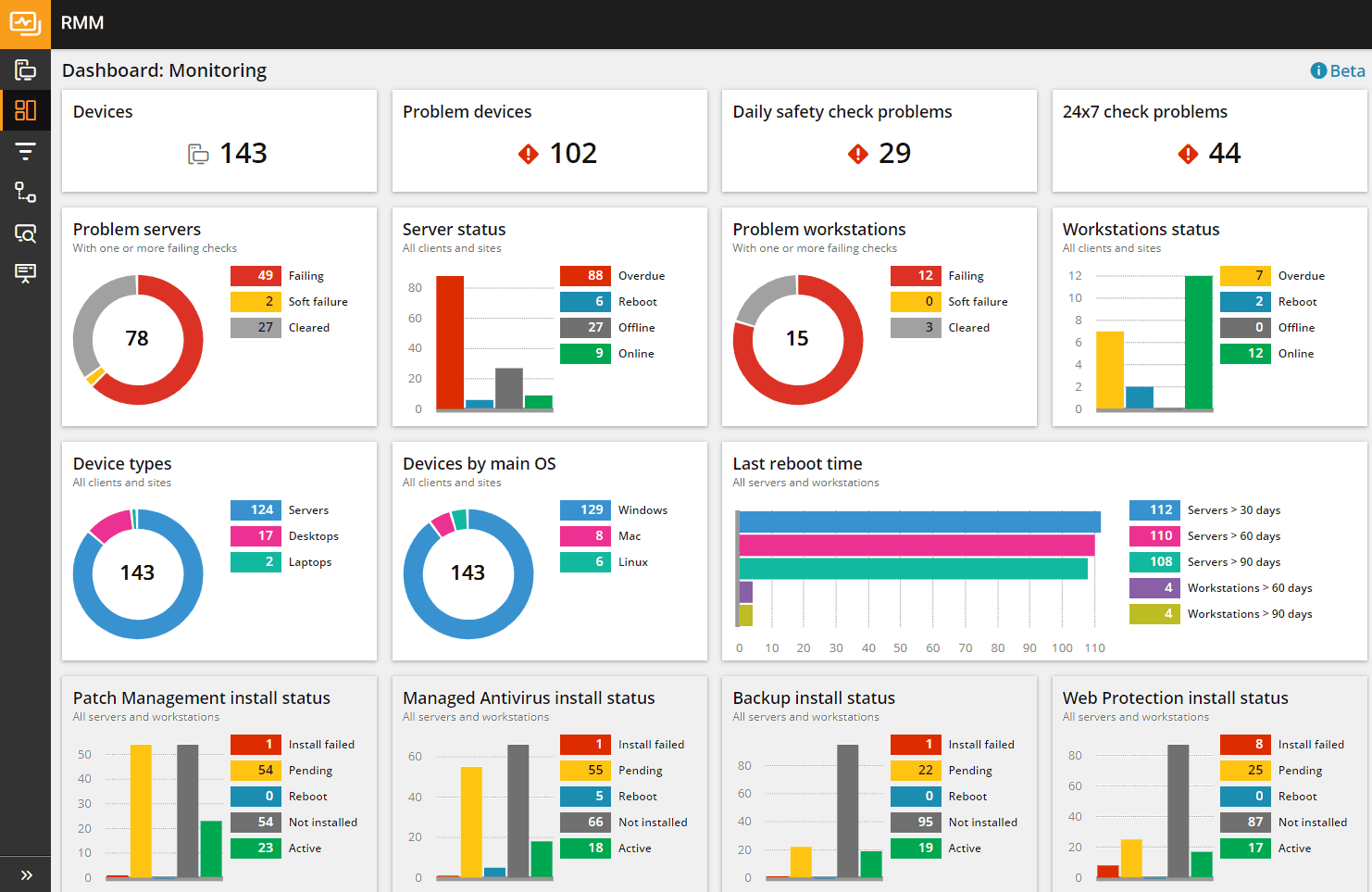
SolarWinds Service Desk belongs on the shortlist when asset records need to sit close to incidents, requests, and service workflows. Treat it as an ITSM-led choice, then verify discovery sources, supported asset classes, cloud depth, and the asset limits in the current plan. It is not the same buying job as a multi-cloud CMDB or a field-equipment tracker.
Asset lifecycle features
- Automated Asset Discovery. Utilizes both agent and agentless methods to automatically detect hardware assets across the network, including desktops, laptops, servers, and network devices.
- Comprehensive Inventory Tracking. Centralizes asset data, covering everything from servers and monitors to office essentials, providing full control over the IT asset lifecycle.
- Software License Management. Offers basic capabilities to track software installations and identify potential license compliance issues, helping avoid audits and optimize license usage.
- CMDB. Maps system dependencies by linking assets as CIs, revealing interactions and impacts among assets.
- Incident and Change Management Integration. Associates assets with incidents and changes, enhancing problem resolution and facilitating impact assessments during updates or outages.
- Reporting and Analytics. Generates reports on asset inventory, usage, and license compliance, providing valuable insights into the IT environment for informed decision-making.
Pricing
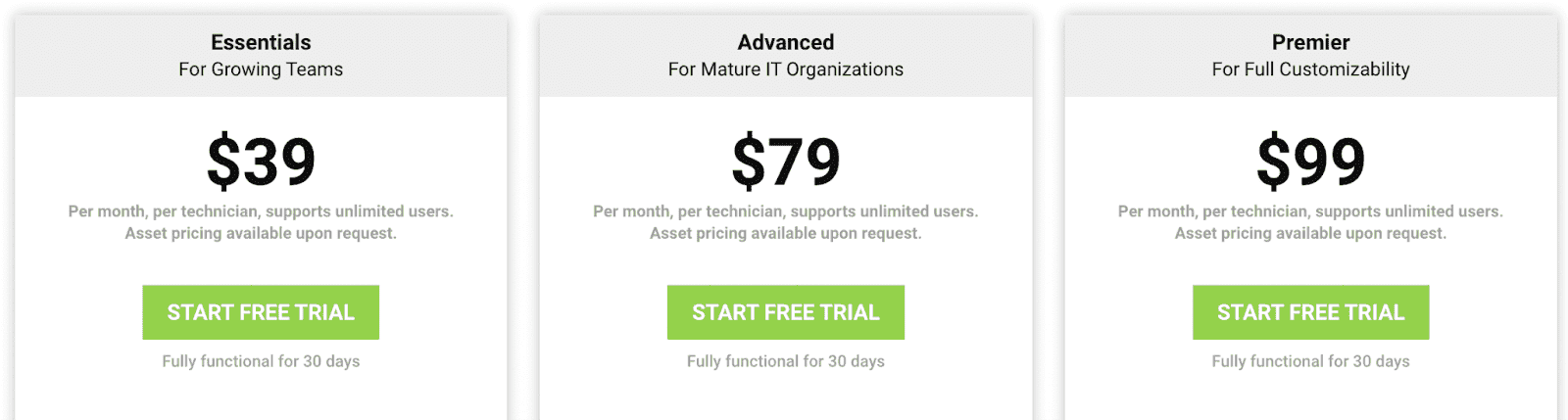
Pricing is based on the number of technicians (agents) using the service. All plans support unlimited end-users, so your entire team can submit tickets without extra charges.
Each plan offers a 30-day free trial to test the waters.
Based on user reviews on Capterra, we’ve collected all the pros & cons of this solution.
Pros
- "We like the ease of use, customer support, the community and the API integration feature."
- "We really enjoy that it is mobile friendly and that we can access it anywhere even when not on our network."
- "The power points in using a hosted solution are functionality, speed, intuitiveness, reliability, and cost-effectiveness."
Cons
- "Getting sometimes confused about where a specific feature may be."
- "I dislike the software management portion of this solution."
Read also: What is service mapping: How It Works & Best Practices for IT Teams
Asset Panda
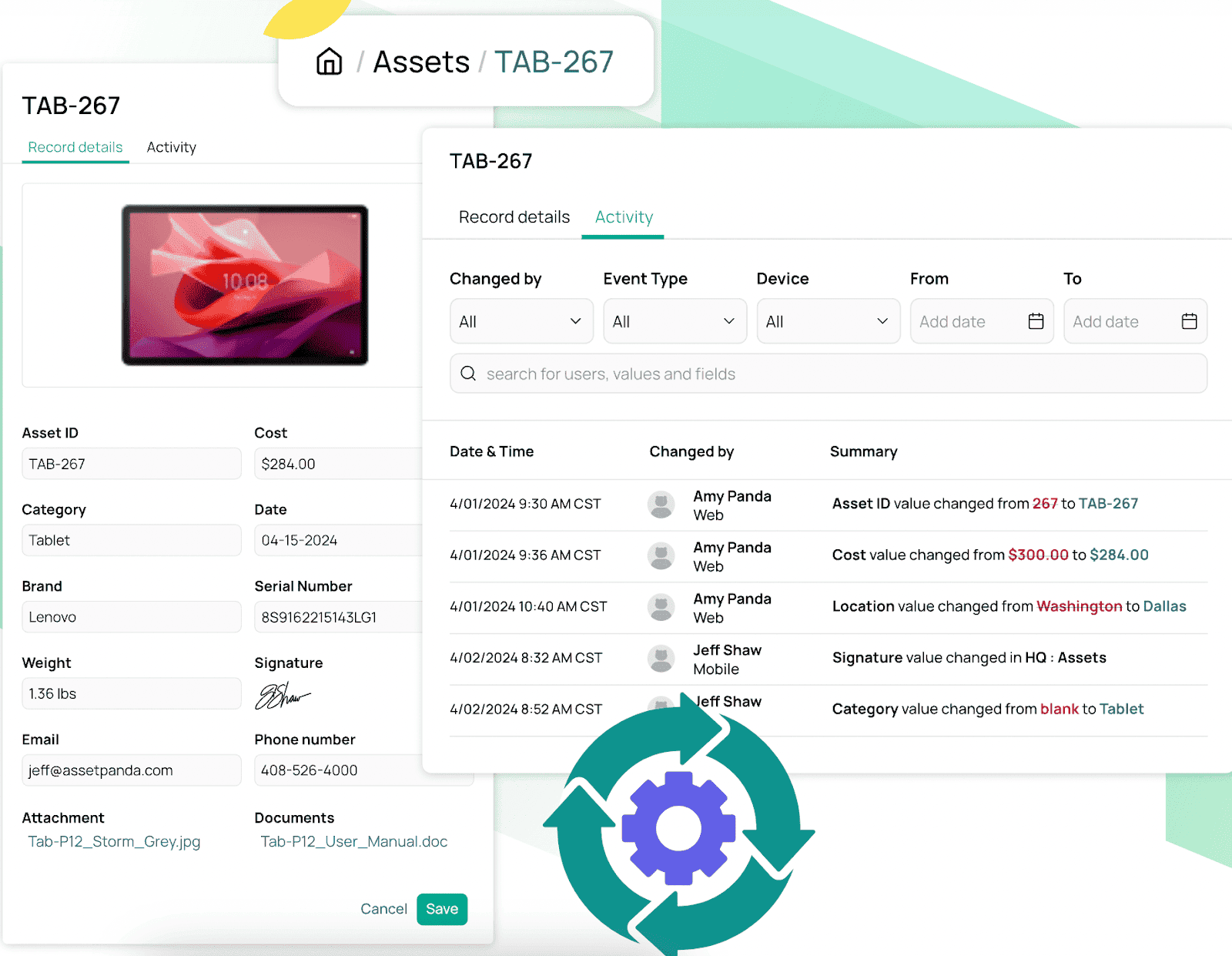
Asset Panda is the field and fixed-asset option in this group. Its current product pages emphasize asset tracking, lifecycle management, barcode workflows, mobile auditing, maintenance, and custody. That is useful for equipment-heavy teams. Buyers who need cloud configuration relationships or deep software-license reconciliation should test those requirements separately.
Asset Panda plays nice with cloud services and is trusted by industries like healthcare, construction, and government agencies to prevent asset chaos. If you’ve got devices, contracts, or maintenance cycles to track, this asset management software has your back.
Asset management features
- Automated Asset Records. Logs everything from acquisition and maintenance to depreciation and final disposal, ensuring seamless asset lifecycle management.
- Preventive Maintenance Scheduling. Sets up work orders and keeps assets from falling into disrepair, minimizing unexpected downtime.
- Custom Reports & Analytics. Real-time dashboards for tracking costs, lifecycle stages, and compliance, giving complete visibility into asset lifecycle.
- Mobile App with Barcode Scanning. Updates asset data instantly, straight from the field, reducing errors in asset tracking.
- Multi-Tenant Setup. Handles assets across multiple teams, vendors, or clients without breaking a sweat, making it a robust asset lifecycle management software.
Pricing
AssetPanda’s pricing scales with your asset management needs. The cost is based on the number of assets tracked, with 500 assets priced at around $1,500 per year. There are no extra fees for adding users, so the whole team gets access without limits.
Customization, API access, and advanced reporting are included in the plans. The starter plan costs about $45 per month for a smaller asset base, while custom plans adjust based on asset volume and features. Flexible pricing ensures you only pay for what you need while keeping every asset in check throughout its lifecycle.
Users on Capterra have shared their two cents, and here's the lowdown:
Pros:
- User-Friendly Interface: "Asset Panda is an excellent solution for a user-friendly asset management and tracking software that is flexible and easy to implement and use long-term."
- Mobile Accessibility: "I find it super easy to add data to my assets, create new assets, create new links associated to assets, and to upload documentation. The app is super user friendly for my field teams to use."
- Comprehensive Reporting: "We chose Asset Panda after looking at several asset management software. We selected Panda because it is easy to use, easy to build reports and has a great price."
Cons:
- Android Support Limitations: "Lack of Android support. Was told the lack of support is due to 'inferior cameras on Android devices' and I would beg to differ."
- Troubleshooting Difficulties: "One-time we had an issue that caused an error, it was difficult to trace, it wasn't immediately identifiable. Once we realized what it was, it took several weeks to get it fixed."
- Session Timeout Concerns: "The service timeouts out your session in under 10 minutes and it becomes annoying to keep having to sign back in."
This asset lifecycle management software ensures that assets don’t just disappear into the void. They stay accounted for, maintained, and optimized for their full lifecycle.
Read also: Top 8 CMDB Benefits: Why Companies Use Multi-cloud CMDB in 2025
AssetExplorer by Manage Engine
ManageEngine AssetExplorer fits teams that want a dedicated IT asset inventory with lifecycle and contract records. Its official pricing page publishes tiers by IT asset count and a 30-day cloud trial. Compare the cloud and on-prem editions carefully, then confirm discovery, software licensing, and service-desk integration for the edition you plan to buy.
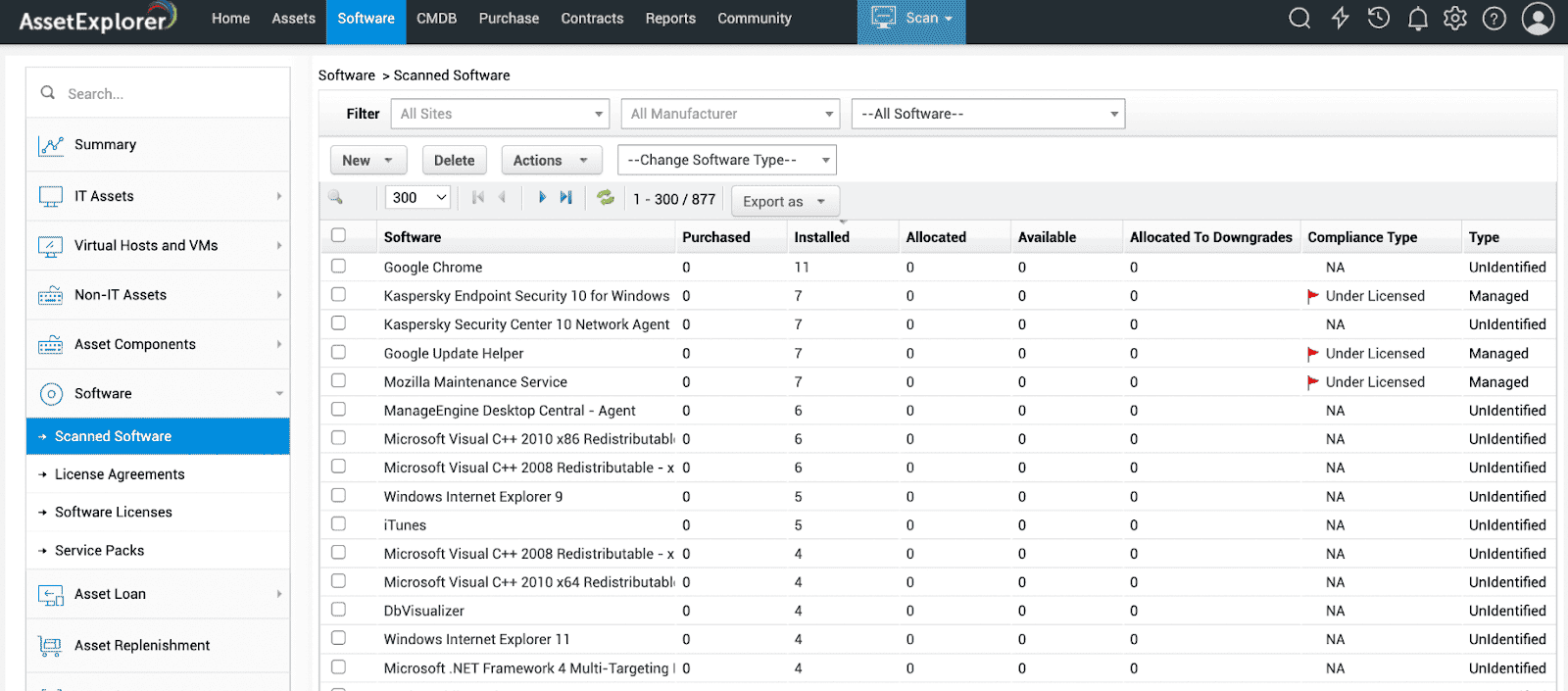
This tool integrates with cloud services and plays nice with ITSM systems, keeping asset data flowing between procurement, finance, and operations. Big players like Fidelity Investments Canada and AMC Theaters use it to streamline asset tracking, cut down costs, and stay audit-ready.
Asset management features
AssetExplorer automates asset discovery, pulling in data via agent-based and agentless methods. It builds a complete inventory, linking assets to CIs so you can map dependencies and spot risks before they explode into outages.
The purchase order module tracks procurement workflows, linking orders to cost centers to keep budgets tight and approvals clean.
Maintenance scheduling ensures assets get serviced before they turn into costly problems, and contract management handles license renewals, warranty tracking, and compliance.
When assets hit the end of the road, retirement and disposal workflows unassign software, reclaim licenses, and make sure nothing lingers as a ghost asset. This lifecycle management approach ensures assets remain optimized throughout their lifespan.
Pricing
For 250 assets, you're looking at a one-time fee of $795. If your inventory grows to 1,000 assets, the cost rises to $2,995. For larger setups, managing 10,000 assets will set you back $11,995. This asset management software pricing structure ensures you're only paying for what you actually use, keeping things straightforward and scalable.
Does it worth it? Based on the insights from Capterra users we’ve collected the key pros and cons.
Pros:
- Easy Deployment and Monitoring: "Easy deployment, report generation of assets, monitoring, easy audit reports generation."
- Comprehensive Features: "Features most desirable are the System Interfaces, password services, remote desktop, and calendar."
Cons:
- Customer Support Response Time: "Customer care takes time to resolve issues."
- Cost Considerations: "We were hoping to use FOSS tool, that would have been more affordable."
Read also: 9 Configuration Management Best Practices for Multi-Cloud Setups
Flexera
Flexera One ITAM is built for enterprise software, entitlement, contract, and technology-spend decisions across hybrid estates. It is the specialist choice when audit exposure and software-license optimization dominate the brief. Ask how much normalization, publisher expertise, and implementation work your portfolio requires before the data becomes decision-ready.
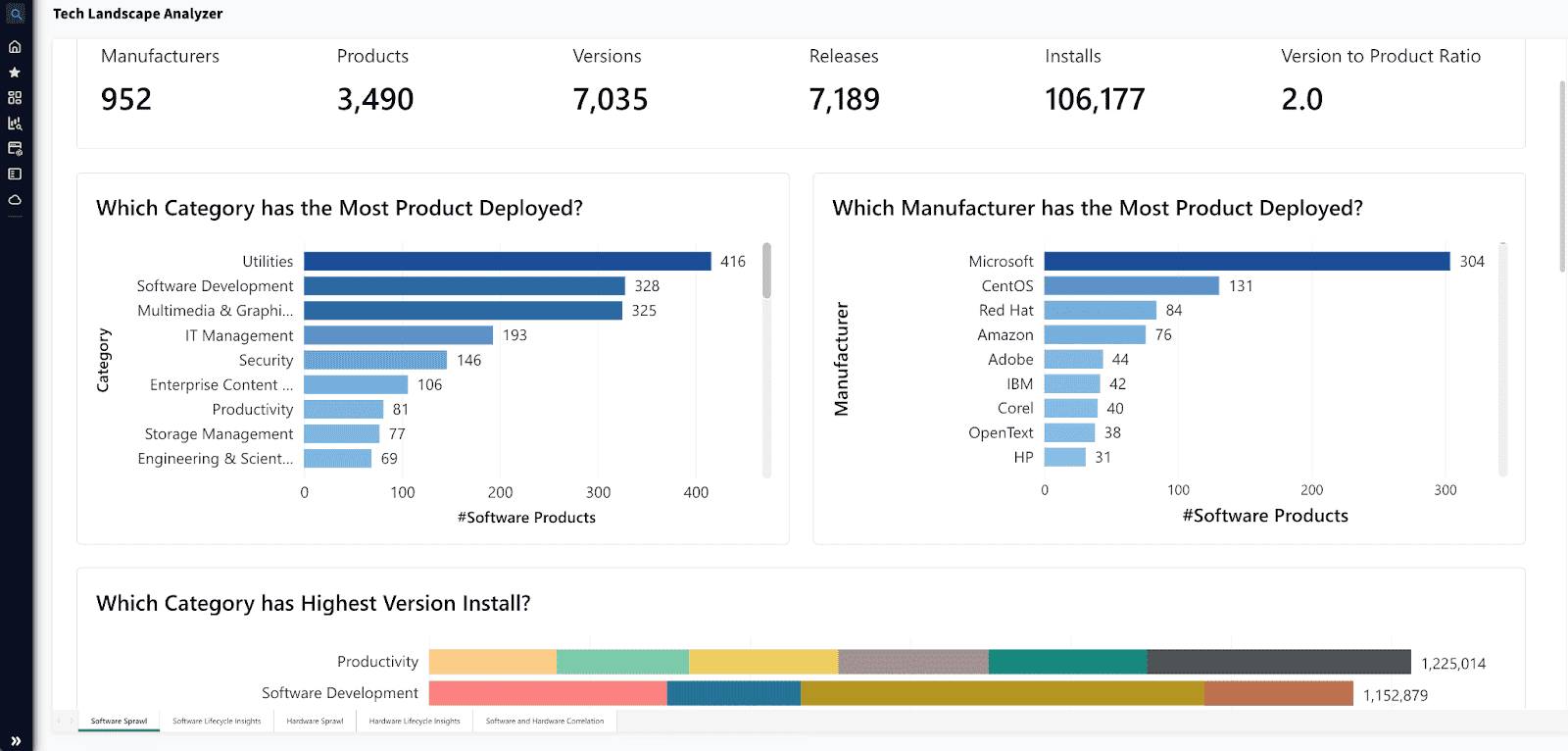
Flexera is trusted by enterprise heavyweights like Ericsson and DBS Bank to optimize software spending, manage cloud resources, and keep audits from turning into nightmares.
Asset Management Features
- Flexera automates asset discovery, pulling in real-time data on hardware, SaaS, and software entitlements. It links assets to configuration items so IT teams can map dependencies and reduce risk exposure.
- The license optimization engine prevents overspending by matching usage data to entitlements, while policy automation keeps compliance in check.
- SaaS management helps cut down on shadow IT and redundant subscriptions.
- From hardware procurement to retirement, Flexera integrates warranty tracking, automates decommissioning, and ensures clean asset disposal.
- The reporting dashboard delivers cost insights and risk analytics, keeping IT strategy sharp.
Pricing
It depends on your organization's specific needs. For instance, managing up to $125,000 in monthly AWS spend costs approximately $40,681 annually. On average, companies invest around $30,410 per year in Flexera's solutions, with some enterprises spending up to $640,000, depending on their requirements. This flexible pricing ensures you get the right fit for your IT asset lifecycle management needs.
Does it worth it? Here is what Flexera users are saying on G2.
Pros:
✅Effective Asset Discovery: "Discovery wise, the product does a good job with asset discovery pulling the data either from the beacons and the agents installed or by getting the data from importing it."
✅Comprehensive Visualization: "Clear Visualization gaining comprehensive view of our technology estates. Risk Mitigation is better for identifying compliance issues and improve governance."
Cons:
❌SaaS Management Maturity: "SaaS manager is not mature yet, a lot of the features still need more development especially the dashboards and the customization of the metrics and filters."
❌Learning Curve: "The learning curve seems huge. For onboarding Java developers, we need more examples, scenarios, boards where devs can talk and ask questions etc."
With Flexera, IT asset lifecycle management isn’t just about tracking assets — it’s about making sure they’re optimized, compliant, and working as hard as your team.
Read also: What is CMDB Discovery. 10 best practices for cloud infrastructure
Zluri
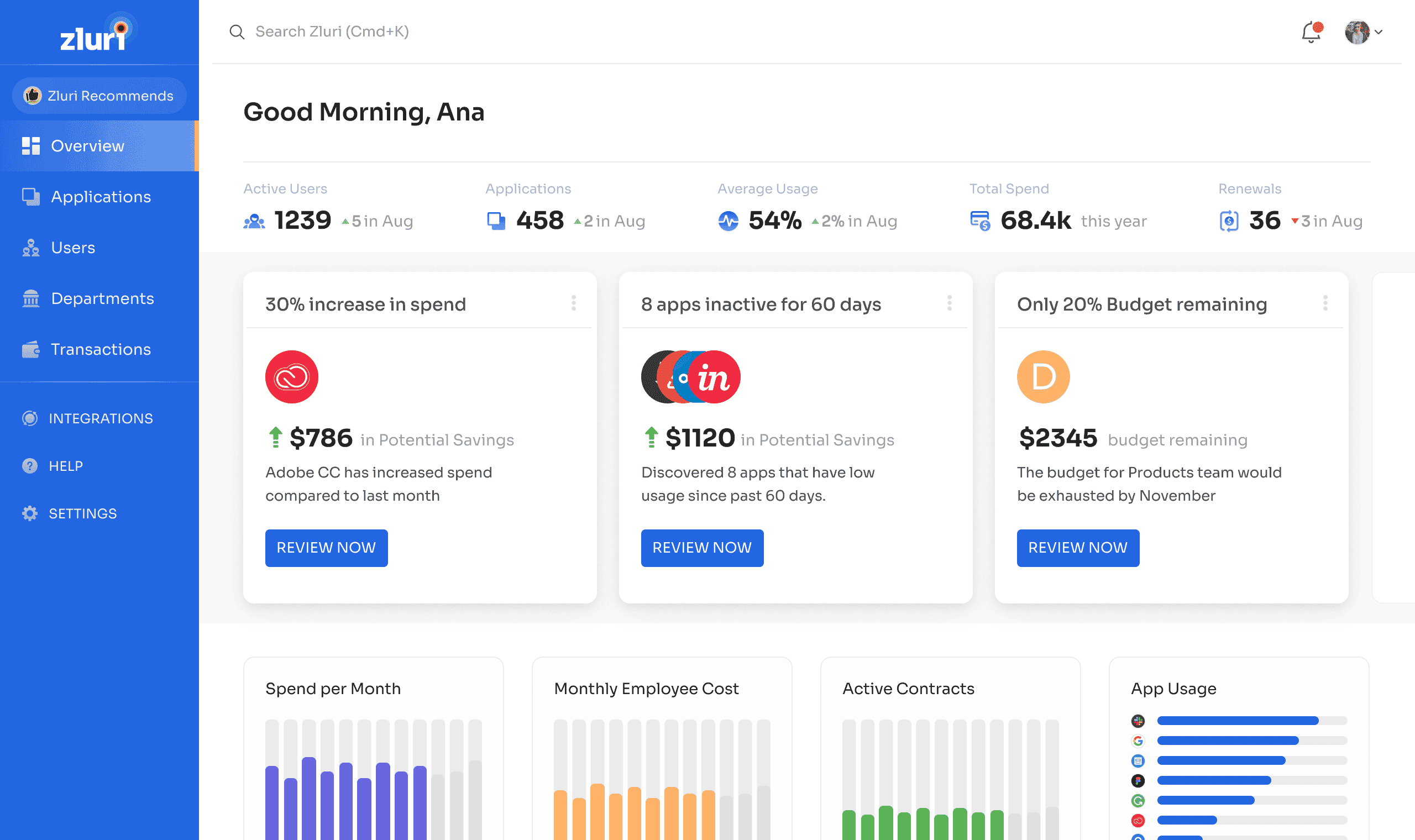
Zluri now positions itself primarily around identity governance, access lifecycle, and SaaS management. It belongs on this shortlist when the asset-lifecycle problem centers on applications, users, access, and SaaS spend. It is not a broad replacement for infrastructure discovery, CMDB relationships, or field-asset operations.
Asset management features
- Automated asset discovery in a real-time, so no shadow asset goes unnoticed.
- License asset management and optimization. Zluri tracks software licenses and compares entitlements against actual usage, so can see underutilized licenses.
- The platform automates software access to new employees and revoking access when they leave. Thus, only authorized users can access critical applications.
- Zluri centralizes vendor information, contract details, and compliance documentation.
- And surely, you’ll get tailored alerts and comprehensive reports on software usage, upcoming renewals, and compliance risks.
Integrating Zluri into your IT asset lifecycle management strategy brings 100% visibility over the entire lifecycle of your software assets. You’ll see everything: from procurement and deployment to maintenance and retirement.
Pricing
Zluri's asset management pricing isn't placed openly on its site. They engage visitors to talk to sales first to offer you the most suitable plan. But, if you are not in the mood for talking, here is what the web says: the basic plan of assets lifecycle maintenance for a year would cost you $35,000.
On top of that, internet says that sometimes its users got hidden or unexpected charges when using Zluri's services. So if you’re interested, it is better to talk to their team.
Here are what Zluri users say about this software on G2:
Pros
✅ “The program itself has a user friendly UI, easy to navigate.”
✅ “The ability to centralize application's information on a single UI with the ability to have financial overview of costs and licenses for each product.”
✅ “Sources, it helps to have one or a combination of tools, that can provide useful info about the status of a user”
Cons
❌ “Depending on the size of the SaaS estate at your organisation, it can also be a garguantian task to implement Zluri, especially so if you're moving from a fairly disorganised and unreliable source such as Excel or Google Sheets.”
❌ “I'm hopeful that Zluri can expand its API scopes for some core applications. In an ecommerce business, there is usually 4 primary tools (ERP, Ecommerce, CRM, and Integration). The scopes for some of these platforms are so limited that we cannot leverage the full capabilities of Zluri.”
Read also: Master IT Inventory Management in 2025. Expert Hacks & Tools
Ivanti
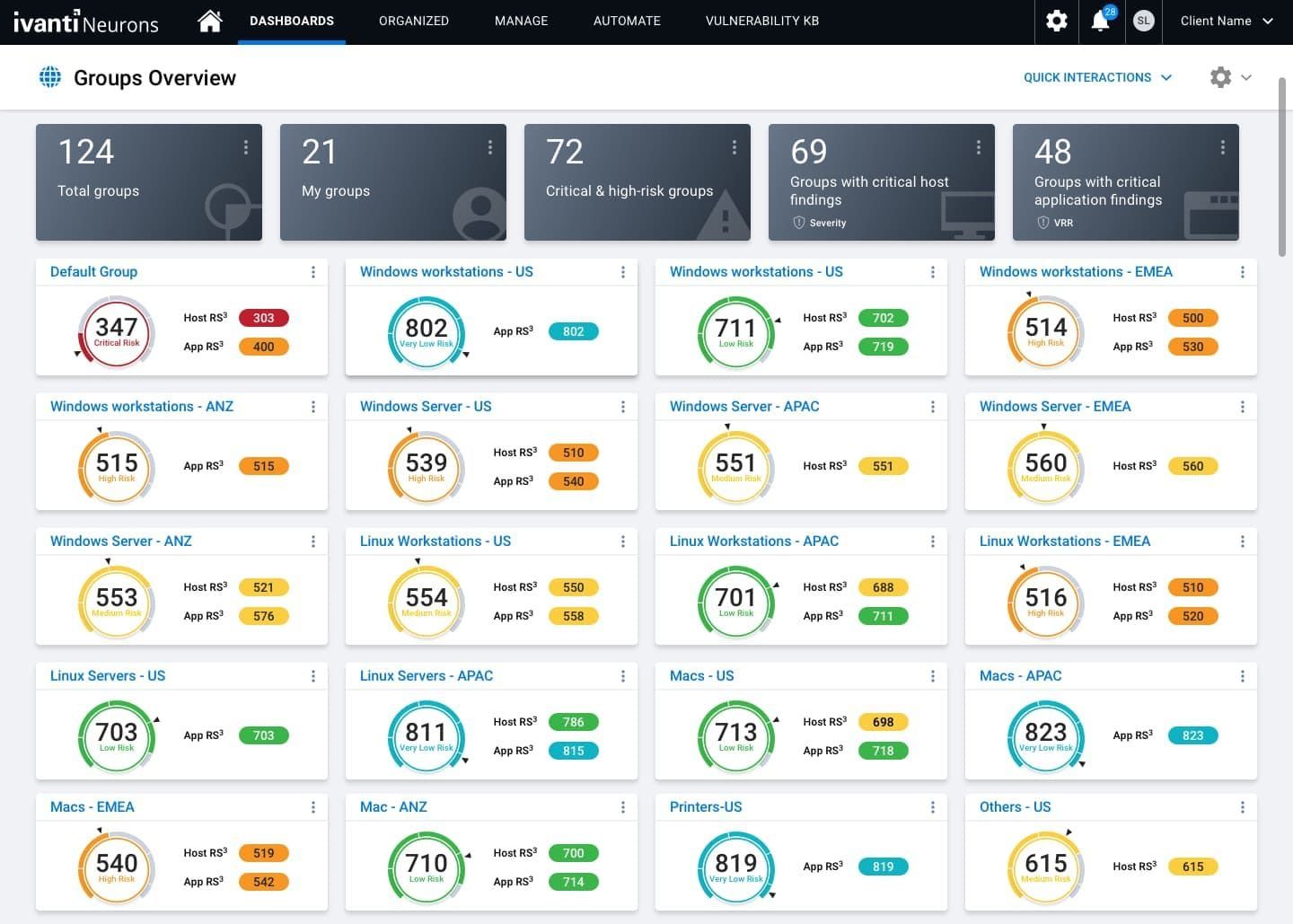
Ivanti Neurons for ITAM fits an enterprise that wants asset and contract records connected to service, endpoint, and workflow operations. Verify the exact discovery sources, reconciliation model, software-asset depth, and modules included in the quote. The buying advantage is ecosystem fit, not a claim that one suite covers every lifecycle equally well.
Big players like the City of Seattle use Ivanti to streamline everything: from procurement processes and vendor relationships to license audits and compliance reporting. Need to track ownership? Manage budgets? Forecast future spend on tech assets? Ivanti is a great solution.
Software features
- Real time asset discovery & inventory of hardware, software, and virtual assets.
- Tracking of asset's lifecycle from procurement and deployment to maintenance and retirement.
- Contract and vendor management.
- Integration with ITSM and CMDB.
- Mobile app for managing IT assets remotely.
Pricing
Ivanti offers both cloud-based and on-premises deployment options, with licensing models that can be subscription-based or perpetual.
For instance, on the Microsoft Azure Marketplace, Ivanti Neurons for ITAM is listed starting at $4.20 per user for a one-year subscription. Additionally, a subscription license for Ivanti Neurons for ITSM Enterprise is priced at $4,673.99 for one concurrent analyst.
Given the variability in pricing based on deployment preferences, number of assets, and required features, it's advisable to contact Ivanti directly to obtain a customized quote that aligns with your enterprise's specific needs.
Does it worth it? Here is what Ivanti asset management users tell on G2.
Pros
✅ “It has fairly easy patch and device management, and the settings/task are configurable to our company's needs in an easy-to-use manner.”
✅ “The forums were helpful, and the support was good.”
Cons
❌ “Initial implementation cost is very high compared to other vendors.”
❌ “Sometimes the software packages don't always work.”