



Last updated September 8, 2026 · Reviewed by Alla L., Technical Account Manager at Cloudaware
Short answer: There is no single best CMDB in 2026. There is a best CMDB for the failure mode you are trying to prevent next quarter. For cloud and hybrid governance, Cloudaware leads. For ITSM-led shops already on ServiceNow, ServiceNow CMDB fits. For discovery-first, infrastructure-heavy estates, Device42 fits.
We tested all 13 tools hands-on and scored them on discovery, relationships, data accuracy and total cost. Pick the pain first, then pick the tool.
Choosing a CMDB is simple until you’re three demos deep and every vendor is promising a “single source of truth.”
Then reality shows up. One tool is built for ITSM-heavy service desks. Another is better in asset inventory but weak on cloud context. Another looks polished till the moment you ask how it handles fast-changing infrastructure, cross-cloud relationships, ownership data, or compliance evidence.
That’s where most CMDB projects start drifting.
This guide breaks down 13 CMDB tools for teams that need more than a static inventory. We’re looking at what matters when the environment is real: CMDB discovery, CI relationships, hybrid support, workflow depth, pricing model, and day-two usability.
This short list will help you narrow down your options more quickly, whether you have a classic enterprise stack, a hybrid estate, or a messy multi-cloud setup with too many accounts and not enough clean ownership data.
If you need the complete concept, data model, and implementation workflow, read what a CMDB is. This page serves a different job: comparing products by discovery coverage, reconciliation, relationship depth, service context, workflow fit, implementation effort, and operating cost.
Selecting the best CMDB software characteristics
Everything I’m about to tell you comes from the endless whiteboard sessions, late-night Slack threads, and real-talk syncs I’ve had with the enterprise cloud architects and DevOps leads I work with as an ITAM pro. These are the actual things they’ve ranted about — what’s broken, what saves their hide, and what they wish someone told them before their last CMDB rollout.
Choosing the right isn't just a box to check when you buy something; it's the difference between flying blind and having mission control. When your environment includes clouds, regions, tenants, and that random legacy system that no one wants to own, config data isn't just "nice to have." It's the heartbeat of your business.
What is CMDB software?
**CMDB software stores configuration items, their attributes, and their relationships so teams can understand service impact and govern changes. **
That means it doesn’t just tell you what exists. It helps you understand how infrastructure, applications, services, owners, changes, and dependencies connect.
A good CMDB is the operational map that guides incident response, change management, audit preparation, and service visibility.
A weak one turns into a very costly spreadsheet that doesn't trust you.
Inventory may be enough if all you need is a list of devices or cloud resources. But if you need to know how changes to infrastructure affect service risk, find dependencies, or understand impact, that's CMDB territory.
Check the insights we have collected on how to apply it in 2026 in the main guide on CMDB that includes all the questions starting from what is CMDB to its implementation within hybrid multi-cloud environment.
CMDB vs asset inventory vs ITAM
These three get lumped together all the time, but they solve different problems.
- Asset inventory answers a basic question: what do we have?
- IT asset management goes further. It tracks lifecycle, ownership, usage, renewals, licensing, cost control, and operational hygiene.
- CMDB software adds the missing connective tissue. It maps relationships between configuration items, records change context, and helps teams see how one system affects another.
So, a spreadsheet with a laptop? That is a list of things you have.
A cloud instance that is connected to its application, owner, cost center, vulnerability status, change history, and upstream dependencies? That's a CMDB doing its job.
Inventory alone won't be enough if your team needs impact analysis, service visibility, and better governance.
Traditional CMDB vs cloud CMDB
- A traditional CMDB was built for infrastructure that changed on a schedule.
- A cloud CMDB has to survive infrastructure that changes before your coffee gets cold.
That’s the difference.
Traditional platforms tend to work best in places where changes happen more slowly, ITSM workflows are more complicated, and changes are easier to predict. Cloud-first teams often need more than just that: faster sync, stronger cross-platform normalization, and more useful context around each CI.
In the cloud, "server" is never the whole story.
You need to know who owns it, what it does, how much it costs, what changed, what policy it breaks, and what will happen if it goes missing.
That's why people who want to buy a modern CMDB should look beyond the word "discovery" and ask tougher questions:
- How new is the data?
- Does it work with both cloud and on-premises?
- Does it make clear maps of relationships?
- Can it connect CIs to owners, spending, and the way things are run?
- Does it help with audits and change control, or does it just look busy in pictures?
Cloudaware’s own CMDB positioning leans into exactly that: hybrid and multi-cloud coverage, cost data, governance policies, ownership, and dependency context in one model. Its product page explicitly frames the platform as CMDB software for hybrid and multi-cloud environments and says it unifies AWS, Azure, GCP, Oracle, Alibaba, and on-prem assets with cost and governance data.
Methodology: How we evaluated these CMDB tools
This isn’t a roundup pulled from vendor sites. The shortlist below comes out of the work the Cloudaware solutions team does every week with the cloud architects and DevOps leads we onboard. We score each tool against the six things those teams ask about before signing anything:
- Discovery depth — does it find assets on its own, across cloud and on-prem, or does it depend on imports?
- Relationship mapping — can it represent service → infrastructure → owner → dependency in a way an SRE will trust at 2 a.m.?
- Hybrid coverage — does it treat cloud and on-prem as first-class, or is one bolted on?
- Governance + cost context — does the CI carry the cost, patch, and compliance signal alongside the configuration?
- Audit readiness — can it produce evidence on demand for SOC 2, ISO 27001, FedRAMP, DORA, or PCI without a heroic export?
- Total cost over 12 months — not list price; the real number, including discovery licences, implementation, and the human who keeps the data model honest.
We weighted discovery + relationships most heavily. Anything that fails those two doesn’t make a credible CMDB regardless of marketing.
Key characteristics of a great CMDB:
- Finding assets in real time. Not syncing every night. Not every week. Right now. Let's be honest: assets move up and down faster than your team can open a JIRA ticket. If the tool can't find a new container before it disappears, it's not for you.
- Check if the tool can really talk to everything in your stack, like your on-prem relics, cloud-native services, AD, EDRs, ticketing systems, and IaC repos. CMDB magic only happens when data flows from all over the place without the need for duct tape and a thousand scripts.
- You also need a way to see related items without having to squint at JSON blobs. A good configuration management database tool should show how things are connected, like how this EC2 connects to that RDS, which connects to this VPC, which was set up by that Jenkins job. In that context, incident response and change control feel like strategy instead of whack-a-mole.
- Tagging, both automatic and manual. Good tools let you enforce tagging rules across all clouds and mark assets that don't follow naming rules. Great tools let you use workflows, budgets, or compliance controls to act on those tags.
- How you align tech with business is through custom CI grouping. Make views based on cost centers, environments, applications, regions, or anything else your Ops, Sec, and FinOps teams need. The best CMDB tools don't make you use a certain model; they let you make your own.
- You need to be able to automate your workflow, keep track of changes, see vulnerabilities, detect intrusions, and get good reports—all of which should come with the software.
This isn’t a wishlist — it’s what separates scalable CMDBs from spreadsheet graveyards.
And here is a quick overview of the best CMDB tools that meet this criteria if you don’t have time to read it all 👇
Comparison table of the best CMDB tools
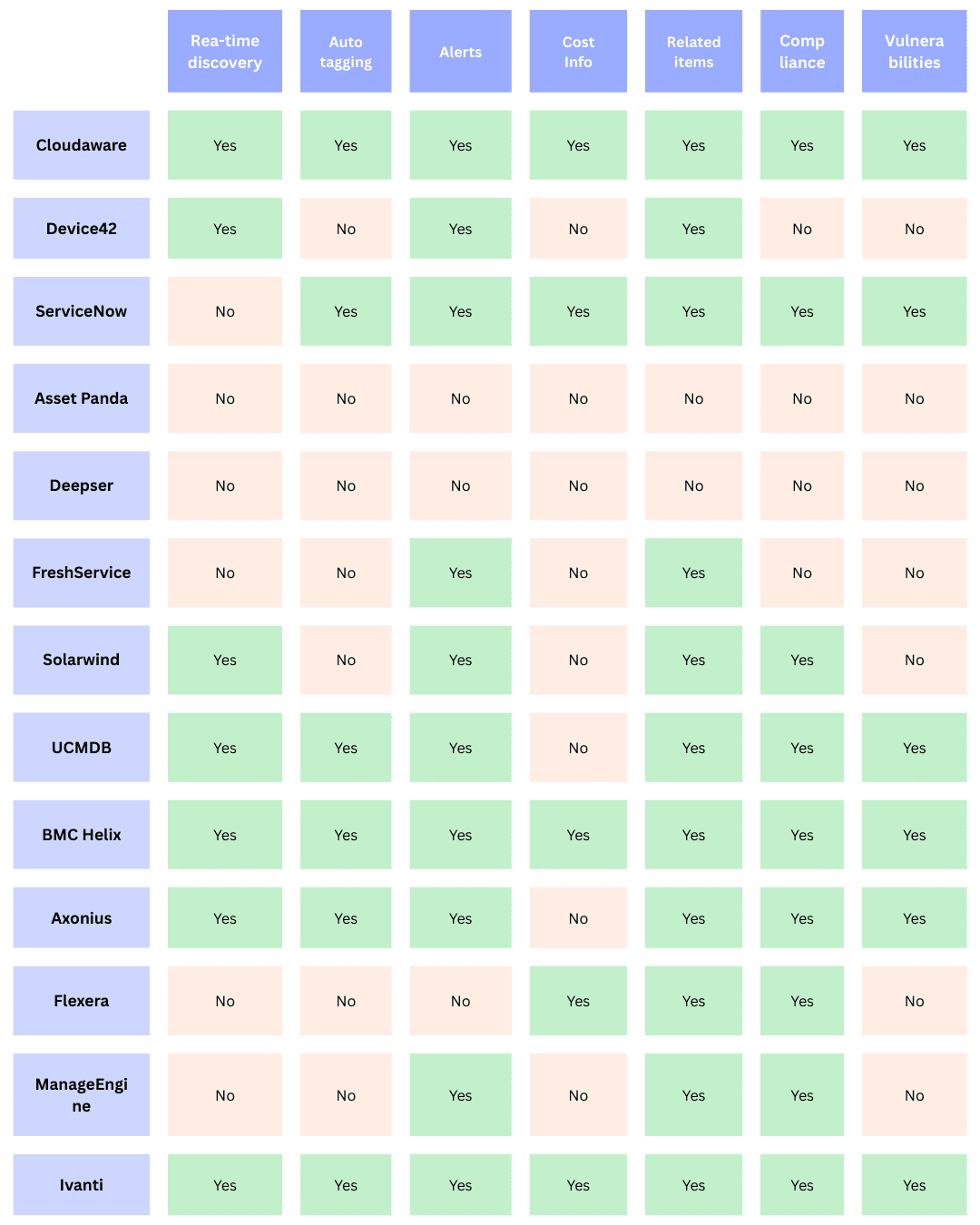
| Tool | Best for | Environment fit | Core angle |
|---|---|---|---|
| Cloudaware | Hybrid and multi-cloud enterprises | Cloud + on-prem | Real-time discovery, enriched CIs, governance, cost and compliance context |
| Device42 | Infrastructure-heavy discovery projects | Hybrid | Discovery-first CMDB with dependency visibility |
| ServiceNow | Large ITSM-led enterprises | Hybrid | CMDB inside a broader enterprise workflow stack |
| Asset Panda | Asset-centric teams that need flexibility | Mixed | Asset management-led approach with tracking and workflow support |
| Deepser | Mid-market service teams | Mixed | ITSM + CMDB blend for teams that want breadth without enterprise sprawl |
| Freshservice | Teams that want fast adoption and cleaner UX | Mostly ITSM / mixed | Easier-to-adopt ITSM-first CMDB for growing service teams |
| SolarWinds | Ops teams already living in monitoring ecosystems | Mixed | Monitoring-adjacent visibility with CMDB relevance |
| UCMDB | Enterprise dependency mapping programs | Hybrid | Large-estate service and dependency modeling |
| BMC Helix CMDB | Enterprise IT environments with complex service models | Hybrid | Mature enterprise CMDB with strong service-management roots |
| Axonius | Teams focused on cyber asset visibility | Cloud + endpoint-heavy | Asset intelligence first, CMDB-adjacent value second |
| Flexera | Asset, license, and optimization-heavy organizations | Hybrid | ITAM/SAM strength with CMDB relevance |
| Manage Engine | IT teams balancing breadth and budget | Mixed | Broad IT operations suite with accessible CMDB capabilities |
| Ivanti | Enterprises that want ITSM plus mapping and automation | Hybrid | Service management, discovery, and automation mix |
Use this table as a shortlist, not a final verdict. Some platforms are strongest when CMDB lives inside a broader ITSM motion. Others make more sense when the real problem is hybrid cloud visibility, service dependencies, or governance at scale.
13 best CMDB tools for 2026
| Where the pain is | Shortlist | Why |
|---|---|---|
| Cloud and hybrid governance across accounts | Cloudaware | Agentless multi-cloud discovery, CI relationships, drift you can act on |
| ITSM-led shop already on ServiceNow | ServiceNow CMDB | Native CMDB tied to change and incident workflows |
| Discovery-first, infrastructure-heavy | Device42 | Deep auto-discovery and dependency mapping |
| Mid-market service team wanting ITSM plus CMDB | Freshservice or Deepser | One suite, lighter setup |
| Audit and compliance pressure | BMC Helix or Flexera | Governance depth and normalization |
| Cybersecurity asset visibility | Axonius | Aggregates asset data from security tools |
| Free or open-source | GLPI, i-doit Open, Faddom | Real CMDB features at zero license cost |
| Cloud-heavy teams usually start with an agentless CMDB that reads every account. The tool maps what exists, how it connects, and what drifted from baseline. |
Cloudaware CMDB
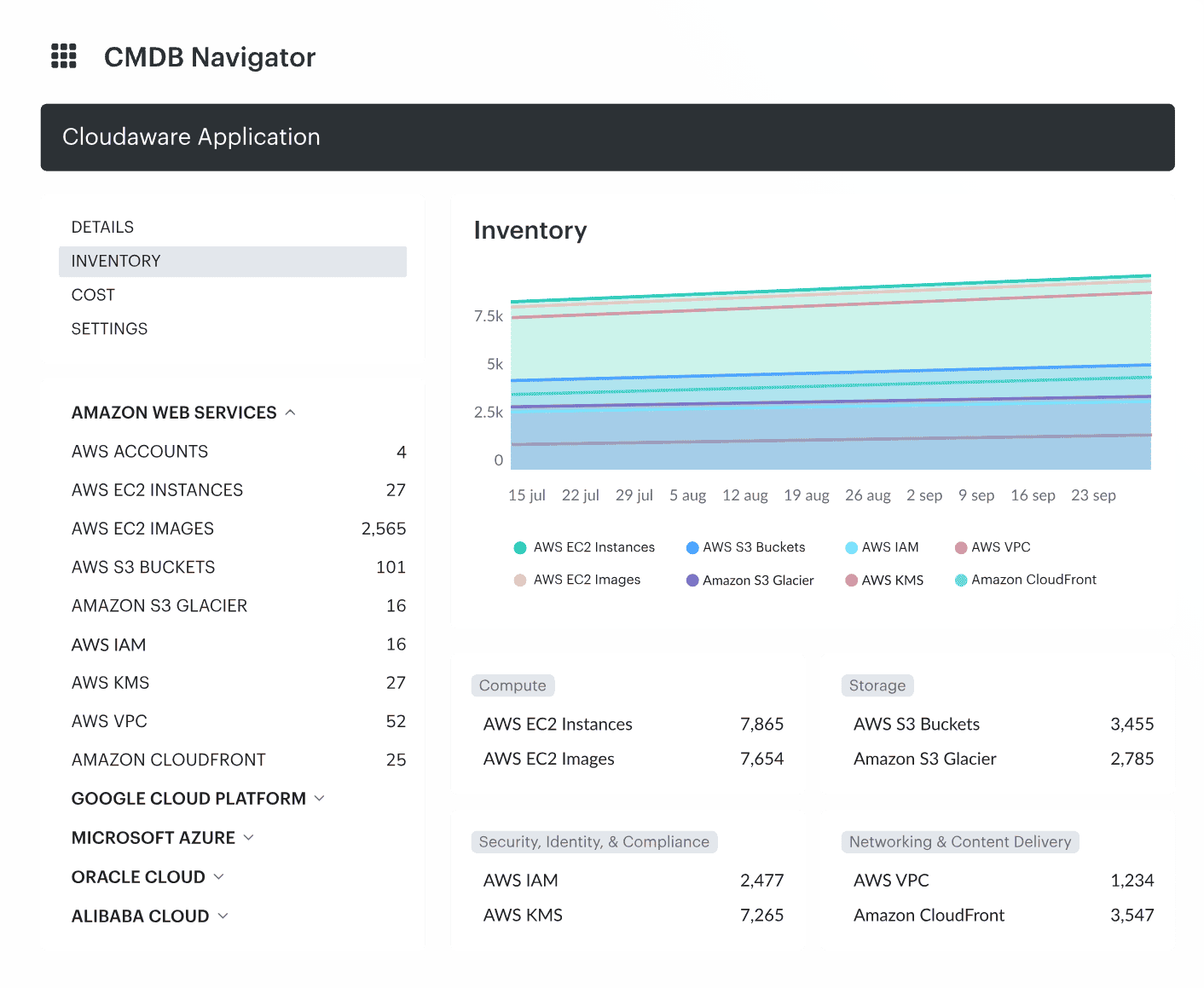
Cloudaware CMDB actually gets what you're up against — stitching together AWS, Azure, GCP, Oracle, even Alibaba, plus your on-prem fleets. And yeah, it connects to all of it without breaking a sweat. That level of integration? Most old-school tools can’t even look it in the eye.
But what really makes Cloudaware shine? It doesn’t just list your configuration items — it enriches them. We’re talking real-time configuration insights: cost data, patch status, CPU load, open vulnerabilities, usage metrics — all baked into each CI. It's like turning on X-ray vision for your infrastructure.
Take an EC2 instance. With Cloudaware, you’re not just seeing “EC2 - running.” You’re seeing:
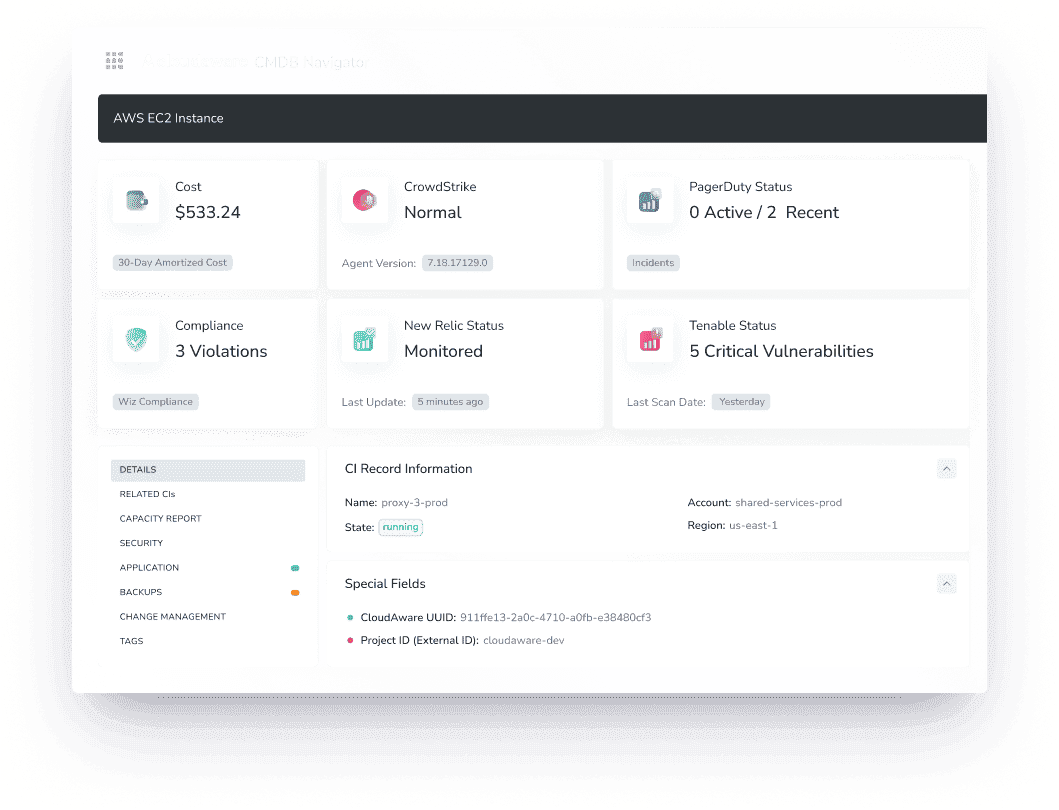
Boom — full context. No need to chase six tools or ten team members for it.
And this isn’t theory. Coca-Cola used Cloudaware to tame sprawling cloud sprawl and bring cost accountability down to each cloud account. NASA? Yeah, that NASA — they leaned on Cloudaware to build a secure, audit-ready CMDB across isolated environments. And ServiceChannel brought order to thousands of assets and made their security posture visible company-wide.
So if you’re juggling asset lifecycle, compliance, budgets, and drift across clouds and legacy boxes — Cloudaware doesn’t just keep up. It keeps you sane.
It’s the CMDB that knows what hybrid hell feels like — and has your back through it.
CMDB solutions
👉 Discovery of every CI in real time — no lag, no schedules, no digging. Whether it’s just spun up, running hot in prod, or about to be decommissioned, you can find it instantly.
👉 With automated tagging and smart app-level grouping, your asset data stays neat and meaningful through every phase — from that initial PO to its final shutdown. Surely, you can always control and change whatever you want manually.
👉 Workflow automation — every tweak, upgrade, or sunset comes with a full paper trail and the right approvers in the loop. Plus, real-time alerts keep your team in the know the moment something shifts — config drifts, unplanned changes, or critical updates won’t go unnoticed or unapproved.
👉 Dashboards? Built for clarity. You get lifecycle trends, aging infrastructure signals, and cost spikes at a glance. It’s not just visual — it’s operational awareness that actually helps you decide, not just observe.
👉 And config tracking? Every single modification gets logged. We’re talking full version histories, not just “last modified by Jenkins.”
👉 API-wise, the connections are endless. 200+ services can hook right in, including AWS, Azure, Google Cloud, Oracle Cloud, VMware, Kubernetes, Alibaba, or on-prem.
On top of that, you’ve got specialized modules dialed in for enterprise-grade ops:
- FinOps to slice and dice cloud spend across apps, teams, and time.
- Vulnerability Management and CSPM to keep your assets locked down without slowing you down.
- And if things escalate? You’ve got SIEM, IT Compliance, and Intrusion Detection ready to deploy — no scrambling for new tools mid-incident.
Teams can also query this CMDB from an AI assistant. The Cloudaware MCP server gives Claude, ChatGPT and other MCP clients five read-only tools: they find the right CI types and fields, map relationships, and then run the query. Nothing in the CMDB or the cloud accounts changes.
Pricing
Cloudaware’s CMDB pricing is server-based, starting at 50 servers and 1 user. For example, for 100 servers, the cost is about $400/month. Want to check how much it would cost for your infrastructure? There’s an easy-to-use calculator on the pricing page.
The platform offers a 30-day free trial to explore its capabilities.
Check Cloudaware’s value for your company now
Pros and Cons
✅ “One of the standout features of Cloudaware is its ability to handle multiple cloud providers. Whether you use Amazon Web Services (AWS), Microsoft Azure, Google Cloud Platform (GCP), or a combination of these, Cloudaware seamlessly integrates with each of them” G2
✅ “Deployment experience and app management in Amazon Web Services is a pretty smooth experience.” G2
❌ “The platform offers extensive functionalities, and users may need time to become fully comfortable and proficient with all the features.” G2
❌ “The usage analytics dashboard could be slightly improved.” G2
Device42 CMDB
Device42 helps businesses track their IT assets and configs in on-prem and cloud environments. It also tracks their dependencies. This configuration management database brings visibility, control, and automation to complex IT infrastructures. Companies use Device42 to streamline operations, improve asset management, and ensure compliance. All while reducing risk.
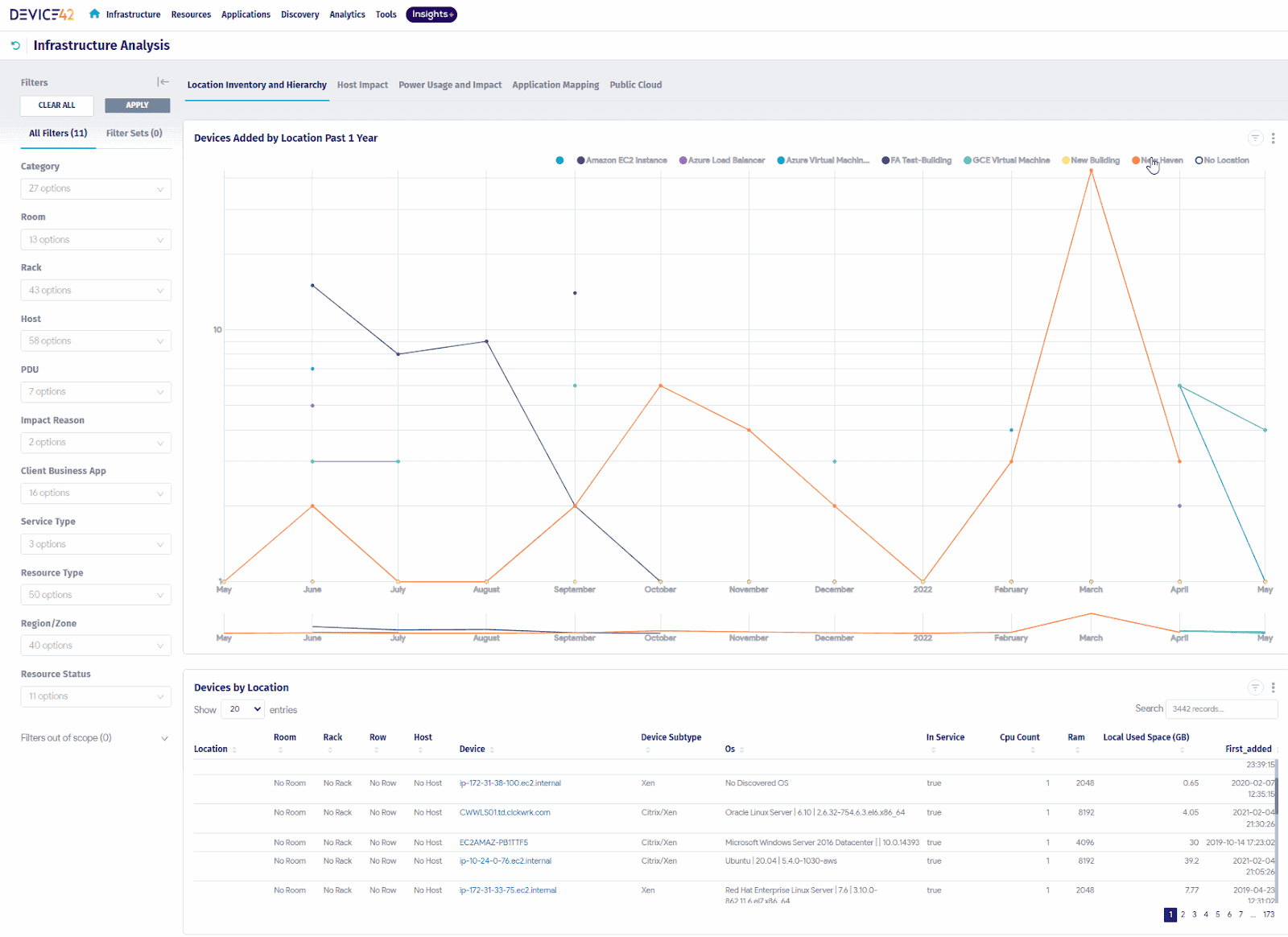
As a CMDB tool, Device42 has been a game-changer for teams dealing with sprawling infra and tangled ownership.
In one case, a Fortune 500 telecom used Device42 to build a configuration management database from scratch after realizing half their CIs weren’t documented. Device42 auto-discovered thousands of assets — from physical servers to virtual machines — and mapped dependencies, so change impact analysis wasn’t a guessing game anymore.
Another win? A top logistics company used it to streamline configuration tracking across 200+ data centers. Their IT ops team finally got clean visibility into relationships between core systems, like “Mainframe Node,” “DB Cluster,” and “Web App Container,” and used that to fuel accurate CMDB-driven incident response.
The result? Tighter change control, fewer blind spots, and a CMDB that reflects what’s actually running — not what someone wrote in a spreadsheet six quarters ago.
Features
- Asset Discovery & Management. Automatically discovers and tracks assets across your environment.
- Dependency Mapping. Visualizes connections between assets for better decision-making.
- Cloud & On-premises Support. Manages both environments with ease, making it perfect for hybrid setups.
- Network Management. Provides network topology mapping to identify critical relationships.
- Automation. Reduces manual work by automating configuration updates and alerts.
- Customizable Dashboards. Tailors the UI to your team’s needs with drag-and-drop features.
- Mobile Access. Access configuration data on the go via the mobile app.
- Security & Compliance. Strong encryption, role-based access control, and audit trails ensure your data stays secure.
Pricing
Device42 offers flexible pricing, based on the number of devices and assets you need to manage. The starting price for the CMDB tool is around $3,500 per year, which includes access to basic features for smaller teams.
For a medium-sized company managing 500 devices, the price might range between $5,000 and $8,000 per year. This includes a full suite of asset management, visualization, and automation tools.
They offer a free 30-day trial, so you can get hands-on and see if it fits your needs before committing.
Pros and Cons
Here are real quotes of what users talk about this CMDB tool on Capterra:
✅ Robust Auto-Discovery: “The best part of the software is its automatic asset discovery and mapping of the infrastructure.”
✅ Detailed Relationship Mapping: "It clearly shows the relationships between components, which helps us understand the impact of changes."
✅ Integration Flexibility: “It integrates well with other systems like Jira, ServiceNow, and even monitoring tools — really powerful.”
❌ Steep Learning Curve: "The UI is not super intuitive at first. You need time to understand how everything connects."
❌ Occasional Performance Issues: "It tends to slow down when working with large datasets or during bulk updates."
ServiceNow
ServiceNow is a top CMDB tool. It helps companies manage IT, track assets, and improve configuration. Its platform allows easy mapping of configurations and managing dependencies, ensuring smooth operations.
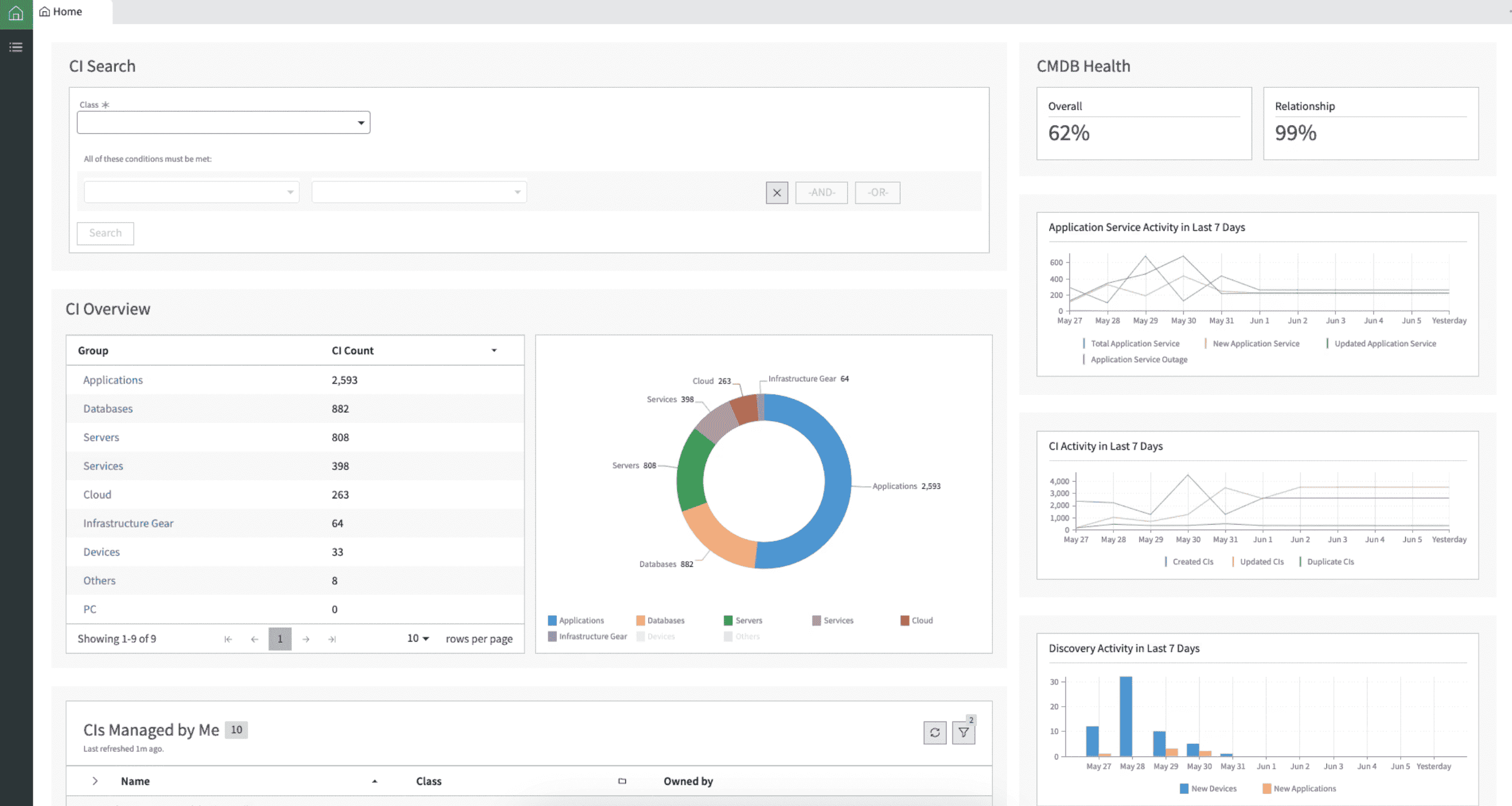
ServiceNow CMDB tool is great, especially in complex, hybrid setups with thousands of moving parts. Think multi-cloud, on-prem, and compliance breathing down your neck 24/7.
It’s built to take messy asset data and turn it into clean, usable configuration insights. One global bank rolled out ServiceNow’s Discovery and Service Mapping to track CIs like “Database Cluster,” “Virtual Machine,” and “Load Balancer.” Everything tied back into the configuration management database, mapped to real business services. That made impact analysis super clear — no more guesswork during change windows.
Another team I worked with, in healthcare, leaned on the CMDB to lock in compliance. They automated audit trails, enforced policy checks, and tracked every CI in real time. When your infra has zero room for error, that kind of control isn’t optional — it’s survival.
Features
- Automated Discovery. Automatically discovers assets and configurations.
- Dependency Mapping. Visualizes relationships between configurations and services.
- Incident & Change Management. Integrates seamlessly with ITSM processes.
- Cloud and On-premises Support. Works across both environments.
- Real-time Data. Provides up-to-date and accurate configuration information.
- Customizable Dashboards. Easily create views that work for your team.
- Security. Advanced encryption and compliance features for data protection.
Pricing
ServiceNow has a subscription-based pricing model. Costs depend on your company size and the number of configurations managed. The starting price is typically around $10,000 per year for basic packages.
For example, a mid-sized company managing 1,000 assets could expect to pay between $20,000 and $30,000 annually for ServiceNow’s CMDB solution.
Though it isn’t free CMDB software, ServiceNow offers a 30-day trial, letting you test its features before making a commitment.
ServiceNow offers a top-tier solution for growing IT needs. It scales well, so it's a favorite of large companies.
Still not sure? Here are real quotes of what users talk about this CMDB tool on review websites:
✅ Strong Integration Capabilities: “Integrates easily with other systems and allows for seamless data flow between different applications.” — Capterra review
✅ Comprehensive Visibility into Infrastructure: “Provides a single pane of glass view of the entire IT infrastructure. CMDB helps in understanding service dependencies and impact analysis.” — G2 review
✅ Automated Discovery and Dependency Mapping: “The Discovery tool and Service Mapping are great — they automate the population of the CMDB and show how components are related.” — G2 review
❌ Steep Learning Curve: “ServiceNow is powerful but complex. It takes time to learn how to configure and use the CMDB effectively.” — Capterra review
❌ High Cost for Enterprise Features: “The licensing cost is high, especially for advanced modules like Service Mapping and Discovery.” — G2 review
Asset Panda CMDB
If you're deep into a CMDB software comparison and trying to filter through all the noise from endless CMDB vendors, let me spill what Asset Panda’s really doing in the wild.

Asset Panda is a CMDB software helps companies manage IT assets with ease. From small businesses to enterprises, it fits all sizes. Whether you need to track one or a thousand assets, Asset Panda scales with you. It’s simple, customizable, and secure.
In the Bollinger County Health Center case study, their team used the tool to manage CIs like “Medical Workstation,” “Printer,” and “Networking Equipment” with real-time updates across procurement and maintenance.
Meanwhile, Levelland Independent School District streamlined configuration tracking for everything from Chromebooks to classroom tech, tying assets to staff, locations, and service requests.
Characteristics
- Keeping track of assets. No more guessing about asset management in real time.
- Access on the go. You can manage your assets from anywhere, at any time.
- Fields that can be changed. Make the software work for you.
- Scanning barcodes. Quickly look over and change asset information.
- Integration with the cloud. Works with cloud services to get updates in real time.
- Reporting. Reports made just for you to help you make decisions.
- Safety. Has encryption and access controls based on roles.
Pricing
Asset Panda operates on a subscription-based pricing model. Starting at $1,500 per year, it’s budget-friendly for small teams. Prices increase with more users or assets. For example, a medium-sized company with 500 assets may pay about $4,000 annually.
It offers a 14-day free trial to test features before buying. Asset Panda is an affordable, flexible configuration management database. Perfect for businesses looking to grow with simplicity.
Not sure if it with your time? Here is real user feedback on this CMDB from Capterra and G2 👇
✅ Highly Customizable: “The customization is fantastic — I can tailor it to our exact needs, down to the field level.” — Capterra review
✅ Mobile App Functionality: “Having the mobile app makes it easy for our team to update assets in real-time while on-site.” — G2 review
✅ User-Friendly Interface: “The interface is intuitive, and it didn’t take long to train the team on how to use it.” — Capterra review
❌ Performance Issues with Large Configuration Data Sets: “When managing large volumes of assets, it tends to slow down and can be a bit buggy.” — G2 review
❌ Limited Out-of-the-Box Reporting: “Reporting features are basic — you really need to build custom reports for anything meaningful.” — Capterra review
Deepser CMDB
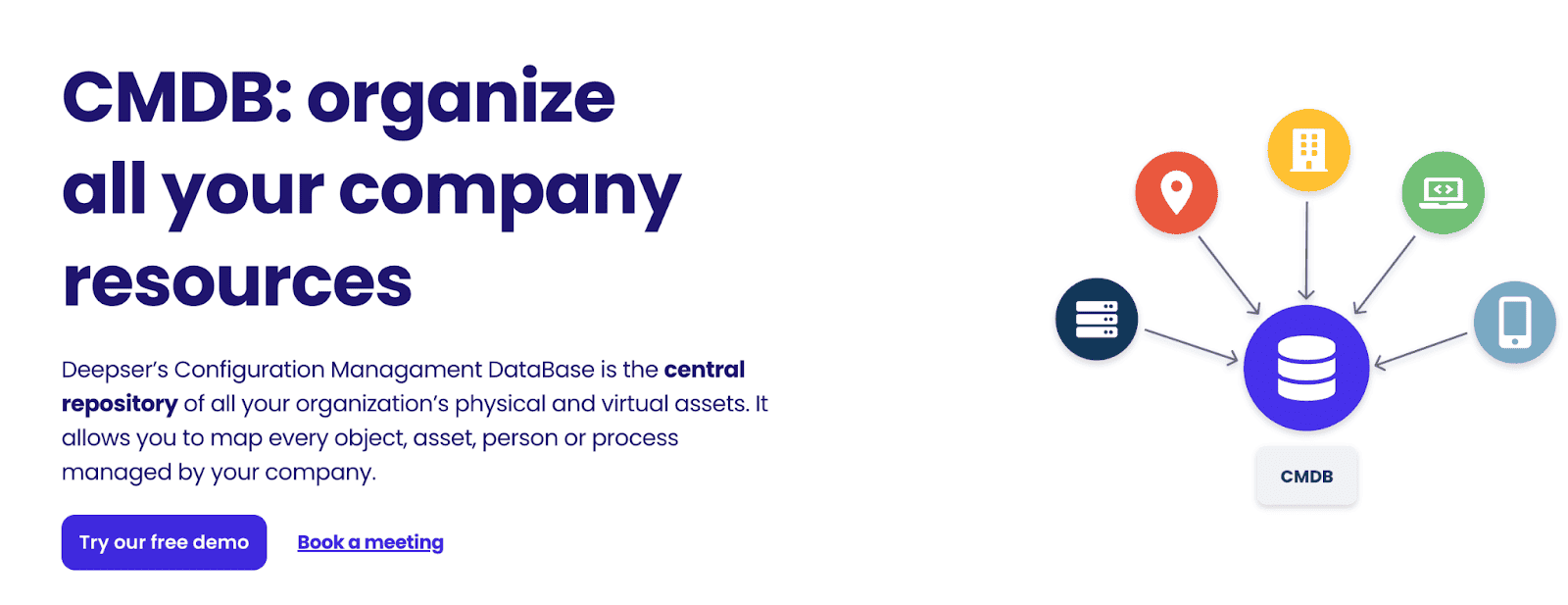
Deepser simplifies configuration management for businesses. It helps track and manage IT assets. From small teams to large enterprises, it scales. Deepser integrates well with existing tools. It supports cloud and on-prem environments. Security? Strong. Data is encrypted and protected.
If you need a flexible configuration management database, Deepser fits the bill. It keeps everything organized. You can manage assets with ease.
CMDB tools
- Asset Discovery. Automatically detects and tracks all assets.
- Configuration Management. Manages configurations and dependencies effortlessly.
- ITSM Integration. Seamlessly integrates with incident management.
- Cloud and On-prem Support. Works well in both environments.
- Customization. Tailor fields and workflows to your needs.
- Reporting. Create insightful reports for better decision-making.
- Security. Role-based access and encrypted data protection.
Pricing
Deepser offers three pricing plans:
- Starter: $36 per agent/month (billed annually)
- Plus: $45 per agent/month (billed annually)
- Enterprise: Custom pricing based on business needs and the number of agents.
For a medium-sized company with 20 agents, the Plus plan would cost $900 per month. Deepser also provides a free demo and discounts for large groups.
Additionally, a 14-day free trial is available for users to test the functionality and see how it works for their business needs. This allows companies to evaluate the platform risk-free.
Sounds too good? Here is what its users talk on review websites, real quotes:
✅ Flexible and Customizable CMDB Structure: “Deepser is a flexible tool, the CMDB module can be customized according to the business needs.” — Capterra review
✅ All-in-One ITSM & CMDB Platform: “With Deepser we manage assets, help desk, and change management in a single tool. It’s simple to use and cost-effective.” — Capterra review
✅ User-Friendly Interface: “The interface is modern and easy to navigate, even non-technical users can interact with the CMDB without problems.” — G2 review
❌ Limited Documentation: “There is not much documentation available, so you often need to contact support for clarification.” — Capterra review
❌ Smaller Ecosystem Compared to Larger Platforms: “It’s powerful, but not as known or widely integrated as other solutions, so adoption and third-party support are still growing.” — G2 review
FreshService software
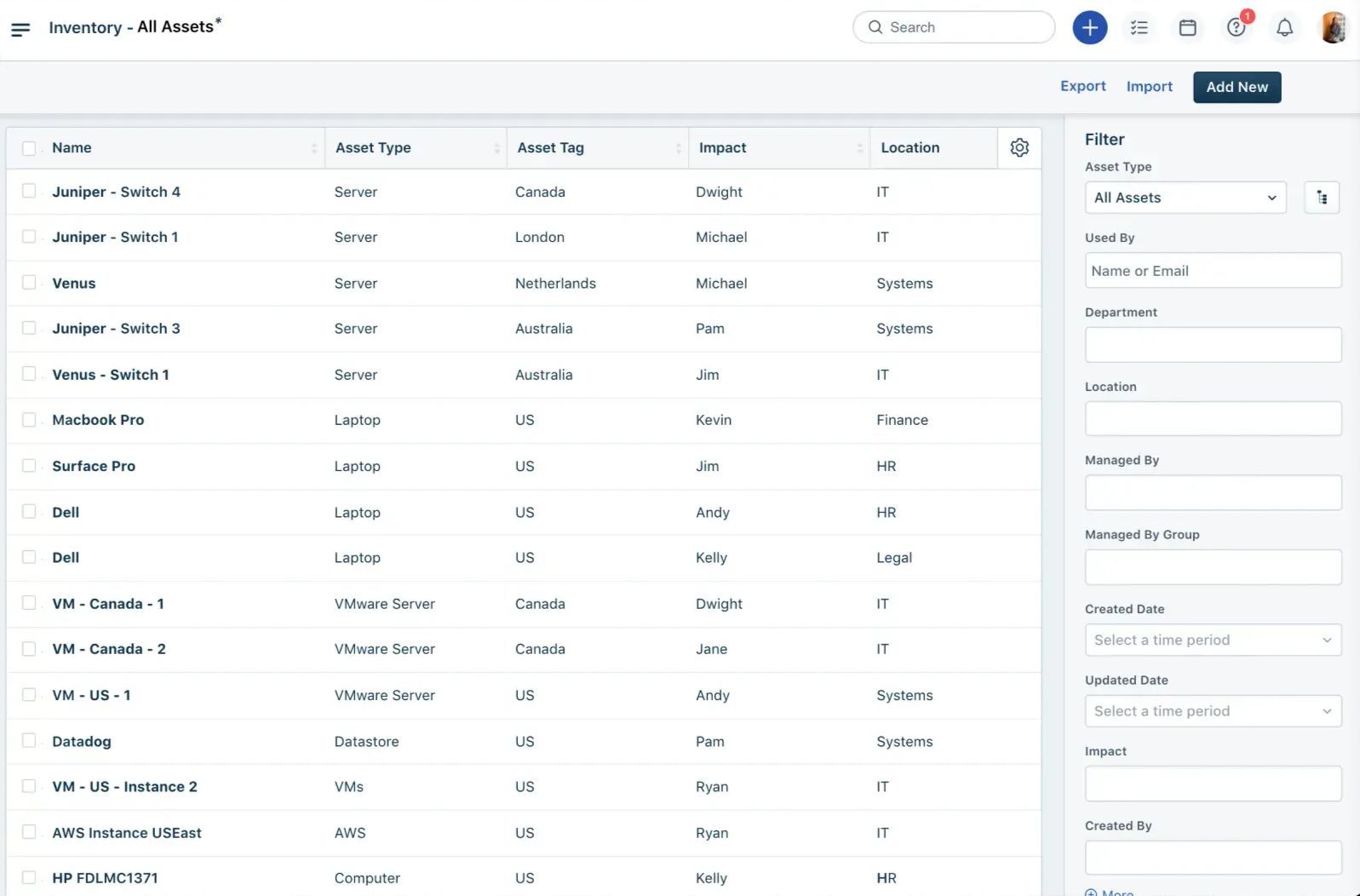
FreshService is one of those configuration management database tools teams actually stick with. Over at TaylorMade, the IT crew used it to track CIs like “Retail App Server” and “POS Terminal” across global locations. That software became their go-to for linking assets to real-time incident and change data.
And Bridgestone? They rolled out FreshService to unify vendor assets and automate approvals.
These kinds of CMDB solutions don’t just sit there — they power decisions, tighten workflows, and actually work with your other tools.
Features
- Asset Management. Centralized management of all IT assets.
- ITIL-Compliant. Aligns with industry best practices.
- Automated Discovery. Automatic asset and configuration detection.
- Incident and Problem Management. Integrated ticketing for fast issue resolution.
- Customizable Dashboards. Tailor reports and views to your needs.
- Security. Built-in encryption and access control features.
Pricing
FreshService CMDB products are available by the following pricing plans:
- Starter: €25 per agent/month (billed monthly)
- Growth: €50 per agent/month (billed monthly)
- Pro: €100 per agent/month (billed monthly)
- Enterprise: €130 per agent/month (billed monthly)
For example, a team of 20 agents on the Growth plan would pay €1,000 per month. Despite the fact that FreshService doesn’t offer free CMDB tools, but there is a 21-day free trial to test the platform before purchasing.
To help you make a choice, here are real quotes from the FreshService users:
✅ User-Friendly Interface: “Freshservice is easy to use and has a clean interface. It didn’t take long for our team to get up and running.” — Capterra review
✅ Efficient Asset and CI Tracking: “The CMDB functionality is simple yet effective. It helps us keep track of assets and their relationships.” — G2 review
✅ Seamless Integration with Other ITSM Tools: “We integrated Freshservice with Azure AD and Jira. The synchronization is solid and supports our workflows well.” — Capterra review
❌ Limited Advanced CMDB Capabilities: “The CMDB is a bit basic. It lacks advanced mapping and automation features compared to other tools.” — G2 review
❌ Сonfiguration Reporting Limitations: “Reporting features are somewhat limited, especially when it comes to custom dashboards for CMDB data.” — Capterra review
SolarWinds configuration management database
SolarWinds CMDB helps IT teams manage configurations and services. It offers clear insight into the relationships and dependencies among IT assets. This ensures accurate tracking and better decision-making.
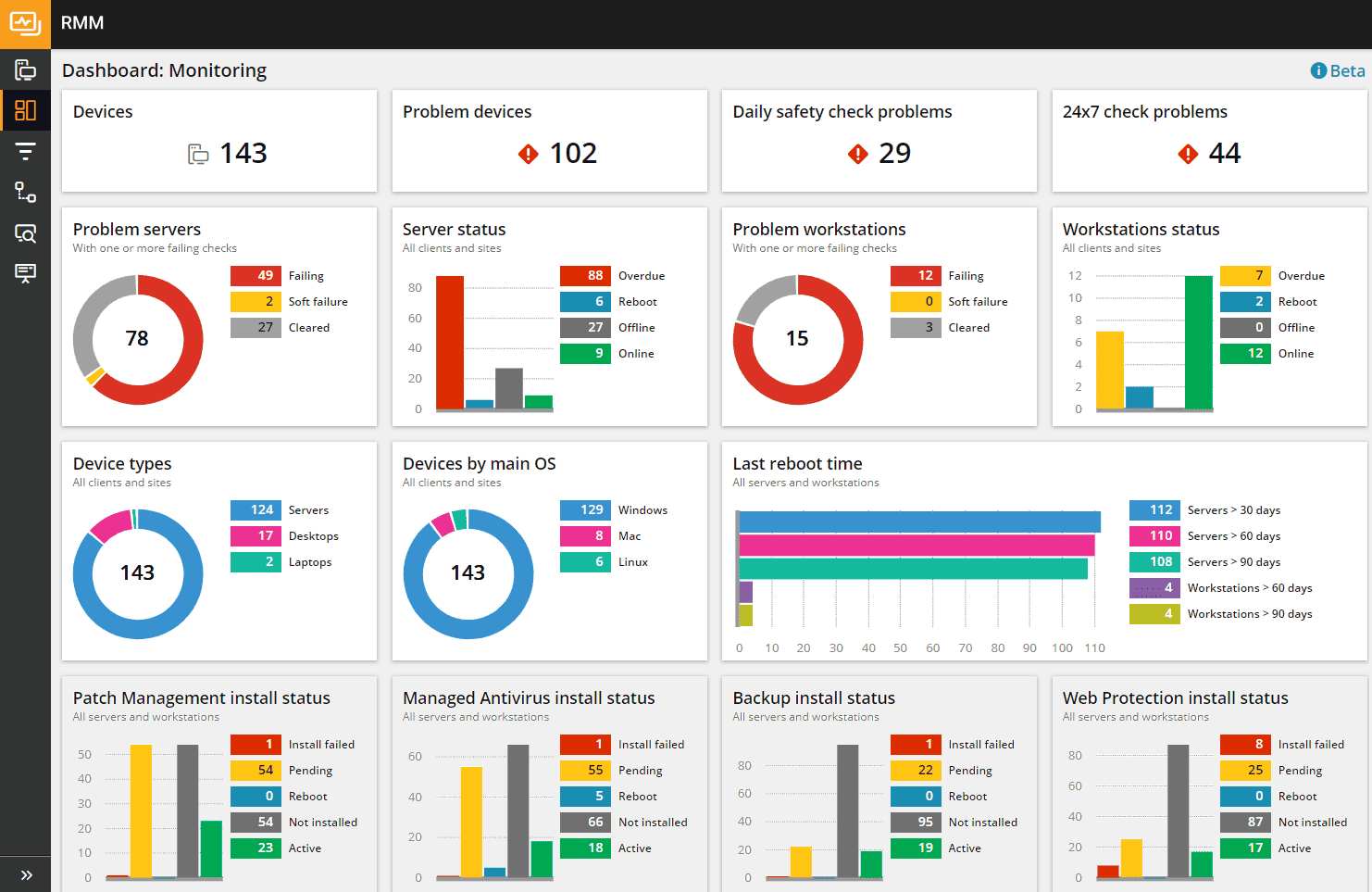
By offering both on-prem and cloud support, this tool is ideal for businesses with complex, hybrid infrastructures. SolarWinds CMDB is known for its scalability and security, making it a solid choice for companies of various sizes.
All kinds of companies use SolarWinds CMDB. It helps them optimize IT operations, reduce risks, and improve troubleshooting. With comprehensive monitoring and real-time updates, it helps IT teams stay on top of critical assets.
Key features
- Automated discovery of IT assets (agent-based and agentless)
- Visual mapping of system dependencies
- Integration with incident, change, and problem management
- Customizable dashboards for insights
- Real-time continuous updates and monitoring
- Scalable for hybrid cloud and on-prem environments
Pricing
SolarWinds CMDB offers a 30-day free trial. Pricing starts at around €25 per user/month, depending on the number of agents and features needed. It’s flexible, allowing businesses to scale as they grow while maintaining control over costs.
Here is this software users feedback from review websites:
✅ Detailed Infrastructure Monitoring: "Provides great insight into network devices and servers... extremely helpful in identifying issues before they become major problems." — G2 review
✅ Customizable Dashboards and Reports: "You can tailor dashboards and reports for various audiences, including executives and technical teams." — G2 review
✅ Strong Discovery and Mapping Capabilities: "The topology mapping is very good... shows relationships between devices clearly and automatically updates." — G2 review
❌ UI Can Be Overwhelming: "The interface feels outdated and cluttered. There’s a lot going on, which can be overwhelming for new users." — G2 review
❌ Resource-Heavy and Sluggish at Scale: "Performance tends to lag when monitoring large environments — we’ve had to optimize the platform a lot." — G2 review
UCMDB
UCMDB (Universal Configuration Management Database) is a dynamic CMDB tool by OpenText. It delivers full visibility into IT ecosystems. By mapping assets and dependencies, it simplifies management. Automated discovery tracks every component in real-time. This ensures better control and faster fixes.
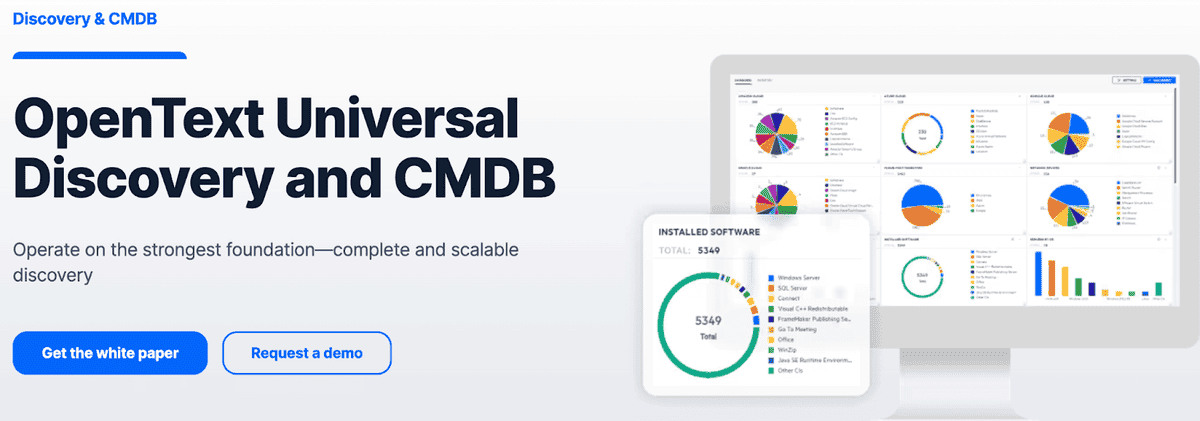
Designed for hybrid and multi-cloud setups, UCMDB is scalable and secure. It’s ideal for global infrastructures handling complex systems.
Features
- Finding and mapping the configuration of assets automatically.
- Seeing how systems and services depend on each other.
- ITSM and ITOM processes work together without any problems.
- Impact analysis for better management of change.
- Monitoring in real time with alerts that are specific to you.
- Dashboards that can be changed and reports that are useful.
- Advanced analytics for deep, useful information.
- Works with hybrid, cloud, and on-premises setups.
It thrives in complex IT landscapes. Large enterprises like banks and hospitals love it. Centralizing IT data optimizes performance. Decisions become smarter. Errors? Significantly reduced. Even in multi-cloud setups, automation makes management a breeze.
Pricing
UCMDB has prices that are tailored to each customer. It costs about €50 per user per month to start. The final costs depend on the size and features. Do you need to test it? Have fun during the trial period. Before you commit, see how it fits in with your ecosystem.
UCMDB sets a high standard for CMDB tools because it makes IT management easier.
Also read: Decoding configuration management vs change management in a multi-cloud environment
BMC Helix CMDB tool
BMC Helix is one of the most mature CMDB tools out there. At Vodafone, they used the software to build out a unified configuration management database that connects over 170,000 services and devices. Think CIs like “Core Network Router,” “Billing API,” and “Azure Virtual Machine.” With everything modeled in the CMDB, they automated service impact mapping and slashed time-to-resolution during outages. No guessing. No scrambling.
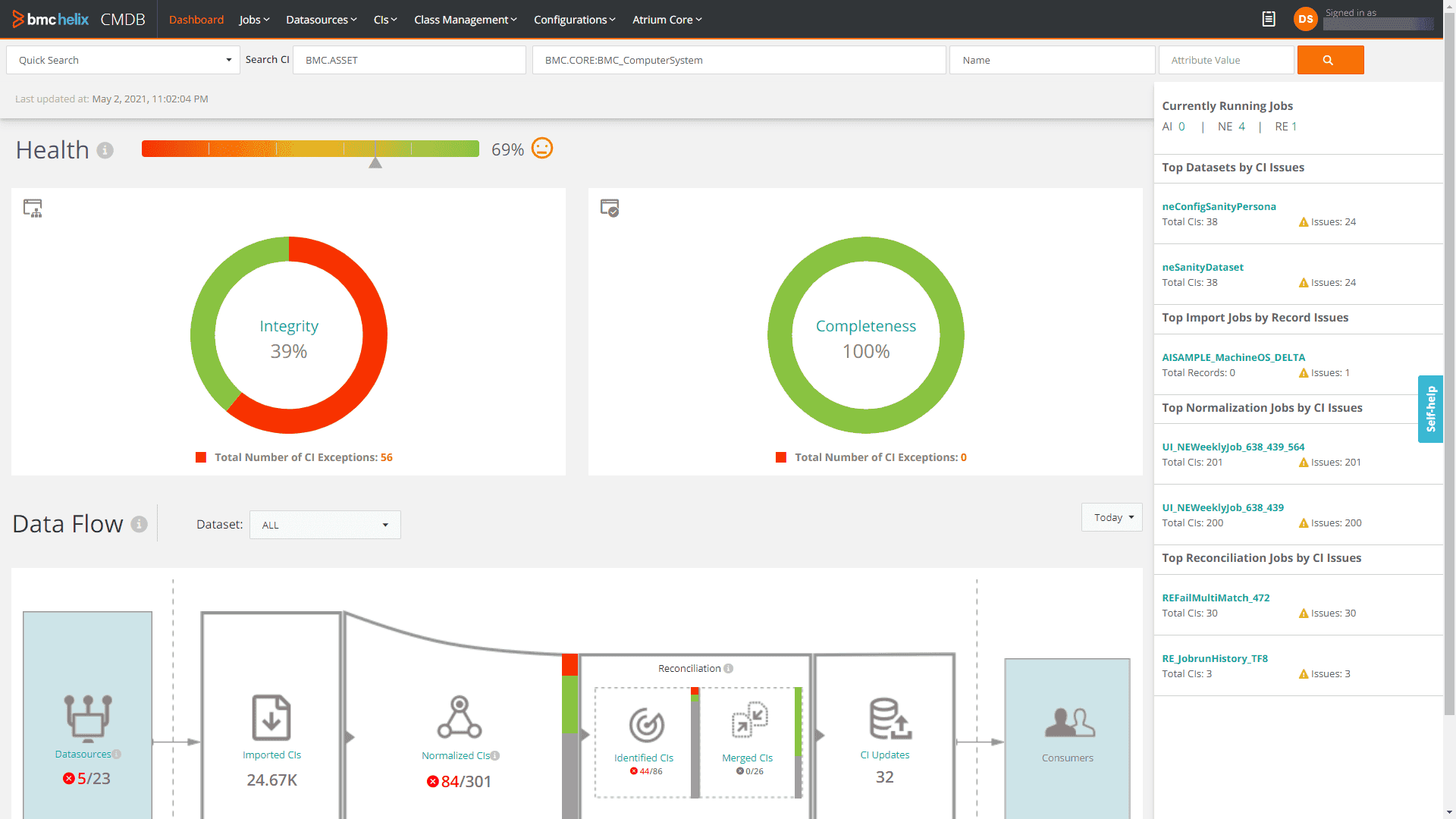
Then there’s the case of Unisys — they used BMC Helix as a tool to standardize service asset data across dozens of client environments. Their ops team leaned hard on service modeling, change control, and automated dependency mapping to reduce SLA breaches across hybrid setups. Core processes like incident, problem, and change tied directly into live configuration data — no lag, no outdated records.
If you're dealing with hybrid environments, thousands of accounts, and complex SLAs, BMC Helix isn’t just another CMDB — it’s the tool that transforms asset chaos into structured, actionable visibility. And yeah, it plays nice with your existing tools too. That’s the power of proper configuration management database tools in action.
Features
- Finding assets automatically, which cuts down on manual tracking.
- Real-time configuration visibility makes it easier to find dependencies quickly.
- Impact analysis to guess how changes will change services.
- Change management powered by AI for smarter, faster decision-making.
- Integration with ITSM and other tools for full management.
- Advanced reporting and customizable dashboards to keep an eye on performance.
- Can grow to fit a larger, global workforce and more than one cloud environment.
Pricing
BMC Helix CMDB pricing is tailored to your business. It typically starts around €50 per user monthly. Costs can increase based on deployment size. Larger organizations pay more for additional features and users.
The tool offers a free trial. This allows businesses to explore the software before committing. If you need a flexible, scalable CMDB, BMC Helix is a strong contender for complex, multi-cloud environments.
Pros & Cons from real users
✅ Powerful Discovery Capabilities: “Auto-discovery and dependency mapping is awesome... It provides accurate information of the environment.” — G2 Review
✅ Strong Integration with ITSM Tools: “It integrates perfectly with other BMC products... very efficient in incident and change management.” — Capterra Review
✅ Improves Change Impact Visibility: “The impact analysis and relationship mapping between CIs helps to assess change impacts very effectively.” — G2 Review
❌ Complex Setup & Learning Curve: “Takes a while to configure and get the best out of the system, especially for new users.” — Capterra Review
❌ UI Can Feel Outdated: “The interface could use a refresh... it’s not very user-friendly for daily operations.” — G2 Review
Axonius
Axonius — one of those CMDB tools that actually pulls its weight in messy, high-scale environments. It’s not just a data aggregator — this tool connects over 700 sources to normalize and enrich configuration data across cloud, SaaS, on-prem, and everything in between.
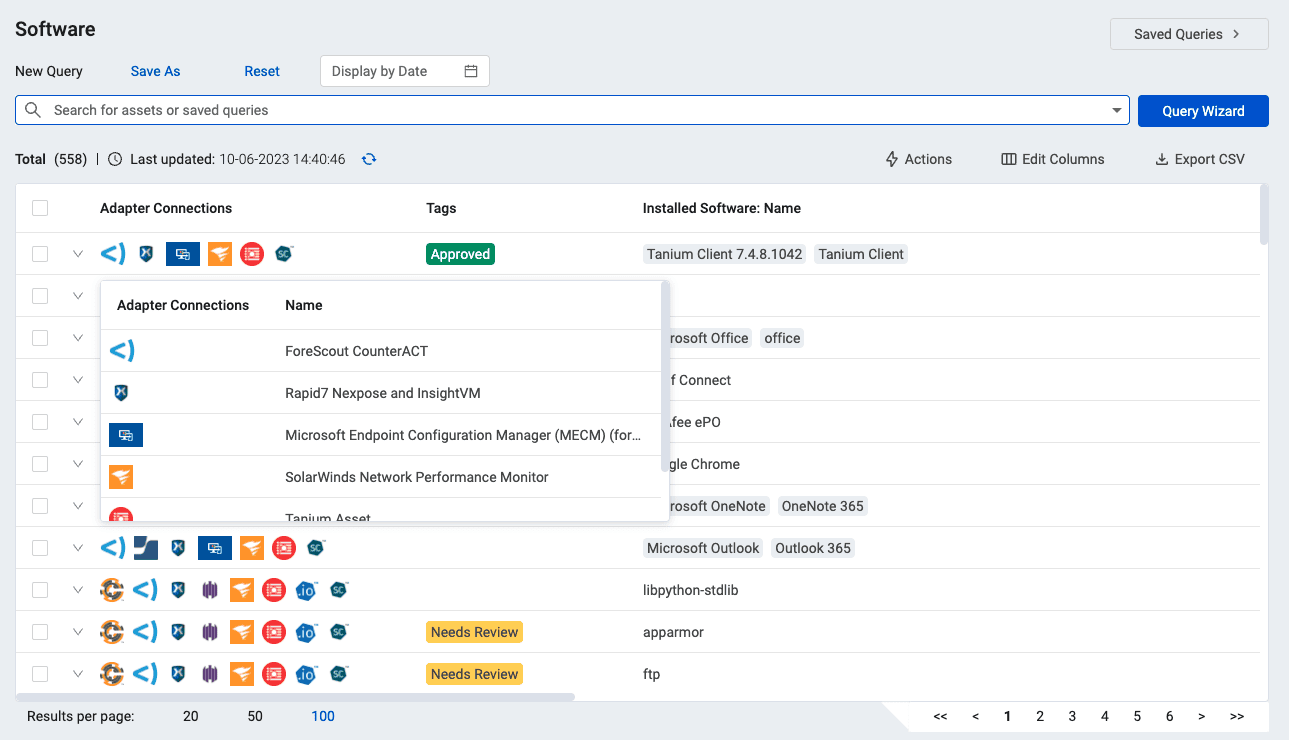
In one real case, Schneider National used Axonius to automate asset inventory and vulnerability management across 500+ locations. CIs like “Linux Server,” “Palo Alto Firewall,” and “Intune-Enrolled Device” were auto-discovered and mapped into workflows that fed their security ops and audit processes.
Another one? AppsFlyer tightened their asset visibility and risk surface tracking by integrating Axonius with their cloud identity providers and EDR stack. Their CMDB view got updated in real time — no more gaps when assets shifted between environments.
If you’re comparing CMDB vendors, Axonius is the one that leans heavy on automation, risk remediation, and clean visibility. From lifecycle decisions to incident response, it gives you the configuration management database that feels alive.
Features
- Automated asset discovery across all devices.
- Unified configuration management for complete control.
- Real-time security reporting for better monitoring.
- Scalable integration with existing IT tools.
- Customizable dashboards for personalized views.
- Cloud-first to handle complex environments.
- Advanced API access for further integration.
- Compliance tracking for regulatory requirements.
Pricing
The minimum cost varies depending on factors like company size, asset count, and the number of integrations required. For larger enterprises or more complex use cases, the price can go as high as $126,000 annually. On average, companies pay about $55,000 per year for Axonius software.
Its pricing shows its flexibility and value for both small and large businesses.
It also offers a 30-day free trial. This allows companies to test its features and see if it meets their needs before subscribing.
Difficult to decide? Here are the Axonius tool users feedback to help you:
✅ Wide Integration Coverage: “The amount of integrations available is staggering and allows us to gather more data than ever before.”- G2 Review
✅ Unified Asset Visibility: “Axonius helps bring everything into a single pane of glass, regardless of platform, location, or source.” - Capterra Review
✅ Powerful Query Logic and Automation: “I love the query builder and the ability to trigger custom enforcement actions based on asset conditions.” - G2 Review
❌ Data Normalization Can Be Tricky: “Some fields across integrations don’t always align, and normalization takes extra work.” - Capterra Review
❌ Learning Curve for Non-Technical Users: “The platform is powerful, but can be overwhelming without technical knowledge.” - G2 Review
Read also: Revolutionize Your IT Strategy with ITIL Configuration Management
Flexera
Flexera — one of those CMDB solutions that’s made for teams drowning in multi-cloud complexity, licensing noise, and compliance checklists that never end. This isn’t just another one of those shelf CMDB products. Flexera actually helps make sense of what’s running, what’s costing you money, and what’s out of bounds.
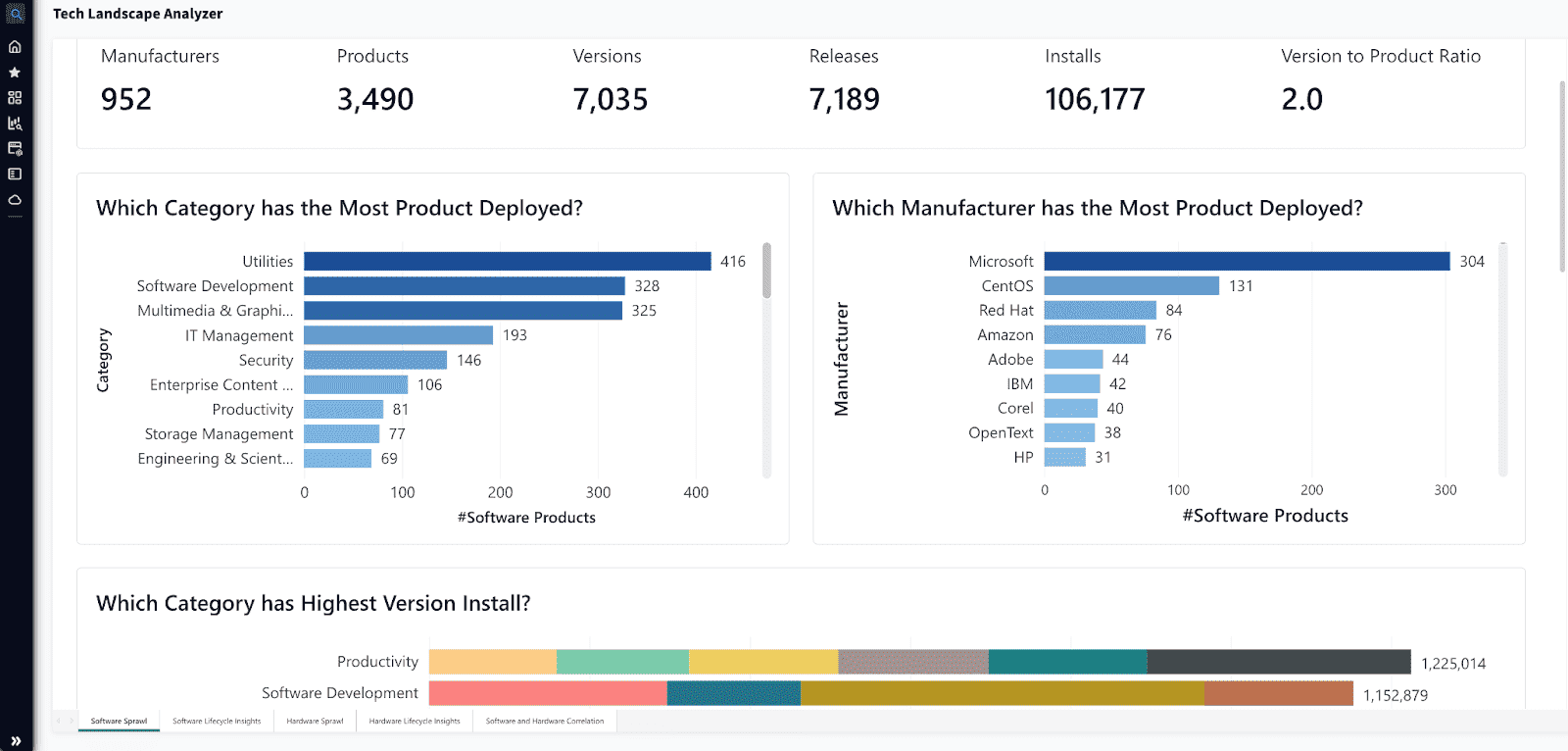
What makes it solid? First, the configuration data it pulls in gets cleaned, normalized, and enriched automatically — not just dumped into a table. It handles CIs like “Oracle DB Instance,” “Windows Server,” “Cloud Subscription,” and ties them to real usage and licensing data. That means you get a full picture of ownership, cost centers, and lifecycle stage — all mapped in one view.
Flexera also plays nice with your wider stack of configuration management tools. It’s designed to integrate with procurement systems, ITSM workflows, and cloud cost management platforms. So your software insights aren’t just sitting in the CMDB — they’re fueling action across the org.
Features
- Full Asset Visibility. Track every asset across all environments.
- Security First. Identifies vulnerabilities and software risks.
- Cost Efficiency. Optimize your tech spend and reduce waste.
- Service Management. Links IT assets with services for smarter decisions.
- Cloud & SaaS Ready. Works seamlessly with your cloud stack.
- Actionable Insights. Provides reports for better resource management.
Pricing
Flexera’s pricing starts around $115,000 annually, with customization based on the number of assets, users, and services. Pricing is scalable, so costs increase with the company’s needs.
Flexera offers a free 30-day trial. It lets businesses explore the tool and see if it fits their asset management processes before committing. This trial period is a great way to test out the features and capabilities of the software.
Here is what Flexera fans talk about this CMDB software on G2:
✅ Comprehensive IT Visibility: "Clear Visualization gaining comprehensive view of our technology estates. Risk Mitigation is better for identifying compliance issues and improve governance."
✅ Effective Asset Discovery: "Discovery wise, the product does a good job with asset discovery pulling the data either from the beacons and the agents installed or by getting the data from importing it."
✅ Multi-Cloud Management Support: "The ability to orchestrate deployments into a number of clouds, both private and public. The ability to front-end this with a Self-Service UI."
❌ Limited SaaS Management Features: "SaaS manager is not mature yet, a lot of the features still need more development especially the dashboards and the customization of the metrics and filters." - G2
❌ Outdated Dashboard and Monitoring Features: "A number of CMP features are quite outdated and stale, such as dashboards, monitoring." - G2
ManageEngine
ManageEngine configuration management database software provides a centralized hub to track, analyze, and optimize IT infrastructure. One IT team in higher ed rolled it out to get a handle on their CIs. We’re talking “Network Switch,” “Linux Server,” “VoIP Gateway” — all mapped to real services like campus Wi-Fi and security systems.
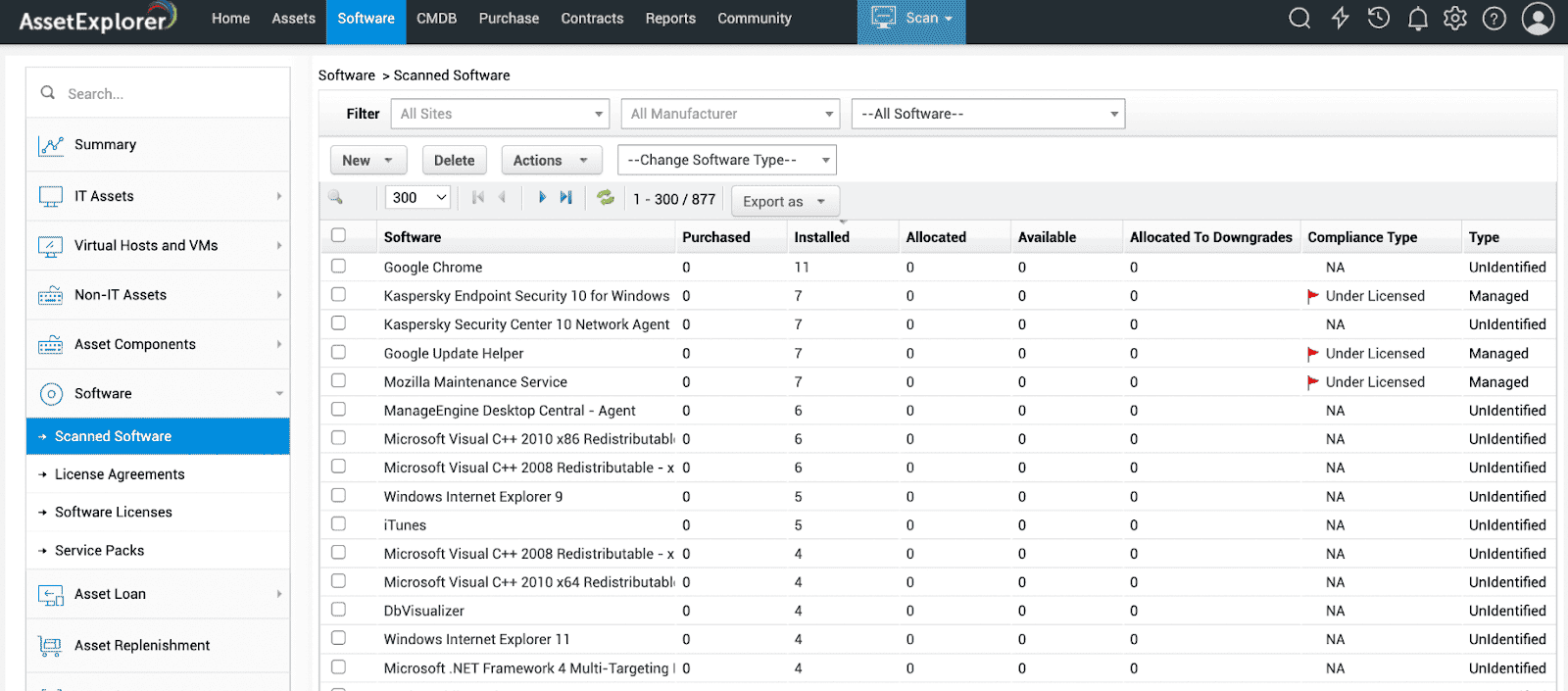
Their configuration management database became the core of everything. Incident handling, change tracking, SLA management — way smoother once those relationships were visible. Processes like asset onboarding and license checks stopped being guesswork.
Among the sea of CMDB vendors, it’s one of the best CMDB software picks when you want fast wins without full-blown rearchitecting.
Features
- Asset Management. Keep tabs on physical and virtual assets.
- Discovery Automation. Automatically discover devices, even in complex environments.
- Change Management. Manage and control configuration changes with ease.
- Integrated ITSM. Links up with your IT service management workflows.
- Real-Time Reports. Get actionable insights as you go.
Pricing
Pricing starts at $595 per year, with tiered pricing based on device count and features. Need more functionality or devices? You’ll see that reflected in the price, but it’s flexible.
ManageEngine also offers a 30-day free trial, giving you full access to the tool's core features. It’s the perfect way to kick the tires and see if this CMDB tool is the right fit for your business.
Pros & Cons of the ManageEngine CMDB solutions
✅ Straightforward Asset Tracking: "Easy to maintain and track all the assets in the organization with minimal effort." — G2 Review
✅ Strong Integration Ecosystem: "It integrates seamlessly with the rest of the ManageEngine suite and third-party tools." — Capterra Review
✅ Built-in CMDB Capabilities: "The CMDB is useful and helps us understand the relationships between our assets and services." — G2 Review
❌ UI Could Be More Intuitive: "User interface is not very intuitive and feels a bit old school." — Capterra Review
❌ Limited Customization in Reporting: "Reporting is not very flexible — we had to export and customize outside the tool." — G2 Review
Ivanti IT Service Mapping Software
Ivanti Neurons for IT Service Mapping is a robust CMDB tool designed to provide a clear view of your IT services and their dependencies. It offers dynamic insights into your infrastructure, helping enterprises visualize how services interconnect. With agentless probes and sensors, it uncovers everything from servers to edge devices.
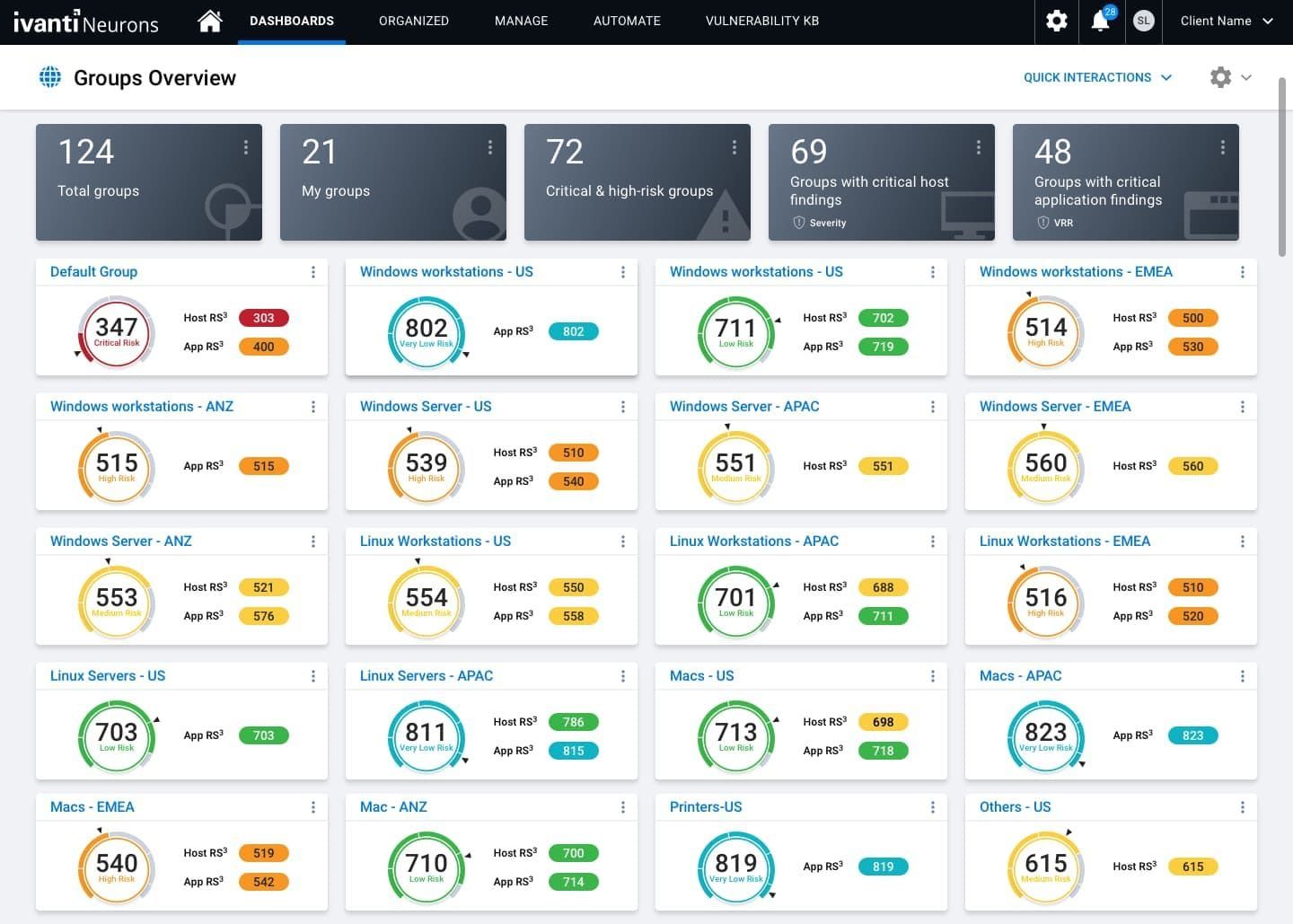
Companies in all industries rely on it for resilience and adaptability in complex environments. Scalable? Absolutely — it’s cloud-native, leveraging AWS for enhanced security, traffic management, and monitoring.
CMDB tools list
- Discovery without an agent. Probes and sensors find assets in data centers and the cloud.
- Integration with AWS. Includes CloudWatch, VPC, and security group management to make things easier to see.
- Moving Maps. See how IT services depend on each other in real time.
- Sending Data Safely. For safe communication, it uses AES encryption, SHA256 hashing, and SSL.
- Balancing the load. Centralized traffic management makes sure that things work well and are reliable.
- Security from start to finish. Antivirus software and firewalls protect endpoints and the service mapping environment.
Pricing
Ivanti Neurons CMDB products designed for businesses. Its cost depends on setup and size. Pricing details aren't public. However, it matches other high-end solutions, typically falling in the mid-to-high range for CMDB tools.
For those curious, Ivanti offers a free demo — ideal for exploring how this software fits into your IT ecosystem. No fixed trial days are mentioned, but the personalized demo serves as a hands-on introduction.
Free CMDB software: what “free” really means
If you’re searching for free CMDB software, you’re probably not looking for a hobby project.
You’re trying to avoid buying the wrong platform too early.
Fair.
But in CMDB land, “free” can mean four very different things: a free trial, an open-source tool, a limited free tier, or a larger ITSM suite that gives you partial CMDB capability without really giving you a usable source of truth.
That distinction matters fast.
A free trial helps you test the interface. It does not tell you what the platform will cost once you start syncing cloud accounts, mapping relationships, routing approvals, and keeping configuration data current across production and lower environments.
An open-source CMDB can look attractive on paper because the license cost is low or nonexistent. But the meter starts running somewhere else: setup time, data modeling, integrations, maintenance, support, documentation, and the internal muscle you’ll need when discovery gets messy or reconciliation logic starts wobbling.
That’s where teams usually get surprised.
A smaller environment may be fine with a lightweight tool that tracks servers, apps, and a few dependencies. A hybrid setup with AWS accounts, Azure subscriptions, VMware, security findings, owner tags, change history, and compliance reporting is playing a very different game.
So when you compare “free” options, don’t ask only, “Can I use it without paying?”
Ask:
- Can it discover assets automatically?
- Can it keep CI relationships usable?
- Can it handle cloud and on-prem together?
- Can it support change tracking without duct tape?
- Can my team actually maintain it six months from now?
Because a CMDB becomes expensive long before the invoice shows up.
Sometimes the cost is rework.
Sometimes it’s stale data.
Sometimes it’s a failed audit.
Sometimes it’s an engineer trying to trace a production issue through three dashboards and a spreadsheet somebody stopped updating in October.
That’s the real price tag.
Best CMDB software by use case (because “best” depends on what hurts)
“Best” is the laziest word in B2B. Best for what? For whom? On whose budget?
Every team buying a CMDB in 2026 is solving a different specific pain. Some are losing the AWS estate to shadow accounts. Some have an auditor on the calendar in six weeks. Some inherited a ServiceNow instance and a half-finished Discovery rollout. Calling any single tool “the best CMDB” ignores all of that.
So here’s the shortlist the way we’d actually give it to a friend, by the problem they’re trying to solve.
Best CMDB for cloud and hybrid governance: Cloudaware
If your environment spans AWS, Azure, GCP, and a stubborn on-prem rack — and the question on the table is “who owns what, what does it cost, is it patched, is it compliant” — this is the box Cloudaware was built to check. The CIs aren’t just listed; they’re enriched with cost data, vulnerability state, patch status, and ownership in one row. Two recent customers we worked with closed their tagging audit weeks ahead of schedule because the CI view answered the auditor’s questions without anyone opening a spreadsheet.
Where it falls short: if your operating model is ServiceNow-first and you don’t want a second console, you may end up syncing back to ServiceNow anyway. Plan the integration up front.
Best CMDB for ITSM-led shops already on ServiceNow: ServiceNow CMDB
ServiceNow CMDB wins for one boring, durable reason: it’s already there. If your change, incident, and request flows live on the Now Platform, putting the CMDB next to them is the path of least resistance. Discovery is excellent. CSDM gives you a sane reference model. The bill is the bill, and you’ll need someone whose actual job is to keep the data model honest.
Don’t pick it for: cloud-first teams without an existing ServiceNow estate. The ROI math doesn’t hold up.
Best CMDB for discovery-first, infrastructure-heavy environments: Device42
If the loudest problem in the room is “we genuinely don’t know what’s in the data center,” Device42 earns its place. The autodiscovery is deep, agentless options exist, and the dependency mapping survives contact with messy networks. Teams running through a data-centre exit or a colocation consolidation lean on it for a reason.
Trade: the cloud governance story is thinner than the infra story. Pair it with something cloud-native if both matter.
Best CMDB for mid-market service teams that want ITSM + CMDB in one: Freshservice or Deepser
Mid-market service desks usually don’t need the CSDM bible. They need a help desk where the affected service and its dependencies show up on the ticket without a 12-week implementation. Freshservice covers that with the cleanest UX in the segment. Deepser is the European-flavoured alternative and tends to price below it. Either way, you’re trading some depth for time-to-value, and that’s usually the right trade at that scale.
Best CMDB for audit and compliance pressure: BMC Helix or Flexera
If the buying trigger is an upcoming SOC 2, ISO 27001, FedRAMP, or DORA milestone, this is the lane. BMC Helix’s Discovery and CMDB combination still anchors a lot of regulated estates. Flexera leans harder on licence position and SAM-adjacent compliance — useful if your auditor cares about software entitlements as much as configurations.
Reality check: both are heavy. Budget the implementation partner. Self-serve rollouts here go sideways.
Best CMDB for cybersecurity asset visibility: Axonius
Axonius technically isn’t “a CMDB” in the classic sense — it’s a cyber asset attack surface management (CAASM) platform that produces a CMDB-shaped output by reconciling every tool that already knows about your assets (EDR, MDM, scanners, cloud APIs, AD). For security teams that just need a defensible, current source of truth without re-platforming, it’s the shortcut.
Don’t pick it for: service-impact modelling. That’s not its job.
Best free or open-source CMDB: GLPI, i-doit Open, Faddom
Covered in detail in the free-software section above. Short version: GLPI for inventory plus relationships you draw yourself, i-doit Open for stronger CI typing, Faddom for an agentless dependency map you can stand up in an afternoon. None of these will scale to a Fortune 500 estate; all of them will get you to a credible Tuesday demo.
If you only read one paragraph
There isn’t a single “best CMDB” in 2026. There’s a best CMDB for the failure mode you’re trying to prevent next quarter. Pick the pain first, then pick the tool. Anything else is shopping by logo.
Free CMDB software: what “free” actually buys you
If you typed “free CMDB software” into Google, you probably weren’t shopping. You were stalling. The buy-in conversation is next week, somebody upstairs asked what a CMDB even is, and you need a working demo on a laptop before Tuesday.
Fair. So let’s be honest about what shows up when you actually click those results.
“Free” in CMDB land means four very different things, and three of them will quietly cost you a quarter.
1. Truly free, truly open-source
These are the ones that don’t expire, don’t throttle, and don’t flip to “contact sales” when you cross 50 CIs. The trade is your team’s time.
- GLPI — PHP/MySQL, mature, the asset-management crowd swears by it. Plugins do most of the heavy lifting. Expect to babysit the relationship model yourself.
- i-doit Open — Strong CI typing and a graphical relationship map out of the box. The Pro tier sells the API and the importers, so plan a manual onboarding.
- Ralph — DCIM-leaning, decent for racks and hardware, lighter on cloud. Allegro Tech maintains it. Don’t expect AWS discovery to feel native.
- Snipe-IT — Honest about itself: it’s asset tracking with CMDB-shaped features, not the other way around. Great for laptops and licences, weak for service relationships.
- CMDBuild — The original “build-your-own-data-model” CMDB. The freedom is the cost. You will design schemas at 11pm on a Thursday.
If you go this route, budget the same hours you would for a paid rollout. The licence is free; the discovery isn’t.
2. The 30-day trial dressed up as “free”
Most enterprise CMDBs — ServiceNow, BMC Helix, Ivanti, Flexera — will gladly give you a sandbox for 30 days. That’s a demo, not a deployment. Treat it as one.
The tell: the trial includes Discovery, but not the licence units you’ll need to keep Discovery running past day 31. By the time you’ve mapped the relationships you actually care about, your access dies and procurement is reading a six-figure quote.
Use trials to validate the interface. Don’t use them to validate the price.
3. The free tier with a ceiling
A handful of vendors offer a free tier with a hard cap — 50 CIs, one cloud account, one user, no API. Freshservice and ManageEngine’s smaller plans live here. They’re fine for a homelab or a five-person MSP. They are not fine for an audit response.
The honest question to ask the vendor: “What’s the cheapest paid tier I’d land in once we cross the cap?” If they won’t answer in writing, the free tier is a lead magnet, not a product.
4. The ITSM suite that includes “a CMDB”
Jira Service Management, Zendesk’s asset module, anything that adds a “Configuration Items” tab to a help-desk seat. Calling these CMDBs is generous. They’re ticket-side inventories with relationship fields. If you only need to attach a hostname to a Jira issue, you’re already done. If you need to answer “which services degrade if this VPC peering link goes down at 02:14”, you don’t.
What we’d actually run on day one
If we had to stand something up tonight, on a single VM, with no budget and a Friday demo: GLPI for inventory, plus a quick Faddom or i-doit Open install to draw the relationships. You’ll outgrow it in a quarter. That’s the point. By then you’ll know exactly which paid CMDB to scope, and you’ll be able to argue for it with numbers, not vibes.