


Most teams can open a dashboard and see what is running. The problem shows up when they need to answer simple questions: What does this asset support? Who owns it? Should it still be running?
Without an asset management system, that context sits in different places. Some of it is in cloud consoles, some in tickets, and some in spreadsheets. Each time something breaks or needs review, teams have to piece the picture back together.
An asset management system (AMS) is the process teams rely on to keep asset data accurate as infrastructure changes. In real environments, it is less about inventory and more about having current data you can trust when making operational, financial, or compliance decisions.
This guide walks through how an asset management system works and how to choose one that fits a hybrid or multi-cloud setup.
Key insights
- Asset data loses value quickly if it is not kept in sync with ongoing changes.
- A useful record includes ownership, lifecycle state, cost, and related items, not just a name.
- In cloud environments, discovery has to be continuous to stay accurate.
- Missing relationships or change history usually becomes a problem during incidents and audits.
- The right system depends on scope, since different tools are built for physical assets, software, or cloud infrastructure.
What is an asset management system?
An asset management system is used to track assets across their lifecycle and keep the context needed to manage them day to day. It brings together inventory, ownership, lifecycle state, cost data, compliance status, and related items, so teams can see how assets are used and whether they still belong in the environment.
For IT asset management teams, it goes further than listing resources. A usable record shows who owns the asset, what service it supports, where it runs, how it is configured, what it costs, and how it connects to other components. It also keeps a change history, so teams can see what changed, when it happened, and why.
That is the difference between a system and a static inventory. In cloud and hybrid environments, assets are constantly created, modified, and removed. Without something that keeps records in sync with those changes, teams end up making decisions based on outdated information.
Asset management system example
A simple asset management system example is a cloud instance created for a new service.
Instead of storing only the instance name, the system captures the full context around it. This includes:
- Cloud account
- Environment
- Owner
- Associated application
- Attached storage
- Identity
- Access settings
- Cost usage
- Current lifecycle state
It also shows related items, such as databases, load balancers, and network configurations connected to that instance. If something changes, for example, a security group update or a scaling event, the system records it as part of the change history.
In this setup, the question is no longer “do we have this asset,” but “what role does it play, who owns it, and should it still be running?”
In large environments, the same principle applies at scale. Organizations running across AWS, Azure, and GCP manage thousands of assets across teams and accounts. Without a system that continuously updates records and relationships, teams spend time reconstructing context during incidents, audits, and cost reviews instead of acting on it.
Read also: How Cloudaware helped Coca-Cola get more visibility and control in multi-cloud settings
How an asset management system works
A useful asset management system does more than collect records. It keeps asset data current, adds operational context, and makes that data usable for security, finance, and operations teams. In hybrid and multi-cloud environments, this usually happens in 5 steps.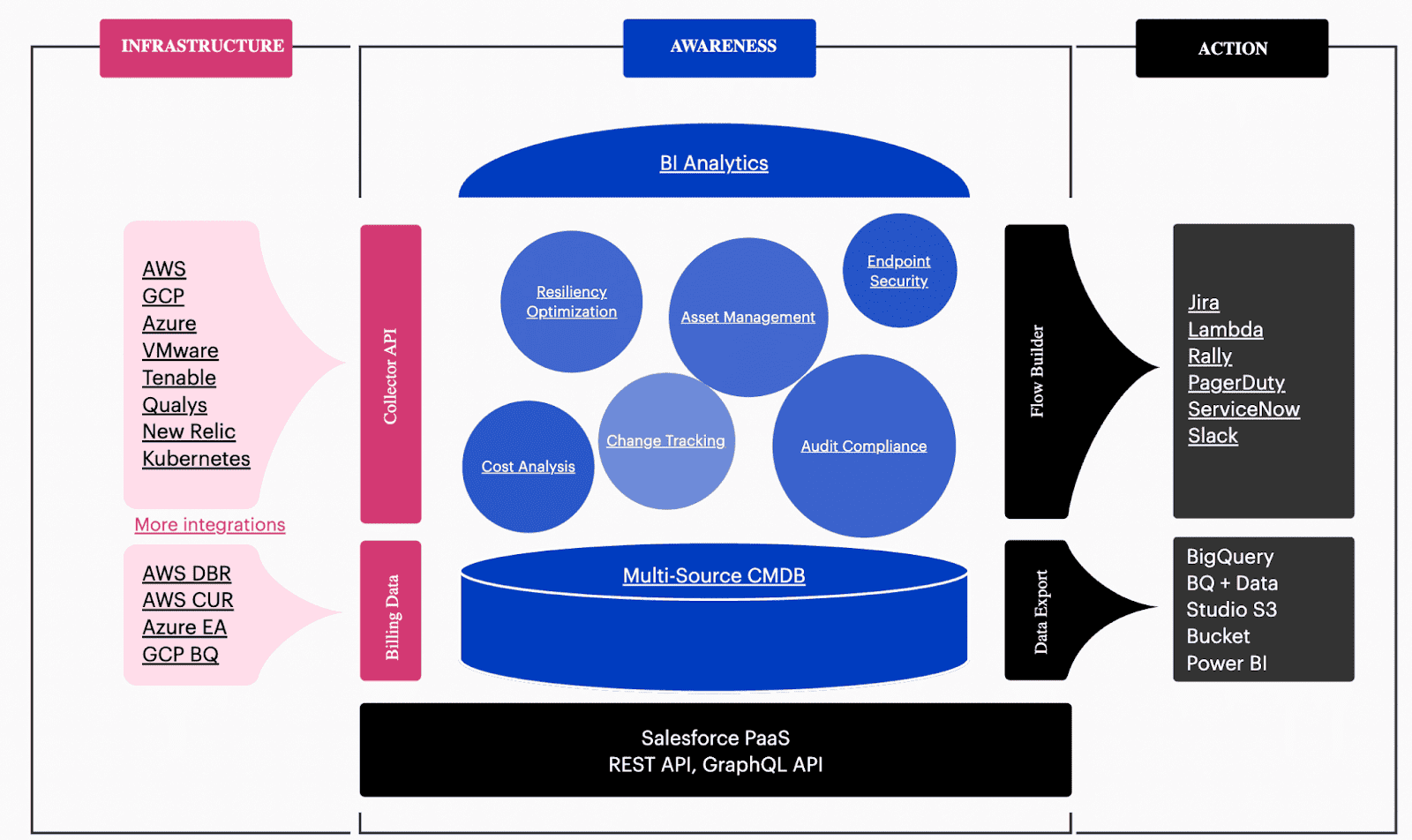
1. Discovery
The system connects to cloud platforms, on-prem infrastructure, and supporting tools to automatically detect assets. In modern environments, this often includes AWS, Azure, GCP, VMware, Kubernetes, and SaaS platforms. The goal is to reduce manual record creation and catch changes as they happen.
2. Inventory creation
Once assets are discovered, the system creates and updates records for each one. These records usually include the asset type, environment, account or location, lifecycle state, and other core attributes needed to identify what the asset is and where it belongs.
3. Context enrichment
Raw inventory is not enough, so the system enriches each record with additional context. This can include ownership, application association, cost data, compliance status, software details, and related items. At this stage, the record becomes useful for decision-making rather than simple tracking.
4. Governance and lifecycle control
After records are enriched, the system supports governance workflows. Teams can use it to identify policy violations, find underused resources, track renewals, review lifecycle status, and flag assets that should be updated or retired. This is where asset data begins to support real operational control.
5. Change tracking
As assets are modified, scaled, reassigned, or removed, the system records those changes over time. Change history helps teams understand what happened, when it happened, and how it affected the surrounding environment. That matters during incident response, audits, cost reviews, and cleanup work.
An asset management system works well when these steps stay connected. Discovery without enrichment creates noisy records. Inventory without lifecycle control creates stale data. Change tracking without ownership still leaves teams guessing. The value comes from keeping the record accurate and usable as the environment changes.
Who needs an asset management system
An asset management system becomes necessary once infrastructure is shared across teams, environments, or cloud providers. The more distributed the setup, the harder it is to answer basic questions about ownership, usage, and lifecycle without a central system.
For platform and DevOps teams, the main need is operational context. They need to see what is running, how services connect, and whether the current state still matches what was intended. Without that, incident response and change review turn into manual checking.
Security teams need the same data for a different reason. Exposed assets, outdated software, and policy drift are much harder to assess when records are incomplete or stale.
Finance and FinOps teams run into a different version of the same problem. Cost data on its own does not explain much. To understand whether spend is expected or wasteful, they need ownership, lifecycle state, and usage context tied to the asset record.
IT operations and compliance teams use asset data during audits, service reviews, and change workflows. If the records are not current, they end up rebuilding the state of the environment instead of validating it.
In smaller setups, teams can sometimes manage this manually for a while. In hybrid and multi-cloud environments, where assets are constantly added, changed, and removed, that approach usually stops holding up.
Benefits for hybrid and multi-cloud IT teams
The main benefit of an asset management system is that it keeps asset data usable while the environment keeps changing. In hybrid and multi-cloud operations, this affects visibility, security, cost control, and day-to-day execution.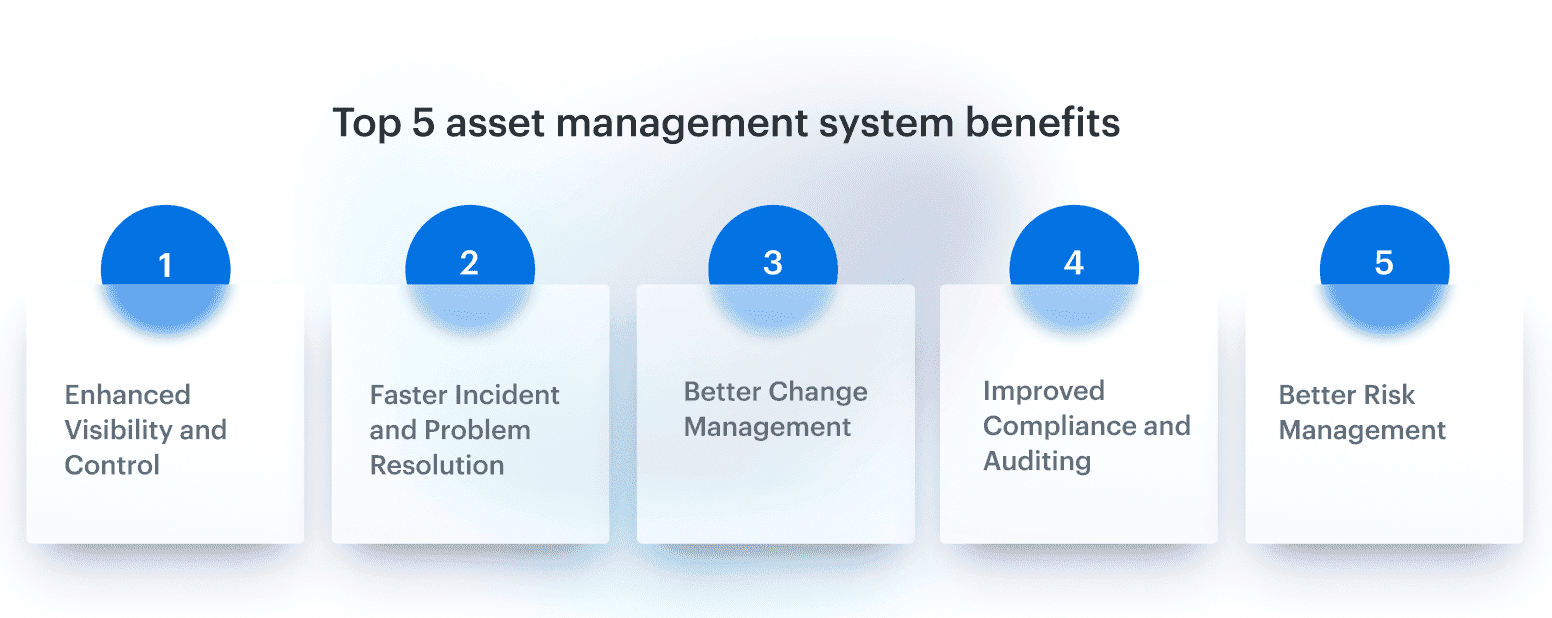
Unified visibility across environments
Teams need one place to see what exists across AWS, Azure, GCP, on-prem infrastructure, and connected software platforms. Without that, every review starts with collecting records from multiple tools and checking whether they still reflect the current state.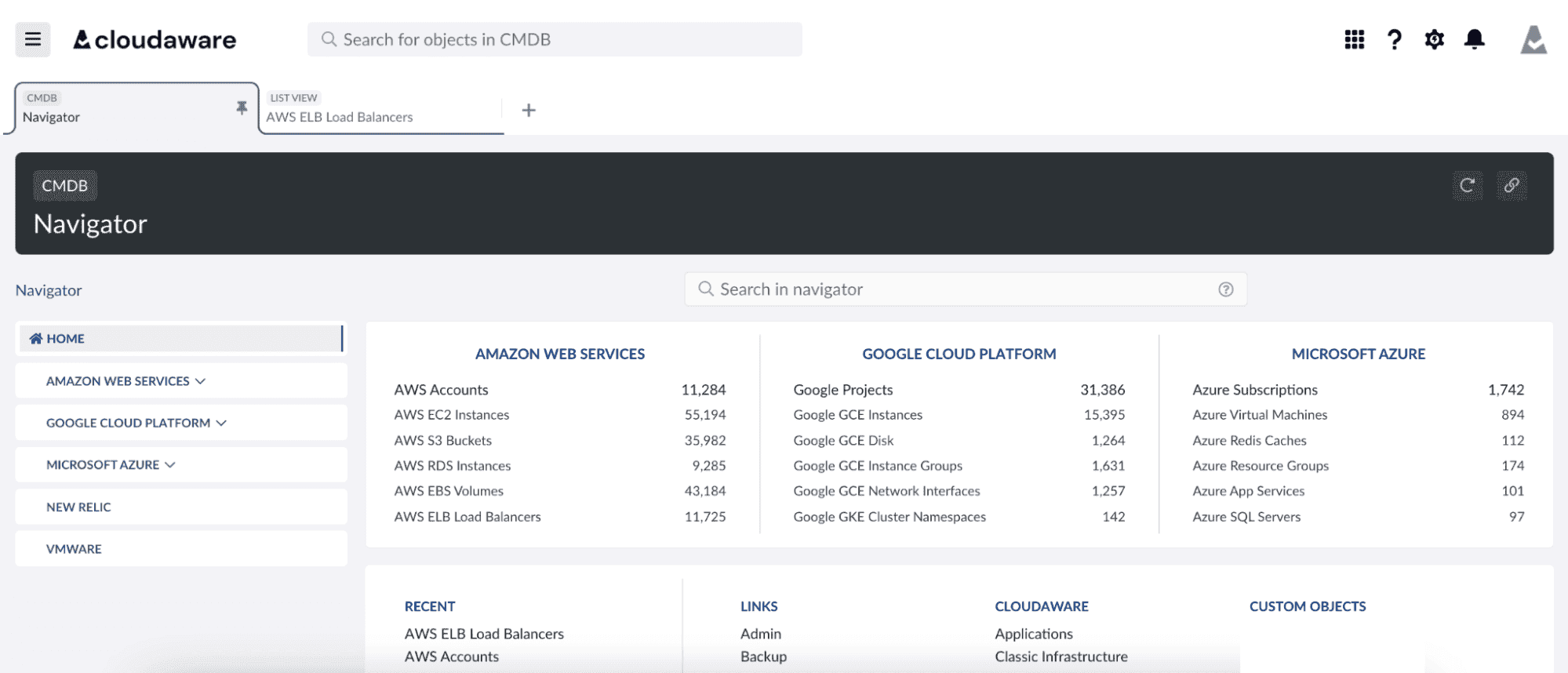
Stronger security and compliance support
Security teams need current asset data to identify exposed resources, unsupported software, and policy drift. Compliance work depends on the same foundation. If ownership, lifecycle state, and change history are missing, risk reviews and audit preparation slow down immediately.
For example, ServiceChannel used Cloudaware’s asset management system to automate PCI compliance, reducing failures by 47%.
Better cost control
Asset data becomes more useful when it includes cost and usage context. Teams can see which resources are idle, oversized, duplicated, or no longer tied to an active service. That makes it easier to reduce waste without guessing.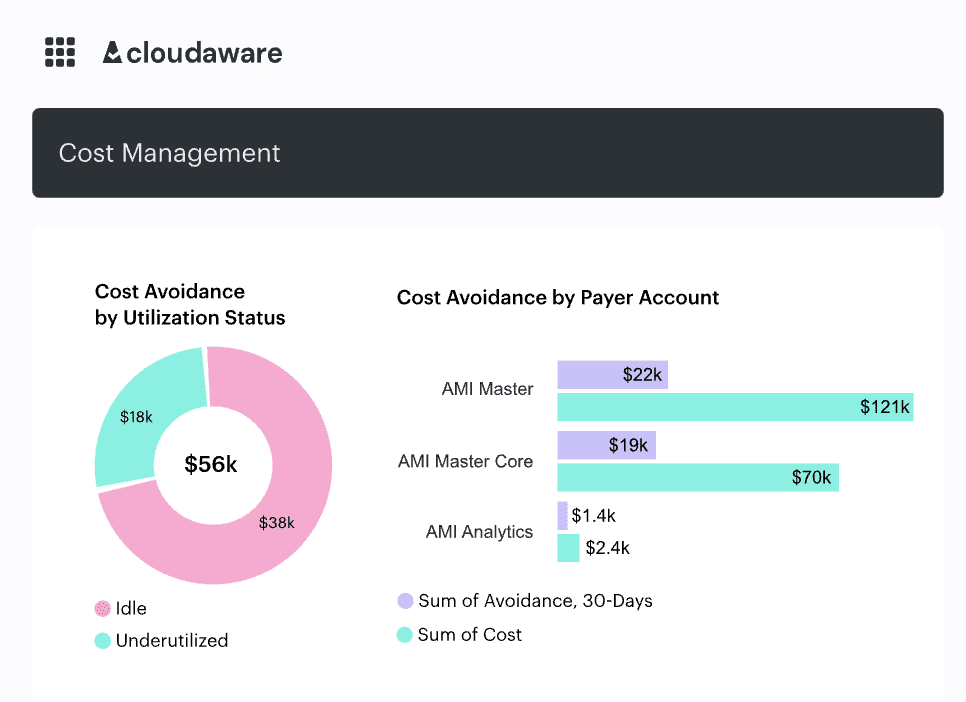
Cleaner operational workflows
Incident response, change reviews, and service handovers all depend on knowing what an asset is, who owns it, and what surrounds it. When records include related items and recent changes, teams spend less time reconstructing context and more time resolving the issue.
NASA managed thousands of EC2 instances and gained 100% visibility into changes, reducing security incidents by 36%.
More reliable lifecycle decisions
Assets should not stay in service by default just because no one is sure whether they are still needed. A good system helps teams review status, renewals, software versions, and ownership so they can update, retain, or retire assets based on current information.
In practice, the value of an asset management system is not just better tracking. It is faster decisions with less manual verification, which matters most when environments are large, shared, and constantly changing.
Types of asset management systems
Not all asset management systems solve the same problem. Some are built for physical infrastructure, others for software, cloud resources, or hybrid IT. Knowing the difference helps you choose a system that matches the way your environment actually operates.
1. IT asset management (ITAM)
ITAM tracks and manages hardware, software, and cloud resources across their lifecycle. It gives teams a central inventory with ownership, lifecycle state, and usage context, and it often works alongside a CMDB to maintain relationships between assets and services.
2. Enterprise asset management (EAM)
EAM is used for physical infrastructure such as data centers, network equipment, and facilities. It is built around maintenance scheduling, asset performance, and long-term lifecycle planning rather than day-to-day cloud or software control.
3. Software asset management (SAM)
SAM manages software licenses, usage, and compliance with vendor terms. It helps teams track renewals, reduce audit risk, and control unnecessary licensing costs, especially in environments with a large SaaS and enterprise software footprint.
4. Digital asset management (DAM)
DAM systems organize and control access to digital content such as documents, media files, and datasets. They are not part of core IT operations, but they matter in environments where digital content needs structure, access control, and version discipline.
5. Cloud asset management (CAM)
Cloud asset management is built for dynamic, cloud-native environments. It tracks resources across cloud providers, maintains relationships between services, and supports cost, security, and lifecycle control as infrastructure changes.
In practice, most organizations use a mix of these models. ITAM may cover inventory and ownership, SAM handles licensing, and cloud-focused systems manage dynamic infrastructure across multiple providers.
How to choose the best asset management system
Choosing an asset management system is less about feature volume and more about whether the system can keep asset data accurate and usable as your environment changes. The evaluation usually comes down to coverage, data quality, and how well the system supports real workflows.
So, what makes a high-performance system asset management solution?
What to look for
- Environment coverage. The system should support both cloud and on-prem infrastructure if your environment spans multiple platforms. This includes AWS, Azure, GCP, virtualization layers, and any critical SaaS systems.
- Continuous discovery over periodic scans. In dynamic environments, assets change too often for manual updates or scheduled syncs to hold up for long.
- Asset relationships and context matter just as much as inventory. A useful record shows related items, ownership, application context, and lifecycle state, not just an ID and a name.
- Lifecycle tracking also needs to be built in. The system should show when an asset was created, changed, renewed, or retired, because once that visibility is missing, unused and outdated assets tend to stay in place far longer than they should.
- Cost and usage data should sit directly on the asset record. That makes it easier to tell whether spend is expected, rising for a valid reason, or simply turning into waste.
- Compliance and policy support should work the same way. A good system helps teams spot violations quickly and see the current compliance status without pulling data from several tools.
- Change tracking. A reliable system records changes over time, so teams can trace what was modified and how it affected the environment.
| Criteria | What to check |
|---|---|
| Best for | Cloud, hybrid IT, or physical infrastructure |
| Environment coverage | Cloud providers, on-prem, SaaS |
| Discovery method | Continuous vs scheduled |
| Asset relationships | Related items and service context |
| Lifecycle tracking | Creation to retirement visibility |
| Cost visibility | Asset-level cost and usage |
| Compliance workflows | Policy checks and reporting |
| Change tracking | History of modifications |
Methodology: the criteria above reflect how asset data is used in practice across operations, security, and finance teams. The focus is not on the number of features, but on whether the system keeps records accurate, connected, and usable without manual reconciliation.
Top asset management systems for hybrid and multi-cloud IT teams
It helps to look at systems that handle dynamic infrastructure, not just static inventory. The tools below focus on environments where assets span cloud platforms and on-prem systems, and where relationships, lifecycle, and change tracking matter.
Cloudaware
Cloudaware is built for teams operating across AWS, Azure, GCP, and hybrid environments. It combines asset inventory with cost, security, and compliance data, so records are not just stored but continuously updated with operational context.
Instead of listing assets in isolation, the system links them to related items such as applications, identities, storage, and network configurations. This makes it easier to understand how services are structured and how changes affect the environment.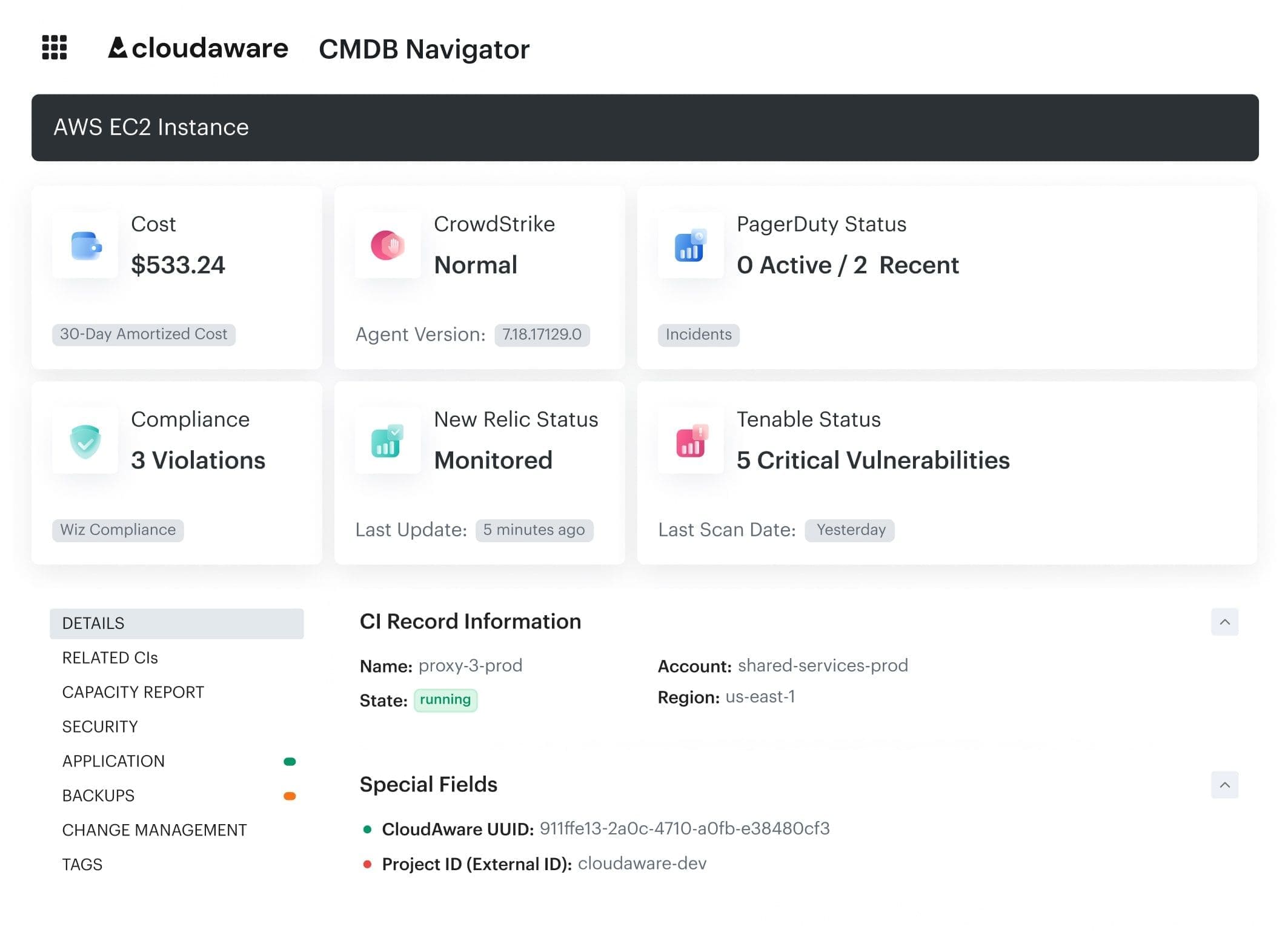
Key capabilities
- Continuous discovery across cloud and on-prem environments
- Unified asset inventory with ownership and lifecycle context
- Asset relationships and related items across services
- Cost and usage visibility tied to assets
- Policy checks and compliance workflows
- Change tracking with audit history
Device42
Device42 is typically used by teams that need asset discovery across hybrid environments, especially where older infrastructure still runs alongside newer cloud resources.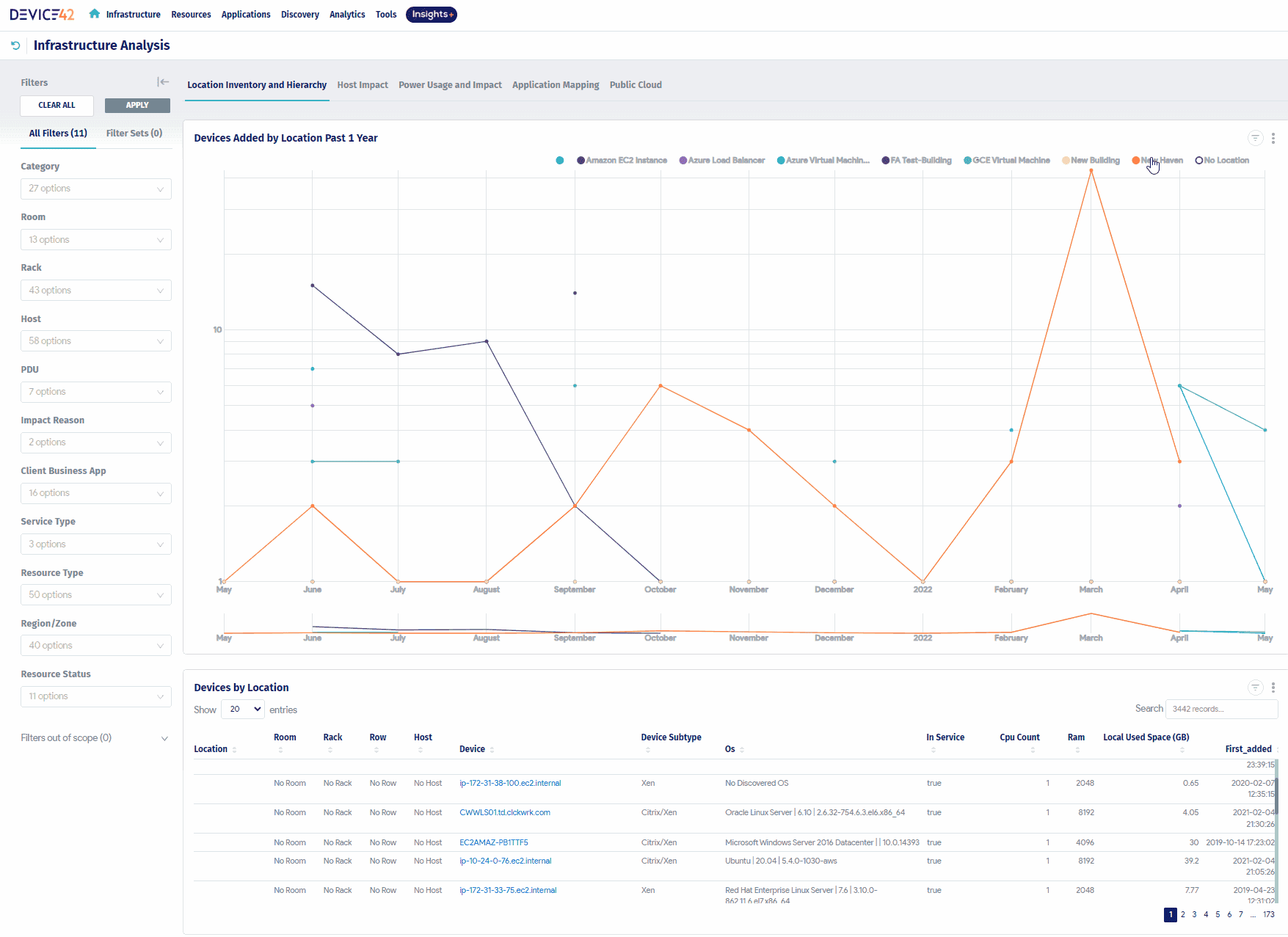 Image source.
Its main strength is infrastructure visibility. The platform helps teams keep inventory records current and understand how servers, network components, and applications connect across the environment.
Key capabilities
- Automated asset discovery across infrastructure
- Network and application mapping
- Hybrid environment support
- Basic compliance and access controls
ServiceNow
ServiceNow approaches asset management as part of a broader IT service management ecosystem. It integrates asset data into workflows such as incident management, change control, and compliance processes.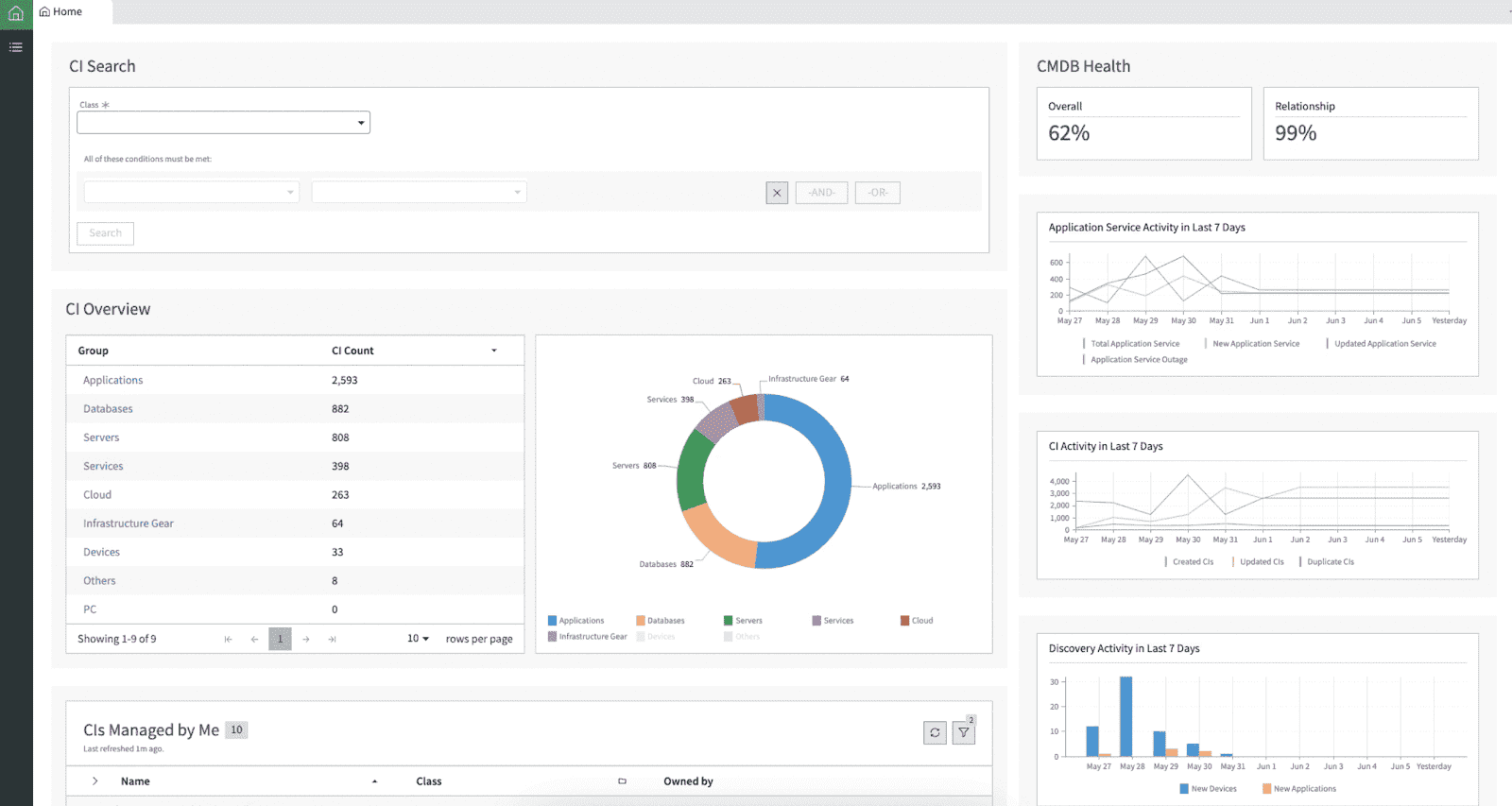 Image source.
This makes it suitable for large organizations that already rely on ITSM processes and need asset data embedded into those workflows.
Key capabilities
- Asset tracking integrated with ITSM workflows
- Change and incident management linkage
- Dependency and service mapping
- Governance and compliance support
Find more solutions in the article: Top 13 CMDB Tools. Choose the Best Configuration Management Database
How Cloudaware supports asset management
In hybrid and multi-cloud environments, the main challenge is not collecting asset data but keeping it accurate and usable as systems change. Cloudaware focuses on maintaining that continuity across discovery, context, and governance.
- Continuous asset discovery. Cloudaware connects to AWS, Azure, GCP, VMware, and SaaS platforms to keep inventory aligned with the current state of the environment. New resources, changes, and removals are reflected without manual updates.
- Unified asset inventory. All assets are stored in a single system with consistent structure. Each record includes core attributes such as type, environment, and location, along with operational context.
- Asset relationships and related items. Instead of treating assets as isolated records, Cloudaware links them to related items such as applications, identities, storage, and network components. This helps teams understand how services are structured and how dependencies affect operations.
- Lifecycle and ownership context. Each asset record includes ownership, lifecycle state, and usage indicators. This supports decisions around retention, updates, and decommissioning without relying on manual validation.
- Cost and usage visibility. Cloudaware connects cost data to individual assets, allowing teams to see where spend originates and whether it aligns with expected usage.
- Policy and compliance workflows. The system evaluates assets against internal and external policies, helping teams detect misconfigurations and track compliance status over time.
- Change tracking and audit history. Every modification to an asset is recorded, providing a timeline of changes that supports incident analysis, audits, and operational reviews.
This approach keeps asset data aligned with real infrastructure behavior, so teams can rely on it during incidents, audits, and cost decisions instead of rebuilding context from multiple tools.