


A service is down. Tickets are created, escalations start, and teams move through incident workflows. The process works, but questions slow everything down: What actually changed, and what is affected?
This is where the difference between ITSM and a CMDB becomes operational. ITSM manages the workflow, while a CMDB provides the context behind it. Without that context, teams fall back to investigation instead of controlled execution.
If your team needs a clean answer fast, here it is: ITSM is the operating model for managing services. A CMDB is the system of record that makes those workflows accurate.
- ITSM runs the workflow and handles incidents, requests, approvals, and service delivery, while the CMDB provides the context behind those workflows by showing what changed, what depends on what, and what could break next.
- They are not interchangeable. ITSM manages work, while CMDB manages configuration and relationship data.
- A weak CMDB slows ITSM down. Tickets still move, but root cause analysis and change risk assessment become guesswork.
- As environments scale into hybrid and multi-cloud, missing context turns into operational debt.
| Area | ITSM | CMDB |
|---|---|---|
| Primary purpose | Manage IT service workflows | Track configuration items and relationships |
| Core data | Incidents, requests, changes, SLAs | CIs, dependencies, configuration, and change history |
| Ownership | Service management/operations teams | Platform/infrastructure/cloud governance |
| Main workflows | Incident, change, problem, request | Supports those workflows with context |
| Outputs | Resolved tickets, approvals, and service delivery | Impact analysis, dependency mapping, audit trail |
| Where it helps most | Service execution | Root cause analysis, change risk, impact visibility |
| Can one replace the other? | No | No |
What is ITSM?
IT Service Management (ITSM) defines how IT work moves through the organization. It’s a structured framework for delivering and supporting IT services in a way that keeps service work consistent across teams.
In a stable setup, ITSM gives teams control over execution. Work is routed, ownership is clear, and service delivery is consistent. That part usually works even in less mature environments.
| ITSM answers | ITSM doesn’t answer |
|---|---|
| What needs to be done? | What exactly changed? |
| Who is responsible? | What systems are affected? |
| What is the current status? | What dependencies exist? |
Where ITSM starts to break down is when it depends on assumptions about the underlying systems. It can track that a service is down and assign the right team, but it cannot explain what components sit behind that service or how they are connected.
That missing layer is what slows down troubleshooting and increases the risk of incorrect changes.
What is a CMDB?
A Configuration Management Database (CMDB) is a system of record for configuration items (CIs) and their relationships. In a multi-cloud environment, that means tracking resources across AWS, Azure, GCP, and on-prem systems, along with how those resources connect into services.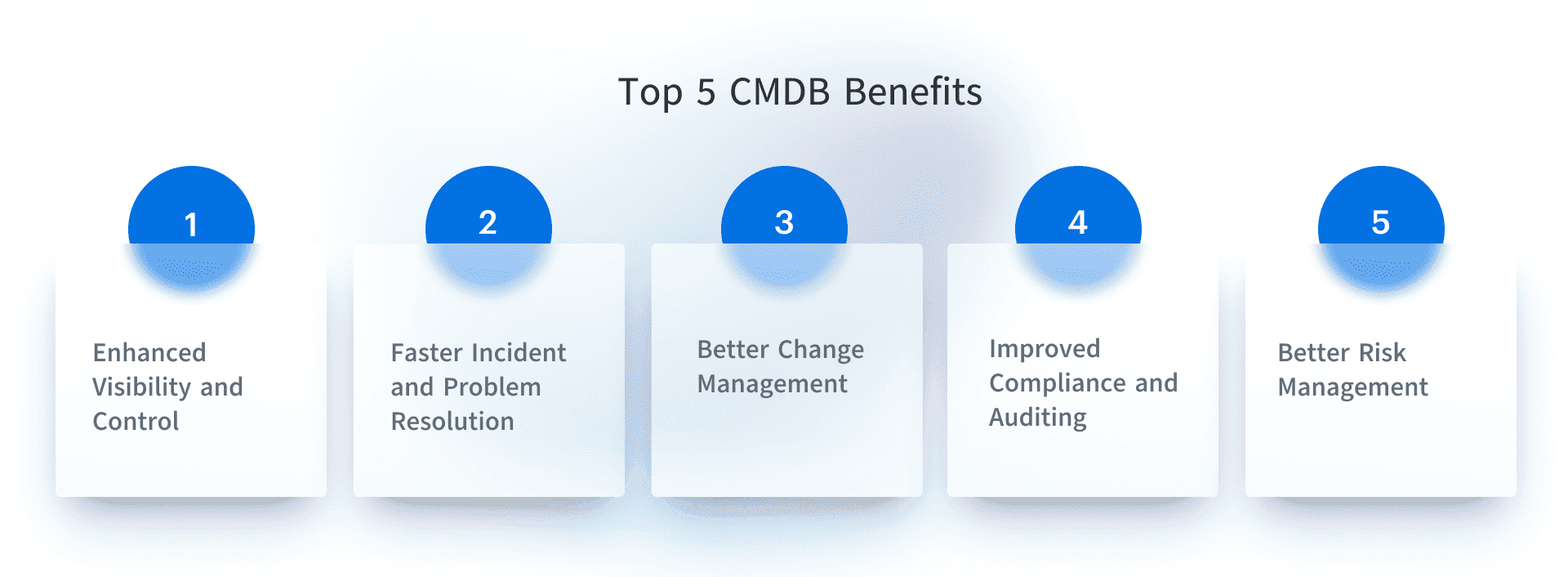 The value of a CMDB is in maintaining relationships and change history that teams can rely on during incidents and changes. A usable CMDB shows what exists, how components depend on each other, and what changed recently without requiring manual reconstruction.
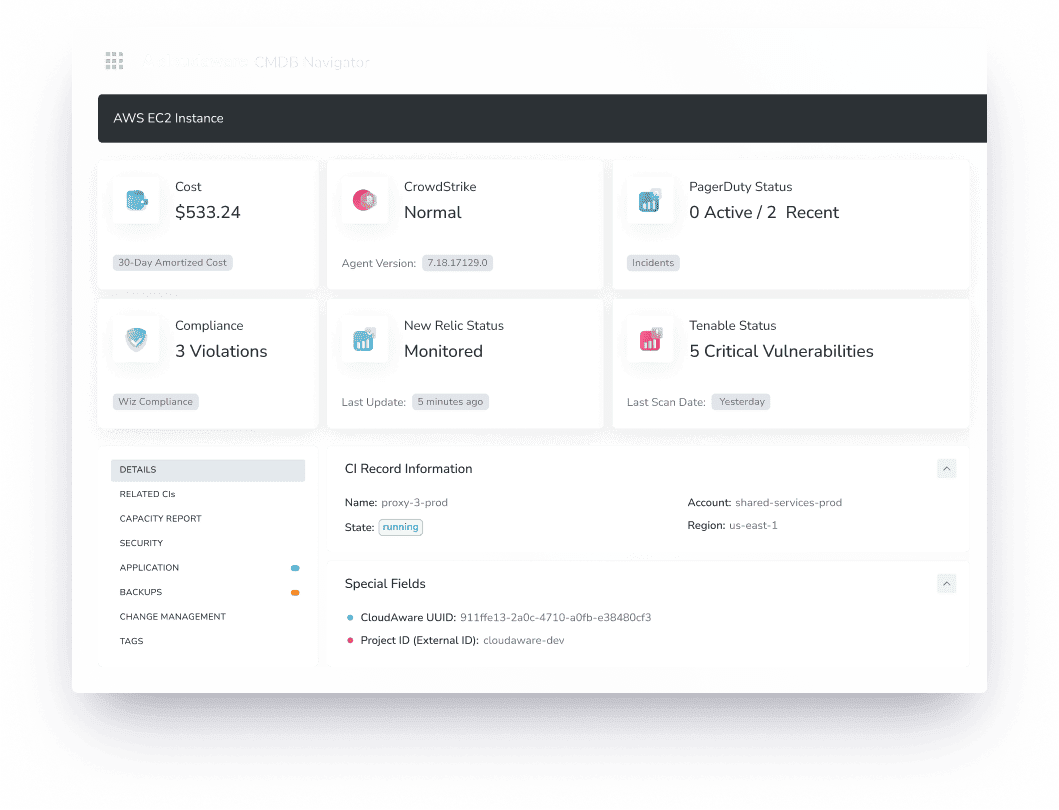 Unlike inventory systems, a CMDB value comes from relationships and context. A CMDB answers:
- What is affected?
- What depends on this component?
- What changed recently?
Read also: Top 13 CMDB Tools: Choose the Best Configuration Management Database
Key difference of ITSM vs CMDB
The difference between ITSM and a CMDB becomes clear under pressure.
- ITSM is process-driven
- CMDB is data-driven
ITSM answers what needs to happen next in the workflow, while the CMDB explains what the team is actually working on.
ITSM keeps work structured and moving, but it does not reduce uncertainty on its own. The CMDB reduces that uncertainty by showing dependencies, recent changes, and system state.
Without ITSM, work becomes uncoordinated. Without a CMDB, work stays coordinated but becomes slower and more error-prone because decisions are made with partial information.
How ITSM and CMDB work together
In a typical incident, ITSM handles the workflow from the moment the alert is triggered. The incident is logged, routed to the right team, and tracked through resolution.
The CMDB comes into play when the team needs to understand the impact and root cause. Instead of checking multiple systems manually, the team starts from the affected service and uses the CMDB to see which components support it, what other services share those components, and what changed recently.
This shifts the work from broad investigation to targeted analysis. The team is not searching across the environment. It is narrowing down from known relationships. That difference is what reduces resolution time and avoids unnecessary changes.
Can ITSM work without a CMDB
ITSM can operate without a CMDB, and many teams run this way for a long time. The limitations become visible as the environment grows.
Incidents take longer because teams need to reconstruct context manually. Changes carry more risk because the impact is not fully understood before deployment. The same issues tend to repeat because the root cause is not clearly tied to shared components. Over time, experienced engineers become the primary source of system knowledge instead of the system itself.
This model works at a small scale, but it does not hold as services, dependencies, and environments expand.
Where CMDB data strengthens ITSM
CMDB data matters most in workflows where teams need to assess impact, isolate cause, or validate change. ITSM can move work through the process, but it cannot replace dependency data, change history, or service context. That gap shows up first in incidents, change reviews, problem analysis, and audit work.
Incident management
In incident management, teams can move directly from a service to its underlying components and dependencies instead of piecing that together from logs and dashboards. ITSM is all about quickly and efficiently addressing issues to minimize disruption. A CMDB accelerates incident resolution by mapping out dependencies between systems.
Change management
In change management, they can see what other services depend on a component before approving a change, which reduces avoidable incidents.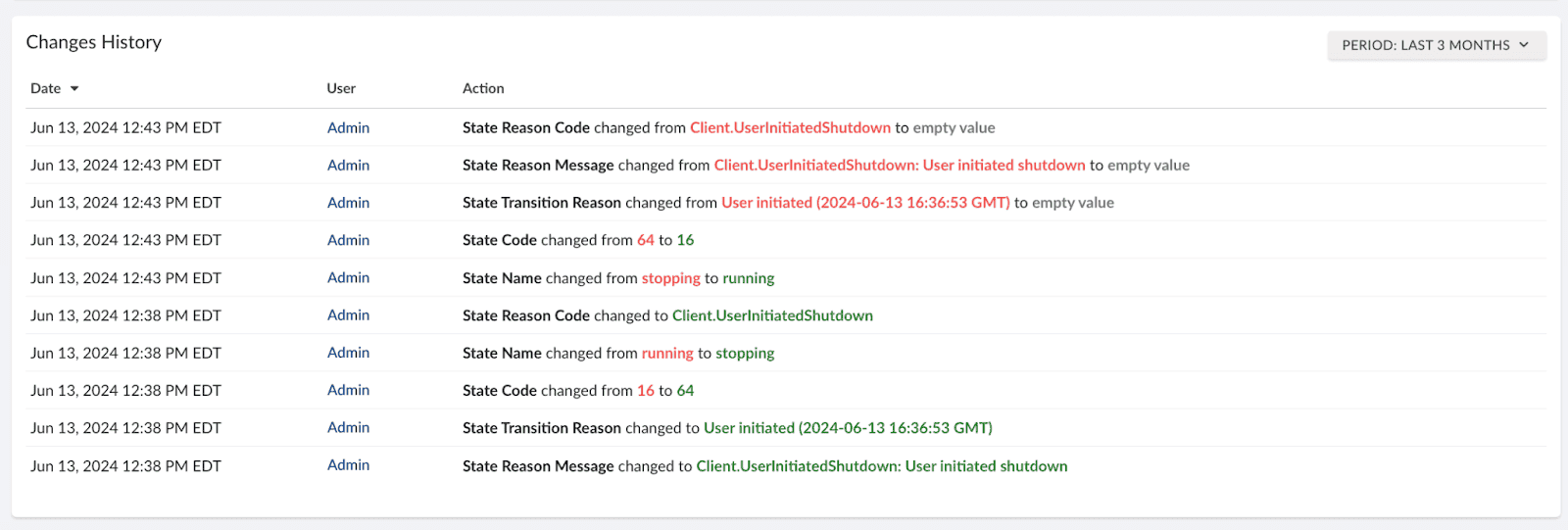 Change management is a cornerstone of ITSM. When changes are made to infrastructure, it’s crucial to understand their potential impact. The CMDB plays a central role here by helping you map out those changes.
Problem management
In problem management, recurring issues can be traced back to shared infrastructure instead of being treated as separate events. Risk management in ITSM is about anticipating and mitigating potential service disruptions. The CMDB makes it easier to identify and manage risks by showing you how components interact.
Request management
Requests are tied to real systems rather than abstract service names, and changes can be traced over time without reconstructing history from multiple sources.
Audit and compliance
Compliance and auditing are a core part of ITSM, ensuring that services are aligned with regulatory requirements.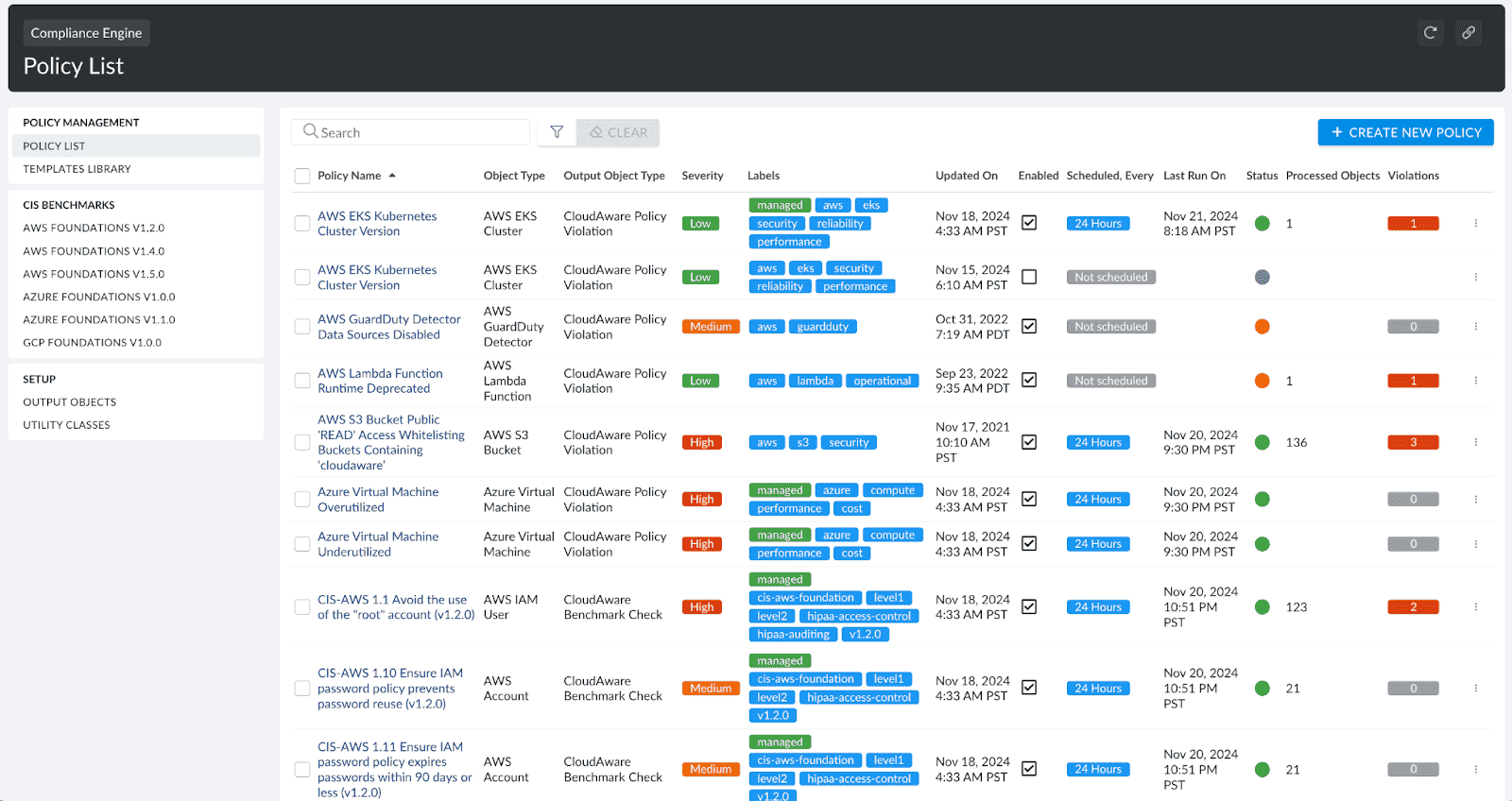 A CMDB supports these processes by tracking configuration data, asset ownership, and changes over time.
All of this depends on one condition: the CMDB data has to be current and complete enough to trust.
How Cloudaware strengthens CMDB for ITSM
Most teams already have ITSM in place. In multi-cloud environments, teams lose visibility across accounts and platforms, and CMDB data quickly becomes inconsistent. Cloudaware keeps that data aligned by tracking assets across AWS, Azure, GCP, and on-prem systems and maintaining relationships at the service level, so incident and change workflows rely on current data instead of manual reconstruction.
Top capabilities:
- Unified asset visibility across cloud and on-prem in one CMDB model
- Service and relationship context for faster impact and dependency analysis
- Change tracking across environments to narrow root cause and review changes
- CI enrichment with ownership, cost, and governance context
- Risk and compliance visibility tied to the same infrastructure records
It does not replace ITSM platforms that still control workflows. Cloudaware strengthens the CMDB layer that those workflows depend on, especially where standard CMDB implementations struggle to keep up with cloud scale and change rate.