


You’re here because choosing cloud financial management software gets messy fast. One demo looks great, then you realize allocation breaks on shared Kubernetes costs, AWS coverage is strong but Azure is thin, dashboards are pretty but useless for engineering, and finance still can’t trust the numbers.
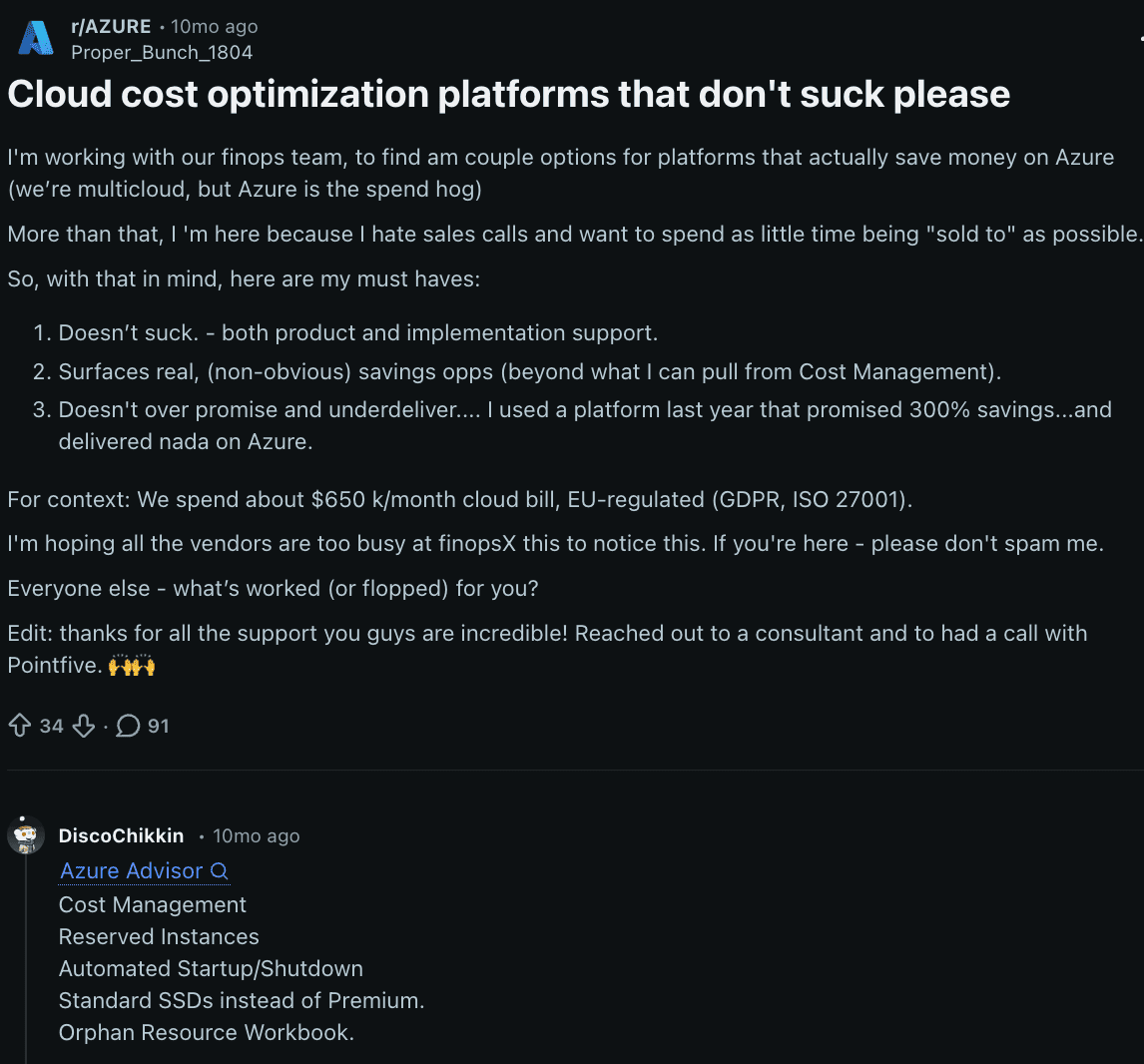
My team spent 5 full days testing 30 cloud financial management tools to cut that noise down to the shortlist here. To ground this in reality, we pulled patterns from client calls, teammate interviews, recent user reviews, plus the blunt stuff people say on Reddit and Quora.
So here’s what we need to answer:
- Which tools actually work in multi-cloud?
- Where do allocation and tagging fail?
- Which platforms help with RI and SP coverage, waste detection, forecasting, and chargeback?
- What breaks at scale?
- Which features save time versus create admin work?
- And how do you pick a platform your FinOps, finance, and engineering teams will all use?
Key insights on cloud financial management software
If you want the fast read on cloud financial management software, start here. No platform wins every use case. The shortlist changes fast once you factor in cloud estate, operating model, commitment strategy, and how much allocation detail your finance and engineering teams actually need.
That is why there is no single top cloud financial management tool for everyone. Some teams need native tooling. Others need multi-cloud reporting, Kubernetes visibility, or stronger governance. This is the practical cut of the cloud financial management tools covered in this guide.
- Cloudaware is a strong fit for enterprise teams that need multi-cloud visibility, chargeback, shared-cost mapping, and CMDB-backed ownership.
- AWS Cost Explorer is the best when your spend lives mostly in AWS and your main jobs are native reporting, forecasting, and commitment visibility.
- Microsoft Cost Management is a solid choice for Azure-heavy organizations that want budgets, exports, scope-based reporting, and finance-ready controls.
- Google Cloud Cost Management is best for GCP-first teams that want billing export, labels, budgets, and native cost analysis close to the workload.
- CloudZero is strong on business-context allocation, shared-cost modeling, and unit economics for engineering-led FinOps teams.
- Apptio Cloudability is best for large organizations running mature FinOps with forecasting, budgeting, allocation, and optimization in one stack.
- Flexera is strong where governance, policy control, enterprise reporting, and broader technology-cost context matter.
- Kubecost is best for platform teams that need namespace-, pod-, and label-level allocation across Kubernetes environments.
- nOps / ProsperOps is best when the main use case is automated Savings Plans, RI optimization, and reducing AWS commitment waste.
What is cloud financial management software?
A cloud financial management tool is solution that helps teams collect, organize, analyze, allocate, optimize, and govern cloud spend across IaaS and PaaS environments.
In practice, that means pulling billing, usage, tag, and resource data from AWS, Azure, and GCP into one place so FinOps, engineering, finance, and leadership can see who is spending what, where utilization is weak, and which actions will actually lower cost without hurting delivery.
A good cloud financial management system turns messy billing exports into something people can use.
- Finance gets cost reports, forecast views, and cleaner chargeback or showback.
- Engineering sees idle resources, overprovisioned instances, RI and Savings Plans coverage gaps, and spend changes tied to teams, apps, or environments.
- Product owners can track cloud cost against features or business units instead of staring at a raw invoice and guessing what moved.
The reason teams buy a cloud financial management platform is simple. Cloud spend gets too dynamic for spreadsheets fast. Shared Kubernetes costs blur ownership. Tags break. One team scales up for performance, another forgets to scale down, and the bill lands in finance with zero context.
Cloud financial management software vs ERP financial management software
Teams mix these up all the time. Finance already has an ERP, so people assume cloud cost should be covered there too. Then spend jumps in AWS, shared Kubernetes costs blur ownership, Azure commitment coverage slips, and finance still can’t see which team or service caused it.
- ERP financial software handles accounting, planning, AP/AR, consolidation, procurement, and close. It records business finance.
- Cloud financial software handles cloud cost management. It tracks spend, usage, allocation, commitments, waste, forecasting, and governance across accounts, subscriptions, projects, tags, and business mappings.
That difference matters because ERP answers financial reporting questions. Cloud financial systems answer operational cost questions. Who owns this spend? Which workload is underutilized? Where are RI or SP gaps? What changed this week? What should engineering fix first?
Quick comparison
| Area | ERP financial management software | Cloud financial management software |
|---|---|---|
| Main job | Accounting, planning, AP/AR, consolidation | Spend visibility, allocation, optimization, governance |
| Core users | Finance, controllers, FP&A, procurement | FinOps, engineering, finance, product, leadership |
| Data source | Ledger data, invoices, transactions | Billing, usage, tags, commitments, resource metadata |
| Best at answering | What did we spend? | Who spent it, why, and what needs action? |
| Timing | Monthly, quarterly | Daily, weekly, near real time |
| Outcome | Financial control | Engineering finance collaboration and cloud cost control |
Cloud financial management vs cloud cost management vs FinOps
These three get used like synonyms. They overlap, but they do different jobs.
- Cloud financial management is the broad layer. Think of it as the system for tracking, allocating, forecasting, optimizing, and governing cloud spend across AWS, Azure, GCP, Kubernetes, and shared platform services. This is where teams use cloud financial management tools to turn billing exports, tag data, and usage records into cost reports, dashboards, chargeback logic, budget views, and policy controls.
- Cloud cost management is narrower. It focuses on the money itself. Spend visibility, anomaly detection, waste cleanup, rightsizing, RI and SP coverage, and ongoing cloud cost optimization. When a team asks why EC2 costs jumped 14% this week or which idle disks should be deleted today, that’s cloud cost management work.
- FinOps is the operating model around all of it. A FinOps practice defines how finance, engineering, and product make cloud decisions together. It sets ownership, review cadences, allocation rules, KPI targets, and escalation paths. That is where business value and accountability show up. Not as ideas. As actions. Who owns the spend, who approves commitments, who fixes waste, and who explains variance?
Quick comparison
| Term | What it covers | Main outcome |
|---|---|---|
| Cloud financial management | Spend data, allocation, forecasting, governance, reporting, optimization workflows | Financial control across cloud environments |
| Cloud cost management | Cost visibility, waste detection, rightsizing, commitment coverage, savings actions | Lower cloud spend and faster corrective action |
| FinOps | Operating model, roles, KPIs, decision-making, cross-team workflows | Stronger engineering finance product collaboration and better cloud decisions |
Why teams need cloud financial management tools now
From what we see in Cloudaware client work, teams usually buy a tool after the same three failures: the bill is hard to explain, ownership is fuzzy, and finance stops trusting the savings story.
1. Cloud bills are harder to understand than they look
One invoice can hide AWS CUR data, Azure Cost Management exports, GCP billing export files, blended and unblended rates, shared costs, commitment discounts, and broken tags. Add multi-account sprawl and cost categories, and a simple question like “why did spend jump 14%?” turns into manual reconciliation.
Flexera’s 2025 State of the Cloud puts numbers on that pressure: 84% of organizations say managing cloud spend is their top challenge, spend is expected to grow 28%, budgets are exceeded by 17%, and 27% of cloud spend is still wasted.
That is why teams move from raw exports to cloud financial systems and more mature cloud financial management products.
2. Visibility without allocation is not enough
A dashboard helps. It does not answer ownership. When shared costs sit in central buckets, finance cannot run clean chargeback or showback, engineering cannot see what belongs to them, and product cannot trust business unit reporting.
Good cloud financial management software fixes that with cost allocation, tagging governance, owner tags, and rules for splitting shared platform spend.
The FinOps Foundation is explicit here: showback is foundational, chargeback depends on accounting policy, and both rely on solid allocation decisions for shared costs and tagging strategy. Its 2026 State of FinOps report says the top cross-technology priorities are Allocation, Forecasting, Budgeting, Planning & Estimating, and Reporting & Analytics. Teams are building ownership before they chase more savings.
3. Optimization without reporting breaks trust
Savings only matter if finance and leadership can verify them. Rightsizing one workload while forecast accuracy gets worse or budget variance stays unexplained does not build credibility. A strong cloud financial management platform has to connect anomaly detection, optimization actions, executive dashboards, and unit economics back to the same reporting model.
The FinOps Foundation’s 2026 data shows the discipline has shifted upward: 78% of FinOps teams now report into the CTO or CIO, and the report says dashboards are reactive table stakes while proactive, real-time automation is the direction teams are pushing toward.
Optimization alone is no longer enough. Leaders want proof, context, and a number they can defend in a forecast review.
Key features to look for in cloud financial management software
These are the checks that matter when you’re choosing a platform. Every FinOps tool will promise visibility. The real question is whether the software can support daily FinOps work across finance, engineering, and leadership without forcing your team back into spreadsheets.
1. Multi-cloud cost visibility
A good cloud based financial management software setup should pull cost and usage data from AWS, Azure, and GCP into one cross-cloud dashboard.
That matters because most teams do not spend in one place anymore. They run workloads across providers, inherit different billing structures, and still need one version of the truth.
If the platform cannot normalize consolidated billing views across clouds, reporting gets slower and decisions get worse.
2. Cost allocation and chargeback
This is where a cloud financial management system either becomes useful or stays decorative. You need support for shared cost allocation, service line chargeback, business mapping, tags, and labels.
Otherwise the bill stays visible, but ownership stays vague. Finance cannot allocate spending cleanly. Engineers cannot see what is theirs. Product leaders cannot tie cost to services or environments they actually own.
3. Budgeting, forecasting, and variance tracking
A strong cloud financial management platform should help you build a forecast, track monthly variance, and set budget alerts before overspend turns into a finance surprise. Historical trends matter here.
So does planning by team, account, or business unit. If a tool only shows what happened yesterday, it helps with reporting. It does not help with control.
4. Waste detection and optimization recommendations
A real cloud financial management tool should flag idle resources, unattached volumes, low utilization, rightsizing candidates, and RI/SP coverage gaps. This is where savings show up. Teams need recommended actions, not just a heatmap.
When spend jumps, you want to know whether the issue is waste, growth, or poor commitment coverage, and you want that answer fast.
5. Reporting and dashboard flexibility
Different stakeholders need different views. Finance wants budget and variance. Engineering wants utilization and waste. Leadership wants trends and exceptions.
The best cloud financial management tools give you a dashboard builder, scheduled email reports, exports, API access, and stakeholder views that can be shared without manual cleanup. If every report requires custom spreadsheet work, the platform is adding labor instead of removing it.
6. Governance and access control
This part gets skipped in demos and becomes painful later. Mature cloud financial management solutions need RBAC, finance-only dashboard access, policy enforcement, auditability, and enterprise security controls.
Cost data is sensitive. Allocation rules matter. Forecasts and business-unit reports should not be editable by everyone. Governance keeps reporting trustworthy and access appropriate.
7. Commitment and effective-cost analytics
Many cloud financial systems look fine until commitments enter the picture. Then the numbers drift. You need clear analytics for Savings Plans, Reserved Instances, amortized cost, effective cost, plus coverage and utilization.
That is the only way to understand whether savings are real, whether commitments are underused, and whether a lower rate on paper is actually helping the workloads that matter.
Methodology: How we tested cloud financial management tools
To evaluate cloud financial management systems, we did more than read feature pages.
- We sat through product demos.
- Worked through free trials where they existed,
- Checked how each tool handled allocation, forecasting, optimization, dashboards, and commitment reporting in practice.
Then we pressure-tested those impressions against user feedback on G2 and Capterra. That helped separate polished sales stories from day-to-day reality: setup friction, tag-mapping limits, reporting depth, export quality, and how useful the platform stays once finance and engineering both need answers fast.
The shortlist came from hands-on testing plus review patterns, not vendor claims or category pages alone.
Cloudaware cloud financial software
G2 rating: 4/5
Capterra: 4.5/5
Best for: organizations that want multi‑cloud cost visibility and governance tied to CMDB/service context for showback/chargeback and waste cleanup
Cloudaware earns its place fast when a team needs FinOps with context, not another billing screen. Coca-Cola and NASA leaned on it for multi-cloud visibility and control.
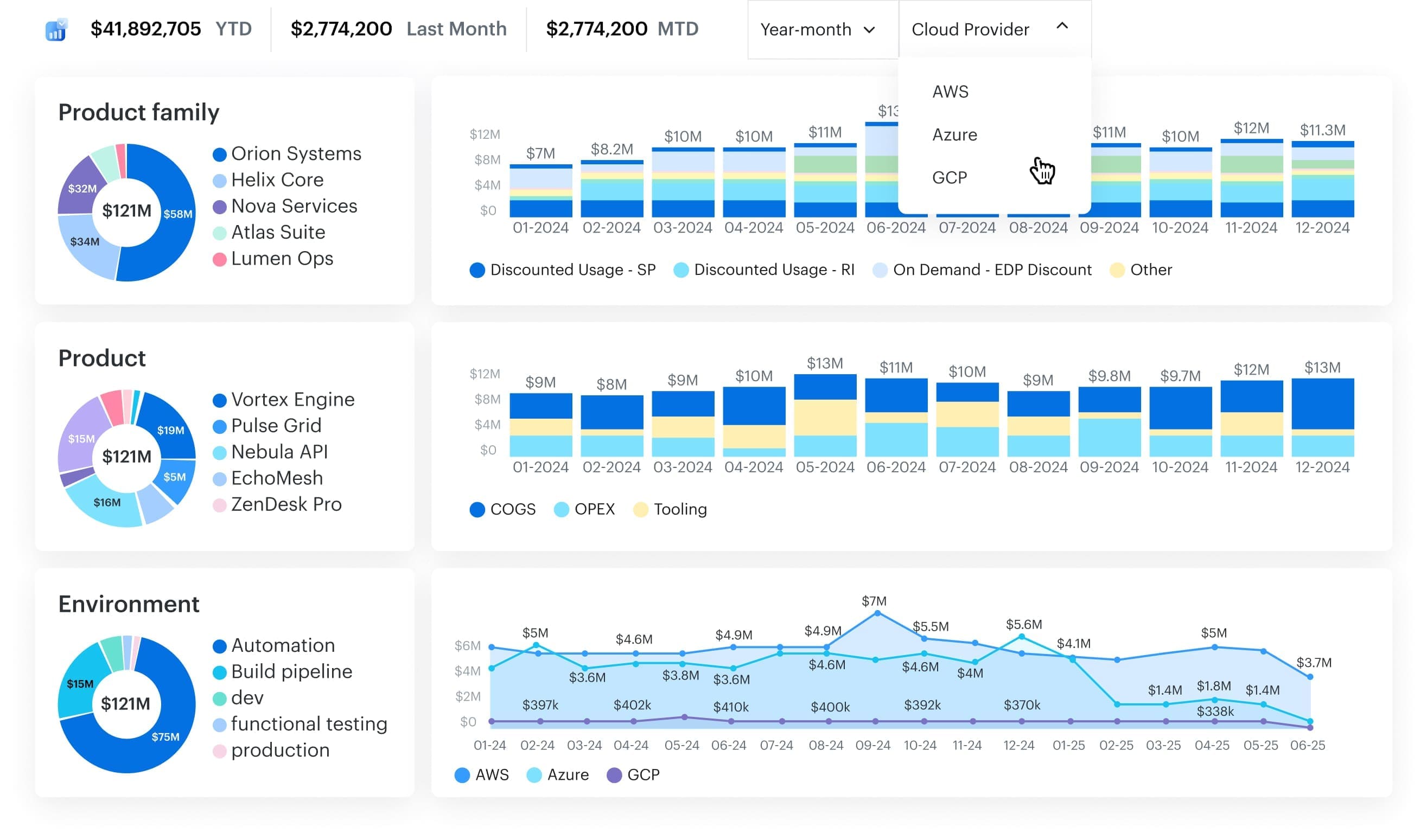
The edge is the CMDB layer. Cloudaware ties spend to apps, services, teams, and shared resources, including messy or untagged environments, across AWS, Azure, GCP, Kubernetes, and Oracle.
That makes this cloud financial management solution especially strong for enterprise multi-cloud estates. Setup is friendly too: read-only permissions, guided onboarding, and a 30-day trial. Rewards-wise, Cloudaware calls out top-rated Capterra positioning plus Best Value Software, Budget Friendly, and Customer Choice badges. Watchout: smaller single-cloud teams may want something lighter.
Deployment fit: Best for complex multi-cloud and CMDB-driven environments.
Standout strengths: Cross-cloud allocation, shared-cost mapping, waste detection, RI/SP analytics, flexible reporting.
Watchouts / limitations: Broader platform than some lean point tools.
Features
- Multi-cloud billing and usage collection across AWS, Azure, GCP, Kubernetes, and Oracle
- Tagging normalization for cleaner allocation data
- Cost allocation, chargeback, and shared-cost mapping by app, team, or service
- Budget alerts and forecast-drift
- 100+ waste-detection policies for idle resources and oversized spend
- RI and SP coverage, utilization, and effective-cost analytics
- Custom dashboards, scheduled reports, exports, and API access
Pricing
Cloudaware prices cloud financial management software in layers. First comes the CMDB, priced by configuration items at about $0.008 per CI/month. In a 100-server setup, that works out to roughly $400/month. Add the FinOps module, which is 20% of CMDB spend, and the total lands near $480/month.
Nice detail for a FinOps lead: you’re paying for infrastructure context plus cost analytics, not a vague bundle.
There’s also a 30-day free trial.
Pros
- Cost optimization recommendations: “Cloudaware provides cost optimization recommendations, such as rightsizing instances, eliminating idle resources.” G2
- Unified multi-cloud visibility: “It provides a unified view of all cloud resources, which allows for better visibility and control over the entire cloud environment.” G2
- Executive-friendly reporting: “We like the reporting capabilities to management … recommendations to remediate.” Capterra
Cons
- Integration friction in complex environments: "Integrating CloudAware with existing systems or workflows was challenging for me, especially when I had complex IT environments.” G2
- Navigation overload: “Cloudaware user interface can be overwhelming and difficult to navigate.” G2
- Price pressure for smaller teams: “the pricing can be high for small businesses or startups.” G2
AWS Cost Management cloud finance solutions
G2 rating: 4.4/5
Capterra: 4.8/5
Best for: AWS‑native cost analysis with built‑in spend forecasting plus RI and EC2 rightsizing recommendations.
AWS Cost Management is a strong first stop when your FinOps work lives mostly inside AWS. CrowdStrike used AWS cost-management patterns to tighten payer-account access and improve cost control at scale, while CoStar cut media-processing costs by 80% through usage analysis and optimization on AWS. Its edge is native depth: billing data, usage, forecasts, and commitment signals already live in the same ecosystem. Review-wise, AWS Cost Explorer holds 4.4/5 on G2 and 4.8/5 on Capterra.
For teams handling cloud management financial services in AWS-heavy environments, that matters.
Deployment fit: AWS-first estates.
Standout strengths: fast setup, deep AWS visibility, solid forecasting.
Watchouts: weak multi-cloud coverage and lighter allocation and executive reporting than dedicated FinOps platforms.
Features
- Cost and usage analysis across accounts, services, and tags
- Up to 18 months of forecasting with AI-powered explanations
- Saved reports and preconfigured views
- Up to 38 months of history plus 14 days of hourly granularity
- Cost driver analysis and anomaly visibility
Pricing
For AWS-heavy teams doing cloud management financial services, pricing starts simple: $0 to use Cost Explorer in the console.
Then the metered pieces kick in. API access runs $0.01 per paginated request on your primary billing view, or $0.01 per source for custom billing views. Turn on hourly granularity and AWS charges $0.01 per 1,000 usage records monthly.
So the starting price is free, and the final price scales with query volume plus hourly detail.
Trial days: 0.
Pros
- Tag-driven cost attribution: “I like that it lets me explore different options and search by tags.” G2
- Flexible filtering for cost analysis: “We can filter the cost based on many things, resources, tags, etc." G2
- Cost trend visualization: “it has different types of analytic graphs and charts, which helps in visualizing the cost trend." G2
Cons
- Limited depth/features for some users: “Not much, but it did not give many options." G2
- Confusing entry-point/navigation: “Navigating to the cost explorer is quit confusing at the beginning." G2
- Filtering UX constraints: “filter UI could be improved." G2
Microsoft Cost Management
G2 rating: 3.8/5
Capterra: 4.8/5
Best for: cost analysis and cost governance workflows (views, budgets/alerts, and scheduled exports for FinOps reporting).
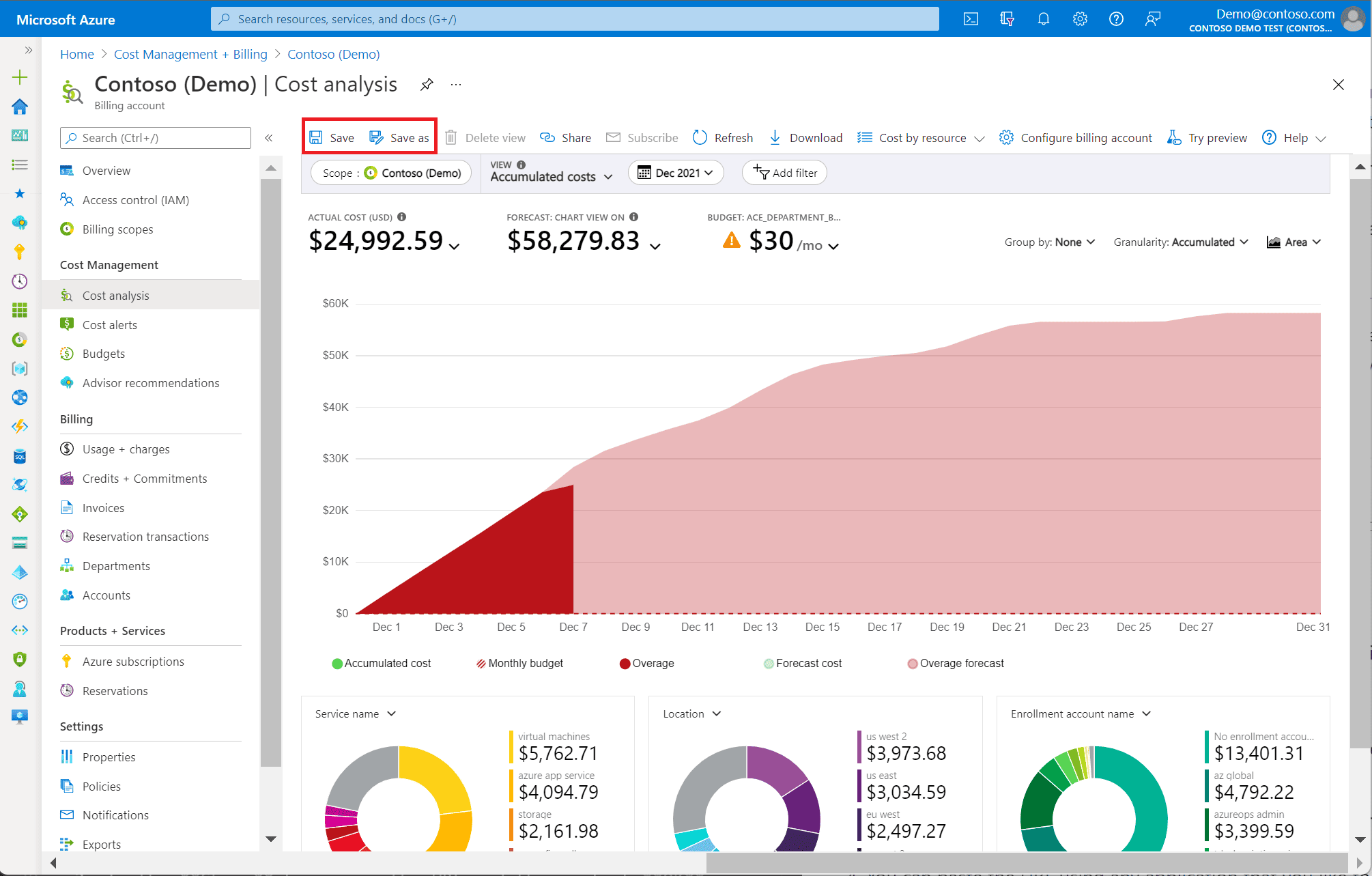
Microsoft Cost Management makes sense when your FinOps motion lives deep in Azure and you need fast control without bolting on another platform. BP says it used Microsoft Cost Management to cut cloud costs by 40% even as usage nearly doubled. Carlsberg highlights budgeting, forecasting, and stronger cost accountability. ASOS points to better access to cost-management features and closer cost control.
The competitive edge is native fit: scopes across billing accounts, subscriptions, resource groups, and management groups, plus budgets, allocation, exports, and anomaly signals already inside the Microsoft stack. Review signal: 3.8/5 on G2. For teams handling cloud management financial services in Azure-heavy estates, that matters.
Deployment fit: Azure-first organizations.
Standout strengths: native visibility, multi-scope control, strong export options.
Watchouts: weaker multi-cloud depth and lighter executive reporting than specialist FinOps tools.
Features
- Cost analysis across billing scopes and services.
- Budgets, anomaly alerts, and reservation utilization tracking.
- Cost allocation rules and tag inheritance.
- Scheduled exports for FinOps datasets, including amortized and FOCUS formats.
- Power BI and external-tool reporting workflows.
Pricing
For Azure-heavy teams, pricing is refreshingly clean. Microsoft Cost Management has no paid plans. Core reporting, budgets, alerts, recommendations, and cost allocation are included for Azure customers and managed service providers at no additional cost, so the starting price is $0 and the final price is $0.
For DevOps or FinOps leads running cloud identity management financial services workloads, that means no per-user or per-account math.
Trial-wise, there’s no separate Cost Management trial, though Azure’s free account includes 30 days and $200 credit.
Pros
- Single-panel billing visibility & cost breakdown: “have all my expenses made in Azure in just one section/panel … we can find and break down where each cost comes from.” G2
- Subscription and plan tracking: “With this, we can track our subscription and pricing of current active plans.” G2
- Real-time budget guardrails: “see their budget and costs in real time to track their expenses.” G2
Cons
- Customization gaps: “It has room for improvement in terms of customization.” G2
- Setup complexity: “The setup is a little complicated.” G2
- Cost concerns at enterprise pricing: “This software is too high in its price." G2
Google Cloud Cost Management
G2 rating: 4.3/5
Best for: GCP‑native cost monitoring via Cloud Billing reports and budgets/alerts (plus exports/BigQuery integrations as needed)
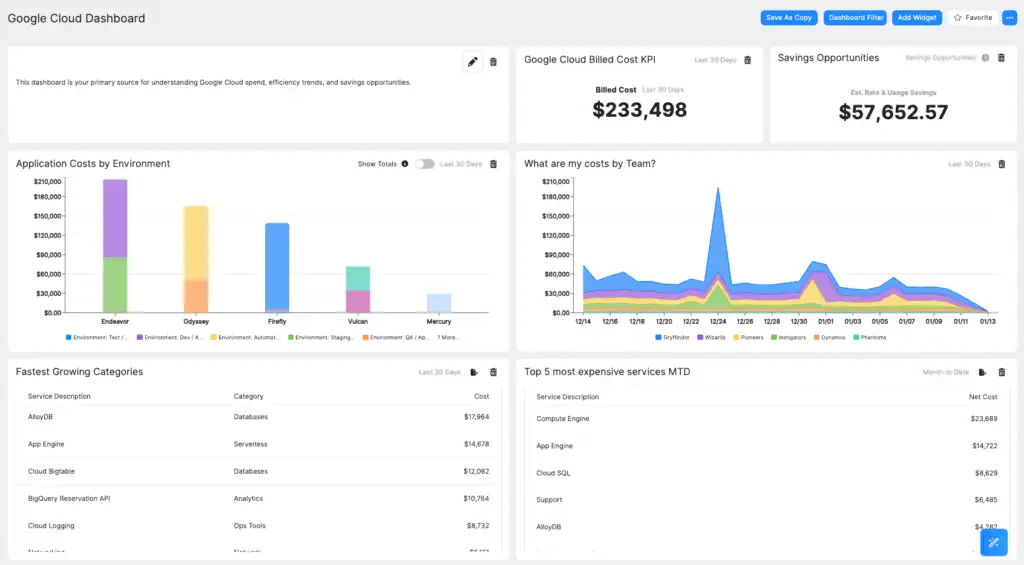
Google Cloud Cost Management is a smart starting point when your spend lives mostly in GCP and you want control fast. Sky used Google Cloud billing data, dashboards, and recommendations to find over $1.5M in immediate savings, then generated more than $3M in Google Cloud savings in 2020. Etsy used billing export, Looker dashboards, labels, and committed-use discounts to improve budget visibility and cut compute costs by 42%.
That’s the real value of cloud financial management software when it’s wired close to the workload. Google’s edge is native depth plus open data export. Reward-wise, Google was named a Leader in the 2025 IDC MarketScape for FinOps cloud cost optimization.
Deployment fit: GCP-first teams.
Standout strengths: BigQuery export, labels, budgets, anomaly coverage.
Watchouts: light third-party review volume and limited multi-cloud depth.
Features
- Cost reports, forecasts, and custom dashboards in the console and Looker Studio.
- Budgets, alerts, and automated budget actions through email or Pub/Sub.
- Billing export to BigQuery for deeper FinOps analysis.
- Recommendations, quota controls, and billing APIs for optimization and governance.
Pricing
Google keeps this one clean. Native Cost Management, budgets, anomalies, and Billing APIs are $0. Spend starts only when you layer on services around it, like BigQuery for billing exports or Pub/Sub for notifications, both billed at standard usage rates.
So for teams comparing cloud financial management tools, the starting price is $0 and the final native price stays $0.
New customers also get a 90-day trial with $300 credit.
Pros
- Rapid roll-up of financial totals: “The system carries the numbers over for you in virtually no time at all.” G2
- Budget alerts for planning and control: “Great budget alert tools to notify users and help with project planning and controlling costs.” G2
- Billing-cycle analysis and cost history: “analyze the billing cycle and threshold in details, viewing cost and payment history." G2
Cons
- Training/enablement required: “Training prior to using the Google Cloud Billing API is required to be able to use the tools correctly.” G2
- Limited customization: “there wasn't enough customization in the product.” G2
- Billing audit complexity: “It is rather complicated to deal with the billing system of various services. It may take a long time to audit” Capterra
Read also: How to use FinOps framework: Top 10 mistakes & their fix
CloudZero cloud financial management tool
G2 rating: 4.6/5
Capterra: 4.5/5
Best for: unit economics (unit cost metrics like cost per customer/API call) and dimension‑based cost allocation to connect spend to business outcomes.
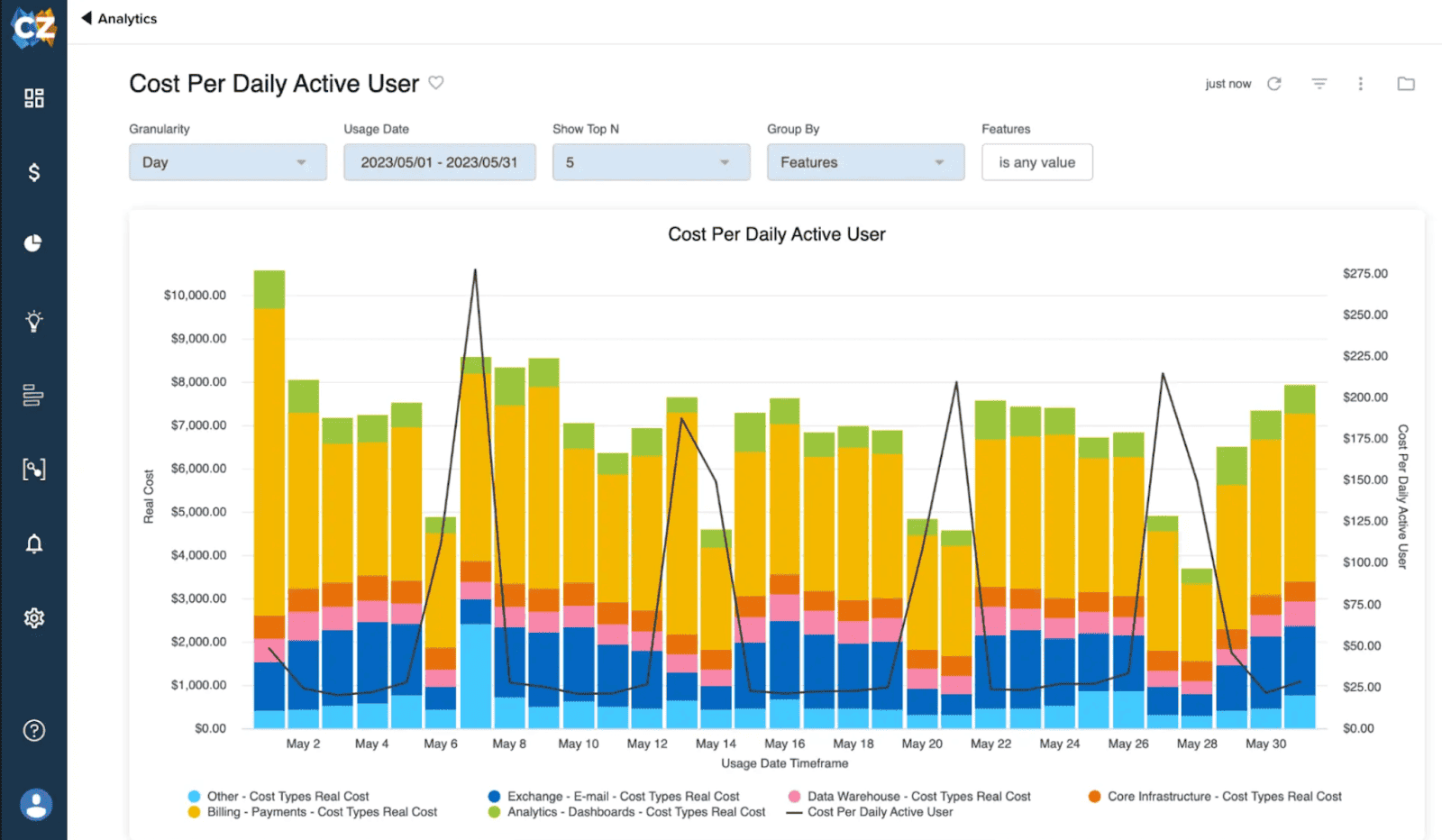
CloudZero shines when finance wants clean numbers and engineers want cost data that actually means something. Upstart used it for cost allocation, multi-cloud visibility, optimization, and financial reporting, cutting cloud spend by $20M and saving 5 hours a month on reporting. PicPay used it for complete allocation, optimization, and FinOps maturity, driving $18.6M in annual cloud savings. That’s the hook with this cloud-based financial management software: cost lands in a business context fast.
CloudZero’s edge is unit economics plus shared-cost allocation with telemetry and custom dimensions. Market signal is strong too: 4.6/5 on G2 and G2 badges including Grid Leader, High Performer, Best Support, and Momentum Leader for Spring 2025.
Deployment fit: Cloud-native product teams that want engineering-led FinOps.
Standout strengths: unit cost analytics, 100% shared-cost allocation, rich anomaly context, customizable business views.
Watchouts/limitations: advanced dashboards can take extra setup; some users mention a learning curve, limited granular RBAC, and uneven forecasting.
Features
- Unit cost tracking by customer, product, feature, or team.
- Shared-cost allocation with CostFormation®.
- AI anomaly detection on hourly spend.
- Custom dimensions, Explorer views, and analytics dashboards.
Pricing
CloudZero’s cloud financial management system uses tiered, quote-based pricing on its official site, with predictable monthly billing, no overage charges, unlimited users, custom dashboards, and a FinOps Account Manager included. Public pricing starts at $19 per user/month on Capterra’s Basic listing.
Final price? CloudZero does not publish that on the web, so enterprise cost is a custom quote only.
Free trial length is 14 days for qualified accounts.
Pros
- Business-context allocation (customer/product/workload): “we can understand costs by customer, product, or workload.” G2
- Anomaly awareness (native-tool pain reduction): “It also alerts me to spend anomalies." G2
- Powerful spend search to pinpoint AWS cost sources: “The search engine is very powerful; you can understand exactly where you spend your money on AWS.” Capterra
Cons
- Extra work for deeper drill-down: “whenever I needed deeper or more granular information, I had to create a separate Analytics dashboard.” G2
- Configuration usability (dimension/reference data editing): “the editing of that file can probably be a bit more user-friendly.” G2
- Self-serve dashboard limitations in some setups: “It's not possible to create your own dashboard; you have to work with the customer success team." Capterra
Read also: FinOps Automation That Works - Tips & Tools from Pros
IBM Cloudability cloud financial management software
G2 rating: 4.2/5
Best for: enterprise multi‑cloud financial management—allocation and chargeback/showback, budgeting/forecasting, and rightsizing/optimization workflows.
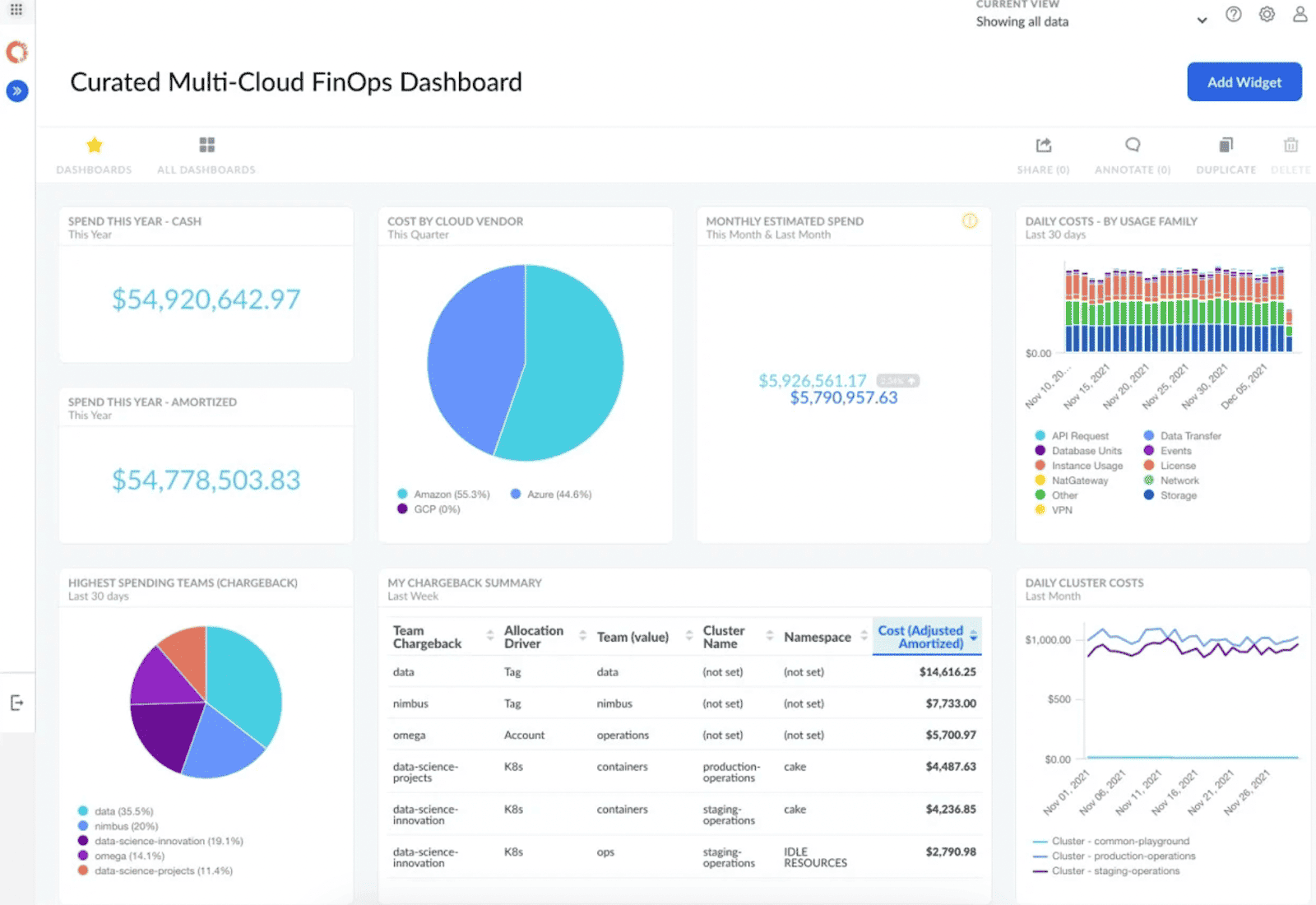
IBM Cloudability is built for teams that need finance-grade cloud control across messy, real-world estates. American Airlines uses it to give app owners and engineers the spend detail they need for architecture, rightsizing, performance, and future investment decisions. Sportradar cut cost per transaction by 90%, and Epsilon pushed CUD coverage to 95% with Cloudability. Its edge is breadth: multi-cloud visibility, allocation, forecasting, unit economics, and commitment automation in one stack.
Market signal is solid too, with a 4.2/5 G2 rating and Leader status in G2’s Winter 2026 Enterprise Grid; IBM also says Cloudability was positioned furthest in vision and highest in execution in the 2025 Gartner Magic Quadrant for CFM tools.
Best fit: enterprise estates.
Strengths: allocation, reporting, optimization.
Watchouts: some users want better reporting customization and stronger data reliability.
Features
- Multi-cloud, AI, and Kubernetes cost visibility.
- Anomaly detection, waste reduction, and rightsizing.
- Business mapping, cost sharing, tagging, and dashboards.
- Budgets, forecasts, unit economics, and commitment-based discount analytics.
Pricing
IBM Cloudability is sold in three tiers on IBM’s docs, Essentials, Standard, and Premium, and the official site keeps the final number behind a quote. One public anchor exists: Capterra lists Cloudability starting at $499/month.
For teams evaluating cloud financial services spend control, that means the starting price is $499, while the final enterprise price is custom.
A free trial is available, but the public pages do not state trial days.
Pros
- Documented savings impact from optimization recommendations: “reduce the cost by 20-25% just by following the recommendation.” G2
- Cost transparency with near-real-time access: “It brings transparency into cloud costs and provides real-time access to information." G2
- Consolidated reporting for exec reviews: “dashboards that consolidate cost data in one place, saving prep time for executive meetings.” G2
Cons
- Rightsizing data completeness: “rightsizing recommendations … do not pull and show memory data; they only display CPU and network." g2.com
- Discount/commitment blind spots in some analyses: “they do not account for discounts, CSP, or reserved instances." g2.com
- AI capability expectations vs. reality: “LLM Capability which is missing for IBM Cloudability.” g2.com
Flexera One cloud financial management platform
G2 rating: 4.3/5
Best for: enterprise multi‑cloud financial management—allocation and chargeback/showback, budgeting/forecasting, and rightsizing/optimization workflows.
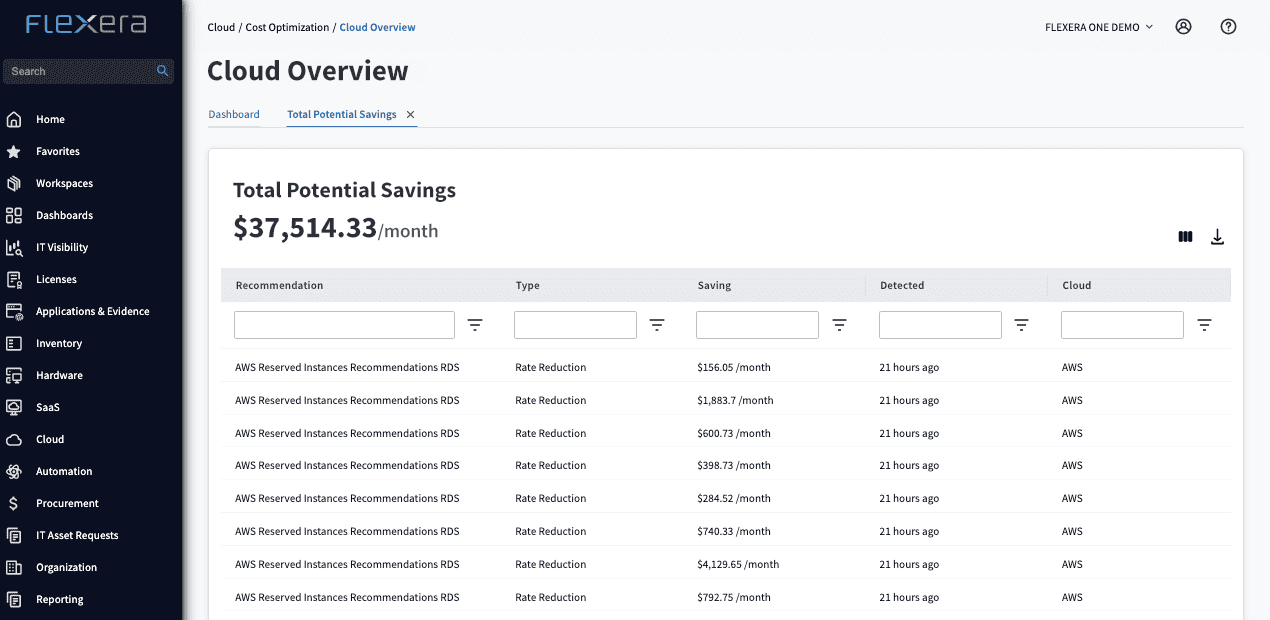
Flexera One is built for teams that need one FinOps layer across cloud, SaaS, and software licensing. Coupa Software says Flexera helped it understand cloud spend and reduce waste.
Accruent says it used Flexera to diagnose savings opportunities worth $200,000 per year across three cloud vendors without disrupting operations. That’s the competitive edge right there: broad multi-cloud visibility plus ITAM context, so spend decisions include licenses, marketplace purchases, support, and labor costs. For cloud financial management tools, that wider TCO view matters.
Market signal is strong too: Flexera was named a Leader in the 2025 Gartner Magic Quadrant for Cloud Financial Management Tools and holds a 4.3/5 G2 rating.
Deployment fit: enterprise hybrid and multi-cloud estates.
Standout strengths: allocation, governance, automation.
Watchouts: longer implementation and enterprise complexity.
Features
- Common billing ingests across providers, currencies, and related cloud costs.
- Multi-cloud reporting, anomaly detection, budget controls, and cost policies.
- Automated recommendations for idle resources, rightsizing, and commitment discounts.
- FinOps KPIs, including commitment coverage history and savings realized.
Pricing
Flexera One sells cloud-based financial management software like an enterprise suite. Flexera’s site keeps pricing quote-only, and GetApp shows no public starter price either. One recent pricing benchmark says Flexera cloud-cost deals often use spend-based pricing and can start around $50,000+ per year depending on modules and scale. Public final price: custom quote.
Public trial days: 0 listed.
Pros
- Unified asset visibility for spend conversations: “unified visibility it provides across software, hardware, SaaS, and cloud assets." G2
- License + cloud optimization for cost savings: “helping identify unused licenses and rightsize cloud resources, which drives significant cost savings.” G2
- Shadow spend discovery and reclaiming waste: “The discovery gives us visibility of unknown spend … reclaim unused licenses” G2
Cons
- Time-heavy onboarding/integrations: “Initial setup and integration with multiple systems can be time-consuming." G2
- Performance at scale: “performance can be slower with very large datasets." G2
- Troubleshooting friction during imports: “Error messages can be misleading, especially during a large import.” G2
Read also: 7 Best Cost Allocation Software 2025: Tools, Features & Pricing
Kubecost cloud financial management solution
G2 rating: 5/5
Best for: Kubernetes cost allocation by namespace/labels (container‑level visibility) to enable showback/chargeback and efficiency tracking in clusters.
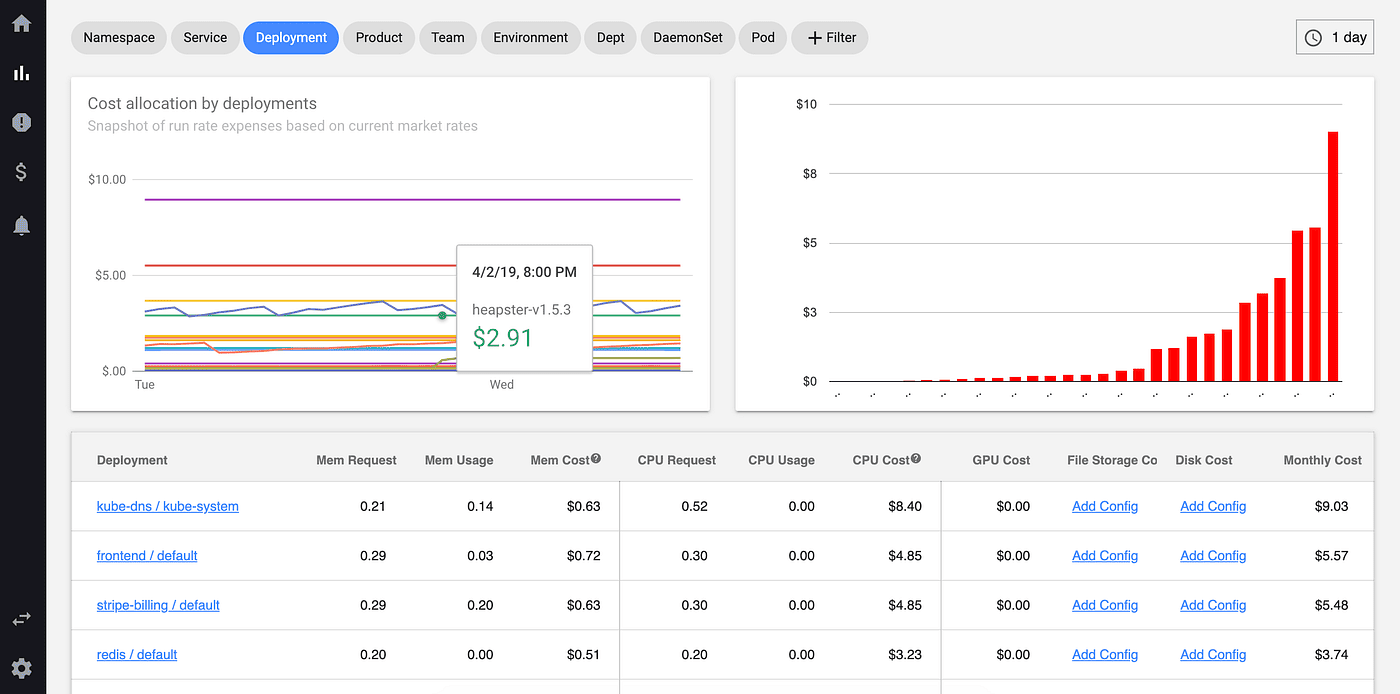
Kubecost is the tool you reach for when Kubernetes spending hides inside shared clusters and nobody can explain which namespace, pod, or team owns the jump. IBM now pipes Kubecost cost data into Turbonomic so teams can rightsize workloads with financial impact in view, and AWS documents Kubecost dashboards for DevOps and FinOps teams running showback, chargeback, and efficiency tracking at the container level. That’s the appeal for teams managing cloud financial services workloads on Kubernetes.
The edge is depth: pod-, container-, label-, and namespace-level cost allocation, plus external cloud-cost reconciliation. Market signal looks promising, though early: G2 shows 5.0/5 from 2 reviews.
Deployment fit: Kubernetes-heavy estates.
Standout strengths: granular allocation, multi-cluster views, optimization insight.
Watchouts: lighter multi-cloud executive reporting and a smaller public review base.
Features
- Cost allocation by cluster, namespace, workload, pod, container, service, and label.
- CSP billing reconciliation with AmortizedCost, NetCost, and InvoicedCost metrics.
- Rightsizing and waste-reduction insights tied to Kubernetes demand.
- Network cost attribution and proactive budget controls.
Pricing
Kubecost prices its cloud financial management software by deployment tier and scale. Publicly, you get a free version, a Business cloud plan at $449/month, and an Enterprise plan on a custom quote, so the starting price is $0 and the final public price is custom.
TrustRadius lists the paid cloud entry point, while Kubecost’s own app says free users get a 30-day trial of full features.
Pros
- Kubernetes label-based cost grouping: “…group the costing based on labels.” G2
- Fast time-to-savings discovery: “…quickly analyze my Kubernetes cluster to find cost savings.” G2
- Namespace-level allocation and right-sizing focus: “Show namespace-level cost and usage." Trustradius
Cons
- Provider scope constraints: “targeted at clusters on the big three providers AWS, GCP and Azure” G2
- Recommendation quality skepticism: “Although It Provides very good recommendations, sometimes they do not seem logical.” Trustradius
- Integration expectations with native billing tools: “room for improvement in IBM Kubecost if you Streamline IBM Kubecost more with AWS cost explorer” Trustradius
Read also: FinOps Personas: Roles, RACI, and KPIs for Real Teams
nOps financial management cloud software
G2 rating: 4.8/5
Capterra: 4.6/5
Best for: automated savings execution—commitment management (RI/Savings Plans) plus “operate” automations (scheduling/rightsizing) for AWS‑heavy environments.
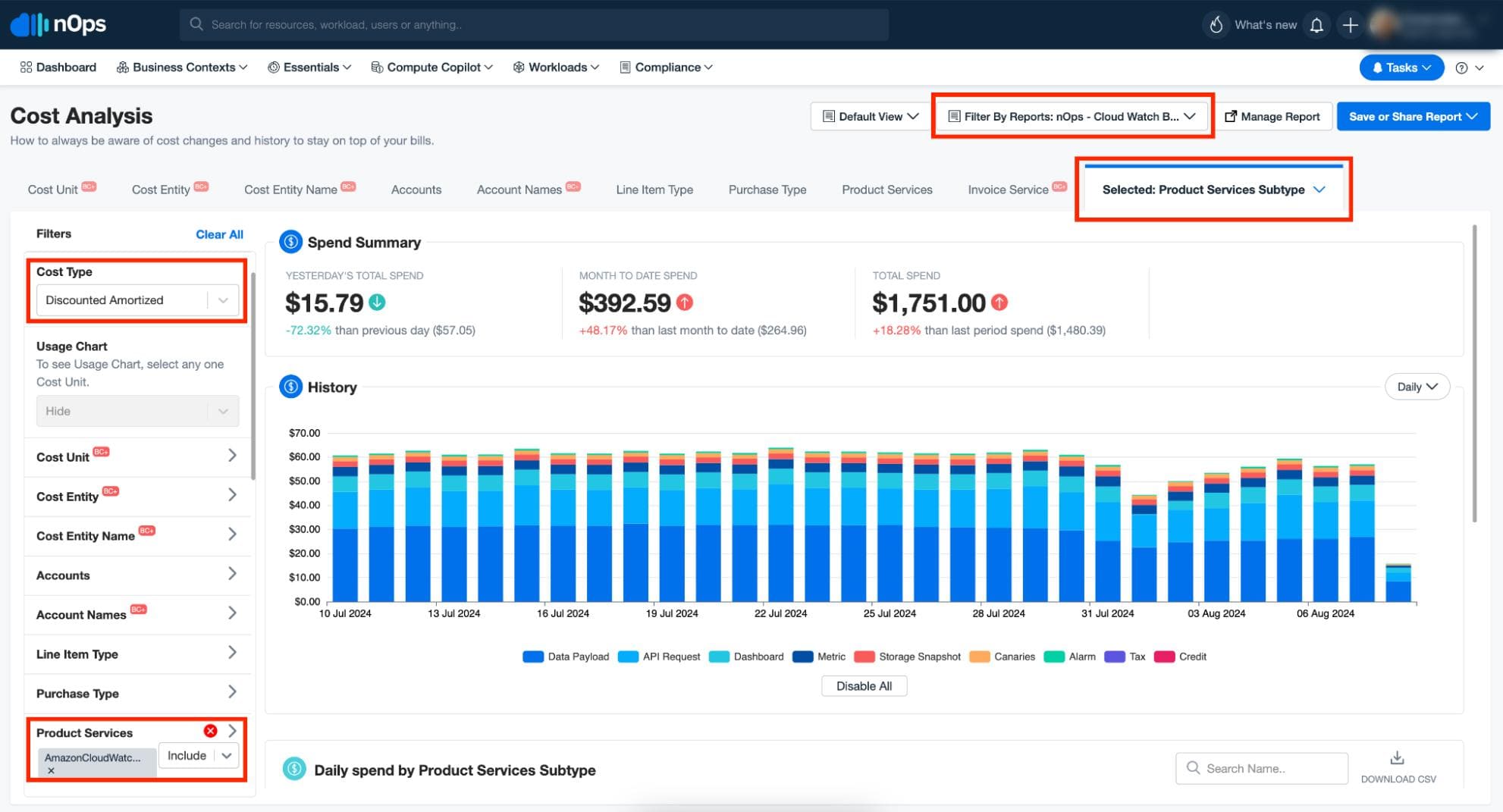
nOps works best when your FinOps team wants AWS savings without babysitting commitments all week. CommentSold used it to cut AWS On-Demand costs by 34%+. Yewno reduced AWS cloud costs by 18%. iSpot pushed discounts across 95% of EC2 usage.
That tells you where nOps wins: automated rate optimization, commitment management, and fast savings for AWS-heavy teams. Its competitive edge is autopilot execution plus visibility into coverage, effective savings rate, and allocation.
Market signal is strong too: 4.8/5 on G2, 4.6/5 on Capterra, AWS Advanced Technology Partner status, and FinOps Foundation membership. For teams handling cloud financial services workloads on AWS, that matters.
Deployment fit: AWS-first estates.
Standout strengths: commitment automation, quick ROI, easy onboarding.
Watchouts: AWS-only scope and some review-noted feature gating or CUR-related data delay.
Features
- Automated Savings Plans and Reserved Instance commitment management with real-time risk monitoring.
- Cost visibility, budgeting, forecasting, anomaly detection, and allocation across cloud, SaaS, and AI costs.
- Autonomous usage optimization for AWS services.
- Clara, an AI FinOps agent for forecasts, anomalies, reports, and waste-reduction tasks.
Pricing
For teams running cloud management financial services workloads on AWS, nOps prices in two layers: a fixed fee based on cloud spend for Cost Visibility & Allocation, plus a share of realized savings for Autonomous Rate Optimization.
Public starting price is $199/month on Capterra. nOps does not publish a numeric enterprise ceiling, so the final price is custom and scales with spend plus savings delivered.
Free trial length is 14 days.
Pros
- Immediate savings outcomes: “It instantly saved our organization several thousand dollars a month." G2
- Org-wide querying for cost analysis: “The ability to easily query across all my AWS accounts to analyze spend." G2
- Automation + continuous optimization: “The automation that nOps offers for managing cloud environments is truly impressive.” Capterra
Cons
- Advanced reporting behind add-on: “Advanced reporting features are part of an additional service … the reporting capabilities can feel limited.” G2
- Data latency from AWS CUR timing: “It's behind AWS data by about 24 hours." G2
- Removed/changed compliance reporting: “There used to be compliance reports (PCI/SOC) available, but it looks like they took it away.” Capterra
ProsperOps
G2 rating: 4.7/5
Best for: autonomous commitment/discount management (especially AWS RIs and Savings Plans) to optimize rates and reduce commitment risk with minimal ongoing effort.
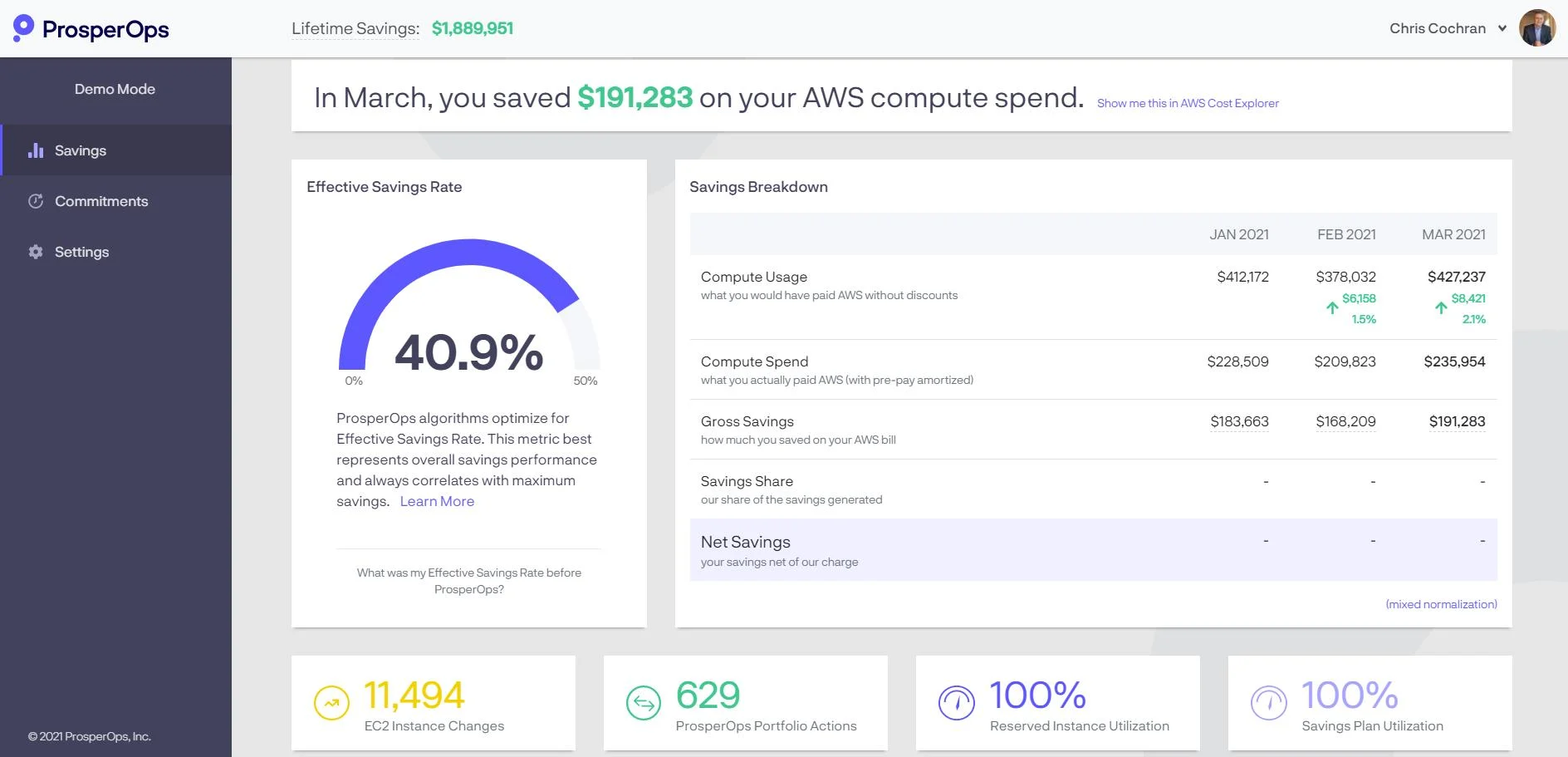
ProsperOps is built for FinOps teams that care less about dashboards and more about savings outcomes. Webflow uses it to keep discount utilization above 99% while stabilizing savings during fast-changing AWS usage. Hiya lifted its Effective Savings Rate by 22%, trimming $110,000 from AWS spend through automated commitment management.
That’s the competitive edge: ProsperOps automates discount portfolios 24/7, tracks ESR, and reduces Commitment Lock-In Risk across AWS, Google Cloud, and Azure.
G2 shows 4.7/5. For teams running cloud financial services workloads with volatile consumption, that’s a serious advantage.
Deployment fit: dynamic cloud estates.
Standout strengths: autonomous commitment optimization, ESR reporting, low manual effort.
Watchouts: lighter on broad reporting and chargeback than full-suite FinOps platforms.
Features
- Autonomous Discount Management for AWS, Google Cloud, and Azure.
- Effective Savings Rate and Commitment Lock-In Risk analytics.
- Savings Scopes for deeper AWS RI, SP, and discount analysis.
- Free Savings Analysis to benchmark current savings performance.
Pricing
For teams running cloud management financial services workloads, ProsperOps starts at $0 with a free Savings Analysis. After that, Autonomous Discount Management is priced as a share of realized savings, while Autonomous Resource Management adds a flat fee per managed resource per month.
ProsperOps does not publish a numeric enterprise ceiling, so the final price is custom.
Public trial length is 0 days; Capterra lists no free trial.
Pros
- Low-touch, ongoing savings: “monthly savings with no attention required on our part.” G2
- Automation replaces manual RI/SP management: “we benefit from cost savings without having to commit time and resources to thinking about reserved instances." G2
- “Plug-and-forget” operating model: “It is a plug-and-forget approach for ProsperOps.” Trustradius
Cons
- Pricing sensitivity: “The only downside of PropserOps is that it is not cheap." G2
- Limited commitment coverage beyond core services: “would like to see more products getting support of commitment like Dynamo DB, RDS etc.” G2
- Desire to include more AWS services in scope: “The inclusion of RDS and Elasticache in cost management is something I'd be all for.” Trustradius
Cloud financial management software comparison table
If you’re comparing cloud financial services tools, this is the cut that saves time.
| Tool | Best for | Cloud coverage | Core strengths | Weak spot |
|---|---|---|---|---|
| Cloudaware | Enterprise teams that need multi-cloud cost visibility tied to CMDB context, ownership, and chargeback | AWS, Azure, GCP Oracle Alibaba | 100% cost allocation, chargebacks by service line, RI planning, daily reports, 100+ waste policies | Broader platform scope can be more than a lean single-cloud team needs. |
| AWS Cost Explorer | AWS-first FinOps teams that need fast answers on spend, forecasts, and rightsizing | AWS | Native billing visibility, 18-month forecasting, rightsizing and reservation recommendations | AWS-only scope means extra work once finance needs cross-cloud reporting or broader allocation. |
| Microsoft Cost Management | Azure-heavy teams that want native budgets, anomaly alerts, exports, and cost analysis | Azure | Cost analysis, budget and anomaly alerts, cost allocation engine, tag inheritance, exports, Power BI workflows | Multi-cloud depth is limited, and classic CSP plus sponsorship subscriptions are not supported. |
| Google Cloud Cost Management | GCP-first teams that want native budgets, billing export, and governance controls | GCP | Resource hierarchy, labels, budgets, recommendations, BigQuery billing export | Deeper reporting usually pushes teams into BigQuery and Looker Studio work. |
| CloudZero | Teams that want unit economics and accurate shared-cost allocation | Multi-cloud Additional cost sources | 100% allocation, telemetry-driven shared-cost modeling, unit cost metrics, strong business context | Best results depend on having clear dimensions like product, customer, feature, or team. |
| IBM Cloudability | Large FinOps programs that need multi-cloud reporting, planning, allocation, and optimization in one stack | Multi-cloud, AI, Kubernetes, containers | Allocation, budgets and forecasts, business mapping, commitment coverage, rightsizing, unit economics | Strong enterprise fit, but it is a bigger motion than native tools or lighter point solutions. |
| Flexera One | Organizations that need FinOps plus ITAM, SaaS, and total cloud TCO | Multi-cloud hybrid related cloud costs | Common bill ingest, policy automation, optimization recommendations, software and licensing context | Enterprise scope is powerful, though setup and pricing are heavier than simpler tools. |
| Kubecost | Kubernetes cost allocation, showback, and engineering accountability | Kubernetes External Cloud-cost reconciliation | Namespace, label, pod, and service allocation; cluster efficiency views; showback support | Narrower for executive finance reporting and broader multi-cloud FinOps workflows. |
| nOps | AWS teams that want commitment automation and fast savings without constant manual tuning | AWS | Automated Savings Plans and RI management, allocation, budgeting, forecasting, anomaly detection, quick time to value | Best fit is still AWS-centric, and some advanced features sit behind add-ons. |
| ProsperOps | Teams focused on automated rate optimization and commitment risk reduction | AWS, Azure, GCP | 24/7 autonomous discount management, ESR tracking, commitment lock-in risk reduction | Narrower than full-suite FinOps platforms for chargeback, broad reporting, and allocation-heavy workflows. |
If you want the clean takeaway:
- Cloudaware, IBM Cloudability, and Flexera are stronger when the program is broad and cross-functional. CloudZero wins on unit economics.
- Kubecost owns Kubernetes. nOps and ProsperOps are strongest when commitment automation is the job.
- AWS, Microsoft, and Google native tools are the fastest path when you live mostly inside one cloud.
How to choose the right cloud financial management software
At this point, the shortlist usually gets much smaller. The right cloud based financial management software depends on three things: where your spend lives, how your team makes decisions, and how mature your FinOps practice actually is.
1. Choose based on your cloud estate
If you are single-cloud and AWS-heavy, prioritize commitment analytics, rightsizing, CUR-level detail, and fast anomaly detection.
For an Azure-heavy enterprise, exports, budget controls, scope hierarchy, and finance-ready reporting matter more. Kubernetes-heavy platform teams need namespace, label, pod, and shared-cost allocation or the bill stays blurry.
Multi-cloud enterprise FinOps teams need normalization across providers, shared services mapping, and clean chargeback logic. Resellers, brokers, and MSPs usually care more about tenant separation, billing views, and service-line reporting.
Some vendors also market broader cloud management for financial services, but this guide focuses on FinOps software rather than managed services.
2. Choose based on your operating model
Now look at who runs cost decisions.
A finance-led team usually needs stronger reporting, forecast control, budget variance views, and cleaner audit trails. Engineering-led teams lean harder on utilization, waste detection, rightsizing, and fast feedback loops.
A shared FinOps team needs both, plus a cloud financial management platform that can translate between technical usage and financial reporting. Platform operations or a cloud center of excellence often need policy controls, standard dashboards, commitment planning, and repeatable workflows across business units.
That is where weaker cloud finance solutions start to show cracks. If the tool only works for one audience, adoption stalls.
3. Choose based on workflow maturity
Be honest here. Tool choice should match FinOps maturity, not fantasy.
- At Crawl, the win is visibility, tagging, and basic cost ownership. You need clean dashboards, tagging checks, and enough reporting to stop arguing about the bill.
- At Walk, the focus shifts to allocation, forecasting, and a steady operating cadence. Monthly reviews, budget variance, showback, and shared-cost logic become essential.
- At Run, the tool has to support automation, commitment planning, and proactive governance. That means a real optimization workflow, not a list of savings ideas nobody acts on.
One more thing. Teams in cloud computing in financial services usually need tighter access controls, clearer business mappings, and stronger reporting discipline because finance, engineering, and leadership all scrutinize the same number from different angles.
Pick the software that fits your estate, your team structure, and your maturity today. That is the one people will actually use.