


Choosing DevSecOps tools sounds simple until you’re the one stuck in demo-land, juggling spreadsheet chaos, and wondering why every vendor claims they “shift left” when your pipeline is still bleeding alerts. You start with one question – “What’s best for us?” – and end up lost in pricing tiers, noisy scanners, and tools that don’t fit your stack (hello, Kubernetes + multi-account AWS + a picky security team).
So together with teammates we did the unglamorous part. We spent 5+ days testing 30 tools, then shortlisted the 15 that actually hold up. To keep it real, I layered in data from client rollouts, interviews with my team, and fresh user feedback – plus the blunt stuff people say on Reddit and Quora.
This is my take on the top DevSecOps platforms for securing cloud – with receipts👇
Tl;RD: Top DevSecOps tools in 2026 at a glance
- Cloudaware is best for CMDB-led cloud governance – tie every finding to an owner, tag, app, and environment so fixes don’t die in Slack.
- Ansible is best for automation you can repeat – patch fleets, enforce CIS baselines, rotate configs; same playbook every time.
- Terraform is best for infrastructure as code with guardrails – plan/apply gives change control, and drift stops being a surprise.
- Pulumi is best for IaC in real languages – TypeScript/Python infra with tests, reusable components, and cleaner dev handoffs.
- Wiz is best for agentless CNAPP visibility fast – connect cloud accounts, map toxic combos, and prioritize what’s actually exposed.
- Tenable is best for vulnerability management – scan, rank risk, and drive remediation queues for infra teams.
- Qualys is best for vuln + compliance in one suite – continuous assessment plus config checks across hybrid assets.
- Splunk is best for SIEM-scale investigations – search logs like a detective, build detections, and correlate incidents across systems.
- CloudGuard is best for Check Point-style cloud protection – network security + posture controls when you live in that ecosystem.
If you’re mapping top DevSecOps platforms for securing cloud, this list covers the two big camps: build-time control (IaC + automation) and run-time visibility (CNAPP/SIEM).
Methodology: How we tested DevSecOps tools
To build this shortlist, we treated it like a real buying cycle – not a “vendor roundup.” We started with ~30 options, then cut anything that couldn’t realistically ship value in a modern pipeline. We ran free trials (or sandboxes) where possible and pushed the basics: connect a cloud account, scan a Kubernetes cluster, run an IaC plan, trigger an alert, route it to Jira/Slack, and check whether the tool could tell us who owns the fix (tags, repo, team, environment).
For the ones behind paywalls, we joined demo calls and asked for receipts: show us a toxic-combo path in Wiz, policy checks in Prisma, real-time detection in Defender, or a Splunk investigation flow from alert → logs → root cause. Then we cross-checked claims against documentation on vendor sites.
Next came the reality check: recent user feedback on G2, Capterra, and TrustRadius, plus the blunt stuff on Reddit and Quora. We also sanity-checked positioning against Gartner and other market listings to see who’s consistently recognized and why. The result: a shortlist of DevSecOps solutions that hold up beyond the slide deck – especially the DevSecOps automation tools teams actually stick with.
Read also: What Is DevSecOps - Definition, Security, and Methodology
Cloudaware
G2 Rating: 3.9/5
Capterra Rating: 4.5/5
Best for: CMDB-backed DevSecOps change governance across hybrid + multi-cloud – track every change, gate risky promotions, and stay audit-ready.
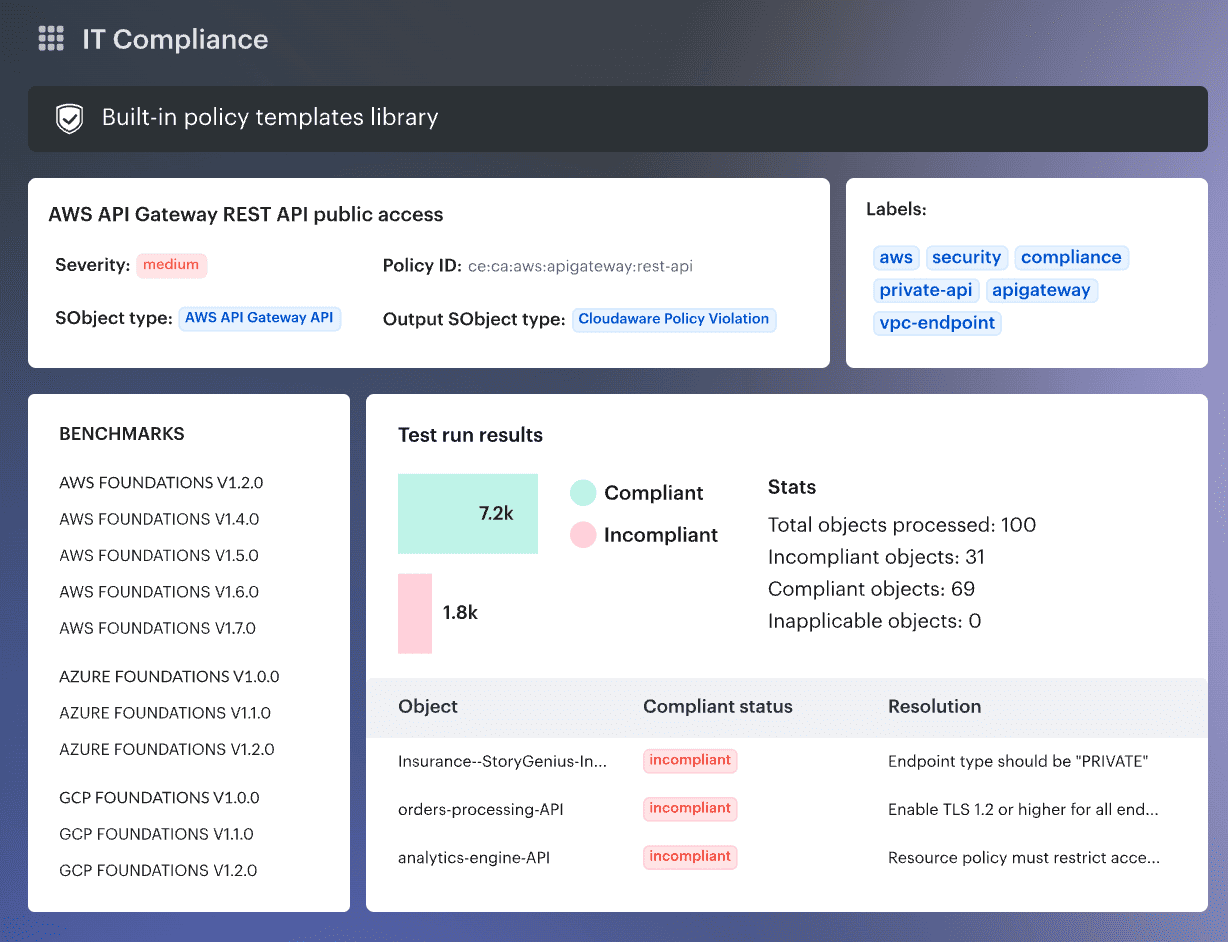
Cloudaware earns its place in a DevSecOps tools roundup by focusing on the part most teams struggle to operationalize: change control with real context. It tracks changes across hybrid environments, logs who changed what (and when), and ties approvals back to your CMDB – so audits don’t become spreadsheet season.
For release gating, Cloudaware’s digital change management integrates with CSPM/compliance tools like Wiz, Palo Alto, and AWS Trusted Advisor, so you can create go/no-go policies using violations data (instead of relying on “hope and pray” checks).
When something high-risk happens, it can push workflows into Slack, Jira, ServiceNow, and PagerDuty so findings turn into routed work – not more noise.
Cloudaware DevSecOps solutions
- Change management + audit trail across cloud and on-prem, with approver history and exports for audits (SOC 2 / ISO / PCI / HIPAA mentioned).
- Go/no-go release policies using violations data via integrations (Wiz / Palo Alto / AWS Trusted Advisor called out).
- Smart approvals (auto-approve low-risk; route critical changes by account/user group/environment; time windows).
- Config drift control via baselines + full attribute change history per asset.
- Workflow integrations to Slack/Jira/ServiceNow/PagerDuty for notifications, ticketing, and routing.
Pricing
Cloudaware DevSecOps automation tools pricing is built around how much infra you actually manage: a CMDB + Change Management package starts at 50 servers and 1 user. Then you layer on modules (FinOps, CSPM, vuln, SIEM) as your tools for DevSecOps footprint grows.
For a concrete anchor, Cloudaware cites ~$400/month for 100 servers, with tiered scaling. Want to validate fit fast? There’s a 30-day free trial. Past that, larger DevSecOps solutions typically move to a custom quote/contract.
Pros & Cons
✅ Unified Multi‑Cloud Visibility: “One of the standout features of Cloudaware is its ability to handle multiple cloud providers… enabling unified management across different environments.” g2.com
✅ Comprehensive Compliance Auditing: “Cloudaware helps ensure that my cloud workloads comply with relevant regulations… provides features for auditing configurations, managing access controls, and generating compliance reports.” g2.com
✅ Proactive Security Risk Identification: “Cloudaware helps organizations identify potential security risks, such as misconfigured resources, unauthorized access, and data breaches, and provides recommendations to mitigate these risks.” g2.com
⚠️ Complex Integration: “Integrating Cloudaware with existing systems or workflows was challenging for me, especially with complex IT environments.” g2.com
⚠️ Sluggish UI & Navigation: “Cloudaware can be slow at times, and the user interface can be overwhelming and difficult to navigate.” g2.com
⚠️ Costly for Small Teams: “Additionally, the pricing can be high for small businesses or startups.” g2.com
Ansible
G2 Rating: 4.6/5
Capterra Rating: 4.6/5
Best for: enforcing consistent configurations (e.g. system hardening) and integrating security updates into the CI/CD pipeline.
Source: Red Hat
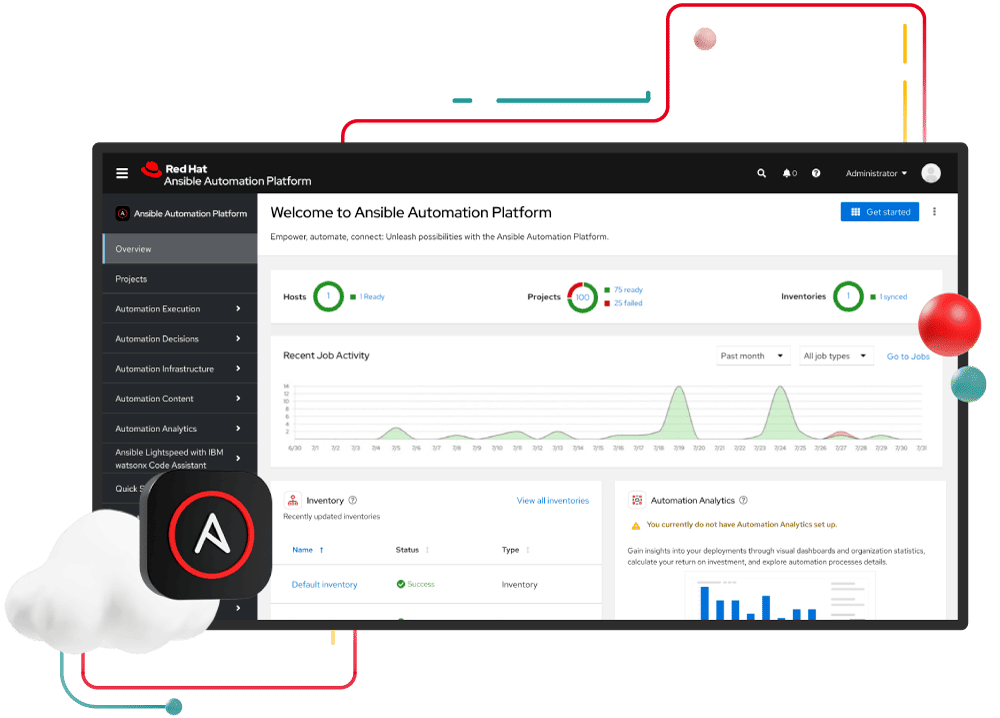
Ansible is what you grab when “secure and repeatable” matters more than “hope the runbook is up to date.” Teams like Vodafone Idea use Red Hat Ansible Automation Platform to automate infrastructure and operations end-to-end (faster changes, fewer manual mistakes).
The edge in DevSecOps: agentless automation plus a platform that helps teams standardize deployments and configuration changes across fleets. Red Hat also highlights recurring G2 badges and TrustRadius Buyer’s Choice recognition. That’s why it lands on lists of the best DevSecOps tools for cloud security.
Features
- Infrastructure + config automation (IaC-style): declarative playbooks to provision, configure, and deploy consistently across environments.
- Centralized automation governance (Controller): run and scale jobs from a centralized UI + REST API.
- RBAC + delegation: control who can run what automation and where (enterprise governance).
- Job scheduling + repeatable runs: schedule automation (patch windows, rotations, baseline enforcement) via controller.
- Auditability (logs / job history): track executions and outcomes for change control and audits (via controller’s job records/logging).
- Secrets protection (Ansible Vault): encrypt/manage sensitive values (passwords, tokens, keys) used in automation.
Pricing
Ansible pricing comes down to managed nodes + how you buy. The managed service starts at $412.50/month for 50 nodes and scales up to $70,125/month for 10,000 nodes (1-month contract). Go over your bundle? Expect usage add-ons like $8.25 per managed active node/month plus a $0.10/hour control-plane fee..
Want a no-risk spin before you commit your team’s pipeline? The platform offers a 60-day free trial. One of those DevSecOps tools where scale is literally priced in nodes.
Pros & Cons
✅ Agentless Automation at Scale: “[Ansible] simplifies complex IT tasks through consistent, agentless automation across hybrid environments… features like role-based access control, visual dashboards, and certified content collections make it ideal for scaling automation securely and efficiently.” g2.com
✅ Time-Saving Configuration Management: “The automation that Ansible allows our organization to perform is outstanding! It provides us peace of mind that certain configurations are getting pushed to our Linux nodes without interaction… giving us more time to focus on other things.” g2.com
✅ Onboarding & UI Ease: “Ansible Automation Platform provides an awesome way for others to join in… The user interface is clean and easy to learn.” g2.com
⚠️ Steep Learning Curve: “While Ansible is powerful, the learning curve can be steep for beginners, especially when dealing with complex state management or workspaces.” g2.com
⚠️ Time-Consuming Playbook Development: “It takes considerable effort to grasp both the process and HCL… it’s the time it takes to configure an automation script to properly run without issue.” g2.com
⚠️ High Enterprise Cost: “Cost is definitely a thing that can be off-putting with moving towards the GUI offering… (the platform can be pricey for the added features).” g2.com
Read also: Cloud Cost Optimization Framework - 11 Steps to reduce spend
Terraform
G2 Rating: 4.7/5
Capterra Rating: 4.8/5
Best for: automating environment builds across multiple clouds, enabling DevSecOps teams to apply consistent security controls via code and perform version-controlled infrastructure changes.
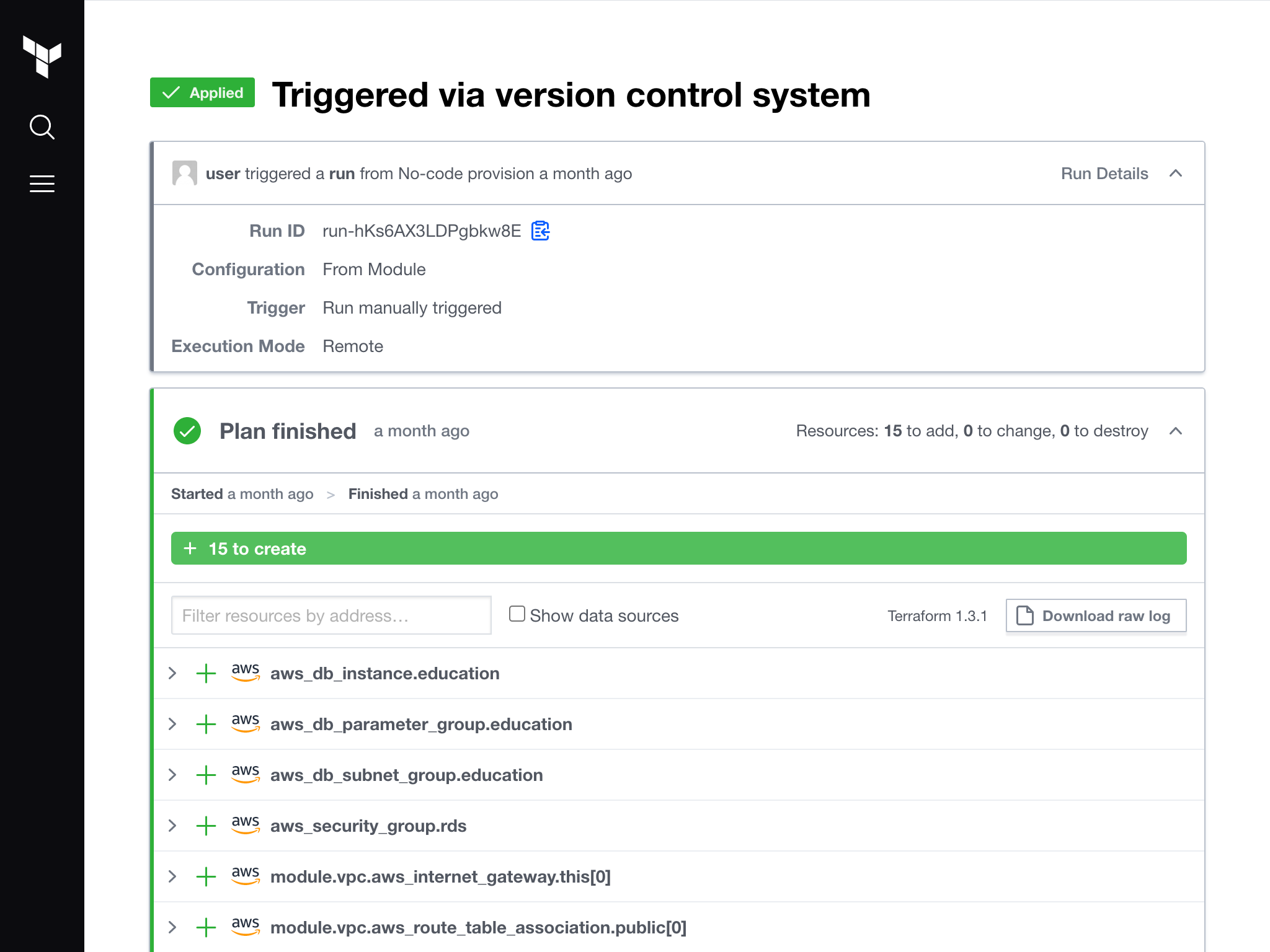
Image source.
Terraform is the IaC workhorse that turns “we should lock this down” into versioned, reviewable change. At Starbucks, teams used it to push infrastructure as code further for engineers. At Cielo, it helped cut provisioning from weeks to minutes and speed time-to-market.
Terraform Cloud adds workspaces, VCS-driven runs, and policy checks for teams who need governed pipelines. The edge is the provider ecosystem plus plan/apply previews, so risky changes get caught before they land.
HashiCorp even picked up a 2024 AWS Partner Award for collaboration.
For DevOps managers shopping DevSecOps solutions, the day-2 win is consistency across clouds.
DevSecOps features
As one of the top DevSecOps platforms for securing cloud, Terraform offers:
- Plan/apply workflow for change preview + approvals..
- Huge provider ecosystem (cloud, on-prem, SaaS) for one workflow.
- Modules/registry patterns to standardize secure baselines
- Remote state + locking to keep teams from stomping on each other.
- Terraform Cloud/Enterprise governance: workspaces, VCS runs, private agents, SOC2.
DevSecOps platform pricing
Terraform’s SaaS pricing is RUM-based: you pay per managed resource (and features), not seats.
- Free tier covers 500 resources.
- Essentials starts at $0.10/resource/month;
- Standard $0.47;
- Premium tops out at $0.99/resource/month (Enterprise is custom).
Trial-wise, you get $500 in credits that expire in 6 months (~180 days). One of the best DevSecOps tools for cloud security when you need governed, auditable IaC.
Pros & Cons
✅ Cloud-Agnostic IaC Consistency: “Terraform makes infrastructure management effortless and consistent across multiple cloud providers… Its support for multiple providers like AWS, Azure, GCP under one common syntax is a game changer.” g2.com
✅ Modular & Reusable Configurations: “I love how it brings the concept of IaC to life, where I can define, version and reuse configuration just like code. The modularity and reusability of Terraform modules saves huge amounts of time.” g2.com
✅ Plan Preview for Safe Changes: “The plan and apply workflow is intuitive and provides confidence before making real changes to production infrastructure.” g2.com
⚠️ Steep Learning Curve: “The learning curve can be steep for beginners, especially when working with advanced modules or custom providers.” g2.com
⚠️ State Management Complexities: “Resolving state file conflicts during team collaboration can be tricky if proper remote backend configuration is not set up.” g2.com
⚠️ Lag in Provider Updates: “Sometimes, provider plugins take time to update with the latest cloud service features.” g2.com
Read also: 12 Cloud Cost Management Tools - Software Features & Price
Pulumi
G2 Rating: 4.9/5
Capterra Rating: 4.7/5
Best for: bridging Dev and Sec in DevSecOps – developers can code infrastructure (and embed security checks) in familiar languages, ensuring that cloud resources are provisioned securely and validated as part of application code reviews.
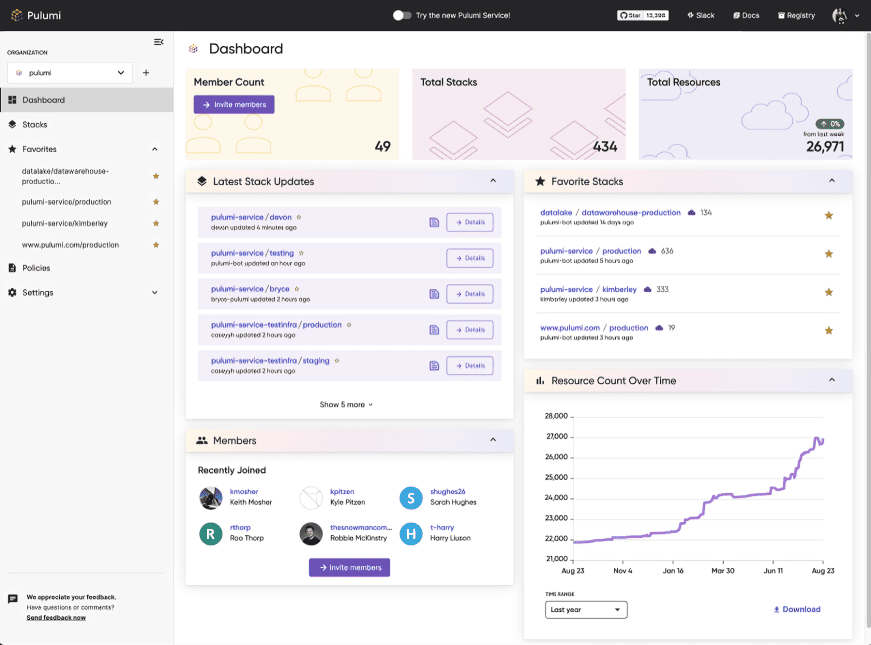 Image source.
Terraform is the one you reach for when “secure infra” has to be reviewable, repeatable, and rollback-friendly – because every change is code, not a late-night click-fest. It’s a staple in a lot of DevSecOps tools stacks for exactly that reason.
Starbucks has talked about using Terraform to advance infrastructure as code for engineers, and Cielo has shared how it helped shrink provisioning from weeks to minutes.
HashiCorp also picked up a 2024 AWS Partner Award, which tracks with how widely it’s adopted. DevSecOps leaders like it because it turns guardrails into a workflow, right alongside your DevSecOps automation tools.
Features
- IaC in real programming languages so infra changes live in the same engineering workflow as app code (tests, reviews, reusable components).
- Policy as Code (Pulumi Policies / CrossGuard): write guardrails in code and enforce security/compliance/cost rules at deploy time – across Pulumi-managed resources and resources provisioned by Terraform/CloudFormation or even created manually/discovered.
- Shift-left enforcement in CI/CD: run policy checks as part of the pipeline (fail builds on violations), plus options for centralized enforcement depending on your setup.
- Centralized secrets + config (Pulumi ESC): manage environments, configuration, and encrypted secrets in one place; pull from multiple secret providers and orchestrate usage across infra + apps.
- Short-lived, scoped credentials via OIDC (ESC dynamic login creds): reduce long-lived keys by generating credentials on demand (useful for both humans and CI runners).
- Automation API: embed Pulumi into your own tooling (self-service portals, internal CLIs, multi-tenant provisioning, CI workflows) by controlling Pulumi operations via an SDK instead of shelling out to the CLI.
- Pulumi Deployments (managed infra CI/CD): configure source, OIDC/cloud creds, env vars/secrets, and run Pulumi on secure, isolated managed compute (good for standardizing deployments org-wide).
Pricing
Terraform pricing is Resources Under Management – you pay per managed resource, billed monthly (and even hourly).
Free covers small setups, then paid tiers start at $0.10/resource/month (Essentials), jump to $0.47 (Standard), and top out at $0.99/resource/month (Premium). Terraform Enterprise is custom.
You can try it with $500 trial credits that expire in 6 months (~180 days), which is usually enough to see your real run costs.
Pros & Cons
✅ Code-Based IaC in Familiar Languages: “Pulumi is an awesome tool to manage IaC with a new approach more based on code than YAML like its competitors. Being able to use my favorite language to manage my infrastructure is really useful.” g2.com
✅ Test-Driven Infrastructure: “[Pulumi] allows the TDDers to write automation tests – even IaC code can be tested!” g2.com This enables developers to validate infrastructure changes just like application code.
✅ Safer Secrets Management: “What’s more, secret-as-code is made possible and it’s safer than SOPS… it’s harder to make mistakes than with SOPS.” g2.com Pulumi’s built-in secret encryption prevents accidental exposure of secrets.
⚠️ Challenging for Non-Developers: “As someone with an infrastructure/operations background, the learning curve of using a general purpose programming language… can be a bit challenging if you aren’t familiar with the language.” g2.com
⚠️ Incomplete SDK Support: “What is currently not yet covered 100% is that some SDKs are not available in all supported languages.” g2.com (Language support parity is still improving.)
⚠️ Higher Cognitive Load: “Cognitive load is somewhat higher than expected.” g2.com Using Pulumi’s powerful features requires understanding complex concepts, which can be taxing initially.
Read also: 12 Multi Cloud Management Tools - software features & pricing review
Wiz
G2 Rating: 4.7/5
Best for: Agentless cloud security posture management (CSPM) and workload protection.
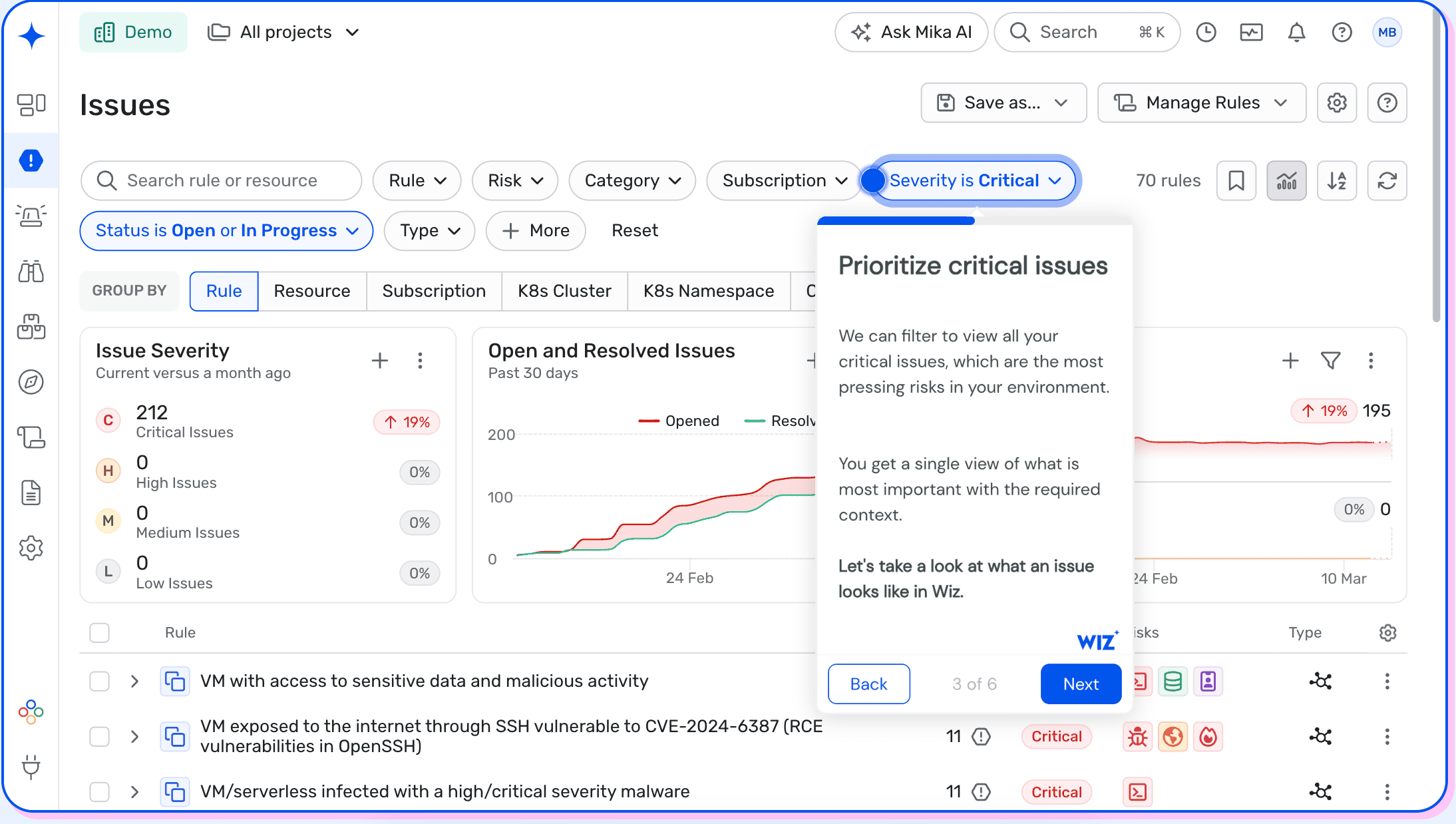 Image source.
Wiz is the cloud-security pick when your pipeline moves faster than your security review meetings. It’s agentless: connect AWS/Azure, then get a graph that links misconfigs + vuln + identity + exposure into “toxic combinations” and real attack paths.
Native integrations (Azure DevOps, Microsoft Sentinel, even Defender for Cloud) mean it can live alongside your DevSecOps automation tools without extra glue code. Colgate-Palmolive uses it to level up multi-cloud visibility and prioritize supply-chain/open-source risk. Mars used Wiz to finally get a full cloud asset inventory, then started shifting left with pipeline image scanning.
Running a patchwork of open source DevSecOps tools today? This is the “one view” teams use to agree on what to correct first. Microsoft named Wiz Commercial Marketplace Partner of the Year (2024).
DevSecOps features
- Agentless cloud visibility (fast onboarding): connects via cloud APIs + snapshot analysis to assess risk without deploying workload agents.
- CNAPP coverage in one platform: combines key capabilities like CSPM, CIEM, CWPP, DSPM, and IaC scanning (unified view vs. siloed tools).
- Shift-left security for CI/CD: scan and surface issues earlier in pipelines, with integrations across common DevOps systems (e.g., GitHub/GitLab/Jenkins/Azure DevOps mentioned by Wiz).
- IaC scanning: checks Terraform, CloudFormation, Kubernetes manifests for misconfigurations before they ship.
- Cloud vulnerability management (code → runtime): agentless vulnerability assessment across workloads (VMs, containers, serverless, etc.) with prioritization tied to exposure/impact.
- Graph-based risk prioritization (attack paths): Wiz Security Graph correlates findings and highlights “toxic combinations” that form real attack paths – so teams fix what actually chains into a breach.
- Runtime detection option (lightweight sensor): adds real-time threat detection and container-level visibility via a lightweight runtime sensor (eBPF-based is referenced in certification listings).
Pricing
Wiz pricing tracks cloud workload count, then you add modules as you expand coverage (Code, Sensor, Defend/log ingest).
Wiz Essential starts at $24,000/year for 100 workloads, while Wiz Advanced is $38,000/year.
The “top end” plan line item there is Wiz Code: $58,500/year for 100 licenses – and stacks if you turn on multiple add-ons. Trial-wise, expect 7–28 days.
Pros & Cons
✅ Agentless Quick Deployment: “The agent-less architecture allowed us to get started in just a few hours rather than weeks… simply connect your cloud accounts and begin scanning.” g2.com
✅ Clear, Contextual Risk Insights: “What truly sets the platform apart is the developer experience… providing clear, actionable findings with meaningful context about why an issue is important and how to address it. The graph-based visualization of attack paths is especially impressive – instead of being overwhelmed by thousands of unrelated vulnerabilities, we can identify which ones are truly significant based on actual exposure risk.” g2.com
✅ Unified Multi-Cloud Visibility: “Wiz provides exceptional visibility across our cloud environments, enabling continuous monitoring and proactive risk management… it gives us a single pane of glass to identify and prioritize security issues across our infrastructure. The AI-driven insights and inventory capabilities have been particularly useful for uncovering unmanaged or misconfigured assets.” g2.com
⚠️ High Cost for Small Organizations: “While the pricing may be high for smaller organizations, the extensive coverage and the amount of time saved make the return on investment worthwhile.” g2.com
⚠️ Information Overload at First: “The platform is powerful, but the depth of data can feel overwhelming at first – expect a short learning curve to fully utilize its capabilities.” g2.com Users faced a flood of alerts and data until they tuned the policies.
⚠️ Frequent Risk Score Fluctuations: “The only thing we do not like about Wiz is the relatively constant updating of the findings’ risk rating. You go to bed with zero criticals and wake up with 10 because of a change in the system.” g2.com
Read also: Top 13 Cloud Monitoring Tools Review: Pros/Cons, Features & Price
Tenable
G2 Rating: 4.5/5
Capterra Rating: 5.0/5
Best for: Vulnerability assessment and management.
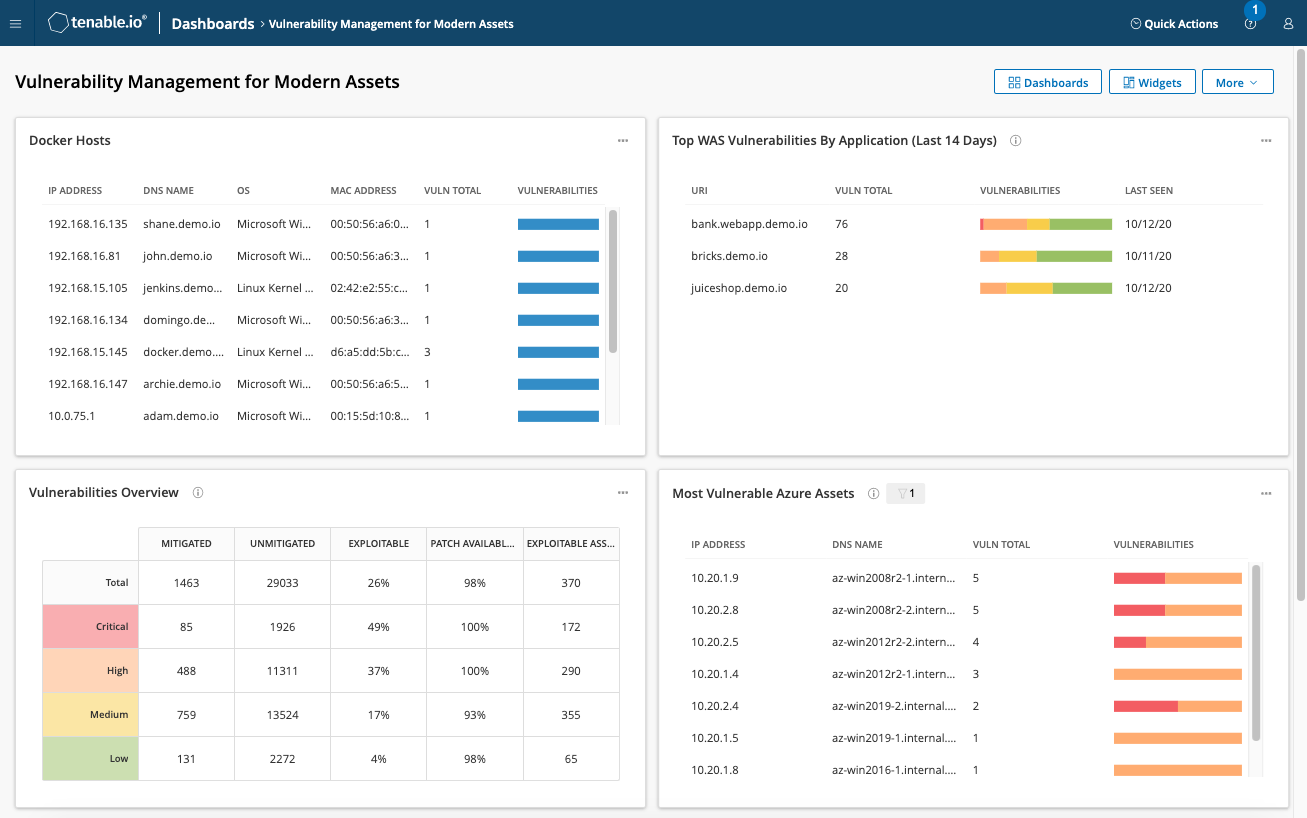 Image source.
Tenable is the “find it before prod finds you” layer in a DevSecOps stack – continuous exposure and vulnerability visibility across cloud + on-prem, powered by Nessus and risk-based prioritization. Big names show up in its customer roster (think Siemens, Sanofi, Netskope, plus a spotlight case with Continental AG).
Cred-wise, Tenable highlights major industry recognition, including a 2025 Gartner MQ Leader mention.
Features
- Risk-based vulnerability prioritization + “what to fix first” guidance.
- Cloud-managed scanning powered by Nessus (broad coverage).
- Built-in compliance profiles, reporting, and remediation support.
- Portfolio access via AWS free trial options (VM + more Tenable components).
Pricing
In a DevSecOps tools stack, Tenable Vulnerability Management pricing is asset-based – pay for what you scan and track.
It starts at 100 assets: $3,500/year, or $9,975 for 3 years.
For tools for DevSecOps evaluation, Tenable offers a 30-day trial before you scale into custom quotes.
Pros & Cons
✅ Comprehensive Scanning & Coverage: “With Tenable, we have the ability to perform all types of assessments, whether internal, external, or related to IoT… Tenable addressed all our needs, from identifying assets in our environment to performing vulnerability scans both with and without privileged access.” g2.com
✅ Risk-Based Prioritization (VPR): “The best feature of Tenable… is the Vulnerability Priority Rating (VPR). Unlike standard CVSS, VPR uses threat intelligence to predict which vulnerabilities are most likely to be exploited. This powerful risk-based prioritization allows us to efficiently focus remediation on the few issues that truly matter.” g2.com
✅ Frequent Updates & Fast Scanning: “I like the large number of plugins available, the speed with which they are released, and the frequency of updates. The entire scanning process is fast and efficient.” g2.com
⚠️ High Cost & Licensing Complexity: “The platform can be quite expensive, and the licensing model (often based on number of assets) can feel prohibitive or complex to manage for organizations with tight budgets.” g2.com
⚠️ Limited Reporting Out-of-the-Box: “I find the reporting part to be quite limited, so much so that we need to process the data externally to generate more refined and personalized reports.” g2.com
⚠️ Integration Gaps in Posture Management: “Integration with various SaaS platforms and inclusion of posture management tools [is lacking].” g2.com
Read also: DevSecOps Architecture (A Practical Reference Model Teams Actually Use)
Qualys
G2 Rating: 4,5/5
Capterra Rating: 4.0/5
Best for: Unified vulnerability management + compliance scanning across hybrid environments (cloud + on-prem), with risk-based prioritization and automation-ready remediation.
 Image source.
Qualys earns its spot in a DevSecOps tools list as the “continuous exposure + remediation engine” you can run across messy real-world estates. VMDR is built around TruRisk (risk-based scoring) and multiple collection methods – Cloud Agent, virtual scanners, and passive/network methods – so you’re not stuck with a single scanning mode.
Where it becomes DevSecOps-friendly is the operational layer: no-code workflow automation (Qualys Flow) plus ITSM integrations so vuln findings can turn into routed work and measurable MTTR – not just dashboards.
If you want a concrete “this is how it’s used” story: Banco PAN highlights VMDR + ServiceNow-driven remediation/patching flows as a time-saver in their Qualys customer story.
Features
- VMDR (Vulnerability Management, Detection & Response): discover/inventory assets, assess vulns continuously, and prioritize by risk with TruRisk.
- Multiple sensors for coverage: Cloud Agent + Virtual Scanner Appliance + passive/network analysis options (useful for hybrid + segmented networks).
- No-code automation (Qualys Flow / QFlows): build workflows to orchestrate detection → ticketing → remediation steps without writing code.
- ITSM workflow integrations: Qualys positions VMDR to integrate with tools like ServiceNow (and commonly Jira) to track remediation work.
- Patch-driven remediation (add-on): VMDR with Patch Management to move from “found it” to “patched it” with workflow support.
- Compliance scanning: Policy Compliance supports CIS benchmark policies (library/import + reporting for CIS references).
Pricing
AWS lists fixed monthly host bundles, plus a 12-month contract with up to 17% savings. VMDR (monthly, 1-month contract):
- 128 hosts: $596/month (~$7,152/year)
- 512 hosts: $1,489/month (~$17,868/year)
- 1,024 hosts: $2,352/month (~$28,224/year)
- 4,096 hosts: $5,878/month (~$70,536/year)
Pros & Cons
✅Strong “platform” feel: users highlight consolidated vulnerability workflows and operational coverage.
✅Risk-based approach and automation language show up repeatedly in Qualys’ VMDR positioning and materials.
⚠️Complexity / learning curve is a recurring theme in G2’s generated pros/cons signals for VMDR.
⚠️Capterra reviewers mention setup difficulty and price concerns in the pros/cons snippets.
Read also: Expert Insights on AWS Cloud Cost Management 2026 Guide
Splunk
G2 Rating: 4.3/5
Capterra Rating: 4.6/5
Best for: SecOps and IT operations teams that require powerful log analysis and correlation.
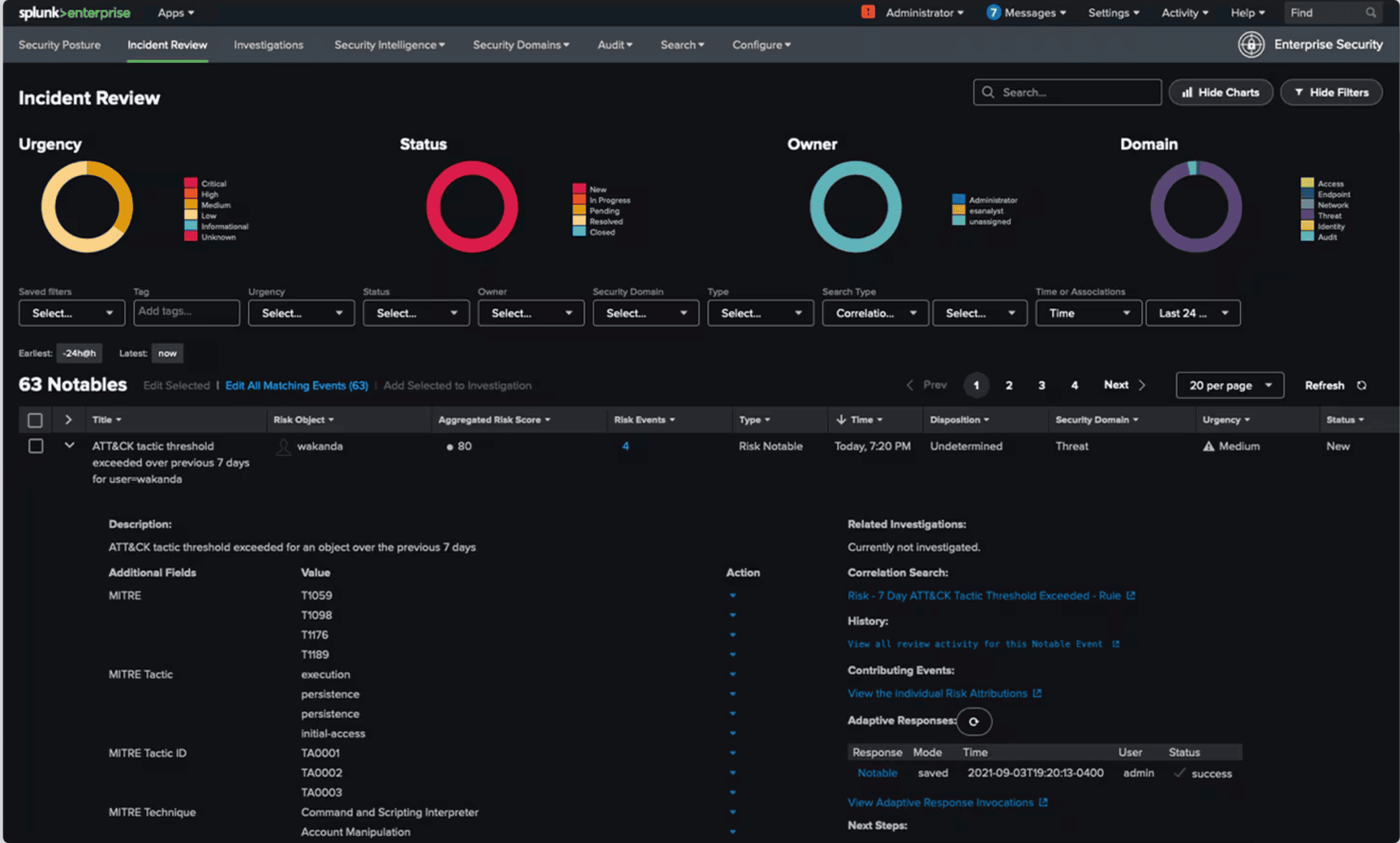 Image source.
Splunk is what you pull up when prod starts blinking red and security wants answers in minutes. Children’s National Hospital uses it for threat detection, investigation, and response, and Carrefour reports responding to security threats 3× faster.
Splunk was a Leader in Gartner’s 2024 SIEM Magic Quadrant and a 2025 SC Awards finalist. Splunk is one of the top DevSecOps platforms for securing cloud when telemetry is your reality. Fewer blind spots, faster handoffs. It fits DevSecOps solutions that need evidence, not vibes.
Features
- Petabyte-scale data platform for searching/visualizing infra + app telemetry.
- SIEM-grade threat detection + investigation (Splunk Enterprise Security workflows/content).
- SOAR automation for containment/response actions and repeatable playbooks.
- Cloud integrations and apps (e.g., Splunk App for AWS) for faster onboarding.
- Security content updates to speed hunting and reduce manual detection writing.
Pricing
Splunk pricing is basically “how many GB/day are you indexing” (ingest) + contract term + region. Splunk Cloud tiers run from 5GB/day at $8,100/year up to 100GB/day at $80,000/year on a 12-month contract.
Free trial: 14 days.
On a DevSecOps tools list, your log volume is your budget lever. For DevSecOps products, expect add-ons (like ES/SOAR) on top.
Pros & Cons
✅ Seamless Data Integration: “Splunk ES is very helpful in seamless integration and automation… log source onboarding, data analytics, investigation – it’s all very smooth. The ease of integration and data handling streamlines our workflows.” g2.com
✅ Powerful Alerting & Visualization: “The ease of visualization and alert creation [in Splunk] is great. It’s easy to use and quick to collect multiple event and data logs with top-notch intrusion detection capability. Easy to integrate and quick to customize.” g2.com
✅ Ease of Use (Once Configured): “It is easy to use and quick to collect data from multiple sources… The intuitive dashboard usability enhances real-time data visualization effortlessly.” g2.com.
⚠️ Very Expensive at Scale: “Users find Splunk Enterprise Security to be very expensive, especially as data ingestion increases and costs escalate.” g2.com
⚠️ Steep Learning Curve: “It has a difficult learning curve, especially with advanced security settings and query writing. Without a background in Splunk or scripting, it can be challenging.” g2.com
⚠️ Needs Customization for Value: “Users find the limited out-of-the-box content for specific use cases a challenge, requiring extra customization and tools.” g2.com
Read also: SecDevOps vs DevSecOps - Differences, Security Models, and When to Choose
CloudGuard
G2 Rating: 4.5/5
Best for: Cloud network security and cloud workload protection.

Source: CheckPoint
CloudGuard is the kind of cloud security you reach for when the network team, the app team, and security all need to agree on one story – fast. Unisys picked CloudGuard CNAPP to get full cloud visibility and threat prevention for customer deployments.
The competitive edge is “prevention-first” muscle – firewall + IPS/DLP/VPN plus a published 99.9% threat prevention rate for the Azure firewall offer. Pair that with CI/CD-fit integrations (it plays nicely with your DevSecOps automation tools) and you’ve got security that can keep up. Bonus: CloudGuard WAF took a Silver Stevie at the 2025 American Business Awards.
Features
- CNAPP breadth: CSPM + CWPP + Code Security modules in one platform.
- Cloud firewall / threat prevention stack (IPS, DLP, VPN) with high prevention claims.
- CI/CD-friendly deployments and IaC/API automation hooks (especially for WAF/WAAP).
- Agentless posture visibility and risk prioritization for cloud environments.
Pricing
CloudGuard CNAPP pricing follows your cloud footprint: you’re billed by “assets” (1 VM = 1, 1 DB = 1, 60 Lambdas = 1, 1 container node = 3 assets).
On the UK G-Cloud, published list prices vary by supplier – for example:
- CDW listing $39,393 unit/year
- iTogether listing ≈ $24,319/year
You also get a 30-day trial (up to 500 seats) to validate it in your pipelines before committing. One of those DevSecOps tools where inventory size is the price lever.
Pros & Cons
✅ Unified Cloud Security Platform: “I really like Check Point CloudGuard CNAPP for its unified platform that handles our security concerns across different cloud environments. It’s great to have one platform for AWS, Azure, and GCP… The unified visibility across all clouds is fantastic.” g2.com
✅ Deep Compliance & Posture Management: “The visibility it offers across all our cloud assets and identification of misconfigurations is vital – it aggregates all assets into a single dashboard. Binding compliance policies to projects and generating reports with remediations has greatly enhanced our operational security.” g2.com
✅ DevSecOps Integration: “I also find the ‘shift-left’ security integration very valuable. It embeds security checks directly into our DevOps pipelines, allowing developers to fix issues in code before deployment, thus keeping problems from reaching production.” g2.com
⚠️ Data Residency Concerns: “I am concerned about data being transferred to Check Point’s cloud, as it may deviate from certain cybersecurity guidelines… every company should ideally have their customer data stored in their own data centers.” g2.com
⚠️ Crowded UI & Alert Noise: “Some dashboards feel a bit crowded, with too many widgets and risk categories in one view, making navigation cumbersome… Noise can build up if the rules are not tuned early, presenting an overwhelming amount of information to filter out.” g2.com
⚠️ Connector Setup Complexity: “A few integrations, especially the cloud account and workload connectors, require more manual setup than expected, which adds complexity and time to the process.” g2.com
Read also: DevSecOps Framework in 2026. How to Choose the Right One?
Microsoft Defender for Cloud
G2 Rating: 4.4/5
Capterra Rating: 4.0/5
Best for: Azure-centric cloud security posture management and threat defense.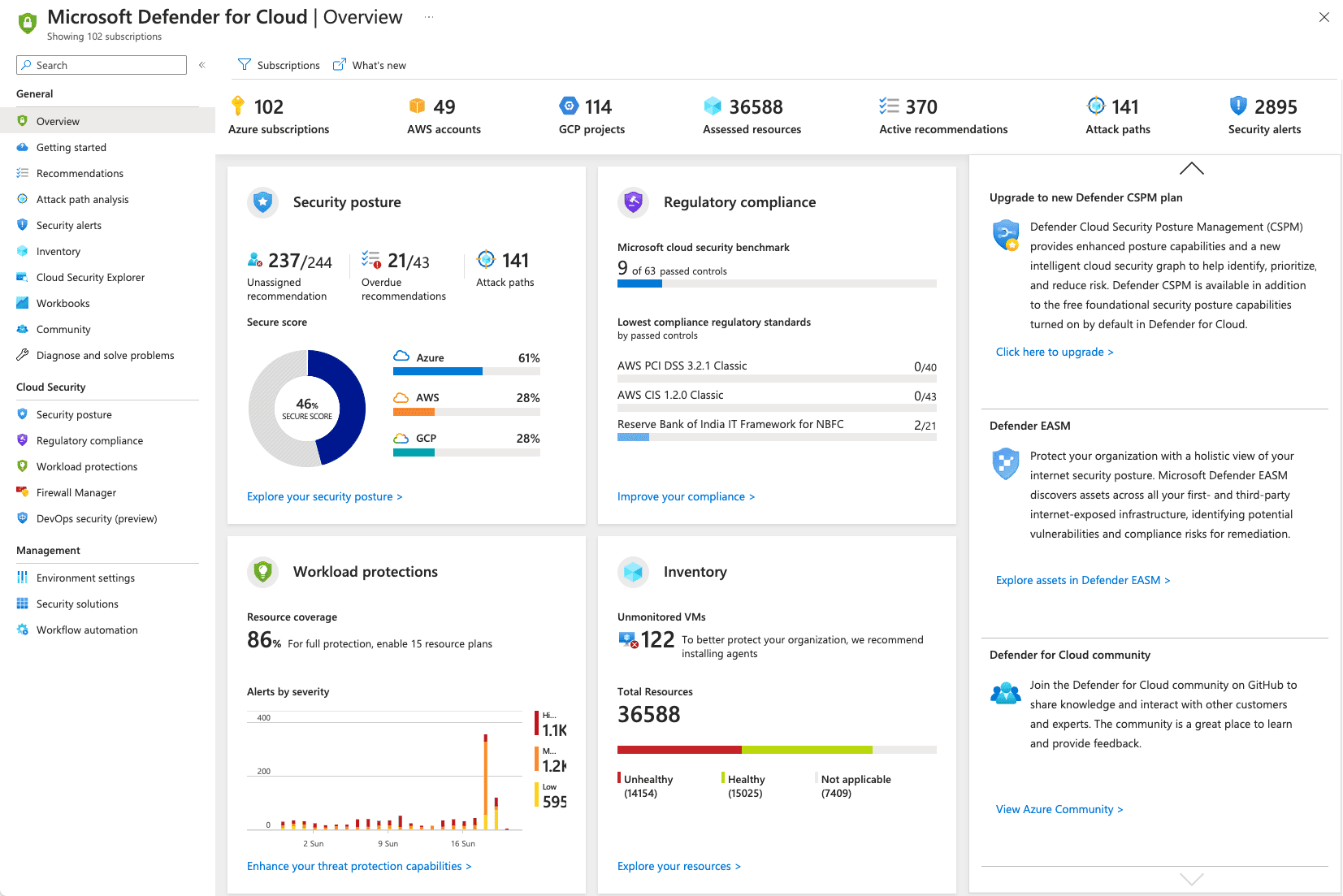
Image source.
Microsoft Defender for Cloud is the safety net DevOps leads wish they had before the incident channel lights up – CSPM + workload protection + DevOps security in one CNAPP. Icertis uses it with Sentinel and Purview to harden AI workloads and spot attack paths early; ElringKlinger uses it to get faster root-cause insights and easier remediation.
You turn it on inside Azure, then extend coverage to AWS/GCP. It’s a clean fit for teams standardizing DevSecOps security tools across Microsoft’s ecosystem, with a 30-day free trial and pay-as-you-go or commitment tiers. G2 even listed it among 2024’s Best Security Software Products.
For teams comparing DevSecOps products, the win is “code-to-runtime” visibility plus built-in DevOps scanning via GitHub Actions and an Azure DevOps extension.
Features
- CNAPP coverage: CSPM + workload protection + DevOps security management.
- IaC misconfiguration scanning via GitHub Actions + Azure DevOps extension (Microsoft Security DevOps).
- Multicloud/hybrid posture visibility and recommendations (Azure + AWS + GCP).
- Attack path/risk context to prioritize fixes that actually reduce exposure.
Pricing
Defender for Cloud pricing is à-la-carte: switch on the plans you actually use (CSPM, Servers, Containers, SQL, Storage) and Azure bills per protected workload.
Servers start at $4.906/server/month (Plan 1) and climb to $14.60/server/month (Plan 2).
Containers are metered by Kubernetes vCores (example: $6.8693 per VM core/month). You also get a 30-day free trial – and in Azure it can reset per plan, so you can test like a grown-up.
Pros and Cons
✅ Multi-Cloud Posture & Protection: “Microsoft Defender for Cloud is not limited to Azure – it extends protection to AWS and GCP, making it ideal for multi-cloud strategies. It provides a single pane of glass to secure workloads on different clouds and understand our security posture by scanning for vulnerabilities and security gaps.” g2.com
✅ Centralized Monitoring & Secure Score: “MS Defender provides centralized monitoring of security posture, alerts, and recommendations across hybrid environments. It uses AI and threat intelligence to detect suspicious activity and respond quickly. The main advantage is it offers a Secure Score to track and improve your cloud security posture.” g2.com
✅ Ease of Use & Real-Time Alerts: “I find Microsoft Defender for Cloud very easy to use and access, which streamlines my workflow significantly. The notifications for potential threats are extremely helpful – real-time updates on security issues give me peace of mind.” g2.com.
⚠️ Expensive for SMBs: “Sometimes it could be expensive for small/medium business houses.” g2.com
⚠️ Integration Bias Toward Azure: “It does provide multi-cloud support but it is best used with Azure services as it doesn’t allow deep integration with other clouds.” g2.com
⚠️ Complex Pricing & Learning Curve: “The pricing can be a little complex to understand… Also, due to overwhelming features, it has a steep learning curve which can be time consuming to go through.” g2.com
Read also: Cloud Cost Optimization Playbook for FinOps Teams
Datadog Cloud Security
G2 Rating: 4.4/5
Capterra Rating: 4.6/5
Best for: Cloud monitoring and full-stack observability with some security analytics.
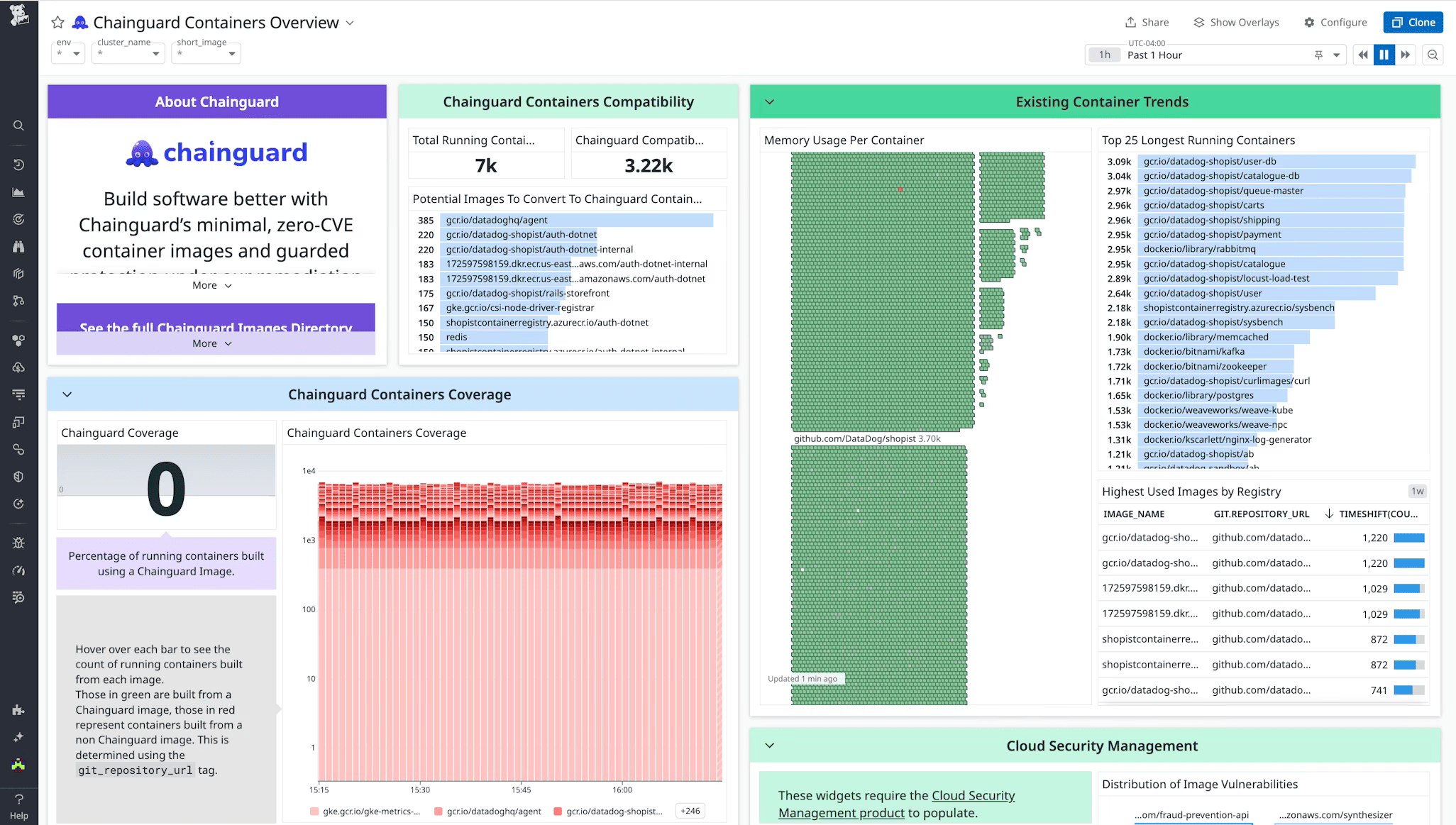 Image source.
Datadog Cloud Security is built for the moment when DevOps owns uptime and security owns the postmortem. Glovo uses it to bake security into engineering and speed up investigations. Stavvy used it to quickly assess an acquired company’s posture – misconfigs and vulns first.
The advantage is context: agentless scans surface misconfigs/vulns fast, then you correlate findings with logs, traces, and ownership so the right team gets the fix.
If you’re tired of stitching open source DevSecOps tools, this is one of those DevSecOps platforms that keeps security and observability in the same workflow.
Datadog also touts 2025 Latio Cloud Security Leader badges.
Features
- Agentless cloud scanning for vulnerabilities, misconfigurations, identity risks, and compliance gaps.
- Cloud Security Posture Management with continuous configuration checks + posture scoring.
- Security Inbox-style prioritization and routing using resource ownership context.
- Cloud SIEM for centralized detections and faster investigations across cloud signals.
Pricing
Datadog Cloud Security pricing is mix-and-match: posture and detections meter differently.
Cloud Security Management starts at $10/CSM host/month (annual) and tops out at $25/CSM host/month on Enterprise; containers run $0.50–$1 per container/month. Cloud SIEM is per 1M analyzed events – from $5 (annual) up to $7.50 (on-demand).
Want a real pipeline test? You get a 14-day free trial. Handy when you’re evaluating DevSecOps ai tools and want security + observability in one motion.
Pros and Cons
✅ Unified Monitoring & Security: “Datadog provides a single pane for DevOps and security – we can monitor system metrics, logs, and security events in one platform. Its Cloud Security Posture and SIEM integrations allow our DevSecOps team to correlate alerts with performance data easily.”
✅ Seamless Integration & Automation: “It was straightforward to integrate Datadog into our CI/CD pipeline and cloud accounts. The agent and integrations pulled in data instantly, and automated threat detection rules started flagging issues out-of-the-box.”
✅ Rich Dashboards & Analytics: “The dashboards are very customizable and the amount of data we can analyze is huge. We love the real-time visualizations for security events, and being able to pivot from an alert to the related logs or traces is extremely powerful.”
⚠️ High Cost at Scale: “Pricing is the biggest con – Datadog gets very expensive as you ingest more logs and metrics. Small teams can get surprised by the bill when enabling all the security features.”
⚠️ Noisy Alerts If Untuned: “By default it generated a lot of alerts – many low priority ones. We had to spend time tuning rules and filters to reduce alert fatigue.”
⚠️ Steep Learning Curve: “It’s a powerful tool but complex – there’s a learning curve to mastering all the features. Some advanced analytics and custom rule writing require quite a bit of expertise.”
Read also: How to Build a Secure DevSecOps Toolchain Without Alert Fatigue
CrowdStrike Falcon Cloud Security (CNAPP)
G2 Rating: 4.6/5
Capterra Rating: 4.7/5
Best for: Unified endpoint and cloud workload protection.
 Image source.
CrowdStrike Falcon Cloud Security is what you reach for when cloud workloads move faster than your ticket queue. CoreWeave uses it to get real-time visibility across cloud workloads, containers, and Kubernetes – so detections and investigations don’t lag behind releases.
Geisinger extends that with Falcon Complete Cloud Security for managed detection and response on AWS workloads.
The edge: unified agent + agentless CNAPP capabilities, plus IaC scanning to catch bad config before it ships.
Awards help too – Frost & Sullivan’s 2024 Cloud Leadership and an IDC MarketScape Leader callout for 2025. One of the best DevSecOps tools when “secure it” must keep pace with “deploy it.”
Features
- Container + Kubernetes security aligned to CI/CD (image scanning, admission/runtime protection).
- Cloud posture + runtime protection across AWS/Azure/GCP.
- IaC scanning to block misconfigs early.
- Asset graph / attack-path context for faster prioritization.
Pricing
For DevSecOps security tools budgeting, Falcon Cloud Security on AWS can be pure pay-as-you-go: you’re metered by protected sensor hours. Cloud instances run $0.023/host-hour, managed containers $0.01/Fargate task-hour, and container hosts $0.054/host-hour (highest tier here). Run 24/7 and you’re roughly $7.20–$38.88 per host/month depending on what you’re protecting.
Trial first: 15 days free. Among DevSecOps platforms, that makes cost track your fleet size.
Pros and Cons
✅ Integrated Threat Intelligence: “CrowdStrike’s cloud security gives us the same great threat detection we trust on endpoints, now for our cloud workloads. The integration between Falcon agents and cloud monitoring means we get real-time, context-rich alerts.”
✅ Agentless Visibility: “The Falcon Horizon (CSPM) module is agentless and was easy to deploy – it immediately identified misconfigurations and vulnerabilities in our cloud without installing anything on instances.”
✅ Strong Runtime Protection: “CrowdStrike protects our containers and VMs at runtime with almost no performance hit. We’ve caught crypto-mining and anomalous behavior in cloud workloads thanks to its behavioral analytics.”
⚠️ Premium Price: “Cost is a concern – CrowdStrike is one of the pricier solutions. Full cloud protection across our org required a significant investment.”
⚠️ UI and Navigation: “The interface for the cloud modules isn’t as polished as the core endpoint product. Some settings are buried, and it took time to get used to the navigation in Falcon Horizon.”
⚠️ Partial Multi-Cloud Support: “Great for securing AWS and Azure workloads, but support for GCP features lagged a bit. It’s improving, but initially we found some GCP-specific security checks missing.”
Read also: Inside the DevSecOps Lifecycle: Decisions, Gates, and Evidence
Orca
G2 Rating: 4.6/5
Capterra Rating: 4.8/5
Best for: Agentless comprehensive cloud security (CSPM + CWPP)
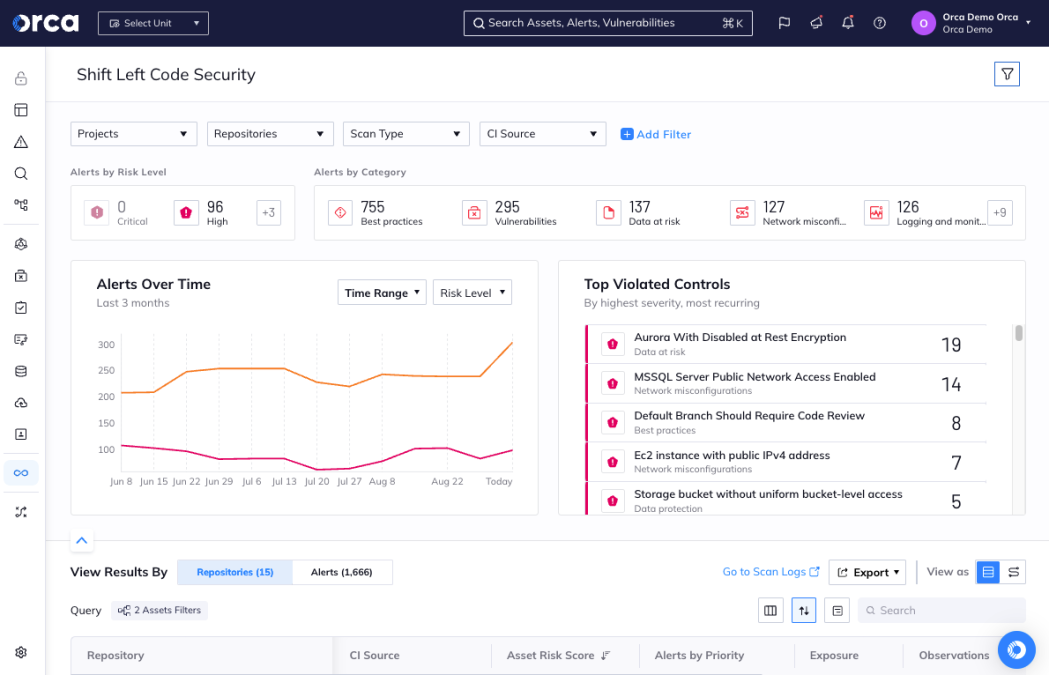 Image source.
Orca is built for the DevSecOps team that needs answers without a six-week agent rollout. SideScanning reads workload block storage out-of-band, rebuilds the filesystem view, and flags vulns, misconfigs, IAM risk, sensitive data, and attack paths – without touching performance. Big-name adopters include Databricks, Robinhood, Autodesk, and Unity, using Orca for multi-cloud visibility and compliance at scale.
For DevSecOps solutions, the real win is prioritization: fewer “10,000 findings,” more “fix these 3 toxic chains first.” Orca is one of the top DevSecOps platforms for securing cloud with serious credibility – Redpoint’s 2025 InfraRed 100 (again).
DevSecOps features
- Agentless SideScanning for deep workload visibility (no agents, minimal friction).
- Attack-path / risk-context prioritization to cut alert noise.
- CNAPP coverage across workloads, configurations, identities, and compliance in one platform.
Pricing
Orca’s pricing is workload-first: you’re billed by the number of cloud workloads / compute assets scanned, so you can cover the whole cloud estate without paying separately for every service type.
The monthly “starter packs” run from $7,000/month (Small) up to $30,000/month (Large) on a 1-month contract.
Want to validate fit fast? Orca offers a 30-day risk-free assessment/free trial.
One of the best DevSecOps tools when you want agentless coverage that scales with your fleet.
Pros & Cons
✅ Agentless Full-Stack Scanning: “Orca is an incredibly powerful tool… we’re using it to detect vulnerabilities in virtual machines, misconfigured serverless functions, excessive IAM policies, and more – all without agents. The automatic awareness of assets is a huge plus.” g2.com
✅ Contextual Risk Prioritization: “Orca has helped us significantly by giving clear visibility into our weakest points and allowing us to prioritize what truly matters. Its unified dashboard shows us the toxic combination of risks (like a vulnerable server exposed to the internet with keys on it), which is super helpful to focus remediation.” aws.amazon.com
✅ Fast Deployment & Ease of Use: “Orca has been overwhelmingly better than previous products requiring agents. Deployment was a breeze – just read-only cloud access. The interface is intuitive, and we had actionable insights in hours.” g2.com
⚠️ Initial Alert Overload: “The first scan brought back thousands of findings – it was overwhelming. We had to spend time tuning Orca’s filters and risk thresholds to reduce noise.” g2.com
⚠️ Cost for Large Environments: “Orca’s pricing can be steep – the cost adds up, especially for larger environments or smaller teams with lots of assets.” accuknox.com
⚠️ UI Improvements Needed: “There were a couple [of] ease of use issues… but [the vendor] made adjustments to the interface immediately.” g2.com
Read also: What Breaks in Delivery When DevSecOps vs SDLC is Misunderstood
Prisma Cloud
G2 Rating: 4.4/5
Capterra Rating: 4.0/5
Best for: End-to-end cloud native security platform (CNAPP).
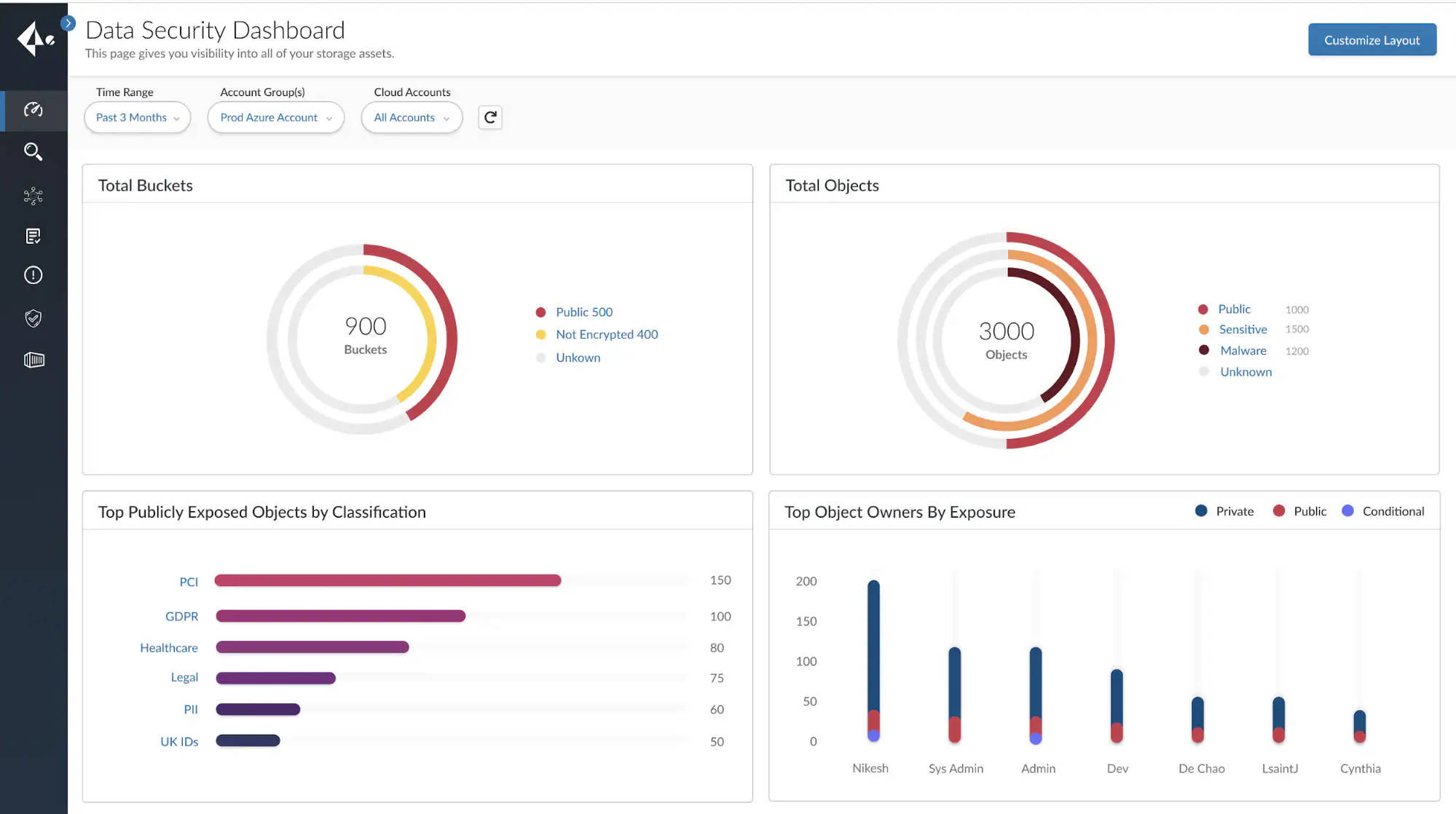 Image source.
Prisma Cloud is the “ship fast, stay clean” layer for teams running cloud-native at full speed. It shows up on a lot of DevSecOps tools shortlists because it covers code-to-runtime in one CNAPP: scan IaC for misconfigs and exposed secrets, then keep watching workloads in prod.
ADT uses Prisma Cloud to cut issue resolution from days to hours, and Palo Alto Networks runs it internally to secure a complex multicloud environment during rapid growth.
The competitive edge is breadth plus “policy-as-code early” automation, so findings don’t arrive after the deploy. For enterprise DevSecOps solutions, it comes with serious credibility: Frost Radar CSPM Leader (2024) and SC Awards “Best Cloud Workload Protection Solution” (2024).
Features
- IaC scanning across IDE/CI/repos with policy-as-code and automated fixes.
- CI/CD risk monitoring aligned to OWASP CI/CD risks.
- Workload protection for hosts, containers, Kubernetes, and serverless.
- Multicloud visibility + governance dashboards for posture and compliance.
Pricing
If you’re lining up best DevSecOps tools for cloud security, Prisma Cloud’s pricing usually starts with how much cloud you want covered (licensed as “edition credits”).
The entry plan is Business_100: 100 credits for $9,000/year, then Enterprise_100: 100 credits for $18,000/year before you jump to private offers/custom.
To test these DevSecOps products without committing, Palo Alto offers a 30-day free trial.
Pros & Cons
✅ Broad CNAPP Functionality: “Prisma Cloud’s ease of setup with our infrastructure was the easiest. The UI is user-friendly… It offers the industry’s most comprehensive cloud security solution in a single platform – eliminating the need to deploy and maintain multiple point solutions.” g2.com
✅ Shift-Left Security: “What I like best is how easily Prisma Cloud integrates into our CI/CD pipeline. It scans Infrastructure-as-Code configs in real time, giving our developers feedback on security issues before changes go live.” g2.com
✅ Strong Compliance & Visibility: “Prisma provides better visibility regarding cloud security. It continuously monitors compliance (PCI, HIPAA, etc.) and gave us a unified view of our security posture across AWS and Azure. The detailed dashboards and reports make audits much easier.” g2.com
⚠️ Pricey for Full Coverage: “‘Can be pricey – the cost adds up, especially for smaller teams,’ notes one G2 reviewer… a significant investment.” accuknox.com
⚠️ Steep Learning Curve & Setup: “Prisma Cloud has so many modules that it generally requires a bit of time to configure and learn properly. It’s powerful but not trivial to deploy across a complex org.”
⚠️ UI Could Be More Intuitive: “The UI/UX could use improvement – occasionally the navigation isn’t straightforward and some data takes extra clicks to find. Once you know where things are it’s fine, but new users can get lost.”
Read also: 4 DevSecOps Implementation Steps That Hold Under Release Pressure
Lacework
Capterra: 5.0/5
Best for: CNAPP for multi-cloud DevSecOps – security + compliance across AWS/Azure/GCP (plus containers/Kubernetes), with anomaly/threat detection, context-rich investigation, and coverage across misconfigurations + identities + vulnerabilities.
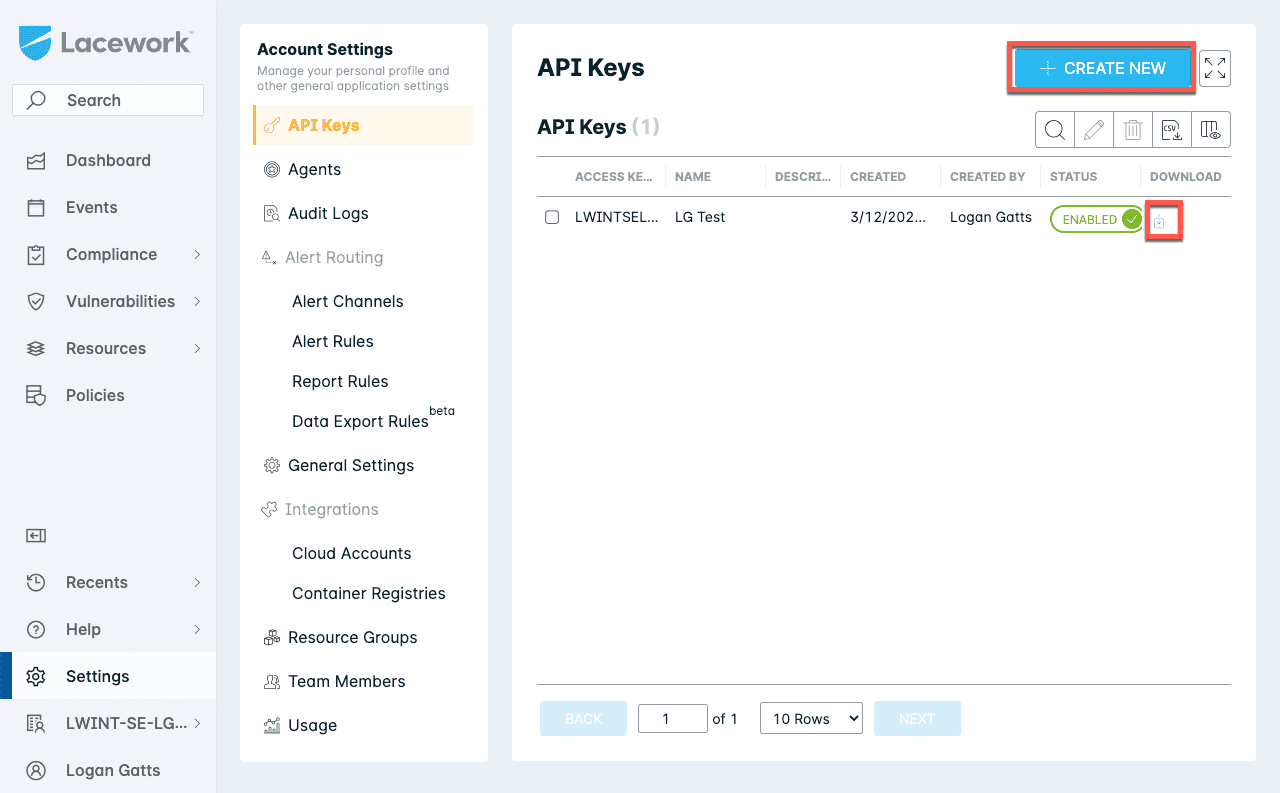 Image source.
Lacework (now Fortinet Lacework FortiCNAPP) is the kind of DevSecOps software you bring in when you want cloud visibility and fewer false alarms. Fortinet rolled it into global operations and started onboarding cloud products to accelerate threat find-and-fix times and improve cross-team collaboration.
The edge is behavior-based detection plus “build-time to runtime” coverage across accounts, containers, and Kubernetes – great when you’re trying to shrink alert fatigue without losing signal.
For awards: Lacework was named Trailblazing (Cloud Security) in the 2024 Global Infosec Awards, and Fortinet’s Lacework FortiCNAPP won the 2025 SC Award for Best Cloud Workload Protection Solution. That’s why it lands in DevSecOps security tools shortlists.
Features
- Behavior-based anomaly detection + threat investigation context.
- Code-to-cloud coverage (build-time → runtime) across multi-cloud.
- Compliance + posture management for accounts, workloads, containers, Kubernetes.
Pricing
Lacework (FortiCNAPP) pricing tracks coverage, usually metered by your agent count at the 95th percentile each month.
Starter packs begin at $25,000/year (Standard/Pro/Enterprise). Need more headroom? Add coverage blocks like $15,000/year per extra 100 workloads/VMs, plus $5,000/year per 1TB data protection, so the ceiling scales with your estate.
This is why it shows up on best DevSecOps tools lists. You can kick the tires with a 14-day assessment/trial offer. DevSecOps ai tools fans like it for the signal-to-noise focus.
Pros & Cons
✅ Behavioral Anomaly Detection: “Lacework’s ‘Polygraph’ is a game changer – it learned our cloud environment’s normal behavior and flags anomalies. We’ve caught odd behaviors and insider threats thanks to its behavior-based alerts, beyond just signature detection.”
✅ Easy Deployment & Integration: “Setting up Lacework was straightforward. The fact that it’s agentless for most things meant we got value quickly. It pulled in data from AWS and Azure seamlessly and started visualizing our cloud topology and risk areas.”
✅ Comprehensive Insights in One Platform: “We love that Lacework provides visibility into misconfigurations, vulnerabilities, and runtime threats all in one place. It’s consolidated our toolset – one platform for cloud compliance, container security, and anomaly detection.”
⚠️ Alert Noise if Untuned: “In the beginning we did get a lot of alerts (some were false positives or low-severity anomalies). Tuning the alert rules and thresholds was necessary to make it quieter.” g2.com
⚠️ Pricing Model: “Lacework’s pricing wasn’t the cheapest – it’s usage-based and can ramp up with lots of cloud assets and data.” accuknox.com.
⚠️ UI Navigation: “The UI is powerful but a bit complex. Sometimes the dash feels crowded, and figuring out where to drill down for specifics took some training.” g2.com
Read also: DevSecOps vs CI/CD: How to Build a Secure CI/CD Pipeline
Summary table: The best DevSecOps tools comparison
When you’re picking devsecops solutions, the “best” tool is the one that can name the asset, name the owner, prove what changed, and push the fix into a workflow your team already uses.
This table focuses on the must-haves that separate “nice dashboard” from the best devsecops tools for cloud security.
Legend: 🟢 strong/native 🟡 limited/needs setup or another product 🔴 not a core capability
| Tool | Inventory | Policy checks | Change tracking | Low-noise at scale | Tickets routing | Tag governance | Reporting |
|---|---|---|---|---|---|---|---|
| Cloudaware | 🟢 | 🟢 | 🟢 | 🟢 | 🟢 | 🟢 | 🟢 |
| Ansible | 🟡 | 🟡 | 🟡 | 🟢 | 🟡 | 🟡 | 🟡 |
| Terraform | 🟡 | 🟡 | 🟢 | 🟢 | 🟡 | 🟡 | 🟡 |
| Pulumi | 🟡 | 🟡 | 🟢 | 🟢 | 🟡 | 🟡 | 🟡 |
| Wiz | 🟢 | 🟢 | 🟡 | 🟢 | 🟢 | 🟡 | 🟢 |
| Tenable | 🟢 | 🟡 | 🟡 | 🟡 | 🟢 | 🔴 | 🟢 |
| Qualys | 🟢 | 🟡 | 🟡 | 🟡 | 🟢 | 🔴 | 🟢 |
| Splunk | 🟡 | 🟡 | 🟡 | 🟡 | 🟢 | 🔴 | 🟢 |
| CloudGuard | 🟢 | 🟢 | 🟡 | 🟡 | 🟢 | 🟡 | 🟢 |
| Microsoft Defender for Cloud | 🟢 | 🟢 | 🟡 | 🟡 | 🟡 | 🟡 | 🟢 |
| Datadog | 🟢 | 🟡 | 🟡 | 🟡 | 🟢 | 🟡 | 🟢 |
| CrowdStrike | 🟢 | 🟢 | 🟡 | 🟡 | 🟢 | 🟡 | 🟢 |
| Orca | 🟢 | 🟢 | 🟡 | 🟢 | 🟢 | 🟡 | 🟢 |
| Prisma Cloud | 🟢 | 🟢 | 🟡 | 🟡 | 🟢 | 🟡 | 🟢 |
| Lacework | 🟢 | 🟢 | 🟡 | 🟡 | 🟢 | 🟡 | 🟢 |
Too many options? Here is a checklist for your demo calls 👇
How to choose the best DevSecOps software for your infra?
You’ve heard the promises. Now run the next one like a technical due diligence call. Because the real question isn’t “can it find issues?” – it’s whether it still feels like a win six months after rollout, when alert volume spikes, tag hygiene decays, multi-account sprawl gets real, and ownership turns into a blame-ping-pong match.
Here are must-have features to look for:
- A real inventory you can trust (and assign). If the tool can’t tell you what exists across AWS/Azure/GCP and who owns it, you’ll never close the loop. You want a CMDB-grade view: resource → app/service → environment → team → owner.
- Policy checks that understand context. Generic rules are a start. Context-aware rules are the difference between signal and spam. Look for policies that can evaluate against tags, CMDB relationships, and environment rules. “Public load balancer is allowed in
sandbox, blocked inprod.” Same control. Smarter enforcement. - Change tracking you can audit. Security and compliance live in what changed. The right platform shows drift, timelines, and evidence. “This SG opened port 22 to the world on Tuesday at 14:12; here’s the delta; here’s the owner.” That’s incident response without guesswork.
- Low-noise evaluation at scale. In busy cloud estates, API-heavy tools can get noisy and expensive. Prefer platforms that collect data once, normalize it, then evaluate policies intelligently – so you’re not hammering cloud APIs every time you run a benchmark.
- Built-in workflows for getting fixes done. Findings are useless if they don’t land where work happens. You want ticketing + routing + status. Send the right issue to Jira/ServiceNow with the exact resource ID, remediation guidance, and the owner already filled in. Bonus points if you can track MTTR and “fixed vs ignored” trends.
- Tag governance and hygiene reporting. DevSecOps dies in untagged infrastructure. Look for tagging coverage, deviations, and enforcement. If your tool can surface “30% of prod resources missing
OwnerorCostCenter,” you’ve got the lever to clean the mess before it becomes risk. - Proof-ready reporting. Audits don’t care about vibes. You need exports, compliance snapshots, and clean evidence trails for standards and internal controls – without building custom reports every quarter.