


A perimeter scan can finish on schedule and leave the management VLAN untouched. The firewall’s public IP answers. The switches on the private segment stay out of reach. When comparing network vulnerability assessment tools, check where the scanner ran before you use its report to sign off on coverage.
An unauthenticated scan works with what services reveal over the network. With the right permissions, an authenticated scan can inspect installed packages and check for missing patches. Open ports show what’s exposed. The assessment is worthwhile because it covers the intended IP range and produces findings that withstand verification.
This comparison covers nine tools and draws on vendor documentation, published prices, and customer reviews checked in November 2026. The table shows where each option fits, so you can shortlist network vulnerability assessment software for the estate you run.
For web app and cloud scanners, see the broader vulnerability assessment tools guide.
Cloudaware publishes this guide and lists itself first. Its profile includes drawbacks and situations where another tool would fit better, as do the other profiles.
Key insights
- If you need to match findings from several scanners to assets and their owners, use Cloudaware.
- If you need a standalone scanner for credentialed network audits and patch retests, use Tenable Nessus.
- If you need one platform for branches, public IPs, and roaming endpoints, use Qualys VMDR.
- If you need to scan segmented networks and verify fixes against remediation SLAs, use Rapid7 InsightVM.
- If you want free, self-hosted vulnerability scans and can maintain the feed, use OpenVAS Community Edition.
- If you need to see which hosts, ports, and services are reachable before an assessment, use Nmap.
- If you run external assessments for clients and need reports to hand off, use Pentest-Tools.com.
- If your small team needs recurring checks on its own public IPs and hostnames, use Intruder.
- If you need to find and deploy missing patches across a Windows-heavy LAN, use GFI LanGuard.
What are network vulnerability assessment tools?
Network vulnerability assessment tools are scanners that check hosts, IP ranges, ports, and network devices for known vulnerabilities, then rate and report the findings so teams can fix them.
In a useful export, the severity sits next to something an engineer can reproduce. A result from network vulnerability assessment software should name the target and affected service, show what the scanner observed, and record when it ran. Without that evidence and timestamp, the first conversation with the service owner usually turns into a debate over what was running when the scanner hit it.
Take a customer portal running on a cloud VM with a public IP. Three assessments of that environment could send engineers after three different fixes.
| Tool | What it examines | Example result |
|---|---|---|
| Network scanner | Hosts, ports, services, and supported device firmware through network probes or credentialed checks. With sufficient host access, it can also inspect installed packages. | SSH answers on TCP 22 from the internet. |
| Dynamic application security testing (DAST) | How a running web app or API responds during application vulnerability testing | A request made with one test account retrieves another account’s invoice. |
| Cloud posture scanner | Resource settings and access rules read through provider APIs by cloud security assessment tools | The VM’s security group allows inbound SSH from any IPv4 address. |
The network scanner can confirm that SSH answers from the internet. The rule that permits the traffic lives in the cloud configuration, where a posture scanner can flag it even when SSH is down. The invoice leak takes a live request from an account that should lack access. On the same deployment, those are three distinct questions about what responds, what policy allows, and what a user can retrieve.
What to look for in a network vulnerability assessment tool
On a vendor’s demo network, the routes and permissions are usually already in place. On yours, the same scan may have to reach a branch through a restricted route and finish before the local change window closes. Coverage comes first among these network criteria because the rest of the comparison depends on knowing what the scanner actually assessed.
1. Scan coverage
An approved target list gives you something to reconcile the scan against. Alongside the expected hosts and IP ranges, include a service on a nonstandard port and a firewall or switch with known firmware. Operational technology (OT) devices that require passive monitoring belong on the list too, with that restriction recorded.
Pass signal. The export distinguishes assessed, unreachable, and policy-excluded targets.
Fail signal. A required device disappears from the report without a status.
2. Authenticated scanning
What did the scanner collect after it logged in? On an approved test host, two accounts that can both sign in but have different permissions to read the patch inventory make that easy to see. The results should show which account collected the inventory and which run provided only partial coverage.
Fail signal. A successful login counts as full credentialed coverage even when the patch inventory is unreadable.
3. Detection accuracy and false positives
Two snapshots of the same isolated lab host, taken before and after a vendor patch, give you a known answer. The installed builds and the vendor advisory establish which snapshot is affected. A useful report shows what observation triggered its verdict, so an engineer can check the scanner’s reasoning.
Fail signal. Both snapshots get the same verdict, leaving the team to verify the patch state by hand.
4. Internal and external scan paths
Off the VPN, a managed laptop becomes a useful test for agent coverage. A perimeter scanner and distributed engines on approved routes into private segments answer a separate question about what’s reachable over the network. The export should identify the engine or agent behind each result.
Fail signal. A required private subnet becomes scannable only after the team relaxes a firewall rule it needs to keep in production.
5. Performance and scheduling
At branch scale, the useful number is how many targets the scanner can assess within the change window at a rate the network can sustain. A representative batch of approved IT targets gives you a way to measure that. With the intended throttle in place, compare elapsed time, link utilization, and service errors with the site’s baseline.
Pass signal. When the pilot window closes, probes stop and unfinished targets remain visible.
Fail signal. The scan overruns the window or pushes the site past an agreed operating limit.
Zane Blomgren, director of industrial cybersecurity at Belden, recalled a carefully paced scan during scheduled downtime at an automotive plant.
“We expected the impact on the network to be the equivalent of a light breeze. Yet, it was soon reported that a VFD tripped.”
The investigation traced the trip to a preexisting vulnerability in the variable-frequency drive. In a fragile OT environment, that changes what’s worth buying. Look for passive discovery on the live network, profiles that limit active checks to those validated offline, and explicit subnet exclusions.
6. Asset context and findings unification
One CVE can require two separate fixes on the same host. A realistic test gives the tool two scanner observations for one affected service and a third observation for a second service that needs its own fix. After the first fix, both sources for that service should remain traceable, and the second service’s finding should still be open.
Fail signal. Closing the first finding takes the second fix out of the remediation queue.
7. Pricing and deployment
The second-year bill can jump when a new segment needs its own scan engine. In an estate with DHCP or short-lived hosts, the licensing unit matters too. A price per IP can scale differently from a price per asset, so ask how the vendor counts reassigned addresses and replacement instances over a billing period. The useful estimate shows where the starting price or free tier stops covering your needs and includes the engines, add-ons, and staff time the rollout will require.
Fail signal. The entry plan covers the pilot, but the quote leaves out the engines required for the private segments in scope.
The checks above give you a way to validate the shortlist on your own network.
Network vulnerability assessment tools comparison table
This network vulnerability assessment tools list shows where each of the nine options fits, from mapping a subnet to consolidating findings from several scanners.
| Tool | Best fit | Authenticated scan | Network coverage (hosts / devices / OT) |
|---|---|---|---|
| Cloudaware | Multi-scanner findings tied to assets | Optional credentialed IP scans | Native IP and host scans, third-party ingestion |
| Tenable Nessus | Standalone, point-in-time network assessments | Yes · hosts and supported appliances | Hosts, supported devices · separate OT product |
| Qualys VMDR | Multi-site coverage with roaming endpoints | Yes · remote scans via appliances | Hosts, supported devices · separate OT sensors |
| Rapid7 InsightVM (Nexpose) | Network scans with remediation tracking | Yes · remote credentials via Scan Engines | Hosts and supported devices via distributed engines |
| OpenVAS / Greenbone | Self-hosted assessment with a free feed | Yes · SSH and SMB host checks | Hosts, device checks vary by feed |
| Nmap | Host discovery and scope verification | No dedicated credentialed assessment | Hosts, ports, services, targeted NSE checks |
| Pentest-Tools.com | Hosted perimeter assessments and reporting | Limited · SSH via separate Sniper workflow | Perimeter IPs, private networks via VPN add-on |
| Intruder | Managed perimeter and endpoint checks | Agent-based internal checks · no remote credentialed scans | Perimeter IPs, internal agents on Pro/Enterprise |
| GFI LanGuard | Windows-heavy LAN assessment and patching | Yes · Windows credentials and SSH | LAN hosts and supported network devices |
Pricing checked November 2026. Prices can change. Verify current terms at quote or checkout.
A VPN can get a scanner to a private subnet, but the authentication column tells you what it can verify once it gets there. Six tools offer a free entry point, including the 30-day Nessus Essentials license. Intruder, for example, covers five external infrastructure targets on Free and adds internal host agents on Pro.
The tools 👇 Each profile includes one proof-of-concept test worth running on your own network. The result should tell you whether the tool earns a place on your shortlist.
Cloudaware
G2 4.0/5 from 13 reviews as of October 21, 2026
Best for. Hybrid infrastructure teams that need to reconcile network findings from several scanners and route them to the right asset owners.
Not a fit if. Your main buying criterion is deep scanning of specific firewalls, network appliances, or OT devices.
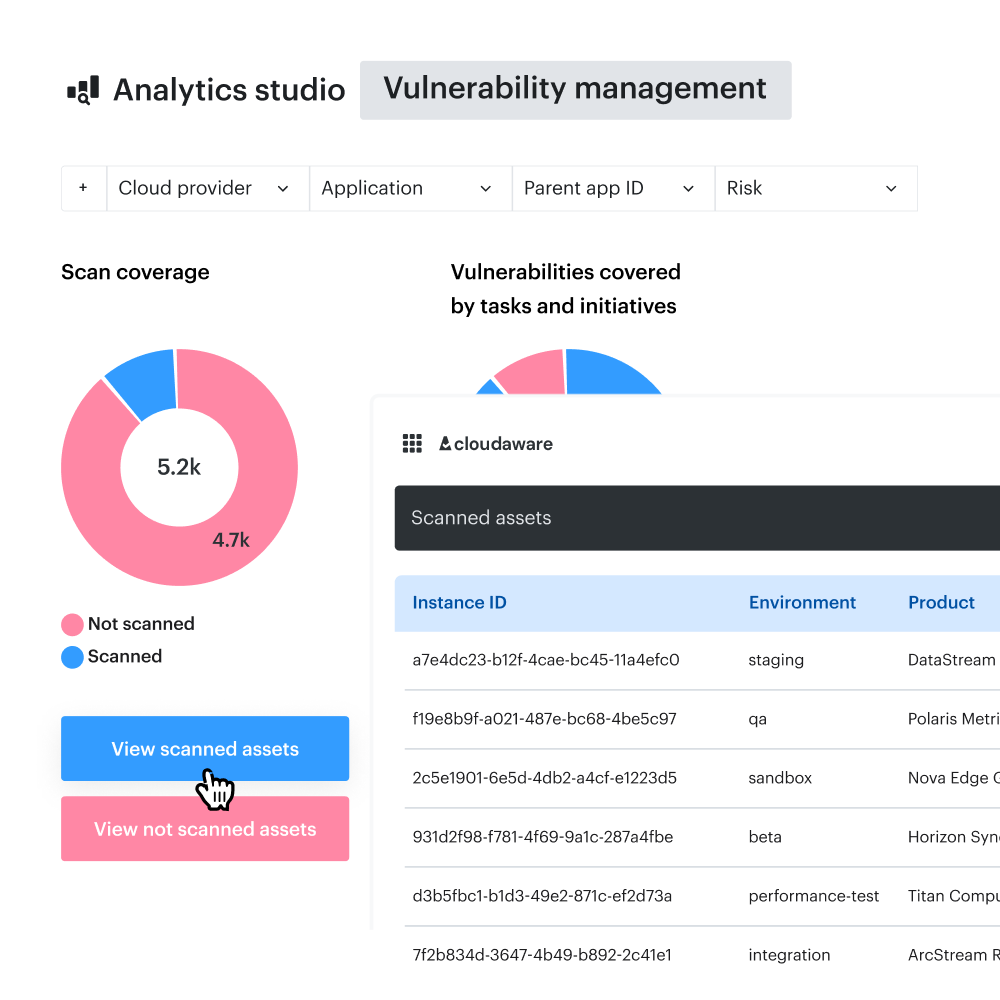
A production bastion changes hands on Friday. On Monday, a scanner flags the same SSH finding, and a ticket routed by subnet still lands with the old team. Cloudaware ties that finding to a CMDB asset so the current owner, environment, and business criticality can travel with it.
Breeze Agent handles host scans on enrolled Windows and Linux systems. Cloudaware also offers optional managed IP scans, including credentialed checks, alongside separately scoped URL and container image scans.
If you already run Tenable Vulnerability Management, Qualys, Rapid7 InsightVM, or CrowdStrike Falcon, configured connectors can bring their findings into the same queue. That gives you a way to add scanning where you need it and keep the scanner evidence your team already relies on.
What sets it apart. Two teams can share a production subnet and still get separate work queues. When an owner asks what triggered a finding, the analyst can trace it back to the scanner that reported it.
Watch-out. Scan depth depends on the scan type, access, and vendor backend. Early in a rollout, an empty owner field can leave a high-priority finding unassigned even when it matches the right asset. If a specific firewall or OT model matters to your decision, ask to see which checks are available for that device.
POC rule. Pick one authorized production subnet. Run a Cloudaware-managed IP scan on the approved targets and import results from one existing scanner for that same scope. It passes if every finding maps to exactly one named CMDB asset with an owner, the reporting source remains visible on the finding, and the linked asset shows its Last Scan Date.
Features
- Scoped IP scanning. You can mark specific CMDB assets for IP-based scans. Credentialed checks need the right access, and the available checks depend on the backend.
- Scanner provenance. Imported findings retain their reporting source. The evidence you can inspect depends on what the connector brings over.
- Scan freshness in CMDB Navigator. Last Scan Date shows when the asset was last scanned. Confirming that a specific CVE cleared requires a finding-level result.
- Routing by asset owner. Findings can feed Jira or ServiceNow workflows. Routing depends on accurate ownership records and correctly mapped fields.
Shortlisting rule. Score scan depth and asset matching separately. Cloudaware earns its place when it covers the targets you need and gives each team a queue it can act on.
Pricing
Cloudaware sizes the CMDB subscription by server count and shows the corresponding capacity for configuration items (CIs). At the calculator’s 50-server starting point, Core is $67/month and Enterprise is $200/month. At 1,000 servers, either estimate includes capacity for up to 500,000 CIs.
In Cloudaware’s published pricing example, Vulnerability Management adds 20% to the CMDB cost. The combined estimates below apply that rate to both plans.
Estimated monthly cost in USD, rounded to the nearest dollar.
| Servers | Core CMDB | Core + VM | Enterprise CMDB | Enterprise + VM |
|---|---|---|---|---|
| 100 | $133 | $160 | $400 | $480 |
| 500 | $667 | $800 | $2,000 | $2,400 |
| 1,000 | $1,333 | $1,600 | $4,000 | $4,800 |
For 1,000 servers, the Vulnerability Management add-on works out to about $267/month on Core or $800/month on Enterprise. Enterprise fits teams that need SSO, granular permissions, or advanced reporting and workflows.
If you want Cloudaware to run managed scans, request a separate VSaaS quote based on your scan scope and vendor backend. Include the cost of any third-party scanner licenses you plan to keep.
Cloudaware offers a 30-day free trial for Vulnerability Management. Confirm the scan types and integrations you can evaluate before starting.
Pros and cons
Reviewers describe how a shared inventory and visible infrastructure dependencies help with troubleshooting, while navigation and audit reporting drew criticism. The sample is small, two of the PeerSpot reviewers work at ASCI, and the comments cover the platform as a whole.
- ✅ Infrastructure dependencies are easier to trace. “We now maintain a real-time, accurate view of the infrastructure dependencies, leading to faster troubleshooting and very positive impact analysis for the organization.” PRIYANKA PRAKASH, Deputy General Manager at Agriculture Skill Council of India (ASCI), July 1, 2026. PeerSpot review
- ✅ One inventory across cloud providers. “Multi-cloud inventory tracking is another feature that gives us a unified view of all assets, which is a huge help for managing resources efficiently.” TusharGoel, Cloud Engineer at TO THE NEW Digital, May 24, 2026. PeerSpot review
- ⚠️ Performance and navigation friction. “Cloudaware can be slow at times, and the user interface can be overwhelming and difficult to navigate.” Pourya M., Senior Consultant, April 9, 2023. Incentivized G2 review
- ⚠️ Audit reporting needs scrutiny. “Additionally, establishing a full-fledged audit control reporting structure is needed, especially since we conduct risk assessments.” Purnambica Kolavennu, Project Manager at Agriculture Skill Council of India (ASCI), June 3, 2026. PeerSpot review
Tenable Nessus
G2 4.5/5 from 321 reviews
Capterra 4.7/5 from 94 reviews, checked November 4, 2026.
Best for. Security engineers and consultants who need a standalone network scanner for audits, subnet assessments, and remediation retests.
Not a fit if. You need a free scanner for ongoing use or a single product that handles scanning, enterprise prioritization, and ticket routing.
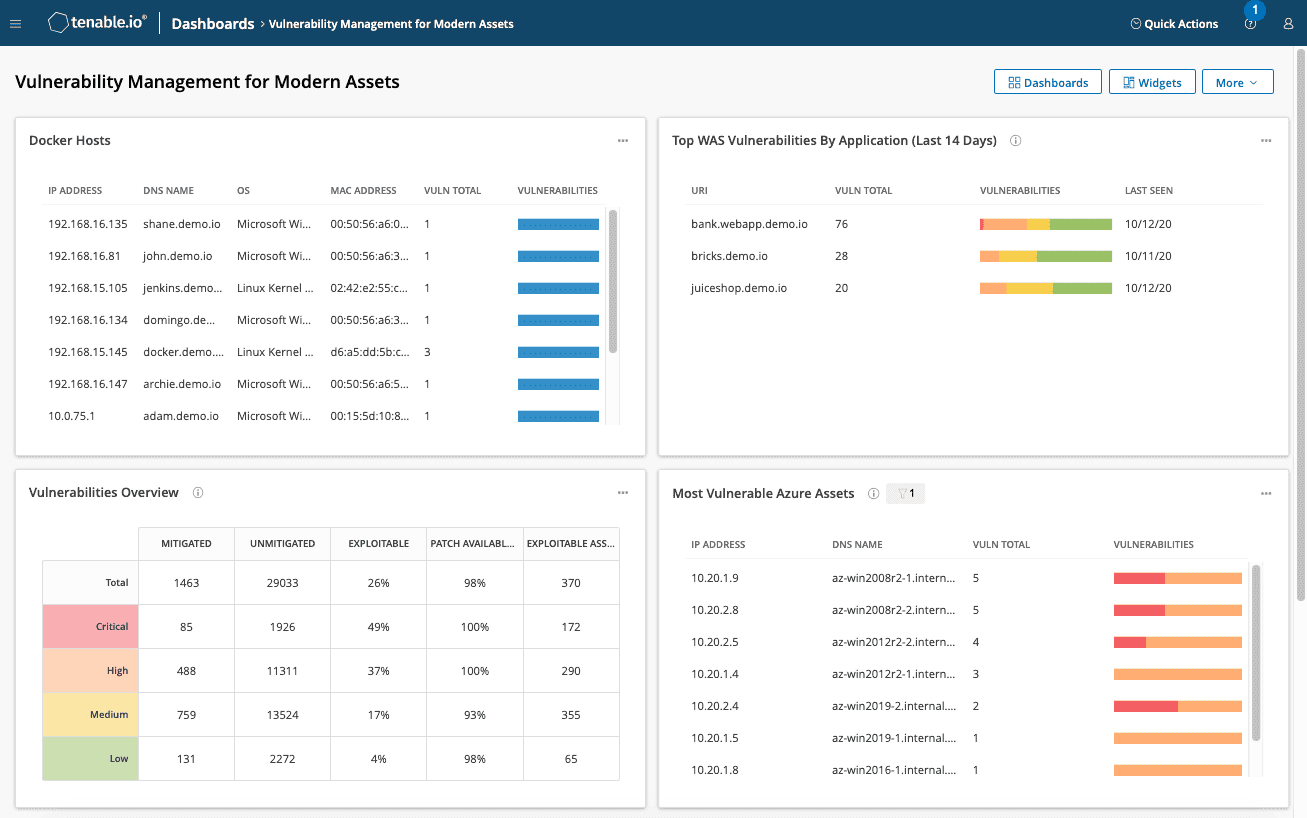
A plugin ID can settle a disagreement that two severity scores leave open. Nessus shows which check triggered a finding and, where available, the evidence it returned. Tenable reported more than 439,000 Nessus plugins as of November 4, 2026. That breadth makes it a useful reference scanner when a POC spans several operating systems and device types.
On a Cisco IOS XE engagement, a consultant can use a CIS .audit file to check comparable devices against the same baseline. If the SSH-only management check fails, the network team gets a specific setting to fix and retest. Nessus Professional gives you a point-in-time assessment, even when scans run on a schedule.
The practical edge. An advanced scan policy lets you select individual plugins. That’s useful when a client asks you to verify one fix and the maintenance window only has room for a targeted retest.
Where the handoff starts. A scan report works well for a client deliverable. Once several teams need a shared view of what to fix first, who owns the work, and whether the backlog is shrinking, that work moves to a management layer such as Tenable Vulnerability Management or Tenable Security Center.
POC rule. Use two isolated lab switches with reachable read-only SNMP. Give one the default public community string and the other a non-default string, then confirm both respond to an authorized query from the scanner’s segment. Pass if Nessus flags the default community only on the first switch and identifies the affected IP and UDP port.
Features
- Live Results between scans. When enabled, Nessus can apply new plugins to data from the last scan. Checks that need fresh data or an active probe still require another run.
- Network-device checks. Supported appliances include models from Cisco, Fortinet, and Palo Alto. Available checks depend on the device, software version, and access method.
- Scan policies by vantage point. Separate perimeter and internal policies let you test what each scanner location can reach. Firewalls and segmentation determine which targets each run can assess.
- Reports and exports. Professional generates PDF, HTML, and CSV reports. A report generated from a filtered view includes only the results visible in that view.
Shortlisting rule. For audit work, check that Professional supports the exact device OS versions and benchmark revisions named in the statement of work.
Pricing
As of November 2026, Professional and Expert are annual USD subscriptions with unlimited IT asset scanning.
- Essentials, free for 30 days. A noncommercial license for up to five IPs. It suits a short lab exercise, with plugin updates delayed by 30 days.
- Essentials Plus, $199/yr. For an ongoing noncommercial lab that needs up to 20 IPs, current plugins, and basic PDF or HTML reports.
- Professional, $4,790/yr. The starting point for paid consulting or one security team running credentialed network scans and compliance assessments.
- Expert, $6,790/yr. Choose it if the same team also needs web application scanning and external attack surface discovery. Those checks come with separate scope limits.
Professional and Expert each offer a seven-day free trial.
Pros and cons
Reviewers point to an interface that’s easy to pick up and plugin coverage that helps with patch triage. The extra work shows up when someone has to verify a noisy result or clean an export before handing it off.
- ✅ Easy for new operators to pick up. “I like that Tenable Nessus is very easy to use, as the interface is really intuitive, which is great for new users.” Luis Rodrigo P., Perimeter Security Coordinator (NOC), October 7, 2026. G2 review, translated
- ✅ Plugin coverage helps with Patch Tuesday triage. “Plugin coverage continues to keep pace with actively exploited CVEs, which matters when we're triaging Patch Tuesday against KEV.” Justin P., Cybersecurity Specialist, May 26, 2023, updated September 8, 2026. Incentivized G2 review
- ⚠️ Noisy results take manual verification. “What I dislike about using Tenable Nessus is that sometimes the scan results can be noisy, with false positives that need manual verification.” Mohsin H., Information Security Consultant, June 22, 2026. Incentivized G2 review
- ⚠️ Exports can need cleanup. “In reporting for the same vulnerability, it will show multiple CVEs in different rows while exporting, which creates manual effort to clean.” Adithyan B., Information Security Analyst, September 18, 2025. Incentivized G2 review
Find the owner behind a Nessus finding
An IP in a Nessus report tells you where the finding showed up. With the Nessus integration, Cloudaware connects that finding to the matched CMDB asset, so you can see the environment and who owns the fix.
Qualys VMDR
G2 4.4/5 from 168 reviews, checked November 4, 2026.
Best for. Enterprise vulnerability teams covering several sites, public IPs, and roaming endpoints from one platform.
Not a fit if. You only run occasional subnet assessments and want a scanner you can set up for the job and put away afterward.
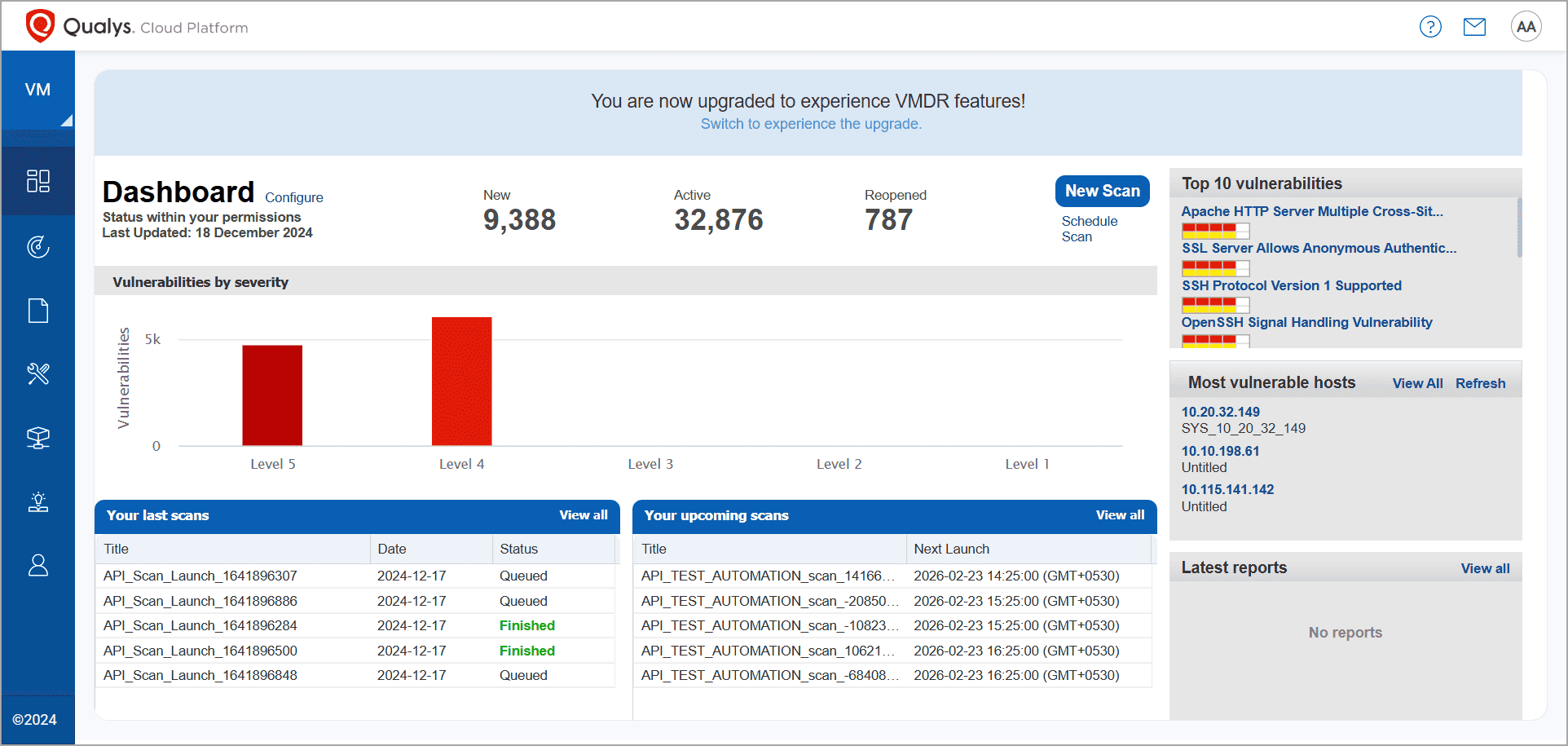
Image source.
Where would you put a scanner for 30 branches? With Qualys VMDR, virtual scanner appliances sit inside the network where they can reach private targets. Public IPs get a separate pass from Qualys-hosted scanners on the internet.
Cloud Agents fill a different gap. A warehouse kiosk on a segment that blocks inbound probes can still report host findings if it can reach the Qualys platform. Checking which of its services another device can reach still takes a scanner on the right network path.
One schedule, local scan paths. Within a Qualys network, an internal scan can use the default appliance assigned to each asset group. A central team can keep one schedule while each branch gets scanned from the appliance that can reach it.
What takes setup. Expect to spend time on site tags and Qualys Query Language (QQL) before different teams can pull consistent views from the console. Passive discovery on industrial control networks is a separate deployment to scope with VMDR OT and a Network Passive Sensor.
POC rule. Run a baseline scan across two lab sites with a local appliance at each. On the next scheduled run, block scanner traffic to one test host at Site B while its Cloud Agent can still reach Qualys. Pass if Site A scans normally, Site B’s scan results list the test host as unscanned, and the agent’s Last Checked In timestamp continues to update independently.
Features
- Port and check selection. Option profiles control which TCP and UDP ports and Qualys vulnerability checks (QIDs) a scan runs. A profile tuned for a narrow retest covers only its selected scope.
- Agent and scanner correlation. Configured tracking can bring appliance and agent results together on one asset. Cloned systems that share an identifier can also be merged, so test how your images are provisioned.
- External scans with known source IPs. Qualys publishes the source IPs of its hosted scanners for allowlisting. Record any firewall exceptions before treating the results as a baseline for public exposure.
- TruRisk prioritization. Asset scores combine detections, threat intelligence, and business criticality. A wrong criticality value can move an asset up or down the remediation list.
Shortlisting rule. Shortlist VMDR if you can name who will own scanner reachability and asset tags at every site you plan to onboard.
Pricing
- Commercial VMDR · Quote. The quote starts with licensed network IPs and the modules you select. Give Qualys your internal and external IP counts, the scanner appliances you need by site, and any patch deployment or OT requirements. Web apps and user licenses can also affect the total.
- Community Edition · Free. Start here for a lab or small estate. Qualys’ setup guide lists 16 internal IPs, three external IPs, one web app, and one virtual scanner appliance. Confirm those allowances at sign-up. If your evaluation needs appliances at two sites, use the 30-day VMDR trial and confirm that it includes both appliances and the agent functionality you plan to test.
Pros and cons
The strongest feedback is about what the sensors reveal, from broader network discovery to richer endpoint detail. Getting comfortable in the console takes time, and one reviewer flagged cost as a concern for smaller teams.
- ✅ Multiple sensors broaden discovery. “It also supports multiple sensors, facilitating comprehensive asset discovery and monitoring to ensure complete visibility of the IT environment.” Pramod V., Deputy Manager, Information Security, February 18, 2025. G2 review
- ✅ Agents surface detail across host types. “I like how much information is discovered with the Qualys agent on PCs, Mac's and servers.” Adam M., Systems Engineer II, End User Services, February 9, 2022. G2 review
- ⚠️ The console takes time to learn. “The interface is a little bit complicated for me at the initial stage and also complex for the new user to understand.” Vignesh A., Security Engineer, December 17, 2024. Incentivized G2 review
- ⚠️ Cost can stretch a smaller budget. “Some organizations may find the pricing of Qualys VMDR to be higher compared to other vulnerability management solutions, especially for smaller businesses with budget constraints.” Priyanka B., Senior Information Security Engineer, July 25, 2023. Incentivized G2 review
Rapid7 InsightVM (Nexpose)
G2 4.4/5 (81 reviews)
Capterra 4.3/5 (20 reviews)
Best for. Vulnerability teams that run network scans across segmented infrastructure and need to track verified fixes against remediation SLAs.
Not a fit if. You want a lightweight scanner for occasional assessments or need the scanner itself to install patches.
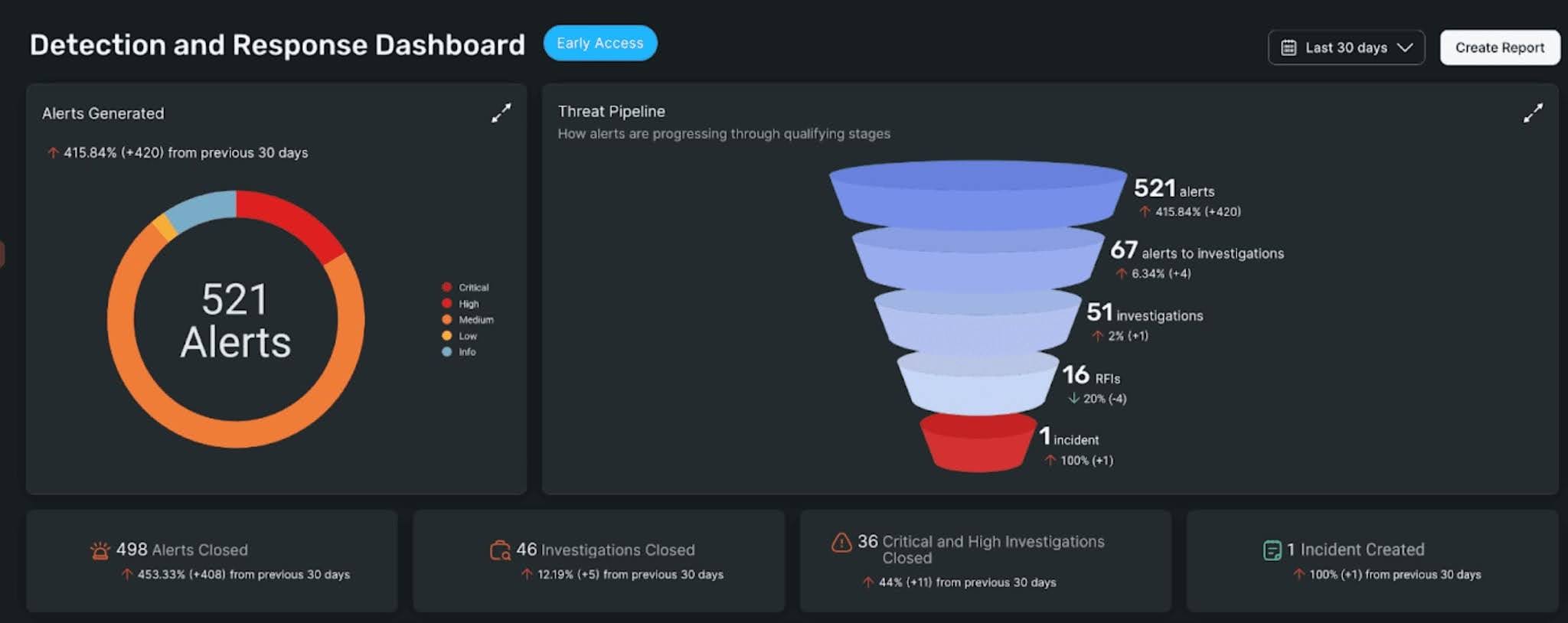
Image source.
Counting closed patch tickets as fixed vulnerabilities can make an SLA report look better than the network actually is. In InsightVM, the team can record that a fix was applied and keep it Awaiting Verification until a scan checks the result.
Distributed Scan Engines do the network assessment. When a large server segment has a short maintenance window, an engine pool can split one scan job across multiple engines that can reach the targets.
Pick Nexpose if scanning and reporting need to stay on-premises, or InsightVM if you can connect the Security Console to Rapid7’s cloud and want shared remediation projects and SLA tracking.
One fix, fewer assignments. Remediation Projects group findings by solution. If one package update addresses several findings across a server fleet, the team can assign the update as one piece of work and track which assets still need it.
Where rollout time goes. The Security Console, Scan Engines, and cloud connection all need configuration. Size engines for overlapping jobs as well as total asset count. Two scans that each fit the window on their own can run long when they compete for the same engine.
POC rule. Put one scanner-confirmed missing patch on a test server into an open Remediation Project. After installing the patch, mark the solution Awaiting Verification and launch a validation scan from the project. Pass if the scan clears the finding and the solution moves to Closed without anyone closing it manually.
Features
- Active Risk scoring. Rapid7 combines CVSS with exploit intelligence, including CISA KEV. A finding can move up the queue as threat intelligence changes, even between scans.
- Insight Agent. The agent gathers local vulnerability data on supported hosts. Network devices and checks that depend on a network vantage point still need a Scan Engine.
- Validation scans. Patch a host on Tuesday and you can check the fix that afternoon, even if the next scheduled scan is Sunday. The retest from the project depends on one thing you can check up front. The engine that last scanned the host successfully has to be paired with the Command Platform.
- Goals & SLAs. A rolling SLA can give each newly detected vulnerability its own deadline. The metric follows the asset and vulnerability scope you configure, so check that it matches the policy you report against.
Shortlisting rule. Keep InsightVM on the list if it can replace the spreadsheet your team uses to reconcile closed tickets with overdue vulnerabilities.
Pricing
Quote. Start with your assessed asset count, the Scan Engines you need, and any add-ons. Rapid7 counts successfully correlated agent and scanner records once. Ask the vendor to spell out the included engine capacity and any hosted scanning allowance.
- InsightVM through Exposure Command Essentials. Start here for network and agent-based assessment, risk prioritization, and remediation tracking. Consider Ultimate if cloud posture, container security, or attack-path analysis is also in scope.
- Nexpose. Request a separate quote if you need an on-premises scanner and reporting workflow.
Rapid7’s appliance guide documents a 30-day free InsightVM trial. Confirm current availability, the asset limit, and access to Remediation Projects before scheduling your evaluation.
Pros and cons
Teams had fewer rescans to kick off by hand. The fiddly part comes earlier, when you’re setting up the console and making sure a broad IP range leaves the guest network, used by visitors rather than managed company devices, out.
- ✅ Less manual scan and rescan work. “The remediation project helps us run end-to-end vulnerability management again. We don’t have to manually scan and rescan for vulnerabilities anymore, because everything is automated.” Diogo A., Senior Information Security Analyst, July 27, 2026. G2 review
- ✅ Finding details help the patch team decide what goes first. “Being a part of Patch management team, This tool gives complete details about the vulnerability and according to that we can prioritize the patching process.” Mayank J., Endpoint Security Specialist, June 9, 2023. G2 review
- ⚠️ Initial setup takes work. “You will get difficulty during initial setup as the setup is complex.” Sagar U., Technical Project Manager, June 12, 2024. G2 review
- ⚠️ Scan exclusions and asset counts can take tuning. “InsightVM for some reason had issues resolving licensing count in our deployment as well as doing exclusions when manually creating a scan group.” Lem R., Systems Engineer and Cybersecurity Analyst, March 30, 2021. Incentivized G2 review
OpenVAS / Greenbone
G2 4.4/5 (32 OpenVAS reviews)
Capterra 4.1/5 (8 Greenbone reviews).
Best for. Teams with Linux administration skills that want recurring network scans on infrastructure they operate.
Not a fit if. You need vendor-backed support from day one or have nobody to keep the scanner and its feed healthy.
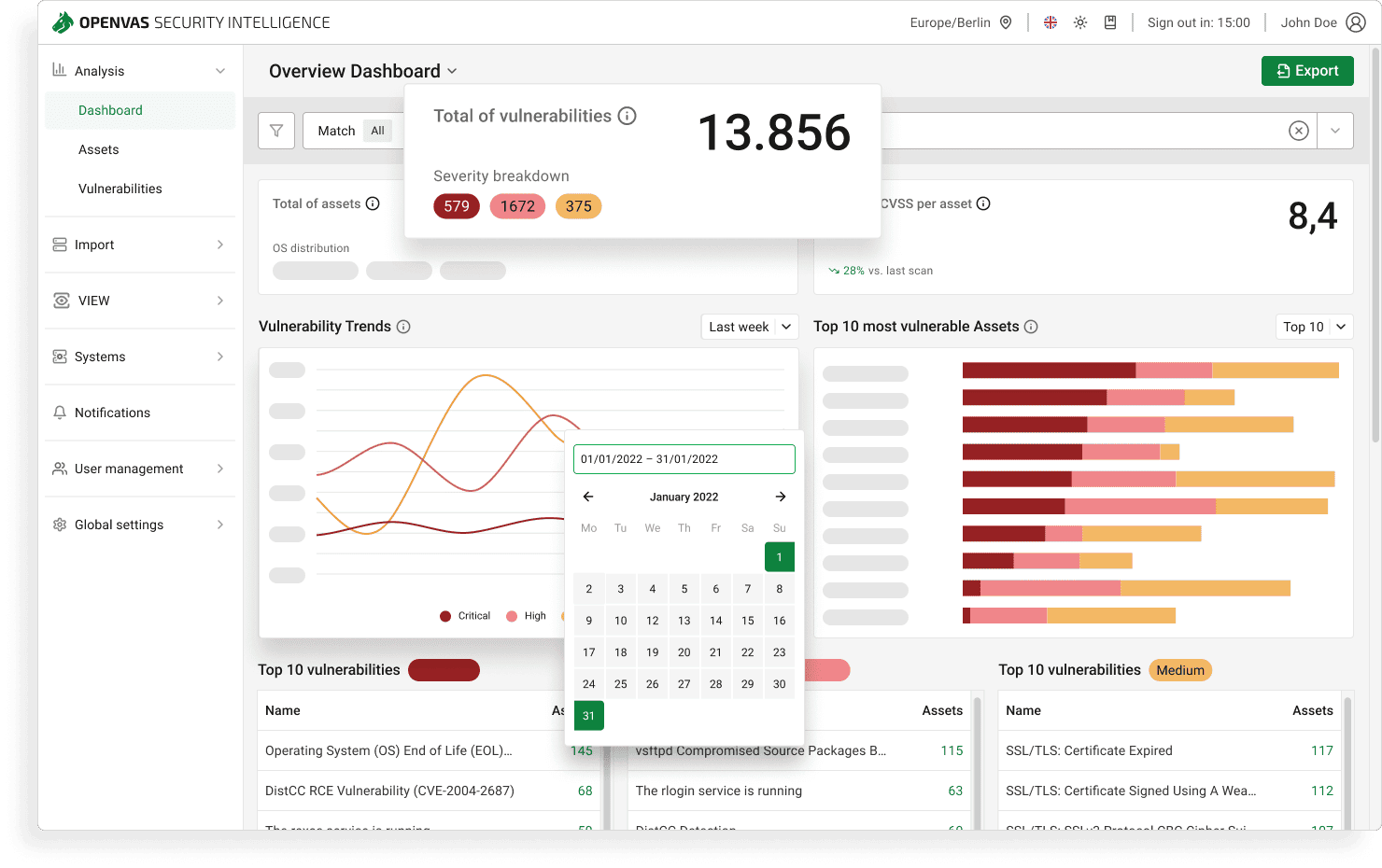
Image source.
€0 for the license. The hours go into feed imports, Linux upgrades, and the scan that stalls halfway through a range. Among free network vulnerability assessment tools, OpenVAS Community Edition gives you a self-hosted stack for that work. OpenVAS runs the vulnerability tests, Greenbone Vulnerability Manager handles the scan jobs, and Greenbone Security Assistant is where you review the results.
The feed changes what you can find. Greenbone publishes both feeds daily. The Enterprise Feed adds tests for products such as Microsoft Exchange and network gear from Cisco and Palo Alto, along with CIS benchmark checks. If a firewall is on your must-cover list, look for a test that applies to its model and software version before relying on a clean report.
The gap after a feed download. The files can be on disk while gvmd and ospd-openvas are still loading them. A scan started in that gap can return incomplete results. If a finding you expected is missing, check Feed Status before changing the scan profile.
POC rule. Scan one approved, representative /24 with the port list and credentials you’d use in production. Record the expected reachable hosts and confirm the feed has finished loading before you start. Pass if the Hosts view accounts for those targets and the report is ready before your maintenance window closes.
Features
- Target-specific port lists. Each range can have its own TCP and UDP port list. A service on an omitted port can go untested.
- SSH and SMB checks. Use SSH for supported Linux and Unix hosts and SMB for Windows. Local checks depend on the access your scan account has on the target.
- Reusable scan tasks. A saved task ties the target and scan configuration to a schedule. Jobs on the same scanner still share its CPU and memory.
- Report exports. Greenbone Security Assistant lets you review findings by host and export the results. The available formats depend on what’s installed in your edition.
Shortlisting rule. Keep Community Edition on the list if its feed covers your required targets and a named operator has time for imports, upgrades, and failed jobs.
Pricing
The commercial choice is which feed, appliance, and support arrangement your network needs.
- OPENVAS Community Edition · Free. Choose the self-hosted stack if your team can operate it and the Community Feed covers your targets. Budget for compute and maintenance time.
- OPENVAS FREE · Free. This separate virtual appliance uses the Community Feed and suits a personal lab or a noncommercial evaluation of the appliance workflow.
- OPENVAS BASIC · €2,524/yr. Greenbone sizes this appliance for estates with fewer than 150 assets. It includes the Enterprise Feed and offers a 14-day free trial. Greenbone support is a separate purchase.
- OPENVAS SCAN · Quote. Choose the appropriate physical or virtual appliance when you need distributed sensors, API access, or vendor support. Scope it against your asset count, network segments, and scan windows.
Pros and cons
A quick pass over common vulnerabilities is where users saw value. The older comments on broken dependencies and false positives are worth checking against the build you plan to deploy.
- ✅ Quick to launch an IP scan. “Automation of openvas is really best, It just take the IP and start the scanning.” Talha A., Senior Cloud & Security Engineer and Deputy Manager, January 18, 2021. Incentivized G2 review
- ✅ A browser interface for sorting through results. “For getting a quick glance and weeding out easy vulnerabilities is just fine. The management with the Greenbone Security Assistant makes it more bearable.” Ivan M., Technical Services, February 27, 2018. Capterra review
- ⚠️ Linux upgrades can break dependencies. “The Open source nature can make it difficult to run when dependencies break as a result of Linux distros updating or upgrading.” Frank B., Senior Information Technology Auditor, April 16, 2020. Incentivized G2 review
- ⚠️ Some findings need a second look. “The downside of OpenVas is the fact that sometime, you may get some false positives.” Augustine Michael U., Information Security Specialist, March 31, 2020. Incentivized G2 review
Nmap
Capterra 4.8/5 (54 reviews)
Best for. Network engineers and security teams checking an approved target list or investigating an unexpected service before a full assessment.
Not a fit if. Your primary job is fleet-wide credentialed patch assessment, vulnerability prioritization, or remediation tracking.
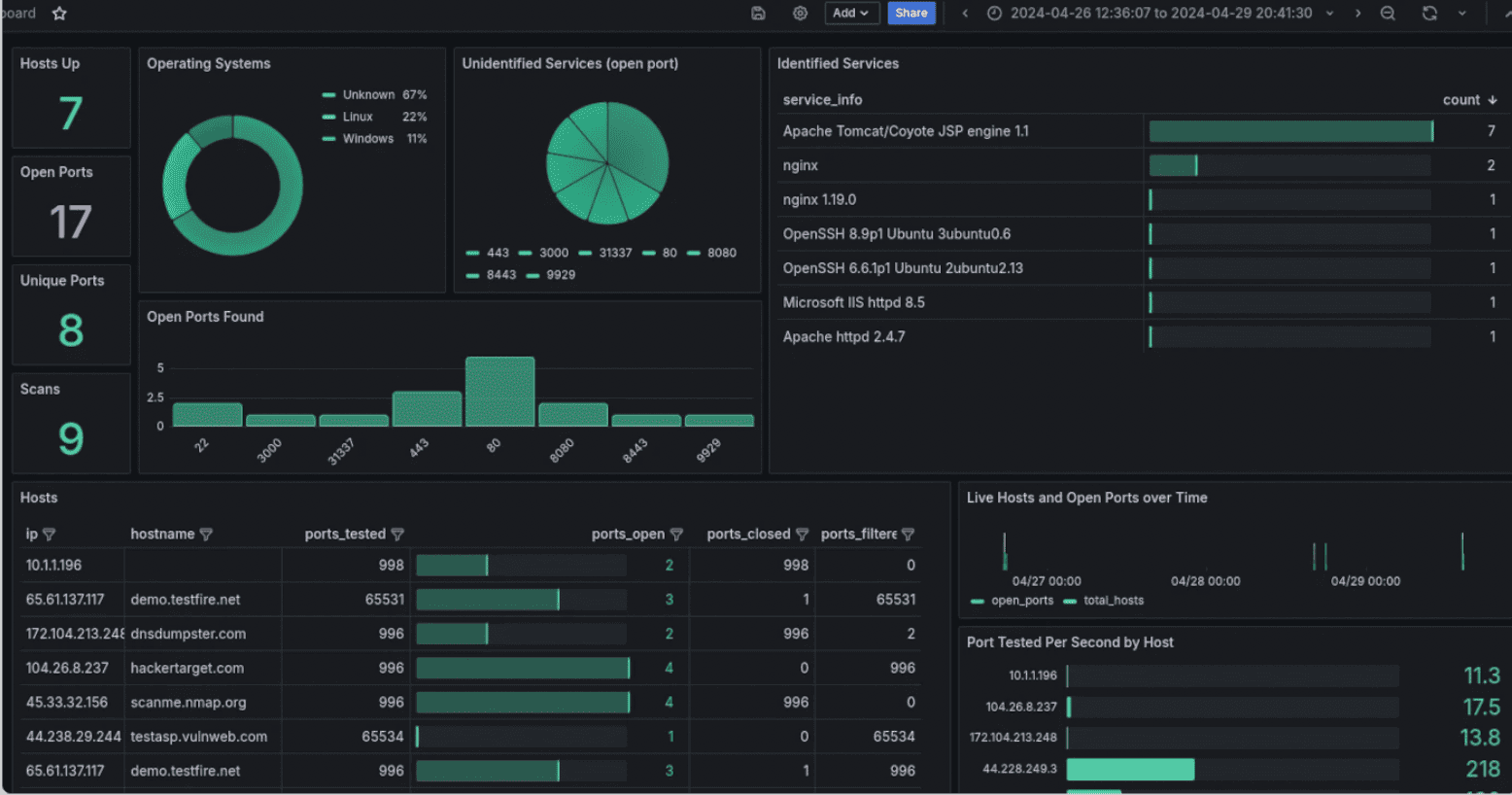
Image source.
If the inventory lists HTTPS on 443 and the probe finds a second listener on 8443, check whether the assessment policy covers both. That’s where this open-source toolkit earns its place. -sV probes the service for product and version clues, which gives you more to work with than the port number alone.
Check the list before probing. A list scan with -sL -n expands the target file into IP addresses without probing the hosts. It takes a moment to spot a mistyped CIDR there. Finding it after a scan starts is a different conversation.
A version match starts the investigation. The NSE vulners script sends detected software identifiers to an external service and returns candidate CVEs. A vendor can backport a fix while keeping the upstream version in the banner, so check the installed package against the vendor advisory before filing the finding.
POC rule. Run nmap -sV on an approved discovery range from the same network segment as your main scanner, using the same agreed TCP ports. Compare the output with the inventory, the approved assessment list, and the main scanner’s results. Pass if you can explain each discrepancy as an inventory gap, a difference in reachability, or a scan setting. Send any unexpected IPs for scope approval before adding them to the assessment.
Features
- Host discovery and port states. -sn checks for live hosts without a port scan. In a port scan, filtered means Nmap couldn’t determine whether the port was open from that location.
- OS fingerprinting. -O infers the operating system from network responses. It works best when Nmap finds at least one open and one closed TCP port.
- Targeted NSE checks. Pick individual scripts from the vuln category for the service you’re investigating. Some accept credentials for that specific service, and some send external requests or can disrupt services.
- Zenmap and XML output. The official GUI lets you save scan profiles and review results by host or service. XML gives you structured output for comparisons in your own tooling.
Shortlisting rule. Use Nmap to check the scope and investigate specific services. Pair it with a dedicated vulnerability scanner when the assessment needs host-local patch evidence.
Pricing
Standard Nmap · Free. The Nmap Public Source License covers typical end-user scanning, including in-house use. Nmap OEM is the commercial licensing route for embedding or redistributing Nmap in a proprietary product.
Pros and cons
Port checks come in handy during a server rollout, when you need to see which services actually started listening.
- ✅ Port checks during server installs. “I've had great experiences using nmap to scan ports while installing software on servers.” Mike H., Lead Backend Engineer, July 19, 2018. Capterra review
- ✅ A choice of command line or GUI. “It is simple, free, and you are able to use GUI (Zenmap) and CMD to run your scans.” Mike P., Network Administrator, December 10, 2024. Capterra review
- ⚠️ A learning curve for newcomers. “Nmap has a steep learning curve can be a bit of challenging for newcomers, especially if you’re not already familiar with networking concepts.” Giuseppe T., Cybersecurity Consultant, October 24, 2024. Capterra review
- ⚠️ Some scan modes need elevated privileges. “Some commands in Nmap require root access, for example performing some OS Detection and performing UDP port scanning.” Wangolo J., Systems Administrator, February 13, 2020. Capterra review
Pentest-Tools.com
G2 4.8/5 (111 reviews)
Capterra 4.5/5 (2 reviews)
Best for. Consultants and small security teams that run external network assessments and deliver findings to clients or auditors.
Not a fit if. You need routine credentialed patch assessment across a private fleet of Windows and Linux hosts.
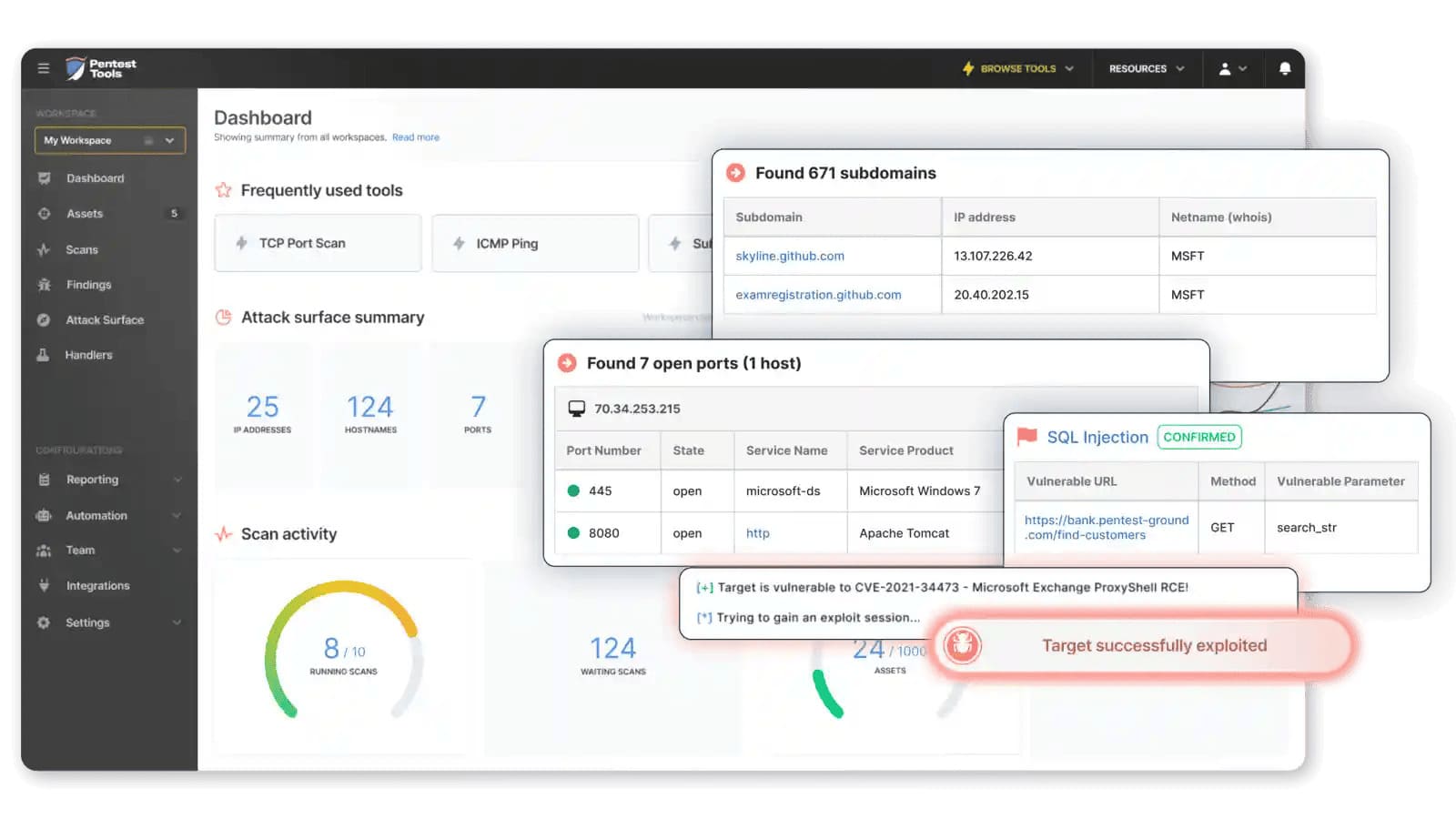
If you’re the one sending the client a PDF on Friday, each finding needs enough detail for their network team to pick it up on Monday. Pentest-Tools.com runs the assessment from hosted scanners, so an external engagement can start with the approved public IP list.
The Network Vulnerability Scanner uses Nmap to identify exposed ports and services. A light scan checks observed versions against known vulnerabilities. A deeper pass can add active checks from OpenVAS and Nuclei. The distinction matters when you’re deciding which findings have enough evidence to go in the report.
One PDF for the handoff. You can combine results from several scans and group the report by target or vulnerability. Group by target when different teams own different systems. Group by vulnerability when one change can clear the same finding across several hosts.
The private side needs a route. Internal scanning is a paid add-on. The VPN Agent has to stay online and reach the targets while the hosted scanner runs. SSH authentication is documented in Sniper, the separate exploit-validation workflow. The VPN gives the scanner a path to the host, while Sniper handles the SSH session.
POC rule. Run a Deep Scan against an authorized public lab IP with a test HTTPS service that accepts TLS 1.0. Export the client PDF and look for the IP and port, evidence that the service accepted TLS 1.0, and a concrete fix. Disable TLS 1.0 and repeat the scan with the same settings. Pass if the service is still reachable and the finding clears in the second report.
Features
- Port selection. The common-port preset gives you a quick perimeter baseline. A custom port list covers services the client exposes on nonstandard ports.
- Evidence in the finding. Active checks can capture details such as an HTTP request and response. A version match needs its own verification before you report it as confirmed.
- Same-settings rescans. Restart reruns the original target and parameters. That keeps the test comparable after a fix, including the original port selection.
- Exports for different readers. Use PDF or HTML for the handoff and CSV or JSON for downstream work. Editable DOCX or Google Docs reports require the report-generator add-on.
Shortlisting rule. Put it on the list if a client can reproduce the issue and understand the fix from the exported report.
Pricing
Pricing depends on the plan, billing term, and number of unique assets scanned per monthly cycle. Repeat scans of the same asset share one slot. An IP range can use multiple slots because the platform counts individual IPs. Price private scanning and branded or editable reports separately if the engagement calls for them.
- Free Edition · $0. Start here for basic external checks on up to five assets per month, with two parallel scans and 90 days of history.
- NetScan · From $96/mo for 16 assets. The starting point for recurring perimeter assessments and infrastructure vulnerability scans. The vendor publishes starting rates as monthly figures. The bill depends on the billing term and add-ons you select.
The seven-day AppScan trial covers five assets and requires a business email and card. It converts to monthly billing on day eight unless you cancel first.
Pros and cons
A readable report saves time at handoff. On repeat engagements, some of that time can go back into scheduling a client’s preferred cadence or finding your way between assets, scans, and reports.
- ✅ Straightforward reports for follow-up. “The reporting is straight forward, and always helpful in locking down our systems.” Pirooz A., Business Owner, October 4, 2024. G2 review
- ✅ Internal test setup through plug-ins. “It's quite easy to add the customer's website or to perform an internal pen test using their plug-ins.” Brad L., Owner, July 16, 2026. G2 review
- ⚠️ Fortnightly scans took manual scheduling. “One customer needs scans every two weeks on the same day of the week, so I have to manually add and schedule them each time.” Remko S., Senior Security Consultant, July 16, 2026. G2 review
- ⚠️ Moving between scans and reports takes getting used to. “While the tools themselves are excellent, the UX could be more intuitive when switching between scans, assets, and reports.” Omar B., Service Delivery Manager, October 9, 2025. G2 review
Intruder
G2 4.8/5 from 223 reviews.
Capterra 5.0/5 from two reviews. Checked November 4, 2026.
Best for. Small IT and security teams that need to keep tabs on their own internet-facing infrastructure without a dedicated vulnerability management engineer.
Not a fit if. You need remote credentialed sweeps of private subnets, coverage of internal network appliances, or control over individual scanner plugins.
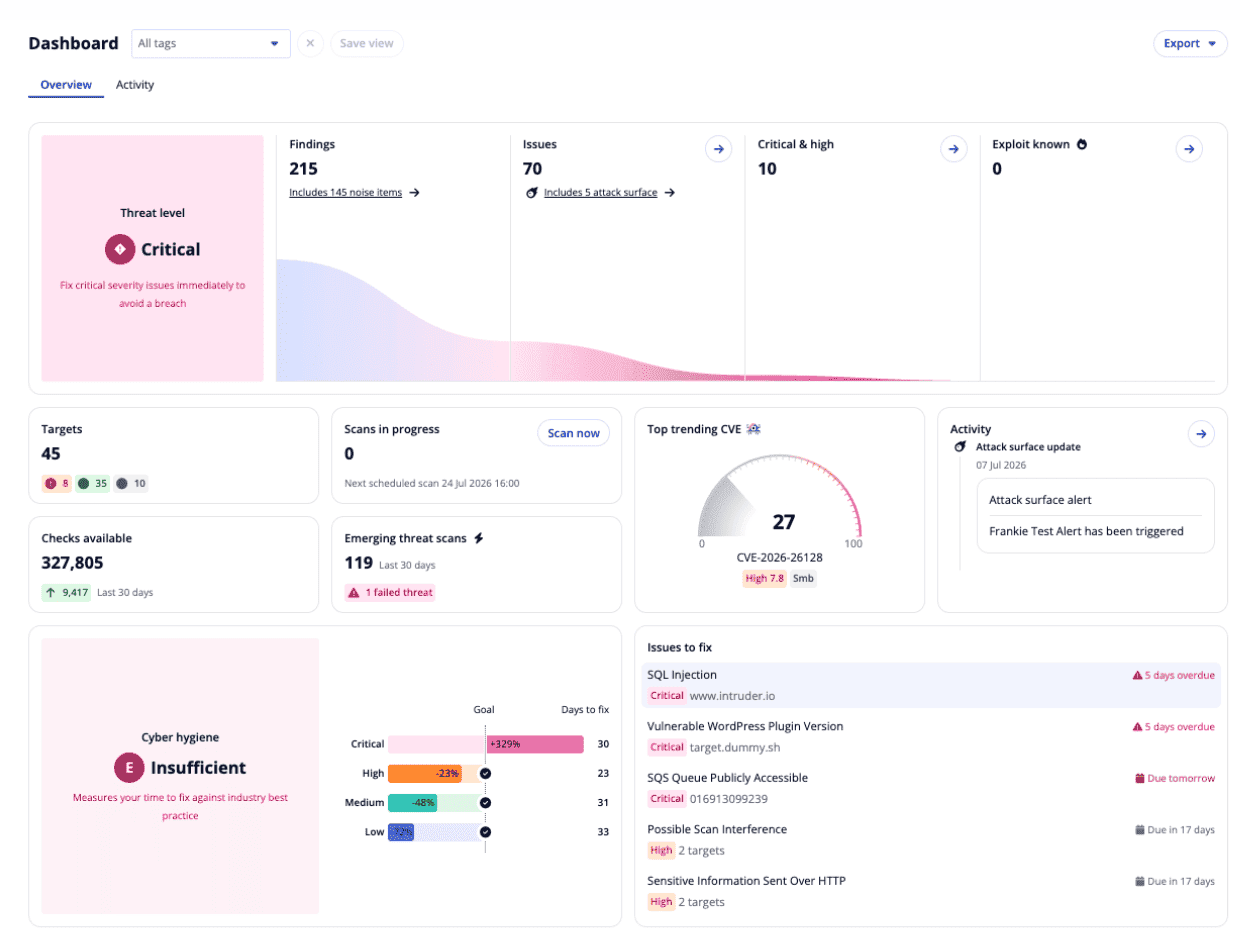
Image source: Intruder vulnerability management reporting dashboard
Tuesday disclosure → Friday’s scheduled scan. That gap is where Intruder earns its place. When its team identifies a new vulnerability worth an Emerging Threat Scan, Intruder automatically checks eligible public targets. Your team can see whether the check ran and what it found while the regular scan is still days away.
The targets are public IPs and hostnames you want to watch week after week. Pentest-Tools.com fits the engagement that ends with a client report. Intruder fits the team that still owns those endpoints on Monday, when a deployment can put another service on the internet.
Two clocks on the perimeter. A new listener can show up in Services before a vulnerability scan has tested it. Cloud and Pro refresh that view weekly. Enterprise checks daily and queues a vulnerability scan when it discovers a new service. That difference matters if the team expects an exposure to be both spotted and assessed between releases.
Where the agent has to go. Private host checks run through an agent on each supported Windows, Linux, or macOS machine. A private switch or firewall needs separate coverage. Scan settings on Pro and Enterprise give you some room to tune, but teams that build policies around individual plugins will have more control with a dedicated scanner.
POC rule. On a public lab IP that Intruder already monitors, open an HTTP test listener on TCP 8080. With no manual scan, record when it appears in Services and when a vulnerability scan runs against the target. On Enterprise, look for a New service scan. On Cloud or Pro, measure against the two schedules separately. The plan passes if both timestamps land inside the windows your team can live with.
Features
- Service history. The Services view shows open ports alongside the last and next network scan dates. Port visibility varies by plan.
- Emerging Threat Scans. Scan history shows whether an automatic check ran, including runs that returned no findings. Intruder selects the threats it covers.
- Internal host checks. Pro and Enterprise agents assess supported hosts individually. Installing one on a server gives you coverage of that server alone.
- Slack and Jira. Scan notifications can go to Slack, and new findings can open Jira issues at the severity you configure. Both integrations start at Cloud.
Shortlisting rule. If a small team needs recurring perimeter coverage, shortlist Intruder on the plan that can meet your detection and assessment windows.
Pricing
Paid plans combine a platform fee with target licenses. Infrastructure and web application targets are counted separately, so the starting price is the base for your estimate. USD pricing as of November 2026:
- Free · $0. Start here if you have up to five infrastructure targets and can work with Attack Surface monitoring on ports 80 and 443. Web application targets are excluded.
- Cloud · from $299/mo. The starting point for an external estate that needs custom scan schedules, Emerging Threat Scans, and Slack or Jira. Annual billing starts at $2,870/yr.
- Pro · from $499/mo. Choose Pro when internal servers or employee devices need agent-based checks. Annual billing starts at $4,790/yr.
- Enterprise · quote. Price this tier if daily perimeter discovery, monitoring across all ports, or automatic checks on newly discovered services are requirements.
The 14-day free trial includes Cloud features and five target licenses. If internal agents are part of the buying decision, arrange to test Pro.
Pros and cons
Getting the first scan running took minutes for one team, while another could largely leave its public endpoints on schedule. The work that still landed with people was deciding what to fix first and filling in gaps in the remediation instructions.
- ✅ Fast first scan. “We were able to plug in our environment and run our first scans within minutes, with virtually zero setup headache or steep learning curve.” Bisser T., Principal Security Threat Response Engineer, October 21, 2026. G2 review, incentivized
- ✅ Little upkeep for public endpoints. “We have provided the tool our public endpoints and pretty much did not touch it ever since.” Petr N., System Specialist, August 27, 2026. G2 review, incentivized
- ⚠️ The next fix can be hard to pick. “There's quite a lot to navigate, and it isn't always obvious what to prioritise right now to move the needle on our security score.” Gareth P., Director of Software Engineering, September 18, 2026. G2 review, incentivized
- ⚠️ Remediation steps can lack detail. “Sometimes we had an issue with the remediation recommendation scanner output result, which doesn't show clear steps to address the issue.” Prashant J., Security Solution Architect, August 24, 2026. G2 review, incentivized
GFI LanGuard
G2 4.1/5 from 11 reviews.
Capterra 3.8/5 from 10 reviews
Best for. Windows-heavy LANs where the same IT team needs to find missing updates and install them from an on-premises console.
Not a fit if. Your main job is monitoring a cloud perimeter, assessing OT devices, or managing firmware across a fleet of network appliances.
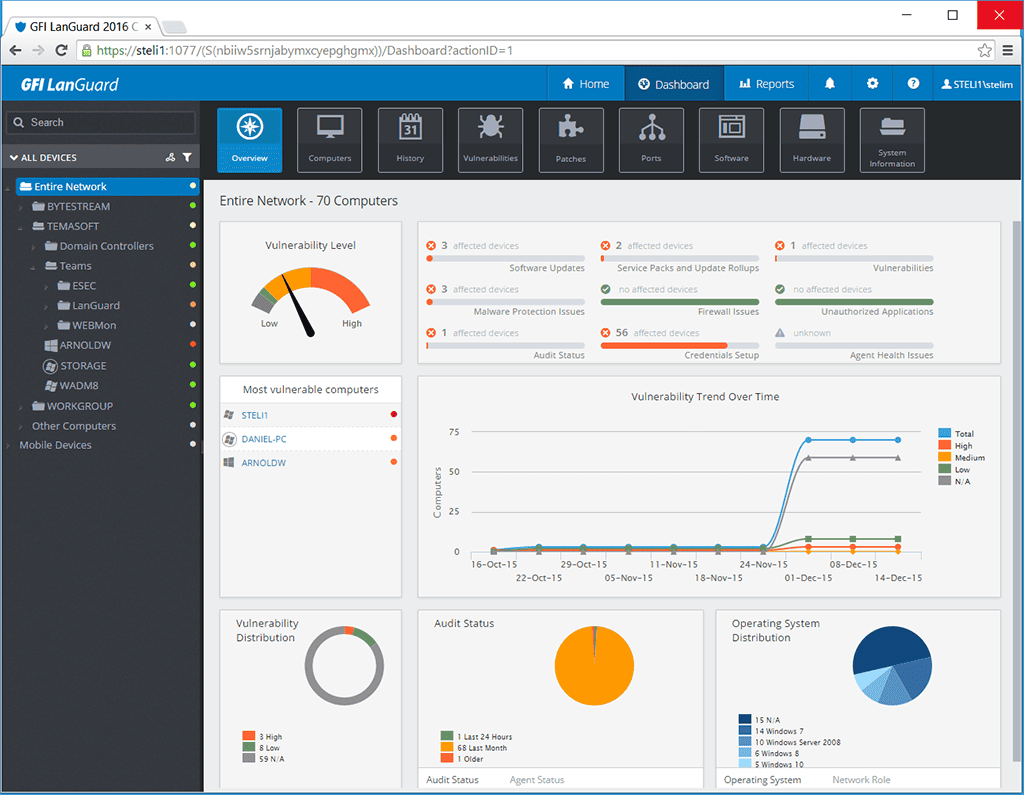
Deploy on is an option you see after selecting a missing update in LanGuard’s Remediate tab. That small detail changes what happens at the end of an assessment. The operator can turn a finding into a scheduled install from the same console.
On a mixed LAN, agentless scans use Windows credentials for Windows hosts and SSH for supported Linux and macOS hosts. Windows machines can also run a local agent. That gives IT a choice about how to collect scan data without making the whole LAN follow one deployment model.
One change window for both fixes. A missing Microsoft update and a supported Chrome update can go to the same pilot group. The operator chooses when the job runs and what happens afterward, including whether the machines restart. For a small IT team, that saves a second round of building target lists and coordinating the restart in another tool.
The appliance boundary. LanGuard can discover and run vulnerability checks on supported switches and firewalls, with coverage that varies by device. Firmware updates are a separate job. The same distinction matters in OT, where patching a supported Windows host tells you little about how well the scanner covers the rest of the segment.
POC rule. Pick a lab Windows VM with a known missing Microsoft update and a supported Chrome update. Deploy both from LanGuard, let any required restart finish, and rescan with the original profile. The test passes when the console records both deployments as successful, the expected KB and Chrome version are present on the host, and the fresh report drops both missing-update findings.
Features
- Scan profiles. An inventory run and a full vulnerability assessment can use separate profiles, so a routine device audit can run with fewer checks.
- Windows agents and relays. Agents run audits locally. A branch relay keeps a local copy of patch files so each PC can download them over the LAN.
- Network-device checks. SNMP queries can return device details and support vulnerability checks on supported models. The check set varies by device.
- Patch status by machine. The Patches view shows which computers are still missing a selected update, which helps when a rollout finishes on some machines ahead of others.
Shortlisting rule. Put LanGuard on the shortlist if your team wants the scanner to deliver patches and the update catalog covers the applications you spend the most time patching.
Pricing
Partner quote per scanned node, as of November 2026. Your quote depends on how many devices you scan and the subscription term. If DHCP gives a machine a new IP, it still counts as the same node as long as its MAC address and hostname match. Rename it and the same rule applies if its IP and MAC address still match.
Still working through the patch catalog at one site? Get a 12-month quote for the machines you’ll actually scan. Once the fleet size is settled, compare 24- and 36-month quotes at the same node count. For a multisite rollout, ask what it costs to add a site midterm.
The 30-day free trial covers up to 25 IP addresses, enough to test the patch cycle on a pilot group before sizing the license.
Pros and cons
Being able to push an update from the scan result is the draw. For IT, the harder test comes near the end of a maintenance window, when the rescan still has to finish and the report has to tell you which machines need another pass.
- ✅ Scanning and patching in one console. “I liked the vulnerability scanning and patch management feature of GFI Languard. It is a must-have tool for patch management.” Manas S., IT Security Consultant, July 13, 2021. G2 review, incentivized
- ✅ Severity is easy to pick out. “It's a great solution that helps with the vulnerability management, identifying what are critical, high, or low vulnerabilities.” Ulises G., CTO, February 27, 2024. G2 review, incentivized
- ⚠️ A small scan can still take hours. “The scanning process on a small number of devices takes hours to perform.” Ethan W., Computer Systems Analyst, May 5, 2026. G2 review
- ⚠️ Reports can disagree. “The vulnerability scanning findings do not tick a full assessment according to the reports from the LanGuard, and sometimes the reports can be conflicting.” Numan N., Customer Support Representative, March 21, 2024. G2 review, incentivized
Best network vulnerability assessment tools by use case
Two scanners can agree on a finding and leave you with very different work. An auditor needs evidence for a specific check. IT needs a fix it can schedule, and the on-call team needs to know which service just changed.
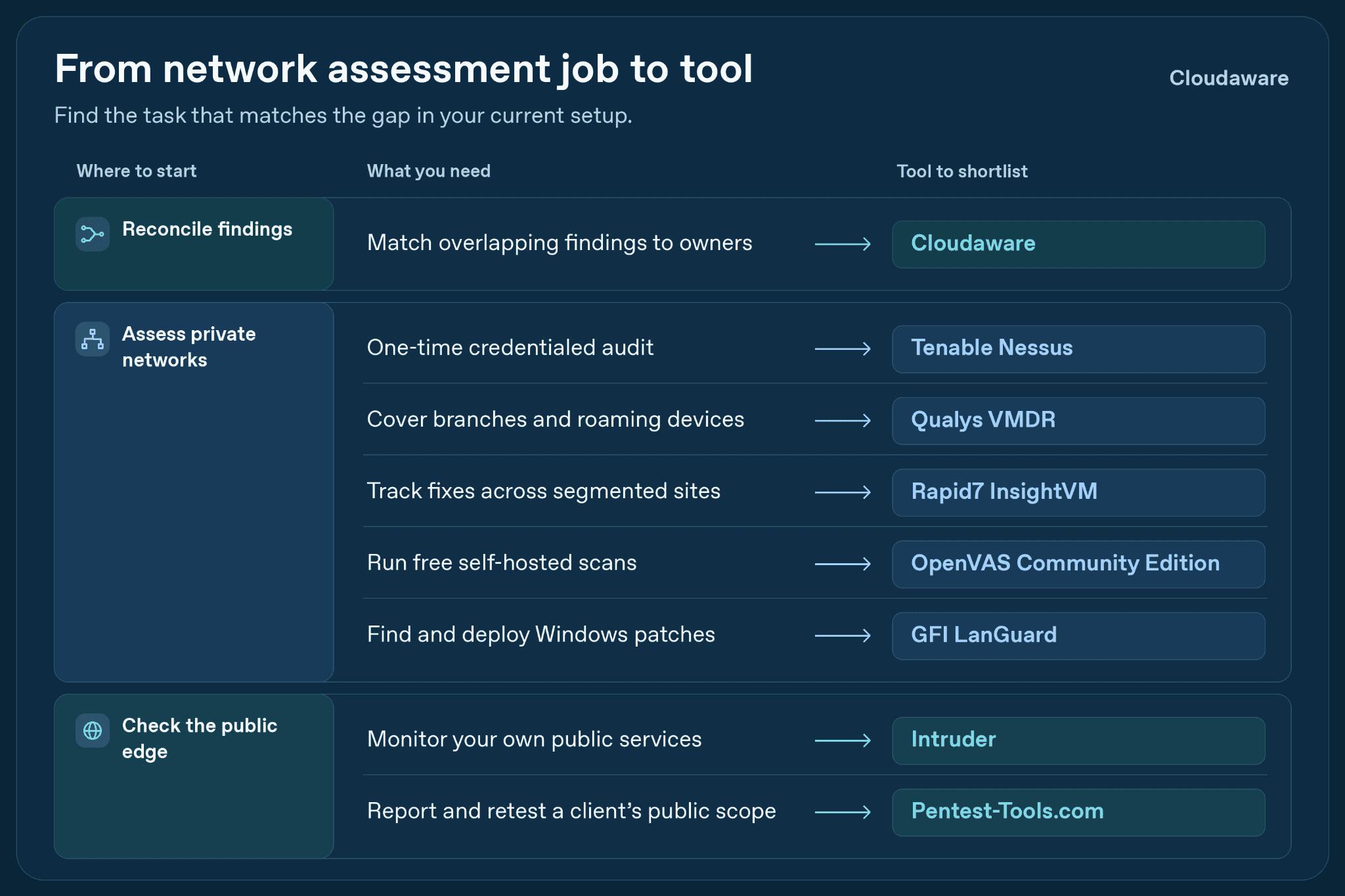
- Scanner migration or overlap. Pick Cloudaware when the old and new scanners will run side by side and findings need to stay tied to owned CMDB assets. Rapid7 InsightVM is the alternative if one scanner will take over the scope and run the remediation queue. If a host disappears from one feed, can the analyst tell whether the finding cleared or that source simply stopped reporting?
- Point-in-time credentialed audits. Tenable Nessus is the pick when an audit hinges on the evidence behind a specific host or device check. OpenVAS / Greenbone is worth comparing when you already run it and its feed covers the audit scope. Give the auditor a sample finding from each and see whether they can identify the check and its evidence from the export alone.
- Branch networks and roaming endpoints. Pick Qualys VMDR when branch networks and devices that spend weeks away from the office both count toward coverage. Rapid7 InsightVM is a contender when the rollout is driven by private segments and remediation queues. For the first site you onboard, the coverage report should let a site lead distinguish what an agent assessed from what an on-segment scanner reached.
- Remediation across segmented sites. Rapid7 InsightVM fits when different sites patch on different schedules and the central team still needs to see what is overdue. Qualys VMDR belongs in the comparison if it already supplies the fleet’s findings and priorities. Take one fix deferred by a site’s change freeze and ask both platforms to show where it lands in the next backlog review.
- Recurring checks of your public edge. For a team that owns its internet-facing targets year-round, pick Intruder. Pentest-Tools.com stays in the running if the team chiefly needs scheduled assessments and report exports. Put a sample alert in front of the person on call and see whether they can identify the service, the check time, and who should take it from there.
- External client assessments. Pick Pentest-Tools.com when the client needs a report and a retest for a defined public scope. Tenable Nessus moves up when the engagement also requires credentialed evidence from hosts inside the client’s network. With two sample clients in the workspace, can each receive its own before-and-after evidence without exposing the other client’s inventory?
- Free self-hosted assessment. OpenVAS Community Edition is the pick if you have the time and skills to run a free vulnerability scanner. Nmap alone is enough when the job ends with reconciling an approved inventory against reachable services. Suppose the overnight job fails. How long would a second admin take to spot the gap and get a fresh report?
- Windows LAN patching. Pick GFI LanGuard when the same team needs to find missing updates and deploy them. Nessus with your existing patch platform fits when approvals and restarts already run there. On a test host with a deferred reboot, the records should make it obvious that delivery happened and verification is still pending.
When two options survive the shortlist, turn the deciding factor into one check with a pass condition.
| Scenario | Pick | Runner-up | Deciding factor |
|---|---|---|---|
| Scanner migration or overlap | Cloudaware | Rapid7 InsightVM (one scanner) | Finding history through a scanner change |
| Point-in-time credentialed audit | Tenable Nessus | OpenVAS / Greenbone | Finding evidence usable in the audit |
| Branch networks and roaming endpoints | Qualys VMDR | Rapid7 InsightVM | Coverage evidence by site and sensor |
| Remediation across segmented sites | Rapid7 InsightVM | Qualys VMDR | Deferred fixes visible in the backlog |
| Recurring checks of your public edge | Intruder | Pentest-Tools.com | An alert your on-call team can route |
| External client assessments | Pentest-Tools.com | Tenable Nessus | Client-specific exports and retest evidence |
| Free self-hosted assessment | OpenVAS / Greenbone | Nmap (discovery only) | Time to recover a missed scan |
| Windows LAN patching | GFI LanGuard | Nessus + existing patch platform | Approval, reboot and verification status |
Other notable tools
A full rescan is expensive when the open question is a single handshake, a local setting, or a disputed subnet. These four tools answer those narrower questions and leave the findings queue with your main scanner or management platform.
- Wireshark. A scanner reports that a host is unreachable, but the network team sees it online. A packet capture from an approved point near the scanner can show whether the traffic left and whether a reply came back. That evidence is limited to the capture point and time window. Wireshark is free under GPLv2, according to the Wireshark FAQ.
- testssl.sh. If a scanner flags TLS on a load-balanced hostname, testssl.sh checks the endpoint clients actually reach. It shows the TLS versions and ciphers that service offers, including for services that upgrade with STARTTLS. A clean edge result leaves the origin’s settings unverified. The CLI is free under GPLv2, as documented in the testssl.sh project.
- OpenSCAP. If a Linux baseline check is disputed, a local run against the matching SCAP profile gives the owner a report with individual rule results. That is host configuration evidence. Reachability from another network segment still needs its own assessment. The OpenSCAP manual documents local reports, and the source code is available under LGPL 2.1.
- NetBox. Two sites can use the same private range while belonging to separate routing domains. NetBox keeps prefixes in distinct VRFs, so a scope review can pair each prefix with the intended network. Discovery still supplies the evidence that a host is live. The NetBox VRF documentation explains prefix assignment, and the source code is available under Apache 2.0.
How to choose the right network vulnerability assessment tool
A trial can run out while the team is still arranging access. The useful work starts before that clock: finding the hosts the inventory missed, getting credentials working, and agreeing what would make the pilot fail.
1. Check the live network before fixing the scope.
An approved discovery sweep across the non-OT IP ranges gives you something to compare with the inventory. The difference exposes live hosts that never reached the target list. Network devices need their own entries, while fragile equipment and OT follow separately approved discovery methods.
CIDR 192.0.2.0/27 · hosts and switches · host credentials available
Window Sunday 01:00–02:00, site local time · OT cell excluded from active discovery
A live host behind a strict firewall may ignore every discovery probe, so on approved non-OT segments practitioners sometimes scan every IP without the ping stage, accepting the longer run.
“But serious penetration testers are willing to pay this price to avoid even a slight risk of missing active machines.”
Gordon “Fyodor” Lyon, Nmap creator, Nmap Network Scanning, published January 1, 2009, online chapter.
2. Set the pass conditions before the first run.
For a small reference set of known-vulnerable hosts and verified clean controls, the expected results should already be agreed with the system owners. An illustrative pilot scorecard could require:
- 100% detection of mandatory reference findings.
- 0 scans of excluded targets.
- 15 minutes or less of analyst time to resolve each disputed result.
These are example thresholds for your team to agree or adjust before testing. A hard failure stays visible even when the weighted score looks good.
3. Prove authenticated coverage on the same segment
Within the agreed window, one pass without credentials and another with credentials shows what authenticated access adds.
Where pilots usually break
A finished job gets mistaken for a successful credentialed assessment. In Nessus, invalid credentials leave external probing running, so a thinner report can reflect lost visibility.
Your useful coverage figure is hosts with successful credentialed login ÷ hosts expected to accept credentials. Incomplete local checks belong beside that figure as partial assessments. The finding count alone cannot tell you whether access worked.
4. Check false positives and misses against known cases
With the reference hosts as the baseline, the people who will work the tickets record expected findings, observed results, verification evidence, and minutes spent resolving each disputed case on one shared results sheet.
5. Choose a scanner, a unifying layer, or both
Missing required checks keep the scanner on the shopping list. Once detection is sound, scattered records point toward vulnerability management platforms that can unify the sources. Both gaps together can justify evaluating both.
6. Put 20 findings in front of the repair team
Before you buy, a random sample of 20 pilot findings goes to the people expected to fix them. Do they agree those are their hosts, and can they identify the asset behind each record?
In a Cloudaware trial, that means looking at your connected scanner findings beside the CMDB assets and owners they match. An unmatched or disputed record stays on your review list until somebody takes responsibility for resolving it.