


Your cloud does not fail quietly. A mid-size estate can push millions of events a day through CloudTrail, Azure Activity Logs, GCP audit logs, Kubernetes, identity systems, SaaS APIs, and workload telemetry. That is the real buying problem behind cloud security monitoring tools: not collecting more logs, but finding the signal your SOC can act on at 2 a.m.
I built this shortlist for teams choosing, replacing, or defending a 2026 security stack. It compares seven platforms practitioners actually put on the table: Splunk, Microsoft Sentinel, Cloudaware, Exabeam, Panther, Datadog Cloud SIEM, and Sumo Logic.
We look at detection quality, security analytics, log volume economics, multi-cloud coverage, 24/7 monitoring fit, and how each platform handles alert fatigue when the estate keeps changing.
For broader context, start with our explainer on what cloud security monitoring is. For Kubernetes-specific audit, runtime, and posture controls, use this Kubernetes security guide for cloud teams.
The right cloud security monitoring and analytics software depends on whether you optimize for analytics depth, ingest cost, or asset context.
Key insights: the best cloud security monitoring tools
If you’re ranking the best cloud monitoring for security analytics, start with two things practitioners actually feel every week: detection quality and cost model. Deep analytics matter. So does the bill after CloudTrail, Azure Activity Logs, Kubernetes audit logs, SaaS events, and app telemetry start flowing in.
This shortlist is not “best overall.” It is best for the job you need done.
- Choose Splunk when the SOC needs deep search, mature SIEM workflows, broad detection content, and one of the strongest app ecosystems among the best cloud-based security analytics tools.
- Choose Microsoft Sentinel when Azure, Microsoft 365, Entra ID, Defender, and KQL already shape the team’s detection and investigation workflow.
- Choose Cloudaware when alerts need owner, environment, application, data class, vulnerability, and compliance context before they reach the SOC queue.
- Choose Exabeam when compromised credentials, insider risk, service-account drift, and identity-led cloud behavior matter more than another raw log search console.
- Choose Panther when engineers want Python detections in Git, pull-request review, CI/CD testing, and cloud-scale analytics over a security data lake.
- Choose Datadog Cloud SIEM when security needs to sit close to metrics, traces, logs, containers, and app-layer telemetry. That is where Datadog becomes a strong option for leading app monitoring for cloud security.
- Choose Sumo Logic when the team wants SaaS log analytics, Cloud SIEM correlation, prebuilt rules, and flexible consumption without running SIEM infrastructure.
For the top tools for analyzing cloud security events, start with Splunk, Sentinel, Panther, Datadog, Sumo Logic, Exabeam, and Cloudaware. Each gets you from event to investigation, but the path differs: search depth, KQL, detection-as-code, observability context, SIEM correlation, UEBA, or asset enrichment.
For the top tools for automating cloud security reports, look hardest at Cloudaware, Sentinel, Splunk, Sumo Logic, and Datadog. Reporting only becomes useful when it can show evidence, owners, environments, SLAs, exceptions, and control mappings without a manual spreadsheet sprint.
Methodology: how we evaluated these tools
We did not build this list from vendor category pages alone. We treated it like a buyer shortlist exercise for a mid-market or enterprise cloud team that has to defend the choice to security, infrastructure, finance, and compliance.
First, we mapped the market: SIEM platforms, cloud-native security analytics tools, observability-led SIEM, and cloud security monitoring and analytics software with strong cloud coverage. Then we narrowed the list to seven tools that appear consistently in buyer conversations, analyst listings, review platforms, and real-world SOC/security architecture discussions: Splunk, Microsoft Sentinel, Cloudaware, Exabeam, Panther, Datadog Cloud SIEM, and Sumo Logic.
We scored each platform against the same evaluation criteria:
| Scoring dimension | What we checked |
|---|---|
| Detection efficacy | Rule quality, correlation logic, cloud threat coverage, investigation context, and likely false-positive rate |
| Analytics & UEBA | Search depth, behavioral analytics, anomaly detection, dashboards, timelines, and analyst workflow |
| Cost model | Public pricing signals, ingest pricing, retention tradeoffs, and likely total cost of ownership at cloud log volume |
| Integrations & cloud coverage | AWS, Azure, GCP, Kubernetes, identity, SaaS APIs, endpoint, firewall, ticketing, and SOAR integrations |
| Automation & reporting | Alert routing, playbooks, evidence exports, compliance reporting, dashboards, and executive visibility |
| 24/7 coverage fit | Native SOC support, MDR options, managed service ecosystem, escalation paths, and after-hours usability |
| Ease of operation | Setup effort, tuning burden, admin complexity, documentation quality, and day-two maintenance |
Evidence came from hands-on trial access where available, demo calls, vendor documentation, product websites, public pricing pages, G2, Capterra, TrustRadius, Gartner Peer Insights, Reddit, and Quora practitioner threads, plus customer reports shared in public reviews.
We gave more weight to proof that showed how the tool behaves under cloud pressure: high log volume, multi-cloud telemetry, noisy detections, compliance reporting, and real SOC handoff. A polished dashboard mattered less than whether an analyst could move from alert to answer without opening five tabs.
Cutoff date: this review was checked and scored on June 26, 2026.
Don’t mix up this list with cloud monitoring tools, this one is about security.
What to look for in a cloud security monitoring tool?
A demo can make every platform look calm. Your cloud will not.
By the time AWS, Azure, GCP, Kubernetes, identity, SaaS, and app logs hit the SOC, the tool has one job: turn telemetry into a decision someone can defend.
Buy for the investigation you need at 2 a.m., not the dashboard you liked at 2 p.m.
- Detection quality and security analytics. Start here. The best cloud-based security analytics tools do more than match one event to one rule. They correlate identity, network, workload, and API behavior into a chain that looks like an attack path, not a spreadsheet. Check for MITRE ATT&CK coverage, UEBA, ML anomaly detection, cloud-native detections, and the real tuning burden. Ask how many alerts are noisy after the first 30 days. A high false-positive rate turns “coverage” into unpaid analyst labor.
- Cloud and app telemetry coverage. This is where leading app monitoring for cloud security either holds up or falls apart. You want CloudTrail, CloudWatch, Azure Activity Logs, GCP audit logs, Kubernetes events, container runtime signals, SaaS APIs, identity logs, and app-layer telemetry. Not “supported” in a PDF. The data must be parsed, normalized, searchable, and usable in detections.
Also check collection style: agent, agentless, API connector, collector, or native integration. Each one changes rollout time and blind spots. - Event analysis and investigation. The top tools for analyzing cloud security events make pivots feel obvious. Can an analyst move from alert to user, asset, cloud account, workload, timeline, and related events without rebuilding the case manually? Search language matters here. So does enrichment. A strong timeline can save hours; a weak one sends people back to raw logs.
- Automated reporting and compliance. The top tools for automating cloud security reports help when audit evidence has to be fresh, scoped, and traceable. Look for scheduled reports, compliance dashboards, exportable evidence, and mappings for PCI DSS Req. 10, SOC 2 CC7, and HIPAA §164.312(b). Bonus points if reports separate production from dev and show control owners.
- Cloud security monitoring tools 24/7. Always-on coverage is not a slogan. It is routing, escalation, response ownership, and clean handoff. Check MDR add-ons, SOAR playbooks, PagerDuty or Slack routing, on-call rules, and what happens when nobody clicks the alert in 15 minutes.
- Data model and cost. Cost hides in sources that nobody has priced properly. Compare ingest pricing, cost per GB, workload pricing, retention tiers, archive search, credits, and noisy data sources like VPC Flow Logs, DNS, Kubernetes, and SaaS audit logs. Total cost of ownership is rarely just the license.
- Asset context. A cloud alert without context lands as a riddle. Strong tools attach owner, environment, account, business service, exposure, data classification, and compliance scope. That tells the team whether the alert is a forgotten dev VM or a public production asset touching PCI data.
The 7 best cloud-based security analytics tools at a glance
| Tool | Type | Pricing model | 24/7 / MDR | Best for (mirror snapshot) |
|---|---|---|---|---|
| Splunk | SIEM + analytics | Workload / ingest | Add-on + partners | Analytics depth & ecosystem |
| Microsoft Sentinel | Cloud-native SIEM | Per-GB ingest (PAYG) | Via MSSP | Microsoft-native estates |
| Cloudaware | Asset-context monitoring + SIEM | Platform / module | Continuous | Monitoring tied to multi-cloud CMDB |
| Exabeam | SIEM + UEBA | Subscription | Add-on | Behavior analytics / insider threat |
| Panther | Detection-as-code SIEM | Data-volume / data lake | Self-run | Detection-as-code teams |
| Datadog Cloud SIEM | Observability + SIEM | Per-GB analyzed | Via partners | Existing Datadog users |
| Sumo Logic | Cloud-native SIEM | Credits / ingest | Cloud SIEM Ent. | Cloud-native mid-market |
Splunk
G2: 4.4/5, 247 reviews
Capterra: 4.6/5, 258 reviews
Best for SOC analysts, threat hunters, and incident responders in large enterprises that need mature SIEM, TDIR, SOAR, UEBA, and high-volume investigation workflows.
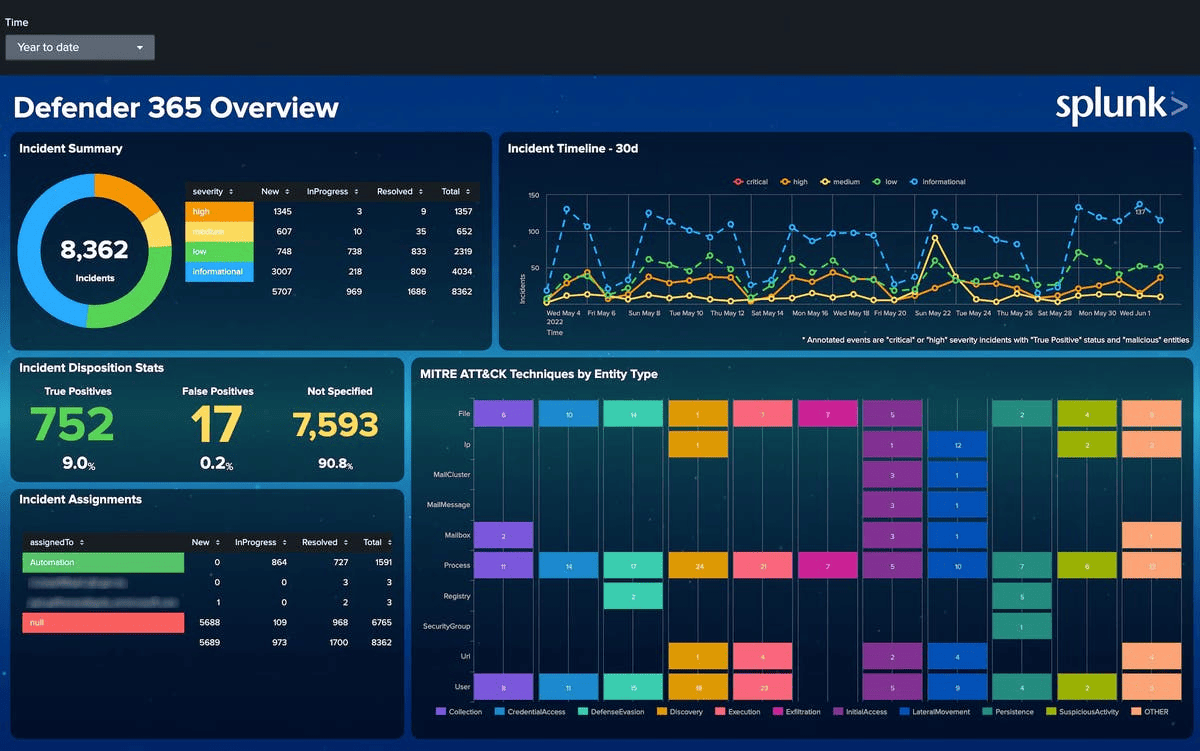
Splunk is the tool people bring into the room when the cloud estate is already loud.
AWS logs. Azure activity. GCP audit trails. Kubernetes events. Identity telemetry. Firewall noise. On-prem data that nobody gets to retire yet. Splunk can take all of it, search across it, and give senior analysts room to investigate without waiting for a vendor-built dashboard.
That depth is why large security teams still benchmark against it. Children’s Hospital reports a 40% increase in cyber threat detection. Progressive uses risk-based alerting to protect a $120B business and reduce noise. Carrefour cites 3x faster threat response.
Splunk’s edge is not simplicity. Its edge is analytical range.
Run it through Splunk Cloud Platform, Splunk Enterprise, or hybrid deployments. Use it for SIEM, threat hunting, compliance evidence, SOAR, UEBA, and long-form incident investigation. Budget carefully, though. Ingest and workload choices matter quickly at cloud scale.
Splunk cloud security monitoring features
- Enterprise Security SIEM. Centralizes detections, notable events, risk, and investigation workflows for SOC teams handling multi-cloud telemetry.
- Risk-based alerting. Scores behavior across users, assets, and events, so one weak signal can become meaningful when it appears in a wider chain.
- SPL search language. Gives experienced analysts the freedom to ask weird, urgent questions during an investigation, not only click through saved views.
- Splunkbase ecosystem. Adds apps, add-ons, parsers, dashboards, and integrations across cloud providers, security tools, and enterprise systems.
- UEBA and ML support. Helps surface insider risk, compromised accounts, anomalous entities, and behavior shifts that simple rules miss.
- SOAR automation. Handles enrichment, containment, ticket updates, and repeatable response steps when alert volume starts eating the team.
- Detection Studio. Supports detection planning, testing, deployment, and MITRE ATT&CK coverage review for teams that treat detection like engineering.
Pricing
Splunk does not publish a neat paid price. Officially, pricing is built around workload, ingest, entity, or activity usage.
Trials are clear: 14 days for Splunk Cloud Platform, 60 days for Splunk Enterprise, and 500 MB/day on the free Enterprise license.
Public third-party estimates put Splunk at about $15,000/year to $150,000+/year, with first-year total cost landing around $18,000–$225,000+ once onboarding is included. That price story makes the pros and cons worth reading slowly.
Pros & cons
We went through the G2 and Capterra reviews to collect the most frequently mentioned things users share about this platform:
✅ Threat correlation at enterprise scale: “deep visibility… correlate large volumes of security data into true positive, actionable alerts.” This is exactly the kind of review language that points to Splunk’s mature SOC value in large environments.
✅ Broad cloud and third-party integrations: “integrate with a wide range of third-party systems… and cloud environments like AWS, Azure, and GCP.” That directly supports Splunk’s role as a central security data hub.
✅ Unified SOC investigations: “centralized all of our log and event data into one platform, allowing our SOC team to correlate activity across the entire environment.” This is a strong user proof point for faster cloud investigation workflows.
⚠️ Ingestion-based costs rise quickly: “It’s expensive, especially since pricing is based on data ingestion. Costs can climb quickly as your environment grows.” This is one of the clearest recurring complaints about Splunk in cloud-scale deployments.
⚠️ Implementation needs experienced talent: “Setup and onboarding take time, and you really need someone experienced to get it running properly.” That is a meaningful disadvantage for lean cloud security teams.
⚠️ Alert tuning burden: “alerts need a lot of tuning. Without it, you end up with too much noise.” For cloud security operations, that means more engineering effort before detections become truly high signal.
Read also: Cloud Security Compliance Standards. The 8 Frameworks Every Cloud Team Should Know in 2026
Microsoft Sentinel
G2: 4.4/5, 294 reviews
Capterra: 4.4/5, 7 reviews
Best for: security operations analysts and cloud security engineers working in Microsoft-heavy environments that need cloud-native SIEM, analytics, threat intelligence, and investigation workflows.
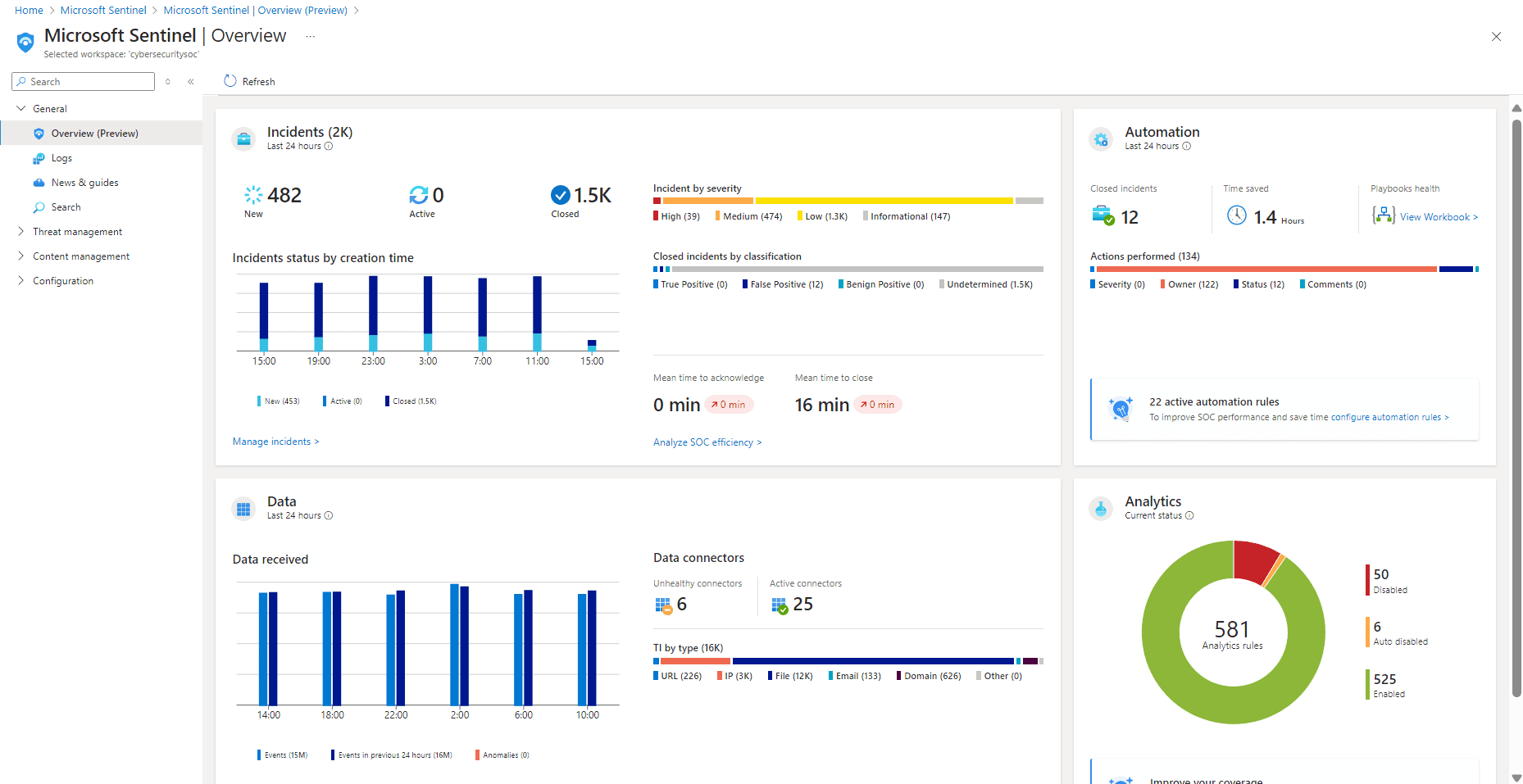
Pick Microsoft Sentinel when your security data already lives in Microsoft’s orbit.
Azure emits the cloud logs. Microsoft 365 shows the user trail. Entra ID gives identity context. Defender adds endpoint and workload signals. Sentinel pulls that into a cloud-native SIEM, then lets analysts hunt in KQL instead of stitching evidence across five consoles.
The fit gets stronger in mixed estates too. Microsoft lists 350+ connectors, so AWS, GCP, SaaS, firewalls, and on-prem sources can still feed the same investigation layer. Danfoss uses it across logs from 20 applications and thousands of devices. NTT Communications uses it to correlate threat analysis from multiple sources.
Gartner and Forrester Leader recognition helps the shortlist conversation, but the daily value is simpler: Sentinel removes a lot of SIEM plumbing for teams already deep in Microsoft.
Now check the parts that decide whether your SOC actually likes using it.
Features
- Azure-native SIEM runs as a cloud service, so teams avoid managing SIEM infrastructure while scaling around cloud log volume.
- KQL analytics gives analysts a sharp query language for hunting across identity, endpoint, cloud, SaaS, and app telemetry.
- Microsoft-first ingestion connects Microsoft 365, Entra ID, Azure, and Defender with far less connector work than a neutral SIEM.
- UEBA and ML anomalies detect risky users, suspicious entities, implausible trips, privilege misuse, and behavior alterations.
- Logic Apps playbooks automates enrichment, ticket creation, notifications, containment steps and on-call handoff
- MITRE ATT&CK mapping helps SOC leaders illustrate detection coverage and explain gaps by tactic and approach.
Pricing
A normal mid-size SOC ingesting 50 GB/day into Sentinel Analytics would pay roughly $6,000/month at about $4/GB before retention, Logic Apps, ML, or data lake costs. At 100 GB/day, the bill moves closer to $12,000/month, unless a commitment tier discounts it.
The trial is useful but short: 31 days, capped at 10 GB/day.
Now the real test: do users think the visibility is worth the meter running?
Pros & cons
To understand how users actually experience the platform, we reviewed G2 and Capterra feedback and pulled out the themes mentioned again and again.
✅ Single-pane cloud-native visibility: “logs, alerts, and incidents all in one place without jumping between tools, which speeds up investigations.” That is a strong SOC productivity advantage for Microsoft-heavy estates.
✅ Native SIEM plus SOAR in Azure: “seamless combination of SIEM and SOAR within a truly cloud-native environment.” This quote captures why Sentinel is often favored by Azure-centric security teams.
✅ Low infrastructure overhead: “there’s no infrastructure setup and connecting data sources like Azure resources or Microsoft 365 feels pretty straightforward.” That is a practical benefit for cloud security teams that do not want to manage SIEM infrastructure.
⚠️ Cost control is hard at log scale: “Pricing can be confusing, especially with data ingestion. It’s easy to overshoot.” This is a real operational risk for teams onboarding broad cloud telemetry.
⚠️ Rules still need tuning: “you still need to fine-tune them to reduce noise.” In practice, that means more work to get cloud detections to the right signal-to-noise ratio.
⚠️ Best fit is still Microsoft-first: “Sentinel tends to work best within the Microsoft ecosystem.” That can become a drawback in multivendor or hybrid security stacks.
Read also: Cloud Security Assessment Framework. Checklist, Questionnaire & Template Every Cloud Team Needs in 2026
Cloudaware
Gartner: 5/ 5
Capterra: 4.5/5, 2 reviews
Best for cloud security engineers, cloud architects, and compliance teams that need CMDB-aware CSPM, owner-based remediation, audit evidence, and hybrid/multicloud asset context.
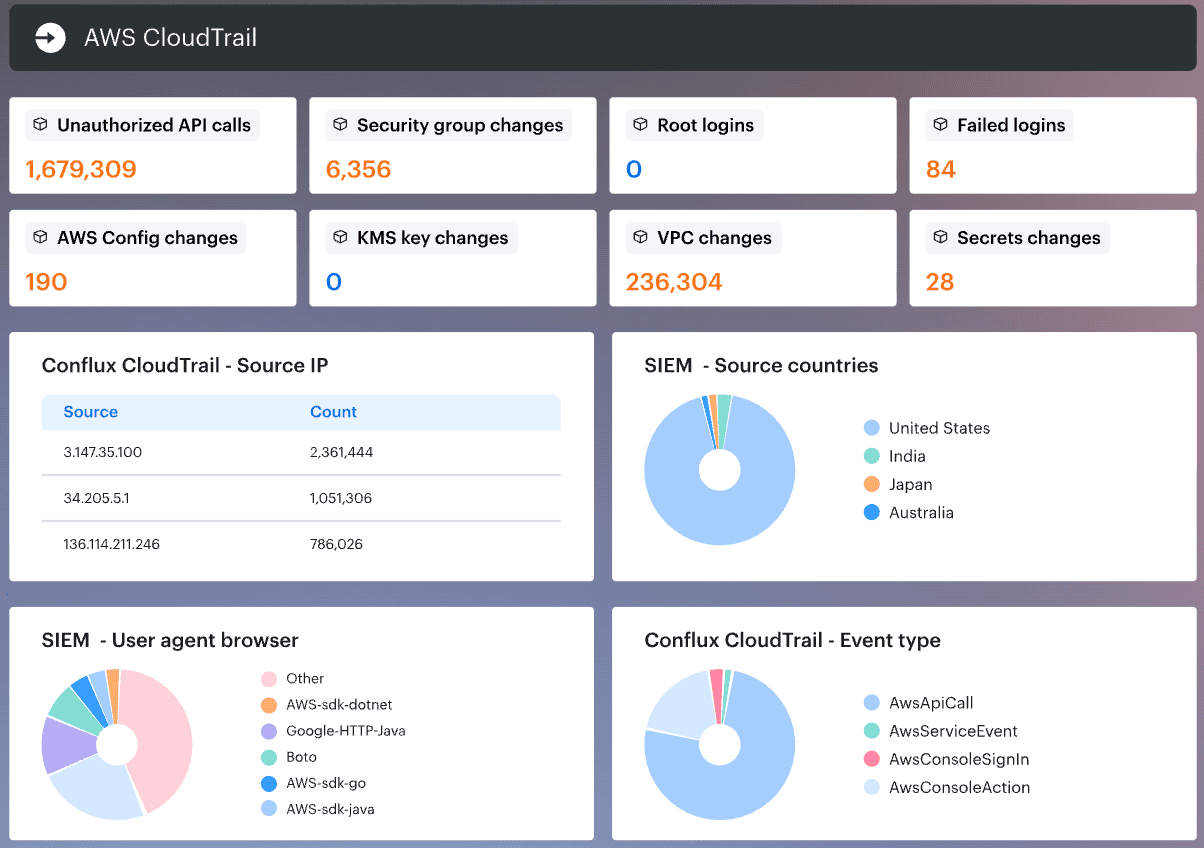
Cloudaware belongs in the asset-context monitoring category.
Most SIEM alerts start with a signal: a failed login, a suspicious API call, an exposed service, a configuration change. Cloudaware’s Conflux SIEM ties that signal back to the asset behind it: owner, environment, application, region, dependency, data class, and compliance scope.
That context matters in hybrid and multi-cloud estates. An alert on a bare IP leaves the SOC to investigate ownership first. An alert on a production PCI database owned by the payments team can move directly into triage, escalation, and remediation.
Cloudaware monitors AWS, Azure, GCP, Oracle Cloud, Alibaba Cloud, Kubernetes, VMware, SaaS, and on-prem infrastructure. Coca-Cola uses Cloudaware for multi-cloud governance and visibility. NASA’s case study connects the platform to cloud visibility, threat response, and compliance.
Public product data also lists 3,000+ supported cloud services and CI types, 63 integrations, and 99.995% historical CMDB uptime.
For teams evaluating cloud security monitoring tools 24/7, Cloudaware’s advantage is the asset model behind the alert.
Features
- Conflux SIEM: Enriches log and audit events with CMDB context, so analysts see the asset, owner, and environment behind each signal.
- Intrusion detection context: Connects suspicious activity and intrusion signals to affected assets, ownership, exposure, and business impact.
- Vulnerability management: Pulls scanner findings into the CMDB, prioritizes them by asset context, and routes remediation to accountable owners.
- Multi-cloud CMDB: Tracks cloud assets, ownership, environments, relationships, regions, business applications, and data classification.
- Policy and detection on one asset model: Uses the same inventory for monitoring, compliance, ownership, and remediation workflows.
- IT Compliance evidence: Supports audit workflows for PCI Req. 10, HIPAA §164.312(b), SOC 2 CC7, and ISO A.8.15.
- Scanner integrations: Pulls findings from Tenable, Qualys, Wiz, CrowdStrike, AWS Inspector, and similar tools into asset-level workflows.
- Continuous cloud and on-prem monitoring: Tracks infrastructure changes across hybrid environments and routes issues to accountable owners.
Pricing
Cloudaware pricing starts at $200/month, then scales by asset volume, cloud accounts, tickets, compliance frameworks, and selected modules.
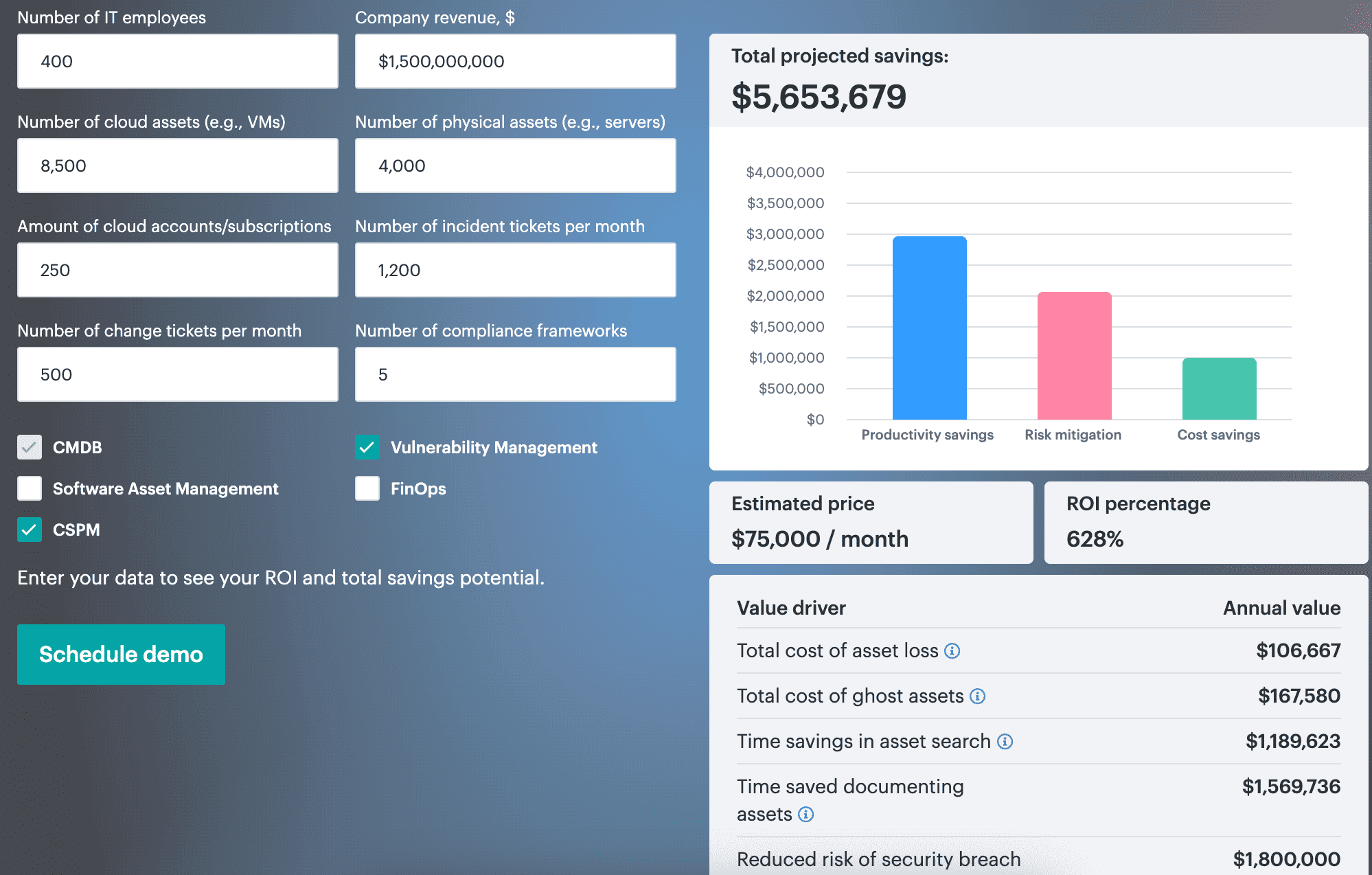
In Cloudaware’s ROI calculator example, a company with 8,500 cloud assets, 4,000 physical assets, 250 cloud accounts, and 5 compliance frameworks gets an estimated price of $75,500/month. Projected savings: $5,653,679/year, which puts ROI at 628%.
Trial: 30 days, no credit card.
Pros & cons
Here is what Cloudaware users talk about a platform on G2:
✅ Unified multi-cloud control plane: “provides a unified view of all cloud resources, which allows for better visibility and control over the entire cloud environment.” That is the core value proposition Cloudaware users repeatedly point to.
✅ Useful for multi-cloud operations: “Cloudaware seamlessly integrates with AWS, Microsoft Azure, Google Cloud Platform, or a combination of these.” This makes the product stand out most for organizations standardizing across several clouds.
✅ Compliance-oriented cloud security workflows: “auditing configurations, managing access controls, and generating compliance reports.” That is a strong proof point for teams using Cloudaware on the governance/compliance side of cloud security.
⚠️ Integration requires ITAM experts' assistance in complex estates: “Integrating CloudAware with existing systems or workflows were challenging if you are doing it alone… especially… complex IT environments.” That directly affects enterprise rollout complexity. The good side is that there are ITAM experts who can help you.
⚠️ UX friction: “Cloudaware can be slow at times, and the user interface can be overwhelming and difficult to navigate.” That is a meaningful operational drawback for day-to-day cloud teams.
⚠️ Cost pressure on smaller teams: "The price may not be okay for smaller organizations and limited budgets.” This is especially relevant for lighter-weight CSPM buyers.
Exabeam
G2: 4.7/5, 13 reviews
Capterra: 5.0/5, 3 reviews
Best for SOC analysts, threat hunters, and incident responders who need SIEM with behavioral analytics, risk scoring, automation, and TDIR workflows.
!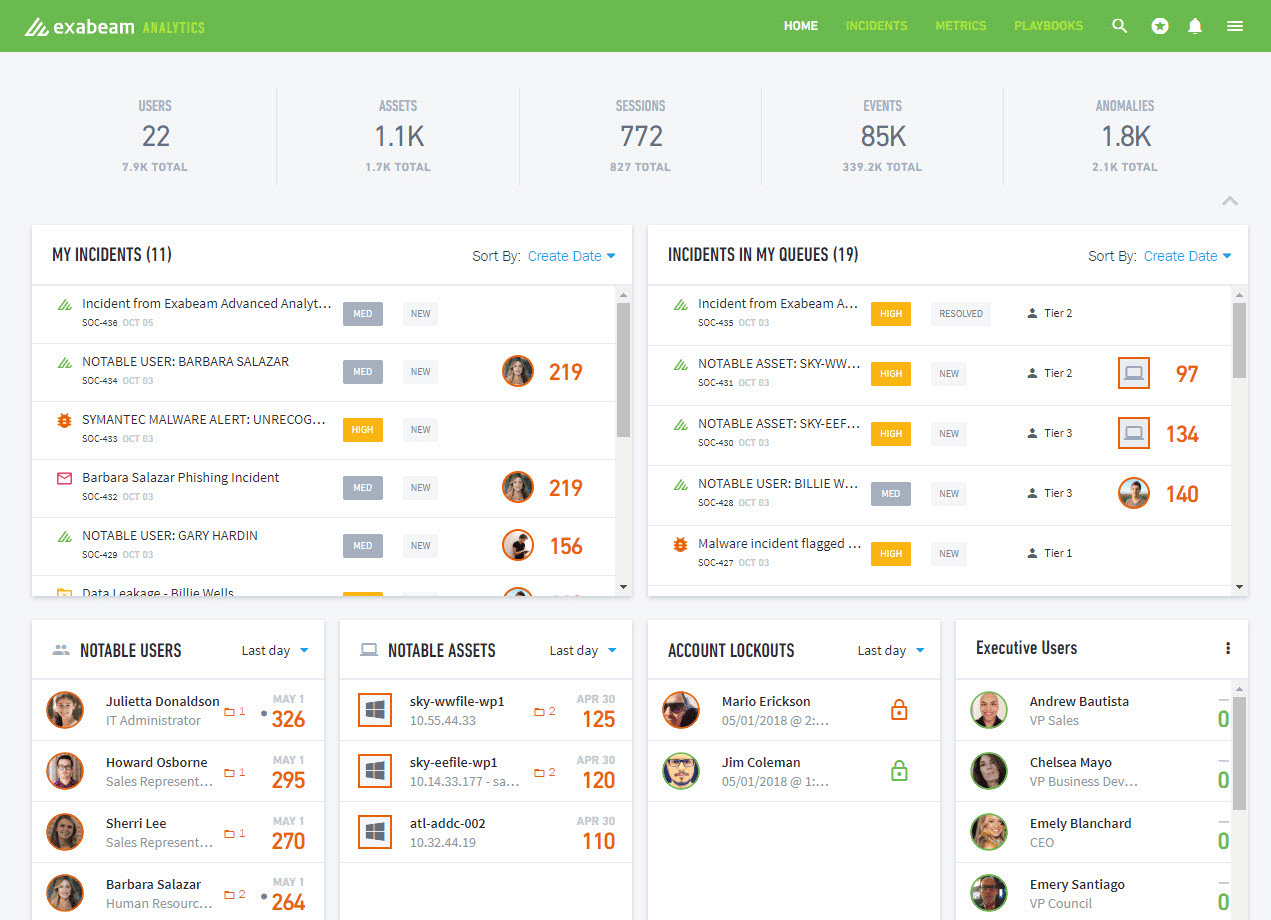
Image source.
A successful login can still be the start of the incident.
That is the lane Exabeam owns: behavior-led cloud security. It watches users, service accounts, entities, and identity activity across cloud and hybrid environments, then looks for the move that does not fit the baseline. The late-night privilege change. The account touches a system it never touches. The clean credential is behaving like someone else has it.
Exabeam’s New-Scale platform is built around that kind of detection, investigation, and response workflow. NASA, NTT Data, Under Armour, Kia, and the U.S. Air Force are among the listed customers. The company also carries Gartner SIEM Leader recognition and was named Google Cloud Security Partner of the Year for Analytics & Operations.
Use it when insider threat, compromised credentials, and identity-led cloud risk sit high on the SOC’s list.
Now, let’s look at the features that make Exabeam more than just a “SIEM with UEBA attached.”
Exabeam cloud security monitoring features
- UEBA with behavioral baselining: Exabeam learns what normal looks like for users and entities. Then it calls attention to the behavior that feels small on its own but risky in context: odd access, unusual privilege use, and strange movement patterns.
- Risk scoring: A single event may not deserve a page. A cluster of weak signals might. Exabeam adds risk as behavior stacks up, which helps analysts chase the story instead of every alert.
- Smart Timelines: Analysts do not have to build the incident from scratch. Smart Timelines pull related events into sequence, showing who acted, what changed, where it happened, and how the activity unfolded.
- TDIR workflow: Detection, investigation, and response stay connected. That reduces the gap between “we saw something” and “we know what to do next.”
- Prebuilt detection use cases: Teams get a faster start on common patterns like insider risk, credential abuse, account takeover, and lateral movement.
- Cloud-scale log management: New-Scale is designed for large security data volumes, so SOC teams can search, retain, and investigate across noisy cloud environments.
- Identity and cloud integrations: Exabeam pulls from identity providers, cloud platforms, and security tools to enrich behavior analytics with the signals that matter most during investigation.
Pricing
Exabeam starts around $6,250/month, based on the publicly listed $75,000/year Basic plan. Pricing is usage-based, and the final enterprise quote will depend on log volume, retention, New-Scale SIEM/Analytics scope, support, and deployment needs.
No public free trial is listed, so count it as 0 trial days unless sales offers a private evaluation.
Pros & cons
Some feedback appears once. Other feedback shows up again and again. We focused on the second group by reviewing user comments on Trustradius and Capterra.
✅ Analyst-friendly investigations: “our help desk uses it to diagnose issues with user assets quickly and easily with very little training.” That is unusually strong evidence that Exabeam’s workflow can be accessible beyond pure SOC specialists.
✅ Behavior-based detection and faster mitigation: “alerting the SOC to suspicious behavior allows the team to quickly mitigate any potential threats.” That quote goes straight to Exabeam’s UEBA-led value in cloud and hybrid environments.
✅ Search speed and lower operational friction: “very good at processing many logs without excessive licensing costs… enables our analysts to search vast data sets without having to wait long.” This capability is a meaningful competitive advantage for investigation-heavy teams.
⚠️ Integration quality can disappoint: “the integration with other solutions could be better.” For cloud security programs that depend on broad ecosystem connectivity, that is a meaningful limitation.
⚠️ Hidden or unintuitive functionality: “Functionalities are hidden and not very intuitive to users.” That suggests a usability penalty despite Exabeam’s overall strength in investigations.
⚠️ Playbooks and UX still need refinement: “More complete playbooks are already built out… most companies would just use them.” This is a concrete user request for deeper out-of-the-box automation maturity.
Read also: The Best Configuration Management Software - Top 15 Tools Review
Panther
G2: 4.7/5, 47 reviews
Capterra: 4.5/5, 2 reviews
Best for detection engineers and security engineers in cloud-first teams that want detection-as-code, security data lake workflows, and AI-assisted SOC operations.
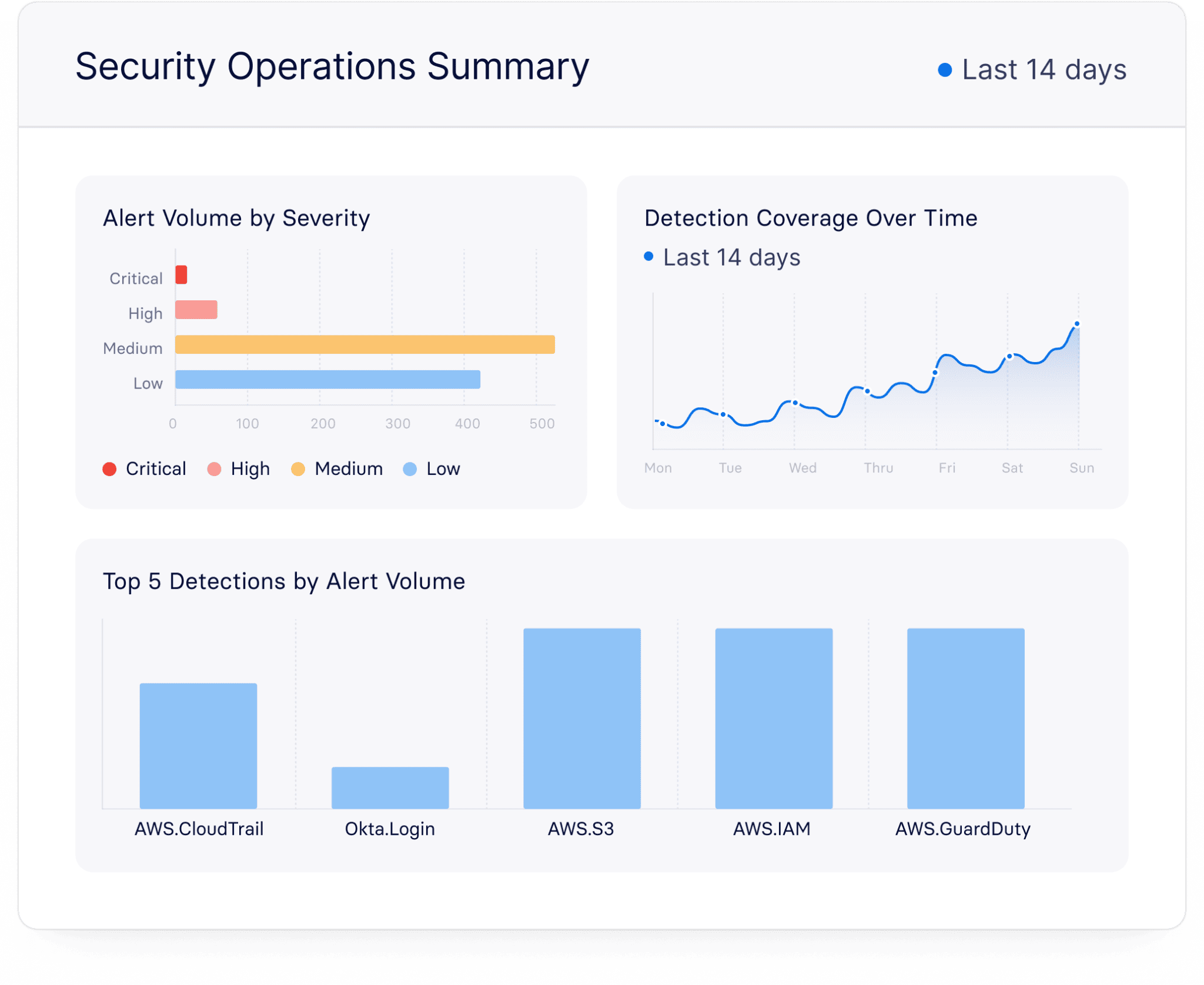
Panther is built for security teams that want detections to behave like code.
That means Python rules. Git review. Pull requests. Testing before production. A detection library that can grow the same way product engineering ships software.
For multi-cloud security, Panther ingests logs from cloud services, SaaS tools, identity systems, and security products, then runs streaming analysis over a serverless security data lake. It fits teams dealing with AWS-heavy telemetry, fast incident response, threat detection, and high-scale log investigation. Panther lists customer stories from Asana, Varo, Wolt, GoFundMe, Intercom, Cedar, FloQast, Bitstamp, Jumio, and Zapier, which estimates about $400K in annual savings after deploying Panther.
Its edge is workflow. Detection engineers can manage rules in version control, while analysts get normalized cloud data, correlation, and fast search across noisy sources. Deployment can be hosted by Panther or connected to your AWS account with Snowflake or Databricks.
Next comes the part that decides whether Panther fits your team: how its detection engine actually works.
Panther cloud security monitoring features
- Detection-as-code: Write detections in Python, review them in Git, test changes, and ship rules through an engineering workflow instead of editing logic inside a SIEM console.
- Security data lake: Centralizes high-volume security data so teams can search cloud, identity, SaaS, and infrastructure logs without forcing every investigation through hot SIEM storage.
- Real-time streaming analysis: Evaluates incoming events as they arrive, which helps teams catch suspicious activity quickly instead of waiting for scheduled batch searches.
- Unified Data Model: Normalizes different log types, so an analyst can hunt across sources without relearning every vendor’s field names during an incident.
- Correlation rules: Connects events across users, assets, and log sources, then helps reduce alert noise by turning weak signals into a stronger detection path.
- Cloud-native telemetry coverage: Supports native log integrations, API ingestion, and AWS transport patterns like S3, SNS, and SQS for cloud-scale collection.
- CI/CD-friendly testing: Lets security teams test, review, and deploy detection changes with the same discipline engineers use for production code.
Pricing
Panther does not publish a usable dollar price. Public listings show Contact vendor and 0 trial days, so any “typical” cost has to be modeled from the quote.
For a mid-size cloud SOC, I’d price the scenario around Panther’s own customer benchmark: ~47 log sources, 60+ possible integrations, cloud log retention, data lake deployment, and detection workload.
If the quote lands at $150K/year, that is $12.5K/month; at $300K/year, it becomes $25K/month.
Pros & cons
To get a grounded view of the platform, we reviewed user comments on G2 and Capterra and pulled out the patterns that showed up most often.
✅ Detection-as-code done right: “Detection as code is handy for version control and creating an alert lifecycle (dev/staging/prod).” That is a very distinctive, cloud-native strength for security engineering teams.
✅ Smooth cloud-log onboarding: “Onboarding cloud logs was surprisingly smooth, and the out-of-the-box normalization saved us a ton of setup time.” This is one of Panther’s clearest differentiators against older SIEM models.
✅ AI-assisted alert-fatigue reduction: “Panther is solving the noisy alert/alert fatigue challenge via Panther AI Triage.” That is directly relevant to modern cloud SOC operations.
⚠️ Third-party enrichment is still limited: “there isn’t a native way to bring in your own third-party enrichment.” That reduces flexibility for teams with custom cloud context pipelines.
⚠️ Dashboards are still maturing: “doing more complex analysis and charting still needs some love.” For leadership reporting and richer threat analysis, that is a real gap.
⚠️ Git-heavy workflow can feel overengineered: "It doesn't actually test the logic of the rule in question… it aligns more with software development than security.” That is a nuanced but meaningful con for teams who want simpler operations.
Read also: Cloud Security for Financial Services. The Evidence Model That Holds Up Under Audit Pressure
Datadog Cloud SIEM
G2: 4.4/5, 700 reviews for Datadog parent profile
Capterra: 4.6/5, 354 reviews for Datadog parent profile
Best for security engineers, DevSecOps, SREs, and platform teams that want SIEM tightly connected to logs, observability, cloud security, and Dev/Ops workflows.
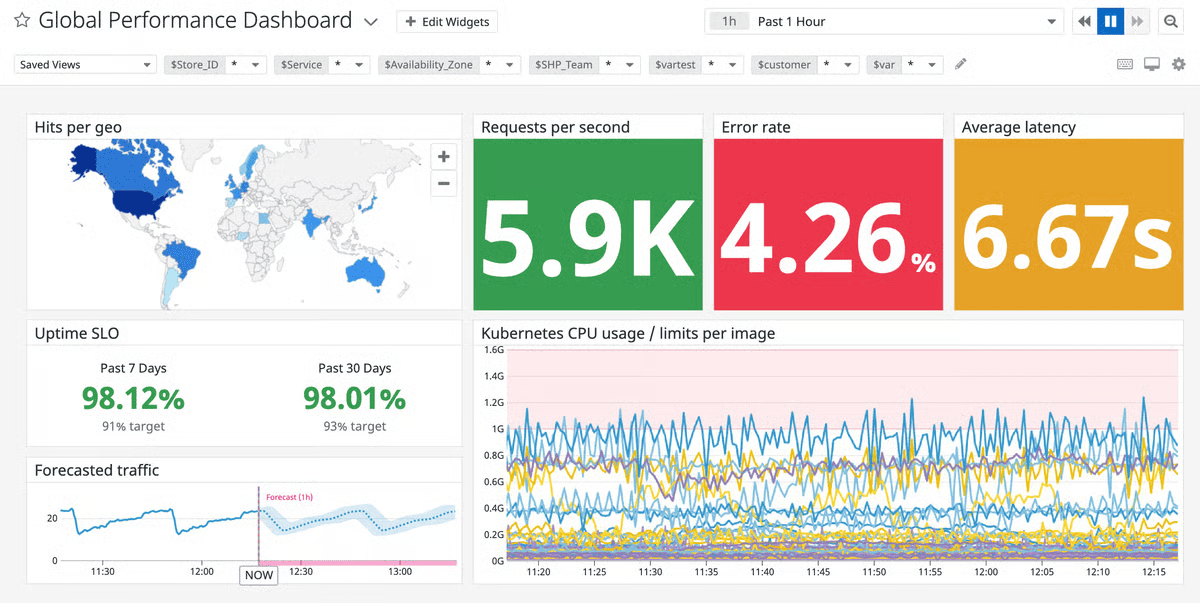
Datadog Cloud SIEM is for teams that already trust Datadog with the operational truth.
Cloud logs, app traces, container telemetry, metrics, network signals, and security events can sit on the same platform. That gives multi-cloud teams a practical advantage: analysts do not have to leave the observability layer to understand whether a suspicious signal is tied to a broken service, a risky workload, or a real threat.
It works across AWS, Azure, GCP, Oracle Cloud, Kubernetes, OpenShift, SaaS apps, endpoints, identity providers, and third-party security tools. Datadog lists customers including Samsung, Shell, Siemens, PayPal, Comcast, Plaid, Nasdaq, Twilio, Lenovo, Zillow, and Asana.
Its edge is the shared data plane. Security rides on telemetry the engineering team already collects.
That makes Datadog especially useful when the buyer wants cloud security monitoring and analytics software without splitting monitoring and detection into separate worlds.
Now look at the features that make that promise real.
Features
- Cloud SIEM detection rules over existing logs: Datadog applies security detections to the same log pipeline many teams already use for observability. Less duplicate collection. Faster security onboarding.
- Shared observability and security platform: Engineers see service health. Security sees threat signals. During an incident, both teams can work from the same telemetry instead of trading screenshots.
- Out-of-the-box rules with MITRE ATT&CK tagging: Built-in detections help teams cover common attack patterns faster, while ATT&CK mapping gives SOC leads a cleaner way to explain coverage.
- Security Inbox and signal triage: Signals land in a focused security workflow, so analysts can review, prioritize, and investigate without digging through every operational alert.
- Wide cloud, app, and container integrations: Datadog connects cloud providers, Kubernetes, SaaS apps, identity tools, endpoints, and security products into one investigation layer.
- Dashboards and notebooks: Teams can turn an investigation into a working narrative: charts, logs, timelines, hypotheses, and handoff notes in one place.
Pricing
Datadog Cloud SIEM starts at $5/GB analyzed per month, or $7.50/GB on-demand, after a 14-day trial. A practical mid-size SOC analyzing 50 GB/day lands near 1,500 GB/month, so budget about $7,500/month annually, or $11,250/month on-demand. At 100 GB/day, that becomes $15,000/month.
The meter follows analyzed logs, retention, workflows, and volume. Next: whether that shared observability backbone pays off in daily SOC work.
Pros & cons
User reviews often reveal what feature pages miss, so we went through G2 and Capterra feedback and grouped the most common observations.
✅ Security and observability in one place: “monitor infrastructure, applications, logs, traces, and security events all in one place.” That unified workflow is Datadog’s most defensible cloud-security advantage. (G2 Datadog review page)
✅ Fast cloud onboarding and anomaly detection: “The AWS integration itself only took under 15 minutes… Watchdog… identifies anomalies in your metrics.” That is a real speed-to-value advantage for cloud teams. (G2 Datadog review page)
✅ Strong investigation pivoting across signals: “quickly pivot from a spiked CPU metric to the relevant trace and the corresponding logs in just a couple of clicks.” For cloud incident response, that cross-domain context is powerful. (G2 Datadog review page)
⚠️ Pricing scales aggressively: “expenses may increase quicker than you anticipate.” Users repeatedly tie this to hosts, features, log indexing, and retention. (G2 Datadog review page)
⚠️ Breadth can overwhelm new users: “there were so many buttons and features, which makes the learning curve a bit steep.” That matters when security teams need fast onboarding. (G2 Datadog review page)
⚠️ Agent coverage is not always simple: “setting up the agents wasn’t very straightforward.” That is a real downside compared with more agentless cloud-security platforms. (G2 Datadog review page)
Sumo Logic
G2: 4.3/5, 393 reviews
Capterra: 4.6/5, 33 reviews
Best for SecOps, SOC analysts, and DevSecOps teams that need cloud-native SIEM, log analytics, behavioral analytics, automation, and detection-as-code support.
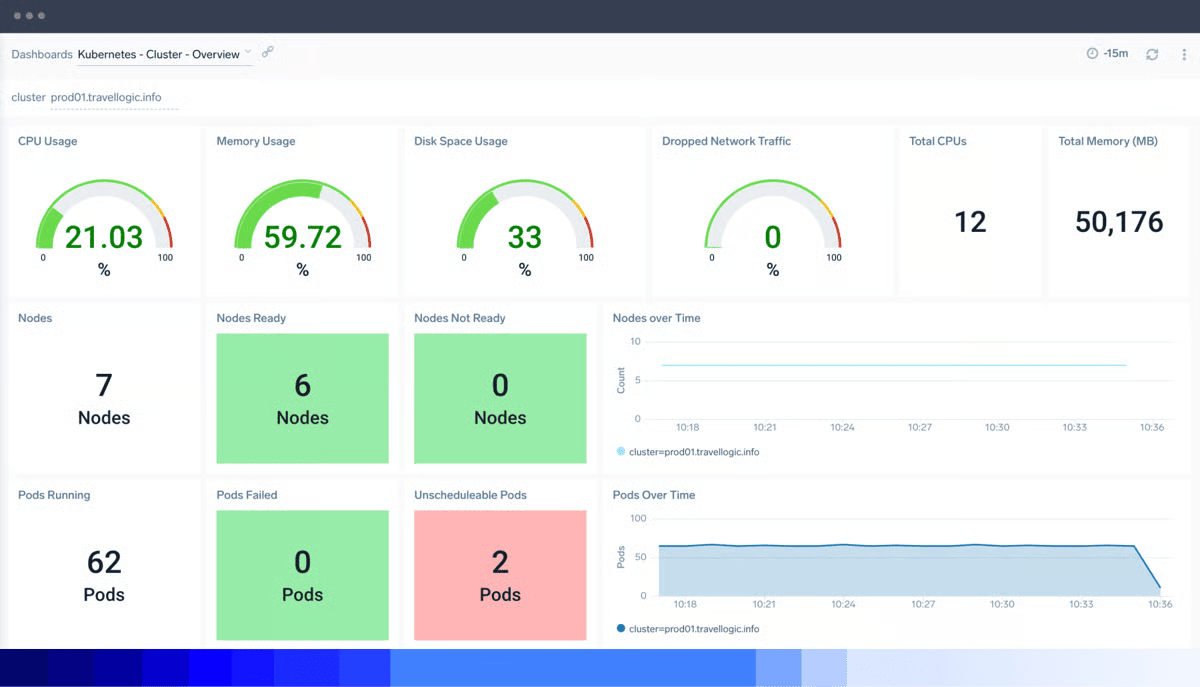
Image source.
Sumo Logic starts where cloud security teams usually start: with too many logs and not enough signal.
It gives cloud-first teams a SaaS log analytics platform, then layers Cloud SIEM Enterprise on top for detection, correlation, and response. AWS, Azure, GCP, Kubernetes, Linux, NGINX, Apache, Okta, Salesforce, Zoom, Jira, and security telemetry can all feed the same investigation layer.
The customer proof is practical. Bugcrowd uses Sumo Logic to give engineers alert context in one place. Sumo also lists Alaska Airlines, HashiCorp, Samsung, Standard Chartered, Xero, Airbnb, and Anheuser-Busch.
The value is not just collecting logs. It is turning related weak signals into an Insight the SOC can act on.
Now, the parts are worth testing in a trial or demo.
Features
- Cloud-native log management + analytics: Collects, searches, and analyzes cloud and application logs without forcing the team to maintain SIEM infrastructure.
- Cloud SIEM Enterprise: Converts raw events into Signals, then groups related Signals into Insights when risk crosses the threshold.
- Prebuilt detection rules and dashboards: Gives teams a working starting point for cloud activity, audit events, compliance checks, and common threat patterns.
- Threat-intel enrichment: Adds source reputation, indicators, and custom intelligence before the analyst opens the case.
- Broad cloud and SaaS coverage: Connects cloud providers, containers, operating systems, web servers, identity tools, collaboration apps, and security sources.
- Credit-based consumption model: Uses credits across analytics tiers, so teams can scale collection and higher-value security analytics with more control.
Pricing
Sumo Logic pricing is based on credits rather than a simple per-GB sticker. Public plans start with a 30-day trial, then move to Contact Sales for Essentials or Enterprise Suite. Flex pricing shows $0 ingest, with cost driven by retention, analytics tier, scan volume, SIEM activation, and support.
A self-serve checkout supports credit-card purchases up to $25,000.
So the bill depends on how often the SOC searches the data.
Pros & cons
We analyzed user feedback on G2 and Capterra to identify the patterns that come up most often in reviews of this platform.
✅ AI summaries cut alert fatigue: “The Summary Agent gives my team a clean, readable explanation… instead of everyone digging through 40 lines of raw log data.” That is a meaningful benefit for cloud SIEM triage.
✅ Excellent live troubleshooting workflows: “Live Tail… stream real-time logs during a deployment” and “LogReduce… cut my incident investigation time in half.” Those are highly practical cloud-operations strengths.
✅ Single pane across multi-cloud sources: “ingest and normalize data from almost any source—AWS, Azure, GCP, or on-prem—into a single ‘pane of glass.’” That directly supports cloud security monitoring at scale.
⚠️ Data-source onboarding can be clunky: “getting the logs flowing correctly into Sumo Logic took almost a full week.” That is a real implementation cost for cloud security teams onboarding new SaaS telemetry.
⚠️ Dashboard building has avoidable friction: “there’s no drag-and-drop panel resizing.” For incident review and reporting, that slows teams down more than it should.
⚠️ Complex queries can get sluggish: “running complex queries over large time ranges… can sometimes feel sluggish or even time out.” That is a meaningful downside for forensic and compliance-heavy use cases.
Read also: What Are Cloud Security Services? Types, Use Cases, and How to Choose
Prisma Cloud by Palo Alto Networks
G2: 4.1/5, 112 reviews via Cortex Cloud profile
Capterra: 4.0/5, 1 review
Best fit: Enterprise cloud teams that need posture, workload, identity, and runtime risk under a single control plane.
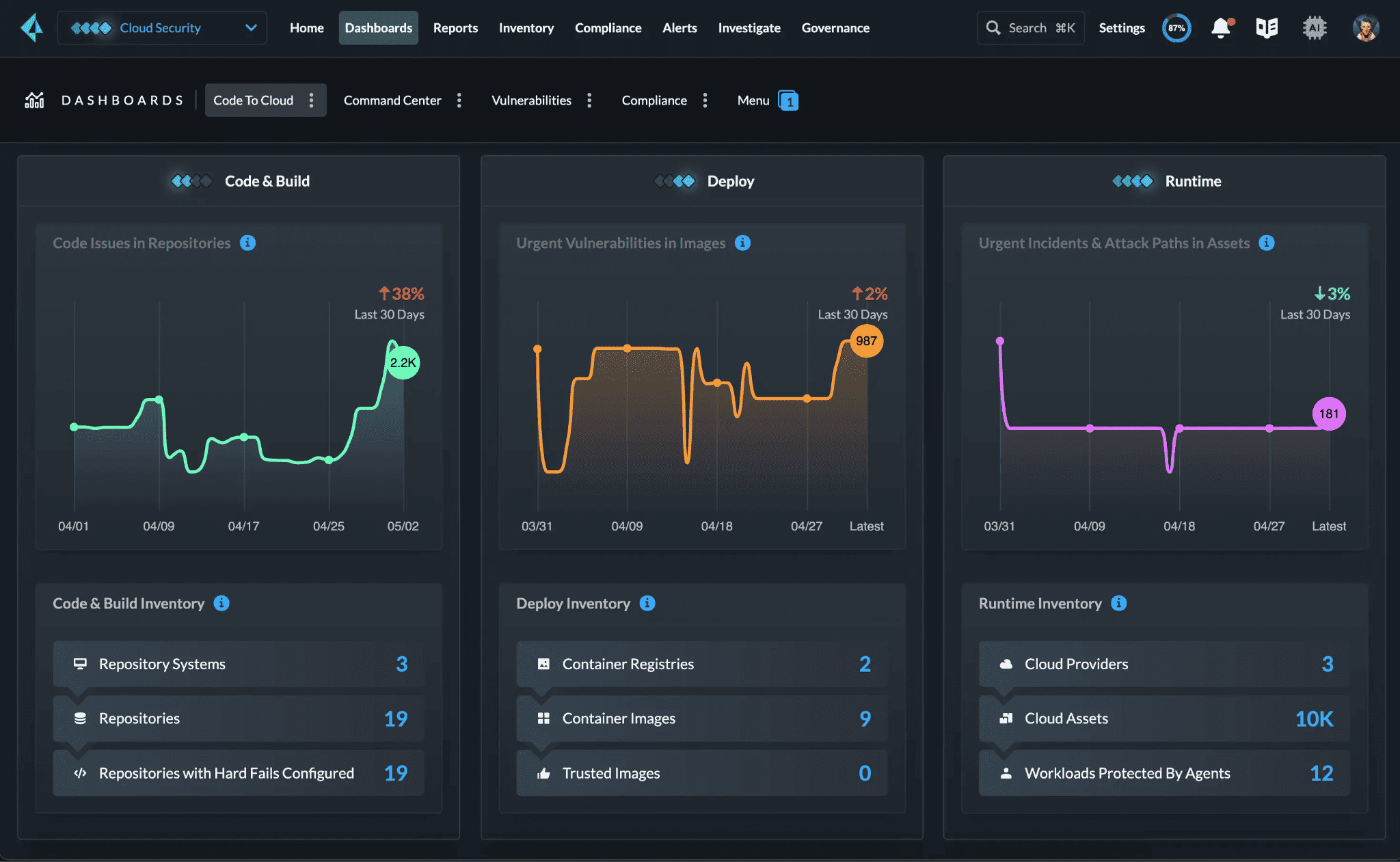
Image source.
Prisma Cloud is for the team that has moved beyond point tools.
One queue has drifted away from Terraform. Another contains CVEs in a container. A third has excessive privileges for cloud identities. Runtime sets notifications of its own. Prisma Cloud consolidates those jobs into one code-to-cloud platform for AWS, Azure, GCP, Oracle Cloud, Kubernetes, CI/CD, containers, serverless, APIs, and workloads.
Global Atlantic uses it to bring transparency to a complicated multicloud environment. It is used by PEXA for threat detection and cloud coverage. A European multichannel retailer achieved 35% faster vulnerability patching, 90% lower administration overhead, and zero runtime cloud breaches.
The edge is breadth with threat depth: Unit 42 intelligence, Precision AI, 1T events processed daily, and 1.5M new assaults detected every day.
Features
- Cloud posture security detects misconfigurations, exposed services, dangerous network pathways, and compliance drift before they turn into audit or breach problems.
- Cloud infrastructure entitlement management demonstrates overly broad permissions, poisonous identity combinations, and privilege pathways across cloud accounts.
- Code and IaC scanning scans infrastructure as code, secrets, open source packages and CI/CD pipelines before dangerous changes reach production.
- Container and workload protection protects hosts, containers, Kubernetes, serverless services and images from development time to runtime.
- Runtime threat detection detects ongoing assaults in the workload and application context, so the SOC sees action, not static findings.
- API and WAAS protection – Visibility and protection for web apps, APIs, and exposed cloud-native surfaces.
- AI-driven prioritization prioritizes risk based on reachability, blast radius, and asset context and drives teams to the most important fix first.
Pricing
Use monthly as annual ÷ 12. Prisma Cloud by Palo Alto Networks starts around $1,500/month ($18K/year ÷ 12) for CSPM, while full CNAPP lands around $3,750/month ($45K/year ÷ 12). Behind that: Cloud Security credits, modules, protected resources, workload volume, and deployment model.
The trial runs 30 days. Clean entry point. Then containers, serverless, CI/CD, and support needs start telling the real pricing story. Which makes the pros and cons worth reading.
Pros & cons
We combed through Trustradius and Capterra reviews to find the recurring points users bring up most often about the platform.
✅ Centralized visibility and compliance coverage: “the need for centralized visibility and control over our cloud assets” and strong support for “industry regulations and internal security policies.” That mirrors Prisma Cloud’s core buyer use case.
✅ Automated compliance checks across clouds: “predefined policy templates and automated checks… assess our cloud environments against… GDPR, HIPAA, and PCI DSS.” This is a concrete, cloud-security-specific strength.
✅ Multi-cloud and application lifecycle protection: “real-time vulnerabilities and threat protection with their Multi Cloud features capabilities… secure with all stages of our Application Lifecycle.” That captures why Prisma Cloud is often chosen for broad CNAPP programs.
⚠️ Higher-than-peer pricing: “find that the pricing for Prisma Cloud is on the higher end compared to other similar products.” That is one of the clearest publicly accessible cons on Prisma’s exact product profile. (Capterra review page)
⚠️ Integration can be challenging: “it could be challenging to integrate Prisma Cloud with existing security tools and infrastructure.” That matters for mature enterprise environments with many established controls. (Capterra review page)
⚠️ Usability gaps remain: “Asset explorer is difficult to use. No useful documentation for manual search. Hard to use for new users.” This is a meaningful operator-experience complaint.
Read also: Cloud Security Assessment Tools - 12 Best Platforms for 2026
Wiz
G2: 4.7/5, 777 reviews
Capterra: No meaningful rating: Capterra shows 0.0 based on 0 reviews
Best for cloud security engineers, DevSecOps, AppSec, and platform teams that need fast cloud/AI security visibility, risk prioritization, and attack-path context from code to runtime.
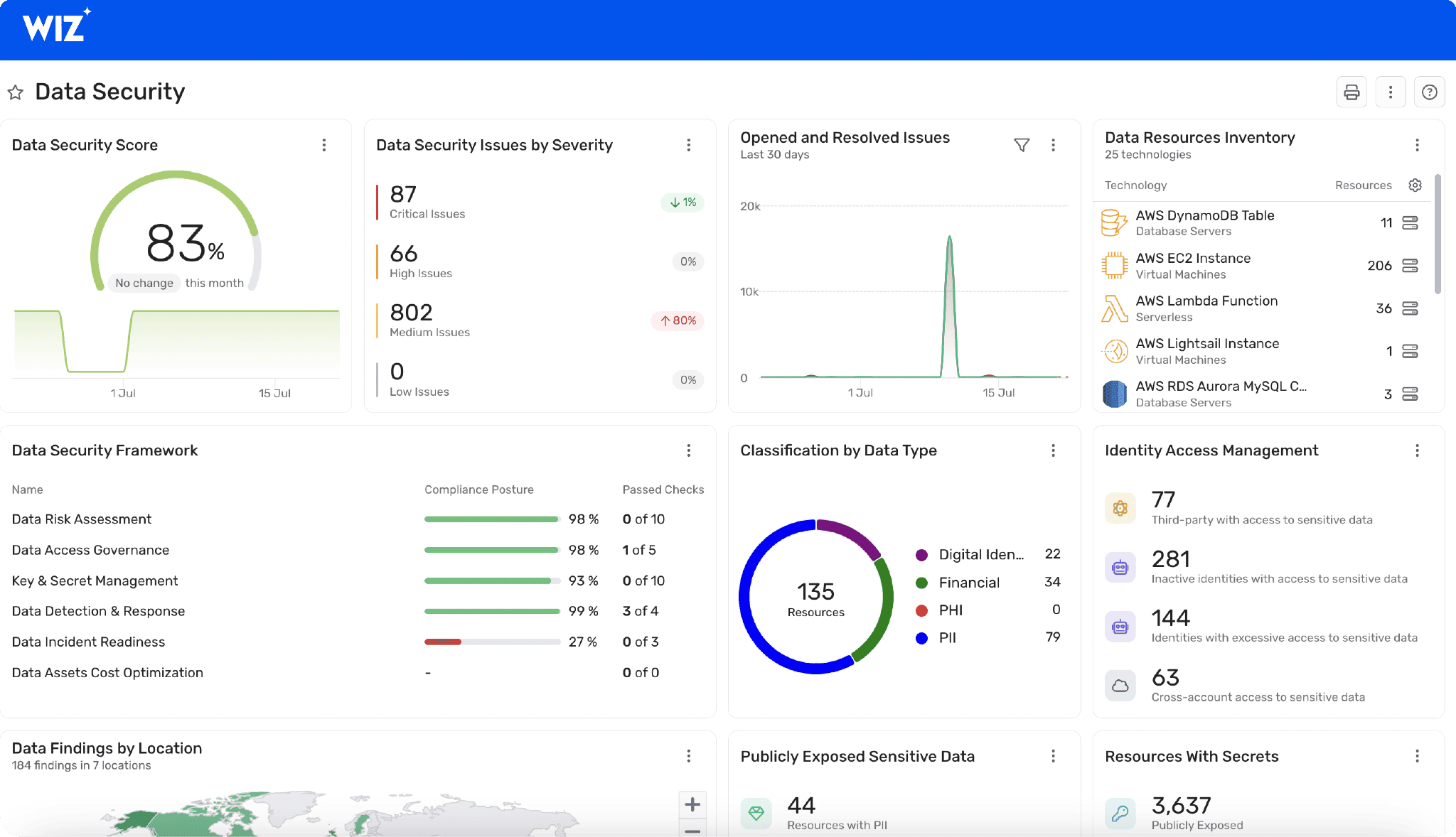
Wiz is built for the remediation meeting where everyone asks the same thing: Which of these findings can actually hurt us first?
The platform scans AWS, Azure, GCP, Oracle Cloud, Kubernetes, containers, workloads, SaaS, CI/CD, identities, secrets, vulnerabilities, and exposed data. Then it connects those pieces through the Wiz Security Graph.
That graph is the important part. It shows when a finding is more than a finding: an exploitable CVE, on a public workload with access to sensitive data through an overprivileged identity. That is no longer “critical by score.” It is critical to bypass.
Wiz lists Morgan Stanley, Siemens, Salesforce, BMW, Slack, DocuSign, LVMH, and ServiceNow among its customer logos. The company also reports adoption by 50%+ of the Fortune 100, with recognition from Forrester, IDC, Gartner, and G2.
For large cloud teams, Wiz is strongest when triage speed matters more than another inventory view.
Features
- Security Graph connects assets, identities, vulnerabilities, secrets, exposed data, network reachability, and runtime signals into attack paths.
- Agentless scanning gives teams broad cloud visibility through APIs before workload agents are approved everywhere.
- CSPM flags exposed services, risky configurations, policy drift, and compliance gaps across accounts and environments.
- Exposure management shows which risks are reachable and how an attacker could move through the environment.
- Vulnerability prioritization moves remediation away from CVSS-only queues by factoring in exploitability, exposure, privilege, and business impact.
- CIEM surfaces excessive permissions, toxic role combinations, and identity paths that expand blast radius.
- Wiz Code checks IaC, secrets, containers, and pipeline issues before they ship into production.
- Wiz Defend adds runtime detection for exploitation attempts, lateral movement, and active cloud workload threats.
Pricing
Splunk prices like a SOC meter: what you pay follows workload, ingest, entity, and activity usage. For published Observability plans, the floor is $15/host/month; the top listed plan is $75/host/month. At 100 hosts, that’s $1,500 to $7,500/month.
Cloud Platform trial: 14 days; Enterprise trial: 60. Easy to start. Then logs, traces, containers, MTS, and retention turn the spreadsheet into a security architecture decision. Next: the trade-offs.
Pros & cons
Instead of relying on feature lists, we looked at what real users say on G2 and Capterra and grouped the most common takeaways.
✅ Risk prioritization is genuinely useful: “the toxic-combination engine is exceptionally effective at surfacing real, exploitable risks rather than overwhelming the team with noise.” This is one of the strongest user-voiced differentiators for Wiz.
✅ Fast time to value with agentless onboarding: “It doesn’t require agents, and in just a few hours we already have the first visibility information.” That is a major reason Wiz is so often shortlisted for CNAPP rollouts.
✅ Graph context improves investigations: “graph-based context, broad cloud coverage, and ability to connect findings across assets and identities make investigations easier.” This is exactly the kind of quote buyers look for in practice.
⚠️ Autoscaling complicates remediation tracking: “Vulnerabilities may appear ‘closed’ when the underlying resource is terminated, only to reappear when a new instance is spun up.” That is a sophisticated, cloud-native con.
⚠️ Alerting and UX can feel heavy at first: “it can give a ton of information and telemetry… overwhelming when first onboarding Wiz.” That is a common operational complaint even from otherwise satisfied users.
⚠️ Pricing and sizing can be awkward: “priced based on the number of workloads… the client is not always aware of their inventory.” That makes procurement and renewals harder than some buyers expect.
Read also: 9 AWS Cloud Security Best Practices That Pay Off
Orca Security
G2: 4.6/5, 246 reviews
Capterra: 4.8/5, 60 reviews
Best for cloud security engineers, DevSecOps, vulnerability management, and compliance teams that need agentless CNAPP visibility, prioritization, and cloud-to-dev remediation.
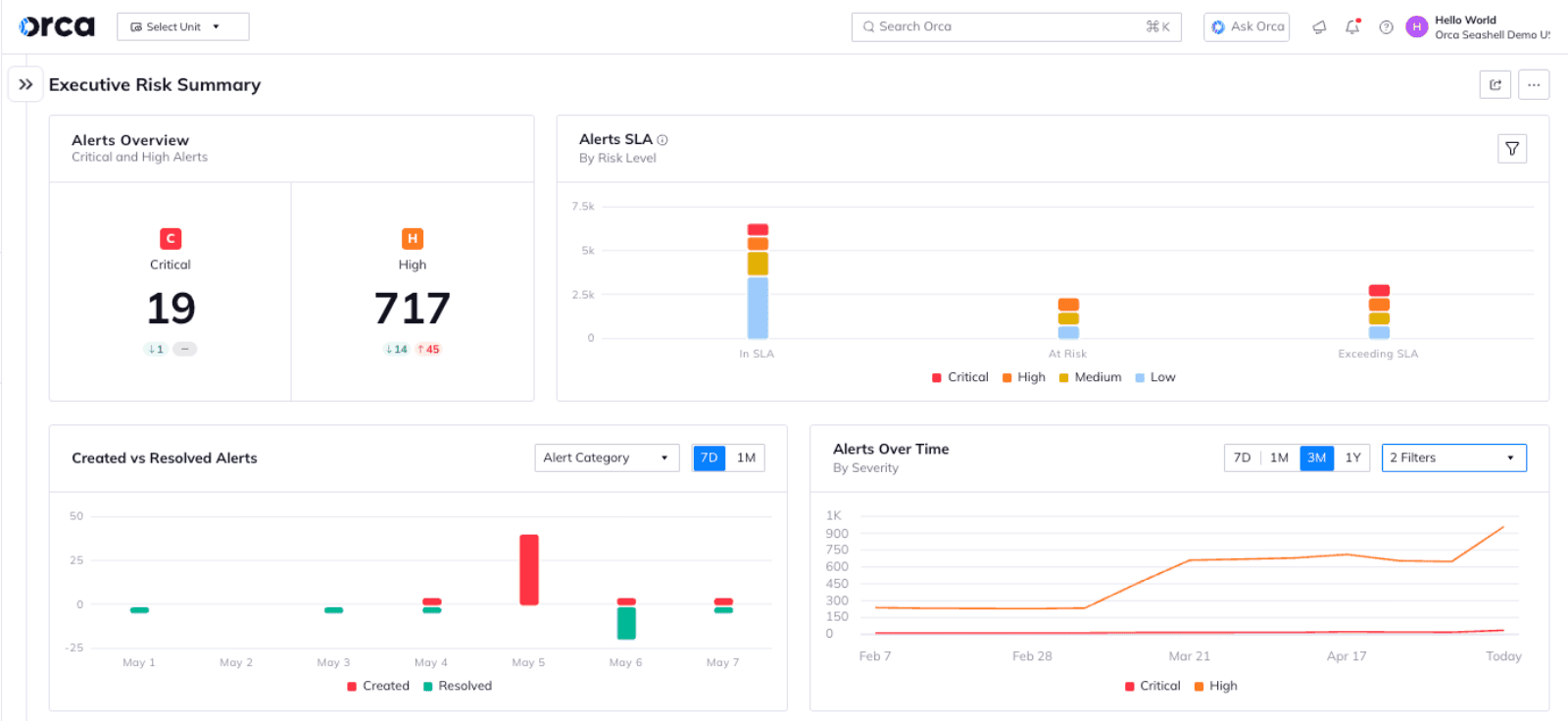 Image source.
Orca Security is the multi-cloud friend who walks into AWS, Azure, Google Cloud, Oracle Cloud, Alibaba Cloud, and Kubernetes and says, “Show me the risk chain.” SAP, Autodesk, Unity, Lemonade, Gannett, and Digital Turbine are named customers; Swiggy uses it across 10,000+ containers, while Lemonade used Orca for full cloud visibility.
Among cloud security tools, Orca’s edge is its agentless-first SideScanning technology: workload-deep visibility without waiting for agents, plus attack-path context so teams fix the scary 1% first.
Awards help the trust story too: GigaOm named Orca a 2025 CNAPP Leader, Forrester called it a Q1 2026 Strong Performer, and CRN listed it among 2025’s hottest AI security tools.
That sounds tidy. The feature set is where things get compelling.
Features
- Agentless SideScanning. Scans workloads, configurations, identities, data, and vulnerabilities without installing agents everywhere. Useful when the estate has idle VMs, ephemeral workloads, and teams that will not tolerate another rollout project.
- Attack path analysis. Connects weak signals into a real breach path: exposed asset, toxic permission, vulnerable package, sensitive data. That gives security teams the “fix this first” view instead of another noisy alert queue.
- Unified CNAPP coverage. Pulls CSPM, CWPP, CIEM, vulnerability management, compliance, API security, DSPM, and cloud detection into one model. Less tab-hopping. Better correlation.
- Container and Kubernetes security. Covers container images, running containers, Kubernetes risks, and workload context, which matters when one vulnerable image can quietly replicate across clusters.
- Cloud-to-code context. Links runtime risk back to IaC, repositories, and development workflows, so remediation can move left without losing production reality.
- AI security posture management. Finds risky AI services, exposed AI/ML credentials, and weak cloud security controls around AI usage before “innovation” becomes incident response.
Pricing
Orca Security pricing reads like cloud coverage in plain clothes: one all-inclusive SKU, then cost scales by protected workloads across CNAPP, AppSec, runtime security, and sensor coverage.
AWS Marketplace shows monthly packs from Small at $7,000/month to Large at $30,000/month; Orca also talks about a free 30-day trial/risk assessment. Nice entry. Serious bill. The real story starts when VMs, containers, serverless, and cloud accounts multiply.
Pros & cons
We studied reviews across G2 and Capterra to see what users consistently praise, question, or complain about when using the platform.
✅ Continuous compliance reporting: “The built-in checks are useful and run continuously… The reporting is also clear and straightforward, so we can use it directly during audits.” That is a very strong quote for compliance-led cloud security programs.
✅ Agentless deployment reduces friction: “Because it’s agentless, we didn’t have to touch any workloads or worry about disruptions during setup.” This is one of Orca’s most distinctive advantages.
✅ Consolidated cloud risk context: “We can view workload vulnerabilities, misconfigurations, and exposed secrets all in one place.” That is exactly the kind of unified context teams want from CNAPP.
⚠️ Reporting flexibility could be better: “Some reports could use more flexibility in how the data can be filtered or exported.” That matters for both audits and operational reporting.
⚠️ Consumption-based pricing is hard to forecast: “it makes costs harder to forecast.” For rapidly changing cloud estates, that can become a budgeting headache.
⚠️ Non-specialists may find the UI intimidating: “The dashboard is built explicitly for cybersecurity engineers… it still feels difficult to navigate and understand.” That is a real drawback when many stakeholders need read-only visibility.
To summarize: Comparison table of the best cloud security monitoring tools
This was a long article. A useful one, yes. But after ten platforms, the details start to blur.
So here is the fast version: what each tool is strongest at, where it has native coverage, and where you may need an add-on, integration, or a second product to complete the workflow.
Legend: ✅ strong/native fit · ⚠️ partial, add-on, or narrower fit · ❌ not a core use case
| Tool | Best for | Multi-cloud | SIEM | UEBA | Vulnerability | CI owner | Automated reports |
|---|---|---|---|---|---|---|---|
| Splunk | Deep search, analytics, and enterprise SOC workflows | ✅ | ✅ | ⚠️ | ⚠️ | ⚠️ | ✅ |
| Microsoft Sentinel | Microsoft-heavy estates that want Azure-native SIEM and KQL | ✅ | ✅ | ✅ | ⚠️ | ⚠️ | ✅ |
| Cloudaware | Asset-context monitoring across cloud, on-prem, compliance, and vulnerability workflows | ✅ | ✅ | ⚠️ | ✅ | ✅ | ✅ |
| Exabeam | Insider threat, compromised credentials, and identity-led risk | ⚠️ | ✅ | ✅ | ❌ | ⚠️ | ⚠️ |
| Panther | Detection-as-code for engineering-led security teams | ✅ | ✅ | ❌ | ❌ | ⚠️ | ⚠️ |
| Datadog Cloud SIEM | Security analytics on top of an existing observability pipeline | ✅ | ✅ | ⚠️ | ⚠️ | ⚠️ | ✅ |
| Sumo Logic | Cloud-native log analytics with SIEM correlation | ✅ | ✅ | ✅ | ⚠️ | ⚠️ | ✅ |
| Prisma Cloud | Broad CNAPP coverage from code to runtime | ✅ | ⚠️ | ❌ | ✅ | ✅ | ✅ |
| Wiz | Agentless cloud visibility and attack-path prioritization | ✅ | ⚠️ | ❌ | ✅ | ✅ | ✅ |
| Orca Security | Agentless CNAPP for cloud posture, workload, identity, and data risk | ✅ | ⚠️ | ❌ | ✅ | ✅ | ✅ |
Top tools for analyzing cloud security events
For raw event analysis, Splunk, Microsoft Sentinel, Panther, Datadog Cloud SIEM, and Sumo Logic lead the pack. They are the strongest picks when the daily job is search, correlation, detection logic, timelines, and SOC investigation.
Best cloud security monitoring for security analytics
The best cloud-based security analytics tools depend on the data plane you already trust. Splunk wins on depth, Sentinel on Microsoft-native KQL workflows, Datadog on observability context, Sumo Logic on cloud log analytics, and Cloudaware when every alert needs asset ownership and compliance context attached.
Top tools for automating cloud security reports
For automated reporting, shortlist Cloudaware, Microsoft Sentinel, Splunk, Sumo Logic, Datadog, Prisma Cloud, Wiz, and Orca Security. The difference is the report’s purpose: SOC activity, compliance evidence, cloud posture, vulnerability exposure, or owner-based remediation tracking.
How to choose the best cloud security monitoring tools?
You’ve seen the options. Now comes the part vendors like to make weirdly hard: choosing without sitting through 12 demos and building a spreadsheet that starts innocent and ends in despair.
Start with the job. Not the logo. Because the “best” tool depends on the mess you need it to clean up. A lean SecOps team watching 200 cloud accounts has a different problem than a platform team proving PCI scope every quarter. Same category. Very different buying logic.
Here’s the practical checklist I’d use:
- Multi-cloud asset coverage. If you run AWS today, Azure tomorrow, and Kubernetes somewhere nobody wants to admit owns production, single-cloud visibility gets thin fast. You need a tool that sees cloud accounts, VMs, databases, buckets, containers, Kubernetes clusters, identities, network paths, tags, owners, and environments in one place.
Otherwise, the alert says “critical exposure,” and your team still has to ask: critical where? Owned by whom? Connected to what? In prod or dev? - Asset-context monitoring. Alerts without asset context are just expensive noise. A public bucket matters more when it stores regulated data. A vulnerable VM matters more when it talks to a payment database. A misconfigured security group matters more when it belongs to a production service with no current owner.
Good monitoring connects events to the asset record: business service, cloud provider, environment, owner, data class, compliance scope, exception status, and remediation ticket. - Fast event analysis. If your priority is analyzing cloud security events fast, compare the top tools for analyzing cloud security events by how quickly they help analysts move from signal to story. Splunk is strong when you need deep search across high-volume machine data. Exabeam helps when investigation timelines matter. Panther fits teams that want code-defined detections they can version, test, and tune like engineering assets.
The real test: can your analyst answer “what changed, what touched it, and what should we do now?” before the meeting ends? - Compliance-aware reporting. If you need to automate cloud security reports, look for scheduled reporting, control mappings, evidence history, exceptions, ticket status, and framework views. The top tools for automating cloud security reports should not make you rebuild the same PCI, SOC 2, ISO 27001, HIPAA, or CIS story every month.
Asset-context reporting is the difference between “87 failed checks” and “12 production payment assets need owner review before audit.” - Look for risk scoring that weighs exposure, exploitability, identity permissions, sensitive data, business criticality, internet reachability, and compensating controls. A critical finding on an isolated sandbox asset should not outrank a high finding on an internet-facing production API tied to customer data.
- Continuous monitoring. Cloud changes at 10:07. Again at 10:11. Then someone ships Terraform at 10:14.
Cloud security monitoring tools 24/7 should catch drift after deployment, not only during a weekly scan. That can mean MDR add-ons when you need humans watching alerts around the clock, or always-on platform monitoring when you need continuous detection, enrichment, and routing without staffing a full SOC. - Remediation workflow. A finding is useful only when it becomes work someone can finish. Look for Jira, ServiceNow, Slack, PagerDuty, email, API, or webhook integrations. Better still, check whether tickets carry the evidence analysts need: affected asset, cloud account, owner, policy, framework mapping, severity, due date, and exception path.
- Cost model you can explain to finance. Pricing can shape the architecture more than teams expect. Ingest-based tools can prune noisy logs. Workload-based pricing tracks cloud growth. Credit models add flexibility but need governance.
Ask for the pricing unit, overage rule, retention cost, support tier, integration limits, and what happens when Kubernetes, serverless, or short-lived assets spike. - Dashboards people actually use. A useful dashboard is not a wall of red. It answers one job: what changed, what matters, who owns it, and what is blocking closure?
For leadership, those might be risk trends, SLA breaches, and compliance readiness. For SecOps, open criticals by owner. For cloud teams, misconfigurations by service. For audit, evidence freshness, and expired exceptions.
Choose the tool that matches your operating model. Not the one with the longest feature grid.
Because the right platform should make cloud security feel less like “monitor everything forever” and more like this: here is the risk, here is the owner, here is the evidence, here is the next move.