


Most teams reading this are not buying their first scanner. They already have CSPM findings, cloud-native recommendations, vulnerability data, ticket queues, and at least one dashboard that shows red numbers with alarming confidence.
The problem in 2026 is different: cloud security assessment tools have to work across AI workloads, non-human identities, fast-changing cloud security services, fragmented ownership, and audit evidence that cannot be rebuilt manually every quarter.
The evaluation question has also changed. A useful cloud security assessment tool should not only detect that an S3 bucket, storage account, security group, Kubernetes workload, service principal, or VM image is risky. For provider-specific execution, use our preparation guides for an AWS cloud security assessment, Azure cloud security assessment, or Google Cloud security assessment.
Curious about cloud security tools? Check our 2026 guide to the 10 best cloud security tools, with reviews and pricing.
TL;DR
- For buyers switching tools, detection is not the hard part. Most platforms can produce findings. The real gap is whether the tool connects those findings to ownership, business context, exceptions, evidence, and remediation state.
- Cloud security assessment is also getting harder in 2026 because AI workloads, service accounts, automation pipelines, and non-human identities make blast radius harder to model. Marketsandmarkets
- Market pressure supports the shift: CNAPPs are growing at nearly 14.6%, SentinelOne cites that 81% of businesses had at least one cloud security incident in the last year, and enterprises use more than 35 security monitoring tools on average. Marketsandmarkets
Best-fit categories:
- CMDB-backed assessment and audit evidence: Cloudaware is strongest when teams need findings tied to asset context, owners, applications, compliance evidence, exceptions, and remediation workflow.
- CNAPP, CSPM, and exposure management: Wiz, Orca, Prisma Cloud, CrowdStrike Falcon Cloud Security, Tenable Cloud Security, Lacework FortiCNAPP, Qualys TotalCloud, and Check Point CloudGuard fit teams comparing broader cloud-native risk, posture, workload, and exposure coverage.
- Native ecosystem and SOC workflows: Microsoft Defender for Cloud fits Azure-first teams that want native posture and regulatory dashboards. Splunk Enterprise Security fits teams that need cloud assessment signals inside SIEM correlation rather than native posture scanning.
What are cloud security assessment tools?
Cloud security assessment tools inspect cloud infrastructure, services, identities, workloads, and configuration states against security policies, compliance frameworks, and internal control requirements.
They help teams find exposed assets, weak identity paths, missing logging, encryption gaps, vulnerable workloads, risky network rules, policy drift, and audit control failures.
In older assessment programs, the output was often a report. In current enterprise environments, the output has to become an operational workflow: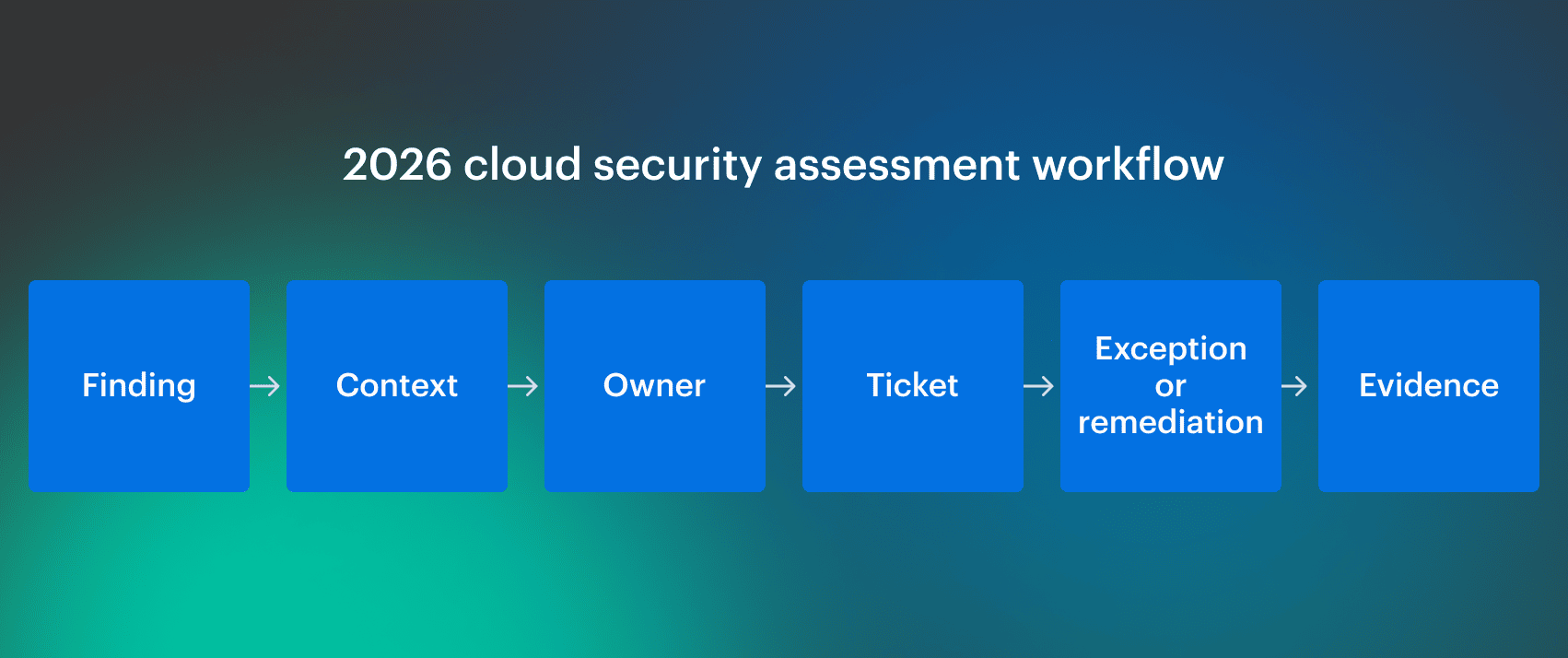 For 2026, the useful distinction is not “does the tool scan?” Almost every tool scans. The better question is whether the platform can explain why a finding matters in a live environment and prove what happened after the finding was created.
Cloud security assessment tools vs. CSPM, CNAPP, CIEM, and CWPP
Cloud security assessment tools overlap with several cloud security categories because assessment is a workflow, not a single product type. The same platform may include CSPM, CNAPP, CIEM, or SIEM-adjacent capabilities depending on how it discovers risk, prioritizes findings, and supports remediation.
- CSPM. Cloud Security Posture Management finds cloud misconfigurations and posture gaps across accounts, subscriptions, projects, and services. It is the core assessment layer for cloud configuration, benchmark checks, and compliance controls.
- CNAPP. Cloud-Native Application Protection Platform combines posture, workload, identity, vulnerability, IaC, container, and runtime security in one platform. It is a broader category that often includes cloud security assessment features, especially when the tool connects misconfigurations, exposure, vulnerabilities, and identity paths.
- CIEM. Cloud Infrastructure Entitlement Management analyzes cloud identities, permissions, entitlements, roles, service accounts, and privilege paths. It matters for assessment because excessive access and non-human identities are now a major source of cloud risk.
- CWPP. Cloud Workload Protection Platform protects workloads such as VMs, containers, and server workloads. It adds runtime and workload context to assessment findings, so teams can understand whether a posture issue affects an active workload or just another abandoned resource nobody admits owning.
- KSPM. Kubernetes Security Posture Management checks Kubernetes configuration, workloads, clusters, RBAC, network policies, and control-plane settings. It is needed when cloud assessment includes managed Kubernetes services such as EKS, AKS, and GKE.
- DSPM. Data Security Posture Management discovers sensitive data exposure, risky access paths, and data-store misconfigurations. It is useful when the assessment has to show where sensitive data lives, who can reach it, and whether the surrounding controls are actually working.
- SIEM. Security Information and Event Management correlates logs, alerts, and security events across systems. It is not usually a cloud security assessment tool by itself, but it often receives assessment signals for SOC workflows, investigation, and incident response.
Note: This article evaluates tools by assessment value, not by vendor label. If a CNAPP platform helps a team discover assets, evaluate posture, identify identity risk, prioritize exposure, map compliance, and route remediation, it belongs in the comparison. If a tool only deploys infrastructure or checks code before deployment, it belongs in a different article.
Read also: Healthcare Data Security Challenges. The 4 Biggest Threats Facing Hospitals and Health Plans in 2026
Cloud security assessment tools vs. cloud security assessment services
Cloud security assessment tools continuously inspect cloud environments. Cloud security assessment services are expert-led engagements where consultants review architecture, configuration, policies, risks, and remediation priorities.
| Question | Tool | Service |
|---|---|---|
| Can it run continuously? | Yes | Usually no |
| Can it inspect live drift? | Yes | Only during the engagement unless paired with tooling |
| Can it produce independent expert review? | Limited | Yes |
| Can it connect findings to tickets and owners? | Strong tools can | Depends on the provider |
| Best fit | Ongoing posture, evidence, operational remediation | Baseline review, audit preparation, architecture validation, external assurance |
Most enterprise teams need both, but not for the same job. A service can tell you that the operating model is weak. A tool has to keep proving that the operating model is working after the consultants leave and the cloud estate immediately starts mutating again, because that is what infrastructure does when nobody watches it.
Types of cloud security assessment tools
“Cloud security assessment” can mean a configuration scan, a full CNAPP rollout, a compliance evidence workflow, or a SOC enrichment pipeline. We focus on tools that assess live cloud posture and help teams prioritize and route findings.
Commercial cloud security assessment platforms
Commercial cloud security assessment platforms are usually the better fit when the program needs recurring scans, normalized asset inventory, compliance reporting, workflow routing, support, and executive-readable outputs.
Buyers usually switch tools because the old platform failed in one of four places: weak context, weak prioritization, weak ownership routing, or weak evidence.
Open-source cloud security assessment tools
Open-source tools still matter for engineering-led checks, tactical audits, CI/CD validation, and transparent rule logic.
They are usually not a full replacement for commercial platforms in enterprise environments because evidence workflow, ownership mapping, exception lifecycle, support, and multi-cloud normalization still have to be built or maintained internally.
| Open-source fit | Where it usually breaks |
|---|---|
| Fast tactical checks | No central evidence workflow |
| Transparent rule logic | Limited executive reporting |
| Engineering-owned audits | Weak ownership mapping across business units |
| CI/CD or local validation | Limited exception lifecycle |
| Cost-sensitive teams | Support and maintenance stay internal |
A practical split is to use open-source tools for engineering validation and commercial platforms for continuous assessment, reporting, ownership, and audit workflow.
Cloud security assessment service market in 2026
The cloud security assessment service market is moving away from point-in-time posture reviews and toward continuous assessment workflows. Services still matter for architecture review, audit readiness, breach-prevention work, and board-level validation, but the control layer is increasingly software-driven.
Several market signals explain why buyers are evaluating tools and services together in 2026.
- CNAPPs are the fastest-growing segment, boasting growth rates of nearly 14.6% as businesses move away from piecemeal security tools. Marketsandmarkets
- Cloud assessment is becoming part of day-to-day security operations, not a quarterly audit artifact someone exports before compliance asks uncomfortable questions. Marketsandmarkets
- Services are expected to be the fastest-growing segment of the cloud security market, driven by cloud complexity, continuous monitoring, threat detection, consulting, and compliance management. Tools still need human review, but scanning and evidence collection have to run continuously. Marketsandmarkets
- 81% of businesses experienced at least one cloud security incident in the last year. Assessment tooling therefore has to catch exposed assets, weak identity paths, misconfigurations, and vulnerable workloads before they become incident-response work. Sentinelone
- Enterprises use more than 35 security monitoring tools on average, which creates visibility gaps across fragmented multi-cloud environments. Sentinelone
This creates different buying pressure by team type:
- SMB IT leads need fast onboarding and clear pricing
- Cloud ops generalists need dashboards and prioritization
- Junior security engineers need concrete findings and remediation guidance
- Enterprise teams need evidence, ownership, integration, and exception handling
How to choose a cloud security assessment tool
Start with the failure mode you are trying to fix. If the current tool already scans the environment, do not buy another scanner with a cleaner demo.
Before comparing vendors, check these criteria:
- Cloud coverage. The tool should assess the environments you actually run, not the environments the vendor demo prefers. For most teams, that means AWS, Azure, GCP, Kubernetes, and sometimes Oracle Cloud, VMware, or SaaS inventory.
- Asset context. Findings should connect to real assets, not just cloud resource IDs. Look for owner, application, environment, business unit, region, account, subscription, project, tags, and dependency context.
- Risk prioritization. Severity alone is not enough. A useful tool should consider exposure, identity paths, workload criticality, known vulnerabilities, internet reachability, production impact, and whether the issue affects a real service or just another abandoned resource quietly rotting in the account.
- Identity assessment. Check whether the platform can evaluate users, roles, service accounts, permissions, excessive privileges, and non-human identities. This matters more in 2026 because automation and AI workflows keep adding machine access paths that nobody wants to review manually, shockingly.
- Compliance and evidence. The tool should map findings to frameworks such as CIS Benchmarks, NIST, PCI DSS, HIPAA, SOC 2, ISO 27001, ISO 27017, GDPR, and FedRAMP where relevant. Framework logos on a pricing page do not count; ask to see control-level evidence, export options, ticket history, approvals, and remediation proof.
- Remediation workflow. Findings should route into the systems engineers already use, such as Jira, ServiceNow, PagerDuty, Slack, email, SIEM, or GRC workflows. A dashboard nobody opens is not remediation. Check whether exceptions include reason codes, expiration dates, approvers, affected scope, and review history instead of becoming a permanent hiding place for risk.
- Switching cost. If you are replacing an existing tool, test migration friction directly: integrations, existing tickets, compliance reports, exception history, policy mappings, ownership data, pricing model, and review feedback from G2, Capterra, TrustRadius, or Gartner Peer Insights.
Read also: How to Perform a Cloud Security Risk Assessment in 2026
Cloudaware
Gartner: ★★★★★ 5/5
Trial days: 30 days
Best for: multi-cloud security, compliance, and platform teams that need cloud assessment findings tied to CMDB context, ownership, remediation workflow, and audit evidence.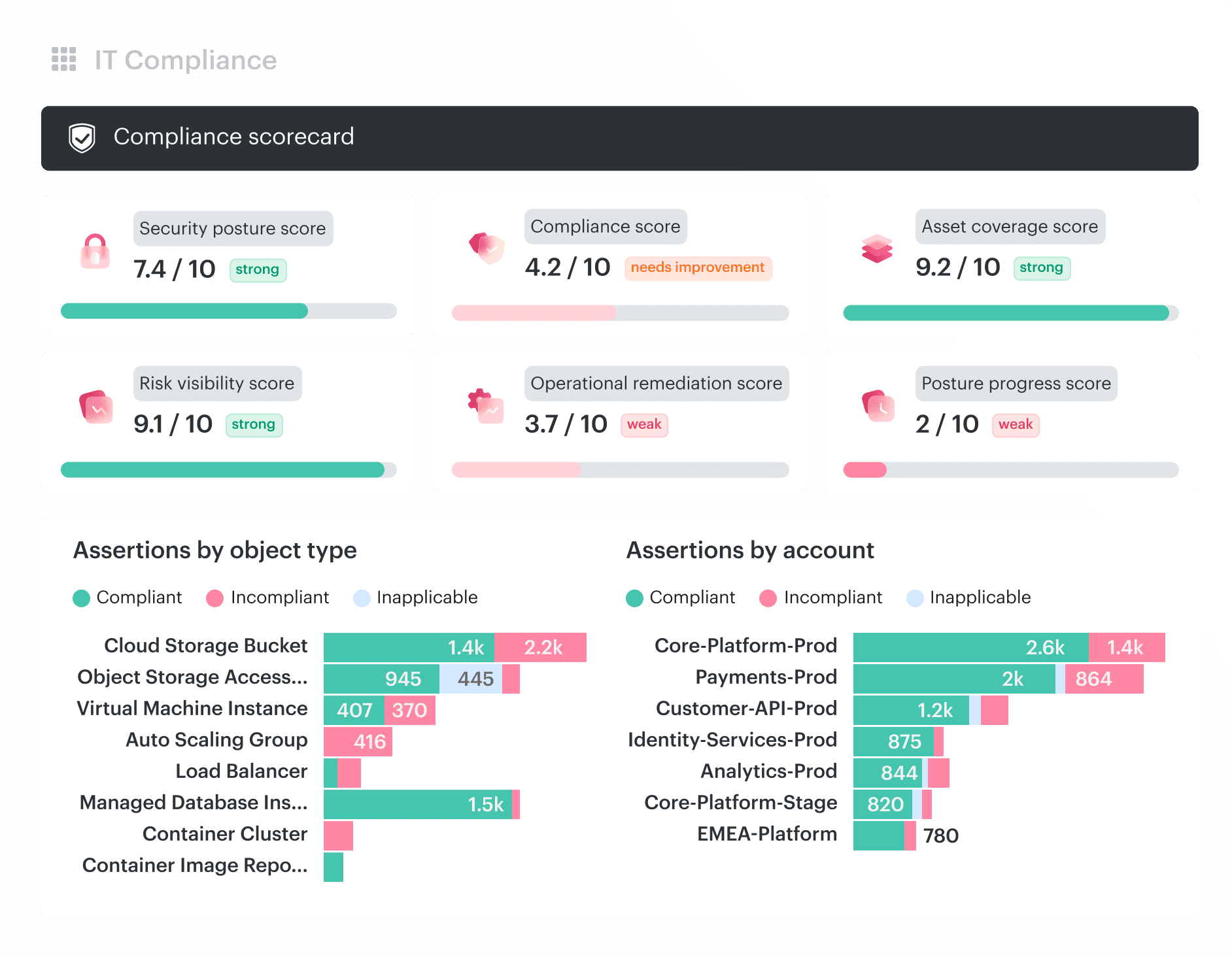 Cloudaware enriches cloud security assessment with CMDB context. It discovers cloud, on-prem, and hybrid assets, normalizes them, evaluates them against 550+ pre-built security and compliance policies, and connects findings to ownership, remediation workflows, and audit evidence.
It fits teams assessing cloud, on-prem, and hybrid assets where posture findings cannot stay isolated from inventory, ownership, and compliance context. The platform supports CSPM, vulnerability management, SIEM log enrichment, and IT Compliance workflows, so assessment output can move into tickets, evidence, dashboards, and audit review.
Assessment tools inside Cloudaware
- Multi-cloud CMDB: Auto-discovers and normalizes assets across AWS, Azure, GCP, Oracle, Alibaba, VMware, SaaS, and connected environments, giving assessment findings a real asset layer instead of only provider-native resource IDs.
- CSPM policies: Evaluates cloud security controls using detailed CMDB configuration data so that findings can be tied to cloud objects, accounts, subscriptions, projects, owners, and environments.
- CIS Benchmarks: Supports benchmark-based assessment through Cloudaware’s Compliance Engine documentation, including a dedicated CIS Benchmarks section.
- Custom policy requests: Lets teams request custom Compliance Engine policies with policy details, evaluation logic, violation details, and test objects.
- Vulnerability management workflows: Contextualize vulnerabilities with CMDB data, helping teams assign findings to the right owner, initiative, or remediation task rather than treating CVEs as a flat list.
- SIEM enrichment: Enhances cloud service logs with CMDB attributes, which helps SOC teams investigate events with asset, owner, and environment context.
- Evidence collection: IT Compliance automates evidence collection and assessment, reducing the manual work of rebuilding screenshots, exports, and proof before audits.
- Remediation routing: Cloudaware supports operational handoff through integrations such as Jira and PagerDuty, making assessment findings part of existing engineering workflows.
- Exception handling: Use Cloudaware policy and violation workflows to separate accepted or out-of-scope findings from active remediation queues.
Cloudaware pricing
Cloudaware offers a 30-day free trial and a public pricing calculator. The pricing page shows a starting example of $200/month, including capacity for up to 25,000 configuration items, with estimates starting at 50 servers.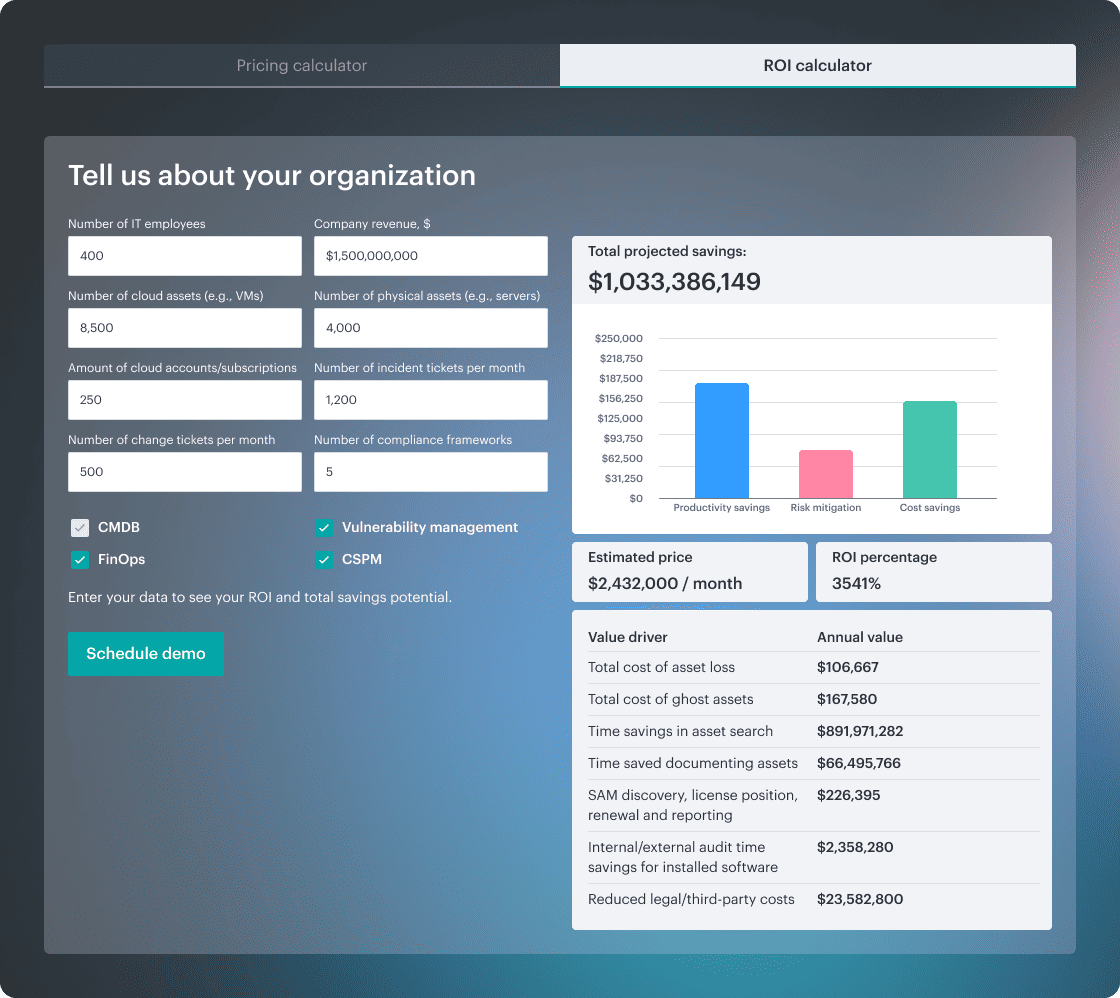 The ROI calculator lets buyers model projected savings using inputs such as organization size, asset volume, ticket volume, compliance scope, and selected modules, including CMDB, Vulnerability Management, Software Asset Management, FinOps, and CSPM.
Check Cloudaware’s value for your company now
Pros and cons
✅ “Strong CMDB integration, connecting findings to real assets, applications, owners, and environments.” G2
✅ “We use CloudAware for real-time security audits and ensuring our cloud resources stay compliant with industry standards, and an added benefit is its multi-cloud visibility in our dashboard.” AWS Marketplace
✅ “Anywhere that it has lacked functionality, the vendor has taken it and implemented it into the product. One of the best support teams for any of our SaaS products.” Gartner
⚠️ “Steeper learning curve for new users due to data depth.” G2
⚠️ “Pricing may feel high for small teams with large numbers of minor CIs.” G2
Wiz
G2: ★★★★☆ 4,7/5
Trial days: demo-based
Best for: agentless CNAPP assessment and cloud risk graph visibility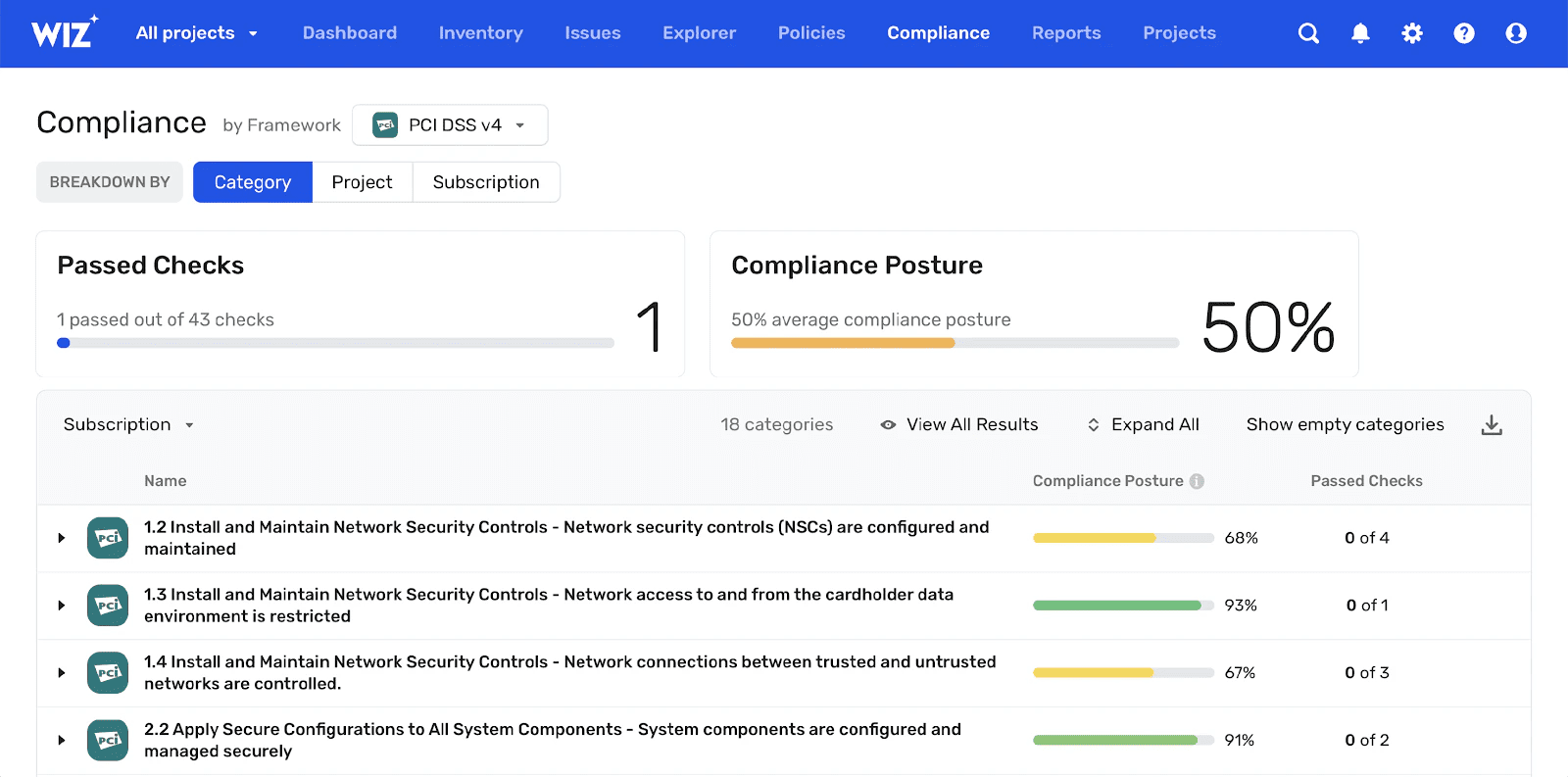 Image source.
Wiz is built around agentless discovery and graph-based risk prioritization. It is strongest when a team needs to connect misconfigurations, vulnerabilities, public exposure, identity paths, sensitive data, and attack paths into one cloud risk view.
For assessment buyers, Wiz is a good fit when fast onboarding and broad CNAPP visibility matter more than deep CMDB ownership or audit-evidence workflows.
Wiz features
- Agentless scanning: Connects through API connectors to inventory cloud and AI environments without deploying agents everywhere.
- CSPM/CNAPP: Covers cloud posture, vulnerability management, CIEM, container and Kubernetes security, DSPM, compliance, cloud workload protection, IaC scanning, and AI security.
- Attack-path analysis: Uses Wiz Security Graph to show how exposures, identities, vulnerabilities, and configurations combine into breach paths.
- Vulnerability prioritization: Adds cloud context to vulnerabilities across VMs, serverless, containers, and appliances.
- Identity and data context: Includes CIEM and DSPM coverage for permissions, entitlement risk, sensitive data, and data exposure.
Wiz pricing
Wiz pricing does not publish a flat public price. Its pricing page uses a request flow and says licensing is modular, scaling with workloads, active developers, log ingestion, or sensors.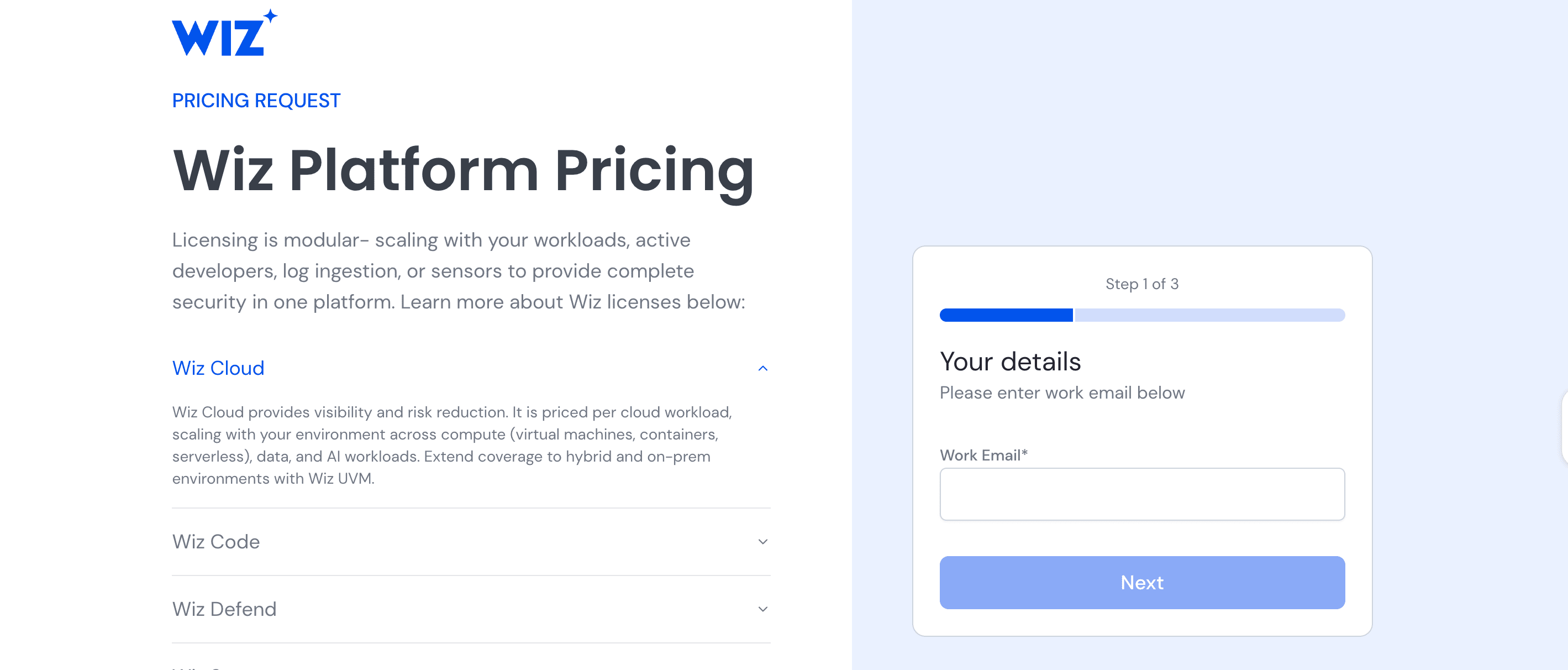 Wiz lists separate license areas such as Wiz Cloud, Wiz Code, Wiz Defend, Wiz Sensor, and Wiz Go Bundle for SMBs.
Pros and cons
✅ “Agentless, quick to set up, no headaches.” G2
✅ “The platform is intuitive, scales well, and provides strong executive-level visibility into cloud risk.” G2
✅⚠️ “That's a great combo for vuln management, but has some downsides like delays between scans and cloud costs.” Reddit
⚠️ “Licensing for WIZ Cloud and WIZ Code is the weak spot - it's rigid and not transparent enough, and figuring out what you actually need (and what it'll cost) takes more effort than it should.” G2
⚠️ “It can sometimes be hard to understand what new features I should be exploring.” G2
Read also: Cloud Security Assessment: Methodology, Checklist, Best Practices, and Remediation
CrowdStrike Falcon Cloud Security
Gartner: ★★★★☆ 4.7/5
Trial days: 15 days
Best for: teams that want cloud assessment tied to workload, runtime, and threat detection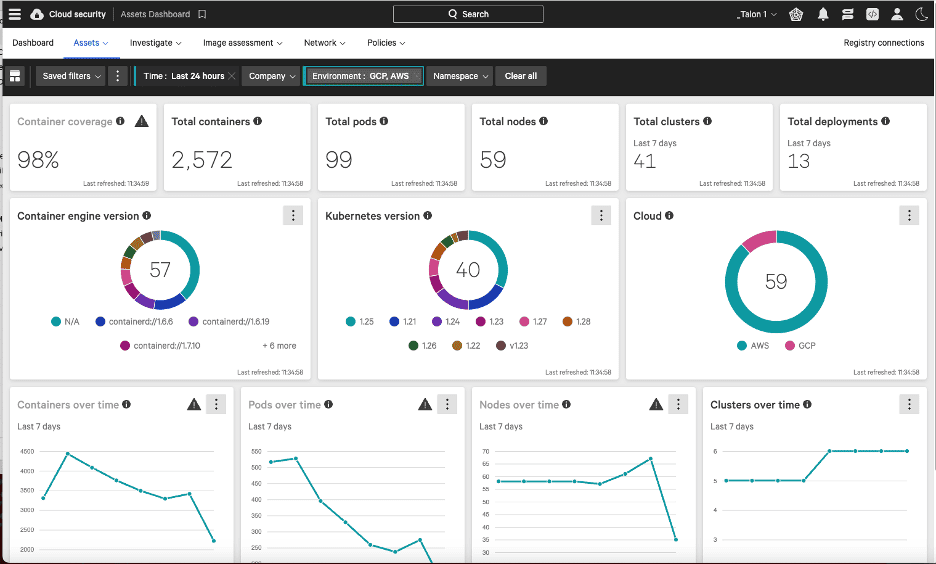 Image source.
CrowdStrike Falcon Cloud Security is strongest when cloud assessment needs to stay close to runtime defense and SecOps workflows. It is not just a posture tool; it sits inside the broader Falcon platform, where cloud findings can connect with workload protection, container security, Kubernetes posture, vulnerability prioritization, and threat detection.
It is a better fit for teams already standardized on CrowdStrike or security operations teams that do not want posture findings separated from runtime signals.
CrowdStrike Falcon Cloud Security features
- CNAPP/CSPM: Covers cloud posture and cloud-native application risk.
- Cloud workload protection: Connects assessment findings to runtime workload protection.
- Container and Kubernetes security: Supports container, image, and Kubernetes posture use cases.
- Vulnerability prioritization: Prioritizes cloud risks using exposure and adversary context.
- Threat detection: Brings cloud detection and response into the Falcon platform.
CrowdStrike Falcon Cloud Security pricing
CrowdStrike pricing varies by Falcon modules, cloud workload coverage, runtime protection, and deployment size.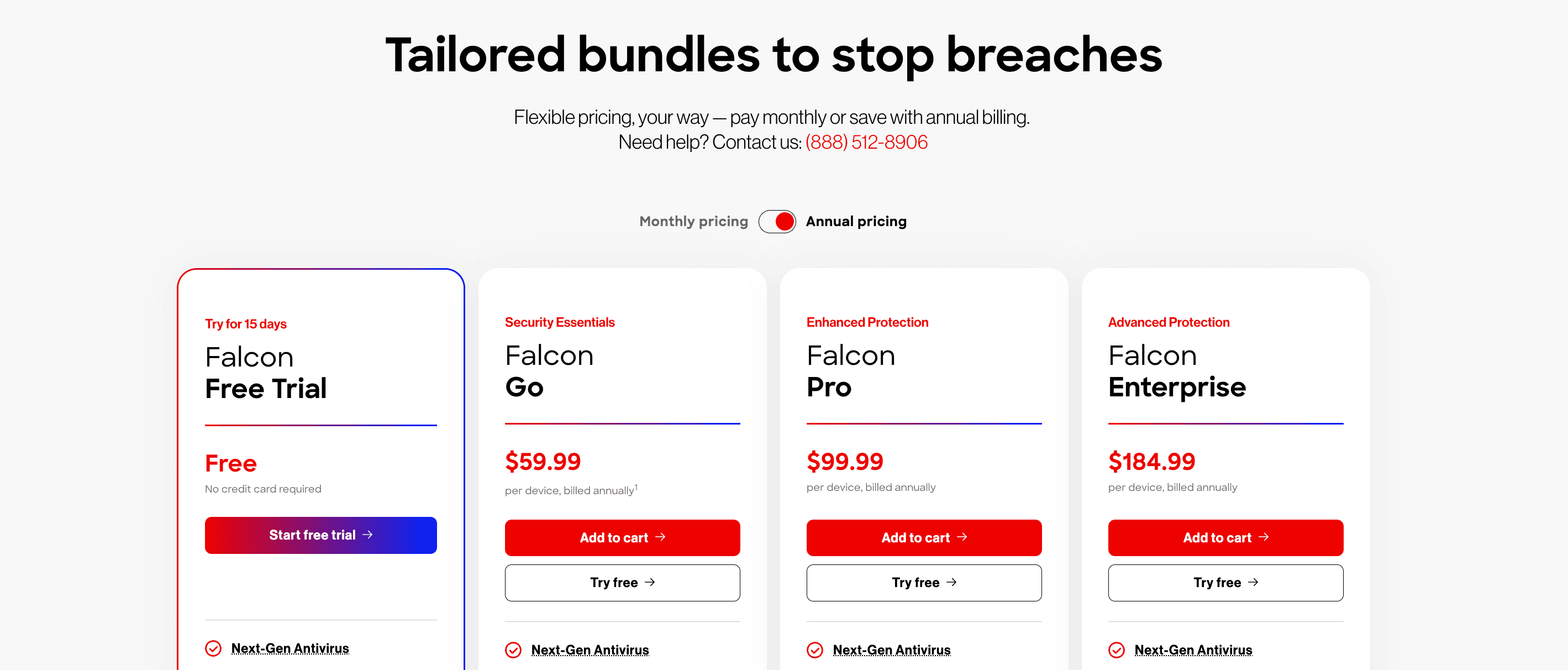
CrowdStrike Falcon Cloud Security pros and cons
✅ “Falcon has reduced manual workload for my team and shifted us from reactive to proactive security.” Gartner
✅ “As with any Crowdstrike product, you get a UI/UX experience that is easy to manage, and not insane to look at.” AWS Marketplace
⚠️“Primary challenge is the Total Cost of Ownership when scaling advanced features across a large, complex environment, which can be a significant budgetary consideration for mid-to-large teams.” Gartner
⚠️“CrowdStrike’s integration between runtime, CSPM, and container modules is decent, but not seamless.” Reddit
Read also: How to Conduct a Cloud Security Assessment: A Step-by-Step Guide
Orca Security
Gartner: ★★★★☆ 4.6/5
Trial days: not available
Best for: agentless cloud security assessment with strong risk prioritization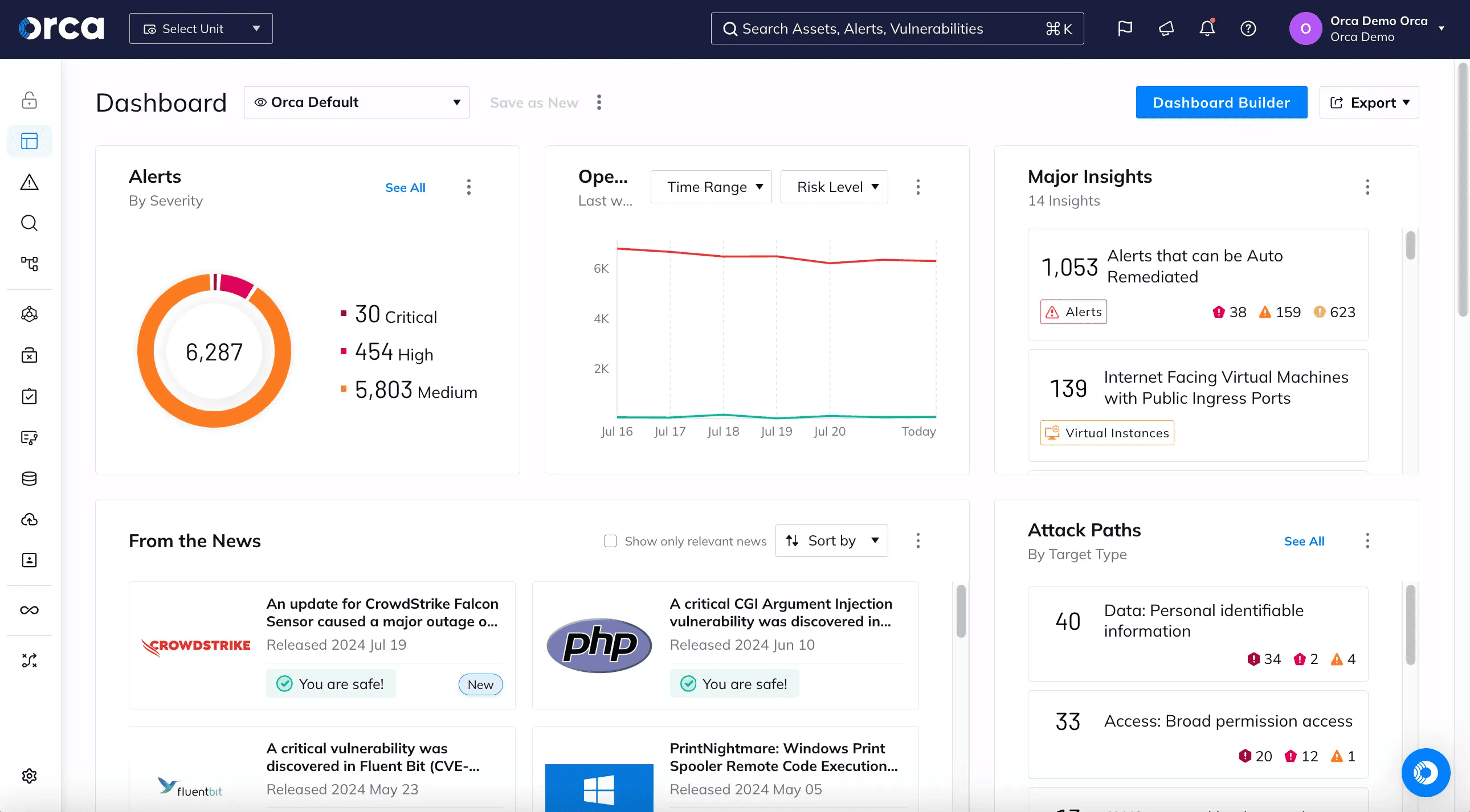 Image source.
Orca Security is an agentless CNAPP platform for teams that want broad cloud visibility without deploying agents across every workload. Its assessment value is strongest in environments where inventory, exposure, identity risk, workload context, vulnerabilities, and compliance findings need to be prioritized together.
Orca is most useful when flat alert lists have stopped working and the team needs attack-path context to decide what should be fixed first.
Orca Security features
- Agentless scanning: Uses Orca SideScanning technology to scan cloud estates without agent-first deployment.
- CSPM/CNAPP: Covers posture, workload, identity, data, vulnerability, API, compliance, and application security use cases.
- Attack paths: Surfaces risks based on cloud context and business impact.
- Vulnerability prioritization: Prioritizes the risks that matter instead of flooding teams with raw findings.
- Container and Kubernetes coverage: Includes container, image, and Kubernetes security.
- Compliance reporting: Supports multi-cloud compliance and custom checks.
Orca Security pricing
Orca pricing is based on cloud assets, workloads, accounts, enabled modules, or deployment scale.
According to Vendr, estimated ranges for annual contracts include:
- Small Deployments (500–2,000 workloads): $50,000-$150,000per year.
- Mid-Market Deployments (2,000–10,000 workloads): $150,000-$500,000 per year.
- Enterprise Deployments (10,000+ workloads): $500,000+ per year.
Orca Security pros and cons
✅ “I like the agentless architecture of this platform as it makes deployment faster and less complex.” Gartner
✅ “We get very good visibility into stopped machines, orphaned snapshots and running instances without having to worry about things like maintaining agents.” Gartner
⚠️ ”Reporting is not very customisable, therefore we had to find a workaround for executive reports.” Gartner
⚠️ “Query language took me longer than it should have to get comfortable with, ended up bugging our CSM more than I wanted to early on.” Reddit
Read also: Cloud Security Threats in 2026. Top Risks & How to Defend
Tenable Cloud Security
Gartner: ★★★★☆ 4.7/5
Trial days: demo-based
Best for: exposure-management teams extending vulnerability programs into cloud assessment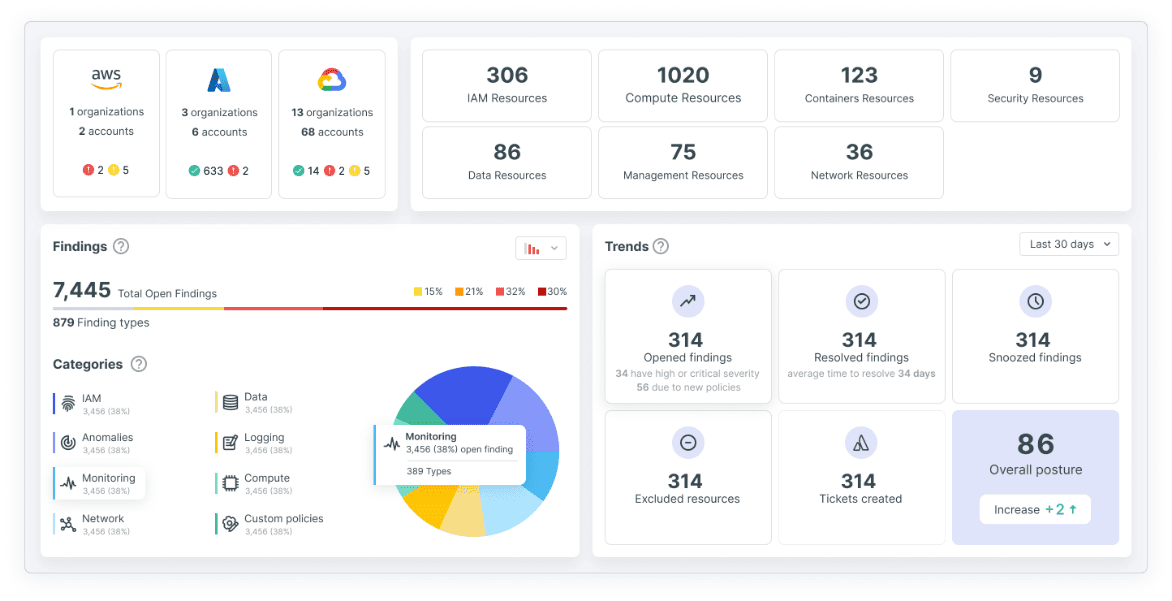 Image source.
Tenable Cloud Security fits teams that already operate around exposure management. Its value is strongest when cloud posture findings need to be analyzed alongside vulnerabilities, identities, workload risk, sensitive data exposure, and AI/cloud asset context.
It is especially relevant when the organization already uses Tenable for vulnerability management and wants a cloud security assessment to feed the same exposure model.
Tenable Cloud Security features
- CSPM: Discovers assets, detects misconfigurations, and supports continuous cloud posture management.
- CIEM: Evaluates cloud identity risk, access paths, least privilege, and standing privileges.
- Exposure management: Correlates cloud risks to show toxic combinations across misconfigurations, vulnerabilities, identities, and sensitive data.
- Workload protection: Covers containers, Kubernetes, serverless, and build-to-runtime vulnerability context.
- DSPM: Discovers sensitive data and AI assets across multi-cloud environments.
Tenable Cloud Security pricing
Tenable does not publish a flat public price for Tenable Cloud Security.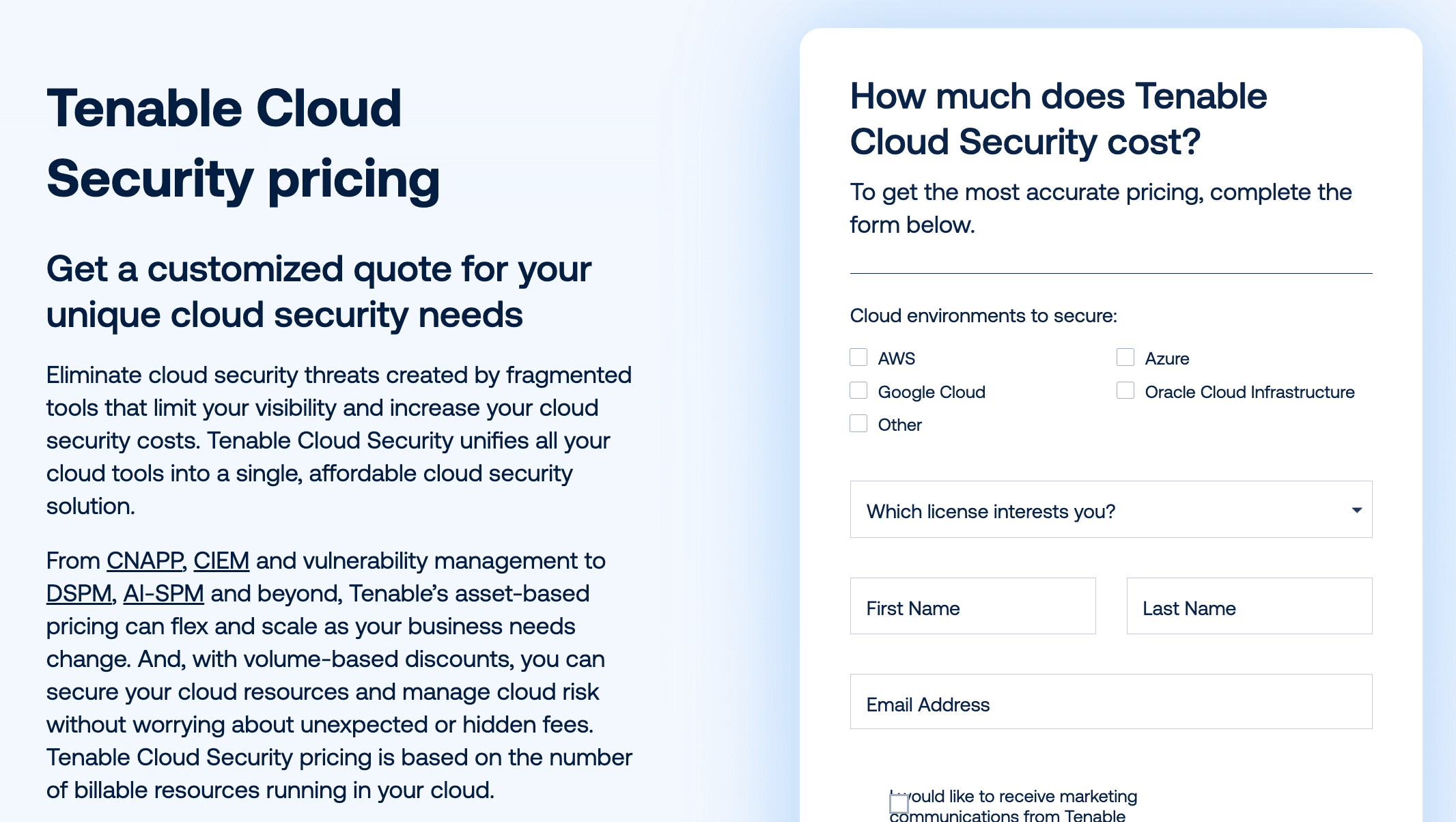 For example, Tenable Vulnerability Management is shown as an annual subscription starting at $3,500 for 100 assets in one pricing widget, while another Tenable pricing section shows $3,700 for up to 250 assets.
Tenable Cloud Security pros and cons
✅ “It's very easy to view errors in permissions or roles assigned to users in cloud environments, regardless of the cloud provider.” Gartner
✅ “I appreciate how straightforward the console is when it comes to managing policies and templates.” G2
⚠️ “Some users report that the alerts findings include too many low priority items and that the system needs manual tuning to avoid being overwhelmed.” G2
⚠️ “Pricing may be a consideration for smaller teams, as the cost can add up when scaling” G2
Read also: Popular DevSecOps Frameworks for Cloud Security in 2026
Datadog Cloud Security Management
Gartner: ★★★★☆ 4.2/5
Trial days: 14 days
Best for: teams already using Datadog for observability and wanting cloud assessment in the same operating console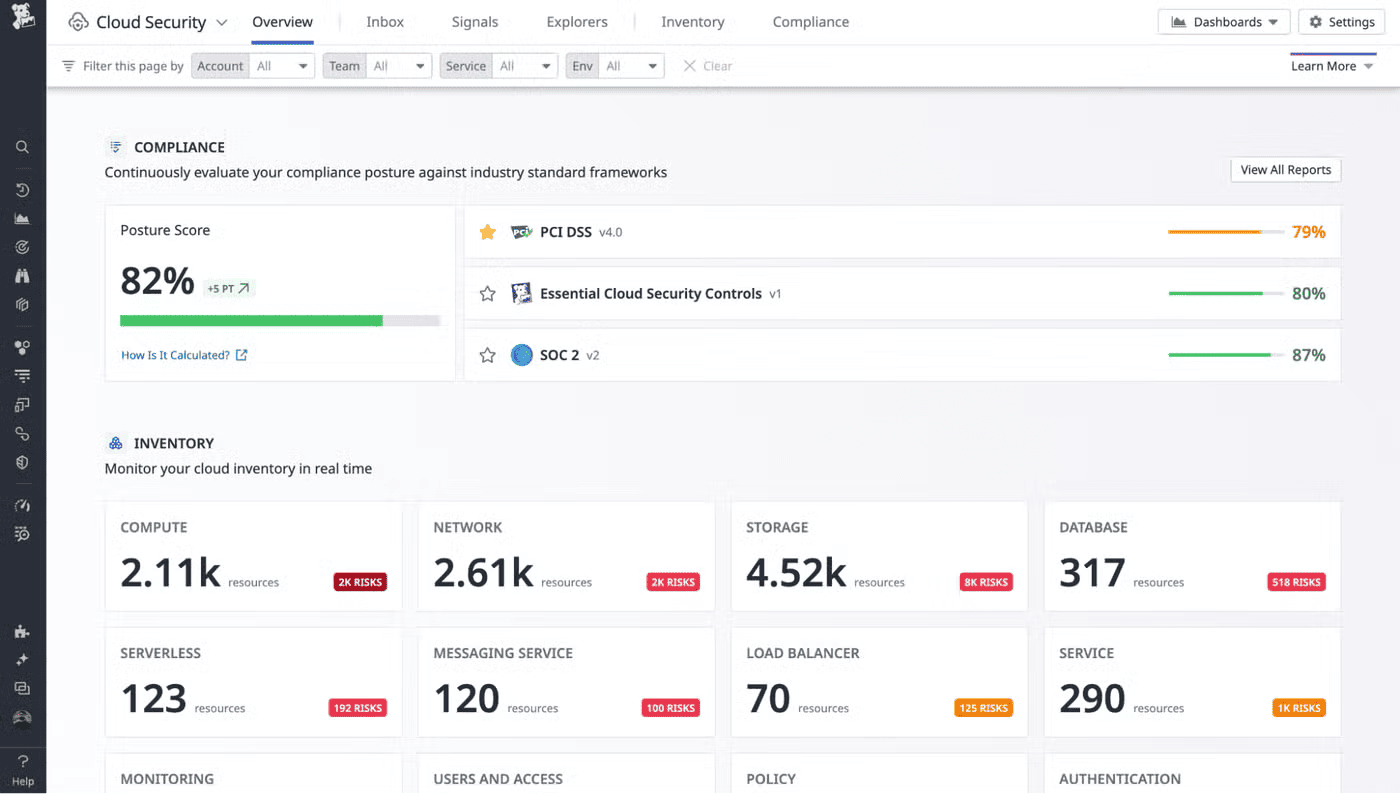 Image source.
Datadog Cloud Security Management is strongest for teams that already run infrastructure, logs, APM, container monitoring, Kubernetes, or incident workflows in Datadog. Its assessment value comes from putting posture, vulnerability, compliance, entitlement, workload, and SIEM-adjacent signals near the telemetry engineers already use.
It is less of a standalone compliance-evidence platform and more of an operational security layer inside an observability-heavy environment.
Datadog Cloud Security Management features
- CSPM: Detects misconfigurations and cloud posture issues.
- CIEM: Covers entitlement and permission risk through Datadog’s cloud security product set.
- Vulnerability management: Connects infrastructure and workload context to vulnerabilities.
- Compliance: Supports compliance monitoring and benchmark-oriented posture checks.
- Workload protection: Adds runtime workload signals for threat and workload context.
Datadog Cloud Security Management pricing
Datadog publishes public pricing for Cloud Security.
- CSM Pro starts at $10 per host, per month when billed annually, or $12 on-demand.
- CSM Enterprise starts at $25 per host, per month when billed annually, or $30 on-demand.
- Cloud SIEM has its own pricing model based on events analyzed and ingested or scanned GB.
Datadog Cloud Security Management pros and cons
✅ “It allows us to seamlessly integrate our cloud security posture directly into our observability platform.” Gartner
✅ “Datadog’s security tools are effective if you’re already using their platform, offering good integration between observability and protection.” Reddit
⚠️ “Some of the queries on the dashboards seems inaccurate sometimes, it can be quite difficult to create graphs for the dashboards.” Gartner
⚠️ “Pricing transparency can be difficult at times, especially for newer products or services.” Gartner
Check Point CloudGuard
G2: ★★★★☆ 4.4/5
Trial days: 30 days
Best for: cloud posture assessment with security-policy and network-security governance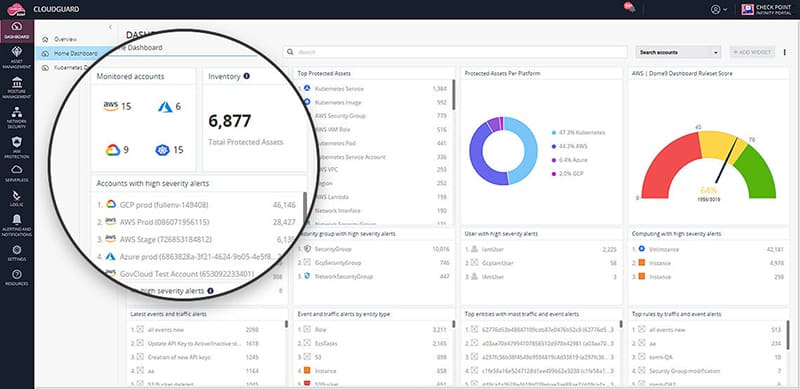 Image source.
Check Point CloudGuard is a better fit when cloud assessment has to connect posture, workload, application, and network-security controls. It sits inside Check Point’s broader prevention-first cloud security portfolio, so it is more relevant for teams that want posture assessment tied to enforcement.
It is especially useful for organizations already using Check Point security controls or teams evaluating cloud assessment alongside WAF, firewall, threat-prevention, and hybrid-cloud governance requirements.
Check Point CloudGuard features
- CSPM/CNAPP: Supports prevention-first cloud-native application protection.
- Cloud network security: Connects assessment with cloud firewalls, virtual WAN, and network-security capabilities.
- Workload protection: Covers cloud workloads across applications and infrastructure.
- Compliance checks: Supports posture and compliance-oriented cloud security evaluation.
- Threat prevention: Adds Check Point threat intelligence and prevention controls.
Check Point CloudGuard pricing
Check Point’s pricing can vary by licensing model, traffic volume, regions, throughput, add-ons, logging, storage, and high availability.
As an example, Check Point models a medium cloud firewall environment with 100 TB/month of inspected traffic at $3,227.50/month, or $38,750/year.
Check Point CloudGuard pros and cons
✅ “The benefits I have seen using it include reporting, the dashboard, and how it catches the logs.” AWS Marketplace
✅ “The real-time detection and low false positives make it reliable in production environments” G2
⚠️ “The UI is very slow, and getting the graph details on the security performance metrics is lagging.” AWS Marketplace
⚠️ “Also, dashboard sync delays sometimes occur across multi-cloud environments.” G2
Read also: Healthcare Data Security. A Multi-Cloud Guide to Protecting PHI in 2026
Lacework FortiCNAPP
G2: ★★★★☆ 4.4/5
Trial days: available
Best for: cloud assessment combined with anomaly detection and CNAPP coverage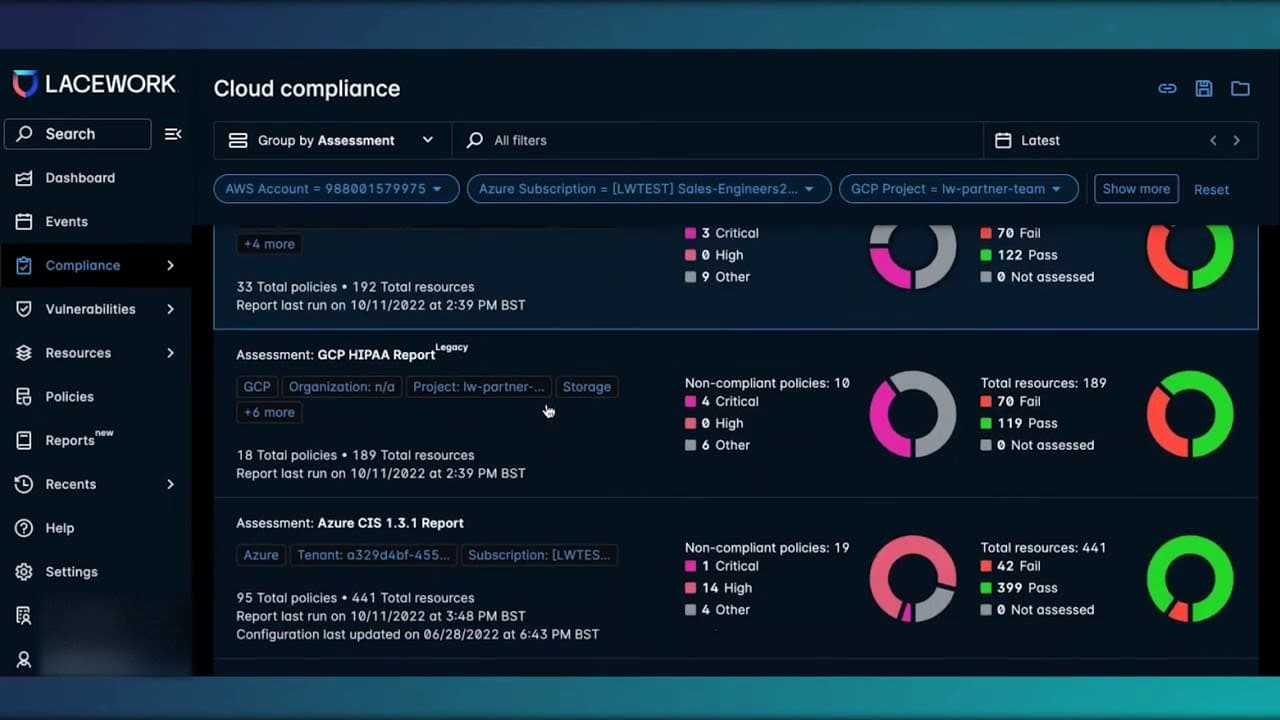 Lacework FortiCNAPP is Fortinet’s CNAPP platform built from Lacework technology and integrated into the Fortinet Security Fabric. It is strongest when cloud assessment needs to sit close to anomaly detection, workload security, vulnerability context, compliance, and Kubernetes/container coverage.
Its main distinction is detection-oriented CNAPP coverage rather than posture-only assessment. Buyers should verify current packaging carefully because product naming and licensing changed after Lacework moved into the Fortinet portfolio.
Lacework FortiCNAPP features
- CNAPP: Combines cloud-native protection capabilities across cloud posture, identities, workloads, code, Kubernetes, IaC, and detection.
- CSPM: Gives visibility into cloud resources, reduces misconfiguration risk, and supports continuous compliance.
- CIEM: Provides continuous visibility into cloud identities and helps reduce entitlement risk.
- Kubernetes security: Monitors Kubernetes environments for misconfigured services, abnormal behavior, and risky activity.
Lacework FortiCNAPP pricing
Fortinet’s Lacework FortiCNAPP uses a subscription-based pricing model primarily billed per protected vCPU or per developer, with starter packs starting at approximately $25,000 annually. Actual costs depend on your infrastructure size, deployment tier, and contract length.
Lacework FortiCNAPP pros and cons
✅ “The automation capabilities for compliance checks and policy enforcement are a strong point.” G2
✅ “What I like most about the product is the traceability it provides when detecting an incident.” Gartner
⚠️ “UI It is a bit complex, cost too expensive for our company, integrations only for Slack.” Gartner
⚠️ “Detection and alerting take quite a while, sometimes up to three hours to flag anomalies.” Gartner
Read also: How to Create a Cloud Security Policy in 8-Steps
Prisma Cloud by Palo Alto Networks
Gartner: ★★★★☆ 4.6/5
Trial days: 30 days
Best for: large enterprise CNAPP and compliance-heavy cloud security programs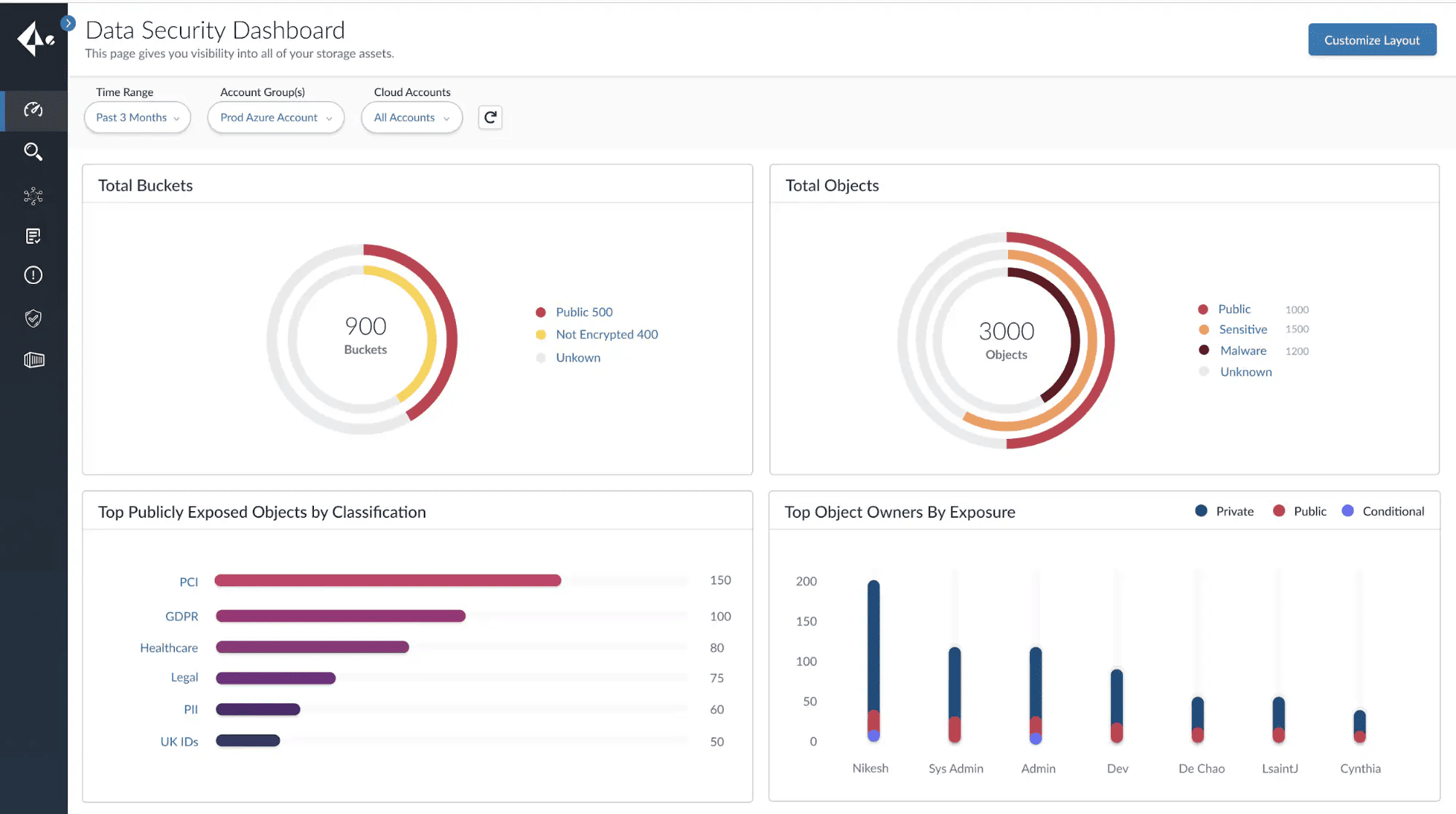 Image source.
Prisma Cloud is built for enterprise teams that need code-to-runtime cloud assessment rather than a narrow posture scanner. Its strongest fit is broad CNAPP depth across CSPM, CIEM, agentless workload scanning, IaC security, API visibility, container/Kubernetes security, runtime protection, and compliance workflows.
It works best when cloud assessment is part of a larger enterprise security program, especially in organizations already standardized on Palo Alto Networks.
Prisma Cloud features
- CSPM: Assesses cloud posture and misconfiguration risk.
- CNAPP: Covers code, infrastructure, runtime, and application lifecycle risk.
- CIEM: Evaluates cloud entitlements and identity risk.
- IaC scanning: Checks infrastructure-as-code before deployment.
- Container/Kubernetes security: Covers cloud-native workloads and orchestration.
Prisma Cloud pricing
Prisma Cloud uses custom enterprise pricing. Exact cost depends on deployment size, feature tiers, and negotiated discounts, but public marketplace examples and buyer reports often show deployments ranging from a few thousand dollars to $10,000+ per year.
Prisma Cloud pros and cons
✅ “Seamless integration of cloud-delivered security and networking.” G2
✅ “It ensures low-latency access and real-time threat prevention.” Gartner
⚠️ “The operational cost and complexity of operation are a penalty.” Gartner
⚠️ “Easy integration especially for existing Palo Alto customers, but could be a challenge in some environments.” G2
Read also: What Is a Cloud Security Policy? Components, Template & Management
Qualys TotalCloud
Gartner: ★★★★☆ 4.8/5
Trial days: 30 days
Best for: teams extending Qualys vulnerability and asset-risk workflows into cloud security assessment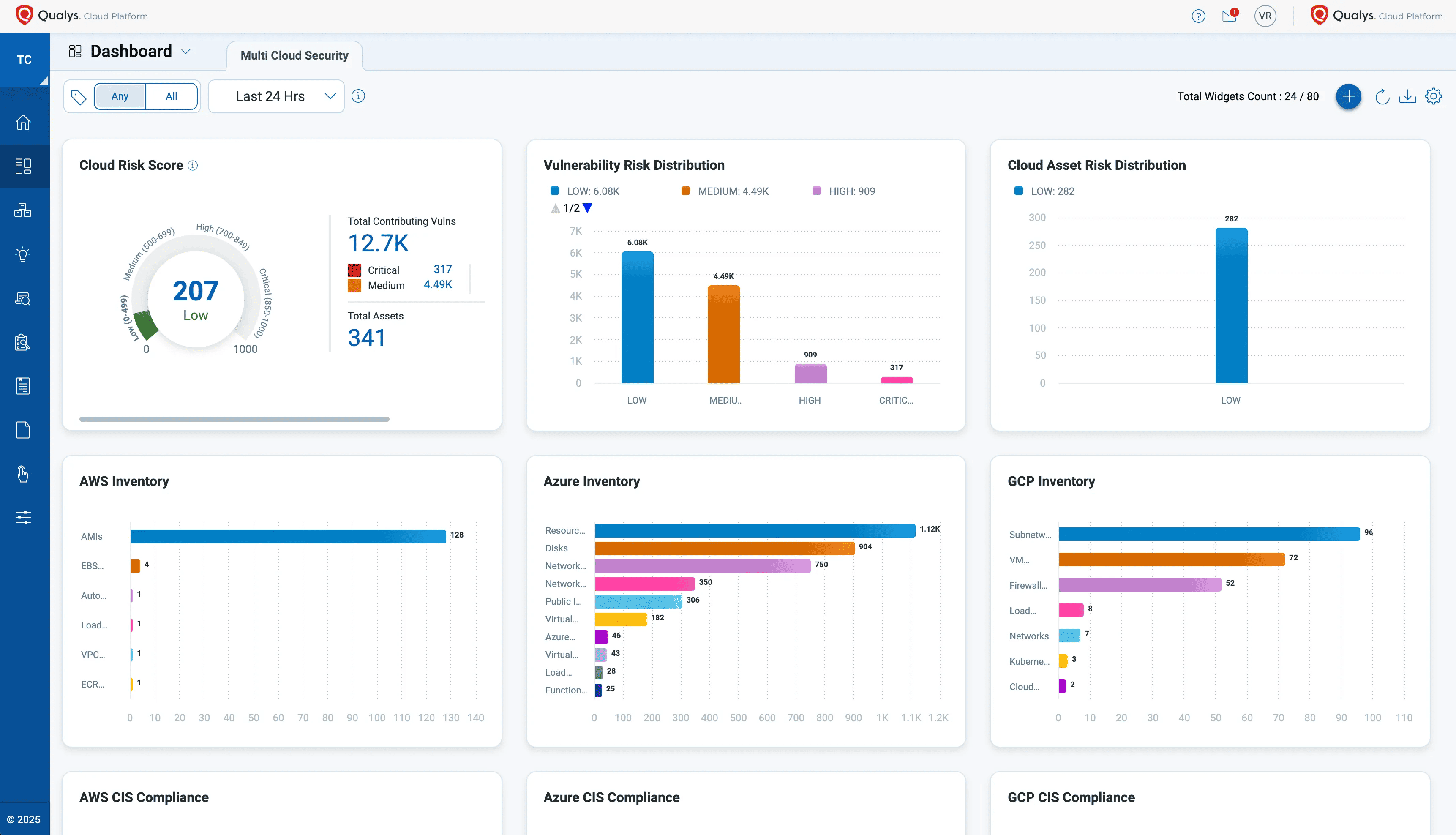 Image source.
Qualys TotalCloud is a CNAPP product inside the Qualys Enterprise TruRisk Platform. It is strongest when the security program already uses Qualys for vulnerability, compliance, asset inventory, or risk workflows and wants cloud assessment to feed the same model.
It is more relevant for mature security teams than for buyers looking for a lightweight posture scanner.
Qualys TotalCloud features
- Cloud asset inventory: Discovers cloud resources and connects them to the broader Qualys risk model.
- CSPM: Finds posture gaps and misconfigurations across cloud environments.
- Vulnerability management: Extends Qualys-style vulnerability workflows into cloud workloads.
- CIEM: Assesses cloud infrastructure entitlements and access risk.
Qualys TotalCloud pricing
Qualys does not publish a standard public price list for TotalCloud. Pricing requires a custom enterprise quote based on cloud infrastructure, number of assets, selected apps, and contract length.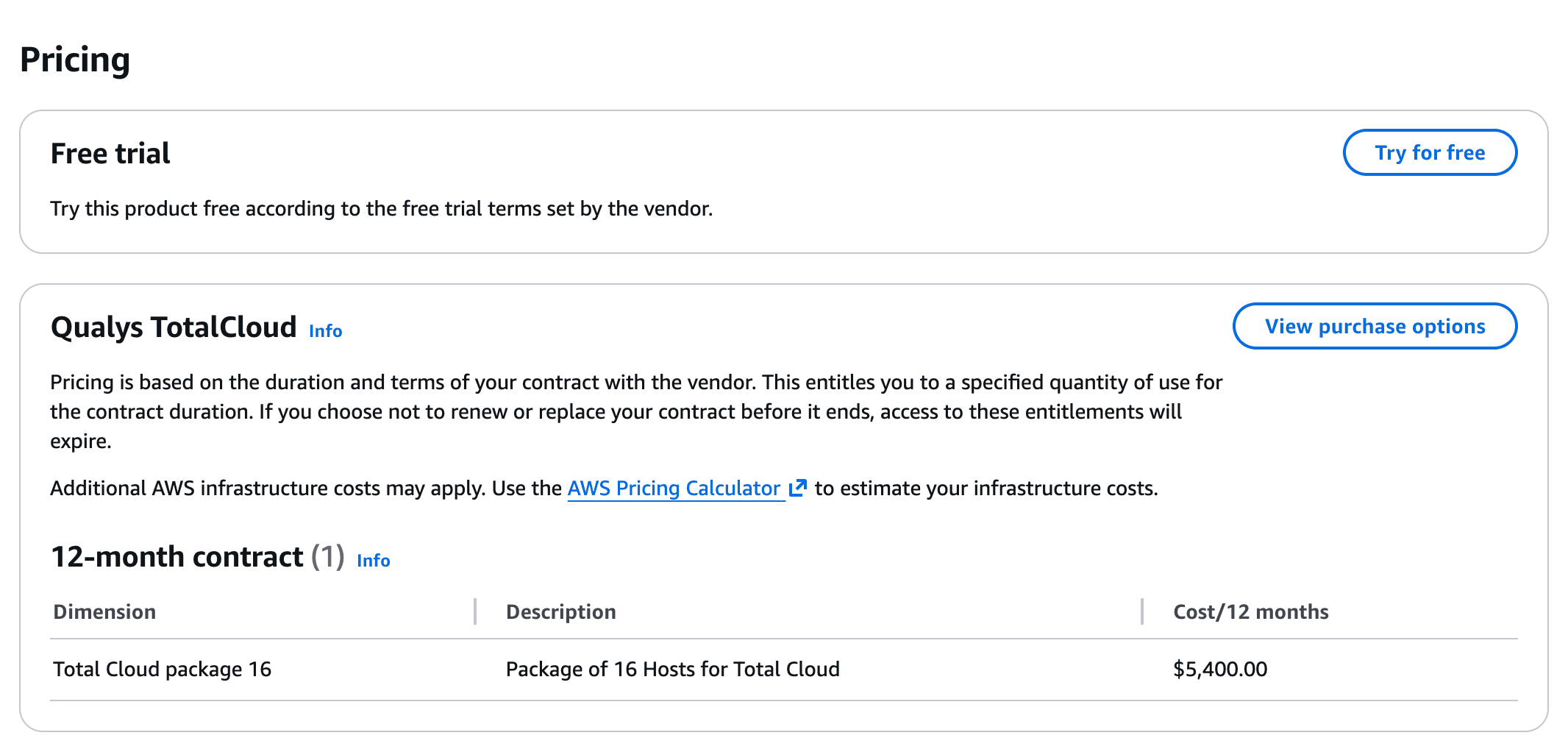 On AWS Marketplace, a 12-month contract for a "Total Cloud Package 16", covering 16 hosts, costs $5,400.00
Qualys TotalCloud pros and cons
✅ “FlexScan helps me run targeted, on-demand cloud security checks instead of waiting for full scheduled scans.” AWS Marketplace
✅ “It helps reduce the financial impact of security breaches.” Gartner
⚠️ “Automating remediation could be improved, as many tasks remain manual.” AWS Marketplace
⚠️ “Initial config and policy tuning is a bit complex.” Gartner
Read also: 10 Cloud Data Security Challenges That Slow Down Multi-Cloud Programs
Microsoft Defender for Cloud
G2: ★★★★☆ 4.4/5
Trial days: 30 days
Best for: Azure-first teams that need native cloud posture, Secure Score, and regulatory compliance dashboards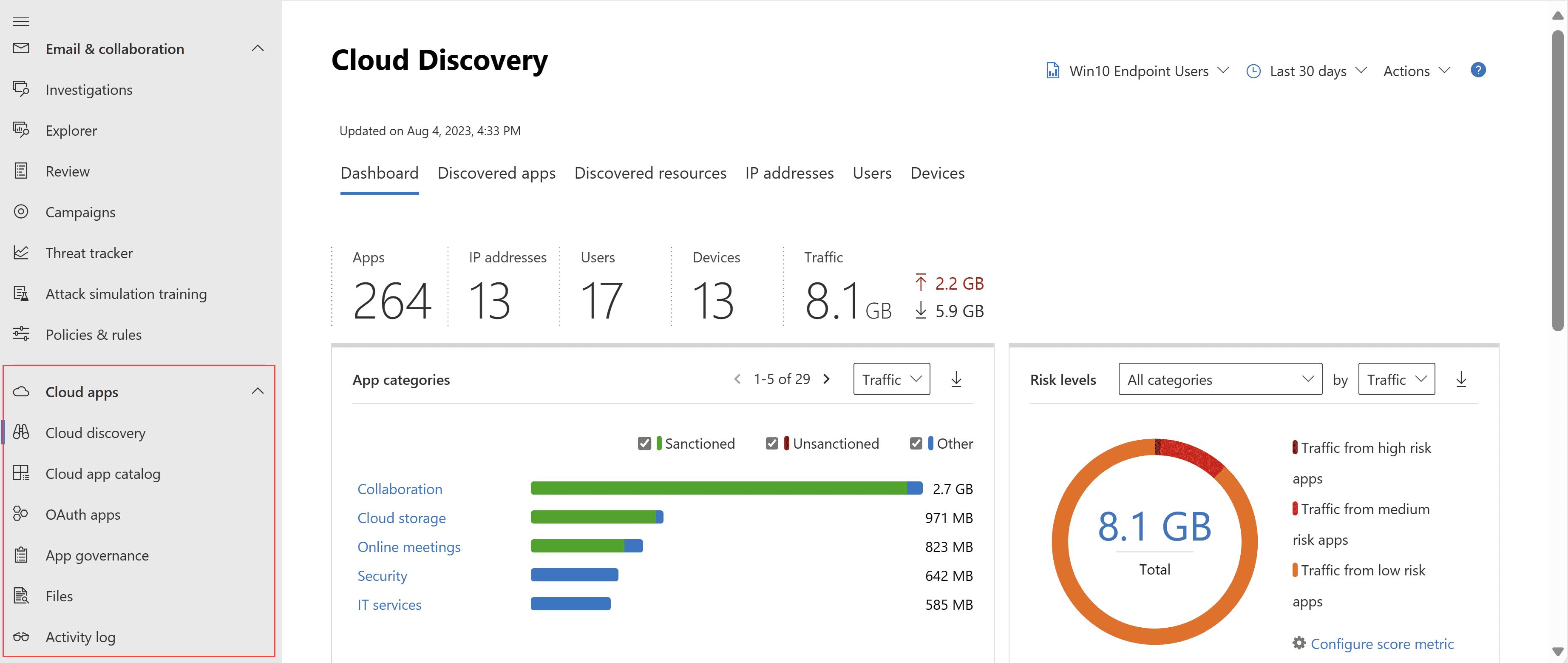 Image source.
Microsoft Defender for Cloud is the obvious first assessment layer for Azure-heavy environments. It provides posture management, contextual risk insights, threat detection, regulatory compliance, attack-path analysis, workload protection, and Microsoft-native integrations.
It can support AWS and GCP depending on configuration, but its best fit is still Azure-first teams that want assessment inside Microsoft security operations.
Microsoft Defender for Cloud features
- Secure Score: Provides a posture score and prioritized security recommendations.
- Foundational CSPM: Microsoft says foundational CSPM is free and includes continuous assessments, security recommendations, Secure Score, and the Microsoft cloud security benchmark across Azure, AWS, and GCP.
- Defender CSPM: Adds advanced posture capabilities such as agentless vulnerability scanning, attack-path analysis, data-aware security posture, code-to-cloud contextualization, and an intelligent cloud security graph.
- Workload protection: Adds Defender plans for servers, containers, databases, storage, APIs, app services, Key Vault, Resource Manager, and AI services depending on the enabled plan.
Microsoft Defender for Cloud pricing
Foundational CSPM is free. Defender CSPM pricing depends on cloud size and bills only for Server, Storage account, Database, and Serverless resource counts.
Workload protection is priced separately by protected resource type, such as servers, containers, databases, storage, APIs, AI services, and app services.
Microsoft Defender for Cloud pros and cons
✅ “It gives clear, actionable recommendations to improve security across Azure, hybrid, and even multi-cloud.” G2
✅ “The biggest strengths are the unified security visibility, native Azure integration, and actionable recommendations.” Gartner
⚠️ “There is too much custom security configuration, and it requires a strong security background to set up properly.” G2
⚠️ “Cost structure is difficult to forecast as we continue to enable multiple protection plans across different resource types.” Gartner
Read also: Cloud Security Controls - How to Implement Them Across Multi-Cloud
Splunk Enterprise Security
G2: ★★★★☆ 4.3/5
Trial days: 60 days
Best for: detection-heavy teams that want cloud assessment signals inside SIEM workflows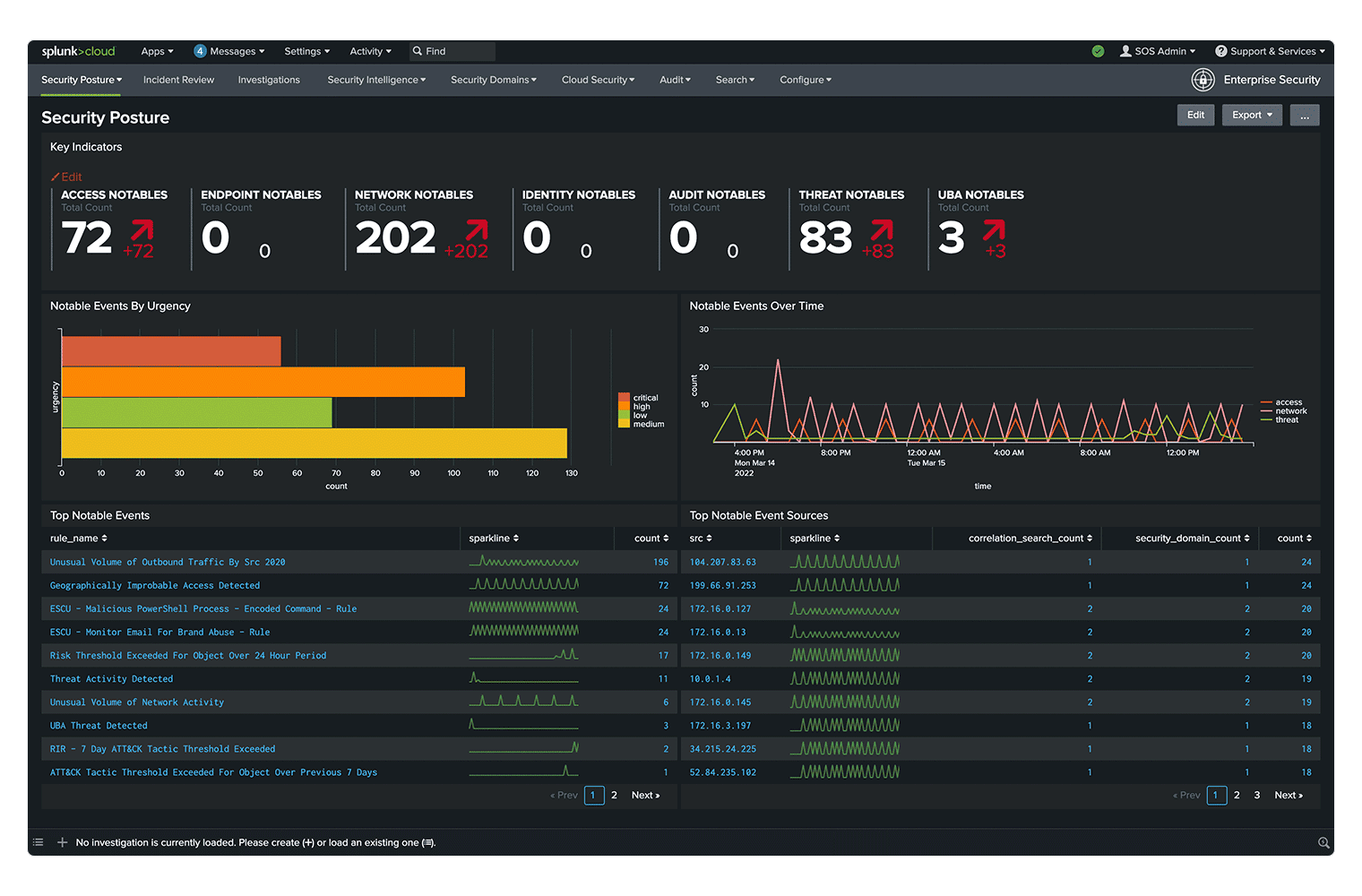 Image source.
Splunk Enterprise Security is not a pure cloud security assessment tool. It belongs in this list only for teams that route posture findings, cloud logs, identity signals, vulnerability data, and detection events into SIEM workflows.
Its value is correlation, investigation, detection engineering, risk-based alerting, exposure analytics, and SOC workflow. It should receive cloud assessment signals, not replace the tools that generate them.
Splunk Enterprise Security features
- SIEM correlation: Centralizes security data and correlates alerts, logs, identity signals, cloud telemetry, and detection events.
- Risk-Based Alerting: Splunk says Risk-Based Alerting can reduce alert volume by up to 90%, which matters when cloud posture and detection signals start feeding the same SOC queue.
- Exposure Analytics: Continuously identifies assets and users, enriches findings with context, and supports risk prioritization and exposure identification.
- SOAR and UEBA: Enterprise Security Premier includes SOAR and UEBA, while Essentials includes SIEM, threat intelligence, Detection Studio, and Exposure Analytics.
Splunk Enterprise Security pricing
Enterprise Security is sold through purchasing options such as Essentials and Premier, with final pricing handled through Splunk sales rather than a self-serve price table.
For a numeric reference, Splunk’s Enterprise Security page cites an IDC business value snapshot reporting 304% ROI, 64% faster threat identification, 12-month payback, and $4.89M in annual security cost savings for Splunk’s unified TDIR platform.
Splunk Enterprise Security pros and cons
✅ “The customer support is great for any type of issues you might be facing.” G2
✅ “Flexibility to customize detections and build my own dashboards is a huge advantage.” G2
⚠️ “The initial implementation is complicated and requires significant expertise, time, and resources.” G2
⚠️ “Steep learning curve, resource-intensive setup, and the potential for high costs in larger deployments.” G2
Read also: Zero Trust Cloud Security. A Practical Multi-Cloud Architecture and Approach
Cloud security assessment tools comparison table
This table scores each platform across the criteria that matter most in cloud security assessment: agentless or agent-based discovery, CSPM, CIEM, CNAPP coverage, vulnerability context, compliance mapping, audit evidence, workflow integrations, and pricing transparency.
✅ A platform supports this feature.
❌ A platform does not support this feature or is not built for that capability.
⚠️ The capability exists, depends on package/configuration, or is not a core product strength.
| Tool | Agentless / agent-based | CSPM | CIEM | CNAPP | Vulnerability context | Compliance frameworks | Evidence/audit support | Workflow integrations | Pricing transparency |
|---|---|---|---|---|---|---|---|---|---|
| Cloudaware | ✅ | ✅ | ⚠️ | ⚠️ | ✅ | ✅ | ✅ | ✅ | ✅ |
| Wiz | ✅ | ✅ | ✅ | ✅ | ✅ | ✅ | ⚠️ | ✅ | ⚠️ |
| CrowdStrike Falcon Cloud Security | ✅ | ✅ | ✅ | ✅ | ✅ | ✅ | ⚠️ | ✅ | ⚠️ |
| Orca Security | ✅ | ✅ | ✅ | ✅ | ✅ | ✅ | ⚠️ | ✅ | ⚠️ |
| Tenable Cloud Security | ✅ | ✅ | ✅ | ✅ | ✅ | ✅ | ⚠️ | ✅ | ⚠️ |
| Datadog Cloud Security Management | ✅ | ✅ | ✅ | ⚠️ | ✅ | ✅ | ⚠️ | ✅ | ✅ |
| Check Point CloudGuard | ✅ | ✅ | ⚠️ | ✅ | ✅ | ✅ | ⚠️ | ✅ | ⚠️ |
| Lacework FortiCNAPP | ✅ | ✅ | ✅ | ✅ | ✅ | ✅ | ⚠️ | ✅ | ⚠️ |
| Prisma Cloud | ✅ | ✅ | ✅ | ✅ | ✅ | ✅ | ✅ | ✅ | ⚠️ |
| Qualys TotalCloud | ✅ | ✅ | ✅ | ✅ | ✅ | ✅ | ⚠️ | ✅ | ⚠️ |
| Microsoft Defender for Cloud | ✅ | ✅ | ⚠️ | ⚠️ | ✅ | ✅ | ✅ | ✅ | ✅ |
| Splunk Enterprise Security | ⚠️ | ❌ | ❌ | ❌ | ⚠️ | ⚠️ | ⚠️ | ✅ | ⚠️ |