


Choosing between healthcare data security solutions usually starts when something has already gone wrong: an audit exposes missing evidence, a new cloud account sits outside policy, or the team discovers ePHI moving through systems nobody has mapped end to end.
That is where my research started. I spent seven days testing 26 platforms across asset discovery, HIPAA control mapping, evidence collection, alert quality, integrations, and ownership across AWS, Azure, GCP, SaaS, and clinical systems. I shortlisted the 16 worth a serious evaluation.
I also interviewed Cloudaware clients and cloud security practitioners, analyzed recent user reviews, and checked Reddit and Quora for the problems vendors rarely mention.
This guide answers the questions that matter:
- Can it find every asset touching ePHI?
- Does it reduce audit work or simply repackage it?
- Where does coverage stop?
- What breaks at scale?
- What will implementation and ownership actually cost?
Key insights
After testing the tools, one pattern showed up fast: “healthcare-ready” means different things depending on the product category. Some tools are built for cloud posture. Others are stronger for PHI movement, runtime threats, clinical devices, or audit evidence.
Here’s the quick buyer read before the full reviews:
- Cloudaware is best for CMDB-aware CSPM, ownership-based remediation, HIPAA evidence, exceptions, and audit trails.
- Wiz is best for attack-path prioritization across cloud, identity, workloads, and sensitive data.
- Palo Alto Prisma Cloud is best for large enterprises that want full CNAPP coverage in one security suite.
- Microsoft Defender for Cloud is best for Azure-heavy healthcare teams already using Sentinel, Entra, Purview, and Defender XDR.
- CrowdStrike Falcon Cloud Security is best for teams that want CSPM tied to runtime detection, XDR, MDR, and endpoint telemetry.
- Tenable Cloud Security is best for exposure management where cloud risk, identity risk, vulnerability data, and exploitability need one review.
- Orca Security is best for fast agentless visibility across cloud workloads, sensitive data, and attack paths.
- ClearDATA is best for healthcare-native cloud compliance, managed remediation, and HIPAA/HITRUST support.
- Forcepoint DLP is best for stopping PHI leakage through email, SaaS, web, endpoints, Microsoft 365, and GenAI workflows.
- Asimily is best for IoMT and connected medical device exposure management in hospitals.
- Aqua Security is best for container, Kubernetes, and cloud-native workload protection.
- Sysdig Secure is best for runtime security and Kubernetes-heavy healthcare SaaS environments.
- SentinelOne Singularity Cloud Security is best for CNAPP buyers who want cloud posture connected to AI-powered detection and response.
- Zscaler is best for PHI protection across SSE, DLP, CASB, web, SaaS, and private-app access.
- Cloudflare is best for healthcare teams focused on web, API, zero trust, DLP, and edge-layer protection.
- Datadog Cloud Security is best for teams that want posture, workload, detection, and observability in the same operating view.
My shortcut: when the hardest part is audit proof, start with Cloudaware, ClearDATA, or Microsoft Defender. When the pain is cloud attack paths, look at Wiz, Prisma Cloud, Orca, Tenable, SentinelOne, or CrowdStrike. When PHI keeps escaping through user workflows, Forcepoint or Zscaler deserves the first demo slot. Clinical devices making everyone nervous? Put Asimily near the top.
What is healthcare data security software
Healthcare data security software is technology used to identify, protect, monitor, and govern electronic health information across the systems that create, receive, maintain, or transmit it.
For a hospital, insurer, healthcare SaaS company, or HIPAA business associate, that environment may include EHR platforms, cloud databases, object storage, employee endpoints, medical devices, APIs, backups, analytics pipelines, and third-party applications.
In the United States, the regulatory scope centers on electronic protected health information, or ePHI. The HIPAA Security Rule requires regulated entities to protect their confidentiality, integrity, and availability through administrative, physical, and technical safeguards. HHS deliberately keeps the rule technology-neutral, allowing organizations to select controls according to their infrastructure, size, capabilities, costs, and risks.
That distinction matters when evaluating software. HIPAA does not prescribe a specific security platform, scanner, encryption product, or monitoring stack. It requires the organization to understand its risks and apply reasonable, appropriate safeguards.
Cybersecurity expert Bruce Schneier captured the operating principle in six words:
“Security is a process, not a product.”
In healthcare, software supports that process by giving security teams visibility, control, and evidence. It should help them trace a risk from the affected information system to the relevant safeguard, responsible team, remediation action, and documented result.
For a broader guide, see Healthcare Data Security guide.
Core healthcare data security capabilities
| Capability | What practitioners should expect from the software |
|---|---|
| Asset and data discovery | An inventory of systems, cloud resources, applications, endpoints, and data locations that create, receive, maintain, or transmit ePHI |
| Identity and access analysis | Effective permissions, privileged access paths, service-account activity, authentication controls, and access changes |
| Data protection | Encryption status, key-management controls, data-loss policies, tokenization, masking, and secure transmission coverage |
| Cloud and configuration security | Continuous identification of exposed resources, insecure settings, logging gaps, and policy violations |
| Vulnerability management | Vulnerability findings connected to affected assets, business context, ownership, exploitability, and remediation status |
| Threat detection and response | Audit activity, suspicious access patterns, security events, investigation context, and response workflows |
| Availability and recovery | Backup coverage, recovery controls, system dependencies, resilience findings, and restoration evidence |
| Compliance evidence | Control status, configuration history, exceptions, remediation records, and evidence mapped to HIPAA requirements |
The broader operating risks are covered in Healthcare Data Security Challenges, while recurring incident patterns appear in Healthcare Data Breaches.
How we shortlisted healthcare data security software for this list
We reviewed 26 cloud security platforms over seven days and shortlisted the 16 worth a serious healthcare security evaluation.
The process started with Gartner Peer Insights, security-software directories, vendor documentation, pricing pages, product demos, free trials, and recent user reviews from G2, Capterra, and TrustRadius. Reddit and Quora were used as field notes, not final proof. Useful, especially when practitioners repeated the same setup, alert noise, or integration problem in plain language.
Each product was checked against the same practical criteria:
| Evaluation area | Our Analysis Focus |
|---|---|
| Cloud coverage | AWS, Azure, GCP, Kubernetes, SaaS, and hybrid visibility |
| Risk context | Whether findings connect to real assets, identities, data exposure, and business impact |
| HIPAA relevance | Control mapping, evidence history, encryption checks, access monitoring, and audit support |
| Remediation workflow | Ownership, ticketing, exceptions, SLAs, and proof that fixes stayed fixed |
| User reality | Setup effort, alert quality, support, scalability, and pricing friction from verified reviews |
| Proof quality | Free-trial testing first, demo evidence second, documentation third, community feedback as supporting context |
A vendor did not make the list because it calls itself healthcare-ready. It made the list when we could verify that the platform helps security teams find misconfigurations, understand risk, route fixes, and produce usable evidence.
That also helped separate serious healthcare data security companies from tools that look strong on a comparison page but get vague once you ask, “Show me how this maps to the asset, the owner, the control, and the audit trail.”
1. Palo Alto Networks Prisma Cloud
G2 rating: 4.1/5 from 112 reviews
Capterra rating: 4.0/5 from 1 review
Best for: Large healthcare enterprises that need one CNAPP for CSPM, DSPM, CIEM, vulnerability management, application security, and runtime threat detection across complex hybrid and multicloud environments.
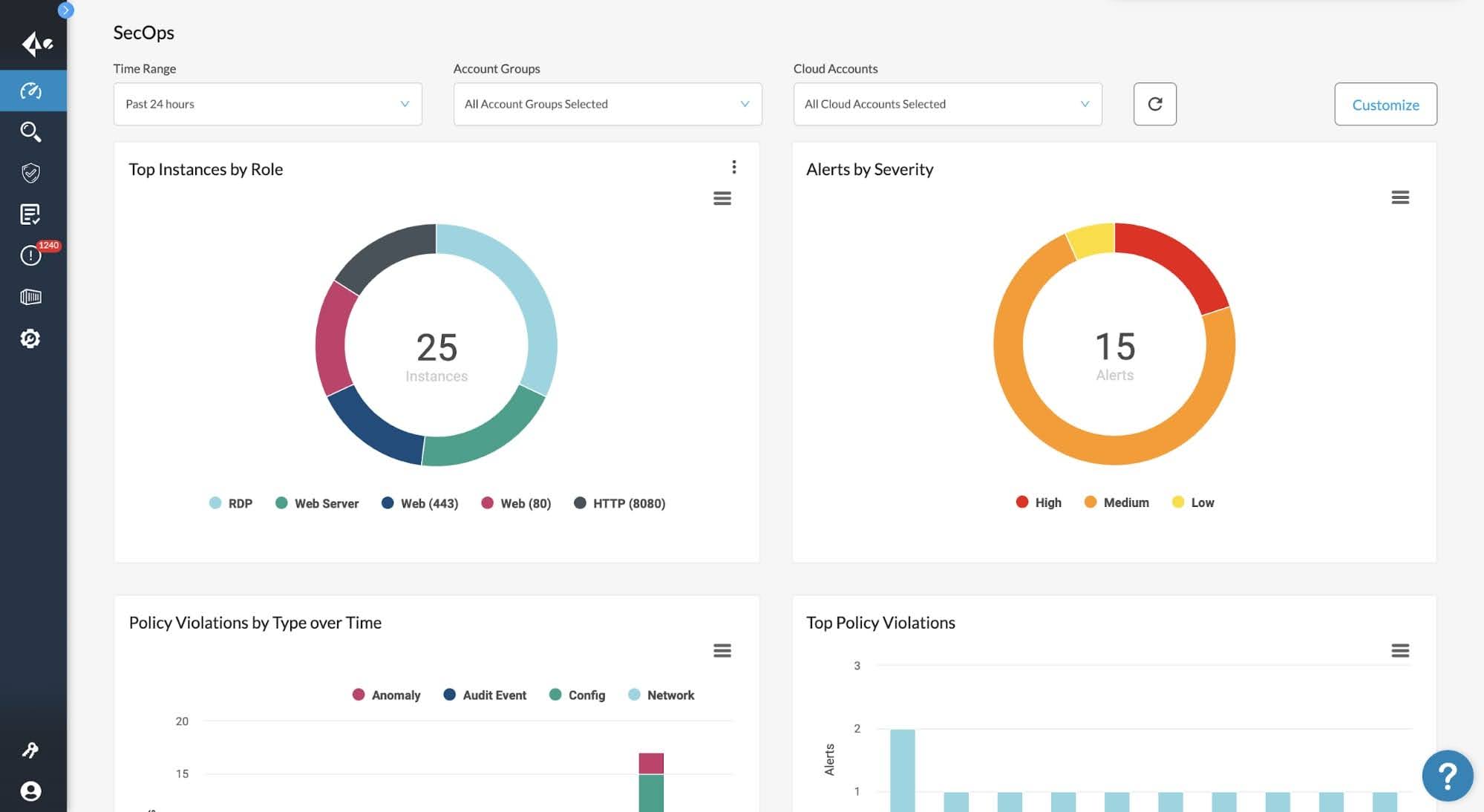
Prisma Cloud is strongest when the environment is already messy: multiple cloud accounts, Kubernetes, CI/CD pipelines, sensitive data, cloud identities, and audit pressure all colliding in the same week. That is where the platform earns attention. In Palo Alto’s public healthcare case study, one healthcare technology company used Prisma Cloud across 40+ AWS accounts to monitor AWS and Kubernetes, scan Docker images through Jenkins, route alerts by policy severity, and simplify compliance reporting. Reported remediation time dropped from hours to within 20 minutes.
For CSPM, coverage spans 350+ services across AWS, Azure, GCP, OCI, Alibaba Cloud, and IBM Cloud. For healthcare data security, the DSPM module covers AWS, Azure, GCP, and Snowflake, with discovery, classification, data-risk analysis, and monitoring for sensitive records.
Its edge is correlation. Prisma Cloud connects misconfigurations with vulnerabilities, permissions, public exposure, anomalous activity, and data context, so the team is not staring at 600 disconnected findings and pretending that sorting by severity is prioritization.
Palo Alto also named Cortex Cloud the next version of Prisma Cloud in 2025, so buyers should confirm packaging, migration path, and licensing during procurement.
Features
- CSPM across major clouds: Useful for teams running several cloud providers and needing near real-time misconfiguration detection, configuration history, custom policies, and compliance reporting. Palo Alto states that Prisma Cloud includes 3,000+ built-in policies and supports 100+ compliance frameworks, including HIPAA, CIS, NIST, PCI DSS, ISO 27001, and SOC 2.
- Attack-path analysis: Correlates public exposure, vulnerabilities, excessive permissions, misconfigurations, and anomalous activity into attack paths. This helps teams prioritize findings based on exploitability instead of severity scores alone.
- DSPM for PHI discovery: Discovers and classifies sensitive data, identifies shadow data and misconfigured data stores, and monitors data at rest and in transit across AWS, Azure, GCP, and Snowflake. Particularly valuable for organizations that need to track regulated data beyond primary production systems.
- CIEM for cloud identities: Calculates effective permissions across AWS, Azure, and GCP, flags excessive privileges, and recommends least-privilege remediation. Strong capability for environments with service accounts, cross-account roles, and growing numbers of machine identities.
- Code-to-cloud remediation: Traces cloud misconfigurations back to infrastructure-as-code and provides remediation guidance with ticketing integrations. This helps engineering teams fix the source of the issue rather than only the deployed resource.
- Container and Kubernetes security: Scans container images, monitors Kubernetes workloads, and extends posture assessment into cloud-native environments. Relevant for teams securing production containers and regulated Kubernetes deployments.
Pricing
Palo Alto prices Prisma Cloud by credits, shaped by protected resources, modules, contract term, and deployment size. Public pricing is thin: one UK G-Cloud listing shows $185 per license, while partner guidance puts Business at $9,000/year per 100 credits and Enterprise at $18,000/year per 100 credits. The free trial runs 30 days. Nice entry point. Now let’s see where buyers praise it and where the bill starts biting.
Pros & Cons
✅ Centralized workload security: Real review evidence says Cortex Cloud gives a “secure, centralized” way to manage workloads with compliance and security controls. The useful takeaway for healthcare data security is that teams can manage cloud workload posture and threat response from one place instead of stitching controls together manually. Source.
✅ AI-assisted threat triage: Real review evidence says Cortex Cloud brings threat detection, investigation, and response together, with AI-driven analytics helping teams focus on higher-priority incidents. For regulated healthcare teams, this is valuable because security teams need faster triage when alerts touch patient data systems. Source.
✅ Integration with cloud services: Real review evidence praises the intuitive interface and seamless cloud-service integration. This matters for healthcare environments where security teams need posture visibility without forcing every cloud team into a completely separate workflow. Source.
⚠️ Configuration complexity: Real review evidence says Cortex Cloud can feel overly complex because of configuration and permission layers. In healthcare, that can slow down policy setup, access reviews, and evidence preparation. Source.
⚠️ Steep learning curve: Real review evidence says new users may need deep product knowledge to use Cortex Cloud effectively. That can become a problem for lean security teams or healthcare IT teams without dedicated cloud-security specialists. Source.
⚠️ Cluttered UI at scale: Real review evidence says some UI areas feel cluttered in large-scale systems. That is a practical drawback when teams need to move quickly through many cloud assets, alerts, and compliance findings. Source.
Read aslo: HIPAA Cloud Security - A Practical Guide to Compliance on AWS, Azure, and GCP
2. Cloudaware
Gartner: 5.0/5
Best for: Healthcare organizations that need to connect multicloud CSPM and HIPAA compliance checks to a live CMDB, route remediation to the correct asset owner, manage time-bound exceptions, and preserve audit-ready evidence across AWS, Azure, GCP, Kubernetes, VMware, and on-premises infrastructure.
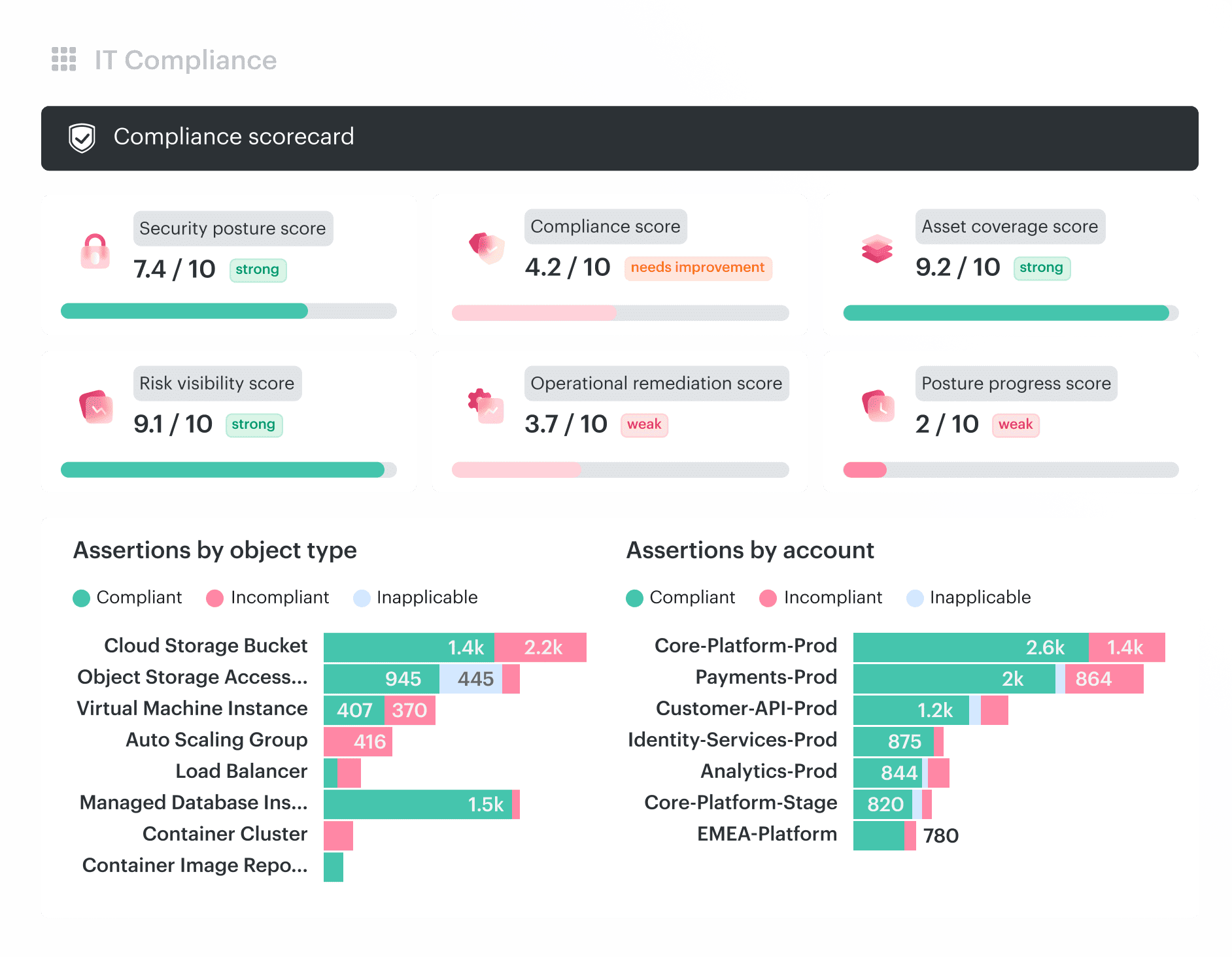
Cloudaware connects CSPM findings to the operational context healthcare teams need for remediation and audit preparation: the affected asset, application, environment, owner, control, exception, ticket, and complete change history. HIPAA checks remain linked to live CMDB records and remediation workflows rather than being managed in a separate compliance spreadsheet.
The platform covers AWS, Azure, Google Cloud, Oracle Cloud, Alibaba Cloud, Kubernetes, VMware, and on-premises infrastructure. Cloudaware currently manages $15.7 billion in cloud spend, maintains 99.995% CMDB uptime, supports 63 integrations, and discovers more than 3,000 cloud services and configuration item types.
This CMDB foundation enables a closed-loop CSPM process. Cloudaware detects a policy violation, identifies the responsible team, creates or synchronizes the remediation ticket, tracks the finding against its SLA, manages approved exceptions with expiration dates, and preserves the evidence required for internal reviews and external audits.
Cloudaware has also received recognition across Capterra, GetApp, Software Advice, and G2, including Best Value, Budget Friendly, and Customer Choice awards.
Features
- CMDB-aware CSPM policies. Cloudaware checks cloud and on-prem configurations through CMDB context, not isolated API snapshots. That means every failed control can carry the asset, app, owner, environment, scope, severity, and exception status with it. For healthcare teams, that context is gold during HIPAA evidence prep because the finding already knows where it belongs.
- Multi-cloud and hybrid coverage. The platform supports AWS, Azure, GCP, Oracle, Alibaba Cloud, Kubernetes, VMware, and on-prem configuration data. That matters when patient-data infrastructure does not sit neatly in one provider, one account, or one clean architecture diagram.
- Compliance-as-code. Cloudaware lets teams author declarative policies in a DSL, store them in Git, review them through pull requests, test them, and roll them out with diffs. I like this for mature security teams because compliance stops living as tribal knowledge inside one engineer’s head.
- Ready-made healthcare-relevant frameworks. Cloudaware runs ongoing assessments for CIS, NIST, ISO, PCI, and HIPAA, with dashboards that map results to 900+ UCF authority documents. Instead of asking an analyst to manually stitch controls to standards, the platform keeps that relationship visible.
- Policy scoping by service context. Controls can be scoped by app, environment, account, tag, risk, or CMDB service-catalog attributes. A production workload with ePHI can follow stricter rules than a dev sandbox, without turning the policy set into a brittle mess.
- Risk prioritization with ownership and blast radius. Cloudaware ranks misconfigurations using owner, exposure, and blast-radius context. Related findings can be grouped across accounts and regions, which helps teams work on the fixes that cut real operational risk fastest.
- Exception lifecycle automation. Approved deviations can be documented with reviews, approvals, and expiry dates. That is practical for healthcare security because accepted risk stays visible instead of becoming a forgotten line in last quarter’s audit workbook.
- Owner-based remediation workflows. Failed checks become trackable findings with owner, severity, SLA, evidence, and lifecycle. Cloudaware can create Jira, ServiceNow, Rally, or email tickets, sync statuses back, escalate by SLA, and auto-close when fixes land.
- Audit-ready evidence and dashboards. Reports show coverage, exemptions, owners, timestamps, policy diffs, pass/fail heatmaps, remediation trails, and framework scorecards. The strongest part is the drill-down from executive KPI to exact check result, because that is what auditors and security leads both need.
- Scheduled evaluations without cloud API noise. Cloudaware evaluates CMDB data instead of repeatedly scraping live cloud APIs. Teams can schedule compliance runs around audit cadence or change windows, reduce throttling risk, and still keep a permanent history of runs, rule revisions, and status changes.
Pricing
Cloudaware CSPM pricing starts where reliable cloud posture management starts: the CMDB. You cannot evaluate, prioritize, or remediate a configuration risk without knowing which asset failed the check, what application it supports, which environment it belongs to, and who owns the fix.
The CMDB continuously maps the servers, services, databases, cloud accounts, owners, environments, and relationships in your infrastructure. The CSPM module applies security and compliance policies to that inventory, then links every failed check to the affected CI, responsible team, control, exception, remediation ticket, and evidence history.
Here’s the pricing, without the enterprise-software fog:
CMDB is the base. It is billed at approximately $0.008 per configuration item per month.
A typical 100-server environment costs approximately $400 per month for CMDB.
The CSPM module adds 20% to the CMDB cost.
In this example: $400 CMDB + $80 CSPM = $480 per month total.
That gives the team a CMDB-backed workflow for detecting cloud misconfigurations, assigning remediation, tracking exceptions, and preserving evidence across the connected cloud and hybrid estate.
Check Cloudaware’s value for your company now
### Pros & Cons
✅ Compliance reporting: Real review evidence says Cloudaware helps ensure cloud workloads comply with regulations and supports auditing configurations, access controls, and compliance reports. This is the strongest healthcare-data-security angle for Cloudaware. Source.
✅ Unified cloud-resource visibility: Real review evidence says Cloudaware provides a unified view of cloud resources and supports inventory, compliance management, and security. That is useful for healthcare cloud teams that need asset-level visibility for regulated workloads. Source.
✅ Security-risk discovery: Real review evidence says Cloudaware helps identify security risks such as misconfigured resources, unauthorized access, and data breaches. This is directly relevant to healthcare data security for sensitive healthcare systems. Source.
⚠️ Integration difficulty: Real review evidence says integrating Cloudaware with existing systems or workflows can be challenging in complex IT environments. This can matter for healthcare teams that already depend on SIEM, ITSM, CMDB, and audit workflows. Source.
⚠️ Slow and overwhelming UI: Real review evidence says Cloudaware can be slow and the UI can be overwhelming. That can hurt day-to-day posture triage when security teams need to investigate many assets quickly. Source.
⚠️ Learning curve: Real review evidence says Cloudaware’s initial learning curve can be steep because of its broad functionality. For healthcare teams, this means onboarding may take time before compliance and posture workflows feel smooth. Source.
3. Wiz
G2: 4.7 / 5
Capterra: 5.0 / 5
Best for: CNAPP teams that need attack-path context across cloud, identity, workload, and data risk.
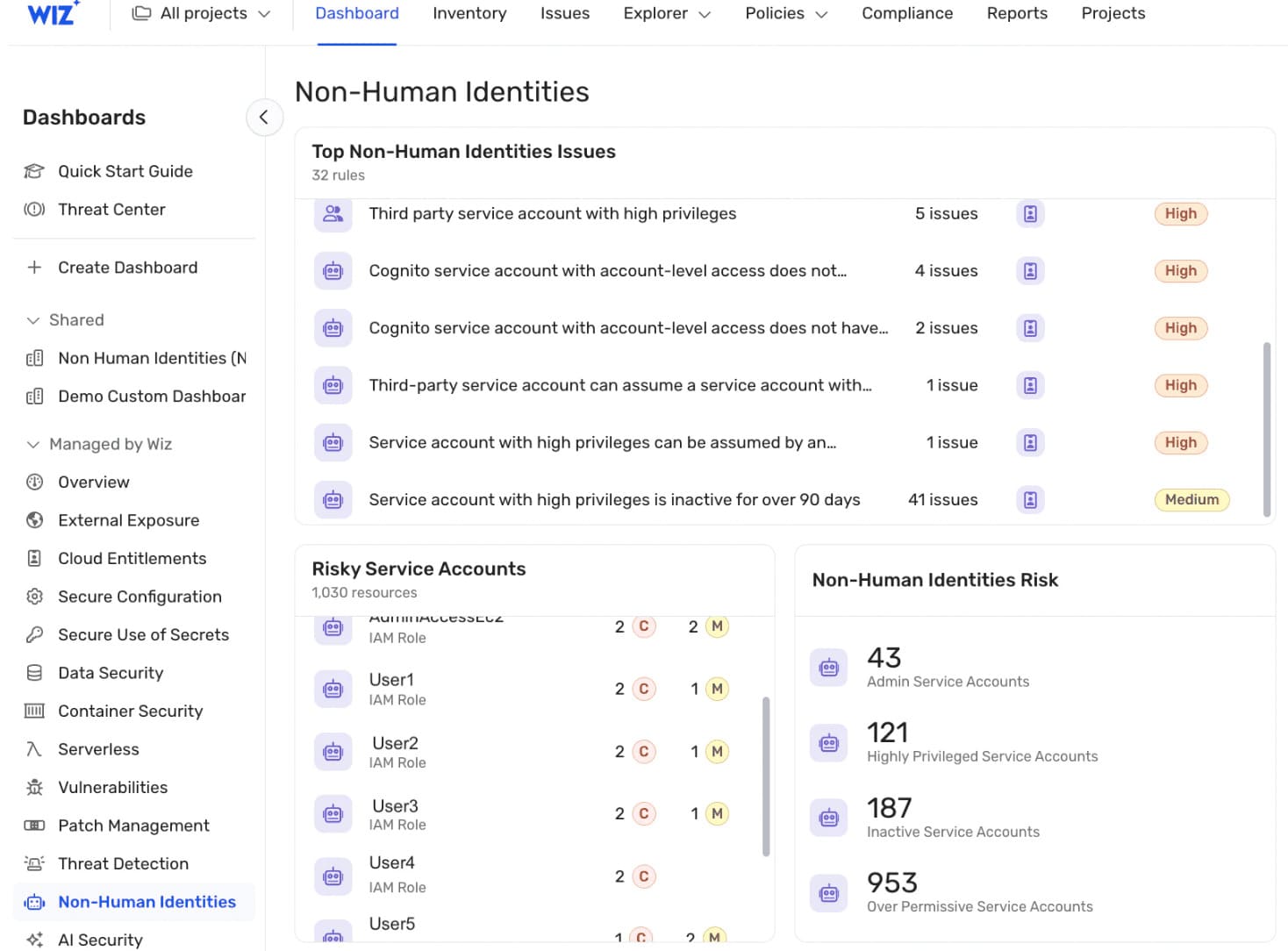
Wiz fits healthcare teams that need cloud risk sorted by real exposure, not another flat list of misconfigurations. Its healthcare page names Takeda, Artisan, Thirty Madison, PerkinElmer, and Bausch Health as trusted customers. The clearest public case is Artisan: a fertility EMR company using Wiz Cloud on AWS to protect sensitive patient data, support HIPAA and SOC compliance, and reduce noisy CSPM work without a dedicated security team.
Coverage for contextual CSPM includes AWS, GCP, Azure, OCI, Alibaba Cloud, and VMware vSphere. Wider Wiz environments also include Kubernetes, Snowflake, GitHub, container registries, CI/CD, and AI/data tools.
Its advantage is the Wiz Security Graph. It ties identities, workloads, data, vulnerabilities, exposure, malware, and misconfigurations into attack paths, so a team can see what can actually reach PHI or high privileges. Wiz was named a Leader in the 2025 IDC MarketScape for CNAPP and a Leader in The Forrester Wave™: CNAPP, Q1 2026.
Features
- Agentless cloud visibility. Wiz connects through cloud APIs and builds an inventory across cloud and AI environments. Good for healthcare teams that need the first risk map fast, before debating architecture politics.
- PHI and sensitive-data context. Wiz DSPM identifies where sensitive cloud data lives, including PHI, then shows how it could be exposed or accessed. That makes prioritization much cleaner when patient data appears outside the expected system boundary.
- Attack-path analysis. The Security Graph maps toxic combinations across identity access, network exposure, workloads, data, and vulnerabilities. I’d test this hard in a demo with one reachable datastore and one over-permissive role.
- Continuous HIPAA reporting. Wiz includes HIPAA among its built-in frameworks and provides automated compliance assessments, posture scores, custom frameworks, and auditor-ready reports. Useful, though still not a replacement for a full HIPAA program.
- Developer-side remediation. Wiz supports workflows, remediation guidance, and ownership routing so engineering teams can fix risky cloud changes closer to where they were created. Strong feature. Ask how ownership maps to your org model, not a demo tenant.
Pricing
Wiz keeps pricing sales-led: cost flexes by cloud usage, workload count, modules, and contract scope. Official pricing says custom quote; public benchmarks show about $295/unit/year from UK G-Cloud conversion, around $24K/year for 100 workloads, and roughly $38K/year for Advanced.
Trial: 14 days. Clean start. The buying tension appears when scope, add-ons, and renewal math hit production.
Pros & Cons
✅ Fast cloud-risk visibility: Real review evidence says Wiz is easy to deploy and quickly surfaces security risks that might otherwise go unnoticed. For healthcare data security, that is valuable when teams need rapid visibility across cloud assets that may store or process sensitive data. Source.
✅ Security Graph and cloud-component lookup: Real review evidence says Wiz gives an all-round view of cloud components and that Security Graph makes account/resource lookup easier. This helps teams trace exposure paths around sensitive systems. Source.
✅ Prioritized remediation guidance: Real review evidence says Wiz provides useful remediation guidance, including step-by-step explanations. That is useful when cloud, security, and compliance teams need to understand what to fix and why. Source.
⚠️ Manual scan trigger missing: Real review evidence says users want a manual scan trigger for validating real-time fixes. This can slow teams that need to prove a healthcare-data exposure or compliance issue was fixed immediately. Source.
⚠️ Consumption-based cost: Real review evidence says some Wiz capabilities are consumption-based, so teams need to understand how feature usage affects cost. This matters for large healthcare environments with many workloads. Source.
⚠️ API extraction limits: Real review evidence says API limits can make large exports tedious, including a 10,000-event pull limit. This is a practical drawback for security evidence pipelines and custom reporting. Source.
Read aslo: How Does Cloud Security Posture Management Work? Inside the CSPM System That Finds, Prioritizes, and Proves Cloud Risk
4. CrowdStrike Falcon Cloud Security
Best for: SOC-led teams that need cloud runtime defense, not posture-only scanning.
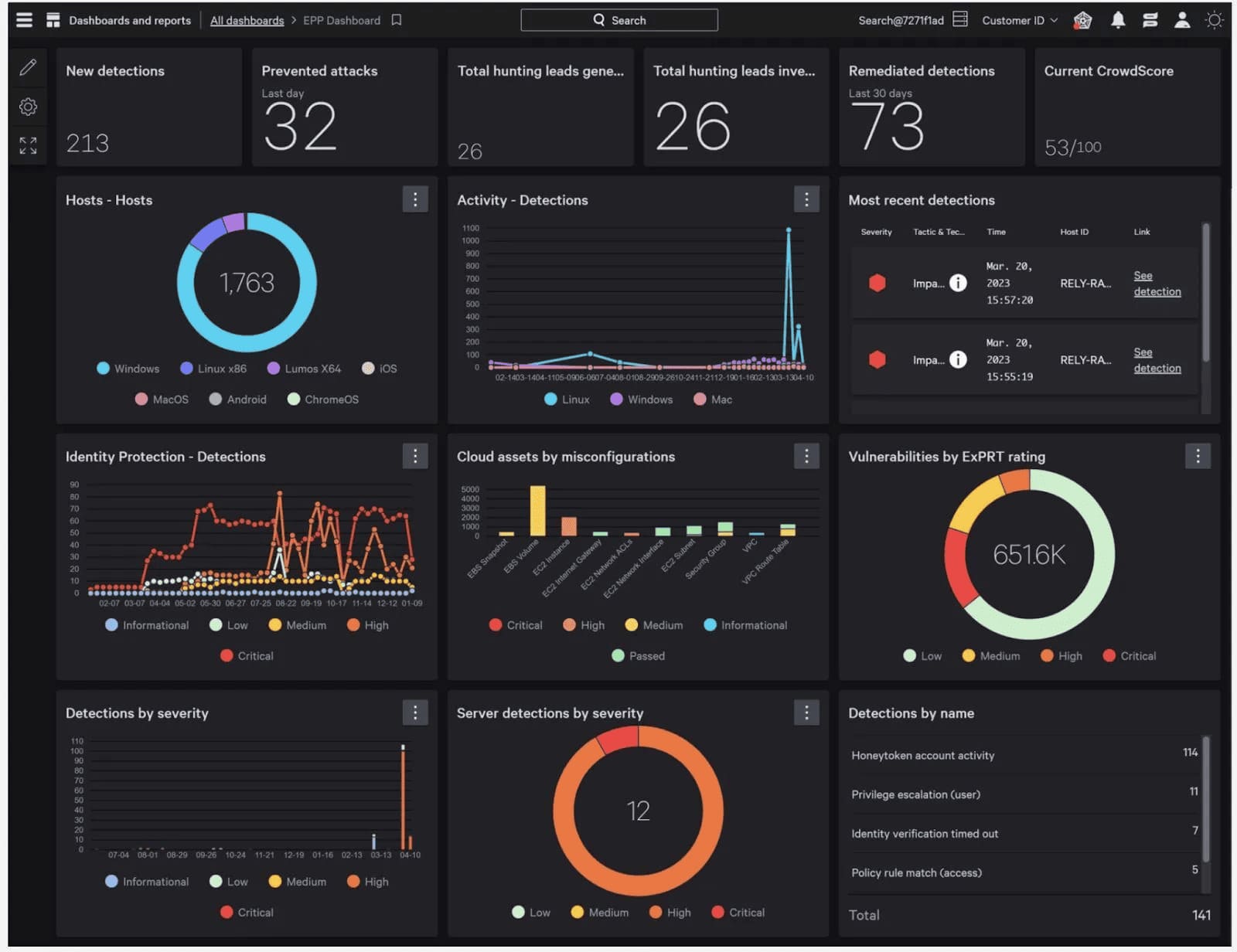
CrowdStrike belongs on a healthcare CSPM shortlist when cloud posture has to connect with endpoint telemetry, identity risk, MDR, data movement, and clinical-device visibility. Montage Health deployed Falcon across 5,000+ endpoints and cut monthly events requiring investigation from 11 to 2, with average triage down to 53 seconds. TELUS Health uses Falcon Complete for 24/7 MDR around medical records for 67 million patients. Vālenz Health uses Falcon XDR to protect healthcare data across entities and partners. Nij Smellinghe uses Falcon and Falcon Complete for patient-data protection.
For cloud, Falcon Cloud Security supports AWS, Azure, Google Cloud, and OCI, with serverless assessment across AWS Lambda, Google Cloud Functions, and Azure Functions. Its edge is runtime-first CNAPP: CSPM, CDR, workload protection, threat intelligence, and response live closer together than in posture-only tools. CrowdStrike is a 2025 IDC MarketScape CNAPP Leader and 2026 Frost Radar CNAPP Leader.
Features
- Cloud posture plus runtime detection. Falcon Cloud Security combines agentless visibility with agent-based runtime protection. Good fit when healthcare cloud risk needs detection and response, not only compliance screenshots.
- Healthcare XDR and MDR. Falcon Insight XDR and Falcon Complete help lean teams cover endpoints, workloads, identities, and alerts around the clock. That is where the healthcare customer proof is strongest.
- Sensitive-data protection. Falcon Data Security discovers PHI, PII, PCI, and custom patterns across endpoints, browsers, SaaS, GenAI workflows, cloud services, and workloads. Useful if patient data keeps moving beyond the EHR boundary.
- IoMT and clinical-device visibility. Falcon for XIoT adds visibility for IoMT, IoT, and OT assets, including DICOM and HL7-connected clinical devices. Hospitals should test this if imaging systems, infusion devices, or legacy clinical assets sit in scope.
- Serverless and container checks. Falcon Cloud Security assesses serverless functions across AWS, Google Cloud, and Azure, and supports containerized workload protection. Practical for teams running healthcare apps on functions, Kubernetes, and cloud-native services.
I’d test ownership mapping, HIPAA evidence exports, exception handling, and update-control governance before buying. CrowdStrike is strongest when CSPM feeds a broader Falcon security operation.
Pricing
CrowdStrike pricing starts per device, then shifts with modules, add-ons, billing term, and Falcon Flex credits. Public bundles run from Falcon Go at $7.99/device/month to Falcon Enterprise at $19.99/device/month; annual pricing spans $59.99 to $184.99/device/year. Cloud Security is trialable, but enterprise scope usually means quote work.
Trial: 15 days. Clean sticker price. The pros and cons reveal where modular pricing gets interesting.
Pros & Cons
✅ Cloud asset protection: Real review evidence says Falcon Cloud Security helps secure cloud assets against threats and data breaches, with easier deployment and API connector integration. This is directly relevant to healthcare cloud workloads. Source.
✅ Visibility with quick implementation: Real review evidence says the platform provides strong visibility, a wide range of security features, and a relatively simple interface. That is useful when healthcare security teams need faster adoption without months of tooling overhead. Source.
✅ Agent + agentless coverage: Real review evidence highlights the agent-plus-agentless approach and strong runtime/container security. This is valuable for mixed cloud estates where some workloads can run agents and others need agentless visibility. Source.
⚠️ Best with full CrowdStrike ecosystem: Real review evidence says a complete CrowdStrike environment is needed to get full visibility and telemetry. That can be a drawback for healthcare teams that already use multiple security vendors. Source.
⚠️ High pricing and alert noise: Real review evidence says pricing can be high and the platform can generate many alerts requiring manual investigation and tuning. That can be difficult for smaller healthcare security teams. Source.
⚠️ Complex dashboards for new users: Real review evidence says interfaces and dashboards can feel complex for new users, and some advanced configurations require experienced administrators. This can slow down onboarding. Source.
Read also: Cloud Security Monitoring Tools — 7 Platforms Compared for SIEM & Analytics
5. Microsoft Defender for Cloud
Best for: Microsoft-heavy teams that want CNAPP, posture, workload protection, and compliance inside the same security stack.
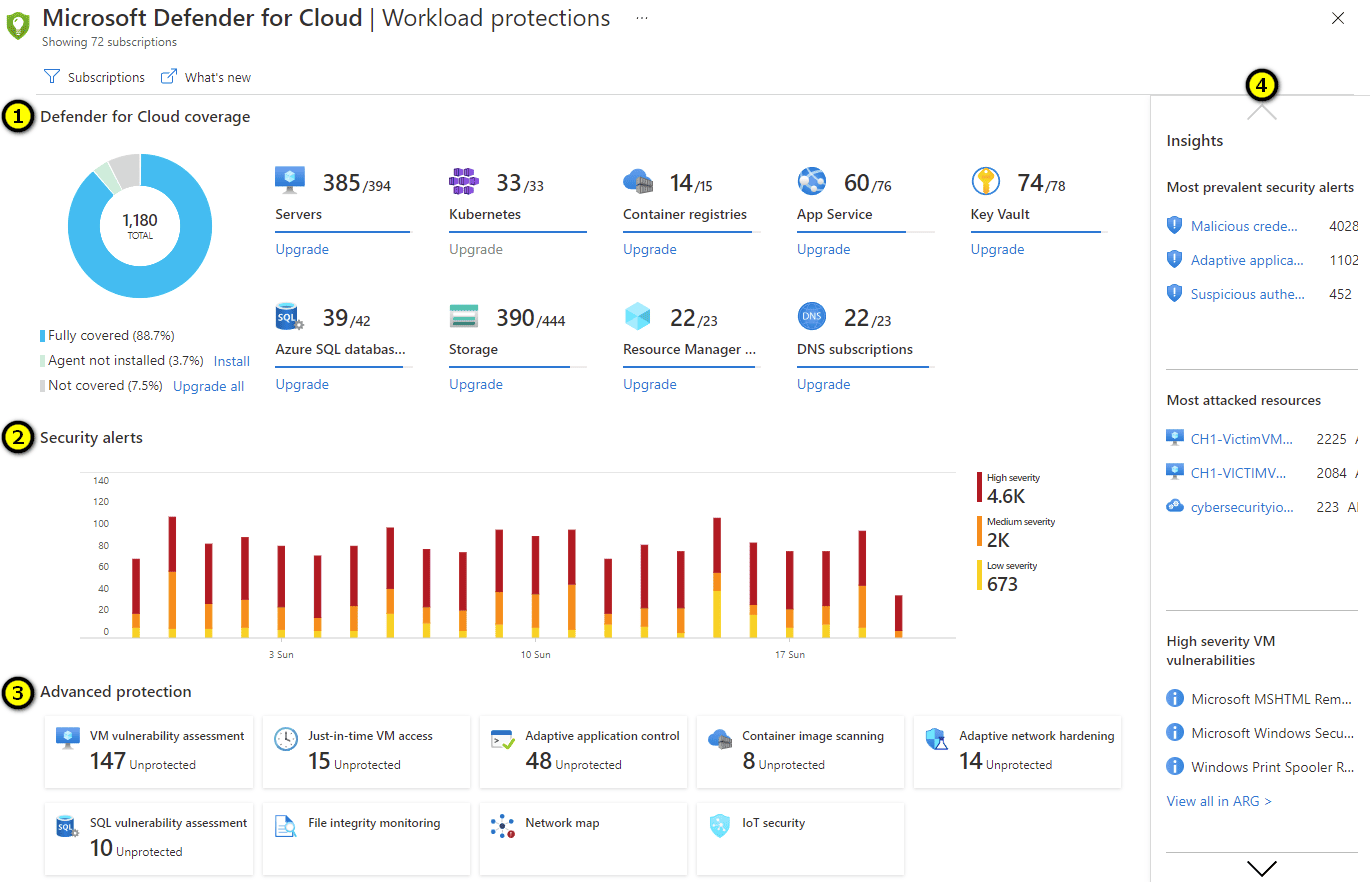
Microsoft Defender for Cloud belongs on the healthcare CSPM shortlist when the stack already leans Microsoft: Azure, Sentinel, Entra, Purview, Defender XDR, GitHub, and Azure DevOps. NexJ Health uses Defender for Cloud to strengthen posture around sensitive healthcare data during its Azure modernization. St. Luke’s University Health Network uses Defender for Cloud to assess and maintain its hybrid cloud security state, with its CISO highlighting visibility into outstanding tasks, vulnerabilities, and priorities. Mitsubishi Tanabe Pharma selected Defender for Cloud with Sentinel to create cloud security policies, monitoring, and dashboard-led operations.
Coverage is strongest across Azure, AWS, and GCP, with on-prem and hybrid resources handled through the wider Defender for Cloud model. Its edge is Microsoft-native context: posture, workload protection, sensitive-data discovery, DevOps findings, SIEM, identity, and SOC workflows can meet in one ecosystem.
Microsoft was named a 2025 IDC MarketScape CNAPP Leader and a 2026 Frost Radar visionary leader for cloud and application runtime security.
Features
- Multicloud CSPM. Defender for Cloud gives continuous posture visibility across Azure, AWS, and GCP, then turns failed checks into recommendations and secure-score movement. Best fit: Azure-heavy healthcare teams that still need basic multicloud coverage.
- Sensitive-data discovery. Defender for Cloud can surface cloud resources exposing sensitive information and connect those findings to recommendations and alerts. Practical for PHI risk triage, but I’d test data-source coverage before using it as audit evidence.
- API posture management. Defender CSPM discovers and assesses APIs across Azure API Management, Function Apps, and Logic Apps, including misconfigurations, vulnerabilities, and sensitive-data exposure checks. Good signal for patient portals, intake workflows, and serverless healthcare APIs.
- Attack-path and risk prioritization. Paid Defender CSPM adds risk context so teams can move beyond raw severity and focus on reachable, exploitable paths. Strong on paper. Demo it with your own cloud graph.
- DevOps security. Defender connects cloud findings with GitHub, Azure DevOps, and GitLab SaaS workflows, with support for code-to-cloud mapping and developer-side remediation. Useful when cloud fixes need to land in the repo, not just the console.
- Buyer note. Shortlist it if Microsoft is already your security backbone. Probe hard if AWS or GCP dominate, or if you need CSPM evidence workflows that are independent from the Microsoft ecosystem.
Pricing
Microsoft Defender for Cloud starts with Foundational CSPM at $0. Paid Defender CSPM is $5.11 per billable resource/month. So 100 resources = $511/month, 500 = $2,555/month, and 1,000 = $5,110/month, before workload-protection plans. Serverless gets counted too: 80 functions = 10 billable resources = $51.10/month; 20 running serverless containers = 10 resources = $51.10/month.
Trial: 30 days per activated plan. Nice clean meter. Now the pros and cons show where Microsoft’s “simple” pricing starts branching.
Pros & Cons
✅ Unified posture and threat protection: Real review evidence says Defender for Cloud brings security posture management and threat protection into one platform with clear recommendations across Azure, hybrid, and multi-cloud environments. This is strong for healthcare teams already deep in Microsoft. Source.
✅ Continuous vulnerability visibility: Real review evidence says Defender provides continuous assessments and real-time visibility into vulnerabilities across cloud environments. That helps teams stay ahead of gaps in systems that may handle sensitive data. Source.
✅ Secure Score for prioritization: Real review evidence says Secure Score helps teams quickly understand posture and what to fix next. For healthcare, that supports structured prioritization and governance reporting. Source.
⚠️ Alert overload: Real review evidence says Defender can feel overwhelming because of the volume of recommendations and alerts. This is a common operational pain for teams with limited cloud-security headcount. Source.
⚠️ Complex pricing: Real review evidence says pricing can be difficult to predict, especially in large or multi-cloud environments. This matters for healthcare organizations with broad resource inventories. Source.
⚠️ Complex setup and false positives: Real review evidence says setup can be complex, costs can add up, and some alerts can be overly sensitive. That means teams may need tuning time before the tool becomes operationally efficient. Source.
Read also: Cloud Security Compliance Standards - 8 Frameworks Guide
6. Tenable Cloud Security
G2: 4.6 / 5
Capterra: 5.0 / 5
Best for: Identity-first CIEM (ex-Ermetic) for finding excessive entitlements, toxic IAM combinations, and privilege-escalation paths across cloud accounts.
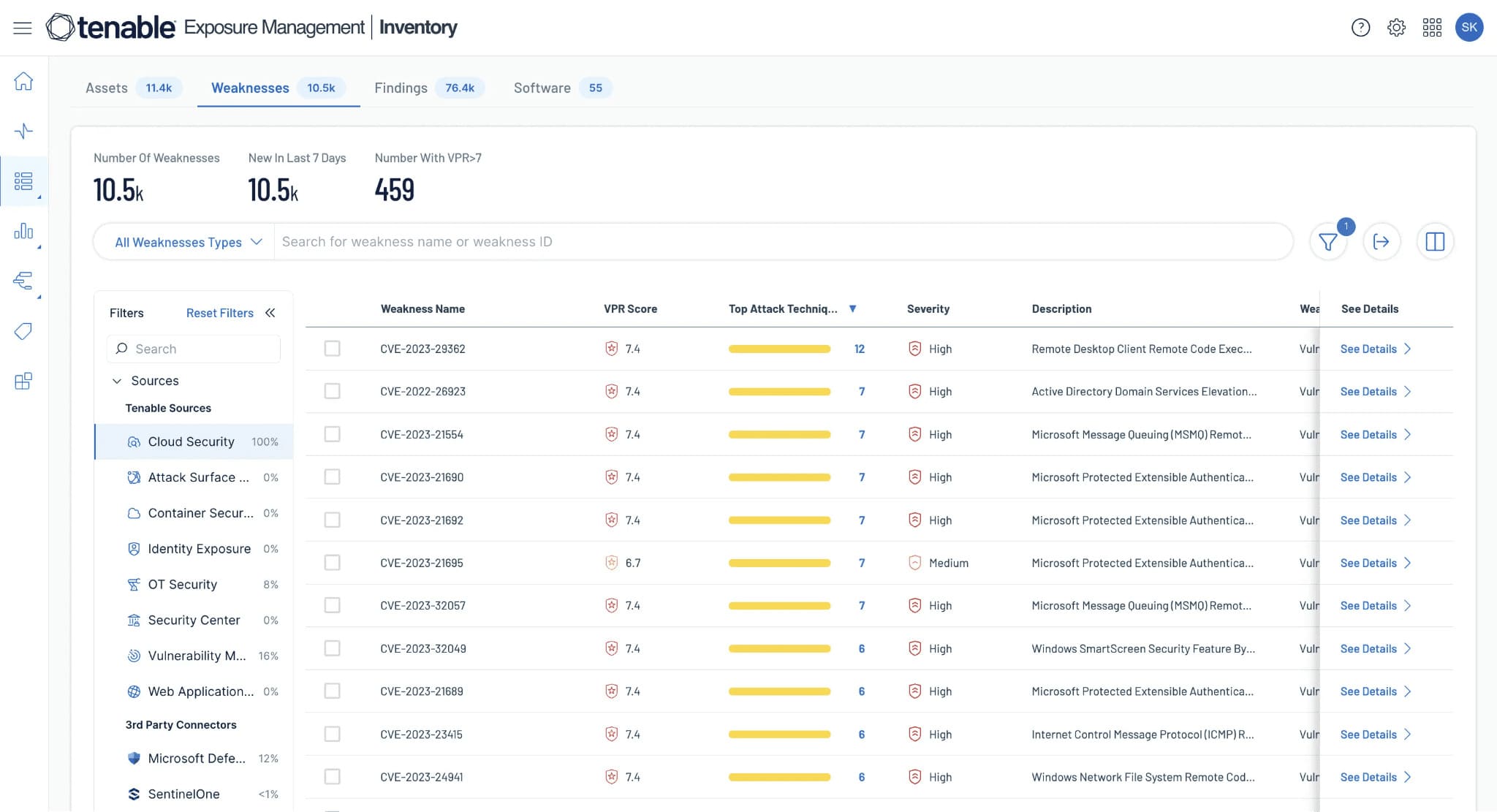
Tenable Cloud Security fits healthcare teams that want CSPM inside a wider exposure management model. The strongest proof is IntelyCare, a healthcare workforce platform running across multiple AWS accounts. Its team used Tenable Cloud Security to build inventory, align with CIS, clean up risky entitlements, route fixes through Jira, expand into Kubernetes coverage, and protect sensitive uploads such as COVID tests, vaccination records, and medical records.
Aidoc, an AI medical diagnostics SaaS running on AWS, used Tenable to tackle IAM complexity in public cloud. Volpara is useful supporting evidence for Tenable’s healthcare footprint, but that case centers on vulnerability management, Docker, CI/CD, and ISO 13485/27001 work rather than CSPM.
Coverage now lists AWS, Azure, GCP, and OCI, with CSPM, CIEM, KSPM, DSPM, workload risk, and remediation workflows. Its edge is exposure context: identity, cloud configuration, data sensitivity, exploitability, and fix priority in one review. Tenable Cloud Security is a 2025 IDC MarketScape Major Player for CNAPP; Tenable is a 2025 Gartner Leader for Exposure Assessment Platforms.
Features
- CSPM with exposure context. Tenable discovers cloud assets, detects misconfigurations, and prioritizes risk using business and security context. It works best when healthcare teams need to see which cloud findings actually increase exposure.
- CIEM for least privilege. The platform analyzes identities, roles, services, and permissions. IntelyCare used this to reduce overprivileged access while keeping production stable, which is the part worth testing in your own AWS account structure.
- DSPM for regulated data. Tenable’s healthcare material positions DSPM around PHI, clinical datasets, exposed storage, AI/ML training data, and risky access paths. Good fit when patient data appears in buckets, analytics stores, or development environments.
- Kubernetes and workload visibility. Tenable covers Kubernetes and workload risk, useful for healthcare SaaS teams shipping containerized services into regulated environments.
- Jira-led remediation. Findings can move into Jira, Slack, Microsoft Teams, email, SIEM, and notification workflows. That matters when cloud security owns the risk, but engineering owns the fix.
Shortlist Tenable when identity-risk context and exposure prioritization matter more than a lightweight posture dashboard. In the demo, ask for one PHI-adjacent asset, its entitlements, misconfigurations, exploitability, ticket path, and evidence trail.
Pricing
Tenable Cloud Exposure is quote-only, priced by billable cloud resources: VMs, container hosts, serverless, images, repos, datastores, and databases. Public anchor: Tenable One VM lists $3,500/year for 100 assets and $9,975 for 3 years. Cloud Security consumes capacity at 3x CIEM, 5x Standard, 7.5x Enterprise; minimum purchase is 300 licenses.
Trial: request-based, duration not published.
Pros & Cons
✅ Risk-based prioritization: Real review evidence says Tenable prioritizes cloud misconfigurations and vulnerabilities by exploitability and business impact. This is useful for healthcare teams that need to fix the risks most likely to affect patient-data systems first. Source.
✅ Multi-cloud configuration monitoring: Real review evidence says Tenable continuously monitors configurations and detects misconfigurations or policy violations in real time. That supports cloud compliance and posture workflows. Source.
✅ CI/CD and IaC checks: Real review evidence says Tenable can scan IaC templates before deployment. This helps prevent misconfigurations before they reach healthcare production environments. Source.
⚠️ Setup requires expertise: Real review evidence says implementation can be time-consuming for organizations without mature cloud/security practices. That can slow healthcare teams that are still building cloud-security maturity. Source.
⚠️ Low-priority alert noise: Real review evidence says too many low-priority findings may require manual tuning. This can create alert fatigue and slow remediation focus. Source.
⚠️ Documentation and cost concerns: Real review evidence says documentation is not always clear for newer features and pricing may concern smaller organizations. That can hurt adoption for lean teams. Source.
Read also: 16 Best Healthcare Data Security Software Tools Reviewed
7. Forcepoint DLP
G2 rating: 4.3/5
Capterra rating: 4.5/5
Best for: preventing PHI leakage through email, endpoints, SaaS, web uploads, Microsoft 365, removable media, Copilot, and GenAI workflows.
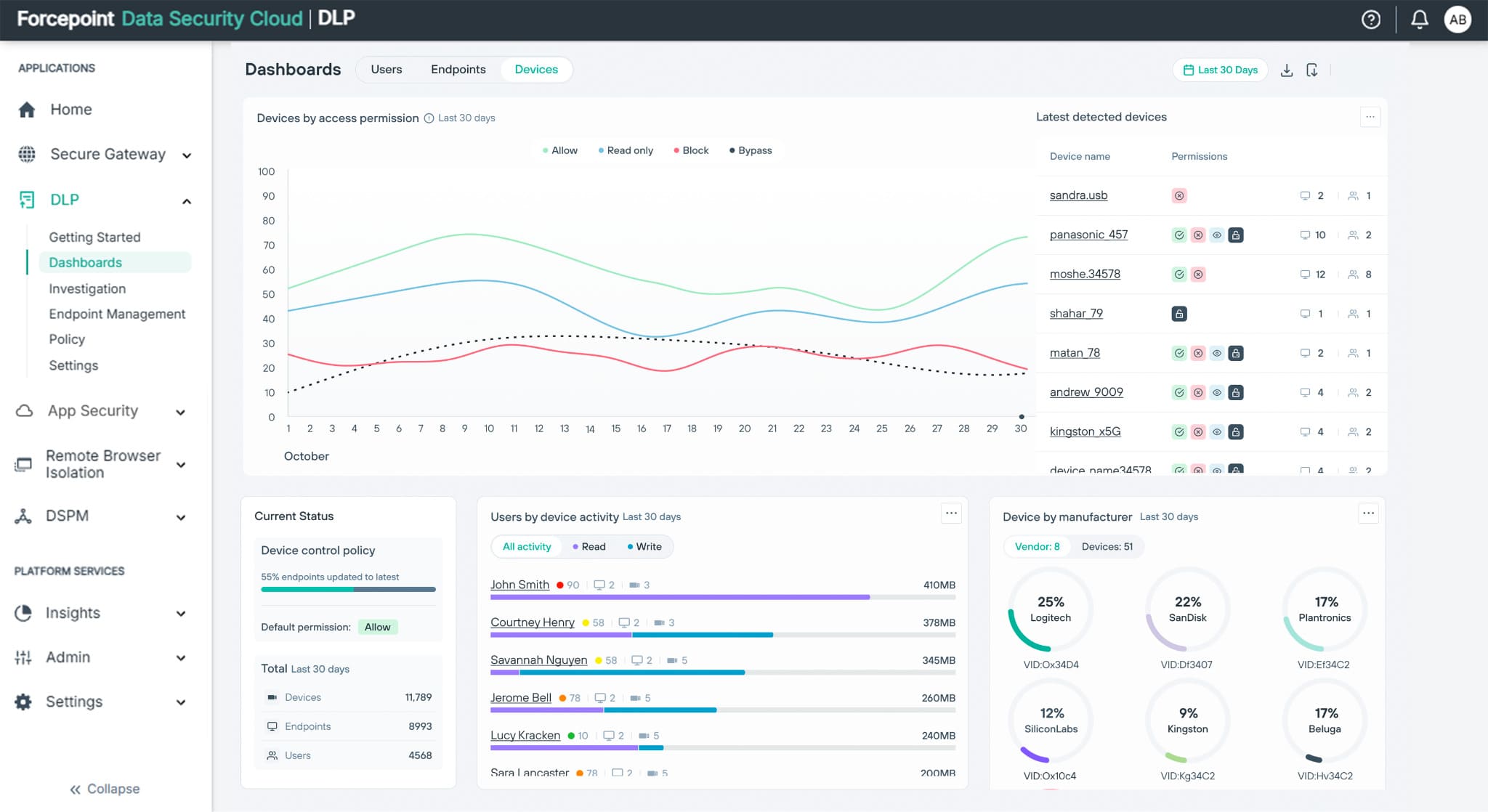
Forcepoint DLP earns a healthcare shortlist spot when PHI movement is the problem: outbound email, web uploads, SaaS sharing, endpoint copy/paste, Microsoft 365, Copilot, GenAI tools, removable media, and network exits.
Medicover is the cleanest current proof. The healthcare group scaled Forcepoint DLP across 80 companies in 18 markets, using fingerprinting, prebuilt policies, Microsoft 365/mail compatibility, regional tuning, and 24/7 incident tracking for PHI and GDPR control. That tells me where the product fits: high-volume healthcare operations where data leaves through normal user behavior, not only through attacker paths.
Chelsea & Westminster adds a useful field signal, although the case is older. The hospital fingerprinted 1.6 million patient records and reduced incidents needing review from 6,000–10,000 per month to 10–20. Strong outcome. I’d still ask Forcepoint to prove the same workflow on today’s Data Security Cloud.
Coverage is channel-led: endpoint, web, email, SaaS/cloud, network, Microsoft 365, Copilot, ChatGPT, and GenAI workflows. Forcepoint’s edge is policy consistency across those routes. Same sensitive-data rule, different exit doors.
Features
- PHI movement control. Forcepoint inspects data at rest, in motion, and in use across endpoint, web, cloud, email, SaaS, and network channels. Best fit when staff, contractors, or partners can move patient data through everyday tools.
- Healthcare policy templates. Prebuilt healthcare and compliance classifiers shorten the first rollout. Good starting point, but demo regional tuning if your organization spans countries, business units, or mixed privacy rules.
- Record fingerprinting. Exact-record matching helps protect known patient datasets rather than relying only on generic pattern detection. This matters for hospitals, insurers, and healthcare platforms with high-value structured records.
- Microsoft 365 and Copilot controls. Forcepoint extends DLP into SharePoint, OneDrive, Teams, Exchange, Copilot, and prompt workflows. Test prompt blocking, output inspection, audit logs, and user coaching with real PHI-like samples.
- Risk-adaptive enforcement. Policies can shift by user behavior and risk score, from audit to coaching to blocking. This is useful in healthcare, where aggressive controls can break clinical and operational workflows fast.
Shortlist Forcepoint for PHI leakage prevention and user-side data controls. Bring a CSPM or CNAPP alongside it for cloud asset ownership, misconfiguration evidence, attack paths, and infrastructure remediation.
Pricing
Forcepoint DLP is quote-led, but the public benchmark gives us a clean planning number: $51.99/user/year, or $4.33/user/month. For an ordinary team, that means 50 users ≈ $217/month, 100 users ≈ $433/month, 250 users ≈ $1,083/month, and 1,000 users ≈ $4,333/month, before services, support, channel coverage, and add-ons.
Trial exists, but Forcepoint does not publish the trial length.
Pros & Cons
✅ Multi-channel data movement control: Real review evidence says Forcepoint DLP covers endpoint, email, web, and USB, giving visibility and control over data movement. For healthcare, this maps directly to PHI leakage prevention. Source.
✅ Flexible detection policy engine: Real review evidence says Forcepoint supports fingerprinting, regex, dictionaries, and machine-learning classifiers. That is valuable for detecting sensitive-data patterns across different channels. Source.
✅ Custom on-prem use cases: Real review evidence says Forcepoint offers customization through customer-created JSONs and supports specific on-premises use cases. That can help healthcare organizations with strict local infrastructure requirements. Source.
⚠️ Complex policy tuning: Real review evidence says initial policy configuration and tuning can be complex and time-consuming, especially in large environments. This is a classic DLP challenge for healthcare teams. Source.
⚠️ Endpoint performance impact: Real review evidence says performance may be affected during heavy scanning or large file transfers. This can be a problem in clinical or operational environments where user disruption matters. Source.
⚠️ OCR and first-time setup limits: Real review evidence says OCR needs improvement and first-time configuration is lengthy. That matters when teams need to inspect sensitive data inside images, scans, or PDFs. Source.
Read also: 10 Best Cloud Security Tools in 2026 - Comparison & Reviews
8. Orca Security
G2 rating: 4.6/5
Capterra rating: 4.8/5
Best for: rapid agentless visibility across workloads, configurations, identities, sensitive data, vulnerabilities, and reachable attack paths.
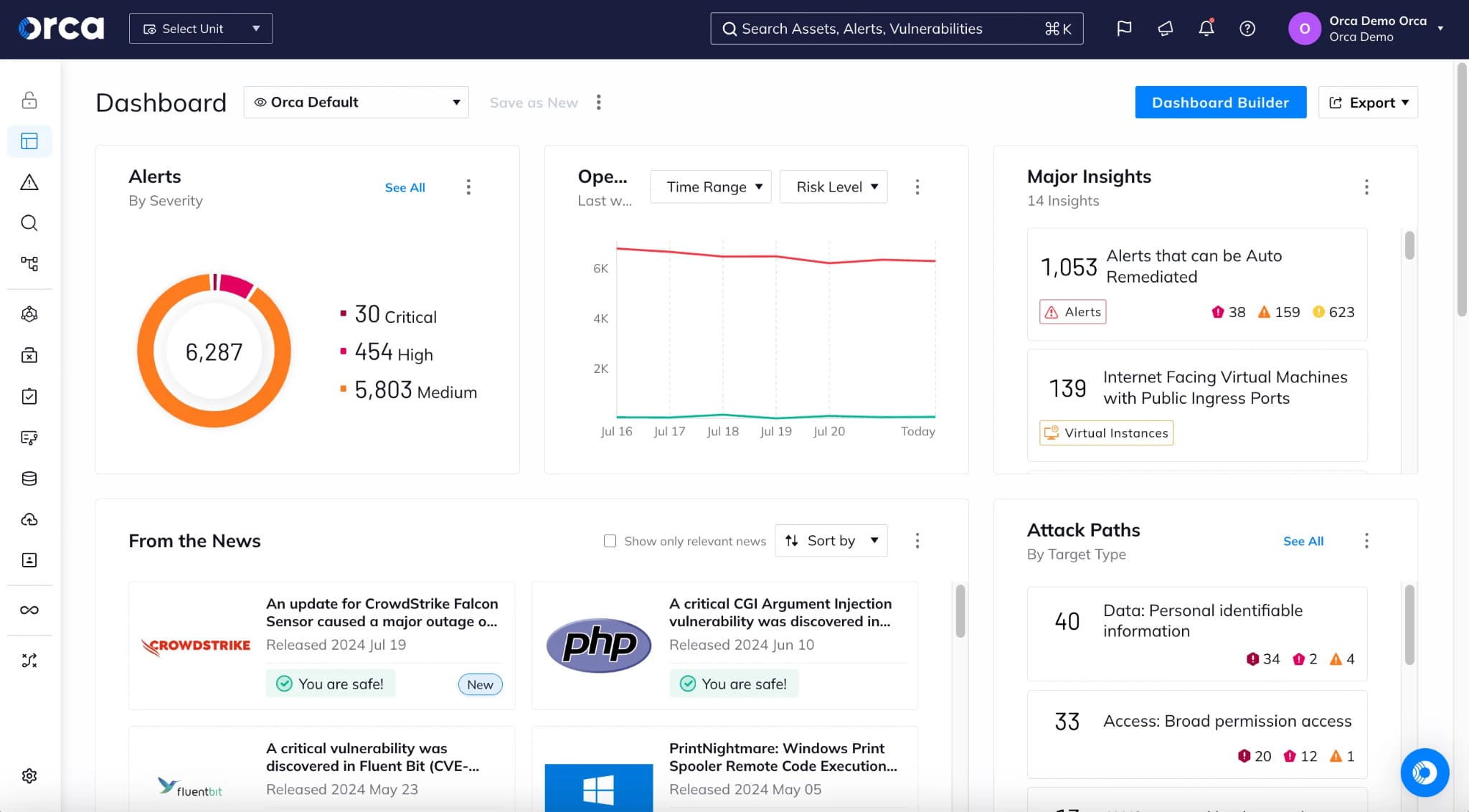
Orca Security fits healthcare teams that need fast CSPM coverage before agent rollout turns into a quarter-long politics project. Its healthcare page focuses on capability rather than named hospital proof: agentless SideScanning, ePHI discovery, HIPAA Security Rule mapping, and exposed attack paths to sensitive data. That is still useful buying evidence, just not a customer case study.
For field proof, I’d use cloud-heavy references carefully. Blue Yonder replaced 5 to 6 disconnected tools with Orca, gained multi-cloud visibility, and reports that one patch could address 10,000 to 20,000 related alerts. Autodesk and Swiggy also appear in Orca’s CNAPP material for AI workload visibility and fast agentless deployment at scale.
Coverage includes AWS, Azure, Google Cloud, Kubernetes, Oracle Cloud, and Alibaba Cloud; confirm Tencent Cloud if it matters. Orca’s edge is agentless, workload-deep context with attack-path prioritization. Recognition is current: Forrester Wave CNAPP Q1 2026 Strong Performer and 2025 GigaOm Radar CNAPP Leader.
Features
- Agentless CSPM coverage. Orca uses SideScanning to read cloud configuration and workload storage out of band. Good when teams need visibility across stopped, idle, and hard-to-agent workloads without waiting for every app owner to approve deployment.
- ePHI and sensitive-data risk. Orca’s healthcare material connects ePHI discovery with HIPAA posture and attack paths. In a demo, I’d test this with PHI-like data in storage, backups, and non-production accounts.
- Attack-path prioritization. Alerts are scored with asset context, sensitive data, exposure, and attack paths. That is the buying signal: Orca is built to show which cloud issue can actually reach the thing you care about.
- CIEM and identity graphing. Orca received Forrester’s highest possible score for CIEM in the Q1 2026 CNAPP evaluation, with identity-to-data relationship graphs called out in the vendor write-up. Test service accounts and cross-account roles here.
- Missions for remediation. Orca groups related alerts into Missions, assigns work, and tracks deadlines. Strong for teams trying to reduce risk clusters rather than close single noisy findings.
- Code-to-cloud tracing. Orca connects production findings back to code origins and supports CI/CD checks, IaC scanning, container image scanning, and pull-request workflows. Useful if the fix needs to land in Terraform, not in a Friday console patch.
Shortlist Orca when speed-to-visibility, agentless depth, and attack-path prioritization matter most. Probe HIPAA evidence exports, ownership mapping, exception handling, and named healthcare references before putting it ahead of a CMDB-led CSPM.
Pricing
Orca prices by protected cloud workloads, with one all-inclusive SKU covering CNAPP, AppSec, runtime security, and Orca Sensor. Public AWS Marketplace anchors start at $7,000/month for Small and reach $30,000/month for Large starter packs; private offers handle custom scope.
Pros & Cons
✅ Agentless deployment: Real review evidence says Orca setup is quick because teams do not have to touch workloads or disrupt systems. This is valuable in healthcare environments where production systems can be sensitive to agent deployment. Source.
✅ Full visibility into exposures: Real review evidence says Orca provides visibility into vulnerabilities, misconfigurations, and exposed secrets across cloud accounts. That is directly useful for healthcare cloud-risk discovery. Source.
✅ Consolidated posture view: Real review evidence says Orca gives a single consolidated view across cloud environments without operational overhead. That helps teams track resources and spot risks early. Source.
⚠️ Learning curve in the interface: Real review evidence says some screens and views are not as intuitive for new users. That can slow onboarding and investigation. Source.
⚠️ Consumption-based pricing: Real review evidence says workload-based pricing can make costs harder to forecast. For healthcare systems with variable workloads, that can complicate budgeting. Source.
⚠️ Initial alert overload: Real review evidence says the platform’s depth of information can be overwhelming and may produce thousands of informational alerts at first. Teams need tuning and prioritization. Source.
Read also: How to Prepare for a Cloud Security Architecture Review? A Checklist for Multi-Cloud Teams
9. Asimily
Best for: hospitals that need IoMT and connected-device discovery, device-specific vulnerability prioritization, segmentation context, and clinical asset risk management.
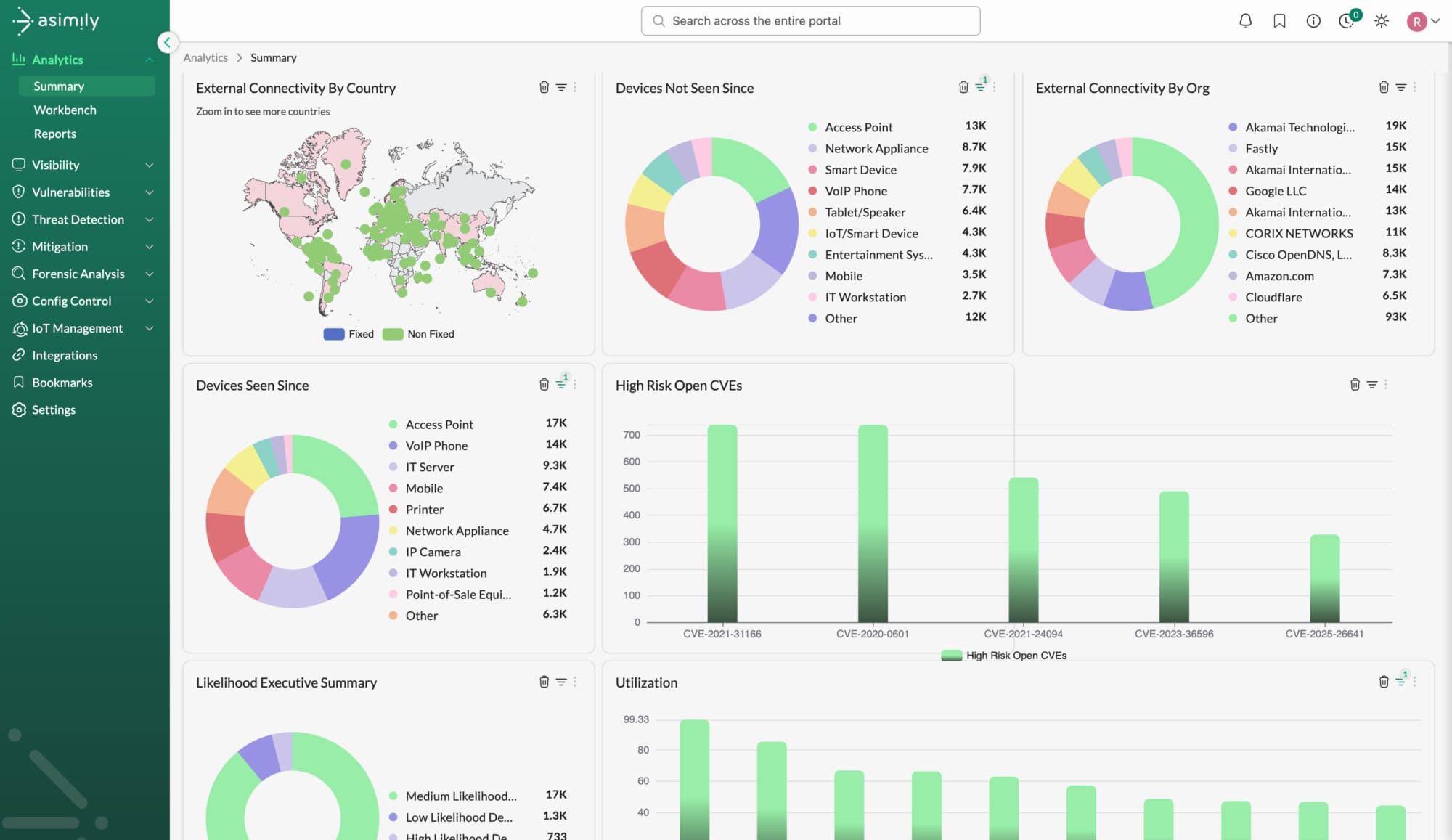
Image source.
Asimily fits a healthcare security shortlist when the riskiest assets are not cloud buckets. They are infusion pumps, imaging systems, lab equipment, elevators, temperature systems, smart TVs, badge readers, unmanaged IoT, and IoMT devices nobody wants to patch during clinical hours.
MemorialCare used Asimily across 4 hospitals, 1,018 beds, and 52k+ connected devices to gain visibility into its connected IoT and IoMT assets, their vulnerabilities, and remediation priorities. The security program reached 98% NIST compliance, compared with a 71% average across 60 similar healthcare delivery organizations.
This approach is not provider-based CSPM. Asimily works through hospital-device discovery and integrations: NAC, CMMS, CMDB, vulnerability scanners, DHCP/IPAM, SIEM/SOC, and IAM. It can sync device data, create work orders, send anomaly events to SIEM/SOC tools, and feed segmentation context into NAC systems.
Its edge is clinical-device risk context. Asimily prioritizes devices by owner importance, vulnerability, known exploitability, network position, and configuration, rather than dumping CVEs on biomedical teams. Recognition is strong for the category: Best in KLAS 2026 Healthcare IoT Security, with a 96.6/100 score, is a CRN 2025 Tech Innovator IoT winner.
Features
- IoT and IoMT asset visibility. Asimily gives security, IT, and clinical engineering a shared device inventory, with context around connected medical, IoT, OT, and IT assets. Useful when every team has a different asset list and none of them matches the network.
- Device-specific vulnerability prioritization. Risk is customized by device importance, vulnerability, network position, configuration, and exploitability. That matters because a risky imaging system and a lobby TV should not land in the same remediation queue.
- NIST and healthcare compliance support. MemorialCare’s 98% NIST result is the clearest proof point. I would still ask Asimily to show exactly how evidence exports map to your internal controls, because compliance reporting format matters during audit prep.
- CMMS and CMDB synchronization. Asimily can update CMMS and CMDB systems as device attributes change and create work orders for anomalies or vulnerabilities when the target integration supports it. That is practical remediation plumbing, not dashboard decoration.
- Segmentation support through NAC. NAC integrations add device classifications and risk scores for automated segmentation and policy enforcement. Strong fit when flat hospital networks need safer boundaries without breaking clinical operations.
- SIEM and SOC context. Asimily can send anomaly event data to SIEM/SOC systems in standard syslog format, giving responders device context before an alert turns into a vague hospital-network incident.
Shortlist Asimily when connected-device exposure is a major part of healthcare risk. Pair it with CSPM or CNAPP for cloud misconfigurations, cloud identity paths, infrastructure compliance evidence, and workload runtime protection.
Pricing
Asimily pricing is custom, usually shaped by device count, modules, integrations, support, and deployment scope. No public starting price is available; Capterra lists free trial not available, while Asimily offers a demo-led evaluation.
For budget checks, force the quote into device math: at $1/device/month, 5,000 devices cost $5K/month; at $3, $15K/month; at $5, $25K/month. For a 52K-device hospital, that range becomes $52K–$260K/month. Pros and cons show whether that visibility justifies the spend.
Pros & Cons
✅ IoMT inventory and risk management: Real review evidence says Asimily’s real-time inventory and risk management improved cybersecurity posture in a hospital. Source.
✅ Medical-device administrative relief: Real review evidence says Asimily reduces administrative work around managing diverse medical devices and helps teams become more proactive about security. Source.
✅ No second/third 2025–2026 review found: I cannot provide two more real 2025–2026 pros without fabricating evidence.
⚠️ Legacy-device blind spots: Real review evidence says compatibility limits with older legacy devices can create blind spots in device security. That is a serious healthcare-data-security limitation because legacy medical devices often remain in clinical networks for years. Source.
⚠️ No second/third 2025–2026 con found: I found only one public G2 review, so there is not enough review evidence for three current cons.
⚠️ No enough-review warning: G2 itself says there are not enough Asimily reviews for buying insight, so I would not present Asimily as having a robust review-backed pros/cons set. Source.
Read also: 12 Best Cloud Security Assessment Tools for 2026
10. ClearDATA
G2 rating: 4.3/5
Best for: healthcare-native cloud compliance, PHI discovery, HIPAA and HITRUST controls, managed remediation, MDR, and audit support.
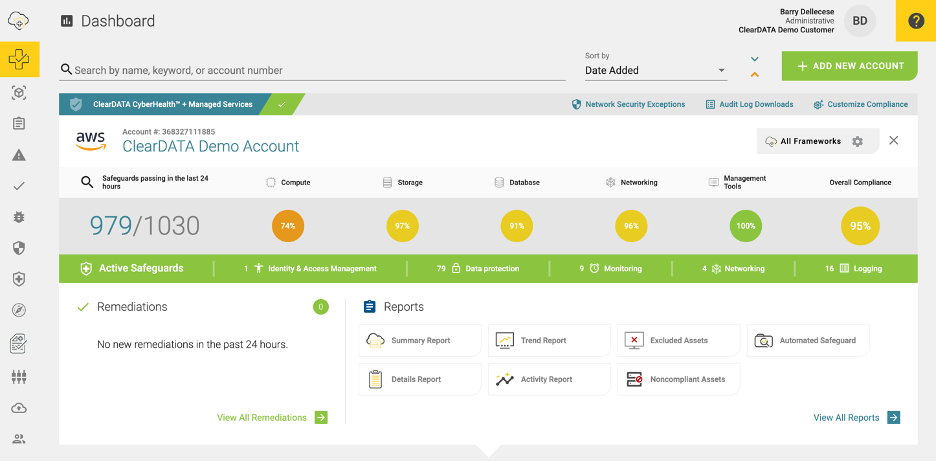
ClearDATA belongs on a healthcare CSPM shortlist when compliance work needs more than cloud checks. Think PHI discovery, HIPAA/HITRUST guardrails, cloud risk remediation, MDR, and audit evidence wrapped around AWS, Azure, and Google Cloud.
The proof is unusually healthcare-specific. A BCBS insurer expanded from 4 to 52 cloud accounts, serving 3.9M members and maintaining >95% compliance with HIPAA and HITRUST. Wondr Health used ClearDATA’s cloud MDR to cut alert triage time by 50–70% and save about 180 hours per month on detection and response work.
ClearDATA’s edge is translation. It turns healthcare policy into technical cloud controls through its Policy-as-Code™ Engine, mapped to HIPAA, GDPR, GxP, HITRUST, NIST, PCI, and ISO. Recognition includes the SC Awards Best Managed Security Service 2023.
Features
- Healthcare CSPM. ClearDATA monitors cloud posture for healthcare workloads and tracks compliance risk scores, PHI leak discovery, remediation, and audit-ready reporting.
- Policy-as-Code™ controls. Healthcare regulations and standards become enforceable cloud safeguards, not static checklist items.
- PHI/PII discovery. ClearDATA provides PHI and PII discovery across AWS, Azure, and Google Cloud, with 24x7x365 monitoring.
- Managed detection and response. Useful for lean teams that need healthcare-aware alert triage, escalation, incident reporting, and defined SLAs.
- Compliance dashboards. CyberHealth™ shows compliance score movement over time, so teams can spot drift before audit prep turns into cleanup week.
Shortlist ClearDATA when healthcare compliance depth and managed support matter more than broad CNAPP feature sprawl. Probe custom policy flexibility, ownership mapping, and export quality during demo.
Pricing
ClearDATA Premium starts with a $4,000/month base contract, then adds metered usage. Public AWS Marketplace bands price extra usage at $0.80/unit up to 10K, $0.55 up to 25K, $0.45 up to 50K, $0.35 up to 100K, $0.25 up to 250K, and $0.20 above 250K. Trial days are not publicly listed.
The math gets practical fast: 10K units ≈ $12K/month, 50K ≈ $26.5K/month, 100K ≈ $39K/month, and 250K ≈ $66.5K/month, before AWS infrastructure costs or private-offer discounts.
Pros & Cons
✅ Automated vulnerability detection: Real review evidence says ClearDATA can automatically detect and remediate vulnerabilities to help protect sensitive patient information. This is the strongest healthcare-data-security advantage. Source.
✅ Healthcare cloud adoption support: Real review evidence says ClearDATA removes guesswork for healthcare organizations adopting modern cloud technologies. That is useful for teams that need cloud modernization with healthcare-specific controls. Source.
✅ Secure and compliant healthcare cloud: Real review evidence says ClearDATA provides a secure and compliant platform for healthcare data in the cloud using DevOps automation. Source.
⚠️ High cost: Real review evidence says ClearDATA is very expensive compared with other marketplace solutions. Source.
⚠️ Technical expertise required: Real review evidence says effective implementation requires a certain level of technical expertise. That can be hard for smaller healthcare IT teams. Source.
Read also: AWS Cloud Security Assessment - 5 Readiness Gates
Summary comparison table of top healthcare data security software
This was a long article. And honestly, asking anyone to keep ten tools, dozens of feature claims, pricing notes, demo caveats, and “best for” labels in their head is a little cruel.
So here’s the quick buyer summary.
Legend: ✅ strong native fit · ⚠️ partial or depends on module/setup · ❌ not a core fit
| Tool | Multi-cloud | HIPAA / compliance | PHI / sensitive data | Access risk | Owner context | Audit evidence | Exception lifecycle | Automations |
|---|---|---|---|---|---|---|---|---|
| Palo Alto Networks Prisma Cloud | ✅ | ✅ | ✅ | ✅ | ⚠️ | ⚠️ | ⚠️ | ✅ |
| Cloudaware | ✅ | ✅ | ⚠️ | ✅ | ✅ | ✅ | ✅ | ✅ |
| Wiz | ✅ | ✅ | ✅ | ✅ | ⚠️ | ⚠️ | ⚠️ | ✅ |
| CrowdStrike Falcon Cloud Security | ✅ | ⚠️ | ✅ | ✅ | ⚠️ | ⚠️ | ⚠️ | ✅ |
| Microsoft Defender for Cloud | ✅ | ✅ | ✅ | ✅ | ⚠️ | ⚠️ | ⚠️ | ✅ |
| Tenable Cloud Security | ✅ | ✅ | ✅ | ✅ | ⚠️ | ⚠️ | ⚠️ | ✅ |
| Forcepoint DLP | ⚠️ | ✅ | ✅ | ⚠️ | ⚠️ | ⚠️ | ⚠️ | ✅ |
| Orca Security | ✅ | ✅ | ✅ | ✅ | ⚠️ | ⚠️ | ⚠️ | ✅ |
| Asimily | ❌ | ⚠️ | ❌ | ⚠️ | ✅ | ⚠️ | ❌ | ✅ |
| ClearDATA | ✅ | ✅ | ✅ | ⚠️ | ⚠️ | ✅ | ⚠️ | ✅ |
A few patterns jump out.
- Cloudaware is strongest when auditability and remediation ownership matter. Its edge is the CMDB-aware operating layer: failed check, affected CI, application, owner, evidence, exception status, remediation ticket, and configuration history stay connected. That is the kind of detail healthcare teams need when an auditor asks for proof of who fixed a control, when it changed, and whether the fix remained in place.
- ClearDATA is the more healthcare-native compliance option. It combines PHI discovery, HIPAA and HITRUST controls, policy-as-code, audit reporting, managed remediation, and MDR across AWS, Azure, and Google Cloud. It is a stronger fit when the team wants healthcare-specific operational support rather than a broad self-managed CNAPP.
- Prisma Cloud, Wiz, Orca, Tenable, Microsoft Defender for Cloud, and CrowdStrike are the broader CNAPP-style choices. They go deeper into combinations of cloud posture, workload protection, identity exposure, vulnerabilities, sensitive data, runtime threats, and attack-path prioritization. The difference is emphasis: Prisma Cloud offers wide platform coverage, Wiz and Orca lean into agentless attack-path context, Tenable emphasizes identity and exposure management, Microsoft fits Microsoft-heavy environments, and CrowdStrike connects cloud posture more closely to XDR and runtime response.
- Forcepoint and Asimily should not be judged as incomplete CNAPPs. They solve different healthcare security problems. Forcepoint is built around stopping PHI from leaving through email, SaaS, endpoints, browsers, Microsoft 365, removable media, and GenAI workflows. Asimily focuses on the IoMT and connected-device estate: infusion pumps, imaging systems, lab equipment, unmanaged IoT, and other clinical assets that conventional cloud platforms may never see.
How to choose the best healthcare data security software
Start with your infrastructure, not the vendor grid.
A hospital running Azure, Microsoft 365, Epic integrations, legacy imaging systems, and a few sneaky AWS accounts does not need the same tool as a healthcare SaaS company shipping containers into Kubernetes twice a day. Same regulation. Different blast radius.
The HIPAA Security Rule requires regulated organizations to protect ePHI with administrative, physical, and technical safeguards. HHS keeps the rule technology-neutral, which means your tool choice has to match your actual systems, risks, and operating model, not someone’s “top platform” badge. NIST’s HIPAA guide makes the same point from the practitioner side: risk analysis, safeguards, implementation, and ongoing review have to connect back to how ePHI is created, received, maintained, and transmitted.
So, before comparing healthcare data security companies, map the buying job.
1. Find where ePHI actually lives. Do not stop at EHR. Check databases, object storage, backups, logs, SaaS exports, analytics pipelines, AI tools, support tickets, and dev environments. A pretty compliance dashboard means little if PHI sits in a forgotten test bucket.
2. Check asset context. A useful platform should show asset, owner, app, environment, data sensitivity, control status, ticket, exception, and history. Without that, your team still has to rebuild the audit story manually.
3. Match the tool to the dominant risk.
| Your real problem | Tool type to prioritize |
|---|---|
| Cloud misconfigurations, ownership, audit evidence | CSPM / CMDB-led CSPM |
| Attack paths across cloud, identity, workloads, and data | CNAPP |
| PHI moving through email, SaaS, endpoint, web, or GenAI | DLP / SSE |
| Medical devices, IoMT, hospital IoT | IoMT security |
| Runtime threats and lean SOC coverage | XDR / MDR |
| Vulnerabilities across cloud and endpoints | Exposure management |
4. Demand proof during the demo. Ask the vendor to show one realistic workflow: exposed datastore, PHI context, risky identity, failed control, owner, ticket, remediation, exception, and exportable evidence. If the demo stays at “here is our dashboard,” keep asking.
5. Price the operating model, not the SKU. The tool cost is only part of it. Add deployment time, policy tuning, false-positive handling, integrations, evidence prep, renewals, and the people required to keep it alive.
My simple rule: choose the platform that shortens the distance between risk found and risk fixed with proof. In healthcare, that distance is where audit pain, breach exposure, and team burnout usually hide.