


Picking a CSPM tool gets messy fast. Every vendor promises fewer risks, cleaner compliance, and “prioritized” findings.
Then you open the trial and find the real work: noisy misconfigurations, unclear asset context, weak ownership data, confusing pricing, and dashboards that look great until engineering asks, “What do we fix first?”
So I spent 7 days testing 23 tools, interviewing cloud security practitioners, checking client patterns, reading recent G2/Capterra/TrustRadius reviews, and digging through Reddit and Quora complaints. This shortlist covers the top cloud security posture management vendors that held up after that filter.
Inside, you’ll find a walk through the questions buyers actually get stuck on:
- Which tools find risky cloud combinations, not just isolated alerts?
- Who gives remediation context engineers can use?
- Where does compliance reporting become audit evidence?
- Which platforms turn noisy after onboarding?
- Whose pricing gets painful when cloud usage scales?
Key insights
The best CSPM tool depends less on the feature list and more on the job you need it to do first.
Some teams need to stop Terraform mistakes before deployment. Others need agentless visibility across AWS, Azure, and GCP by Friday. A few need compliance evidence clean enough for auditors.
The mature buyers I spoke with cared less about “number of checks” and more about three things: asset context, remediation clarity, and alert priority.
Here’s the practical shortlist of cloud security posture management vendors by best-fit use case.
- Wiz is useful to see which cloud risks combine into real exposure: public assets, toxic permissions, secrets, vulnerabilities, and sensitive data. It is the fastest fit for teams that want agentless visibility without waiting on workload deployment.
- Cloudaware is useful when cloud posture needs CMDB context, ownership, inventory, compliance reporting, and operational evidence. It is less about flashy risk graphs and more about knowing what the asset is, who owns it, and where it stands.
- Orca fits teams that want quick onboarding and broad coverage without agents. It works well when the goal is to find misconfigurations, vulnerabilities, exposed secrets, and compliance gaps across cloud accounts with minimal operational drag.
- Prisma is for teams that want CSPM, workload protection, compliance, vulnerability management, and threat response in one platform. It suits larger security organizations that prefer a broad control plane over several narrow tools.
- Defender is the natural fit when Azure is the center of gravity. It works best for teams that want Secure Score, recommendations, regulatory controls, and posture visibility across Azure, AWS, and GCP inside the Microsoft ecosystem.
- Tenable fits teams that already think in exposure management. It connects cloud misconfigurations, identity risk, IaC issues, and vulnerabilities to business impact, which helps teams decide what deserves remediation first.
- Snyk is the strongest before production. Shortlist it when cloud posture needs to live inside developer workflows, CI/CD, Terraform, Kubernetes manifests, and pull requests instead of sitting only in a security dashboard.
- Sysdig belongs on the list when your cloud risk sits inside containers and clusters. It is especially useful for teams that want runtime context, Kubernetes inventory, vulnerability prioritization, and compliance in one cloud-native view.
- Aqua fits organizations where CSPM is tied to image scanning, Kubernetes controls, runtime protection, and cloud-native compliance. It is a better match for platform-security teams than for teams looking only for basic cloud misconfiguration checks.
- SentinelOne makes sense when posture findings need to connect with workload protection, detection, and automated response. It is especially relevant for teams already using SentinelOne across endpoints or cloud workloads.
- CloudGuard fits teams focused on network rules, cloud firewalls, segmentation, WAF layers, and threat prevention. Choose it when the core job is policy control around cloud traffic and application exposure.
- Cloudflare is not a classic CSPM tool. It belongs in the comparison when your posture problem is user access, SaaS control, DLP, CASB, secure web gateway, and zero trust policy enforcement.
- Zscaler is a strong fit when the priority is protecting users, apps, cloud access, data movement, and SaaS usage. It supports CSPM-adjacent work, especially where access policy and data protection matter more than cloud-resource scanning.
- Datadog works when DevOps and security already live in Datadog. It is useful for teams that want misconfigurations, workload signals, logs, metrics, dashboards, and remediation workflows in the same operational view.
- Darktrace is not pure CSPM. It fits teams that want posture-adjacent detection: unusual activity, lateral movement, network behavior, and autonomous response across hybrid environments.
- Cyble is useful when the CSPM conversation extends outside cloud accounts into leaked credentials, dark web mentions, attack surface monitoring, brand abuse, and external threat signals.
- Sophos Cloud Optix is a cleaner fit for teams that want cloud inventory, misconfiguration checks, and compliance visibility without committing to a large enterprise CNAPP rollout.
What is a cloud security posture management vendor?
A cloud security posture management vendor sells software that continuously checks cloud environments for risky configurations, exposed assets, excessive permissions, compliance gaps, vulnerable workloads, and attack paths across AWS, Azure, Google Cloud, Kubernetes, and sometimes SaaS or code pipelines.
In buyer language: it tells you what in your cloud estate can hurt you, why it matters, and who needs to fix it.
The important part is “continuously.” Cloud posture is not a quarterly screenshot. A 2026 CSPM research paper describes these systems as tools that evaluate rules against periodically collected asset inventories. That sounds dry until you run a trial and realize freshness decides everything. A stale inventory gives you yesterday’s risk with today’s confidence. Dangerous combo.
Bruce Schneier’s old security principle still lands here: "Security is a process, not a product.” CSPM buyers learn that fast. The dashboard is only the surface. Under it, you need asset context, identity context, data sensitivity, ownership, remediation workflow, and evidence your auditor can follow without a guided tour.
That is why comparing the top cloud security posture management vendors by feature count alone gets messy. One product has 2,000 checks. Another has fewer checks but better risk paths. A third looks quiet during the demo, then floods the team after onboarding. Alert quality matters.
In one 2025 AWS test setup, active validation reduced CSPM false positives by 93%, which tells you exactly why “more findings” can become expensive theater. Learn more in our senior practitioner's guide on AWS cloud security posture management.
Types of cloud security posture management vendors
| CSPM vendor type | Best fit | What to verify before buying |
|---|---|---|
| Standalone CSPM platforms | Teams that need cloud inventory, misconfiguration checks, compliance views, and fast posture visibility. | Test alert quality, rule freshness, cloud coverage, and whether findings map to owners. |
| CNAPP platforms | Security teams that want CSPM plus workload protection, vulnerability management, identity risk, IaC scanning, and runtime context. | Ask whether the platform explains attack paths or simply bundles modules into one large console. |
| Developer-first CSPM tools | AppSec and platform teams that want to catch Terraform, Kubernetes, and cloud-policy issues before production. | Check pull-request comments, fix guidance, CI/CD friction, and whether engineers will actually use it. |
| Kubernetes and container posture tools | Cloud-native teams where risk lives in clusters, images, runtime workloads, and container pipelines. | Validate runtime context, image risk, cluster misconfigurations, and compliance mapping. |
| Asset-centric governance vendors | Enterprises that need ownership, CMDB context, audit trails, cloud inventory, and compliance evidence. | Look for owner mapping, historical evidence, ITSM integrations, and reporting that survives audit scrutiny. |
| Exposure-management CSPM vendors | Teams that want cloud risk ranked by exploitability, blast radius, identity paths, and business impact. | Push vendors to prove prioritization with real examples from your environment. |
| SASE / Zero Trust adjacent vendors | Organizations where posture includes SaaS access, DLP, CASB, user risk, and cloud access policy. | Do not expect classic cloud-resource scanning unless the product clearly supports it. |
| Observability-first cloud security tools | DevOps-led teams that want posture findings next to logs, metrics, traces, and incidents. | Make sure the security depth is enough for cloud security teams, not just useful for monitoring. |
The clean buying filter is simple: basic CSPM finds misconfigurations. Better CSPM explains exposure. The right CSPM gives your team a fix path they can defend in Slack, Jira, and the audit room.
Read also: 9 Reasons Cloud Security Posture Management Matters in 2026
Methodology: how we chose cloud security posture management vendors
I did this research together with my team—ITAM and cloud security experts. Surely, we did not start with vendor homepages. That would have made every tool look “unified,” “AI-powered,” and suspiciously perfect.
We built the shortlist from a practical buyer workflow: trial access where available, guided demos where access was gated, product documentation, pricing conversations, review platforms, analyst directories, Reddit threads, Quora discussions, and notes from cloud security practitioners who have lived with these tools after onboarding.
The first pass included 23 cloud security posture management companies. Then we cut the list down using seven checks.
| What we tested | Why it mattered |
|---|---|
| Cloud account connection | A CSPM that takes weeks to show useful asset context creates friction before the work starts. |
| Asset inventory quality | Cloud posture depends on current assets, relationships, identities, data exposure, and ownership. |
| Risk prioritization | We looked for attack paths, toxic combinations, exploitability, blast radius, and business context. |
| Remediation guidance | A useful finding should tell engineering what to fix, where to fix it, and why it matters. |
| Compliance evidence | Reports had to support audit conversations, not just decorate a dashboard. |
| Workflow fit | We checked Jira, Slack, ServiceNow, SIEM, CI/CD, IaC, Kubernetes, and CMDB paths where relevant. |
| Review consistency | G2, Capterra, TrustRadius, Reddit, and Quora helped us spot patterns vendors rarely put in demos. |
A 2026 CSPM research paper describes these systems as tools that evaluate rules against periodically collected cloud asset inventories. That shaped the first filter: fresh inventory beats a pretty dashboard. If the graph is stale, the risk story gets stale with it.
Alert quality carried just as much weight. Rule-based CSPM can create findings that look urgent until context proves otherwise. Active validation reduced false positives by 93%, which matched the pattern we saw in reviews: buyers do not want more alerts. They want fewer debates about which alerts deserve engineering time.
We moved tools up when they gave clear answers to practical questions:
- Can it show which cloud risks combine into a real attack path?
- Does the finding include the owner or the team that can close it?
- Can engineers act on the remediation without security translating every line?
- Are compliance exports useful during audit prep?
- Does pricing stay understandable when accounts, workloads, scans, and modules scale?
- Do real users praise the same strengths the vendor claims?
Tools moved down when the trial or user feedback exposed the same pattern again and again: noisy findings, vague prioritization, weak export options, limited ownership context, slow setup, or pricing that only became clear after multiple calls.
The final shortlist is not a beauty contest. It is a job-fit map. Some vendors are better for agentless multicloud discovery. Some belong in Kubernetes-heavy environments. A few make more sense when CSPM has to connect with CMDB, ITSM, DevOps, SOC, or compliance evidence.
That is the comparison we wanted: not “which CSPM has the longest feature list,” but which CSPM fits the work your team has to get done next quarter.
Snyk cloud security
Best for: teams that want developer-owned cloud posture fixes before misconfigurations reach production.
Note: Strong fit when CSPM has to live inside IaC, CI/CD, containers, and developer workflows, not only in a security dashboard.
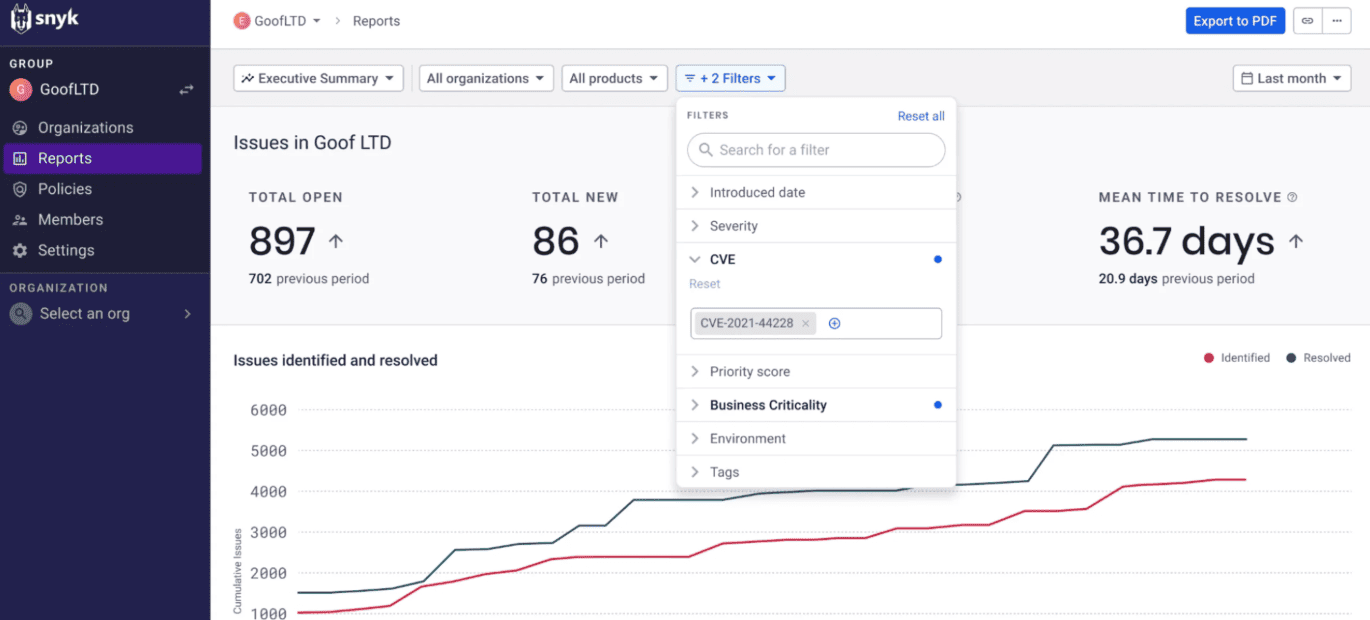
Image source.
Snyk is the CSPM choice for teams that want cloud posture fixed before infrastructure ships. Its sweet spot is IaC and developer workflow security: Terraform, CloudFormation, Kubernetes manifests, Helm Charts, and Azure Resource Manager, plus deployed cloud scans for AWS, Azure, and Google Cloud. Cloud scans require Snyk IaC on the Enterprise plan, so treat it as a serious AppSec/platform-security buy, not a lightweight CSPM add-on.
The brand proof is strong: Snyk lists Okta, ICE/NYSE, Labelbox, TechnologyOne, Komatsu, Snowflake, Mercato Solutions, and Spotify among its customers. Its customer page cites $15.4M net present value over three years, 60% faster runtime remediation, and 80% faster reported scan speed over alternatives. G2 currently shows Snyk at 4.5/5 from 132 reviews.
Use Snyk cloud security posture management when developers own the fix path.
Snyk cloud security posture management features
- IaC scanning before deployment: Snyk checks Terraform, CloudFormation, Kubernetes manifests, ARM templates, and Helm charts before production. That is the clearest value: the posture issue remains a code change instead of becoming an incident ticket.
- Fix advice inside developer workflows: Findings include remediation guidance, so engineers can update the infrastructure code directly. Security spends less time translating the problem, while developers get a clearer path to a merged fix.
- Deployed cloud scans: Snyk scans AWS, Microsoft Azure, and Google Cloud environments for deployed misconfigurations. This helps teams catch configuration drift after someone changes a resource through the cloud console.
- Manually created resource detection: Snyk can identify cloud resources created outside the expected IaC workflow. That matters when the Terraform repository looks tidy, but the live cloud account tells a messier story.
- Prioritization beyond severity: Snyk Priority Score considers factors such as CVSS, trending vulnerabilities, reachability, and exploit availability. Risk Score adds impact and exploitability context, giving teams a more useful starting point than severity alone.
- Broader developer security coverage: Snyk also covers proprietary code, open-source dependencies, containers, and cloud infrastructure. CSPM therefore sits alongside existing AppSec work rather than becoming another isolated security dashboard.
Pricing
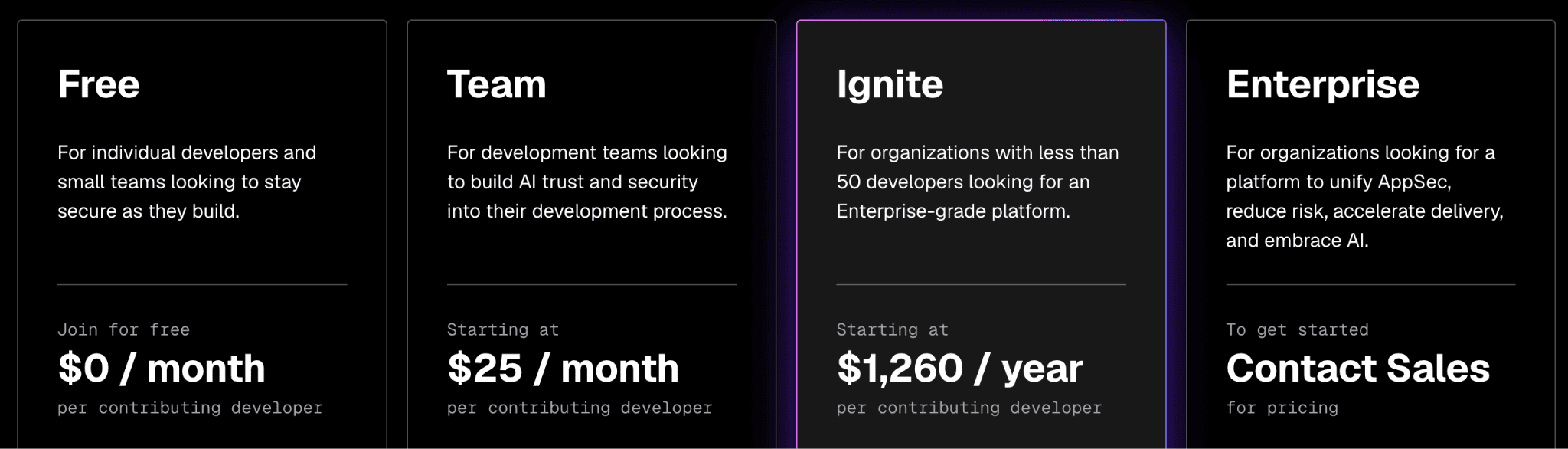
Image source.
Snyk cloud security posture management CSPM pricing starts at $0/month, then Team from $25/month per contributing developer, Ignite from $1,260/year per contributing developer, and Enterprise by quote.
Cost changes by product access, contributing developers, projects, and test limits; Snyk lists no fixed trial-day window, just an ongoing Free plan.
Pros & Cons
✅ Developer-first vulnerability workflow: Reviewers praise Snyk because it brings security into the developer workflow with IDE feedback, CI/CD integration, and fix guidance, so teams can remediate issues before deployment instead of waiting for audits. Source review: Prateek J., 4/23/2026. Source
✅ Reachability-based prioritization: A 2026 reviewer says Snyk’s reachability analysis helps teams focus on exploitable vulnerabilities instead of drowning in false positives, which is especially useful for AppSec teams handling large dependency trees. Source
✅ DevSecOps integrations: Another 2026 reviewer highlights GitHub, AWS, ECR, and Artifactory integrations, plus PR-based vulnerability patching and exploitability intelligence that reduce vulnerability overload. Source
⚠️ Low-severity noise: A reviewer says low-severity vulnerability noise can become overwhelming on larger projects, and tuning filters to match risk tolerance takes time. Source
⚠️ Pricing jumps at scale: A 2026 reviewer says Snyk’s pricing can become painful as teams scale, especially when deeper reporting and SSO are locked behind higher plans. Source
⚠️ UI / CLI mismatch: One 2026 reviewer reports occasional cases where Snyk UI and CLI results differ, which created confusion among developers. Source
Read also: How to Prepare for a Cloud Security Architecture Review? A Checklist for Multi-Cloud Teams
Cloudaware
Best for: asset-centric cloud governance where the job is to map cloud resources, owners, CMDB context, compliance status, and operational evidence in one place.
Note: I’d shortlist it when cloud posture needs to connect with ITSM, inventory, and audit workflows, not just alerting.
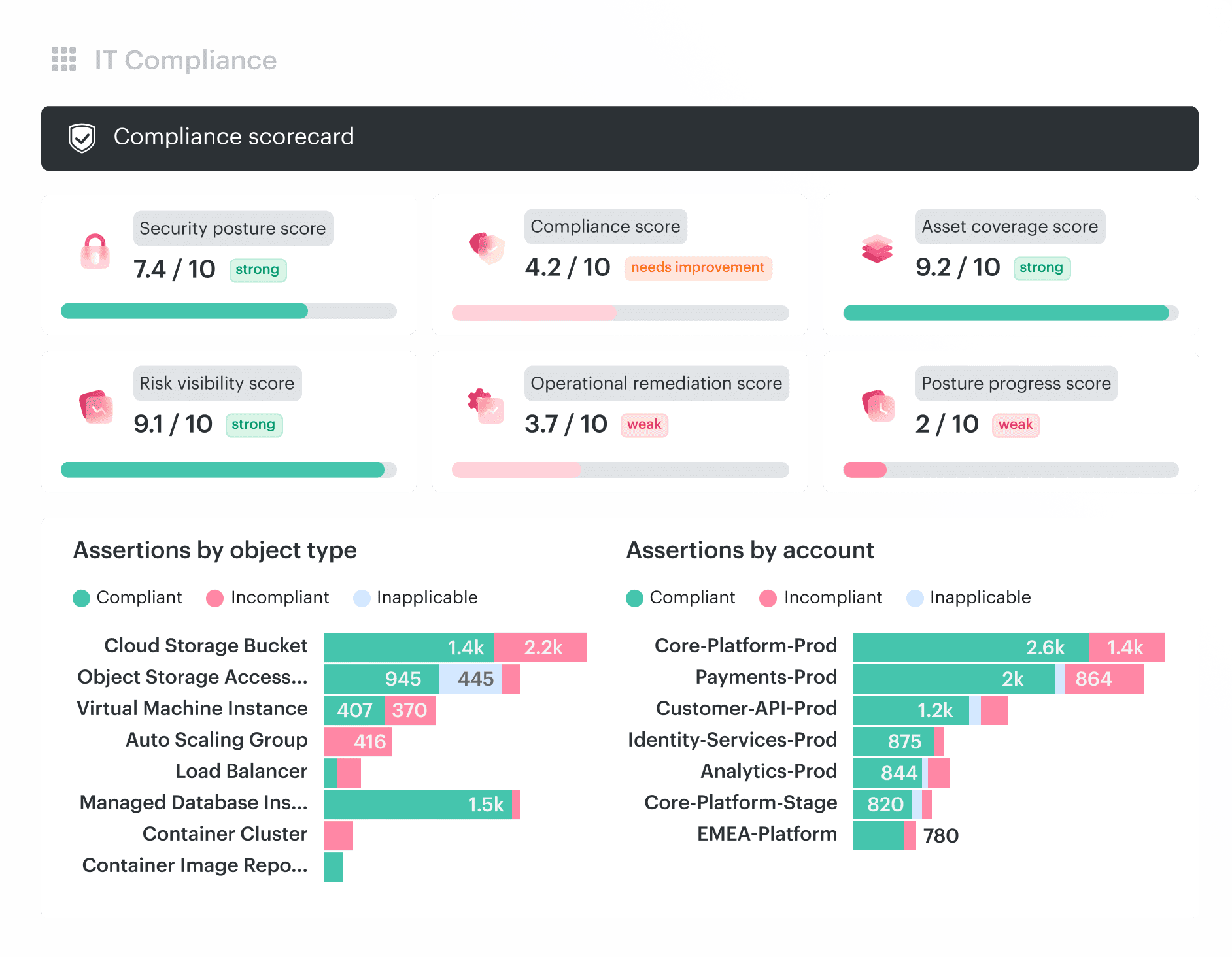
Cloudaware is the CSPM tool I’d shortlist when the security problem is not “find more violations.” It is finding the violation, understanding the asset, routing it to the owner, and proving what happened.
Its CSPM page positions the platform as CMDB-aware cloud posture management: multi-cloud and on-prem checks enriched with apps, owners, environments, scopes, exceptions, tickets, and remediation workflows. That is useful for enterprises where cloud risk has to move through real operating machinery, not a lonely dashboard. Cloudaware supports AWS, Azure, Google Cloud, Oracle, Alibaba Cloud, VMware, and Kubernetes, with read-only permissions, no credit card, guided setup, and a 30-day free trial.
Its competitive edge: posture findings with operational context. Owner, app, SLA, ticket, exemption, audit trail. That is where Cloudaware starts to feel less like a scanner and more like a governance system.
Features
- CMDB-backed multicloud posture visibility: Cloudaware CSPM runs on top of its CMDB, so findings are tied to normalized assets, owners, applications, environments. Cloudaware supports visibility across AWS, Azure, GCP, Oracle, Alibaba, VMware, SaaS, Kubernetes, and other environments, with 3,000+ supported cloud services and CI types.
- Advanced CSPM policies for every CMDB asset: CSPM is built around policy evaluation with detailed CMDB configuration data. This lets teams assess posture using cloud configuration, ownership, environment, imported tool data, vulnerabilities, monitoring status, and other CMDB attributes.
- CIS Benchmarks for AWS, Azure, and GCP: Includes out-of-the-box CIS Benchmarks for AWS, Azure, and GCP, with a dedicated CIS Benchmarks section in the public documentation.
- 450+ custom policies: Compliance Engine includes 450+ custom policies for security, reliability, performance efficiency, and spend optimization. This gives teams broader out-of-the-box posture coverage than basic misconfiguration checks.
- Custom policy development: Teams can request custom policies with policy details, evaluation logic, violation details, and test objects. This supports internal CSPM controls that do not map cleanly to default benchmark checks.
- Violation routing and escalation: Support of ticketing integrations such as Jira, ServiceNow, and ServiceDesk, plus violation routing and escalation workflows. Posture findings can be sent to the teams responsible for the affected assets.
- Advanced exception handling: Cloudaware includes exception handling workflows for findings that are accepted, temporary, out of scope, or awaiting remediation. This keeps CSPM dashboards closer to operational reality.
- Real-time change detection: Lets you monitor cloud accounts, operating systems, intrusion detection feeds, vulnerability scan results, and trusted advisor violations. Security-sensitive events, such as public S3 bucket exposure or missing scans, can trigger change-management workflows automatically.
Pricing
Cloudaware CSPM pricing starts where reliable cloud posture management starts: the CMDB. You cannot evaluate, prioritize, or remediate a configuration risk without knowing which asset failed the check, what application it supports, which environment it belongs to, and who owns the fix.
The CMDB continuously maps the servers, services, databases, cloud accounts, owners, environments, and relationships in your infrastructure. The CSPM module applies security and compliance policies to that inventory, then links every failed check to the affected CI, responsible team, control, exception, remediation ticket, and evidence history.
Here’s the pricing, without the enterprise-software fog:
CMDB is the base. It is billed at approximately $0.008 per configuration item per month.
A typical 100-server environment costs approximately $400 per month for CMDB.
The CSPM module adds 20% to the CMDB cost.
In this example: $400 CMDB + $80 CSPM = $480 per month total.
That gives the team a CMDB-backed workflow for detecting cloud misconfigurations, assigning remediation, tracking exceptions, and preserving evidence across the connected cloud and hybrid estate.
Check Cloudaware’s value for your company now
Pros & Cons
✅ Compliance reporting: A reviewer says Cloudaware helps with compliance management by auditing configurations, managing access controls, and generating compliance reports for regulated cloud workloads.Source
✅ Unified cloud-resource visibility: A reviewer praises Cloudaware for giving a unified view of all cloud resources, with inventory, compliance, cost optimization, and security features in one place. Source
✅ Multi-cloud management: A reviewer says Cloudaware integrates with AWS, Azure, and GCP, making it useful for businesses that need unified management across multiple cloud environments. Source
⚠️ Integration difficulty: A reviewer says integrating Cloudaware with existing systems or workflows was challenging in complex IT environments. Source
⚠️ Slow and overwhelming UI: A reviewer says Cloudaware can be slow and the user interface can feel overwhelming or difficult to navigate. Source
⚠️ Learning curve: A reviewer says the platform has a steep initial learning curve because of its extensive functionality. Source
Aqua
Best for: cloud-native and Kubernetes-heavy posture management.
Note: Choose it when CSPM is tied to container images, runtime security, workload protection, Kubernetes risk, and compliance across cloud-native apps.
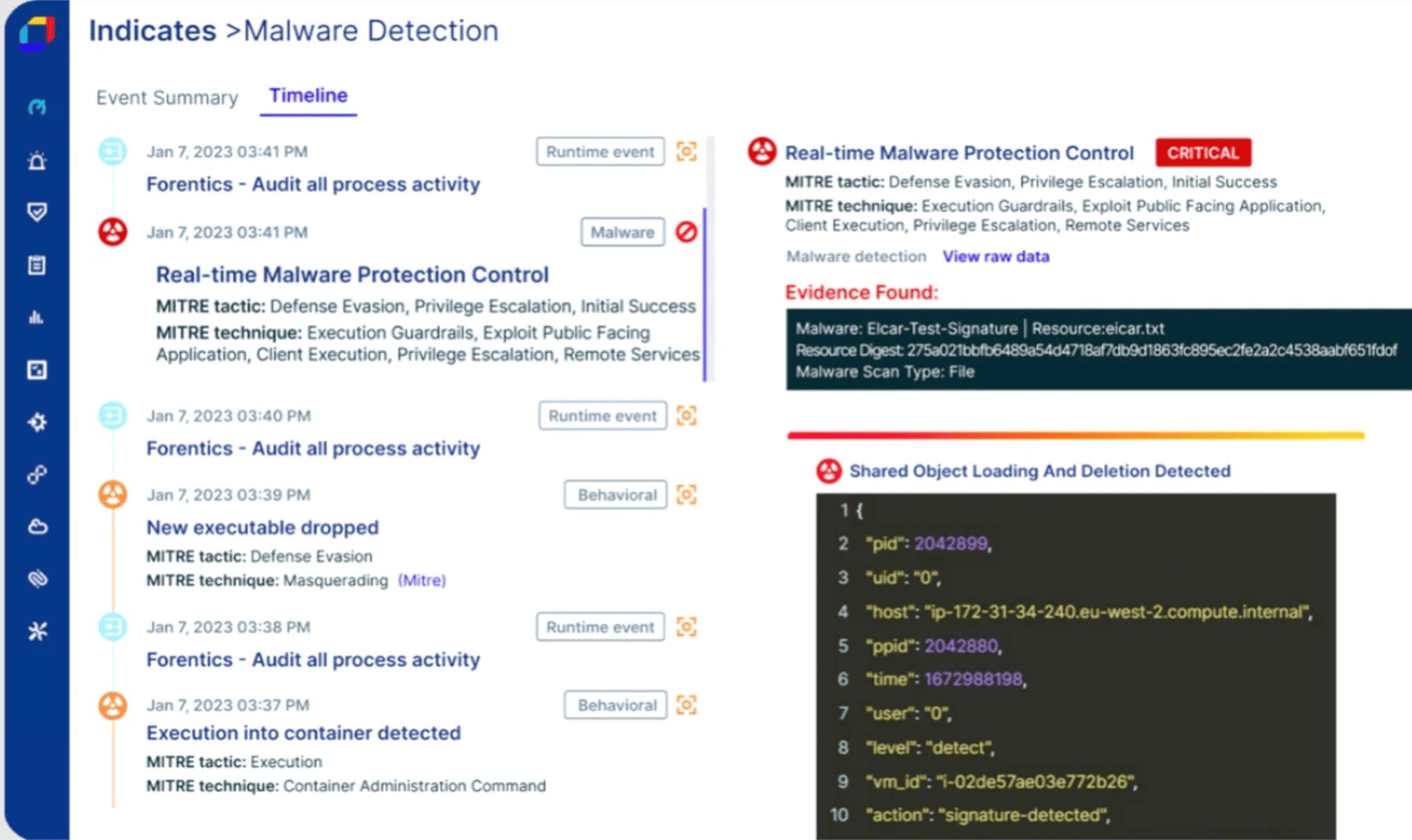
Image source.
Aqua belongs on the CSPM shortlist when cloud posture is inseparable from containers, Kubernetes, serverless, VMs, and runtime risk. Its value is not just “scan the account, print the violations.” Aqua’s Real-Time CSPM blends agentless cloud scanning with in-workload visibility, so teams can catch risks that snapshot-based scans may miss, including in-memory malware and zero-day-style activity.
Customer proof is strong: Aqua names a U.S. federal government agency, Alma, Koch, GitLab, Bayad, Elvia, and others, and says its platform protects 500+ enterprises and sits behind more than 40% of the Fortune 100. It covers AWS, Azure, and Google Cloud, plus Kubernetes, OpenShift, VMware Tanzu, Docker, IBM Z, containers, serverless functions, and VMs.
Its edge: CSPM with workload context. Good fit for teams that want posture, compliance, vulnerability context, and runtime signal in one cloud-native security program.
Features
- Real-time CSPM visibility: Aqua provides a prioritized view of cloud risk across workloads and infrastructure, helping teams spot meaningful changes before lower-priority findings bury the work that matters.
- Agentless coverage with workload context: Cloud API scanning delivers fast, broad visibility, while in-workload insights add depth where runtime behavior matters. That combination is one of Aqua’s clearest CSPM differentiators.
- Unified cloud inventory: Teams can discover virtual machines, containers, serverless functions, and Kubernetes clusters across AWS, Azure, and Google Cloud, then investigate individual resources, relationships, and risks.
- Contextual risk prioritization: Aqua correlates findings across multicloud environments, reduces duplicate alerts, and helps teams identify root causes faster. The result is a more useful remediation queue than severity scoring alone.
- Code-to-cloud remediation: Findings can be traced back to repositories and owners, giving engineering teams a clearer fix path instead of a vague cloud alert with little implementation context.
- Automated compliance monitoring: Built-in reporting supports more than 30 regulatory standards, including NIST, PCI DSS, HIPAA, and GDPR. Continuous checks help teams identify configuration drift and policy violations as they appear.
- Response policies and workflow automation: Aqua can trigger response actions, update ticketing systems, or notify teams through messaging platforms when risks emerge. This turns CSPM into an operational workflow rather than a dashboard someone has to keep watching.
Pricing
Aqua’s direct pricing page keeps the calculator behind sales. Dev Security is licensed by the number of code repositories, while Cloud Security is priced by workload count, including EC2 instances, Fargate containers, and Lambda functions.
Aqua does publish harder numbers through AWS Marketplace: $50,000 per year for the Shift Left Standard plan, $100,000 per year for Protect Advanced, and $150,000 per year for Ultimate.
That works out to roughly $4,167, $8,333, and $12,500 per month, although private offers and workload volume can change the final contract.
Public starting price: $50,000 per year via AWS Marketplace. Treat that as a procurement benchmark, not a universal entry price, because Aqua also offers custom private quotes.
Pros & Cons
✅ Built-in CSPM frameworks: A reviewer says Aqua has many built-in frameworks for cloud security posture management, giving teams a structured way to assess cloud security posture. Source
✅ Multi-cloud security overview: A reviewer says Aqua gives a quick overview of cloud security status and supports multi-cloud environments from a single source. Source
✅ Container workload scanning: A reviewer says Aqua scans and tracks security issues across container workloads, helping teams find vulnerabilities missed in CI. Source
⚠️ UI module complexity: A reviewer says the hardest part is understanding different UI modules, and people without experience may struggle to find needed data. Source
⚠️ Missing artifact scanning: A reviewer says Aqua still lacks some features, including Maven and npm artifact scanning. Source
⚠️ Support / issue-resolution delay: A reviewer says Aqua sometimes takes a while to explain or resolve issues. Source
Read also: AWS Cloud Security Assessment - 5 Readiness Gates
Darktrace
Best for: behavioral cloud/network threat detection, not classic CSPM.
Note: It fits teams that care less about policy checklists and more about spotting unusual activity, lateral movement, and emerging threats across hybrid environments.
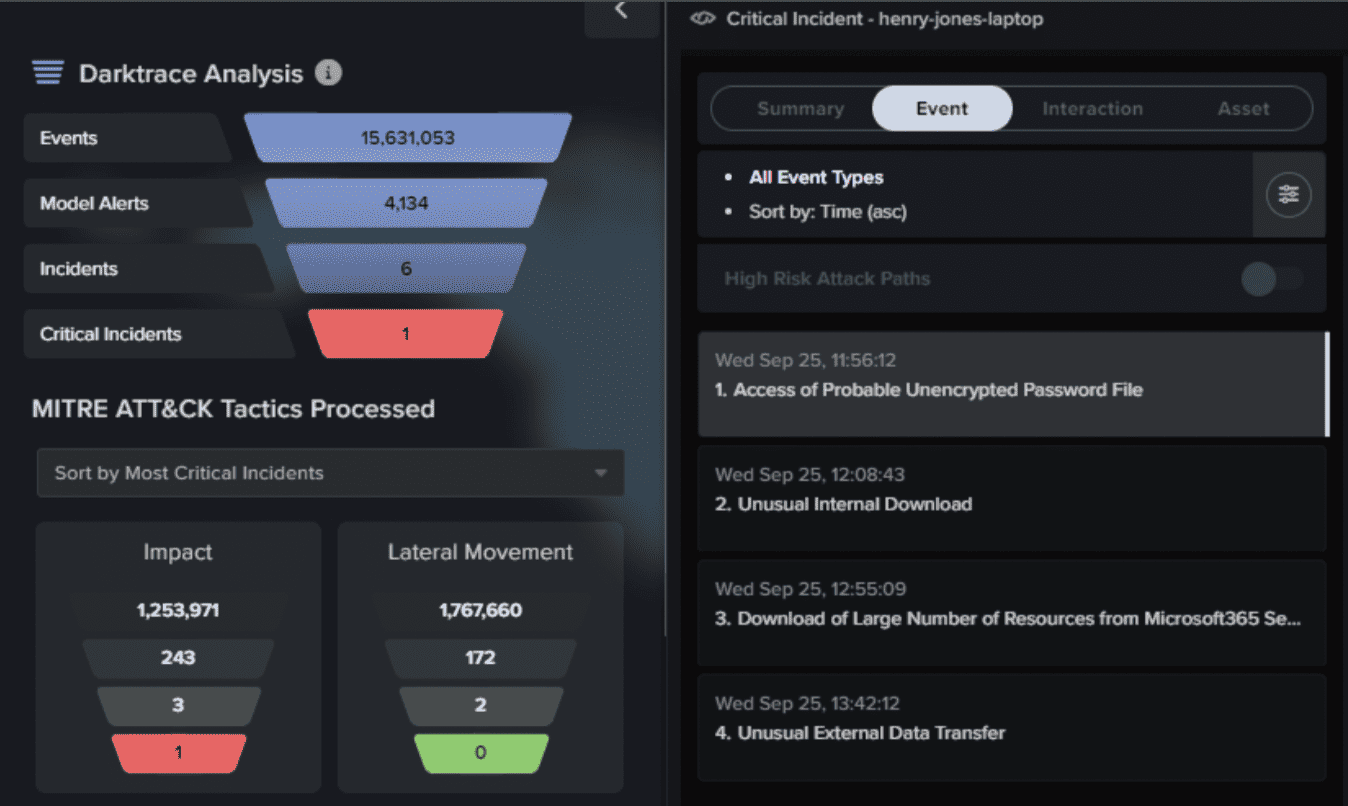
Image source.
Darktrace is the CSPM-adjacent pick when cloud posture needs live behavior, not another static control checklist.
I would shortlist Darktrace for cloud security posture management for teams that already know cloud risk is not only misconfigured storage or permissive IAM. Occasionally the signal is stranger: a user behaving differently, an API pattern shifting, a workload talking where it should not, or an attacker moving through cloud infrastructure before the alert looks obvious.
Darktrace / CLOUD focuses on hybrid and multi-cloud environments, real-time detection, autonomous response, permissions visibility, cloud compliance support, and forensic collection through secure cloud APIs. Its public cloud page foregrounds AWS availability, an AWS Well-Architected badge, cloud API logs, traffic mirroring, lightweight host agents, serverless environments, Kubernetes, and multi-tenant deployments.
Customer proof includes 10,000+ organizations, with stories from Coca-Cola Beverages Northeast, HARMAN International, Center Parcs, and the City of Las Vegas. Recognition is stronger in NDR, AI security, cloud security, and insider threat than pure CSPM: Darktrace lists a 2024 Cloud Security Product of the Year award, 4.8 on Gartner Peer Insights, and 500+ Gartner Peer Insights reviews.
Its edge: self-learning AI that turns cloud posture context into detection and response context.
Features
- Dynamic cloud visibility: Darktrace maps cloud assets and architecture as they change, then overlays live detection context. That helps teams work from current infrastructure data when cloud diagrams age faster than sprint notes.
- Cloud detection and response: Self-Learning AI monitors activity across cloud assets, containers, APIs, users, identities, and network context to detect unusual behavior in real time. It becomes especially useful when a posture weakness has already turned into suspicious activity.
- Permissions and entitlement visibility: Darktrace provides visibility into identities, roles, and permissions, helping teams identify risky access paths linked to insider threats, privilege misuse, or lateral movement.
- Risk baselines and compromise context: Risk baselines and ranked entities help teams prioritize users, devices, and vulnerabilities with the highest likelihood of compromise. It is not a complete CSPM policy framework, but it adds useful behavioral context to cloud-risk decisions.
- Autonomous response: Platform-native response can act at machine speed to contain malicious activity while limiting unnecessary disruption to cloud services. This makes Darktrace feel more SOC-ready than checklist-driven.
- Cloud forensics: Darktrace can collect disks, memory, logs, and other evidence from cloud services through secure APIs, then reconstruct attacker timelines for investigation. That is useful when a posture finding develops into a full incident review.
- Flexible deployment: Data can be collected through host agents, traffic mirroring, API logs, or cloud-based deployment. Support for hybrid, multitenant, serverless, and Kubernetes environments lets teams adjust monitoring depth according to risk.
Pricing
Darktrace CSPM pricing is quote-led: $0 in publicly listed starting prices, no published plan tiers, and no disclosed pricing ceiling. Buyers instead get a personalized 1:1 demo, a tailored quote, and a free 30-day, no-obligation trial.
Darktrace says its AWS deployment can begin in 5 minutes, with telemetry collected through 3 routes: API logs, traffic mirroring, and lightweight host agents.
Pros & Cons
✅ Real-time anomaly detection: A 2026 reviewer says Darktrace identifies anomalies and threats in real time and integrates into existing IT infrastructure without disruption. Source
✅ AI-driven network visibility: A 2025 reviewer says Darktrace’s self-learning AI detects subtle anomalies and unknown threats that signature tools miss. Source
✅ Autonomous response: A reviewer says Darktrace can automatically investigate, triage, and report security incidents, reducing manual analysis load. Source
⚠️ High cost: A 2026 reviewer says Darktrace cost is very high and has increased significantly over recent years. Source
⚠️ Setup and tuning burden: A 2025 reviewer says initial setup and tuning require strong configuration and engineering skills. Source
⚠️ Alert noise / false positives: A reviewer says Darktrace can generate numerous alerts during its learning period and requires manual investigation for false positives. Source
Read also: Healthcare Data Security Standards - HIPAA, NIST, and HITRUST
Prisma
Best for: enterprise CNAPP consolidation.
Note: It is strongest when the buyer wants CSPM, workload protection, vulnerability management, compliance, and cloud threat response under one large security-operations platform.
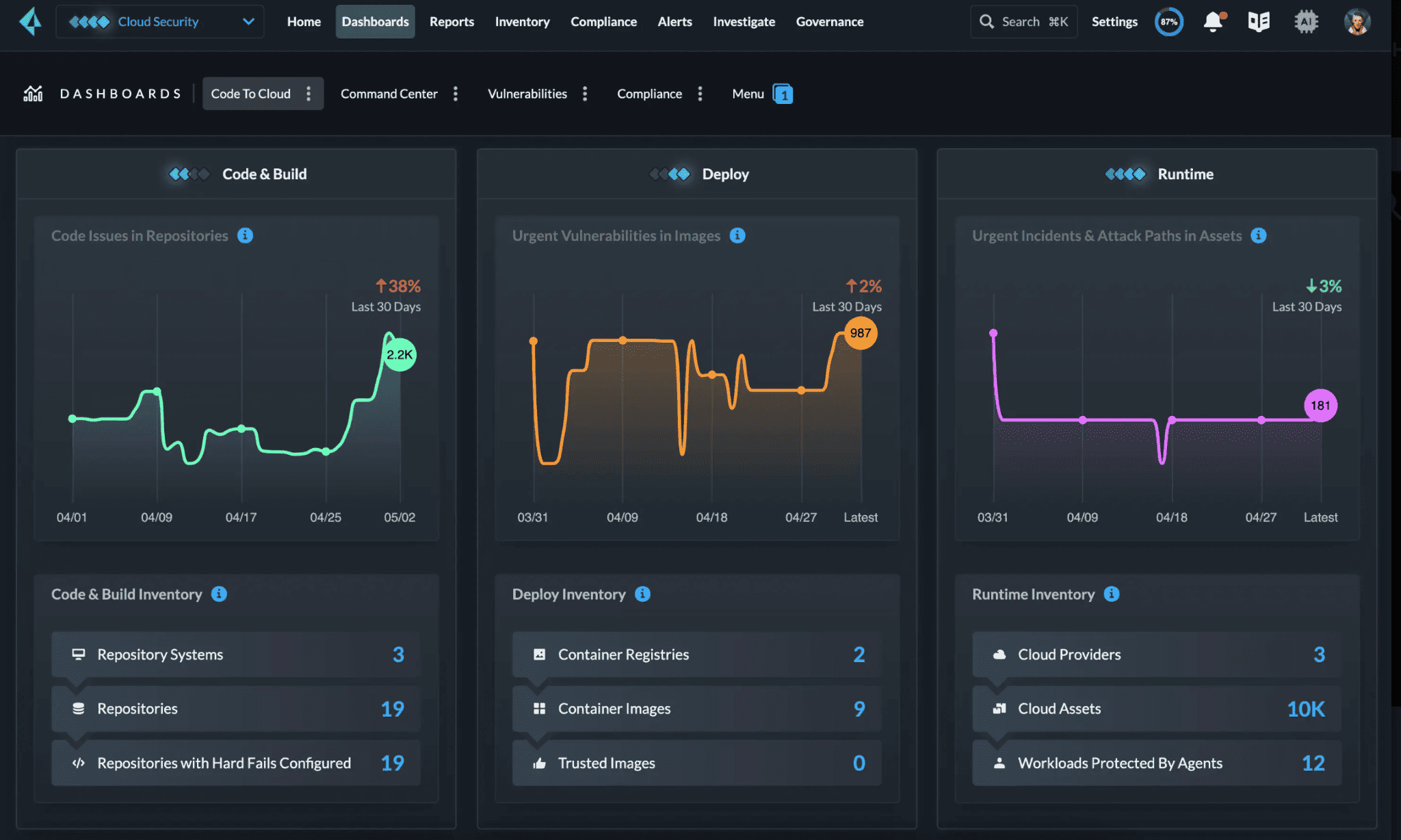
Image source.
Prisma is the CSPM pick for teams that need cloud posture tied to CNAPP-scale context, not a separate queue of misconfigurations.
In testing, the practical value showed up in correlation. Prisma connects configuration risk with vulnerabilities, excessive permissions, public exposure, anomalous activity, and sensitive assets, then turns those signals into attack paths. That matters when a team has 900 findings and only 12 engineers who can fix them.
Palo Alto now positions Cortex Cloud as its real-time cloud security platform, bringing together CDR and the next version of Prisma Cloud’s CNAPP. For CSPM buyers, Prisma remains the relevant posture layer: agentless visibility, compliance, attack-path analysis, Copilot, threat detection, and code-to-cloud remediation.
Coverage is broad: 350+ cloud-native services across AWS, Azure, Google Cloud, Oracle Cloud, Alibaba Cloud, and IBM Cloud. Customer proof includes Global Atlantic for multicloud visibility, a European retailer reporting 35% faster vulnerability patching, 90% lower management overhead, and 0 runtime cloud breaches, plus PEXA for cloud threat detection and coverage.
Recognition: Palo Alto lists Prisma as a 9x cloud security leader across GigaOm, Forrester, and Frost & Sullivan reports.
Features
- Agentless multicloud visibility: Prisma connects to cloud environments in minutes and covers IaaS, PaaS, Kubernetes, containers, serverless services, networks, and storage without agents or proxies. It is a strong first filter for large estates where teams need broad coverage before they begin tuning policies.
- Near real-time drift detection: Continuous monitoring captures posture changes across cloud environments and preserves historical configuration data. That helps when console edits, CI/CD deployments, and emergency fixes alter resources after the last clean assessment.
- 3,000+ built-in policies: Prisma includes more than 3,000 built-in policies, alongside support for custom controls. Teams get broad out-of-the-box coverage while retaining room for internal standards and environment-specific rules.
- 100+ compliance frameworks: Built-in coverage spans more than 100 frameworks, including CIS, GDPR, HIPAA, ISO 27001, NIST 800, PCI DSS, and SOC 2. One-click and custom reports make it particularly useful for audit-heavy organizations.
- Code-to-cloud remediation: Findings include step-by-step remediation guidance, ticketing and alert-streaming integrations, and traceability back to the source code behind cloud misconfigurations. That gives engineering teams a clearer fix path instead of another security-only alert.
- Attack-path analysis: Prisma connects misconfigurations, vulnerabilities, excessive permissions, public exposure, and anomalous activity into paths leading toward critical assets. This is the capability I would test most aggressively during a proof of concept.
- Precision AI and Copilot: Copilot supports natural-language questions such as which S3 buckets are exposed to the internet. Precision AI adds business and attack context, helping analysts move from a large findings queue to the risks that deserve attention first.
Pricing
Prisma Cloud uses enterprise, credit-based pricing, so Palo Alto Networks keeps the standard website price at $0 publicly disclosed and builds the final quote around the resources and security modules you actually consume. Its official evaluation period is 30 days, covering environments such as AWS, Azure, Google Cloud, Alibaba Cloud, and Oracle Cloud Infrastructure.
There is at least one concrete procurement benchmark. A current AWS Marketplace private-offer listing prices 100 Business Edition units at $9,000 per year and 100 Enterprise Edition units at $18,000 per year. That works out to $90 or $180 per unit annually, although it should be treated as a marketplace reference rather than universal list pricing. The same listing supports 12- and 36-month contracts, with possible additional AWS infrastructure charges.
Expect the real quote to move with protected-resource volume, selected modules, workload and runtime coverage, contract length, and support requirements. Buying remains sales-led: start with the 30-day trial or product demo, then price the deployment you plan to run.
Pros & Cons
✅ Centralized cloud security: A 2025 reviewer says Cortex Cloud provides a secure centralized way to manage workloads, with built-in compliance and security controls. Source
✅ Unified detection and response: A reviewer says Cortex Cloud unifies threat detection, investigation, and response, reducing complexity and improving security-operations efficiency. Source
✅ Compliance and risk prioritization: A reviewer says Cortex Cloud brings visibility, compliance, and threat response together so teams can detect and prioritize misconfigurations, vulnerabilities, and suspicious activity. Source
⚠️ Configuration complexity: A reviewer says Cortex Cloud can feel overly complex because configuration and permission layers are not always intuitive. Source
⚠️ Steep learning curve: A reviewer says teams new to Cortex Cloud may need deep product knowledge before advanced configurations and integrations become smooth. Source
⚠️ UI friction: G2’s review summary says users praise integrations and automation, but many reviews mention steep learning for advanced configuration. Source
Read also: HIPAA Cloud Security: A Practical Guide to Compliance on AWS, Azure, and GCP
Orca
Best for: rapid agentless cloud-risk discovery.
Note: I’d use it when the priority is to connect cloud accounts quickly, see misconfigurations, vulnerabilities, exposed secrets, attack paths, and compliance gaps without deploying agents.
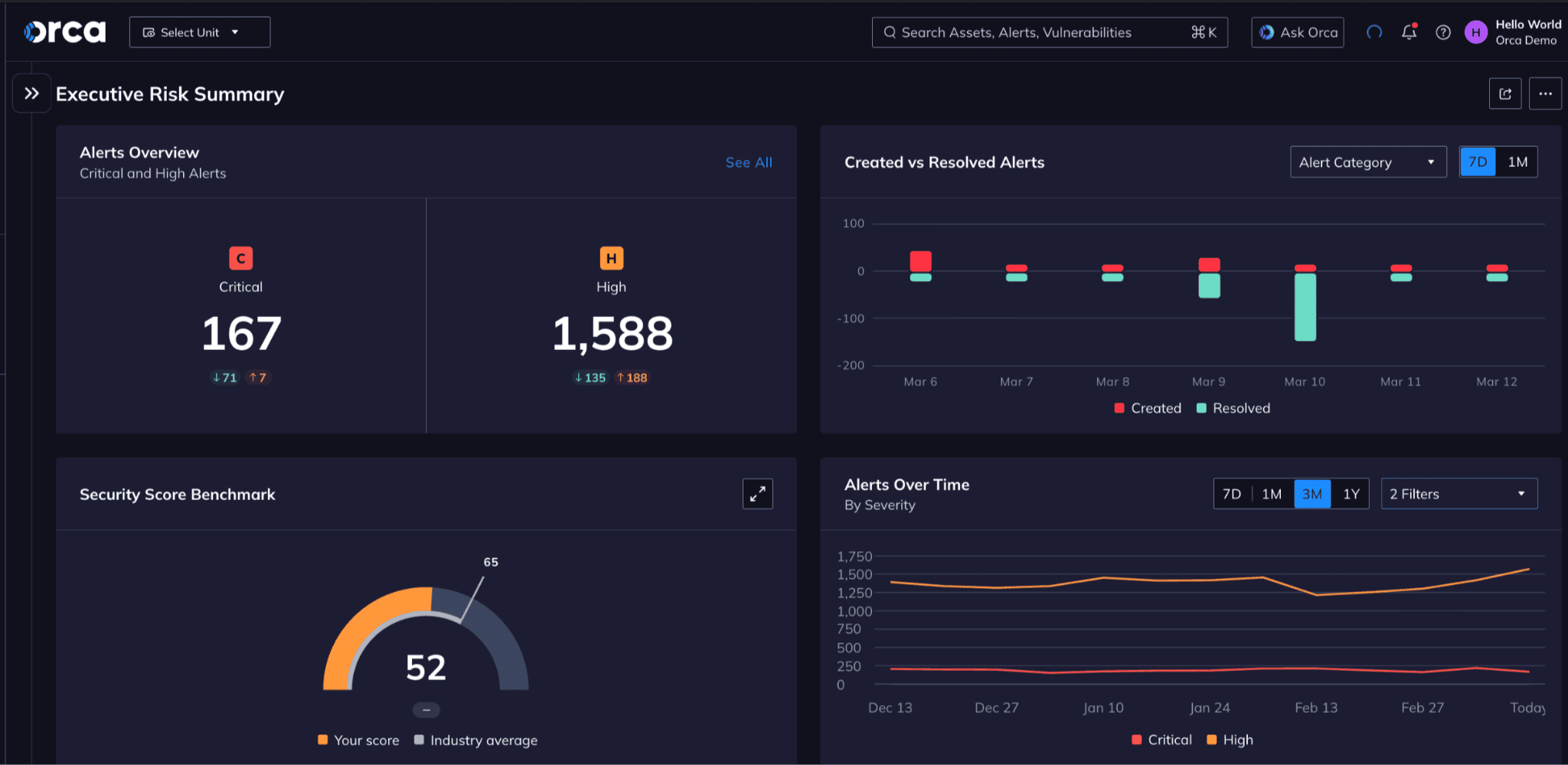
Image source.
Orca is the CSPM tool I’d test when the team needs coverage before politics starts. No agent rollout campaign. No waiting for every workload owner to cooperate. Connect the cloud accounts, then let Orca’s SideScanning pull cloud configuration and workload runtime block-storage data out of band. That is the practical edge: fast visibility with deeper workload context than a control-plane-only scan.
Customer proof is useful here. Lemonade runs Orca across AWS, GCP, and Azure and points to zero system impact from SideScanning. Paidy connected 12 AWS accounts and saw what was running in about 30 minutes. Digital Turbine uses it across AWS and GCP and describes value from day one.
Provider coverage includes AWS, Google Cloud, Microsoft Azure, Alibaba Cloud, Oracle Cloud, and Tencent Cloud. Certifications and recognition include FedRAMP Moderate Authorized, SOC 2 Type II, AWS Advanced Technology Partner Security Competency, and 2022 AWS Global Security Partner of the Year.
Features
- Agentless Side Scanning: Orca scans cloud configurations and workload block storage from outside the workload. Teams get rapid coverage without installing agents, consuming workload resources, or adding deployment friction.
- Full-stack CNAPP context: CSPM, CWPP, CIEM, DSPM, vulnerability management, API security, compliance, cloud detection and response, and application security feed one platform. That gives teams a shared risk model instead of several disconnected alert streams.
- Attack-path prioritization: Orca highlights risks that threaten critical assets, appear in severe attack paths, affect large numbers of assets, or expose the broadest portion of the environment. This is the fix-first view I would pressure-test during a trial.
- 2,500+ configuration controls: More than 2,500 controls cover authentication, data protection, logging, monitoring, network settings, Kubernetes configuration, and system integrity. It is a useful depth benchmark when comparing CSPM platforms.
- 150+ compliance frameworks: Orca maps cloud configurations and policies against more than 150 frameworks and benchmarks, including CIS, PCI DSS, GDPR, HIPAA, and CCPA. That breadth makes it particularly relevant for audit-heavy environments.
- Sensitive data discovery: Orca identifies data such as PII and shows when it becomes reachable through an exploitation path. Posture findings therefore gain data context, helping teams prioritize exposure around sensitive information rather than treating every misconfiguration equally.
- Cloud-to-development remediation: Production risks can be traced back to their code origin and, where supported, the responsible line-level issue. Engineering receives a clearer handoff than a generic request to investigate an alert.
- AI-assisted search and remediation: Teams can ask plain-language questions about exposed vulnerabilities, public assets, or unencrypted databases containing sensitive data. AI-generated remediation guidance then helps analysts move from discovery to action faster.
Pricing
Orca keeps the actual dollar figure behind a custom quote, but the pricing mechanics are clearer than the blank price tag suggests: 1 all-inclusive SKU, 0 feature tiers, 0 paid module add-ons, and a free 30-day AWS trial.
Licensing scales with the number of cloud workloads protected, rather than separate charges for CSPM, DSPM, CIEM, AppSec, and runtime security.
Pros & Cons
✅ Agentless side-scanning: A 2026 reviewer says Orca connects via cloud API, avoiding CPU drag on production servers while still scanning the cloud environment. Source
✅ Audit-ready compliance: A compliance officer says Orca’s built-in checks run continuously, support AWS and Azure, and create clear reporting usable during audits. Source
✅ Context-aware risk scoring: A reviewer says Orca prioritizes alerts using real context instead of severity alone, helping teams avoid irrelevant CVE lists. Source
⚠️ Initial alert overload: A reviewer says Orca’s initial deployment surfaced so much technical debt that the dashboard was flooded with informational alerts. Source
⚠️ Reporting flexibility: A compliance reviewer says some reports need more flexible filtering and exporting. Source
⚠️ Compliance details not always easy to find: The same reviewer says specific compliance details took time to locate at first. Source
Read also: ISO 27001 Risk Assessment - Complete Guide for ISMS Managers
Cyble
Best for: external exposure and digital-risk context, not pure CSPM.
Note: It fits teams that want attack surface, dark web, leaked credentials, brand abuse, and threat intelligence signals around cloud risk.
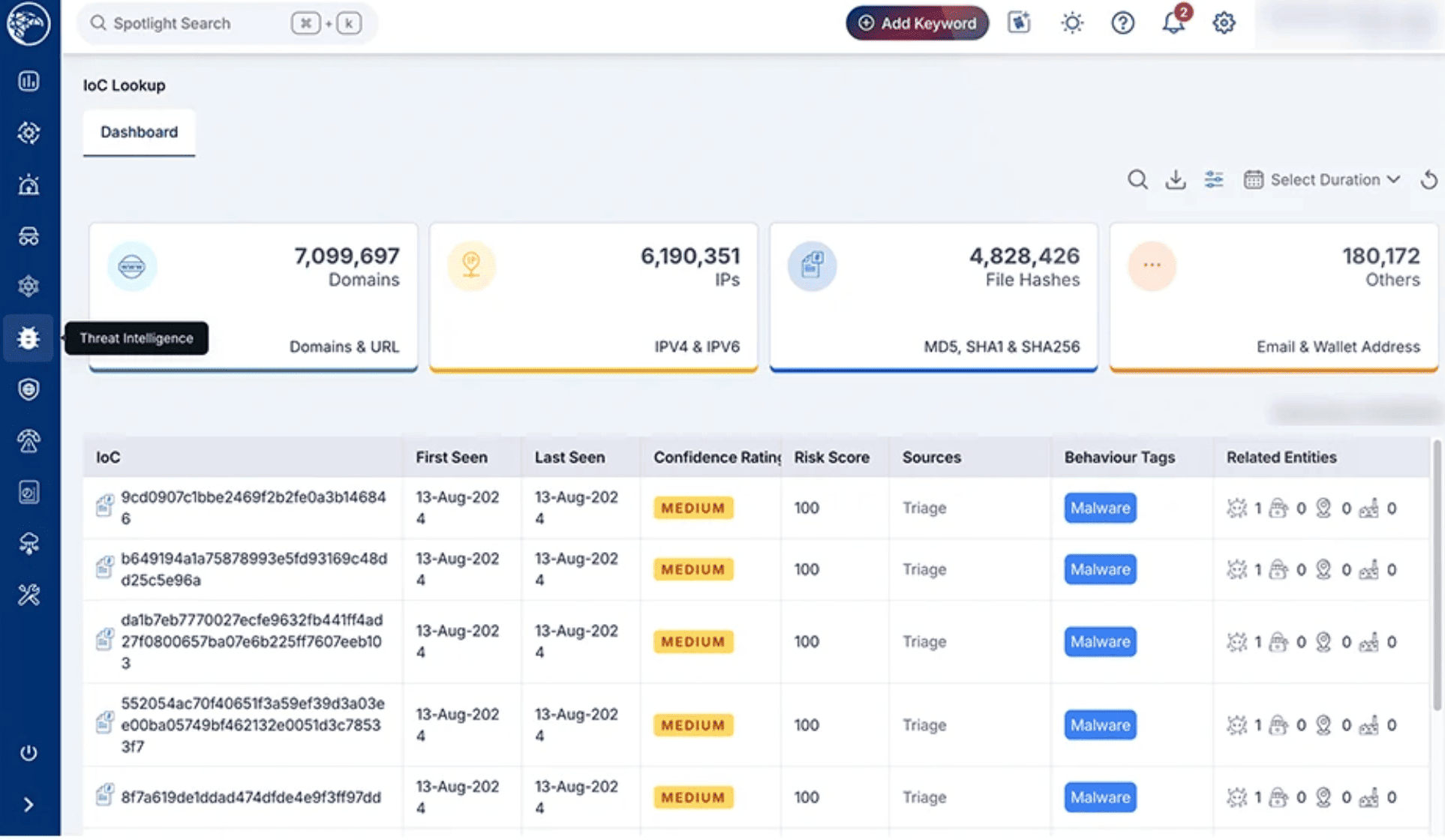
Image source.
Cyble Vision fits a CSPM shortlist when the buyer wants cloud posture plus external risk intelligence.
I would not position it as the deepest pure-play CSPM scanner. Its stronger angle is wider: exposed assets, leaked credentials, dark web signals, attack surface monitoring, brand abuse, third-party risk, and threat intel that explains why a cloud finding may matter outside the console.
The CSPM layer covers real-time cloud asset visibility, misconfiguration detection, compliance reporting, agentless multi-cloud support, risk scoring, and workflow automation. Coverage is stated for AWS, Azure, GCP, hybrid, and multi-cloud setups.
Cyble Vision adds the bigger intelligence layer: 1 platform, 14+ capabilities, 80+ use cases, including attack surface management, cyber threat intelligence, dark web monitoring, third-party risk, brand intelligence, vulnerability management, digital risk protection, and cloud security posture. Its public customer wall includes CVS, DBS, Foxconn, McDonald’s, Meta, Qualcomm, Schneider Electric, Tata, T-Mobile, Toshiba, NHS, Honda, Toyota, and Liberty Mutual.
Recognition is threat-intel heavy, not CSPM-specific. Cyble lists a 2026 Gartner Magic Quadrant Challenger mention for Cyber Threat Intelligence and a 2026 Gartner Peer Insights Strong Performer mention.
Features
- Cloud asset visibility: Cyble maps cloud assets across subscriptions, accounts, and regions. It gives teams the inventory baseline they need before debating risk scores or remediation order.
- Misconfiguration detection: The platform identifies issues such as public storage buckets, overly permissive IAM roles, and unsafe network rules. Intelligence-backed scoring then helps teams prioritize findings against real external risk.
- Compliance monitoring: Cyble checks cloud configurations against frameworks including GDPR, HIPAA, and PCI DSS, then produces audit-ready reports. That makes it useful for teams that need evidence of posture, not another alert list.
- Agentless multicloud onboarding: Agentless deployment accelerates visibility across multiple cloud providers without requiring workload-level installation first. Teams can establish coverage while broader deployment decisions are still being made.
- Security workflow automation: Cyble integrates with CI/CD pipelines, cloud APIs, ticketing platforms, SIEM, and SOAR tools. Findings can move into the systems where engineering and security teams already work.
- Threat-intelligence context: Cyble Vision adds dark-web monitoring, brand intelligence, attack-surface management, and third-party risk. This is Cyble’s main differentiator: cloud posture findings arrive with external threat context.
- Healthcare and regulated-industry coverage: Cyble highlights healthcare and life-sciences use cases involving patient-data exposure, ransomware indicators, and HIPAA-aligned cloud posture. It is relevant when CSPM needs to connect with external threat monitoring.
Pricing
Cyble’s public benchmark is far more concrete than its website suggests. AWS Marketplace lists CSPM at $250,000 for 36 months, covering up to 5 users. That works out to roughly $83,333 per year or $6,944 per month, before additional AWS infrastructure costs.
Final pricing still follows contract terms and selected entitlements. Buyers can test the platform through a 30-day guided demo/free trial.
Pros & Cons
✅ External attack-surface visibility: A 2025 reviewer says Cyble gives a unified contextual view of digital risk exposure, helping teams identify real threats earlier. Source
✅ Dark web + ASM + brand protection: A reviewer says Cyble brings dark web monitoring, attack surface management, and brand protection into one view. Source
✅ High-fidelity threat intelligence: A reviewer says Cyble provides real-time intelligence across surface, deep, and dark web sources for early exposure detection. Source
⚠️ Advanced features need learning: A reviewer says some advanced features take time to fully understand and the dashboard could use clearer guidance. Source
⚠️ False positives: A reviewer says occasional false positives require extra validation effort. Source
⚠️ Alert volume: A reviewer says Cyble may generate many alerts, including partial matches or ultimately harmless findings. Source
Read also: Cloud Security Governance - Framework, Program, Metrics
Checkpoint
Best for: cloud network security posture and policy control.
Note: Use it when the CSPM-adjacent job is securing cloud firewalls, network rules, segmentation, WAF layers, and threat prevention across cloud environments.
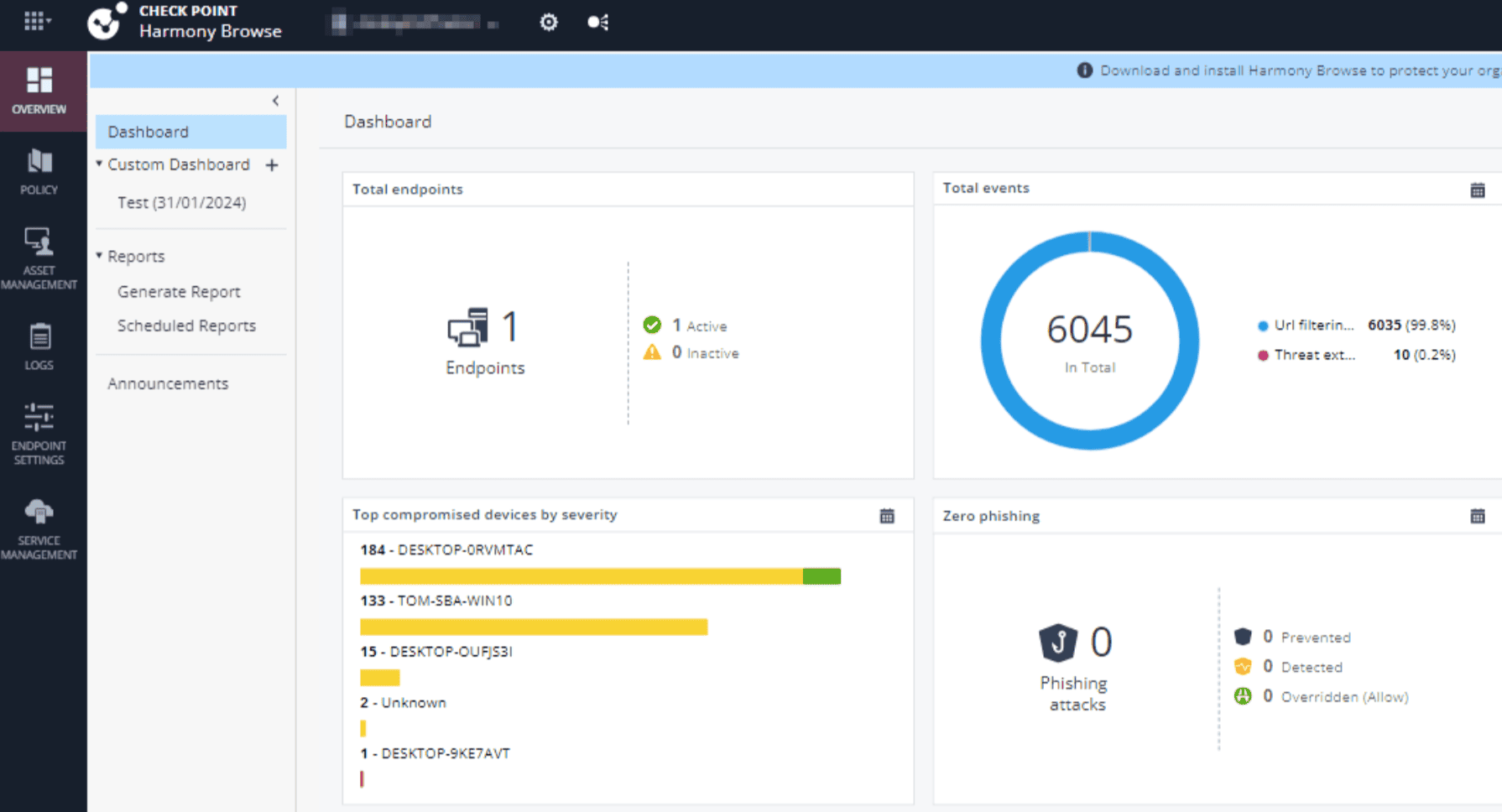
Image source.
Checkpoint CloudGuard makes the most sense when cloud posture has to move straight into prevention.
In a trial or demo, I would not treat it like a lightweight CSPM scanner. Its stronger buyer fit is a team that needs posture management close to cloud firewall rules, WAF/API exposure, workload security, and centralized policy control. Checkpoint positions CloudGuard across applications, networks, and workloads, with cloud posture management, threat prevention, automated compliance, WAF, cloud network security, and CNAPP coverage in the same cloud security stack.
The numbers give it enterprise weight: 4,000+ cloud customers, 821M+ protected cloud assets per day, 50% of the top 50 Fortune 500 companies, 169% ROI, and 84% risk reduction. Checkpoint also lists 4.4 on G2 and 4.3 on PeerSpot.
Customer proof is practical. Volkswagen Financial Services uses CloudGuard to centralize CNAPP controls, with 60–70% of controls managed by the platform team. Sallie Mae uses CloudGuard Security Posture Management for rapid management of risk reports. That is the buyer signal: Checkpoint cloud security posture management works best when security findings need policy ownership, executive reporting, and prevention workflows, not just another queue.
Checkpoint cloud security CSPM features
- CNAPP posture management: CloudGuard manages posture, detects misconfigurations, enforces cloud best practices, blocks threats, and prioritizes risk across the application lifecycle. It fits teams that need CSPM findings enriched with workload and application context.
- Cloud network security: Cloud-native gateways and unified management protect public, private, and hybrid cloud environments. This is particularly useful when exposure comes from routing, segmentation, firewall rules, or traffic paths.
- Automated compliance enforcement: CloudGuard applies posture controls, threat prevention, and compliance policies across AWS, Azure, Google Cloud, and other environments. Multicloud teams can use it to standardize guardrails without managing each platform separately.
- WAF and API protection: Contextual AI helps protect internet-facing applications and APIs from known and emerging threats. That adds a prevention layer when posture findings reveal exposed services or risky application paths.
- DevOps and CI/CD integration: Security-as-code checks move cloud controls into development and deployment workflows. Teams can catch configuration issues before release rather than opening remediation tickets afterward.
- Wiz integration: The Checkpoint and Wiz integration combines cloud network prevention with CNAPP exposure context. It is worth evaluating when the security stack needs both traffic enforcement and deeper attack-path analysis.
- Management-ready risk reporting: Sallie Mae uses CloudGuard to produce risk reports for leadership more quickly. That keeps cloud posture data useful beyond the analyst queue and supports clearer executive decisions.
Pricing
CloudGuard has no single CNAPP list price, but AWS provides useful anchors. Cloud Firewall starts at $0.96/hour, roughly $701/month at 730 hours; a 365-day contract can save up to 54%. WAF Advanced begins at $1,500/month for 10 million requests, while Premium starts at $1,800.
Your final quote scales with gateway instances, cores, traffic, and chosen modules.
The free trial runs 30 days.
Pros & Cons
✅ Centralized rule management: A 2026 reviewer says Checkpoint makes it easier to manage network rules, review logs, and troubleshoot cloud traffic from one dashboard. Source
✅ Real-time traffic visibility: A reviewer says Checkpoint gives real-time network visibility and automatic threat blocking, reducing manual intervention. Source
✅ Multi-cloud dashboard layers: A reviewer says CloudGuard provides dashboards across WAF, network, CISP, CDR, and workload-protection layers. Source
⚠️ Policy setup trial and error: A reviewer says setup and fine-tuning policies can require trial and error because rule interactions are layered. Source
⚠️ Slow rule changes: A reviewer says setting up new rules can take time when changes are needed quickly. Source
⚠️ Rigid initial configuration: A reviewer says initial configuration and integration can be rigid and tedious, especially for beginners. Source
Read also: Cloud Security Compliance. How to Build Evidence-Ready Cloud Controls
Sophos
Best for: straightforward cloud misconfiguration and compliance visibility**.**
Note: It suits smaller or mid-market teams that need cloud inventory, risk findings, and compliance checks without buying a full enterprise CNAPP stack.
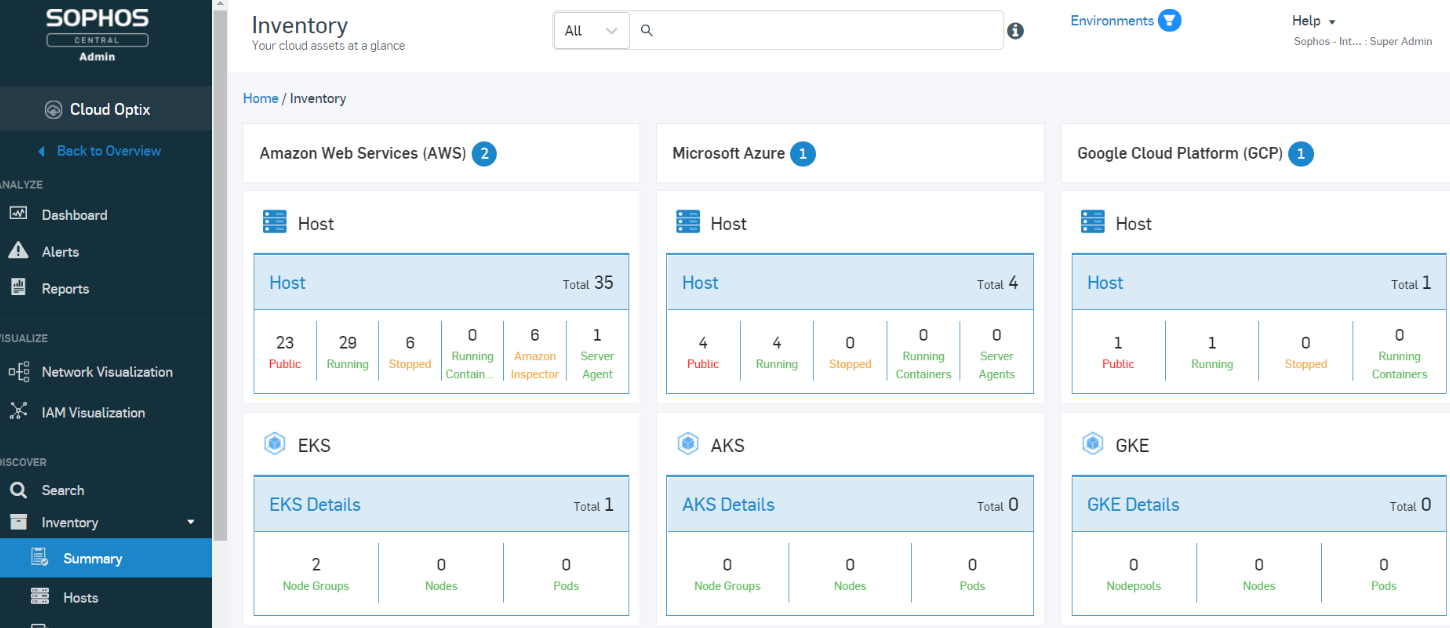
Image source.
Sophos belongs in the CSPM conversation when cloud posture needs to land inside detection and response, not sit in a separate scanner tab.
I’d shortlist it for teams already thinking in XDR, MDR, workload protection, identity risk, and cloud network security. Sophos covers AWS, Azure, GCP, and Oracle OCI, ingesting control-plane logs, VPC flow logs, audit logs, and native findings from services such as Amazon GuardDuty and Google Security Command Center. That gives SecOps a cleaner path from cloud alert to investigation.
The proof is platform-level, not CSPM-only. Sophos protects 625,000+ organizations worldwide and is recognized across Email, Endpoint, MDR, XDR, and Firewall categories. Treat that as security-operations credibility, not a pure CSPM award.
Sophos makes the most sense when the team wants cloud posture signals tied to workloads, identities, traffic, and managed response.
Features
| Feature | Practical read for CSPM buyers |
|---|---|
| Cloud telemetry correlation | Pulls control-plane logs, VPC flow logs, audit logs, GuardDuty, and Google Security Command Center findings into XDR. Useful when a posture alert needs endpoint, identity, and network context before anyone opens a ticket. |
| Multi-cloud workload coverage | Covers AWS, Azure, GCP, and OCI, with protection for cloud hosts, containers, Kubernetes, Linux, and Windows Server. Better fit for teams where risk lives in running workloads, not only cloud configuration. |
| Identity risk visibility | Monitors Microsoft Entra ID for risks, misconfigurations, credential abuse, and suspicious behavior, then feeds those signals into XDR and MDR. Nice when IAM risk keeps showing up as “somebody else’s problem.” |
| Next-Gen SIEM history | Adds long-term event history and compliance readiness across the cloud estate. Good for teams that need investigation depth and evidence trails, not only current-state findings. |
| Cloud network security | Brings next-gen cloud firewall, NDR, WAF, IPS, ATP, URL filtering, VPN, ZTNA, and SD-WAN into the same cloud-security story. Stronger when public exposure sits in traffic paths and app edges. |
| Managed cloud response | Sophos MDR provides 24/7 monitoring, hunting, and response for cloud infrastructure and workloads. Sophos states AI resolves 52% of cases end-to-end in 89 seconds on average, with analysts supervising outcomes. |
Pricing
Sophos Cloud Optix Advanced was listed at $140 per cloud asset for 12 months, or about $11.67 per asset monthly, with a 30-day free trial. AWS Marketplace now routes buyers to custom private offers. One procurement warning matters more than the discount: Sophos will retire Cloud Optix on September 30, 2026.
Those numbers sharpen the next section: which strengths remain useful, and which drawbacks end the evaluation early?
Pros & Cons
✅ Single-dashboard posture visibility: A 2026 reviewer says Sophos Cloud Optix clearly shows cloud misconfigurations, security risks, and compliance issues in one dashboard. Source
✅ Cloud resource inventory: A 2024 reviewer says Sophos Cloud Optix is strong for infrastructure visibility, resource inventory, and identifying security/compliance risks. Source
✅ CloudFormation posture validation: A reviewer says Sophos helps validate AWS CloudFormation templates, track AWS resource changes, and enforce compliance standards. Source
⚠️ Setup and integration time: A 2026 reviewer says setup and integration can take a while, especially for users unfamiliar with cloud environments. Source
⚠️ Interface not fully intuitive: The same reviewer says parts of the interface are not as intuitive as they could be. Source
⚠️ Reporting flexibility limits: The reviewer says reporting should be more flexible and detailed for more profound analysis. Source
Read also: 6 Google Cloud Security Best Practices for Enterprise GCP
Sentinelone
Best for: runtime-first cloud posture and workload protection.
Note: Strong fit when a team already uses SentinelOne and wants CSPM connected to cloud workload defense, AI-driven detection, containers, and response.
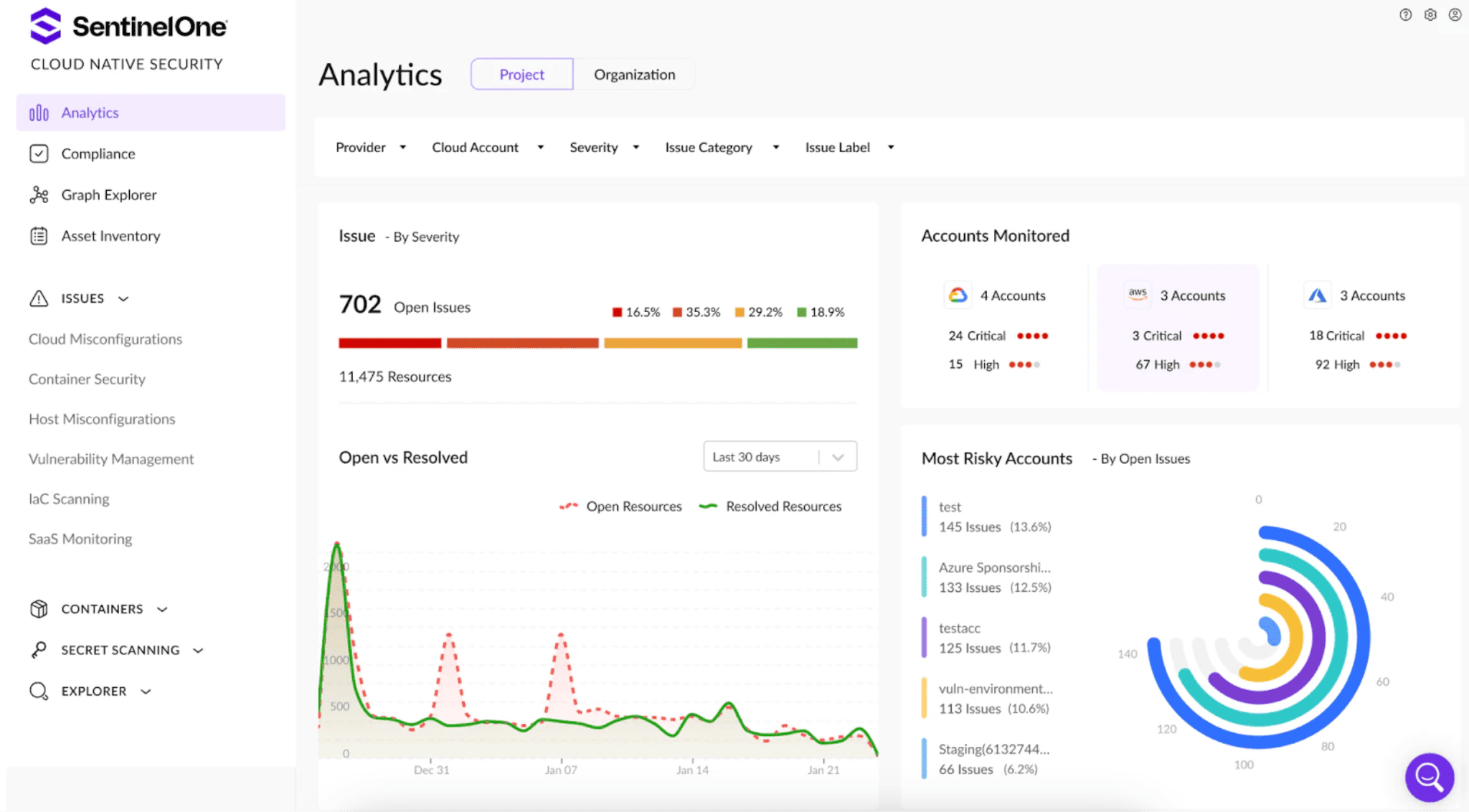
Image source.
SentinelOne is the CSPM pick I’d test when the team’s backlog is full of “critical” findings nobody trusts yet.
Its Singularity Cloud Native Security is built around verified exploitability. Instead of stopping at misconfigurations, excessive permissions, secrets, vulnerable assets, and sensitive data, it asks the better operational question: can this chain actually reach something that matters? The Offensive Security Engine validates exposures, Attack Path Analysis maps the route, and DSPM shows whether sensitive data sits in the blast radius.
Provider coverage is practical: AWS, Azure, GCP, and other cloud environments through agentless onboarding. The broader cloud platform connects posture with runtime workload protection, cloud data security, identity, endpoint telemetry, Purple AI, and Hyperautomation. That makes SentinelOne stronger for teams that want CSPM inside a detection-and-response workflow, not parked beside it.
Customer proof is useful, not ornamental. SentinelOne’s cloud page names Q2, Relay Network, and Aston Martin in success stories, while the logo wall includes ServiceNow, JetBlue, Lyft, Samsung, AT&T, Uber, Hitachi, EA, Sysco, McKesson, Canva, Autodesk, Estée Lauder, and Shutterfly. Relay’s story maps neatly to the CSPM buyer job: bring security earlier into development, before exposure becomes production debt.
For the Sentinelone Cloud Security Posture Management buyer, the practical read is simple: shortlist it when you need proof-backed prioritization, runtime context, and cloud-to-SOC response in one operating model.
Features
| Feature | Practical read for CSPM buyers |
|---|---|
| Verified exploit paths | This is the feature to test first. SentinelOne validates whether an exposure is truly exploitable, then maps the path from initial access to sensitive data or a mission target. That helps teams stop treating every red badge like a fire drill. |
| Agentless cloud onboarding | AWS, Azure, GCP, and other cloud environments can be connected without infrastructure changes. Good for fast coverage when you need asset and exposure visibility before negotiating workload-level rollout. |
| CSPM + CIEM + DSPM + AI-SPM | The platform brings posture, identity permissions, sensitive data discovery, AI security posture, IaC scanning, and secret scanning into one view. Helpful when the real risk is not one bad setting, but a chain: access, workload, data, and AI service. |
| CI/CD and secret scanning | Repositories, IaC templates, and container images are checked for exposed secrets, misconfigurations, and vulnerabilities. The page lists 850+ secret types and Kubernetes admission control for blocking risky deployments. |
| Hyperautomation remediation | Findings can be routed into governed workflows with evidence attached. That matters when security wants fewer “please review” tickets and more issues engineering can close without a translation meeting. |
| Runtime and workload protection | Pairing Cloud Native Security with Singularity Cloud adds protection for containers, VMs, and AI workloads. Strong fit if the buyer wants posture plus containment when the finding turns into live activity. |
Pricing
SentinelOne’s clearest cloud-security benchmark is $20,000 for a 12-month custom AWS Marketplace contract. Marketplace metering also lists $16.50 per server/month, $52.75 per container host/month, and $9.90 per Fargate task/month.
Final CNAPP pricing scales by aggregated “effective workloads,” plus modules, retention, MDR, and response depth.
SentinelOne advertises a 30-day Singularity Control trial, although no CSPM-specific trial period is published.
Pros & Cons
✅ Cloud workload visibility: A 2026 reviewer says SentinelOne gives strong visibility and protection across cloud workloads without adding operational complexity. Source
✅ AI-driven detection and response: A reviewer says SentinelOne’s AI-driven detection and automated response reduce manual intervention and speed up incident response. Source
✅ Posture + workload protection: A reviewer says SentinelOne unifies posture, workload protection, and threat detection into one platform, improving cloud security posture. Source
⚠️ Advanced tuning takes time: A reviewer says advanced features may need tuning to reduce noise and match workflows. Source
⚠️ Complex initial setup: A reviewer says initial setup and policy configuration can be complex and time-consuming without deep cloud-security expertise. Source
⚠️ Cost / weight for small teams: A reviewer says the platform can feel expensive or heavy for smaller environments. Source
Read also: Cloud Security Monitoring Tools - 7 Platforms for SIEM, Security Analytics & 24/7 Coverage
Cloudflare
Best for: Zero Trust/SASE cloud access posture, not traditional CSPM.
Note: I’d position it for teams securing users, apps, SaaS access, DLP, CASB, web traffic, and remote connectivity from one policy layer.
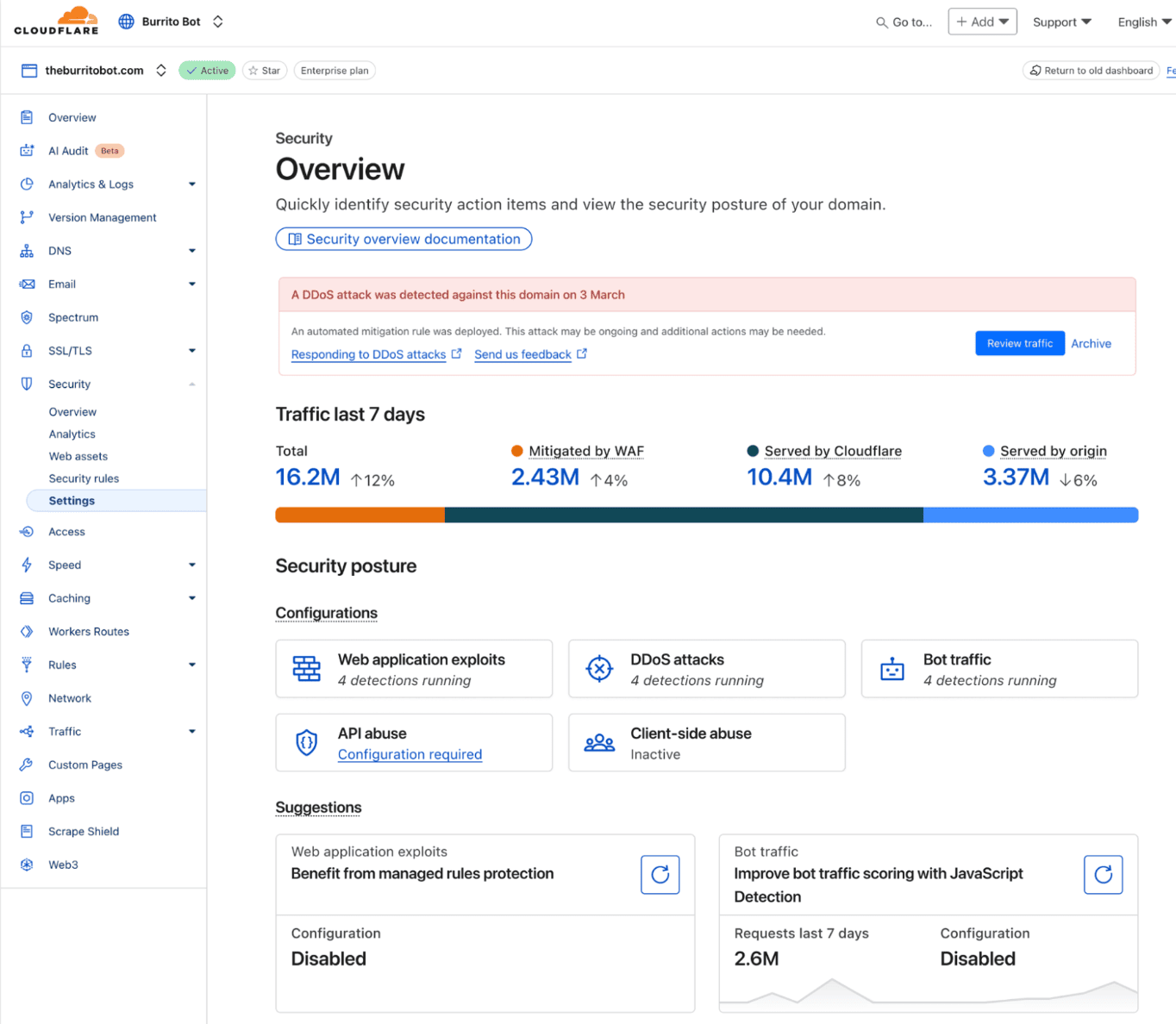
Image source.
Cloudflare only belongs in a CSPM comparison if the buyer is looking beyond cloud-resource checks.
I’d shortlist it when the real mess lives in SaaS permissions, GenAI use, exposed files, cloud storage, shadow IT, and data leakage. Its CASB scans SaaS apps, GenAI tools, and cloud environments for posture risks: misconfigurations, exposed files, suspicious activity, and sensitive-data issues. That is useful. Just do not confuse it with Wiz, Orca, or Prisma for deep AWS/Azure/GCP infrastructure posture.
Applied Systems is the strongest proof point. Their team uses Cloudflare Zero Trust to secure ChatGPT usage, restrict upload/download/copy-paste behavior, and extend CASB, DLP, email security, and browser isolation across more environments. The CASB customer wall also shows Japan Airlines, Indeed, Delivery Hero, Werner, Canva, Knauf, JetBlue, and Ziff Davis.
Cloudflare Cloud Security Posture Management makes sense when posture must connect with access control, AI governance, DLP, and SASE. Cloudflare One brings CASB, ZTNA, SWG, FWaaS, RBI, DLP, email security, and DEM into one control plane, delivered from 300+ cities. Recognition is SASE and Zero Trust focused: 2025 Gartner Magic Quadrant Visionary for SASE Platforms and Forrester Zero Trust Platforms Q3 2025, second-highest Strategy score.
Features
| Feature | Practical read for CSPM buyers |
|---|---|
| CASB posture scanning | Finds misconfigurations, exposed files, suspicious activity, and data-security issues across SaaS apps and cloud environments. Best when the exposure sits in collaboration tools, not compute accounts. |
| GenAI posture checks | Detects configuration risks in ChatGPT, Claude, and Gemini. Good fit when AI adoption moved faster than policy review. |
| Cloud storage exposure checks | Cloudflare calls out sensitive-data and misconfiguration detection for Amazon S3 and Google Cloud Storage. That is the storage lane I’d test first. |
| DLP at rest and in motion | Scans sensitive data at rest and applies DLP controls across environments. Practical for source-code leaks, customer data, and accidental file sharing. |
| Inline access control | ZTNA and SWG enforce who can access SaaS, private apps, and cloud apps. Sometimes the fix is a policy change, not another Jira ticket. |
| Shadow IT discovery | Logs connections and requests to reveal unsanctioned SaaS apps and user actions. Small feature. Large “who approved this?” moment. |
| Unified SASE control plane | CASB sits with ZTNA, SWG, FWaaS, RBI, DLP, email security, and DEM. Strong fit when posture needs to be tied to access, traffic, and data controls. |
Pricing
Cloudflare gives you real budgeting numbers before sales joins the call.
The Free plan costs $0 forever for up to 50 users, so there is no trial-day countdown.
Pay-as-you-go runs $7 per user/month, billed annually. That puts 100 users at $700/month and 500 at $3,500/month. Log Explorer includes 10 GB free, then costs $1 per GB/month.
Full Cloudflare One contracts remain custom-priced around seats, DLP, CASB, RBI, email security, networking, and support.
Pros & Cons
✅ Unified security and networking: A 2025 reviewer says Cloudflare One brings multiple security and networking tools into one unified system. Source
✅ Single-dashboard policy management: A reviewer says Cloudflare makes Zero Trust access, secure web gateways, DNS filtering, and threat detection easier to manage from one dashboard. Source
✅ VPN replacement: A reviewer says Cloudflare SSE/SASE eliminates traditional VPNs and point solutions by combining Zero Trust access, web gateway, and threat protection. Source
⚠️ Newer features feel less mature: A reviewer says some Cloudflare SSE/SASE features feel newer and less mature than older competitors. Source
⚠️ Advanced policy complexity: A reviewer says advanced policy configuration and integrations can be challenging. Source
⚠️ Documentation gaps: A reviewer says documentation and support sometimes lag behind newer features. Source
Read also: Cloud Security Compliance Standards. The 8 Frameworks Every Cloud Team Should Know in 2026
Sysdig
Best for: Kubernetes runtime posture and container risk prioritization.
Note: It is strongest when the CSPM job is tied to live workloads, runtime context, cloud-native inventory, vulnerabilities, and compliance in Kubernetes environments.
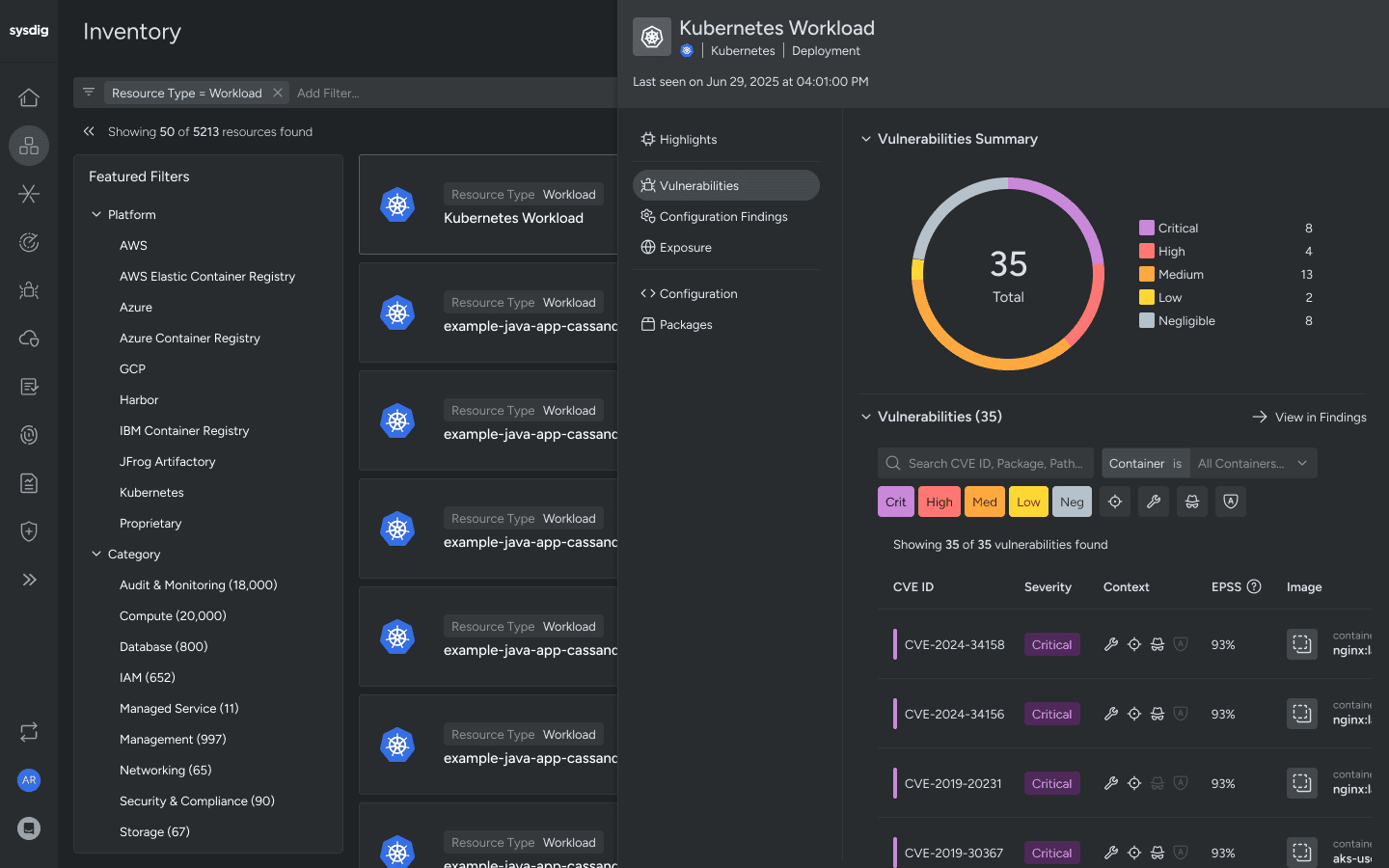
Image source.
Sysdig earns a CSPM shortlist spot when the cloud estate runs hot: containers, Kubernetes, cloud workloads, and production risk.
The useful part is runtime context. Sysdig connects cloud services, configurations, identities, vulnerabilities, and live activity into one graph, then pushes teams toward risks that are actually active or exposed in production. That is a sharper buying signal than another static violation list. Its CSPM page describes runtime-informed prioritization, dynamic inventory, attack-path analysis, Sysdig Sage AI search, continuous compliance, and automated remediation.
Customer proof lands well for practitioners. BigCommerce uses Sysdig to reduce noise, identify misconfigurations, and streamline compliance. Neo4j reports 75% fewer false positives and 80% fewer vulnerabilities. CoinDCX cut misconfigurations by 70% and sped fixes by 12×. Apree Health uses it for Kubernetes visibility, audit streamlining, and 10+ hours saved monthly on compliance work.
For Sysdig cloud security posture management, I’d test it when CSPM needs runtime evidence, Kubernetes context, and faster remediation.
Sysdig Cloud Security Posture Management features
| Feature | Practical read for CSPM buyers |
|---|---|
| Runtime-informed prioritization | Sysdig combines static findings with runtime insights, including in-use vulnerabilities and in-use permissions. That helps teams work on risks alive in production instead of arguing over theoretical exposure. |
| Cloud Attack Graph | Correlates assets, activity, identities, configurations, and exploitable links across resources. Useful when the risky part is the chain: ingress, workload, host, bucket, role, data. |
| Dynamic inventory | Maintains a real-time view of cloud resources enriched with compliance violations, vulnerabilities, IAM issues, and exposure signals. Good inventory is boring until an incident starts. Then it becomes oxygen. |
| Sysdig Sage AI search | Lets teams ask cloud-risk questions in plain language, such as which workloads are affected by a CVE or which exposed assets are noncompliant. Useful when query syntax slows down investigation. |
| Continuous compliance and remediation | Supports around-the-clock assessments and automated remediation. Apree Health’s story gives the practical proof: Kubernetes visibility, easier audits, and 10+ hours saved monthly on compliance. |
| Detection-and-response bridge | CSPM sits beside CNAPP, cloud detection and response, vulnerability management, CIEM, and workload protection. Strong fit when posture findings may turn into live cloud activity. |
Pricing
Sysdig gives buyers a usable public floor: $72 per CNAPP host/month on AWS Marketplace, with a 20-host minimum. That starts at $1,440 monthly or $17,280 annually, before usage overages; a 12-month contract can save up to 17%.
CSPM counts compute instances as hosts, while cloud-log detection follows event usage. Private offers determine the final rate.
The official trial runs 30 days.
Pros & Cons
✅ Real-time Kubernetes visibility: A 2026 reviewer says Sysdig provides real-time visibility into cloud-native and containerized environments, especially Kubernetes workloads. Source
✅ Runtime risk prioritization: A reviewer says Sysdig’s runtime threat detection, vulnerability management, and compliance monitoring help identify and prioritize real security risks. Source
✅ Multi-cloud posture inventory: A reviewer says Sysdig supports CNAPP requirements across AWS and GCP with accurate asset inventory and security posture management. Source
⚠️ Complex setup: A reviewer says initial setup and configuration can be complex for teams new to Kubernetes or container security. Source
⚠️ Missing on-demand compute assessment: A reviewer says on-demand vulnerability assessment for compute instances is missing. Source
⚠️ Windows scanning limitations: A reviewer says agentless Windows VM scanning is not available and agent-based scanning is limited to Windows Server 2019/2022. Source
Read also: Cloud Security Assessment Framework. Checklist, Questionnaire & Template Every Cloud Team Needs in 2026
Wiz
Best for: agentless CNAPP and attack-path prioritization.
Note: Choose it when the job is to find toxic cloud combinations fast: exposed assets, identities, vulnerabilities, secrets, data risks, and misconfigurations that create real attack paths.
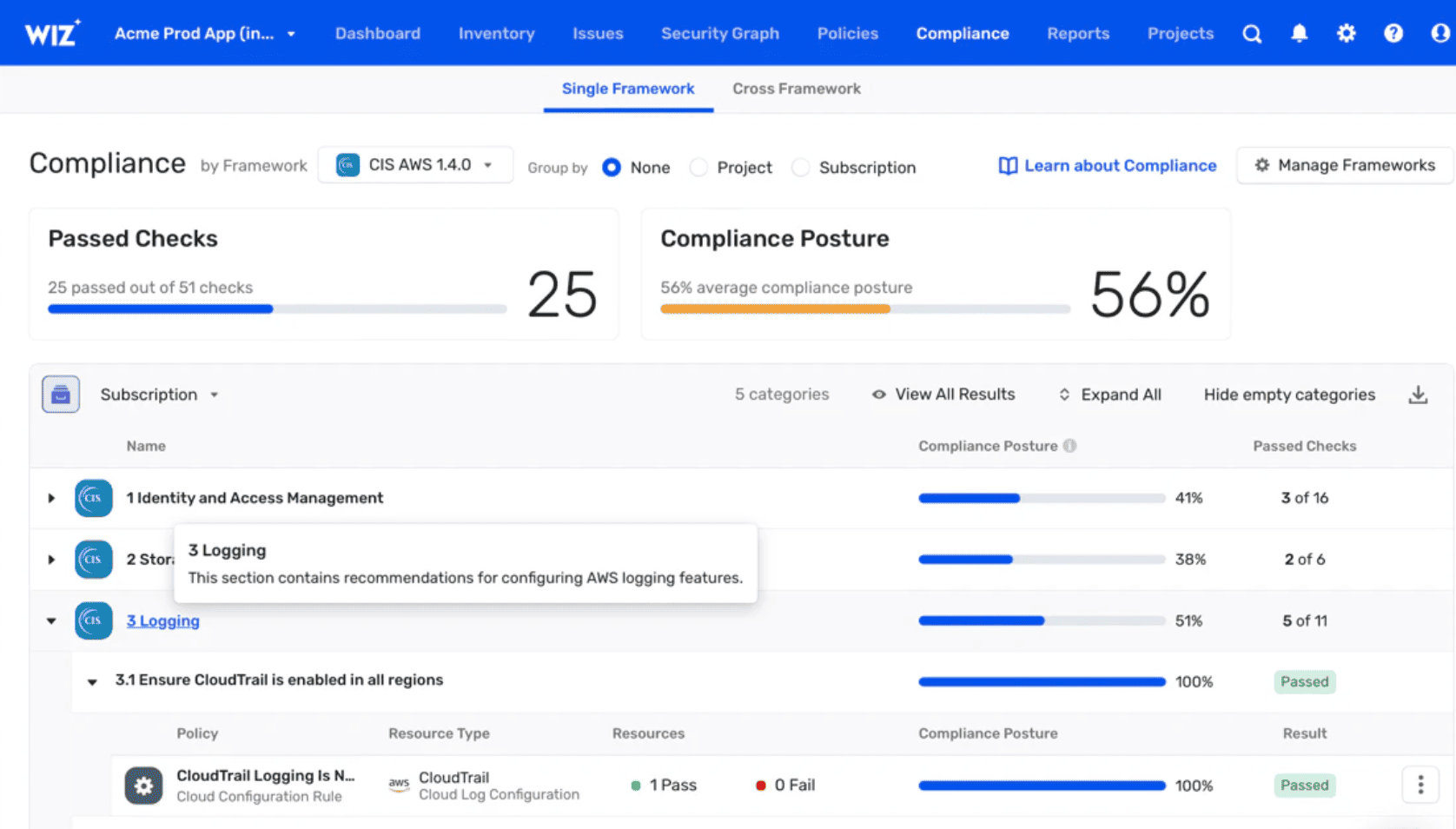
Image source.
Wiz is the CSPM tool I’d test when the team has already learned the hard lesson: severity alone does not tell you what to fix first.
Its value sits in the Security Graph. Wiz connects cloud assets, misconfigurations, vulnerabilities, public exposure, excessive permissions, sensitive data, AI services, code, and runtime context, then shows the attack paths that matter. That is why it works well for teams drowning in findings but still short on a clear remediation order. Wiz says it is trusted by 50%+ of Fortune 100 companies, with customer logos including Morgan Stanley, Siemens, BMW, Colgate-Palmolive, Salesforce, Slack, ServiceNow, LVMH, and DocuSign.
Coverage is broad: AWS, Azure, GCP, OCI, Alibaba Cloud, DigitalOcean, Linode, Vercel, VMware, Kubernetes, Snowflake, Okta, Microsoft 365, GitHub, GitLab, and more.
For Wiz Cloud Security Posture Management, the buying signal is simple: shortlist it when you need agentless coverage, graph-based prioritization, code-to-cloud ownership, and executive-friendly risk evidence. Wiz was named a Forrester Wave CNAPP Leader, Q1 2026, with the highest Current Offering score.
Wiz Cloud Security Posture Management features
| Feature | Practical read for CSPM buyers |
|---|---|
| Agentless visibility | Wiz connects through APIs and scans cloud and AI resources across PaaS, VMs, containers, serverless, repositories, and pipelines without workload disruption. Good fit when you need fast coverage before agent rollout turns political. |
| Security Graph | The graph maps relationships between technologies in the environment and exposes pathways to breach. This is the part to test first: does it show the risky chain, or only decorate the alert? |
| Attack path analysis | Wiz prioritizes toxic combinations across misconfigurations, vulnerabilities, public exposure, permissions, and sensitive data. Useful when engineering asks why this issue beats the other 900. |
| CSPM from build to runtime | Continuously detects and remediates misconfigurations from build time to runtime with cloud context. Stronger than snapshot-only posture when drift is the real problem. |
| CIEM and least privilege | Analyzes cloud entitlements and auto-generates least-privilege policies. Nice fit when IAM turns one exposed asset into a much larger blast radius. |
| DSPM and sensitive-data context | Discovers and classifies sensitive data, then connects data risks to attack paths and compliance needs. That helps security explain impact without hand-waving. |
| IaC scanning and drift detection | Scans Terraform, CloudFormation, Azure Resource Manager, Kubernetes, Docker, and more against 1,000+ rules, then traces cloud resources back to code for remediation. |
| Workflow orchestration | Routes risks to owners with RBAC, projects, workflows, no-code automation, approvals, and integrations. This is where Wiz becomes more than a scanner: findings get assigned with context. |
Pricing
Wiz starts at $24,000/year for 100 workloads on Essential, or $20 per workload/month. Advanced raises that baseline to $38,000/year. Add-ons reshape the final quote: Wiz Code costs $58,500/year for 100 developers, while Defend starts at $18,000/year for 300 GB of monthly log ingestion. Wiz then adjusts pricing for workload, developer, sensor, and telemetry volumes.
The full platform can be tested through a 14-day free trial.
Pros & Cons
✅ Fast deployment and visibility: A 2026 reviewer says Wiz is easy to deploy, starts delivering value quickly, and surfaces risks that might otherwise go unnoticed. Source
✅ Centralized CNAPP: A reviewer says Wiz gives a centralized, intuitive platform for cloud security needs, with dashboards, frameworks, compliance, and prioritized issues. Source
✅ Consolidated risk view: A reviewer says Wiz provides a consolidated view of risks across cloud estate and codebase, helping teams prioritize and remediate vulnerabilities. Source
⚠️ Manual scan trigger gap: A reviewer says a manual scan trigger would help validate real-time fixes and threats. Source
⚠️ Consumption-based costs: A reviewer says some capabilities are consumption-based, so teams must understand feature cost impact. Source
⚠️ Alert volume theme: G2’s review summary says users like Wiz’s visibility and actionable insights, but some reviewers note alert volume can become overwhelming without tuning. Source
Read also: Cloud Security for Financial Services. The Evidence Model That Holds Up Under Audit Pressure
Tenable
Best for: risk-based cloud exposure and compliance prioritization.
Note: It fits teams that want CSPM tied to vulnerability management, IaC scanning, identity risk, exposure management, and business-impact prioritization.
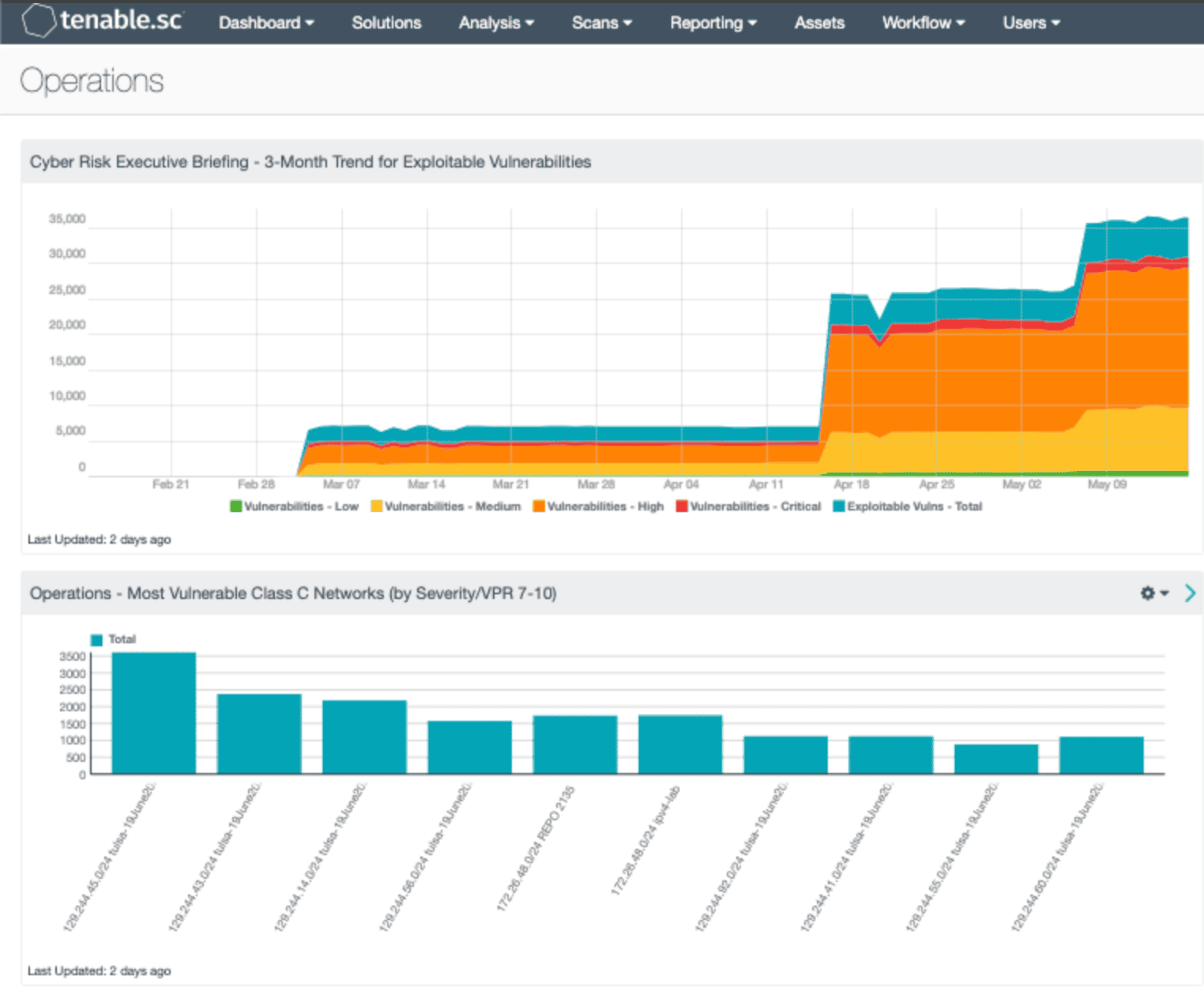
Image source.
Tenable belongs on the CSPM shortlist when cloud risk needs to plug into exposure management, not sit as another alert stream.
The product connects cloud misconfigurations, excessive permissions, vulnerabilities, exposed sensitive data, AI assets, workloads, and attack paths across multi-cloud and hybrid environments. In practice, that means Tenable is strongest when the buyer needs to explain impact: which identity can reach what, which workload is exposed, which data is in the blast radius, and which fix removes the most risk.
Customer proof is useful. AppsFlyer uses Tenable Cloud Security across AWS, Google Cloud, Azure, and Alibaba Cloud to govern entitlements, audit Okta-federated users, expose risky S3/database access, and push remediation through Jira. Latch uses it for AWS least privilege, public exposure checks, Jira and Terraform workflows, and CloudFormation/Terraform policy generation.
Latch also credits Tenable with saving the headcount equivalent of 3–4 additional analysts.
For Tenable Cloud Security Posture Management, the practical read is simple: shortlist it when CSPM has to connect identity, data, vulnerability, and exploit-path context. Recognition backs that lane: Gartner Peer Insights Customers’ Choice for CNAPP, Gartner Magic Quadrant Leader for Exposure Assessment Platforms, and IDC MarketScape Leader for Worldwide Exposure Management 2025.
Tenable cloud security CSPM features
| Feature | Practical read for CSPM buyers |
|---|---|
| Cloud exposure graph | Correlates cloud assets, identities, workloads, vulnerabilities, misconfigurations, sensitive data, and exposure paths. This is the buying hook: Tenable helps move the conversation from “bad setting” to “material exposure.” |
| CSPM misconfiguration detection | Continuously detects cloud misconfigurations and maps them to frameworks such as CIS, NIST, and PCI DSS, with guided remediation. Good fit when engineering and compliance need the same evidence trail. |
| CIEM and least privilege | Finds excessive or toxic entitlements, maps effective permissions, flags broad or stale access, and supports least-privilege workflows across AWS, Azure, and GCP. Test this hard if IAM keeps expanding blast radius. |
| IaC-to-runtime visibility | Scans Terraform, CloudFormation, and Kubernetes manifests for misconfigurations, compliance gaps, and policy violations, then connects build-time issues to runtime exposure. Useful when “fixed” cloud risks keep coming back. |
| Cloud vulnerability context | Detects vulnerabilities across VMs, containers, registries, and Kubernetes clusters, then correlates CVEs with exposed workloads, over-permissioned identities, and misconfigurations. Better than ranking CVEs in a vacuum. |
| DSPM and AI asset posture | Discovers and classifies sensitive data, including NPI, PII, and regulated assets, plus AI models, training data, and endpoints. Strong when the buyer needs data-impact proof behind a posture finding. |
| JIT access controls | Supports just-in-time permissions, which helps reduce standing access while keeping cloud work moving. This matters when least privilege needs to be operational, not just a policy slide. |
| Workflow remediation | Integrates with Jira, Slack, Microsoft Teams, email, SIEM, and notification tools. AppsFlyer’s Jira workflow is the practical proof: risk scores became hardened policies and DevOps handoffs, not another console export. |
Pricing
Tenable Cloud Security starts with a 300-license minimum. Depending on the edition, that covers roughly 100 CIEM, 60 Standard, or 40 Enterprise resources.
A public UK procurement listing converts to about $9,294 per year, although Tenable’s final US price remains custom and may change with resource volume, edition, and contract length.
Pros & Cons
✅ Risk-based prioritization: A 2025 reviewer says Tenable prioritizes misconfigurations and vulnerabilities by exploitability and business impact. Source
✅ Multi-cloud configuration monitoring: A reviewer says Tenable continuously monitors configurations and detects misconfigurations or policy violations in real time. Source
✅ CI/CD and IaC scanning: A reviewer says Tenable scans IaC templates before deployment, catching misconfigurations earlier in the development process. Source
⚠️ Implementation complexity: A reviewer says setup can be time-consuming and requires technical expertise for less mature cloud-security teams. Source
⚠️ Low-priority alert noise: A reviewer says too many low-priority findings may require manual tuning to avoid overwhelm. Source
⚠️ Dashboard and documentation limits: A reviewer says dashboards can feel overwhelming, alerting needs more granular control, documentation may lag, and pricing can concern smaller organizations. Source
Read also: What Is Cloud Security Monitoring? Cases & Best Practices
Zscaler
Best for: cloud access, SaaS, and data-protection posture, not pure CSPM.
Note: Use it when the job is Zero Trust access, CASB, DLP, cloud app control, secure web access, and reducing exposure through policy enforcement.
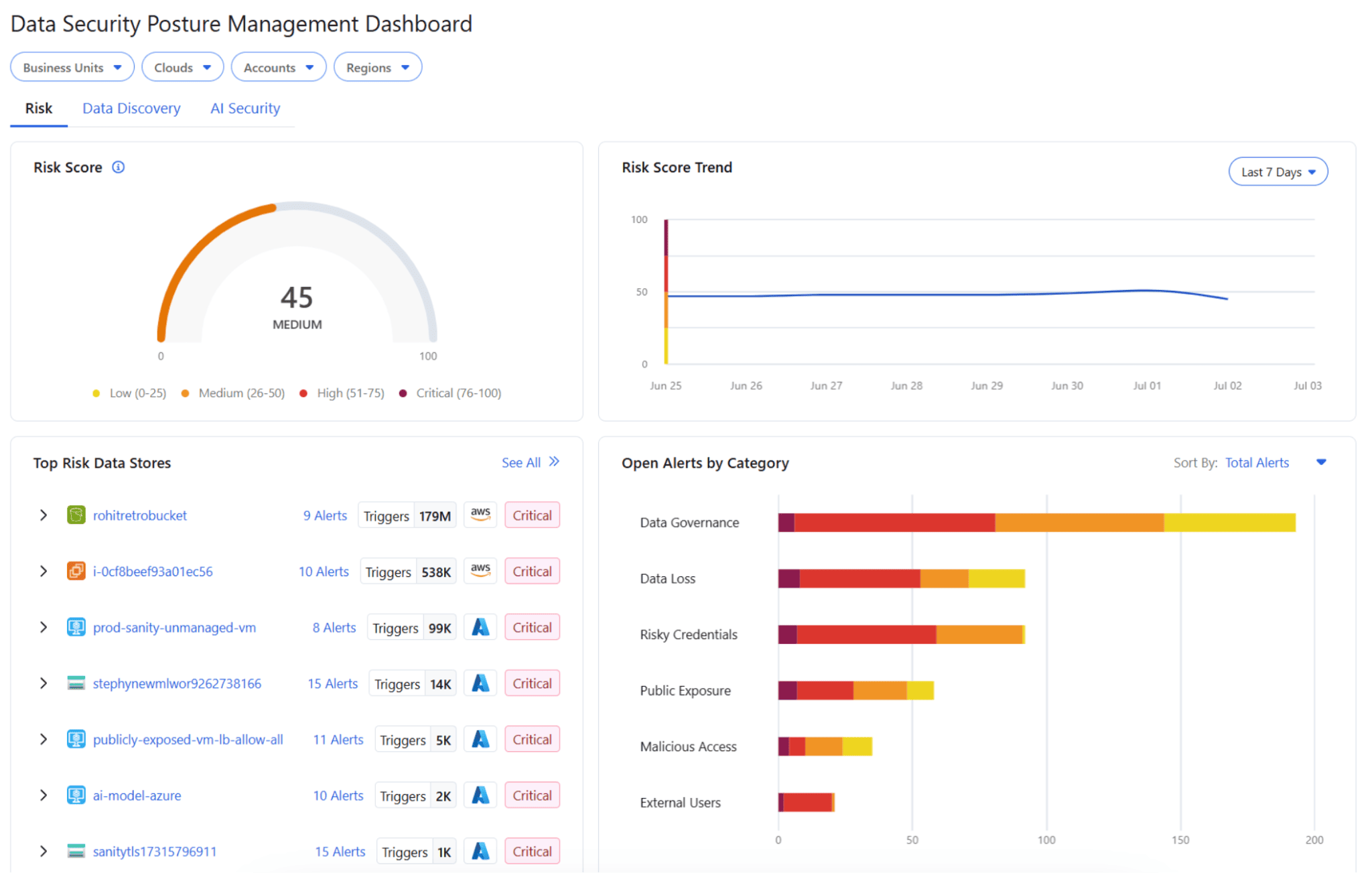
Image source.
Zscaler belongs in a CSPM comparison when posture is less about cloud-account scanning and more about workload paths, data exposure, AI use, and zero trust policy.
I’d test it when cloud security keeps finding the same pattern: workloads talking too freely, sensitive data spread across hybrid and multicloud stores, and teams trying to manage traffic risk with firewall-era habits. Zscaler Zero Trust Cloud secures ingress, egress, east-west, and workload-to-workload traffic across clouds, VPCs, VMs, and on-prem data centers. SoFi uses it for unified policy management and regulatory needs. Inter uses it for workload connectivity. FICO uses it to rethink cloud operations. Siemens uses it to standardize security policy across users and applications.
For Zscaler Cloud Security Posture Management, the buyer signal is specific: shortlist it when CSPM needs to meet DSPM, microsegmentation, AI security posture, and zero trust enforcement. Recognition supports that lane: Zscaler lists 2025 Gartner SSE Leader, 2025 Forrester SASE Leader, 2025 Gartner SASE Visionary, and IDC DLP Leader.
Features
| Feature | Practical read for CSPM buyers |
|---|---|
| Zero Trust Cloud workload protection | Secures ingress, egress, east-west, and workload-to-workload traffic. Test this if cloud exposure shows up as traffic paths and firewall sprawl, not only bad resource settings. |
| Microsegmentation | Uses granular segmentation and AI-powered recommendations for mission-critical workloads. Strong fit when lateral movement is the risk story that leadership already understands. |
| DSPM across hybrid and multicloud | Discovers, classifies, and inventories sensitive data across hybrid and multicloud environments, then correlates misconfiguration and exposure risk. This is Zscaler’s cleaner posture angle. |
| Data access governance | Connects sensitive data with access entitlements and compliance risk. Useful when the real exposure is not “data exists" but “too many paths reach it.” |
| Compliance visibility | Maps data posture to GDPR, HIPAA, PCI DSS, NIST AI RMF, and more with real-time reports and compliance drilldowns. Good for audit-heavy buyers. |
| AI security posture | Discovers AI models, services, agents, associated sensitive data, OWASP Top 10 for LLM risks, misconfigurations, and permissions. Very useful if AI inventory is still half spreadsheet, half rumor. |
| Workflow automation | Turns data and AI risks into guided remediation and automated workflows, with integrations into ITSM, operations, and developer tools. That is where posture stops being a screenshot exercise. |
Pricing
Zscaler licenses DSPM by data store, so the quote includes covered VMs, buckets, databases, and other cloud-service instances. The closest public benchmark: posture-inclusive data protection Advanced converts to about $100 per user/year, with a 50-user floor, or roughly $5,021 annually.
Prime converts to $161 per user/year and starts at 1,000 users, around $160,656 annually.
DSPM stays custom. Zscaler references 30-day trials for selected add-ons, so confirm that window in the quote.
Pros & Cons
✅ Zero Trust access: A 2026 reviewer says Zscaler replaces traditional VPNs with identity- and policy-based secure app access. Source
✅ Cloud posture integrations: A review updated in 2026 says Zscaler includes integrations with cloud posture management, AI threat detection, and digital experience monitoring. Source
✅ DLP and cloud app controls: A reviewer highlights inline proxy scanning, SSL inspection, cloud firewall, cloud application control, and data protection controls. Source
⚠️ Granular policy setup: A reviewer says tailoring granular access policies can take time and careful tuning. Source
⚠️ Bandwidth slowness with inspection: A reviewer says some users report bandwidth slowness with ZPA zTunnel 2.0, possibly because of full inspection. Source
⚠️ Connectivity dependency: G2’s review summary says dependency on internet connectivity can affect performance. Source
Read also: What Are Cloud Security Services? Types, Use Cases, and How to Choose
Datadog
Best for: posture monitoring inside observability workflows.
Note: It works well when DevOps and security teams already live in Datadog and want cloud misconfiguration, workload, logs, metrics, and security signals in one operational view.
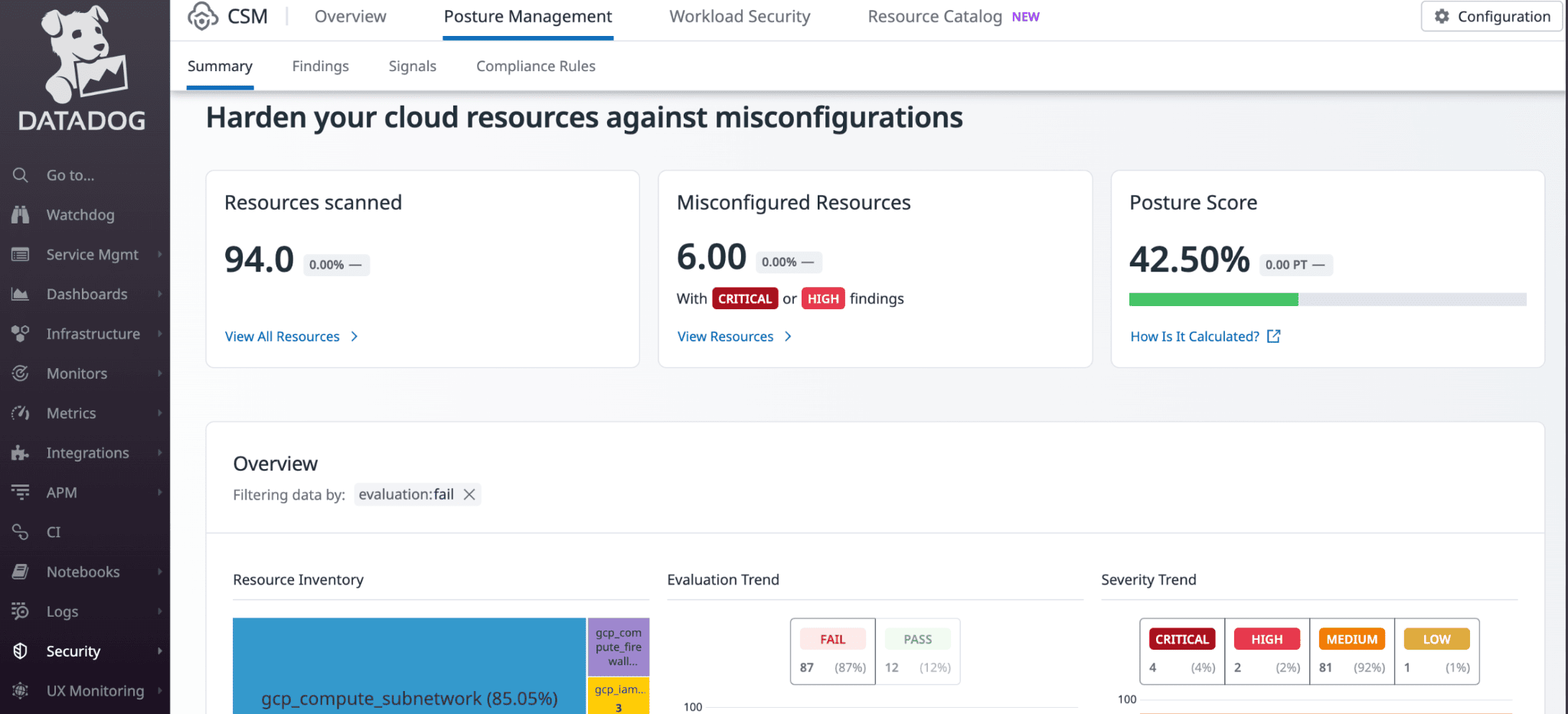
Image source.
Datadog is the CSPM I would test if security findings continue to be lost during handoff.
The scanner is only half the story. Datadog Cloud Security finds vulnerabilities, misconfigurations, identity risks, and compliance violations, then drops that risk into the same place engineers already use for logs, metrics, traces, incidents, containers, and Kubernetes. That changes the workflow. The finding shows up with resource context, live signals, owner routing, and a fix path. Less archaeology. Fewer “which cluster is this?” threads.
Customer proof is broad platform proof, not CSPM-specific proof. Datadog lists Toyota Motor North America and Autodesk stories, plus logos such as Samsung and Siemens. I’d treat that as operational credibility, not evidence that its CSPM beats graph-first tools.
For Datadog Cloud Security Posture Management, the buying rule is narrow and useful: shortlist it when DevOps already runs on Datadog and CSPM needs to sit close to production telemetry. Compare it harder if your top requirement is deep attack path modeling.
Features
| Feature | Practical read for CSPM buyers |
|---|---|
| Agentless cloud scan | Scans the cloud for vulnerabilities, misconfigurations, identity risks, and compliance gaps without agent rollout. Good first pass when you need coverage before instrumentation debates start. |
| Runtime context from the Agent | Adds more timely visibility into active risk. I’d test this against noisy findings: does it prove what is actually running, or just add another label? |
| Cloud and Kubernetes posture | Checks cloud accounts, hosts, containers, and Kubernetes deployments continuously. Strong fit when platform teams already watch Kubernetes health in Datadog. |
| Ownership routing | Uses resource ownership to send alerts and remediation steps to the right team. Tiny detail on paper. Huge difference in a backlog review. |
| CIEM identity risk | Shows excessive permissions, admin privileges, access paths, related permissions, and remediation steps. Useful when IAM turns a small posture issue into a real blast-radius problem. |
| Vulnerability prioritization | Ranks host and container vulnerabilities using business impact, observability context, and Datadog security research. Much better than another CVSS dump. |
| Compliance reporting | Tracks CIS, PCI DSS, SOC 2, Kubernetes posture, custom frameworks, Datadog Posture Score, and 1,000+ detection rules. Good when audit evidence needs to stay live, not rebuilt before every review. |
Pricing
Datadog keeps CSM pricing readable until you reach the Enterprise dependency. CSM Pro costs $10 per host/month annually or $12 month-to-month, with 5 containers included. Extra Pro containers cost $0.001/hour, about $0.73 monthly.
CSM Enterprise lists at $25 per host/month annually or $30 monthly, includes 20 containers, and charges $0.002/hour, or about $1.46 monthly, for each additional container. Enterprise also requires a $23-per-host Infrastructure Enterprise, bringing the effective annual rate to $48 per host/month.
For 100 hosts, budget $12,000/year for Pro versus at least $57,600/year for Enterprise.
Datadog offers a 14-day free trial.
Pros & Cons
✅ Unified monitoring and security events: A 2025 reviewer says Datadog monitors infrastructure, applications, logs, traces, and security events in one place. Source
✅ Root-cause correlation: A 2026 reviewer says Datadog helps correlate server load, logs, network performance, and other data sources for faster root-cause analysis. Source
✅ Smart anomaly alerts: A reviewer says machine-learning-based anomaly detection helps catch issues before they escalate. Source
⚠️ Learning curve: A reviewer says Datadog is powerful but takes time to learn and configure for new users. Source
⚠️ Interface dislike: A 2026 reviewer says they do not enjoy Datadog’s interface, even though they do not have other major complaints. Source
⚠️ Cost escalation: G2’s review summary says many users note Datadog cost can escalate quickly as usage increases. Source
Read also: Healthcare Data Security Challenges. The 4 Biggest Threats Facing Hospitals and Health Plans in 2026
Summary comparison table of top cloud security posture management vendors
That was a long article. A lot of tools. A lot of “unified cloud security” language. By vendor number ten, even sharp teams start losing track of what each platform actually does.
So here’s the fast pass.
I used a practical CSPM baseline: inventory, ownership context, prioritization, compliance, policy scoping, exemptions, ticket routing, remediation, and audit evidence. That baseline comes from the way Cloudaware frames CSPM: CMDB-aware policies, owner/app/environment context, CIS/NIST/ISO/PCI/HIPAA checks, UCF mapping to 900+ authority documents, formal exception lifecycles, Jira/ServiceNow/email routing, auto-remediation, and audit exports.
Legend: ✅ strong/native fit · ⚠️ partial, add-on, or narrower fit · ❌ not a core use case
| Tool | Multi-cloud | Owner context | Risk priority | IT Compliance | Exception lifecycle | Workflows | Reports |
|---|---|---|---|---|---|---|---|
| Snyk | ⚠️ | ⚠️ | ⚠️ | ⚠️ | ⚠️ | ⚠️ | ⚠️ |
| Cloudaware | ✅ | ✅ | ✅ | ✅ | ✅ | ✅ | ✅ |
| Aqua | ✅ | ⚠️ | ✅ | ✅ | ⚠️ | ✅ | ✅ |
| Darktrace | ⚠️ | ❌ | ⚠️ | ❌ | ❌ | ⚠️ | ⚠️ |
| Prisma Cloud | ✅ | ⚠️ | ✅ | ✅ | ⚠️ | ✅ | ✅ |
| Orca | ✅ | ⚠️ | ✅ | ✅ | ⚠️ | ✅ | ✅ |
| Cyble | ✅ | ⚠️ | ✅ | ✅ | ❌ | ✅ | ⚠️ |
| Check Point | ✅ | ⚠️ | ✅ | ✅ | ⚠️ | ✅ | ✅ |
| Sophos | ⚠️ | ⚠️ | ⚠️ | ⚠️ | ❌ | ✅ | ⚠️ |
| SentinelOne | ✅ | ⚠️ | ✅ | ⚠️ | ⚠️ | ✅ | ⚠️ |
| Cloudflare | ⚠️ | ⚠️ | ⚠️ | ⚠️ | ⚠️ | ⚠️ | ⚠️ |
| Sysdig | ✅ | ⚠️ | ✅ | ✅ | ⚠️ | ✅ | ✅ |
| Wiz | ✅ | ✅ | ✅ | ✅ | ⚠️ | ✅ | ✅ |
| Tenable | ✅ | ⚠️ | ✅ | ✅ | ⚠️ | ✅ | ✅ |
| Zscaler | ⚠️ | ⚠️ | ✅ | ✅ | ⚠️ | ✅ | ✅ |
| Datadog | ✅ | ✅ | ✅ | ✅ | ⚠️ | ✅ | ✅ |
The buying shortcut:
- Choose Cloudaware when the blocker is governance: ownership, exemptions, routing, remediation proof, and audit evidence.
- Compare Wiz, Orca, Prisma, Sysdig, Tenable, Aqua, SentinelOne, and Datadog when the blocker is prioritization: attack paths, runtime context, Kubernetes, data exposure, identity risk, or DevOps handoff.
- Keep Cloudflare, Zscaler, Sophos, Darktrace, Cyble, and Checkpoint in the conversation when the CSPM problem overlaps with SaaS, AI tools, data access, workload traffic, external exposure, or detection and response.
How to choose the best cloud security posture management software for your infra?
After a dozen CSPM demos, the pitch starts blending together.
Everyone has dashboards. Everyone finds misconfigurations. Everyone promises prioritization.
Fine. The real test starts when you connect the tool to your infra and ask ugly operational questions: who owns this asset, why does this control apply, what changed, what gets routed, what gets exempted, and what proof survives audit week?
That is how I’d compare cloud security posture management companies.
Not by feature count. By whether the tool turns cloud risk into closed work.
| Demo test | Ask this | Strong answer |
|---|---|---|
| Inventory freshness | “Show me everything in scope across cloud, Kubernetes, VMware, and on-prem.” | Current asset inventory with account, region, service, app, owner, and environment context. CSPM research describes posture systems as evaluating rules against periodically collected asset inventories, so stale inventory is the first failure point. |
| Ownership | “Who fixes this?” | The finding carries owner, app, environment, SLA, severity, and routing logic. Cloudaware ties findings to owners, apps, and environments through CMDB context. |
| Scope control | “Can prod, dev, regulated apps, and exempted assets follow different rules?” | Policies can be scoped by app, environment, account, tag, or risk boundary. Otherwise, the tool will punish dev like prod and call it governance. |
| Prioritization | “Why this issue before the other 400?” | The answer includes exposure, blast radius, owner, identity path, asset criticality, and data sensitivity. In one controlled AWS study, active validation reduced CSPM false positives by 93%, which shows why raw severity is not enough. |
| Compliance mapping | “Can I give this to an auditor?” | Look for framework scorecards, control history, timestamps, owner trails, exceptions, and exportable evidence. Cloudaware maps CIS, NIST, ISO, PCI, and HIPAA checks to 900+ UCF authority documents. |
| Exception handling | “How do you handle accepted risk?” | Mature CSPM tracks reason, owner, approval, expiry, review date, and evidence. If the answer is “export to spreadsheet,” keep digging. |
| Remediation workflow | “What happens after the finding appears?” | Findings route to Jira, ServiceNow, email, or ITSM, ticket status syncs back, and common fixes can trigger automation playbooks. Cloudaware supports auto-created tickets, bidirectional sync, SLA escalation, and remediation automation. |
| Proof of closure | “Show me the path from finding to fix.” | You should see scope, policy, finding, owner, ticket, remediation status, policy diff, and audit export in one trail. That is the line between a scanner and an operating system. |
| Pricing sanity | “What drives the bill?” | Get the unit: asset, workload, host, developer, account, module, ingestion, or integration. Then model today’s estate and 2× growth. |
Here’s the field shortcut.
- If the pain is attack-path prioritization, test Wiz, Orca, Prisma, Tenable, Sysdig, and SentinelOne hard.
- If the pain starts before production, put Snyk high on the list.
- If Kubernetes and runtime behavior decide priority, compare Sysdig and Aqua carefully.
When the blocker is governance, meaning ownership, scoping, exemptions, routing, remediation state, and audit evidence, use Cloudaware-style criteria as the baseline. Cloudaware’s CSPM is built around CMDB-aware guardrails, owner/app/environment context, formal exception lifecycles, automated routing, remediation workflows, and audit-ready evidence.
For SaaS, GenAI, workload traffic, data access, or detection response, tools like Cloudflare, Zscaler, Sophos, Darktrace, Cyble, and Checkpoint can still belong in the stack. Just don’t let a SASE, XDR, or threat-intel tool quietly replace a CSPM job it was never designed to own.
A good CSPM vendor should answer three questions without a guided tour:
What is risky?
Who owns it?
What proves it was fixed?