


The alert has an instance ID, a compromised principal, and a critical label. That is rarely enough for safe containment. The workload may already be gone. Its IAM role may span several cloud accounts. Responders still need the application, owner, environment, data class, reachable services, and evidence path.
This guide compares eight cloud security incident response companies against that triage problem. It covers detection, forensics, automation, identity reach, and multi-cloud scope. It also checks integration with SIEM, CMDB, ticketing, and human response services.
The shortlist includes Cloudaware, Wiz, Sysdig, SentinelOne, Snyk, Tenable, Zscaler, and Check Point. These cloud security incident response firms do different jobs. Some detect runtime behavior. Others map exposure, prevent risky changes, restrict access, supply responders, or restore asset context.
This is a platform comparison, not a directory of stand-alone DFIR retainers. For broader category coverage, see our cloud security tools guide. The most effective cloud security incident response stack pairs fast detection with enough context to contain the right resource.
Key insights: the most effective cloud security incident response by job
The blocking question should drive the shortlist. An ownership gap needs a different product than a suspicious process inside a running container.
- Best for: Asset/CMDB context that speeds any IR workflow: Cloudaware. The response tool still owns containment.
- Best for: Agentless cloud-wide investigation: Wiz. It connects identities, resources, data, and runtime evidence.
- Best for: Real-time runtime detection and response (CDR): Sysdig. Falco-based telemetry exposes live process, file, and network activity.
- Best for: Automated response / XDR: SentinelOne. Endpoint, identity, network, and cloud signals converge before containment.
- Best for: Shift-left prevention that reduces incidents: Snyk. It keeps vulnerable code and infrastructure changes upstream.
- Best for: Exposure-driven IR and identity risk: Tenable One Cloud Exposure. Threat Stories join identity, vulnerability, and reachability context.
- Best for: Zero-trust containment: Zscaler. It can reduce access, isolate users, or require stronger authentication.
- Best for: Consolidated platform + IR services: Check Point. The package combines security controls with human responders.
How we evaluated these companies
We evaluated the eight products profiled in this article by following the path of a cloud incident rather than comparing product menus. The unit of analysis was each product’s publicly documented workflow: how a signal is detected, how a responder investigates and contains it, what evidence survives the handoff, and whether ownership of the next action can be verified.
Scope: The sample is a curated shortlist, not a complete survey of the market. Research closed on August 27, 2026.
Evidence reviewed:
- Official product documentation and service descriptions
- Recorded product demos, where available
- Public pricing and cloud marketplace listings
- Linked user-review profiles
There was no lab-generated ground-truth dataset. For this review, a capability counted only when a current public source showed where it entered the incident workflow and how it could change a responder’s decision. Unsupported claims received no credit, and unavailable prices were recorded as quote-based.
Evaluation criteria:
- Detection breadth and runtime coverage
- Forensic depth
- Automation
- Identity context
- Cloud-provider coverage
- Integrations
- Access to human responders
A broad CNAPP feature did not receive credit merely because it appeared on a product page. It had to answer a live incident question, trigger a documented action, preserve evidence, or clarify ownership.
Method limitations:
- Product access was not equivalent. Some assessments relied on documentation and recorded demos rather than hands-on lab use. The comparison cannot establish which product detects faster, contains incidents more effectively, or performs best in a specific cloud estate.
- Public documentation affects visibility. The method favors capabilities described in current public sources and may understate features available only through private documentation, custom configurations, or sales-led packages.
- Review profiles may cover broader products. Ratings and review counts were captured during August 2026. Reviews attached to endpoint, CNAPP, or SSE profiles may describe experiences outside cloud incident response. Small samples are treated as implementation clues, not market consensus.
How to read the results: Treat this as a dated, evidence-led comparison of publicly verifiable workflows, not a scientific benchmark or a substitute for a proof of concept. The profiles that follow show which incident stages each product can support, the evidence behind that assessment, and the boundaries a buyer still needs to validate.
What makes cloud security incident response companies effective
Eight checks separate a useful platform from an impressive demo. Each check changes a decision between alert receipt and verified recovery.
- Detection speed and runtime coverage. The buyer needs signals while the workload still exists. Check control-plane events, process activity, files, network connections, system calls, and Kubernetes audit records. Agentless coverage speeds estate-wide scoping. Deep runtime evidence usually needs a sensor or agent. Measure both detection latency and missing telemetry.
- Investigation and forensics. An investigation must survive resource deletion. Verify process trees, timelines, attack paths, evidence export, snapshots, hashes, and collector identity. Then delete a test pod or instance. If the timeline collapses, the platform supports live triage rather than durable forensics.
- Automated cloud security incident response. Automation needs a policy boundary before a kill switch. Test target scope, approval gates, rollback, timeouts, and failed actions. Development isolation may run automatically. Production containment should pause unless active destructive behavior meets the approved rule.
- Incident response cloud security integration. Count exchanged objects, not integration logos. A useful handoff preserves the finding, CI, application, owner, environment, dependencies, ticket, and response status. Close a test incident downstream. The originating case should receive the final state without manual re-entry.
- Identity and blast-radius context. The compromised principal matters as much as the affected workload. Inspect effective permissions, reachable resources, active sessions, credential events, and recent policy changes. A graph is useful only when responders can trace the path and name the first safe containment point.
- Cloud and multi-cloud coverage. Provider logos do not prove service parity. Repeat the same incident in AWS, Azure, Google Cloud, and Kubernetes where coverage is promised. Record missing services, regions, telemetry, and response actions. Put every gap into the operating model before purchase.
- IR services and retainers. Tooling and responder access are separate purchases. Call the emergency path after hours. Confirm the qualified responder's handoff time, included hours, evidence ownership, travel terms, and unused-hour treatment. A support SLA is not automatically a DFIR retainer.
The 8 cloud security incident response companies at a glance
Cloud security incident response firms often appear on the same shortlist, although they solve different parts of the incident. A compromised Kubernetes workload exposes the mismatch quickly.
- Sysdig examines live process activity;
- Snyk’s useful work happened earlier, before the IaC reached production.
- Zscaler contributes traffic and identity evidence.
- Cloudaware adds the application, owner, dependencies, and change history behind the affected resource.
Those jobs are not interchangeable.
We checked current vendor documentation on August 27, 2026, and kept only capabilities the vendors publish. Containment means the product can isolate, block, kill, or run an orchestrated playbook. Creating a ticket counts as routing, not response. IR services require named responders who can join the case. Use the first table to remove category mismatches. Then check whether the survivors cover your clouds and the response work your team cannot own.
Start with the detection layer. Our cloud security monitoring tools guide covers the adjacent SIEM and analytics decisions.
| Company | Category | Detection type | Best for |
|---|---|---|---|
| Cloudaware | CMDB context + IDS / SIEM | Host IDS through Wazuh and Breeze Agent; CMDB-enriched cloud events | Asset/CMDB context that speeds any IR workflow |
| Wiz (Google) | CNAPP + CDR | Agentless graph and cloud logs; optional eBPF runtime sensors | Agentless cloud-wide investigation |
| Sysdig | CNAPP + CDR | Falco runtime telemetry, cloud logs, and control-plane events | Real-time runtime detection and response (CDR) |
| SentinelOne | XDR + CWPP + agentless CNAPP | Agent-based eBPF runtime telemetry plus agentless exposure analysis | Automated response / XDR |
| Snyk | Application security + IaC | Pre-deployment code, dependency, container, and IaC scanning | Shift-left prevention that reduces incidents |
| Tenable | Exposure management + CNAPP / CDR | Agentless cloud telemetry plus eBPF runtime monitoring | Exposure-driven IR and identity risk |
| Zscaler | SSE + SecOps / MDR | Inline traffic, identity, endpoint, and integrated cloud telemetry | Zero-trust containment |
| Check Point | Cloud security platform + IR services | Network enforcement, cloud control-plane analysis, and workload protection | Consolidated platform + IR services |
Once the category fits, check who performs containment and who answers the phone.
| Company | Automated response | IR services / retainer | Cloud coverage |
|---|---|---|---|
| Cloudaware | Routes incidents and context; connected security tools handle containment | No dedicated DFIR offer appears in current official materials | AWS, Azure, Google Cloud, OCI, Alibaba Cloud, VMware, and Kubernetes |
| Wiz (Google) | Workload isolation, containment actions, and response playbooks | Wiz Incident Response; public retainer terms are unavailable | AWS, Azure, Google Cloud, Kubernetes, and hybrid workloads |
| Sysdig | Process, container, pod, file, network, and forensic actions | No vendor-operated DFIR retainer appears in current official materials | AWS, Azure, Google Cloud, Oracle Cloud, Kubernetes, and hosts |
| SentinelOne | Autonomous workload containment and cross-platform response workflows | Wayfinder DFIR; emergency 40-hour response block without a retainer | AWS, Azure, Google Cloud, private cloud, containers, and Kubernetes |
| Snyk | CI/CD gates and fix suggestions; no live containment | No DFIR service | AWS, Azure, Google Cloud, and Kubernetes through IaC and configuration scanning |
| Tenable | Remediation workflows and cloud actions; provider write scope varies | No dedicated DFIR offer appears in current official materials | AWS, Azure, Google Cloud, and OCI; runtime coverage depends on deployment |
| Zscaler | No-code playbooks for network, endpoint, and identity containment | 24/7 MDR; no stand-alone cloud DFIR retainer is published | AWS, Azure, and Google Cloud integrations |
| Check Point | Preventive controls, automated enforcement, and remediation workflows | Cloud Incident Response, forensic evaluation, and flexible retainers | AWS, Azure, Google Cloud, public, private, hybrid, and Kubernetes environments |
A vendor belongs on the shortlist only if both tables match the incident work your team needs covered.
Cloudaware
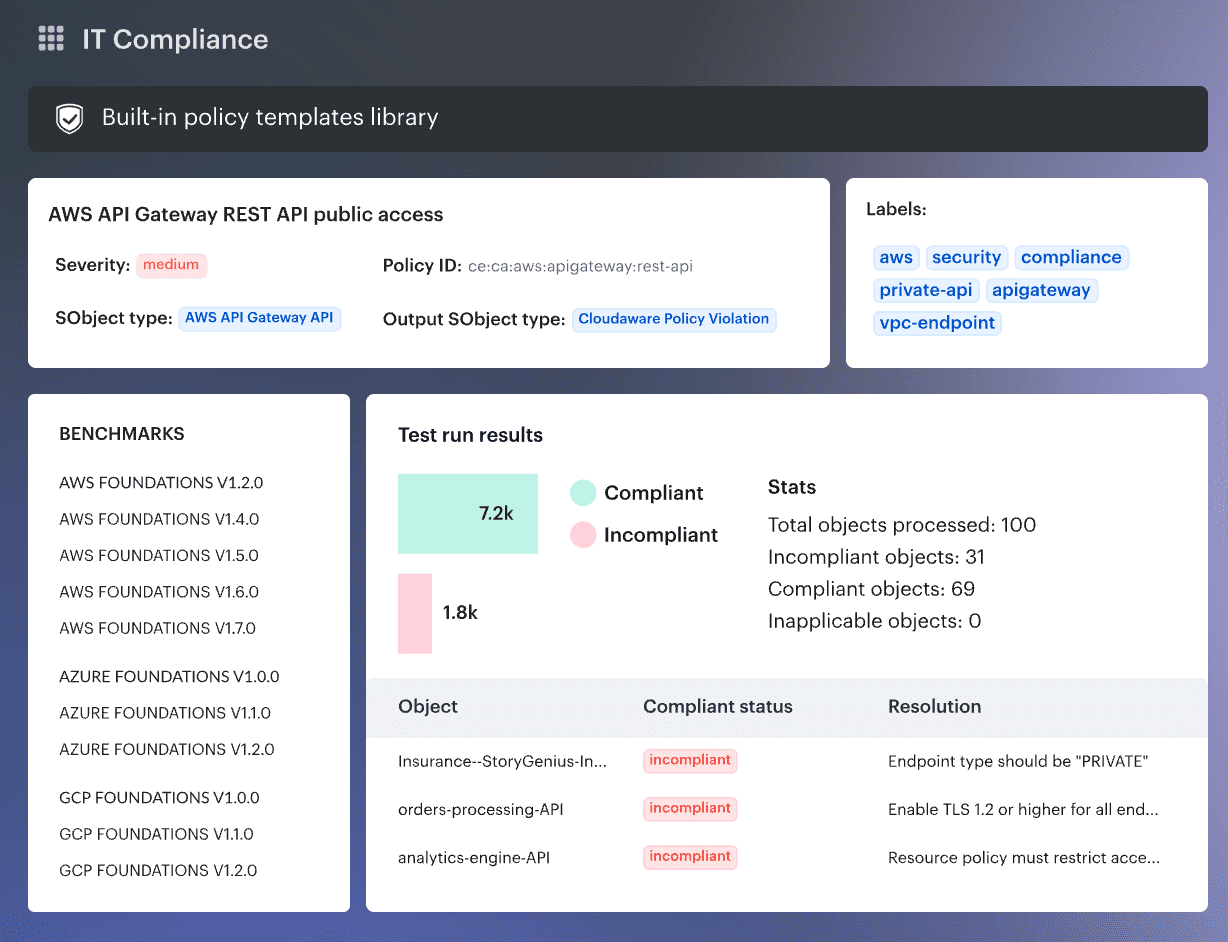
Cloudaware is the asset-context layer around a cloud incident-response stack. It connects alerts to affected assets, applications, environments, owners, dependencies, and change history. Runtime containment and forensic acquisition still belong to the connected XDR or digital forensics and incident response (DFIR) service.
Gartner: 5/5 from 8 reviews, as of September 2026
G2: 4.7/5 from 13 reviews, as of September 2026
Best for: Asset/CMDB context that speeds any IR workflow
Both review samples are small. Treat the comments as implementation clues rather than market consensus.
An illustrative EC2 file-integrity alert shows the gap. Wazuh reports the changed file and account. The responder still needs the workload’s environment, owner, dependencies, vulnerabilities, and existing ticket. Cloudaware relates those records and exposes the dependency path. The analyst can then route the incident without dropping its asset context. Containment remains with the approved workflow or connected response tool.
Cloudaware context for cloud incident response
- CMDB context: Maps configured cloud, Kubernetes, VMware, and on-premises records to applications, owners, environments, and dependencies.
- Conflux SIEM: Adds CMDB fields to ingested events and supports timeline, related-item, and multi-index investigation.
- IDS and file integrity monitoring: Wazuh supplies host signals; configured Snort integration adds network inspection.
- Scanner enrichment: Tenable, Qualys, Wiz, CrowdStrike, and Amazon Inspector findings can inherit asset context. The scanner remains the finding source.
- Case history and retention: Event lineage, tickets, and history remain available after containment. Conflux keeps the current month plus two full months hot, then archives older data.
Pricing
Cloudaware pricing is modular. The public CMDB starting price is $200/month for 50 servers, but security capabilities such as Vulnerability Management and CSPM are priced on top of that baseline rather than included automatically.![][image2]A useful way to understand the model is through Cloudaware’s pricing/ROI calculator. In one illustrative configuration with 500 cloud assets, 500 physical assets, 50 cloud accounts/subscriptions, and four selected modules (CMDB, Software Asset Management, CSPM, and Vulnerability Management), the calculator estimates a price of $7,000/month.
That is an illustrative configuration, not a published package price. Changing asset counts, modules, cloud accounts, or other inputs will change the estimate, so enterprise pricing should be treated as custom or quote-based.
Cloudaware also offers a 30-day free trial.
Check Cloudaware’s value for your company now
Pros and cons
✅ Centralized multi-cloud visibility: One reviewer liked having “a centralized view and control over their cloud infrastructure.” That is the workflow Cloudaware needs to prove: can the team investigate assets across several providers without rebuilding context in separate consoles? G2 review via AWS Marketplace.
✅ Asset management and integration: A 2024 reviewer called out “Asset management, Ease of integration, and Endpoint security” as the strongest parts of their deployment. For this comparison, I’d test whether imported security findings retain enough asset context to reach the right owner quickly. G2 review via AWS Marketplace.
✅ Usability and reporting: Ashim C. highlighted the “User-Friendly Interface, its Scalability, and its reporting capability.” Reporting matters here because Cloudaware is being evaluated on operationalization, so I’d make it reproduce one remediation or audit report your team already uses. G2 review via AWS Marketplace.
⚠️ Complex integrations can still take work: The same 2024 reviewer said integration with existing workflows became challenging in “complex IT environments.” Bring Jira, ServiceNow, or another real downstream system into the POC, rather than validating Cloudaware in isolation. G2 review via AWS Marketplace.
⚠️ Pricing can be harder for smaller teams: One reviewer said the price “may not be okay for smaller organization and limited budgets.” Given the modular model, compare the full CMDB-plus-security configuration you need, not the CMDB entry price alone. G2 review via AWS Marketplace.
⚠️ Customization and maintenance deserve a POC: Ashim C. listed “Ongoing Maintenance/Updates and Limited Customization” among the drawbacks. Build one awkward ownership rule, exception workflow, or report during evaluation. If it requires more customization than your team wants to maintain, you will find out before rollout. G2 review via AWS Marketplace.
Verdict: Asset/CMDB context that speeds any IR workflow
Wiz
Wiz fits investigations where attack-path context must arrive before containment.
Capterra: 5.0/5 from 2 reviews, as of August 2026.
G2: 4.7/5 from 845 reviews, as of August 2026.
Best for: Agentless cloud-wide investigation
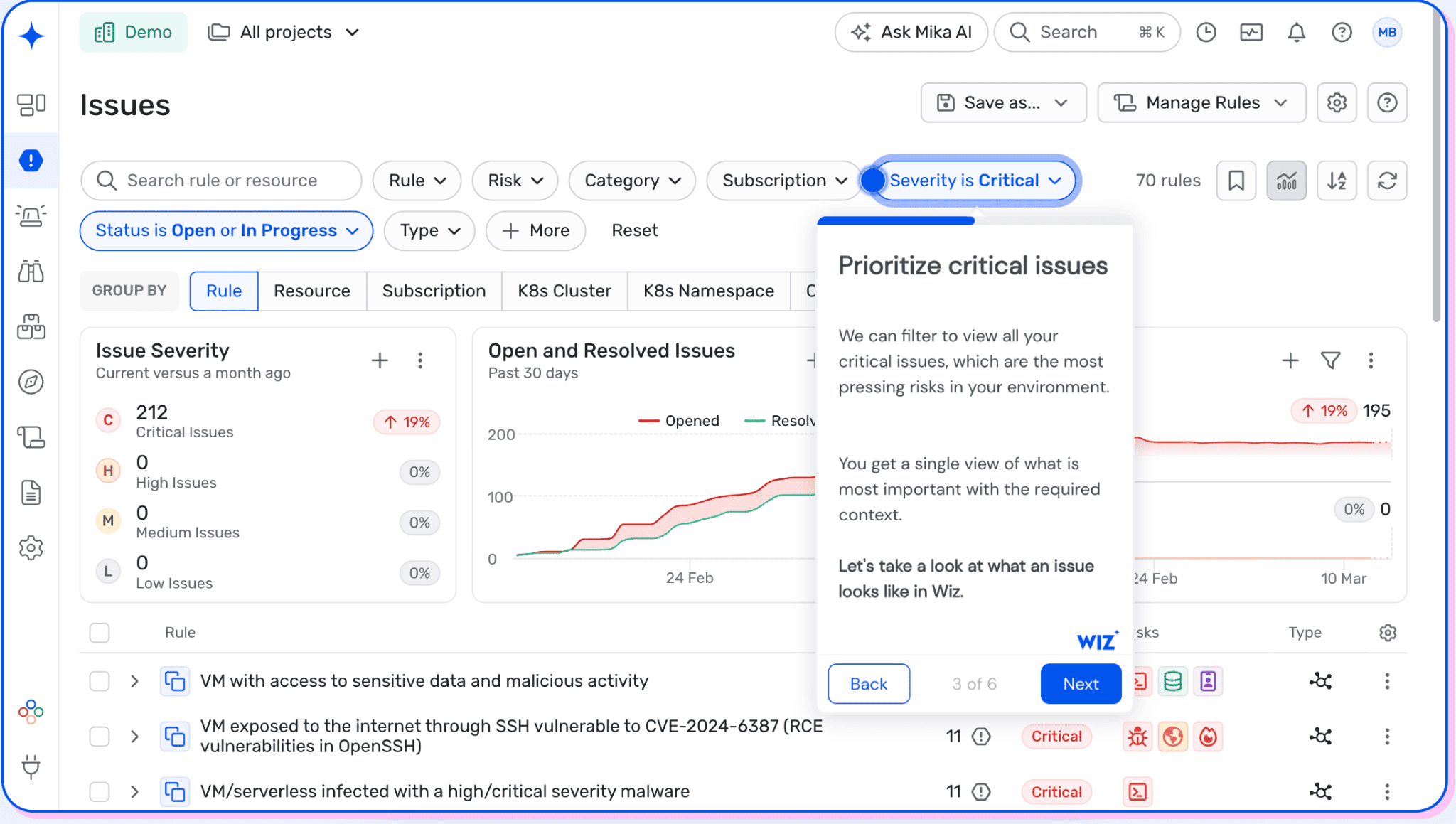
Wiz earns its place when a responder needs the attack path before choosing a containment action. The Security Graph relates cloud assets, identities, data exposure, vulnerabilities, and network paths. Wiz Defend adds runtime signals and response actions to that graph.
That combination suits broad multi-cloud estates where isolated alerts slow initial scoping. There is a boundary: Wiz remains a CNAPP, so runtime-first teams should compare sensor coverage and forensic evidence capture.
Wiz cloud security incident response capabilities
Wiz starts with graph-based scoping, then adds workload evidence through the optional Runtime Sensor. Agentless context arrives quickly; process-level forensics still depends on instrumentation.
For incident response, six capabilities matter:
- Attack-path scoping: The Security Graph relates assets, identities, data, vulnerabilities, and network paths for blast-radius analysis.
- Agentless discovery: Cloud APIs cover AWS, Azure, Google Cloud, and Kubernetes.
- Runtime detection: Wiz Defend correlates control-plane, SaaS, and Sensor telemetry within an incident timeline.
- Containment: Actions include workload isolation, process termination, credential rotation, and public-access blocking.
- Identity context: Effective permissions expose lateral-movement paths and reachable sensitive resources.
- Response handoff: Integrations route findings to SIEM, SOAR, Jira, and ServiceNow.
Wiz Incident Response Services expands the Wiz company cloud security incident response offering with specialists. Public terms still need contract review. Wiz remains a CNAPP first. Wider posture coverage belongs in our CNAPP tools comparison.
For the POC, remove the Sensor from one critical workload and rerun an incident. If process, network, and file evidence disappears, classify agentless coverage as scoping rather than forensics.
Pricing
As of August 2026, AWS Marketplace lists Essential at $24,000 per 100 workloads and Advanced at $38,000. Sensor adds $28,000 for every 100 sensors. Defend adds $18,000 per 300 GB of monthly logs.
The Wiz trial lasts 14 days. Budget year-two sensors and logs, not the clean agentless pilot.
Pros and cons
These reviews describe individual experiences from April 2025. Check every limitation against the current release during your POC.
Pros:
- Centralized multi-cloud context. “Ability of Wiz to integrate with all of our cloud platforms ... centralizes our insights into all environments. Wiz’s UI ... simplify[s] ... parsing through security information.” (Read the full review)
- Risk-based triage. “Create a risk mapping that takes into account ... the entire risk scope. Dashboards ... consolidate the findings.” (Read the full review)
- Faster remediation work. “Wiz does cloud security extremely well. We are able to efficiently work towards remediating vulnerabilities, misconfigurations, and other security issues.” (Read the full review)
Cons: The weaker spots sit around history, measurement, and handoffs.
- Change history needs testing. “Be able to see what changes were made with CIS compliance. Click into the chart showing changes made over time.” (Read the full review)
- Response metrics may need another system. “There is no visibility into MTTR metrics or MTTD. Would love to see Wiz do [an] automated metrics system.” (Read the full review)
- Exception handoffs need a POC. “Better way to tag in Wiz. Exception Management: ability to track exception numbers ... and bi-directional status updates (ServiceNow).” (Read the full review)
Verdict: Best for agentless cloud-wide investigation.
Read also: What Is a Zero-Day Vulnerability? Mitigation Guide
Sysdig
Sysdig is the runtime-first option for container and Kubernetes incidents.
Capterra: 4.4/5 from 7 reviews, as of August 27, 2026.
G2: 4.8/5 from 111 reviews, as of August 27, 2026.
Best for: Real-time runtime detection and response (CDR)
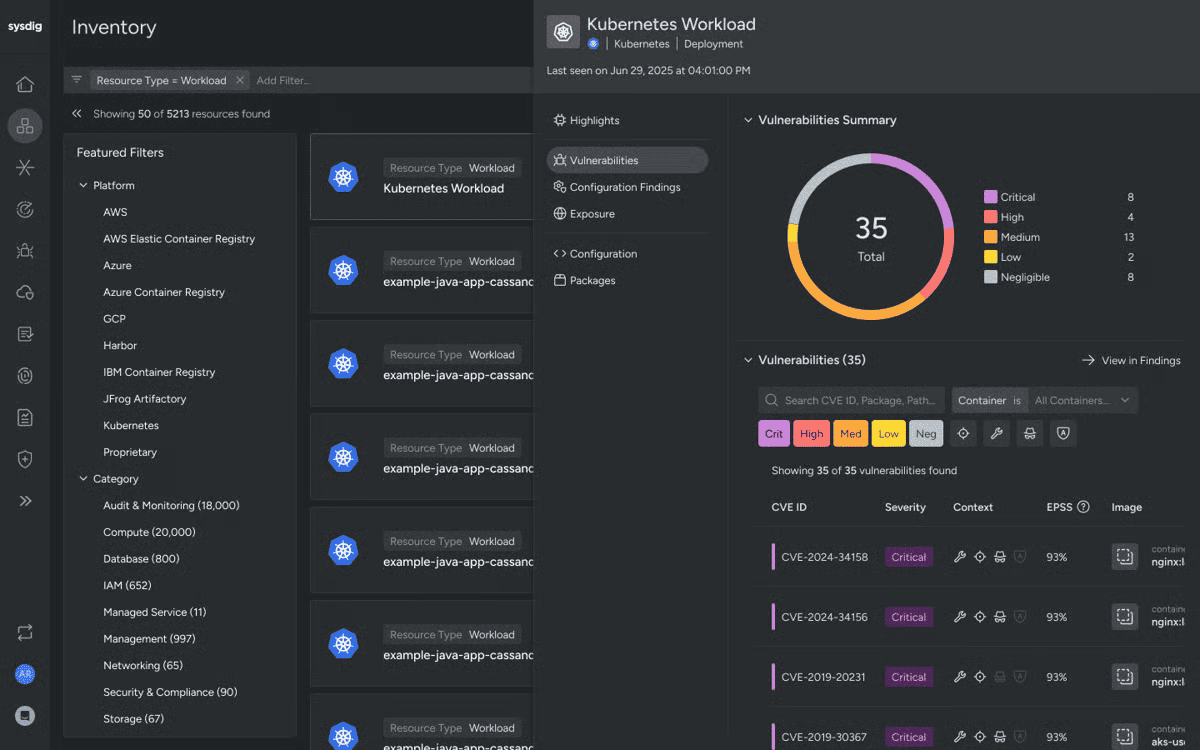
Container incidents have an annoying habit: the workload disappears before the analyst reaches the alert. Sysdig is built around that problem. Its runtime telemetry records system calls, process activity, and Kubernetes audit events while the workload still exists. The evidence remains after the pod is gone.
Use a short-lived pod for the POC. Open a shell, write a file, make an outbound connection, then delete it. The investigation should still show the process tree, command, user, image, cluster, namespace, and network activity. If a field vanishes with the pod, write that gap into the buying decision.
For that test, check five things:
- Runtime detection. Falco rules inspect system calls and Kubernetes audit events. Tune noisy rules before production rollout.
- Cloud control-plane coverage. AWS CloudTrail policies detect suspicious API activity. Azure and Google Cloud connections extend coverage, with provider-specific setup.
- Evidence after teardown. Activity Audit preserves process and command history after containers stop. Goldman Sachs describes reconstructing activity from seconds-long containers.
- Image-to-runtime context. Runtime data shows which vulnerable packages are active. Drift detection flags executables added after deployment.
- Containment and handoff. Response actions cover file acquisition, quarantine, network isolation, process termination, and pod deletion. SIEM, Jira, and webhook integrations carry the case onward.
The catch sits in the response layer. Host and Kubernetes actions need Sysdig Shield. Cloud response actions currently cover AWS only. Run evidence collection before containment, since deleting a pod may remove useful filesystem state.
Pricing
As of August 2026, AWS Marketplace lists CNAPP Enterprise at $72 per unit monthly, with 20 units minimum. That makes the public floor $1,440 a month. Listed overages are $0.13 per host-hour, $0.03 per serverless host-hour, and $2.50 per cloud-log event. Annual commitment may cut base pricing by up to 17%.
Sysdig does not publish final private pricing. Ask sales how short-lived nodes and log volume affect the committed unit count. The current listing gives no trial term, so confirm it before budgeting.
Reviews praise the runtime context. Setup and deployment draw the complaints.
Pros and cons
Pros:
- Useful Kubernetes context. A reviewer values the real-time visibility across Kubernetes and container workloads. (G2 review)
- Clear CNAPP correlation. A reviewer found the CNAPP interface clear and its correlation useful. (G2 review)
- Runtime coverage fits container operations. “... runtime threat detection & prevention for containers and Kubernetes.” (G2 review)
Cons:
- Setup takes work. “The initial setup and configuration can be complex.” (G2 review)
- Deployment assumes cloud-native knowledge. A reviewer says deployment and integration require cloud-native knowledge. (G2 review)
- The first week may feel heavy. “A little complex when first using, but nothing that can’t be figured out. The support team is absolutely amazing.” (Capterra reviews)
Verdict: Best for real-time runtime detection and response (CDR).
Read also: Kubernetes Security Options in the Cloud - How to Choose What's Right for Your Environment?
SentinelOne
SentinelOne fits teams that already operate response through an XDR model.
Capterra: 4.8/5 from 116 reviews, as of August 28, 2026.
G2: 4.9/5 from 123 reviews, as of August 28, 2026.
Best for: Automated response / XDR
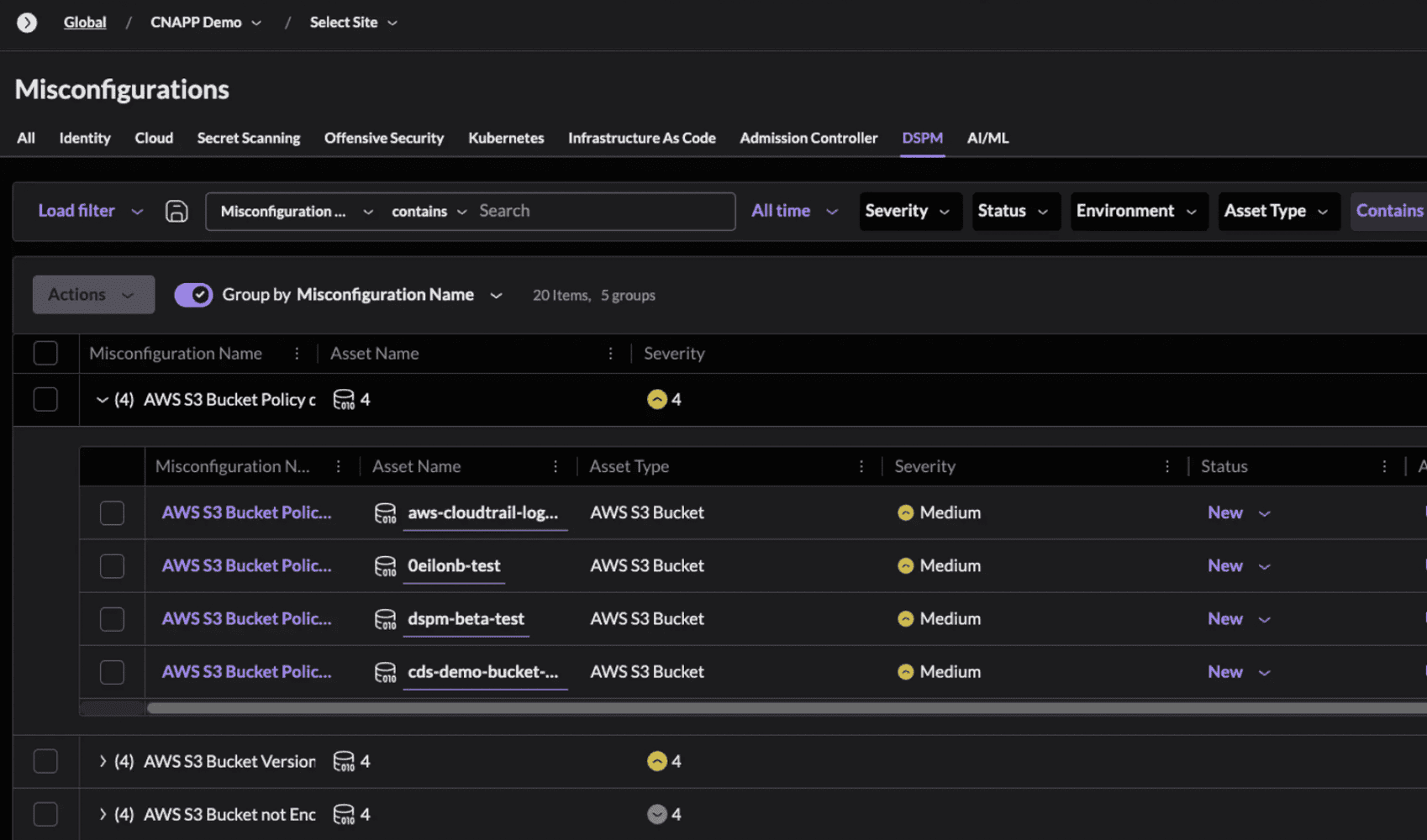
SentinelOne is easiest to justify when its agent already covers the endpoint fleet. The SOC can bring cloud workloads into the same response console and keep policy work in one place.
Singularity puts endpoint, identity, and workload activity into the incident record. During a POC, run a safe ATT&CK-style test on an instrumented EC2 workload. Let the detection fire and isolate the workload. Then reopen the case and try to reconstruct it. You should still see the process lineage, AWS account, network activity, response action, timestamps, and analyst notes.
Spend time on exclusions, too. A broad isolation rule can turn a false positive into a production outage. The agentless Cloud Native Security layer supplies posture context. Runtime containment comes from the workload protection setup.
SentinelOne cloud security incident response
- Singularity XDR and Storyline: Endpoint, identity, workload, and third-party signals share one investigation. Storyline rebuilds the process chain.
- Autonomous workload response: Cloud Workload Security detects and contains runtime threats across servers, virtual machines, containers, and Kubernetes.
- Agentless cloud context: Cloud Native Security, built from PingSafe, maps exploitable paths across AWS, Azure, and Google Cloud. Runtime containment remains a workload-protection job.
- Purple AI: Analysts can query normalized telemetry in plain language, summarize evidence, and continue an investigation inside Singularity.
- Isolation and rollback: The agent can stop processes, quarantine files, and isolate machines. Rollback is endpoint recovery, so verify workload eligibility.
- Managed response: Wayfinder MDR is SentinelOne’s current round-the-clock service. Vigilance appears in earlier service and onboarding material.
- Integrations: Singularity Marketplace connects supported tools without custom scripts. Test bidirectional response, because ingestion alone does not close an incident.
Pricing
A full automated cloud security incident response deployment includes more than endpoint licensing. As of August 2026, Singularity Complete costs $179.99 per endpoint yearly; Commercial costs $229.99. Enterprise, Cloud Native Security, and Wayfinder MDR use custom pricing.
SentinelOne publishes no standard cloud trial length, so ask for a scoped POC. Budget separately for cloud modules, MDR coverage, retention, and protected workloads. The endpoint list price understates a full deployment.
Pros and cons
Several cloud-security reviews still describe pre-acquisition PingSafe. They help judge Cloud Native Security, although endpoint response needs separate POC evidence.
Pros:
- Automation. “Its strong AI-driven threat detection and automated response ... reduces the need for manual intervention.” (G2 review)
- Agentless setup. “The platform is super easy to set up (agentless setup) and does not require training.” (G2 review)
- Asset visibility. “We like PingSafe’s asset inventory approach from cloud environments, providing visibility ...” (G2 review)
Cons:
- Feature overload. “PingSafe offers so many features and capabilities that it can sometimes be overwhelming.” (G2 review)
- Dense output. “The overload of information ... is a bit cumbersome.” (G2 review)
- Price and tuning. “High in Cost. False Positives rate is high.” (G2 review)
Verdict: Best for automated response / XDR.
Snyk
Snyk reduces incident volume before vulnerable code or infrastructure reaches production.
Capterra: 4.6/5 from 21 reviews, as of August 28, 2026. (Snyk profile)
G2: 4.5/5 from 135 reviews, as of August 28, 2026. (Snyk profile)
Best for: Shift-left prevention that reduces incidents
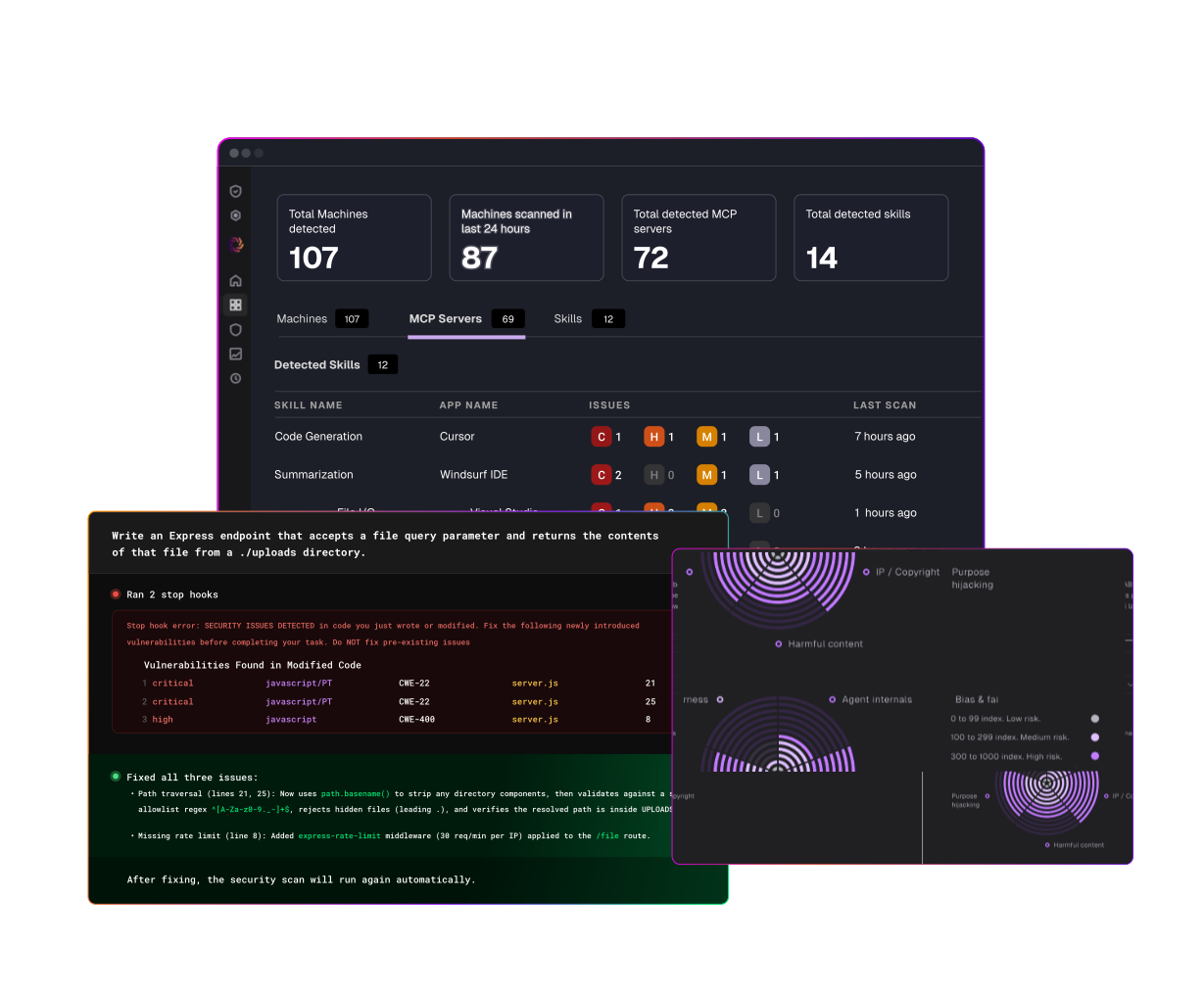
Snyk is most useful when an incident begins with a vulnerable dependency, container image, or infrastructure-as-code change. It keeps the finding tied to its repository and dependency path, so responders can reach the owning developer quickly. That shortens the ugly handoff between “this CVE is being exploited” and “which service can we patch?”
From there, teams can rescan affected projects, inspect upgrade paths, and open fix pull requests where supported. Snyk does not isolate a compromised workload or preserve runtime evidence. Pair it with CDR or XDR for live containment and forensics.
In a POC, choose one reachable vulnerability with a safe upgrade and one requiring code changes. Time both from alert to merged fix. Then inspect ignored findings: owner, reason, and expiry should survive the next scan. A permanent exception will return as incident-response debt later.
Snyk cloud security incident response
- SCA and SAST: Snyk Open Source checks direct and transitive dependencies. Snyk Code covers first-party code, including the source and data flow behind a finding.
- Container and IaC scanning: Snyk inspects container images, Dockerfiles, and infrastructure definitions. Remediation may be a package upgrade, a safer base image, or a configuration change.
- Reachability analysis: For supported Java and JavaScript projects, Snyk can determine whether the application calls the vulnerable method. This is useful when a new CVE lights up hundreds of projects, but only a fraction are exposed.
- Developer fix workflows: Engineers get findings through IDEs, pull-request checks, the CLI, and automated fix PRs. The patch stays close to the team that owns the service.
- CVE-to-service triage: Repository, dependency path, image, project, and fix version give responders a workable starting point. They spend less time reconstructing ownership from CI logs and spreadsheets.
- CI/CD and runtime integrations: Pipeline controls can stop known issues from shipping. Integrations such as Snyk with SentinelOne connects build-time findings with runtime signals. Snyk itself does not provide native DFIR or live containment.
Pricing
The Free plan costs $0 and comes with product-specific test limits.
The team starts at $25 per contributing developer per month. Ignite starts at $1,260 per contributing developer per year, while Enterprise uses custom pricing. Snyk products are purchased separately, so an Open Source-only rollout and a four-product deployment will produce very different quotes.
The Enterprise trial lasts 14 days. Before a proof of concept, count active contributors and agree on the products being evaluated.
Pros and cons
Pros:
- Faster zero-day scoping. One team cut zero-day scoping from roughly a day to about an hour. (G2 review)
- Clear remediation guidance. “Snyk easily runs scans and even provides the versions in which vulnerabilities are fixed.” (G2 review)
- Good CI/CD fit. A reviewer reports strong build-pipeline, CI/CD, and IntelliJ integration. (Capterra review)
Cons:
- No runtime threat detection. “Snyk does not offer a threat detection component to its product.” (G2 review)
- False-positive overhead. “Too much unnecessary false positives, policy overrides, and hard and complex to manage and track alerts.” (G2 review)
- Premium pricing. “Snyk is more expensive than the competition, significantly so.” (G2 review)
Verdict: Best for shift-left prevention that reduces incidents.
Read also: Public Cloud Data Security in 2026 - What Makes the Public Cloud Different?
Tenable Cloud Security
Tenable suits exposure-led triage across vulnerabilities, identity, and reachable cloud resources.
Capterra: 5.0/5 from 2 legacy Ermetic reviews, as of August 2026.
G2: 4.6/5 from 40 reviews, as of August 2026.
Best for: Exposure-driven IR and identity risk
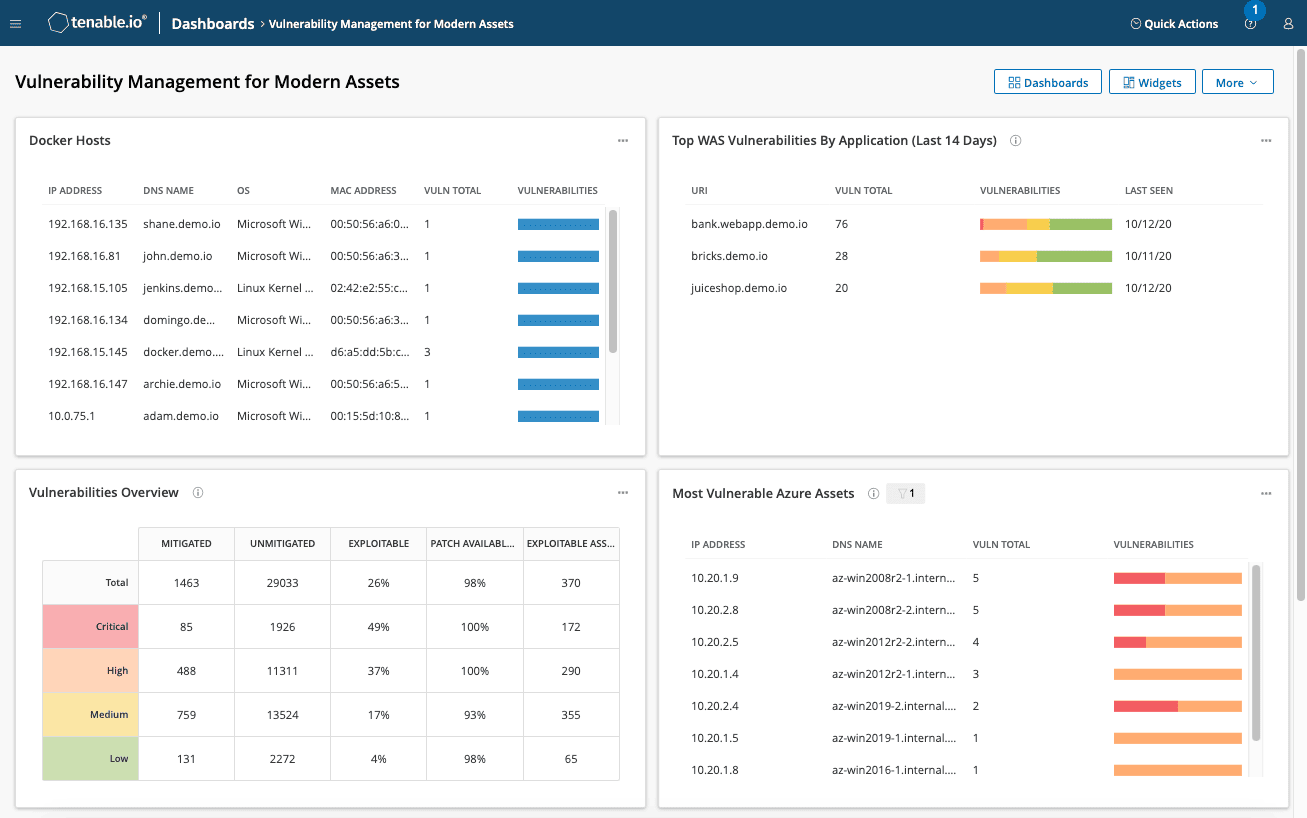
Suppose GuardDuty flags a stolen access key being used from an unfamiliar ASN. Your SIEM has the event. Responders still need the principal's reach, exposed resources, and vulnerable workloads. Tenable One Cloud Exposure brings those pieces into the same investigation.
For cloud incident response, its useful unit is the attack path. Four queues may show an overprivileged identity, public endpoint, critical CVE, and sensitive data store. Tenable connects that exposure path. Tenable correlates them as a toxic combination and gives the team a defensible order of work. Revoke the risky access first. Patch or isolate the reachable workload next. Then inspect the connected assets for activity.
It does not replace memory capture, disk forensics, or hands-on workload containment. Its value is sharper scoping: which exposure matters now, and how far a compromised identity could travel.
Tenable cloud security incident response
- Agentless cloud assessment: API-based discovery covers AWS, Azure, and Google Cloud. Agentless workload scanning checks virtual machines and containers without requiring another agent rollout.
- Exposure-based prioritization: A critical CVE rises when its workload is public, overprivileged, or connected to sensitive data.
- Identity risk analysis: The CIEM engine maps effective permissions for human and machine identities. Responders can see stale access, privilege-escalation routes, and resources available to the compromised principal.
- Attack-path views: Toxic combinations join separate weaknesses into a traversable path. This is far more useful during triage than six disconnected critical findings.
- Posture and compliance context: Misconfigurations are assessed against frameworks including CIS, NIST, and PCI DSS. That history helps establish whether the risky state appeared during the incident or existed beforehand.
- Response integrations: Findings can move into SIEM and operational workflows. Supported targets include Jira, Slack, Microsoft Teams, and email.
Pricing
Tenable publishes custom pricing for Tenable One Cloud Exposure as of August 2026. There is no public starting price or maximum tier. Cost follows the number of billable cloud resources, with volume discounts. Buyers can purchase it separately or through Tenable One.
Existing Tenable One customers should check the conversion ratios before budgeting. The current licensing guide assigns three Tenable One assets to one Cloud Exposure CIEM asset. Standard consumes five. A free evaluation is available, although Tenable does not publish a fixed trial length. This model suits a sizable cloud estate. Smaller teams may struggle to estimate spend before speaking with sales.
Pros and cons
Pros:
- Clear risk prioritization. “What stands out most is how it turns cloud complexity into clear, actionable risk.” (G2 review)
- Strong IAM analysis. “The IAM permission breakdown is second to none in my experience.” (G2 review)
- Fast initial deployment. “Setup was very easy. The results started coming in really quickly.” (Capterra review)
Cons:
- Threat-detection depth. “The Threat detection part is maybe the least powerful feature of this CNAPP.” (G2 review)
- Alert tuning. “The alerting system could benefit from more granular control to reduce noise from low-priority issues.” (AWS Marketplace review)
- Workload-scanning gaps. “Missing some features around machine scanning.” (G2 review)
Verdict: Best for exposure-driven IR and identity risk.
Read also: Cloud Controls Matrix for Cloud Security - How to Operationalize CSA CCM v4.1
Zscaler
Zscaler contains identity and access paths while the wider investigation continues.
Capterra: 4.3/5 from 48 Zscaler Internet Access reviews, as of August 2026.
G2: 4.4/5 from 312 Zscaler Internet Access reviews, as of August 2026.
Best for: Zero-trust containment
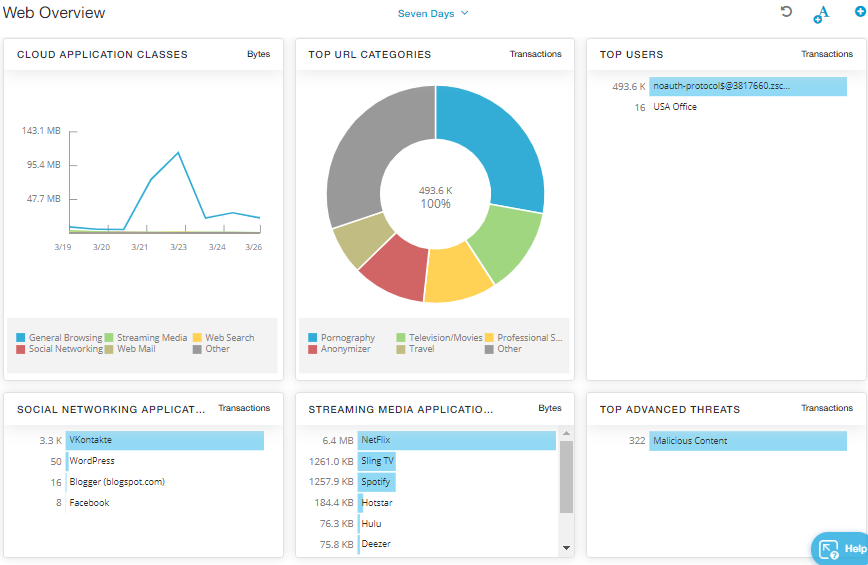
Zscaler sits in the connection path. ZIA inspects internet and SaaS traffic; ZPA brokers identity-specific access to private applications. That position supports fast access reduction and user isolation. It works best when the relevant traffic already passes through Zscaler. Moving from broad VPN access is an architecture project, not a quick SOC deployment.
Zscaler cloud security incident response
Zscaler is useful early in an identity-led incident. The SOC can restrict private-application access, isolate the browser session, and keep inspecting outbound traffic. That buys time when credentials look stolen but the endpoint is not yet trusted.
The boundary matters. Zscaler controls connections; it does not acquire workload memory, disk, or cloud control-plane evidence. Keep EDR, native cloud logs, and forensic tooling in the response stack.
- Zero-trust access containment. ZPA connects an identity to a specific private application, not the surrounding network. Teams can reduce access, require stronger authentication, or end the connection.
- Inline traffic inspection. ZIA inspects internet and SaaS traffic, including TLS sessions. URL, DNS, sandbox, IPS, and malware controls can block command-and-control traffic or payloads.
- Browser isolation. A risky session can move into isolation without disabling every service the employee needs. That is useful when the evidence does not justify full suspension.
- Deception. Decoy credentials, sessions, applications, and endpoints create high-confidence lateral-movement signals. SIEM or SOAR policy can limit access after a hit.
- Investigation and MDR. Security Operations joins identity, application, traffic, asset, and exposure signals. Zscaler MDR adds 24/7 monitoring and response support.
- SIEM telemetry. Web, DNS, firewall, sandbox, authentication, and policy events support the wider investigation. Prioritized threats can be forwarded without every raw event.
Pricing
Zscaler publishes two platform bundles, Essentials Platform and Zscaler Platform, but no public dollar amounts. Pricing is quote-based and depends on licensed users, services, and advanced modules.
Essentials includes ZPA Standard for 5% of users. Full-user Private Access requires the broader bundle or a separate ZPA purchase. Deception, containment capacity, and managed response affect the quote. No fixed trial period is published.
Pros and cons
Pros:
- Fast identity-level containment. ZPA can remove a compromised user from selected private applications. The application remains available to other users. Adaptive controls can also require stronger authentication or isolate the user’s session. Reviewers highlight “rapid, scalable policy” and “granular SaaS app control.” (TrustRadius review)
- Inline blocking during an active investigation. ZIA can block malicious URLs, DNS requests, payloads, and command-and-control traffic. Responders can continue investigating the endpoint and identity. One reviewer described URL blocking as a seamless process. (TrustRadius review)
- Access-path evidence reduces investigation time. Web, DNS, application, identity, and policy events reconstruct the access path. Responders can compare activity before and after containment. One enterprise reviewer reported “positive ROI with reduced time to investigate.” (TrustRadius review)
Cons:
- No cloud-workload forensics. Zscaler can show that a connection occurred and enforce policy on that connection. It cannot capture EC2 memory, preserve a container filesystem, or reconstruct cloud control-plane changes. A reviewer also found ZIA “not great at securing non-web traffic, or cert-pinning apps.” (TrustRadius review)
- Containment depends on traffic reaching Zscaler. Connections that bypass Client Connector, ZPA, or workload routing may also bypass inspection. Regional performance must therefore be tested before an incident. One reviewer reported that some regions became “unusable” and ZIA had to be disabled to restore network performance. (TrustRadius review)
- TLS exceptions and log searches add response friction. Certificate-pinned applications may break under SSL inspection. Bypass rules then create visibility gaps. Investigation can also slow down when common searches cannot be saved. One reviewer cited “SSL inspection breaking cert pinned sites” and described log search as “very archaic.” (TrustRadius review)
Verdict: Best for zero-trust containment.
Read also: Cloud Migration Data Security - How to Protect Data Across Migration Phases
Check Point cloud security incident response
Check Point suits buyers who want controls and responder services under one vendor relationship.
Capterra: No verified rating appears for the consolidated platform, as of August 2026.
G2: 4.6/5 from 117 Infinity Platform reviews, as of August 2026.
Best for: Consolidated platform + IR services
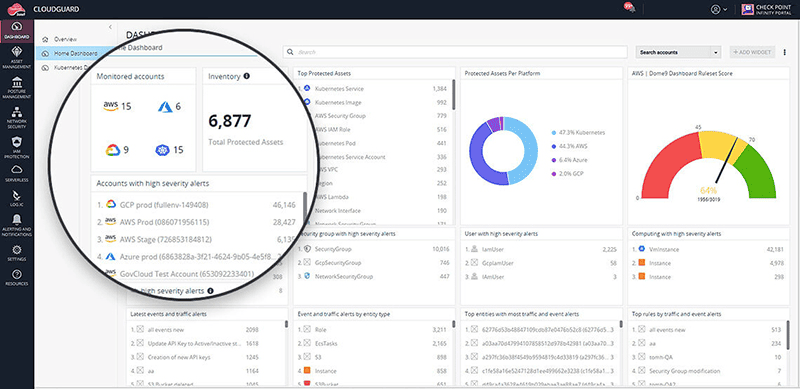
Check Point combines XDR, response automation, MDR, and emergency incident response under one vendor relationship.
The portfolio has changed. Check Point stopped selling and renewing legacy CloudGuard CNAPP in 2025; support ends in December 2026. New deployments use Wiz for CNAPP visibility and risk. Check Point supplies cloud network security, WAF, threat prevention, and virtual patching. Older all-Check Point comparisons no longer describe that architecture. (Lifecycle policy, Wiz integration)
Check Point incident response capabilities
- Cloud workload coverage: Wiz discovers and prioritizes risk without agents. Check Point provides traffic inspection, segmentation, exploit prevention, and virtual patching.
- XDR investigation: XDR correlates network, endpoint, email, and cloud events. Analysts receive one incident with related indicators and affected systems.
- Managed detection and response: MDR runs 24/7 and includes incident-response support. It accepts telemetry through more than 160 third-party integrations.
- Emergency incident response: Check Point advertises 24/7 responder access and engagement within 30 minutes. Work covers containment, remediation, root cause, and a technical report. (Incident Response)
- Threat intelligence and automation: ThreatCloud AI supplies context. Playblocks can block indicators or isolate assets across supported controls.
Pricing
Check Point does not publish list prices for the platform, MDR, or emergency incident-response work. Expect an annual platform subscription, plus a separately scoped MDR or IR services agreement. The MDR subscription includes 24/7 monitoring and incident response; emergency IR is sold by quote.
No public source states a fixed trial, responder rate, or retainer-hours schedule. Put the activation SLA, included hours, and after-hours coverage in the statement of work. Add travel, evidence ownership, cloud scope, and unused hours. If the 30-minute engagement target matters, put it in the contract.
Pros and cons
Pros:
- Hybrid investigations start with shared context. One reviewer cites consistent protection across data centers, private clouds, and public clouds. That can reduce gateway, endpoint, and cloud reconciliation during triage. (Sonu S., G2 review)
- The console reduces tab switching. A reviewer manages cloud, network, and endpoint security from one place. Responders can inspect an alert, check policy, and push containment in one workflow. (Tania V., G2 review)
- Remote response is practical. A reviewer can manage devices, alerts, and policies from anywhere. That helps a distributed SOC during after-hours escalation. (D. A., G2 review)
Cons:
- Containment changes need coordination. A reviewer warns that updates can cause downtime without careful handling. The gateway owner may still need to assess production impact. Test emergency policy changes before an incident. (Sonu S., G2 review)
- Cost and complexity rise together. One reviewer flags a steep learning curve, high cost, and slow support resolution. Budget for training and named escalation paths, not only licenses. (Abhimanyu K., G2 review)
- Scaling complicates the quote. A reviewer says costs add up across multiple environments. Request separate XDR, MDR, cloud enforcement, ingestion, and emergency-IR line items. (D. A., G2 review)
Verdict: Best for consolidated platform + IR services.
Read also: Data Security and Privacy in Cloud Computing. 2026 Guide
How to choose the most effective cloud security incident response company
The most effective cloud security incident response setup starts with the incident you actually handle. Before procurement, name that failure and confirm who owns detection, containment, evidence, and after-hours escalation.
- If incidents happen at runtime in Kubernetes or containers. Pods can disappear before the analyst opens a shell. Sysdig CDR uses Falco-based runtime signals for detection, investigation, and response. Keep SentinelOne as the alternative when autonomous workload containment matters more. Delete a test pod; its evidence should remain searchable.
Best for real-time runtime detection & response: Sysdig. - If you need cloud-wide blast-radius context fast. Start with Wiz Security Graph when responders ask what a compromised identity can reach. Add Cloudaware CMDB when the case also needs CI ownership, application, environment, and dependency relationships. Test both against one service-account compromise before procurement. Missing relationships will show up quickly.
Best for agentless cloud-wide investigation: Wiz. - If you want machine-speed automated response. SentinelOne Hyperautomation fits teams willing to automate inside human-defined boundaries. Automated cloud security incident response still needs production approvals. The dangerous setting is production, where a correct isolation can still break the service. Verify rollback, approval logs, and the fallback when automation fails.
Best for automated response / XDR: SentinelOne. - If you would rather prevent incidents than chase them. Snyk IaC catches misconfigurations before deployment and routes fixes into developer workflows. It does not replace runtime detection or forensics. Rehearse one newly disclosed CVE from repository to running workload, using Snyk beside Sysdig or SentinelOne.
Best for shift-left prevention that reduces incidents: Snyk. - If you need human responders or a retainer. Check Point Incident Response covers the full incident lifecycle and supports preparation before a breach. Zscaler Rapid Response Services takes a narrower route, committing to respond within 24 hours before deploying Zscaler products. Treat MDR, premium support, and a DFIR retainer as different contracts. Call the emergency number after hours before signing; an unanswered phone tells you plenty.
Best for consolidated platform + IR services: Check Point. - If integration with your SIEM or CMDB is the constraint. For incident response cloud security integration, count exchanged objects instead of logos. A webhook carrying alert text is not asset enrichment. Confirm the SIEM receives owner, application, environment, relationships, and change history. Open a test case, close it downstream, and check whether that status returns. Cloudaware’s CMDB integrations suit teams using CI context as the operational spine.
Best for asset/CMDB context that speeds any IR workflow: Cloudaware.
Key takeaways
No single platform owns every stage of a cloud incident. Choose the system that closes your largest operational gap. Then assign the remaining detection, containment, evidence, and responder duties by name.
For runtime-heavy Kubernetes estates, start with Sysdig. Wiz is stronger when cloud-wide attack paths drive the investigation. SentinelOne fits an existing XDR operating model. Snyk belongs upstream, where code and IaC defects can still be fixed safely. Tenable sharpens exposure and identity-led triage. Zscaler contains identity and access paths. Check Point combines controls with responder services.
Cloudaware fills a different gap. It relates the alert to the CI, application, owner, environment, dependency path, and change history. The connected response tool still performs containment.
Before selecting among cloud security incident response companies, replay one representative incident. Preserve the evidence, call the after-hours path, and test rollback. The shortlist should shrink on observed gaps, not vendor logos.