


You bought a CSPM to catch misconfigurations, added a CWPP once workloads moved into containers, then a CIEM for identity sprawl and a DSPM for sensitive data. Four consoles later, none of them agree on what is actually at risk, and the same misconfiguration gets triaged more than once as it bounces between teams. That pile-up is what CNAPP tools set out to end, folding posture, workloads, identities, and data into one cloud-native application protection platform.
This guide compares the top CNAPP tools for cloud security management in 2026, from the market leaders to the specialists. To show where the CNAPP vendors actually differ once the clean demo account is gone, the research drew on each vendor's documentation and public pricing pages, verified user reviews on G2, Capterra, and TrustRadius, and live search results, captured on 30 July 2026 and refreshed in August 2026. Pricing appears with dated numbers, not a vague "contact sales." For the posture pillar, see cloud security posture management.
One caveat, up front: the platform is only half the job. A CNAPP surfaces the problems; someone still has to assign an owner, rank what matters, and prove the fix to an auditor.
Key insights
If you only read one block, read this. Here's the short version of who each tool is for, then the patterns that decide the choice.
- Wiz: best for fast, agentless visibility across a large multi-cloud estate.
- Palo Alto Prisma / Cortex Cloud: best for enterprises standardizing on one full-lifecycle, code-to-cloud platform.
- Microsoft Defender for Cloud: best for Azure-heavy, Microsoft-centric shops.
- CrowdStrike Falcon Cloud Security: best for runtime protection and SOC-led teams.
- Orca Security: best for agentless breadth with nothing to deploy.
- Sysdig: best for Kubernetes and runtime-first security.
- Aqua Security: best for container-heavy, full-lifecycle coverage.
- SentinelOne Singularity Cloud: best for AI-driven detection and EDR-aligned teams.
- Check Point CloudGuard: best for network-centric estates.
- Tenable Cloud Security: best for vulnerability- and identity-led programs.
- Cloudaware: best for operationalizing CNAPP and scanner findings across a hybrid estate.
A few patterns sat underneath those verdicts:
- Every platform lists CSPM, CWPP, CIEM, and DSPM, but the depth behind each acronym differs sharply by vendor. Two tools can both claim DSPM and mean very different things.
- Agentless scanning buys fast, wide visibility. Agents buy real-time runtime protection and forensics. Most mature teams run both, split by workload tier.
- Feature count rarely predicts success. Day 60 does when the tool has surfaced thousands of findings and not one has an owner.
- Detection is not remediation. A CNAPP rarely assigns ownership, dedupes findings against your other scanners, manages exceptions, or produces audit evidence.
Valentin Kel, Software Developer at Cloudaware
What a CNAPP is, and what a complete one covers
A CNAPP, or cloud-native application protection platform, earns the name only when it covers six jobs rather than one or two done well. New buyers usually start with the same question: what is a CNAPP supposed to include? The short version is a single CNAPP platform deep enough across the cloud-native stack that you stop adding point tools to cover the gaps.
Most CNAPP solutions bundle the same six capabilities. Here is what each one does.
The six pillars a complete CNAPP covers
- CSPM scans cloud configuration for misconfigurations, public exposure, and compliance gaps across accounts and providers.
- CWPP (cloud workload protection platform) covers cloud workload security: it protects VMs, containers, and serverless functions with vulnerability scanning and runtime monitoring, and it adds Kubernetes posture (KSPM).
- CIEM (cloud infrastructure entitlement management) maps permissions and flags over-privileged human and machine identities, pushing workloads toward least privilege.
- DSPM (data security posture management) discovers and classifies sensitive data, then shows where it sits exposed.
- IaC and supply-chain scanning catch misconfigurations and vulnerable dependencies inside the pipeline before anything ships.
- Runtime protection and CDR (cloud detection and response) watch workloads at execution and react when something actively goes wrong.
Two capabilities keep showing up in newer releases: code-to-cloud tracing, which links a running risk back to the commit that introduced it, and AI-SPM (AI security posture management), which extends posture checks to AI models and services.
Read that list again and notice the gap. Every pillar describes detection and posture. Operationalization is the other axis: deduping a finding across your scanners, routing it to the team that owns the asset and keeps the exception-and-evidence trail an audit needs. Pillar diagrams never show that half, and it is where the reviews below spend most of their attention.
Methodology: how we tested and scored these tools
No placement here was based on reputation. Every tool went through the same checks, on the same dates.
What went into it: each vendor's documentation and published pricing pages, real user reviews on G2, Capterra, and TrustRadius, and the live search results for the core CNAPP queries. Each tool's rating below carries its score, review count, and capture date.
The scoring came down to seven things:
- Coverage against the six pillars, matched to what you actually run (Kubernetes, serverless, data stores), not a generic feature grid.
- Agentless versus agent, which sets how fast you get breadth and how much runtime depth.
- Signal quality on a real account: finding volume and false positives, not the demo's clean numbers.
- Ownership and workflow: whether findings get an owner and route to Jira or ServiceNow.
- Exceptions and audit evidence: whether accepted risks are tracked and exportable for an auditor.
- Multi-cloud and hybrid reach, including whether context survives outside the vendor's home cloud.
- Pricing transparency: trial length and whether a real starting number exists.
None of this is frozen. Everything was captured on 30 July 2026, with pricing and product names re-checked in August 2026. Give it another pass within about two weeks of publishing, because names and packaging shift fast in this market. No vendor paid for a spot, and Cloudaware sits on a different axis, judged on operationalization rather than ranked against the platforms on runtime or data-security depth.
Top CNAPP tools for cloud security management 2026
The full-platform shortlist is Wiz, Palo Alto Networks Cortex Cloud, Microsoft Defender for Cloud, CrowdStrike Falcon Cloud Security, Orca Security, Sysdig, Aqua Security, SentinelOne Singularity Cloud Security, Check Point Cloud Security, and Tenable One Cloud Exposure. Cloudaware is included separately for CNAPP management and operationalization.
We shortlisted these CNAPP vendors using market presence, Gartner recognition, current SERP visibility, and pricing transparency.
Fit beats ranking: use deployment model, runtime requirements, and your existing security stack as the first cut.
CNAPP comparison, August 2026: deployment model, coverage, fit, current pricing and trial, and the tradeoff to test before shortlisting.
| Vendor | Best fit | Starting price + free trial, Aug 2026 |
|---|---|---|
| Wiz | Teams prioritizing broad cloud visibility before selectively adding runtime instrumentation | $24,000/year for Wiz Essential covering 100 cloud workloads; 14-day free trial. |
| Cloudaware | Enterprise hybrid and multi-cloud teams that need to connect CNAPP and scanner findings to assets, owners, remediation workflows, exceptions, and audit evidence | Estimated CMDB pricing starts at $200/month for 50 servers, including capacity for up to 25,000 configuration items; 30-day free trial |
| Palo Alto Networks Cortex Cloud | Large enterprises, particularly teams already operating Palo Alto Networks security products | Custom / quote-based; 30-day free trial |
| Microsoft Defender for Cloud | Azure-heavy or Microsoft-centric estates | Foundational CSPM: $0; paid protection plans are resource-based; first 30 days free |
| CrowdStrike Falcon Cloud Security | SOC-led teams that already use Falcon and want cloud runtime signals in the same operating model | Custom / quote-based; 15-day free trial |
| Orca Security | Teams that want broad visibility without deploying agents across the estate first | AWS Marketplace starts at $7,000/month for its Small package; Orca documents a 30-day AWS assessment |
| Sysdig | Kubernetes and container-heavy environments where process-level runtime context matters | CNAPP Enterprise starts at $72/unit/month, with a 20-unit public-purchase minimum; 30-day Secure trial |
| Aqua Security | Container-heavy DevSecOps teams evaluating security from build through production | AWS Marketplace: $50,000/year for Shift Left, $100,000/year for Protect, and $150,000/year for Ultimate. |
| SentinelOne Singularity Cloud Security | Existing SentinelOne customers and threat-led security teams | Custom, contract-based pricing; AWS Marketplace displays a $20,000 12-month contract dimension while stating that final pricing is custom. |
| Check Point Cloud Security (formerly CloudGuard) | Network-security-centric enterprises and existing Check Point environments | Custom / quote-based 30-day free trial |
| Tenable One Cloud Exposure | Vulnerability and exposure-management programs already centered on Tenable | Asset / resource-based custom pricing |
Cloudaware: CNAPP management & operationalization
G2: 4.7/5 from 842 reviews, as of Aug. 14, 2026
Gartner: 5/5 from 6 reviews, as of Aug. 14, 2026
Best for: Enterprise hybrid and multi-cloud teams that already have CNAPPs or vulnerability scanners and need findings tied to assets, owners, remediation workflows, exceptions, and audit evidence.
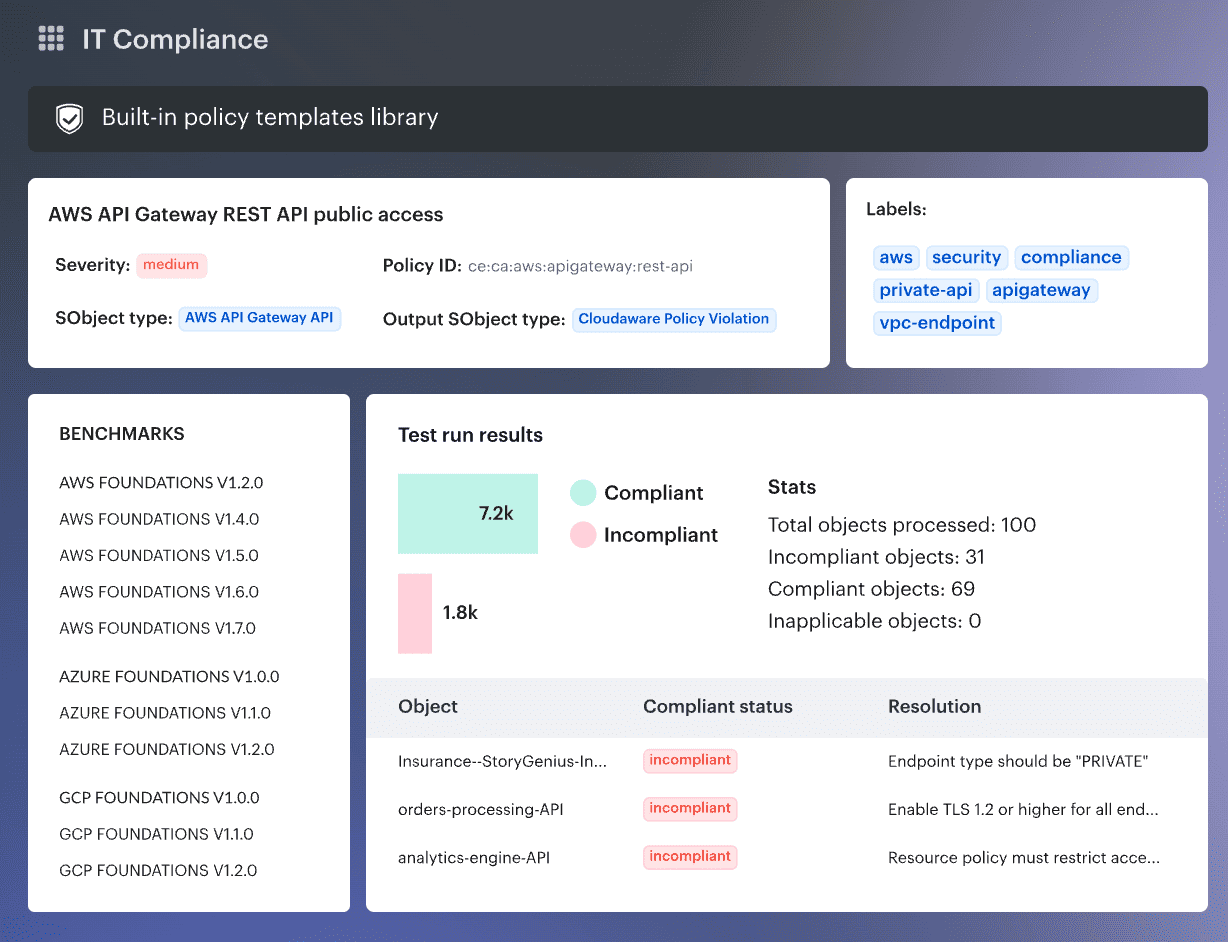
Cloudaware sits in a different part of the workflow from Wiz, Orca, or Cortex Cloud. Its multi-cloud CMDB provides the asset model underneath the security process, while Vulnerability Management can consolidate scanner findings from products including Wiz, Tenable, Qualys, CrowdStrike, and AWS Inspector. Those findings can then be enriched with asset ownership and business context, prioritized, routed into Jira or ServiceNow, and tracked against remediation SLAs. Exceptions remain linked to the affected vulnerability records with justification, owner, approver, and expiry data.
That makes Cloudaware relevant when the bottleneck is what happens after detection. It also means you should not shortlist it as a feature-for-feature substitute for a full code-to-runtime CNAPP. The current Vulnerability Management setup specifies read-only permissions, and Cloudaware publishes customer stories for NASA and Caterpillar.
Features
- Multi-scanner finding unification: Vulnerability Management brings findings from cloud-native services and supported third-party scanners into a shared data model, with normalization and deduplication rules. That gives the team one remediation queue instead of several scanner queues.
- CMDB-backed prioritization: Findings are tied to the affected asset, application, environment, owner, and business criticality. Severity, exploitability, vulnerability age, and asset context can then influence remediation priority.
- Ownership, routing, and SLA tracking: Remediation work can be assigned to responsible teams and external ITSM workflows, with due dates and SLA status kept against the finding. Cloudaware also supports Jira and ServiceNow integrations.
- Exception and risk-acceptance workflows: Findings can carry exceptions, risk-acceptance decisions, due dates, and SLA policies through their lifecycle. Test a temporary exception with an expiry date, not just a permanent suppression.
- IT Compliance evidence and remediation history: Cloudaware IT Compliance links failed controls to owners, SLAs, evidence, tickets, and state changes, with reporting that can drill from framework-level results to the underlying check.
- Hybrid and multi-cloud asset context: The multi-cloud CMDB provides a common inventory across cloud providers and on-premises infrastructure, giving imported security findings the surrounding asset relationships needed for ownership and reporting.
Pricing
Cloudaware pricing is modular. The public CMDB starting price is $200/month for 50 servers, but security capabilities such as Vulnerability Management and CSPM are priced on top of that baseline rather than included automatically.
A useful way to understand the model is through Cloudaware’s pricing/ROI calculator. In one illustrative configuration with 500 cloud assets, 500 physical assets, 50 cloud accounts/subscriptions, and four selected modules (CMDB, Software Asset Management, CSPM, and Vulnerability Management), the calculator estimates a price of $7,000/month.
That is an illustrative configuration, not a published package price. Changing asset counts, modules, cloud accounts, or other inputs will change the estimate, so enterprise pricing should be treated as custom or quote-based.
Cloudaware also offers a 30-day free trial.
Check Cloudaware’s value for your company now
Pros and cons
Cloudaware’s public review pool is smaller than the big CNAPP vendors, and several detailed reviews are from 2023–2024. I’d use the feedback to design POC tests, especially around onboarding, integration complexity, and pricing, rather than treating every complaint as current product behavior.
- ✅ Centralized multi-cloud visibility: One reviewer liked having “a centralized view and control over their cloud infrastructure.” That is the workflow Cloudaware needs to prove: can the team investigate assets across several providers without rebuilding context in separate consoles? G2 review via AWS Marketplace.
- ✅ Asset management and integration: A 2024 reviewer called out “Asset management, Ease of Integration and Endpoint security” as the strongest parts of their deployment. For this comparison, I’d test whether imported security findings retain enough asset context to reach the right owner quickly. G2 review via AWS Marketplace.
- ✅ Usability and reporting: Ashim C. highlighted the “User-Friendly Interface, its Scalability, and its reporting capability.” Reporting matters here because Cloudaware is being evaluated on operationalization, so I’d make it reproduce one remediation or audit report your team already uses. G2 review via AWS Marketplace.
- ⚠️ Complex integrations can still take work: The same 2024 reviewer said integration with existing workflows became challenging in “complex IT environments.” Bring Jira, ServiceNow, or another real downstream system into the POC, rather than validating Cloudaware in isolation. G2 review via AWS Marketplace.
- ⚠️ Pricing can be harder for smaller teams: One reviewer said the price “may not be okay for smaller organization and limited budgets.” Given the modular model, compare the full CMDB-plus-security configuration you need, not the CMDB entry price alone. G2 review via AWS Marketplace.
- ⚠️ Customization and maintenance deserve a POC: Ashim C. listed “Ongoing Maintenance/Updates and Limited Customization” among the drawbacks. Build one awkward ownership rule, exception workflow, or report during evaluation. If it requires more customization than your team wants to maintain, you will find out before rollout. G2 review via AWS Marketplace.
Wiz
G2: 4.7/5 from 842 reviews, as of Aug. 14, 2026
Capterra: 5.0/5 from 2 reviews, as of Aug. 14, 2026
Best for: Mid-market and enterprise cloud teams that want broad agentless visibility and graph-based risk prioritization, with runtime instrumentation added selectively for workloads that need it.
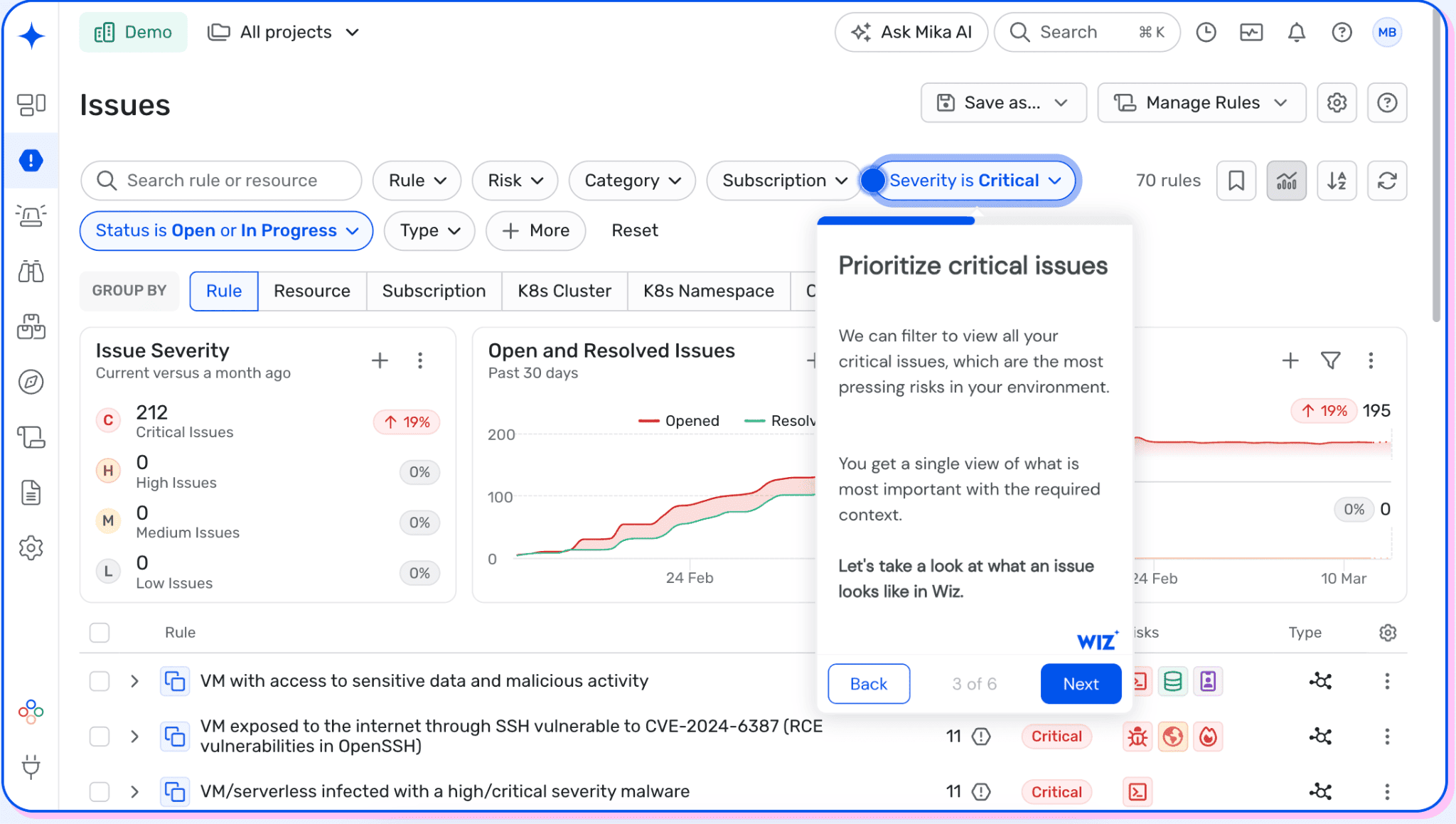
Wiz starts with an agentless model: API connectors inventory the cloud environment, then the Security Graph connects resources and risk signals to expose attack paths. Wiz Cloud correlates misconfigurations, vulnerabilities, public exposure, excessive permissions, and sensitive data, which gives a security team more context than a severity-sorted finding queue. Its current platform also covers CSPM, CIEM, DSPM, container and Kubernetes security, IaC scanning, and cloud workload protection.
That graph model is the practical reason to shortlist Wiz. A finding can be evaluated alongside exposure, identity access, sensitive data, and the resources reachable from it before an engineer gets a ticket. Runtime changes the deployment tradeoff: Wiz’s real-time workload protection uses the Wiz Sensor, which is an add-on to Wiz Cloud. Wiz currently highlights customers including Siemens, Salesforce, BMW, Slack, and ServiceNow.
POC rule: pick one production attack path and make the team trace it from initial finding through exposure, identity or data context, affected resource, and owner. If engineers still need several consoles to decide whether the issue deserves action, the graph is adding less operational value than the demo suggests.
Features
- Agentless cloud visibility and Security Graph: Wiz connects through cloud APIs to inventory resources and map relationships in the Security Graph, then correlates misconfigurations, vulnerabilities, public exposure, excessive permissions, and sensitive data into attack paths. That context is what makes a critical finding more useful than a severity score in isolation.
- CSPM, vulnerability management, CIEM, and DSPM: The platform covers cloud misconfiguration detection, agentless workload vulnerability assessment, entitlement analysis, and sensitive-data discovery. The useful bit is correlation: an exposed resource becomes much easier to prioritize when excessive permissions or sensitive data sit on the same path.
- Container and Kubernetes security: Wiz scans containers, hosts, and Kubernetes clusters agentlessly, then adds Kubernetes API and cloud context to identify vulnerabilities, misconfigurations, excessive permissions, leaked secrets, and exposed workloads.
- IaC and code-to-cloud scanning: Wiz Code scans Terraform, CloudFormation, Azure Resource Manager, Kubernetes, Docker, dependencies, and secrets and can trace deployed resources back to their infrastructure-as-code source. That gives DevSecOps teams a route to fix a cloud risk at the source rather than patching the deployed resource repeatedly.
- Runtime protection and cloud detection and response: The Wiz Runtime Sensor adds eBPF-based telemetry, real-time detection, blocking, threat hunting, and forensic context. Wiz Defend combines those sensor signals with cloud and SaaS telemetry plus Security Graph context.
Shortlisting rule: evaluate agentless coverage and sensor-based runtime protection separately. A clean posture demo does not prove you have the runtime telemetry needed for incident response on critical workloads.
Pricing
Wiz uses workload-based pricing, with additional modules priced separately. Its pricing guidance says quotes generally depend on the number of cloud workloads and the capabilities required.
As of August 2026, AWS Marketplace gives a useful public baseline for a 12-month contract covering 100 workloads:
- Wiz Essential: $24,000/year
- Wiz Advanced: $38,000/year
- Wiz Sensor: $28,000/year per 100 sensors, added to Advanced
- Wiz Code: $58,500/year per 100 licenses
- Wiz Defend: $18,000/year per 300 GB of monthly log ingestion
Enterprise pricing remains custom and can be negotiated through a private offer.
Wiz currently offers a 14-day free trial with unlimited access.
For budgeting, do not stop at the $24,000 entry figure. An environment that needs Advanced plus runtime sensors, code scanning, and Defend can stack several independently priced dimensions. Model the architecture you intend to run in year two, not the cheapest configuration that gets through procurement.
Pros and cons
The strongest Wiz feedback is consistent around multicloud visibility and risk context. The recurring friction sits further downstream, especially ticket granularity, exception workflows, and reporting metrics.
These examples come from individual vetted or verified TrustRadius reviews published in April 2025, so validate the workflow limitations in your current proof of concept rather than assuming they still apply unchanged.
- ✅ Multicloud visibility: “Ability of Wiz to integrate with all of our cloud platforms makes it easy to deploy and centralizes our insights into all environments.” The reviewer used Wiz for CSPM across a multicloud estate, which makes this particularly relevant for teams trying to reduce provider-by-provider security work. (TrustRadius)
- ✅ Contextual risk prioritization: “Create a risk mapping that takes into account not only one parameter but the entire risk scope.” The example behind that comment combines exposure, sensitive data, and an exploitable vulnerability, exactly the sort of correlation worth testing during a CNAPP evaluation. (TrustRadius)
- ✅ Consolidation across security domains: One enterprise reviewer listed “Contextualizing risks” and “Eliminating isolated solutions” among the main advantages after deploying Wiz Cloud, Code, Sensor, and Defend. For a consolidation project, check whether that breadth genuinely removes consoles and handoffs in your environment. (TrustRadius)
- ⚠️ Ticketing granularity: “I would like tickets for specific findings not just issues.” The same reviewer said assignment was a primary concern, which matters when application teams need individual findings routed through an internal ticketing system. (TrustRadius)
- ⚠️ Remediation metrics: “There is no visibility into MTTR metrics or MTTD.” Another reviewer also reported difficulty using resolved dates for reporting. If mean time to remediate is a program KPI, make the vendor demonstrate that report with your own workflow during the POC. (TrustRadius)
- ⚠️ Exception-management workflow: A large-enterprise reviewer wanted better “Exception Management” with exception-number tracking and “bi-directional status updates (ServiceNow).” That is a useful test case for teams where accepted risk, compensating controls, and ServiceNow status have to remain synchronized over time. (TrustRadius)
Palo Alto Networks Cortex Cloud
G2: 4.1/5 from 128 reviews, as of Aug. 14, 2026
Capterra: 4.0/5 from 1 review under the legacy Prisma Cloud listing, as of Aug. 14, 2026
Best for: Large enterprises that want a full-lifecycle, code-to-cloud security stack and already have, or plan to build, significant security operations around Palo Alto Networks.
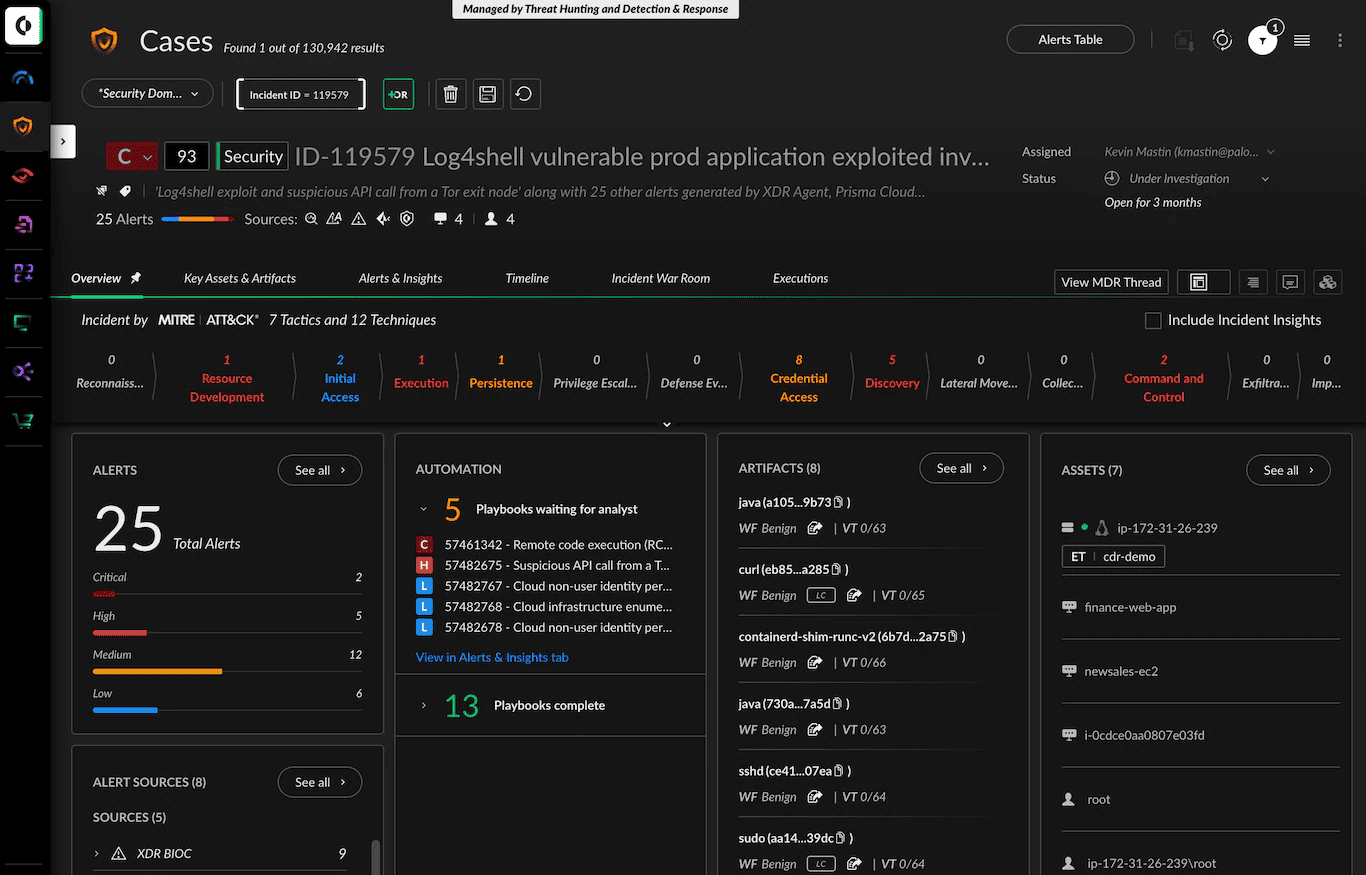
The naming matters here. Palo Alto Networks introduced Cortex Cloud as the next evolution of Prisma Cloud, extending its CNAPP foundation into cloud detection and response and tighter SOC workflows. Current Cortex Cloud coverage spans application security, cloud posture, and runtime protection: application findings can be correlated with deployed cloud resources and runtime context, while posture findings use SmartGrouping and SmartScore to consolidate signals and prioritize them by exposure and production behavior. Runtime protection adds an agent for deeper behavioral telemetry and response.
That breadth is useful when AppSec, cloud security, and SOC teams are trying to trace the same risk through development and production rather than handing it off between separate consoles. Palo Alto Networks currently publishes Cortex Cloud customer stories for organizations including EchoStar, Coveo, Tyson Foods, and RealPage.
Features
- Cloud security posture management and attack-path analysis: Cortex Cloud CSPM provides agentless visibility across AWS, Azure, Google Cloud, OCI, and Alibaba Cloud. It assesses cloud posture and correlates findings into prioritized risks and exploitable attack paths, which helps teams move beyond triaging isolated configuration alerts.
- CIEM and effective-permission analysis: Cortex Cloud decodes nested policies and cross-account roles to calculate effective permissions across AWS, Azure, Google Cloud, and OCI. That makes it useful for identifying an identity that looks harmless at the policy level but can reach a sensitive resource through inherited or indirect access.
- DSPM and data-access context: The platform discovers and classifies sensitive data, traces data exposure, and maps who can access it through complex IAM policies and cross-account permissions. Its data detection and response capability also uses anomaly and behavioral signals to surface high-risk data incidents.
- Application security and IaC tracing: Cortex Cloud ASPM combines native and third-party application-security findings with code, cloud, and runtime context. Its infrastructure-as-code security can link templates to deployed resources, ownership, application context, and runtime information, giving teams a path to remediate an infrastructure issue at its source.
- Workload, container, and Kubernetes security: Cortex Cloud CWPP covers hosts, containers, Kubernetes, and serverless deployments, combining agentless scanning with agent-based continuous workload monitoring where supported. Kubernetes capabilities include posture checks against CIS benchmarks, repository and registry scanning, CI/CD guardrails, and lightweight-agent runtime protection against threats such as privilege escalation and container escapes.
- Cloud detection and response: Cortex Cloud CDR provides real-time runtime detection, investigation, prioritization, and response. Palo Alto Networks currently documents 13K+ detectors informed by Unit 42 threat intelligence, MITRE ATT&CK contextualization, and autonomous response agents backed by more than 1,000 playbooks.
Pricing
Cortex Cloud is custom / quote-based as of August 2026. Palo Alto Networks licenses Cloud Posture and Runtime Security through annual subscriptions based on the number and type of protected cloud resources; workload utilization is calculated using a 90-day average. Application Security can add a separate per-developer pricing dimension.
Palo Alto Networks does not publish Cortex Cloud list prices. For a public reference point, an AWS Marketplace Prisma Cloud listing shows $9,000/year for 100 Business Edition units and $18,000/year for 100 Enterprise Edition units. Prisma Cloud Enterprise also uses a credit-based licensing model. A 30-day free Prisma Cloud trial is currently available.
Pros and cons
Cortex Cloud inherits a lot of its review history from Prisma Cloud, so I would read older feedback as evidence about the platform lineage, then retest the same friction points in the current Cortex Cloud interface.
- ✅ Broad security coverage in one console: One 2025 TrustRadius reviewer described Prisma Cloud as combining CSPM, workload protection, IAM, DSPM, and KSPM in a single console and said roughly “4 to 5 tools” could be managed there. For consolidation projects, that breadth is the attraction. Read the review.
- ✅ Strong multicloud visibility: A reviewer using the platform across cloud environments highlighted “Multi Cloud Security,” data protection, and application lifecycle management as key strengths. That combination matters when AppSec and cloud-security teams need shared context rather than separate provider dashboards. Read the review.
- ✅ Useful compliance context: Another verified reviewer praised predefined policy templates, automated checks, and continuous monitoring for managing security and regulatory requirements across AWS, Azure, and Google Cloud. Read the review.
- ⚠️ Console usability can slow new users down: One reviewer’s improvement list was blunt: “Cloud base Console must be user friendly,” alongside a request for simpler licensing. Put two engineers who have never used Cortex Cloud through the POC, not just the person who attended the demo. Read the review.
- ⚠️ Complex environments deserve a scale test: A 2024 reviewer wanted greater “flexibility and interoperability” and better handling of large-scale deployments and high-volume data processing. Test your busiest accounts and clusters rather than validating only a clean sandbox. Read the review.
- ⚠️ Search and onboarding have had a learning curve: An enterprise user called Asset Explorer difficult to use, cited weak documentation for manual searches, and said the product was “Hard to use for new users.” That is exactly the sort of operational friction a 30-day evaluation should expose. Read the review.
Microsoft Defender for Cloud
G2: 4.4/5 from 440 reviews, as of Aug. 14, 2026.
Capterra: 4.0/5 from 5 reviews, as of Aug. 14, 2026.
Best for: Azure-heavy enterprises and hybrid teams already working in the Microsoft security stack, particularly those that want CSPM and workload protection across Azure, AWS, Google Cloud, and on-premises resources.
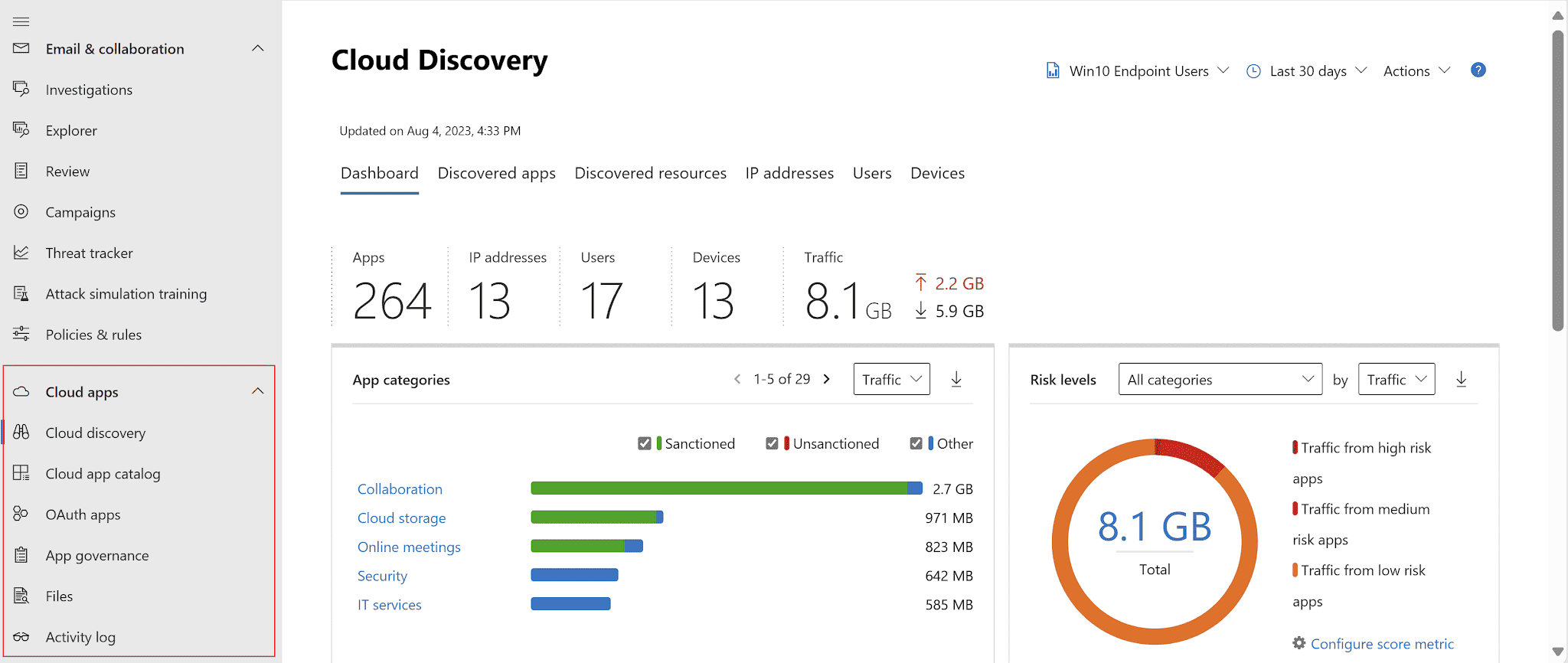
Microsoft Defender for Cloud has an obvious advantage in a Microsoft-centric estate: it sits close to the Azure resources, identities, DevOps workflows, and security operations tooling the team already uses. Its CNAPP coverage combines foundational and paid CSPM with workload-specific protection for servers, containers, storage, databases, APIs, and other services. Defender CSPM adds the cloud security graph, attack-path analysis, agentless vulnerability scanning, and data-aware posture capabilities.
The multicloud story is broader than the old Azure Security Center name suggests. Microsoft documents protection for AWS and GCP alongside Azure and on-premises infrastructure, although coverage varies by Defender plan and resource type. That distinction matters. Do not assume an Azure capability automatically has an AWS or GCP equivalent. Microsoft’s own workload-protection matrix is the better place to validate parity before signing off on a consolidation plan. Microsoft also documents ElringKlinger using Defender for Cloud as part of a broader Microsoft Security deployment across its hybrid environment.
Features
- CSPM with attack-path context: Foundational CSPM covers baseline posture, while the paid Defender CSPM plan adds the cloud security graph, attack-path analysis, Security Explorer, governance, and data-aware posture. I’d test this by opening one attack path and checking whether the recommended fix actually breaks the exploitable route, rather than judging the platform by Secure Score alone.
- Agentless scanning plus server EDR: Defender for Servers Plan 2 can scan Azure, AWS, and GCP machines for vulnerabilities, software inventory, secrets, and malware without an endpoint scanning agent. Defender for Endpoint integration adds EDR. Plan boundaries matter here: most of that agentless depth sits in Plan 2, so verify the SKU before treating it as standard coverage.
- Container and Kubernetes protection: Defender for Containers covers clusters, nodes, workloads, registries, and images. Vulnerability assessment is agentless, while runtime detection combines Kubernetes audit-log analysis with sensor-based telemetry for supported environments. If a cluster is missing the Defender sensor, I’d want that gap visible in the POC before calling runtime coverage complete.
- DevOps security and code-to-cloud context: Defender for Cloud connects Azure DevOps, GitHub, and GitLab and brings code, dependency, secrets, IaC, and DevOps-posture findings into the security workflow. The useful test is a real remediation handoff: start with a production risk and see whether the team can trace it back to the repository and developer workflow without rebuilding the context manually.
- IaC and repository scanning: Microsoft Security DevOps scans Terraform, CloudFormation, ARM, Bicep, Kubernetes, Helm, Dockerfiles, and other supported formats. Microsoft also offers agentless code scanning for Azure DevOps and GitHub, currently in preview, with scheduled scans for code, dependencies, and IaC. For fast-moving repositories, compare that scheduled model with pipeline-triggered scanning before relying on it as the only pre-deployment control.
Pricing
Microsoft Defender for Cloud is easier to benchmark than most CNAPPs because Microsoft publishes resource-based pricing. Foundational CSPM is free, while Defender CSPM costs $5.11 per billable resource/month as of August 2026. Billing applies to resource categories such as servers, storage accounts, databases, serverless containers, functions, and web apps.
There is no single enterprise tier. Workload-protection plans are added separately, so total spend depends on what you actually protect. Microsoft also offers 12-month pre-purchase commitments with discounts up to 22%; its largest public tier is $273,000 for 350,000 Defender for Cloud Commit Units.
The free trial runs for 30 days, or until a plan-specific usage limit is reached.
Pricing fit: r_un Microsoft’s Defender for Cloud cost calculator against your real inventory before budgeting. It can discover billable Azure assets and ingest AWS or GCP asset data, which is much safer than multiplying a VM count by one headline price._
Pros and cons
Recent verified TrustRadius reviews show a clear pattern: Defender for Cloud works well for teams that want Microsoft-centered cloud security with multicloud reach, but the operating model can become more complex for cost control, onboarding, and consistency outside the Microsoft sweet spot. Use these reviews as POC prompts, not universal truths.
- ✅ Resource-specific protection: A financial-services reviewer valued being able to treat cloud resources differently: “Different for databases, different for server, different for block storage.” Their wider point was practical: protection requirements change by workload, so they did not want one control model applied blindly across the estate. TrustRadius review.
- ✅ Enterprise multicloud visibility: A director at a 10,000+ employee organization said Defender helped “apply visibility and controls across multi-cloud systems in an effective way.” For a consolidation project, I’d test whether that visibility survives the jump from Azure into the AWS and GCP resources you actually run. TrustRadius review.
- ✅ DevSecOps integration: One reviewer specifically praised “DevSecOps Integration and follow all standard security compliance.” Their deployment covered Azure, AWS, and Google Cloud and used Defender for infrastructure scanning. The useful POC test is whether a production finding can make it back to the engineering workflow without security rebuilding the context manually. TrustRadius review.
- ⚠️ Consumption costs need tuning: The financial-services reviewer called out the “use-based model and the cost model” as a first-year challenge, particularly around understanding consumption behavior. Track billable-resource growth during the trial, then project it against the plans you intend to enable in production. TrustRadius review.
- ⚠️ Training can become rollout work: The enterprise IT reviewer found that “getting folks adequately trained on it has been a bit more of a challenge.” Give a recommendation to an engineer who did not configure Defender and see how far they get unaided. That exposes usability debt faster than another admin-led demo. TrustRadius review.
- ⚠️ Cross-platform consistency deserves a real test: Another reviewer reported “Limited cross platform consistency specially for linux servers.” Treat that as a test case rather than a blanket limitation: run the same investigation on comparable Windows and Linux workloads, then repeat it outside Azure. TrustRadius review.
CrowdStrike Falcon Cloud Security
G2: 4.6/5 from 84+ reviews, as of Aug. 14, 2026
Capterra: 4.7/5 from 56 reviews for the broader CrowdStrike product listing, as of Aug. 14, 2026
Best for: Mid-market and enterprise SOC teams that put runtime detection high on the shortlist, particularly organizations already using Falcon for endpoint or identity security.
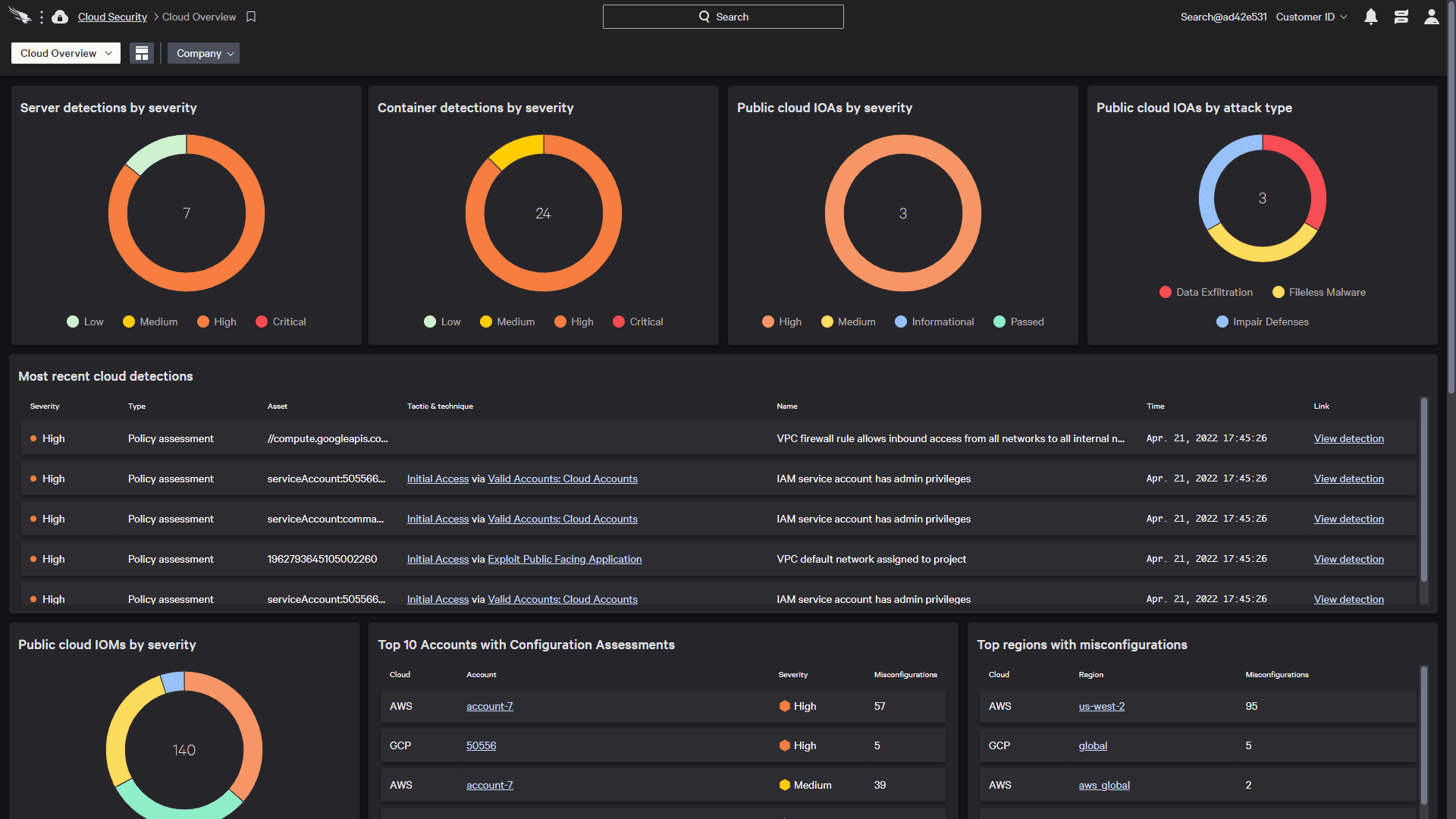
CrowdStrike comes at CNAPP from a different direction than the agentless-first graph platforms. Falcon Cloud Security combines agentless posture visibility with the Falcon sensor for real-time workload protection, then brings cloud detections into the same platform as endpoint and identity signals. CrowdStrike explicitly supports that cross-domain correlation for cloud detection and response.
That operating model is the reason I would shortlist it for a SOC-led deployment. A posture finding is useful; seeing related cloud control-plane activity, workload behavior, endpoint telemetry, and identity signals during the investigation is more useful when an incident is already moving. The tradeoff is sensor coverage. Agentless posture can give you broad visibility, while the deeper runtime workflow depends on instrumentation where you need it. CrowdStrike currently features Falcon Cloud Security customers including Vodafone Oman, Monvia, and Avalon Healthcare Solutions.
Features
- CSPM with graph-based risk prioritization: Falcon Cloud Security continuously discovers cloud assets agentlessly, checks for misconfigurations and compliance violations, and maps relationships across workloads, identities, data, and applications. Its graph combines vulnerabilities, exposure, and configuration problems into attack paths, then uses CrowdStrike adversary intelligence to help rank remediation work.
- Cloud workload protection: The Falcon sensor adds real-time detection and response inside virtual machines and containers, while agentless scanning covers workload discovery, vulnerability assessment, and container-image risk. That split gives teams a sensible deployment option: keep broad visibility agentless, then instrument workloads where runtime risk justifies it.
- Container and Kubernetes security: CrowdStrike covers container images from CI/CD through production, including vulnerability and dependency scanning, SBOM generation, policy enforcement, and runtime threat detection. Runtime monitoring can combine a container-optimized sensor with agentless detections from the Kubernetes API server.
- CIEM and identity protection: Falcon Cloud Security identifies excessive permissions, disabled MFA, suspicious privilege escalation, and risky access across cloud identities. It also brings identity threat detection into the same workflow, which is useful when an apparently routine entitlement problem becomes part of a lateral-movement path.
- ASPM and infrastructure-as-code scanning: Falcon ASPM maps applications, services, dependencies, runtime behavior, and cloud infrastructure to give application findings business and production context. Separate IaC scanning checks templates such as Terraform and AWS CloudFormation before deployment and can feed security checks into CI/CD pipelines.
- Cloud detection and response: CrowdStrike correlates agent-based and agentless cloud detections with broader enterprise telemetry inside Unified Cases, giving the SOC one investigation path for cloud activity instead of another isolated queue. Its CDR workflow is built around real-time detection, investigation, and response to active cloud attacks.
Pricing
Falcon Cloud Security is custom / quote-based as of August 2026. CrowdStrike publishes the available packages, from Proactive Security through full CNAPP and CNAPP with Containers, but does not publish a standard CNAPP list price.
There is one useful public cost reference. CrowdStrike’s AWS Marketplace pay-as-you-go listing prices runtime protection at $0.023 per running host/hour, $0.054 per container worker node/hour, and $0.01 per Fargate instance/hour. Those are runtime consumption rates, not the price of the complete Falcon Cloud Security platform.
CrowdStrike offers a 15-day free trial. Cloud Security with Containers can be enabled as an additional trial module from the Falcon console, so make sure it is explicitly switched on if CNAPP coverage is what you are evaluating.
Pros and cons
Falcon Cloud Security reviews lean toward the same tradeoff we saw in the product itself: strong investigation and runtime visibility, with more friction around price, navigation, and tuning. These are individual user experiences rather than benchmark results, so I’d turn each negative into a POC test instead of treating it as a universal limitation.
- ✅ Incident context is useful for SOC triage: An enterprise reviewer highlighted an “Interactive dashboard, very detailed analysis of the incident” alongside fewer false positives and integration with other tools. For a SOC team, that combination matters when a cloud alert needs to become an investigation quickly. G2 review, Vijay T..
- ✅ Process-level telemetry helps investigations: Another enterprise reviewer said Falcon provides “a lot of enriched data on process involved in any alert,” which they used when investigating malicious executions and command-and-control activity. That is the runtime depth I’d validate against an agentless-only alternative. G2 review.
- ✅ Deployment can be straightforward: A mid-market reviewer described the main benefit simply as “Ease of deployment in less time across perimeter,” while also using the product for Kubernetes workloads and SIEM integration. That is worth testing with your own cluster onboarding rather than assuming deployment stays easy at scale. G2 review, Gunashekar M..
- ⚠️ Cloud data retention can become expensive: One reviewer called out the “cost of data storage in crowdstrike cloud” and said historical logs were moved to Amazon storage. Include retention in the cost model, particularly if your detection workflow depends on long look-back periods. G2 review.
- ⚠️ Console navigation can slow daily work: Gunashekar M. reported that the “Console can be difficult at time to traverse on multiple aspects.” Give an analyst an unfamiliar cloud incident during the trial and watch how many clicks it takes to reach the workload, identity, and detection context. G2 review.
- ⚠️ Alert tuning still deserves attention: An enterprise reviewer reported “Too many False Alarms. There is still scope for tuning.” Run the POC long enough to see routine deployment changes and expected administrative activity, then measure how much tuning is required before the queue becomes trustworthy. G2 review.
Orca Security
G2: 4.7/5 from 316 reviews, as of Aug. 14, 2026
Capterra: 4.8/5 from 60 reviews, as of Aug. 14, 2026
Best for: Mid-market and enterprise teams that want broad cloud risk visibility without making agent deployment the first step of the CNAPP rollout.
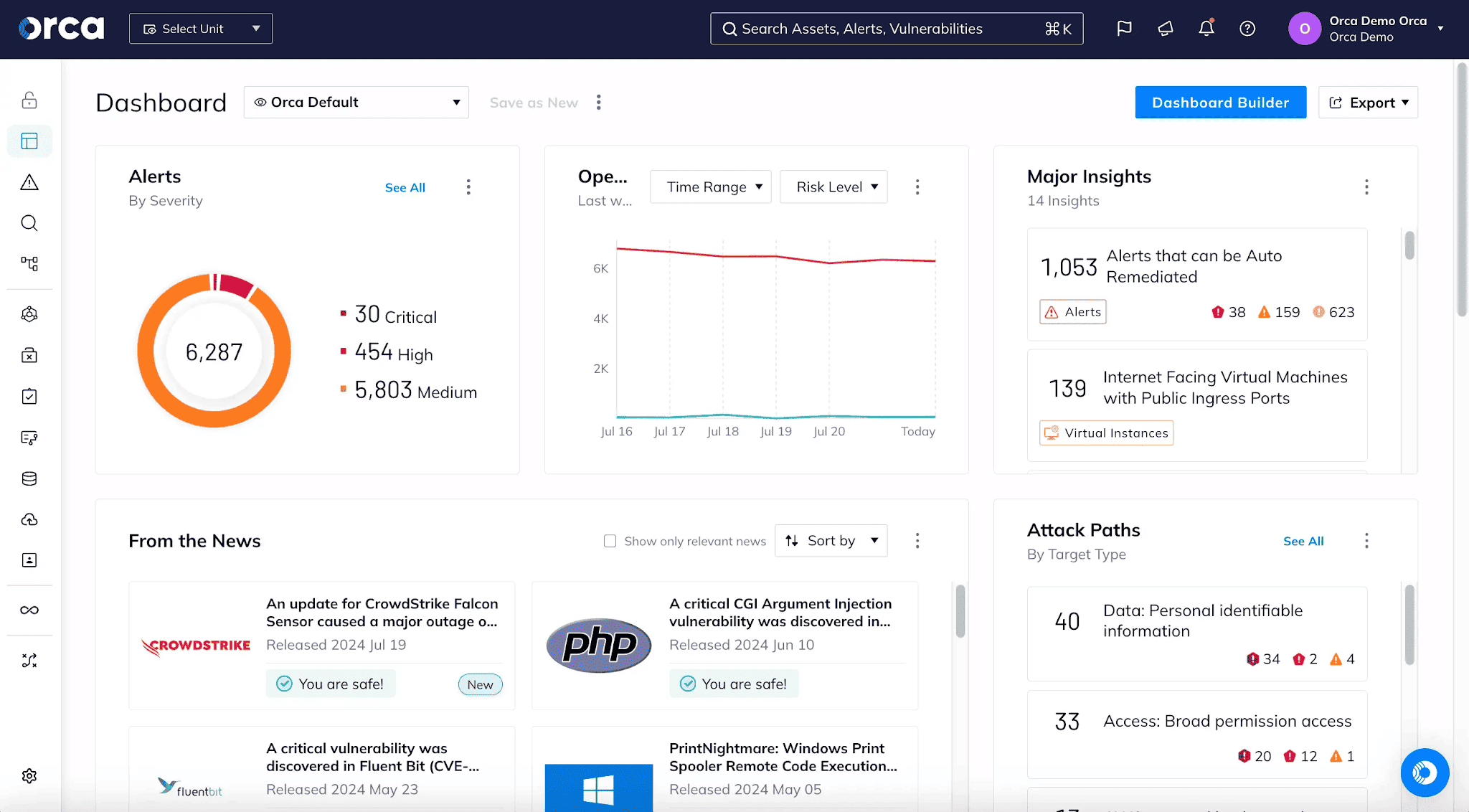
Orca Security’s differentiator is SideScanning, its agentless approach to inspecting workloads. It reads runtime block storage, reconstructs the workload file system in a read-only view, and combines that information with cloud configuration context. In practice, that gives a team a useful starting point when the estate is too large or politically messy for a “deploy an agent everywhere first” project.
The platform then correlates risks through a unified data model and attack paths rather than leaving vulnerabilities, permissions, misconfigurations, and data exposure as separate queues. There is still a runtime tradeoff: Orca is agentless-first, while Orca Sensor provides runtime observability and protection where deeper real-time coverage is required. Current customer references include Autodesk, Swiggy, Sisense, and C6 Bank.
Features
- Agentless SideScanning: Orca’s core workload assessment reads cloud configuration and runtime block-storage data out of band, so teams can discover vulnerabilities, malware, exposed secrets, and workload risks without first installing an agent on each asset. That makes it useful for getting baseline coverage across a large estate before deciding where runtime instrumentation is worth the effort.
- CSPM and attack-path prioritization: Orca continuously checks cloud configurations for misconfigurations, policy violations, and compliance risks, then correlates those findings with workload and exposure context. For triage, I’d focus on attack paths that connect an exposed entry point to a sensitive or privileged asset rather than working down a severity-sorted queue.
- CIEM and permission analysis: The platform tracks cloud identities, roles, permissions, and policies, flags overly permissive access, and provides policy-optimization recommendations. That becomes more useful when identity risk is evaluated alongside reachable workloads and sensitive data instead of as a standalone IAM finding.
- DSPM: Orca discovers managed, unmanaged, and shadow data stores, classifies sensitive information such as PII, PCI, PHI, and financial data, and connects data exposure to surrounding cloud risks. The practical test is whether sensitive-data context actually changes which findings your team fixes first.
- Container and Kubernetes security: Agentless coverage extends into container images and Kubernetes environments, including configuration, image, vulnerability, and control-plane checks. Orca can also scan container images and IaC templates in CI/CD workflows before deployment.
- Application and IaC security: Orca’s application-security layer includes SAST, software composition analysis, secrets detection, IaC scanning, and container-image scanning. Its Cloud-to-Dev workflow can also trace certain cloud risks back toward their code origin, which is the path I’d test during a remediation exercise.
- Runtime protection and CDR: Orca Sensor adds eBPF-based runtime telemetry, detection, investigation, and prevention for protected workloads, while the wider CDR workflow can also ingest alerts from services such as AWS GuardDuty, Microsoft Defender for Cloud, and Google Cloud Security Command Center.
Pricing
Orca’s pricing model is unusually simple for this category: one SKU, priced by the number of cloud workloads protected. Orca says that SKU includes CNAPP, application security, and runtime security with Orca Sensor, rather than splitting those capabilities into separate product tiers. Customers can also reallocate workload capacity toward Sensor or AppSec coverage as requirements change.
Public AWS Marketplace pricing gives us real numbers as of August 2026. Monthly packages for concurrent EC2 workloads start at $7,000/month for Small, then rise to $12,000 for Small-Medium, $17,000 for Medium, and $30,000 for Large. Enterprise deals can move to a custom private offer, so $30,000 is the highest public package rather than an enterprise ceiling.
AWS Marketplace currently lists a free trial. Orca’s official AWS trial documentation specifies a 30-day cloud security assessment.
Pros and cons
Orca reviews consistently reward the agentless deployment model and the amount of context available quickly. The sharper criticisms are operational: stale findings, exception handling, and the limits of snapshot-based scanning. Those are precisely the things I’d put under pressure in a POC.
- ✅ Fast agentless coverage: A senior security engineer described setup as “incredibly easy” with “100% visibility of cloud assets.” For teams with hundreds of accounts, that removes the agent-rollout project that can otherwise delay useful CNAPP coverage. Capterra review, Jan. 19, 2023.
- ✅ Findings arrive with remediation context: One CTO said Orca produced “very relevant” findings with remediation recommendations and supporting documentation. I’d validate that by handing a finding to an engineer who did not configure Orca and seeing whether they can act without security translating it first. Capterra review, May 21, 2022.
- ✅ Works well in a DevOps handoff: A CSO reported that Orca could “drive results directly” to the people responsible for remediation through its DevOps integration. That is more useful than another security dashboard if ownership survives the trip into engineering workflows. Capterra review, Feb. 19, 2021.
- ⚠️ Snapshot scanning is not real-time runtime detection: An application security reviewer pointed out that scanning “is not performed in real-time” because SideScanning relies on snapshots. Orca now offers Sensor-based runtime capabilities, so retest this limitation against the current configuration you intend to buy. Capterra review, May 23, 2022.
- ⚠️ Stale findings can muddy the queue: A telecommunications security engineer reported alerts for vulnerabilities that had “already been patched.” During evaluation, patch a known finding and measure how quickly it disappears. If engineers stop trusting the queue, prioritization quality drops fast. Capterra review.
- ⚠️ Exception logic deserves a hands-on test: One security engineer cited an “inability to create exceptions based on characteristics,” such as file path or name. Build two real exception cases during the POC, including one temporary waiver with an expiry date, and confirm the workflow matches your governance process. Capterra review, Jan. 26, 2023.
Sysdig Secure
G2: 4.8/5 from 111 reviews, as of Aug. 14, 2026
Capterra: 4.4/5 from 7 reviews, as of Aug. 14, 2026
Best for: Kubernetes- and container-heavy teams that want runtime detection to drive vulnerability prioritization and incident response, rather than treating runtime as an optional layer added after posture management.
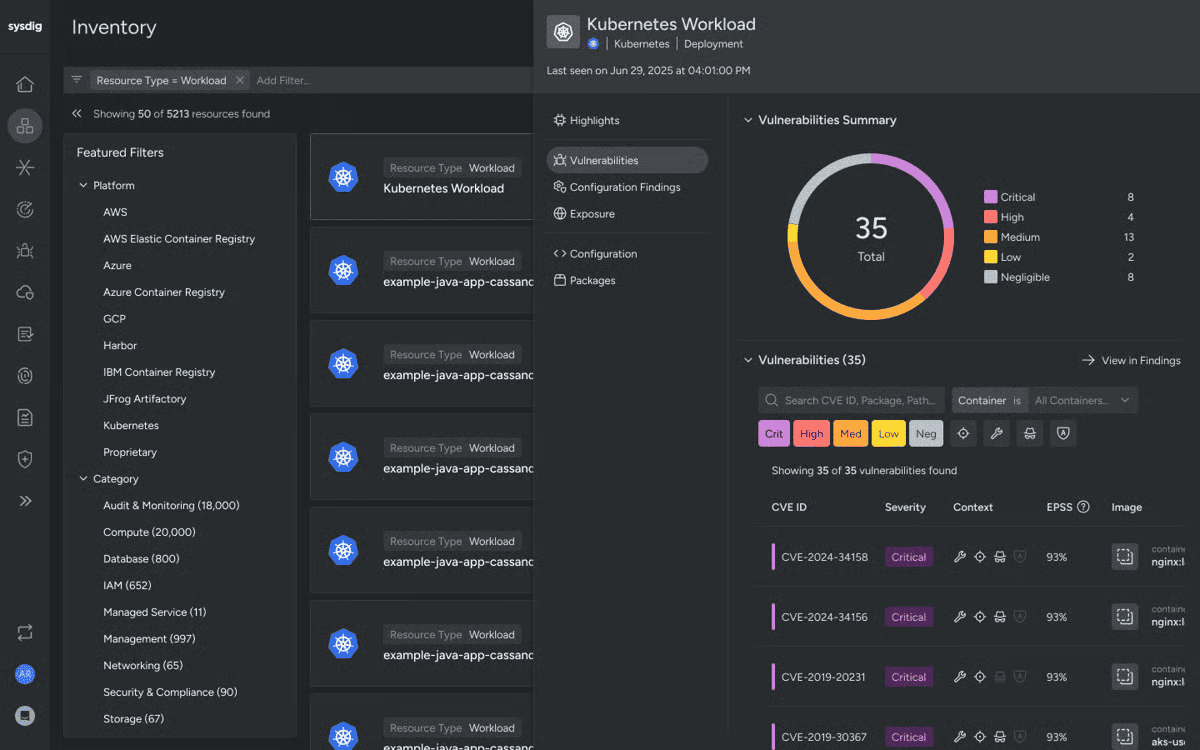
Sysdig is the runtime-first option in this shortlist. Its CNAPP uses Falco-based runtime detection alongside cloud posture, vulnerability management, workload protection, CIEM, and cloud detection and response. More importantly, runtime context feeds back into prioritization: Sysdig can distinguish packages and permissions that are actually in use from risks that exist only on paper. That is useful when a Kubernetes estate produces more vulnerability findings than the team can realistically patch.
The tradeoff is instrumentation. Deep process, container, and Kubernetes telemetry comes from the Sysdig agent, while agentless capabilities cover parts of vulnerability and posture assessment. I would be comfortable with that trade in a runtime-heavy environment, but I would measure deployment and resource overhead before rolling the agent across every cluster. Sysdig’s published customers include BigCommerce, Neo4j, SAP Concur, Goldman Sachs, and Worldpay.
Features
- Falco-powered runtime detection: Sysdig uses Falco rules to detect suspicious behavior from system calls, Kubernetes audit events, and cloud activity. For a runtime-first POC, trigger one controlled event and inspect how much context reaches the analyst with the alert.
- Runtime-aware vulnerability management: Sysdig prioritizes vulnerabilities using signals such as package usage, exploitability, exposure, and reachability. Compare the full critical-CVE queue with the in-use subset to see whether runtime context actually changes patch order.
- CSPM and attack-path analysis: Agentless CSPM covers AWS, Azure, and Google Cloud, while Sysdig’s graph connects configuration, identity, vulnerability, and runtime data. I’d test whether it can quickly surface the shortest exploitable path to a sensitive asset.
- Kubernetes security posture management: KSPM checks cluster and host configurations against security and compliance policies, then ties some findings back to the infrastructure-as-code source. That matters when the durable fix belongs in Git rather than a one-off cluster change.
- CIEM: Sysdig uses observed cloud activity to identify unused permissions and least-privilege opportunities. Current documentation lists CIEM for AWS, so do not assume equivalent identity coverage across Azure and GCP.
- Infrastructure-as-code scanning: Sysdig scans Terraform, CloudFormation, Kubernetes manifests, and other IaC templates in development and CI/CD workflows, with policy checks and drift detection. The useful test is whether a production finding leads cleanly back to the source configuration.
Pricing
Sysdig publishes a usable baseline through AWS Marketplace. CNAPP Enterprise costs $72 per unit/month as of August 2026, with a minimum public purchase of 20 units. That puts the practical entry point at $1,440/month before overages. A 12-month contract can reduce the committed price by up to 17%.
Usage above the commitment is billed separately. CNAPP Enterprise overage is $0.13 per host-hour, while serverless CNAPP usage is $0.03 per serverless host-hour. Sysdig’s own pricing page confirms that CNAPP licensing is primarily based on host count, with compute instances used for CSPM sizing. Enterprise agreements can move to a custom private offer, so there is no public top-tier price.
Sysdig currently advertises trials, but its live pricing page does not publish the trial duration. Older official Sysdig material specifies 30 days, so I would confirm the current term rather than presenting that historical number as an August 2026 guarantee.
Pros and cons
Sysdig’s review pattern lines up with its product positioning: runtime visibility and Kubernetes depth are the recurring strengths, while deployment complexity and a few coverage gaps deserve hands-on testing. I’d use the negatives as POC cases rather than assuming they apply unchanged to every environment.
- ✅ Strong runtime visibility: Syed Shahid A., a SOC and endpoint lead, praised the “excellent real-time visibility” across cloud-native and Kubernetes environments and specifically valued runtime detection, vulnerability management, and compliance monitoring together. For a container-heavy SOC, that is the core reason to shortlist Sysdig. G2 review, Apr. 29, 2026.
- ✅ Good Kubernetes workflow integration: One reviewer highlighted “seamless integration” with Docker and Kubernetes alongside real-time threat detection. During a trial, I’d verify that by onboarding a production-like cluster and checking how quickly detections become useful without custom plumbing. G2 review, May 21, 2025.
- ✅ Useful correlation for CNAPP triage: Sahil P. said the “UI is very impressive” and called out Sysdig Secure’s correlation capabilities. That matters when posture, vulnerability, and runtime signals need to become one remediation decision instead of three separate queues. G2 review, Sept. 16, 2025.
- ⚠️ Initial setup can be demanding: Syed Shahid A. described the initial setup as “complex,” especially for teams new to Kubernetes or container security. Have someone outside the platform team perform part of the onboarding during the POC. That exposes documentation and operational friction quickly. G2 review, Apr. 29, 2026.
- ⚠️ Deployment assumes cloud-native skills: Kapil S. noted that a good level of “knowledge [is] required to deploy” and integrate Sysdig into an existing environment. If your security team depends heavily on platform engineering for cluster changes, include that engineering time in the rollout estimate. G2 review, Sept. 8, 2025.
- ⚠️ Some assessment workflows have gaps: Anil Z. reported that on-demand vulnerability assessment for compute instances was “missing” in their workflow. Feature availability changes, so make an ad hoc rescan part of the current POC if your vulnerability process depends on validating a fix immediately after remediation. G2 review, Dec. 3, 2024; rating updated Sept. 3, 2025.
Aqua Security
G2: 4.2/5 from 57 reviews, as of Aug. 14, 2026
Best for: Mid-market and enterprise DevSecOps teams running substantial container and Kubernetes estates, especially when software supply chain controls and production runtime protection both sit high on the requirements list.
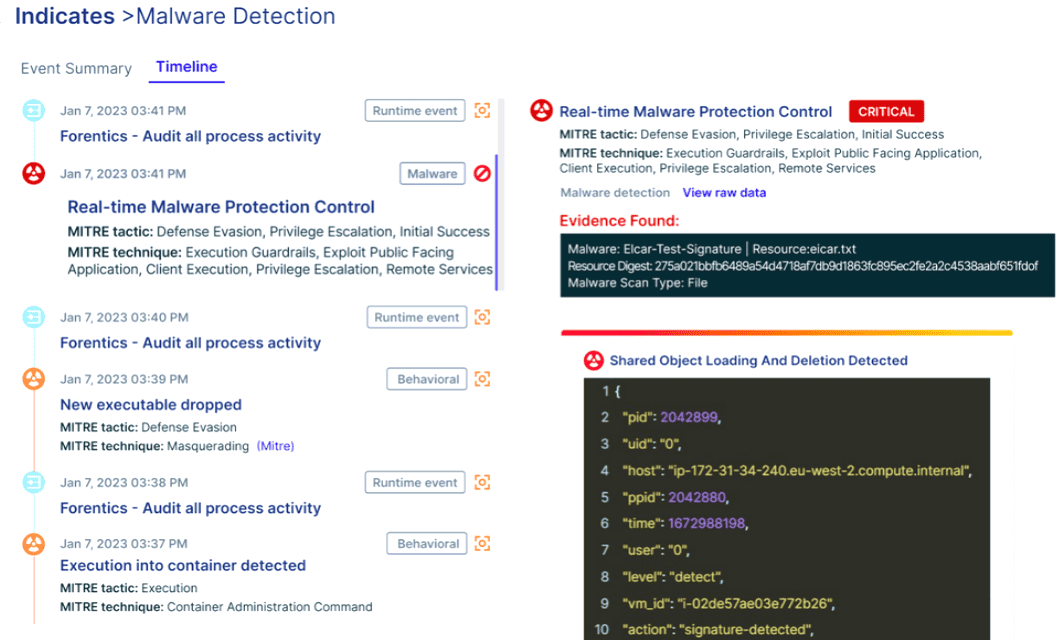
Aqua has long approached cloud security from the container outward. Its current CNAPP covers code scanning, software supply chain security, vulnerability management, cloud and Kubernetes posture, and workload protection across containers, Kubernetes, serverless functions, and VMs. Agentless assessment provides broad visibility, while runtime controls add enforcement inside running workloads.
There is a useful 2026 nuance, though. Aqua still presents the platform as full-lifecycle CNAPP, while its newer product direction puts much more weight on runtime exposure management and using production behavior to decide which risks deserve attention first. For container-heavy teams, that can be a strong fit because the same image can be inspected before deployment and then observed once it is actually running. Aqua’s published customer library includes Alma, AIB, and Kakaku.com.
Features
- Real-time CSPM: Aqua combines agentless cloud discovery with workload context across AWS, Azure, Google Cloud, and Oracle Cloud. The useful part is prioritization: posture findings can be judged against what is actually running, rather than worked as a flat severity queue.
- Code-to-cloud vulnerability management: Vulnerability scanning follows workloads and application artifacts from development into production, then adds runtime context to show which issues deserve attention first. During the POC, compare the critical-CVE list with the vulnerabilities that are relevant in running workloads.
- Software supply chain security: Aqua scans code, artifacts, infrastructure as code, and other build components before deployment. For DevSecOps teams, I’d test whether a failed policy check leads cleanly back to the developer and source artifact that need fixing.
- Kubernetes security: KSPM covers cluster and workload posture, while runtime controls extend protection after deployment. A good test is one deliberately misconfigured manifest: can the team follow it from the configuration error into the running workload without rebuilding the story manually?
- Cloud workload protection: Aqua protects containers, virtual machines, Kubernetes workloads, and serverless functions using behavioral monitoring and runtime policies. This is where agent deployment earns scrutiny. Instrument a representative workload and check whether the added telemetry changes an investigation or response decision.
- Dynamic Threat Analysis: Container images can be executed in an isolated sandbox to expose behaviors that static scanning may miss, including reverse shells, malware, cryptocurrency miners, and suspicious network activity. That is particularly useful for images you do not fully trust before promotion into production.
Pricing
Aqua does not publish standard direct list pricing. Its current pricing page says Cloud Security is priced by workload count, including resources such as EC2 instances, Fargate containers, and Lambda functions. Dev Security uses a separate repository-based model. That distinction matters if you plan to buy both sides of the platform.
AWS Marketplace gives a cleaner public benchmark as of August 2026: Shift Left Standard costs $50,000/year, Protect Advanced $100,000/year, and Ultimate $150,000/year on a 12-month contract. Private offers are available for custom enterprise pricing.
Aqua offers a free trial through its official pricing page, but the current public page does not state the trial length. I would confirm that term before treating it as part of the comparison.
Pros and cons
Aqua’s user feedback is strongest around container visibility, code-to-runtime coverage, and getting security controls into DevSecOps workflows. The rough edges show up later in day-to-day operation: reporting, navigation, and fine-grained triage. I’d turn those complaints into POC scenarios rather than assuming they still behave exactly as reviewers described.
- ✅ Useful cloud and application context: Jason P., an enterprise reviewer, said Aqua gives “great insight into various aspects of our cloud deployments,” including software dependencies, vulnerabilities, and infrastructure misconfigurations. He also found the UI clear enough to see which resources pass or fail policies. Give an engineer one failed control and see whether they can understand the risk without security translating the dashboard first. G2 review, Jan. 19, 2024.
- ✅ Code-to-runtime coverage: An enterprise financial-services user praised “the capability to look and protect the entire attack for code to runtime.” Their deployment used Aqua for image-risk detection and runtime protection, which makes this a useful review for teams evaluating the full container lifecycle. G2 review, Nov. 13, 2024.
- ✅ Container findings can be broken into workable slices: A healthcare reviewer liked being able to separate images, infrastructure, networking, and runtime protection into smaller areas rather than working one overwhelming container-security queue. That is the workflow I’d test on a noisy Kubernetes environment. G2 review, Aug. 22, 2023.
- ⚠️ Fine-grained triage has frustrated some users: One reviewer said the supply-chain tooling lacked “fine-grained triage of individual findings,” including false-positive handling, and reported inconsistent GitHub Actions integration. Put a real false positive through the current exception workflow during the POC. G2 review, Feb. 5, 2024.
- ⚠️ Reporting may need external work: A financial-services reviewer described the dashboards as useful mainly for basic metrics and said historical comparison often pushed them toward CSV exports and separate analysis. If trend reporting matters for governance, make Aqua reproduce one of your existing monthly reports before you shortlist it. G2 review, Sept. 20, 2023.
- ⚠️ The learning curve assumes container knowledge: Hugo L. found deployment straightforward with Helm, but said the documentation could be intimidating without strong Docker and Kubernetes knowledge. Have someone outside the container platform team complete part of the setup. That exposes whether the operational burden will stay concentrated in a few specialists. G2 review, Feb. 17, 2023.
SentinelOne Singularity Cloud Security
G2: 4.9/5 from 123 reviews, as of Aug. 14, 2026
Capterra: 4.7/5 from 116 reviews on the broader SentinelOne endpoint listing, as of Aug. 14, 2026
Best for: Mid-market and enterprise security teams that already think in EDR and detection-and-response workflows, and want an agentless CNAPP for posture paired with deeper runtime workload protection.
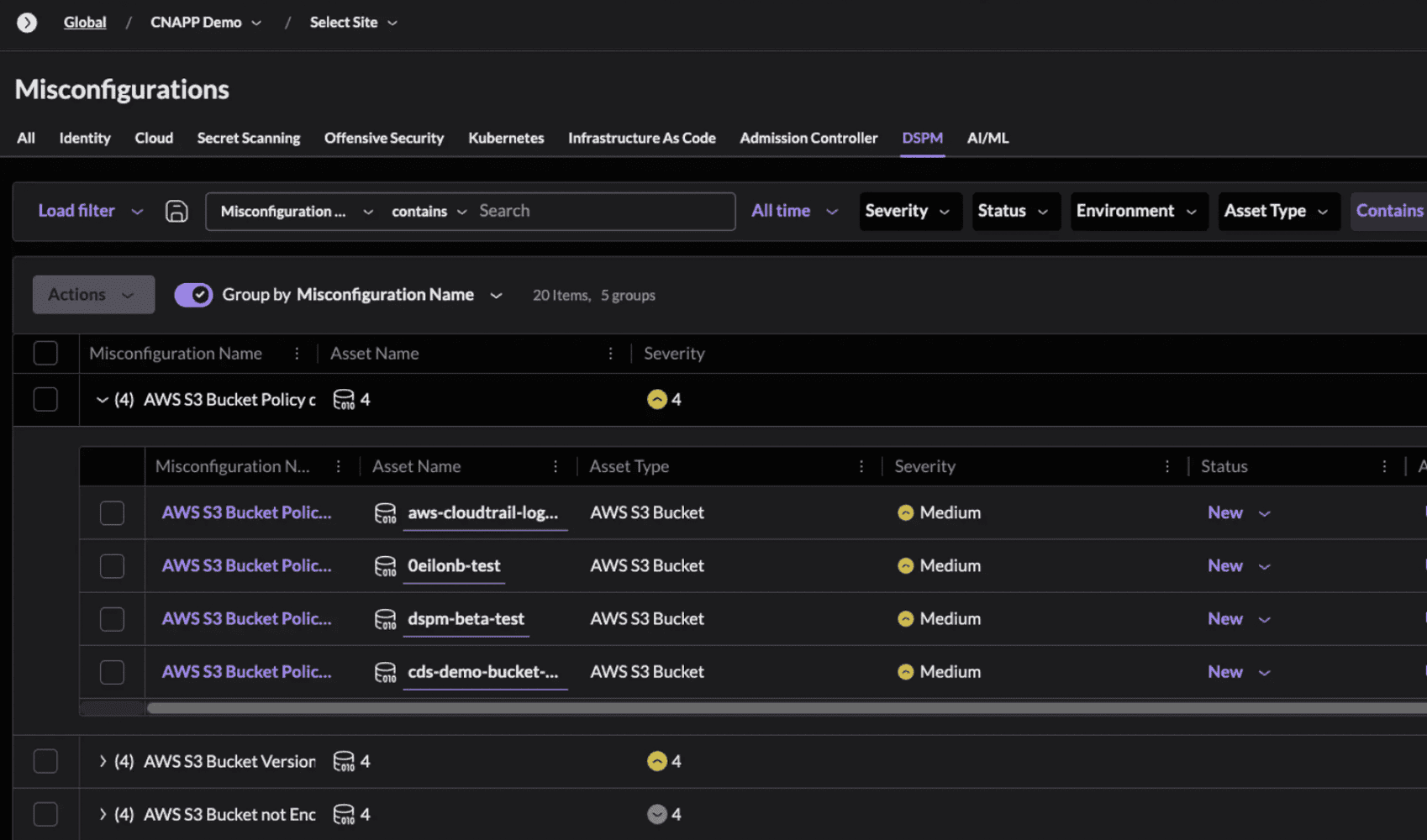
SentinelOne approaches cloud risk with an offensive security twist. Singularity Cloud Native Security handles the agentless side, covering CSPM, CIEM, DSPM, AI-SPM, infrastructure-as-code and secrets scanning. Cloud Workload Security adds real-time runtime protection for production workloads.
The differentiator I would put under pressure is Verified Exploit Paths. SentinelOne’s Offensive Security Engine safely tests whether an exposure is actually exploitable, then maps the path toward sensitive assets instead of stopping at a theoretical graph relationship. That can make prioritization more defensible if the evidence is detailed enough that an engineer does not need to validate the issue again manually. Published cloud-security customers include Relay Network, which uses both Cloud Native Security and Cloud Workload Security, and Aston Martin F1.
Features
- Verified Exploit Paths: SentinelOne’s Offensive Security Engine tests cloud exposures and shows evidence when an attack path is actually exploitable. In a POC, inspect the evidence before the severity label.
- CSPM and attack-path analysis: The agentless CNAPP checks cloud configurations and maps relationships in Graph Explorer. I’d test whether the graph leads engineers to the control that breaks the path.
- CIEM: SentinelOne flags excessive or risky permissions and connects identity exposure to the wider attack path. That helps distinguish a noisy IAM finding from one with real reach.
- DSPM and AI-SPM: The platform covers sensitive cloud data plus AI models, services, and supporting data pipelines. Check whether that context actually changes remediation priority.
- IaC and secrets scanning: SentinelOne scans infrastructure-as-code templates and secrets before deployment, including Terraform, CloudFormation, and Helm. The useful test is whether a production issue traces cleanly back to source.
- Cloud workload protection: Singularity Cloud Workload Security adds eBPF-based runtime protection across VMs, containers, Kubernetes, serverless, and hybrid environments. Runtime telemetry can feed the wider Singularity investigation workflow.
Pricing
SentinelOne’s full Singularity Cloud Security CNAPP is custom / contract-priced as of August 2026. Its AWS Marketplace listing shows a $20,000 12-month contract dimension, while the same page explicitly says final pricing is customized around protected workloads, endpoints, capabilities, quantities, and contract terms.
For a cleaner workload benchmark, AWS Marketplace lists Singularity Complete Cloud Workload Security at $16.50 per server/month, including Purple AI and Standard Support. That figure covers runtime workload protection rather than the complete CNAPP, so I would use it to model sensor-protected servers separately from agentless cloud-security coverage. The brief specifically calls for capturing this public per-workload pricing dimension.
Enterprise pricing remains custom. A free trial is available for Singularity Cloud Security through AWS Marketplace, although the current listing does not publish the trial duration.
Pros and cons
Recent G2 feedback is strongest around centralized cloud visibility and automated detection. The tradeoffs are familiar for a feature-dense CNAPP: tuning, setup effort, and UI friction once teams move beyond the happy-path demo. I’d turn each negative into a POC task.
- ✅ Centralized visibility: Devisri V., an enterprise software engineer, praised the platform’s “streamlined and intuitive implementation” and the visibility it provides across cloud workloads. For a multicloud team, I’d test whether an engineer can move from detection to affected workload without switching tools. G2 review, Jan. 8, 2026.
- ✅ Detection and response automation: Shruti J. highlighted “AI-driven threat detection and automated response” as a major strength, alongside centralized visibility across hybrid and multicloud environments. The practical test is whether that automation removes manual triage steps your SOC actually performs today. G2 review, Jan. 6, 2026.
- ✅ Runtime workload context: Amarjeet S. valued “real-time visibility into workloads and containers” plus the ability to manage endpoint and workload signals from one console. That is especially relevant if SentinelOne is already part of your EDR stack. G2 review, Nov. 4, 2025.
- ⚠️ Policy tuning takes work: The same reviewer said “policy fine-tuning take[s] some time to get right,” particularly during initial configuration. Run the trial long enough to encounter normal deployment noise, then measure how much tuning the team needs before alerts become trustworthy. G2 review, Nov. 4, 2025.
- ⚠️ False alerts can add triage noise: An enterprise reviewer reported “some false alerts that need tuning” and also found parts of the platform heavy for smaller teams. Feed routine CI/CD and Kubernetes changes through the POC and see how much analyst attention they consume. G2 review, Nov. 4, 2025.
- ⚠️ UI friction is worth testing: Rich J. described the interface as “a little clunky” and the login workflow as cumbersome. Give a cloud incident to someone who did not configure the platform. If they struggle to reach workload, identity, and runtime context, that friction will show up every day after rollout. G2 review, Dec. 17, 2024.
Check Point CloudGuard
G2: 4.5/5 from 2,876 reviews, as of Aug. 14, 2026
Best for: Network-security-heavy enterprises already invested in Check Point that want cloud risk context tied more closely to network controls, particularly across hybrid and multicloud environments.
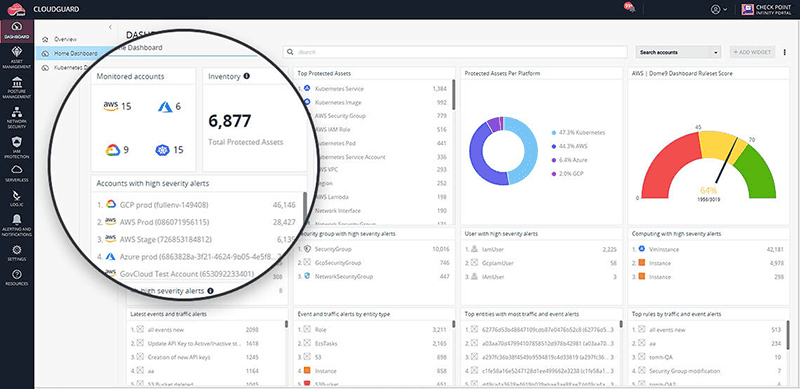
There is an important 2026 wrinkle here. Check Point still presents Cloud Security across CNAPP, cloud network security, and WAF, but its strategic direction for CNAPP changed after partnering with Wiz. Check Point’s own announcement says the companies are integrating Check Point network-security controls with Wiz’s CNAPP risk platform and assisting existing Check Point CNAPP customers with migration to Wiz.
That makes this a different buying exercise from evaluating Wiz or Orca as a standalone platform. For an existing Check Point shop, the attraction is connecting cloud risk analysis with the network controls already protecting the estate. Check Point’s current Cloud Security page highlights customers including Volkswagen Financial Services and Sallie Mae.
Features
- CSPM and compliance: CloudGuard checks cloud environments against built-in and custom security policies, including standards such as PCI DSS and HIPAA. Test one real exception to see how cleanly it moves from finding to remediation.
- CIEM: CloudGuard calculates effective permissions and flags excessive access. I’d test whether the entitlement view exposes a risky path your IAM team would otherwise miss.
- Kubernetes posture and runtime protection: KSPM checks cluster posture, while runtime protection monitors container activity and can block configured threats. Verify agent coverage before counting runtime protection as complete.
- Image assurance and admission control: CloudGuard scans container images for vulnerabilities and can block non-compliant images at admission. That gives platform teams a practical control point before deployment.
- ShiftLeft and IaC scanning: The ShiftLeft CLI scans Terraform, CloudFormation, source code, and container images in CI/CD pipelines. The useful test is whether a production issue traces back to the template that needs fixing.
- Cloud detection and response: CDR combines asset context, activity, network logs, and threat intelligence for investigation. I’d check whether an analyst can move from alert to affected resource without rebuilding the context manually.
Pricing
Check Point CloudGuard CNAPP is custom / quote-based as of August 2026. Check Point does not publish a starting or enterprise list price. Licensing depends on both the capabilities enabled and the number of protected billable assets.
The asset math is worth checking before procurement. For posture management, Check Point counts 1 EC2 instance as 1 billable asset, while 60 AWS Lambda functions equal 1 asset. Runtime has its own consumption rules, including 10 million Lambda invocations per billable asset.
AWS Marketplace also lists CloudGuard CNAPP as custom-priced via private offer, with no public dollar floor or enterprise ceiling.
The current CloudGuard documentation specifies a 30-day free trial.
Pros and cons
Most detailed TrustRadius feedback for CloudGuard predates Check Point’s 2025 Wiz partnership, so I’d treat these reviews as workflow evidence, not a description of today’s exact product boundary. The recurring strengths are cloud visibility, compliance, and centralized operations; setup and support are where reviewers hit more friction.
- ✅ Clean cloud-security visibility: Ankit Mistry called out “Cloud Native integration,” an “Excellent and Clean UI,” and cloud infrastructure security management as strengths. For a POC, give an engineer one misconfiguration and see whether they can reach the affected resource and remediation context without hunting across views. TrustRadius review, May 14, 2022.
- ✅ Compliance and centralized event management: Vighnesh Rege highlighted “Compliance and Security Posture checks,” misconfiguration detection, automated alert management, and centralized event handling. That is useful in regulated estates where posture findings need to support both engineering remediation and governance reporting. TrustRadius review, July 22, 2021.
- ✅ ServiceNow reporting integration: A financial-services reviewer said, “Having reporting tie in's with our ServiceNow asset management platform is very handy.” I’d test whether that handoff preserves enough asset and finding context for the assignee to act without reopening CloudGuard. TrustRadius review, Feb. 26, 2020.
- ⚠️ Deployment can get complicated: Mistry listed the “Deployment method” as a weakness and later said hybrid environments involved “more complexity to deploy.” Use a representative hybrid account during the POC, rather than proving onboarding only against a clean cloud-native environment. TrustRadius review, May 14, 2022.
- ⚠️ Implementation support has frustrated users: Rege flagged “Support Services - Support during implementation” and troubleshooting across multiple cloud vendors as areas for improvement. Make one cross-cloud integration issue part of the evaluation and measure how quickly vendor support gets you to a usable answer. TrustRadius review, July 22, 2021.
- ⚠️ Documentation and setup deserve scrutiny: The financial-services reviewer said there was “not a comprehensive amount of documentation on how to set up best practices” and that initial setup assistance did not go smoothly. Have someone outside the core Check Point team configure one policy during the trial. TrustRadius review, Feb. 26, 2020.
Tenable One Cloud Exposure (Tenable Cloud Security)
G2: 4.6/5 from 40 reviews, as of Aug. 14, 2026
Capterra: 5.0/5 from 2 reviews, as of Aug. 14, 2026
Best for: Mid-market and enterprise teams running vulnerability- and identity-led cloud security programs, especially where CIEM and exposure management carry more weight than deep runtime instrumentation.
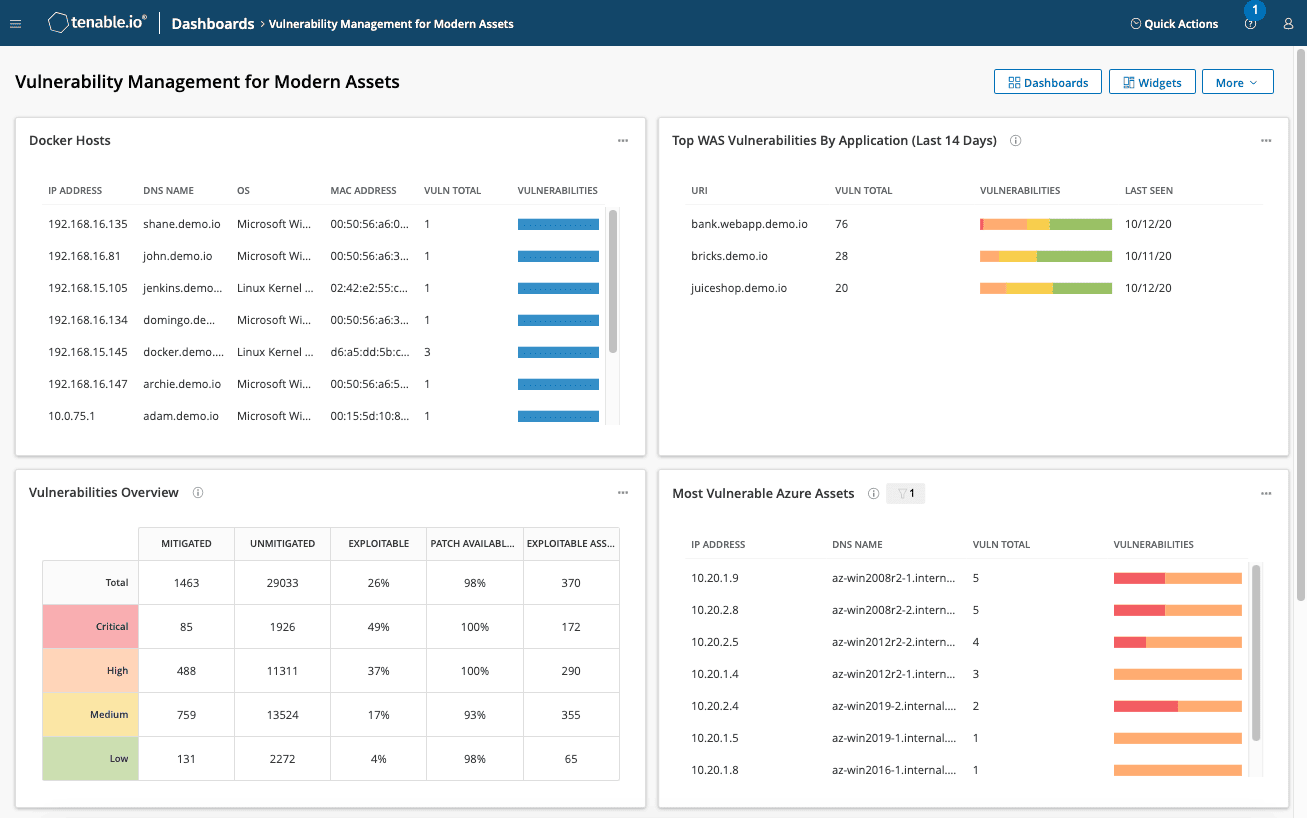
Tenable’s current CNAPP is branded Tenable One Cloud Exposure. It brings cloud misconfigurations, vulnerabilities, excessive permissions, sensitive data, and attack-path context into the wider Tenable One exposure management model. Tenable also supports CIEM with least-privilege analysis and just-in-time access, which makes the platform especially interesting when identity risk is already driving the remediation queue.
For teams already wrestling with a large cloud security vulnerabilities backlog, the useful part is correlation. A vulnerable workload becomes more urgent when Tenable can connect it to public exposure, excessive privileges, or sensitive data instead of leaving each issue in a separate queue. Published customer stories include IntelyCare and Aidoc, both using the platform for cloud identity and risk-remediation workflows.
Features
- CSPM and attack-path analysis: Tenable continuously checks cloud configurations and correlates misconfigurations, vulnerabilities, permissions, and exposure into attack paths. I’d test whether the graph changes which issue the team fixes first.
- CIEM and JIT access: Tenable analyzes effective permissions across AWS, Azure, and GCP, flags excessive access, and supports just-in-time permissions. That makes identity risk part of the exposure picture instead of a separate IAM queue.
- Cloud workload protection: The platform scans containers, Kubernetes, serverless workloads, and other cloud resources for vulnerabilities and malware from build through runtime. Use a publicly exposed vulnerable workload as the POC case.
- Kubernetes posture management: KSPM scans Kubernetes environments in public cloud or on-premises and includes a customizable admission controller for new resources. I’d test whether a cluster finding leads cleanly to the resource that needs changing.
- DSPM: Tenable discovers sensitive data and adds data sensitivity to cloud-risk prioritization. That context is useful when two technically similar findings have very different business impacts.
- IaC security: Tenable scans Terraform, CloudFormation, and Kubernetes manifests for misconfigurations, compliance gaps, and policy violations before deployment. The useful test is whether a production issue traces back to the source template.
Pricing
Tenable One Cloud Exposure is custom / quote-based as of August 2026. Pricing is driven by the number of billable cloud resources, with volume discounts rather than a published per-resource dollar rate. Tenable counts resources such as VMs, Kubernetes or other container hosts, serverless functions, container images and repositories, data stores, and databases.
If you buy Cloud Exposure through Tenable One, the licensing ratios matter. Standard consumes 5 Tenable One assets per Cloud Exposure billable asset; Enterprise consumes 7.5, while CIEM uses a 3:1 ratio. Tenable One itself has a 300-license minimum.
For vulnerability scanning, Tenable smooths ephemeral-resource usage using a rolling 90-day average of daily billable-resource counts. That is worth modeling if Kubernetes nodes or serverless workloads churn heavily.
Tenable’s current AWS Marketplace listing is private-offer only, and its Cloud Exposure evaluation page does not publish a free-trial duration. I would confirm the evaluation window in writing before comparing it with vendors offering fixed 14- or 30-day trials.
Pros and cons
Tenable Cloud Security reviews tend to praise the visibility and prioritization model, especially when several clouds are involved. The friction shows up around onboarding, alert volume, and reporting. Those are good POC targets because they affect what happens after the initial inventory looks clean.
- ✅ Risk-based prioritization: Ajay S. liked that Tenable prioritizes findings using “potential exploitability and business impact,” alongside unified AWS, Azure, and Google Cloud visibility. I’d test whether that ranking genuinely changes what engineers fix first. G2 review, Oct. 16, 2025.
- ✅ Clear multicloud visibility: Anthony Manuel B. praised the platform’s “excellent visibility across multi-cloud environments” and found its dashboards useful for communicating risk to technical and non-technical stakeholders. That matters when cloud findings need to survive the jump from security into engineering and governance. G2 review, Sept. 23, 2025.
- ✅ Straightforward vulnerability workflow: Ojasv P. highlighted continuous monitoring, vulnerability detection, integration with other security tools, and remediation recommendations. For an exposure-led program, I’d validate whether those pieces reduce manual enrichment before a finding reaches its owner. G2 review, Nov. 3, 2025.
- ⚠️ Initial setup can get heavy: Prathamesh K. said integration with complex cloud environments can be “time-consuming” and require technical expertise. Onboard one messy production account during the POC, not just a clean sandbox. G2 review, Oct. 10, 2025.
- ⚠️ Alert noise needs tuning: Ajay S. reported “too many low priority items” and said manual tuning may be needed to keep findings manageable. Measure how many alerts survive your first tuning pass before trusting the prioritization model at scale. G2 review, Oct. 16, 2025.
- ⚠️ Executive reporting may need work: Gibs S. found the console straightforward for policies and templates, but said executive reports could be more practical and were “overly technical for their intended purpose.” Make Tenable reproduce one report you already send to leadership before you shortlist it. G2 review, Oct. 9, 2025.
Tips for picking a CNAPP in cloud security
If you are working out how to choose a CNAPP, focus less on the demo feature count and more on whether the operating model survives your real estate. These CNAPP evaluation criteria are designed to expose that difference before procurement.
- Map coverage to what you actually run. Start with your estate, then work backward into the feature matrix. Kubernetes, serverless, data stores, VMs, CI/CD, and identities all create different coverage requirements. A vendor can tick CSPM, CWPP, CIEM, and DSPM while still leaving an important workload type thinly protected.
- Decide where agentless ends and agents begin. Agentless coverage is useful for rapid discovery and broad posture assessment; deeper host and runtime telemetry often requires instrumentation. I’d make that decision by workload tier. A production Kubernetes cluster may justify runtime sensors, while a short-lived development account may only need agentless posture coverage.
- Test signal quality after the clean demo. Connect a representative account and compare the raw finding count with the subset that remains after exploitability, exposure, reachability, and business context are applied. Those signals can completely change remediation priority. If every critical still looks equally urgent, prioritization is doing very little work.
- Follow one finding through engineering. Pick a real issue and trace it from asset, owner, Jira or ServiceNow ticket, SLA, and closure. Ownership is where a surprising number of evaluations get vague. If security still has to figure out who owns the resource and manually rebuild the ticket context, expect that friction to multiply with the backlog.
- Put exceptions and evidence through the POC. Create a temporary risk acceptance with an owner, justification, approver, compensating control, and expiry date. Then close the underlying finding and retrieve the history. You want to know now whether an auditor can follow that trail without three exports and a Slack archaeology exercise.
- Repeat the workflow outside the vendor’s strongest cloud. Run the same investigation in AWS, Azure, GCP, Kubernetes, and any hybrid infrastructure that matters to you. Multi-cloud coverage only counts when enough context survives to make the same remediation decision across environments.
Use these six checks as your CNAPP selection checklist. Score each vendor on the workflow you can prove, rather than the capability named on the slide.